How to Choose a Graphics Card
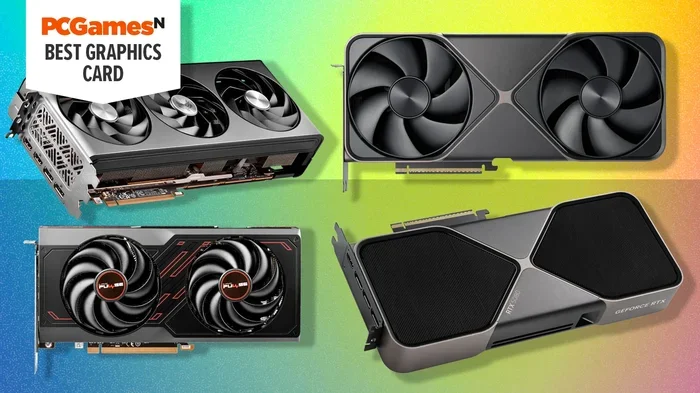
Choosing the right graphics card is one of the most important decisions you can make for your PC build. Whether you are a gamer, a creative professional, or a casual user, this guide breaks down everything you need to know about GPUs, VRAM, CUDA cores, and performance benchmarks so you can buy with confidence and avoid costly mistakes.
Building or upgrading a PC can feel overwhelming. There are so many parts to pick, and the graphics card is one of the trickiest to navigate. If you have ever stared at a wall of GPU models and wondered where to even start, you are not alone. This guide will walk you through every step of the process. By the end, you will know exactly how to choose a graphics card that delivers great performance without wasting money.
A graphics card, often called a GPU or video card, handles everything visual on your screen. It renders images, videos, and 3D environments in real time. Whether you want to play the latest AAA games at high settings, edit 4K video, or just browse the web smoothly, your GPU plays a huge role. Picking the wrong one can lead to frustration, wasted cash, or a system that bottlenecks your other components. That is why making an informed choice matters so much.
Key Takeaways
- Know your use case: Gaming, content creation, and casual use demand different levels of GPU power.
- VRAM matters: More video memory means smoother performance at higher resolutions and with complex textures.
- Check compatibility: Your motherboard, power supply, and case must all support your chosen graphics card.
- Budget wisely: You do not need the most expensive GPU to get excellent performance for your tasks.
- Consider cooling and power: A card that runs hot or draws too much power can cause problems in smaller builds.
- Brand and warranty count: NVIDIA and AMD both offer strong options, but brand reputation and support matter.
📑 Table of Contents
Understand Your Needs Before You Shop
Before you look at any GPU models, take a moment to think about what you actually need. Different users have very different demands. A casual office worker does not need the same card as a hardcore gamer. Being honest about your use case saves you from overspending or underperforming.
Gaming Performance
If gaming is your main goal, you need a card that can handle modern titles at your preferred resolution. Playing at 1080p requires less power than 4K gaming. Frame rate also matters. If you want smooth gameplay at 60 frames per second or higher, you will need a more powerful GPU. Ray tracing and DLSS features can enhance visuals but also demand stronger hardware.
Content Creation and Workstation Use
Video editors, 3D modelers, and graphic designers rely heavily on GPU acceleration. These tasks benefit from cards with lots of VRAM and strong compute performance. NVIDIA’s CUDA cores are especially useful for rendering and simulation work. If your work involves rendering complex scenes or training machine learning models, you should prioritize compute power over gaming specs.
Casual and Everyday Use
For web browsing, streaming videos, and light photo editing, an integrated graphics solution might be enough. Many modern processors come with basic graphics built in. You do not need a dedicated card for these tasks. However, if you ever plan to upgrade your usage, having a modest dedicated GPU gives you room to grow.
Learn the Key Specifications
GPU specifications can look like alphabet soup at first glance. But once you understand the basics, reading them becomes much easier. Here are the most important specs to know when you choose a graphics card.
VRAM (Video Random Access Memory)
VRAM is the memory your GPU uses to store textures, frame buffers, and image data. More VRAM generally means better performance at higher resolutions. For 1080p gaming, 6GB to 8GB of VRAM is usually sufficient. For 1440p or 4K gaming, 12GB or more gives you a comfortable buffer. If you work with large images or multiple displays, extra VRAM helps a lot too.
CUDA Cores and Stream Processors
NVIDIA calls its processing units CUDA cores. AMD calls them stream processors. Both serve the same purpose: they handle the mathematical work needed to render graphics. More cores generally mean faster performance, but architecture improvements also play a big role. A newer GPU with fewer cores can sometimes outperform an older card with more cores.
Clock Speed and Boost Clock
Clock speed measures how fast your GPU processes data, expressed in megahertz or gigahertz. The base clock is the guaranteed minimum speed. The boost clock is the maximum speed the card can reach under good conditions. Higher clock speeds usually translate to better performance, but they are only one piece of the puzzle.
Power Consumption and TDP
TDP stands for thermal design power. It tells you how much heat the card generates and how much power it draws. A card with a high TDP needs a beefy power supply and good case airflow. If you are building a compact or quiet system, look for GPUs with lower power draw. This also keeps your electricity bill in check.
NVIDIA vs AMD: Which Brand Should You Pick?
Two companies dominate the discrete GPU market: NVIDIA and AMD. Both make excellent products, but they have different strengths. Understanding these differences helps you make a smarter choice.
NVIDIA Strengths
NVIDIA leads in ray tracing performance and AI-powered features like DLSS. Their drivers are generally very stable and well-optimized. NVIDIA also offers strong support for creative workloads through CUDA acceleration. If you are a gamer who wants the best ray tracing experience or a creator who relies on GPU compute, NVIDIA is often the top pick.
AMD Strengths
AMD often delivers excellent value for money. Their cards frequently offer strong performance per dollar, especially in the mid-range segment. AMD’s FidelityFX Super Resolution (FSR) is an open alternative to NVIDIA’s DLSS. If you want solid gaming performance without paying a premium, AMD Radeon cards deserve serious consideration.
Which One Is Right for You?
The answer depends on your budget and priorities. Compare specific models rather than brand loyalty. A mid-range NVIDIA card might outperform a high-end AMD card in some scenarios, and vice versa. Always check benchmarks for the exact games or applications you use most.
Check Compatibility With Your System
Even the best graphics card will not help if it does not fit in your system. Before you buy, verify a few key compatibility factors. Skipping this step is one of the most common mistakes buyers make.
PCIe Slot and Motherboard
All modern GPUs use a PCIe x16 slot. Most motherboards have at least one. Make sure your motherboard has a slot available and that it is the right generation for the card you want. PCIe 4.0 and 5.0 offer higher bandwidth, but older PCIe 3.0 slots still work fine for most cards.
Power Supply Unit (PSU)
Your PSU must provide enough wattage and the right connectors. High-end cards often require one or two 8-pin PCIe power connectors. Check the card’s recommended PSU wattage and make sure your supply meets or exceeds it. A weak PSU can cause crashes, instability, or even damage to your components.
Physical Size and Case Clearance
Graphics cards come in different lengths and heights. Measure your case’s available space before you buy. A card that is too long will not fit. Also check for clearance around the PCIe slot and any drive bays. If you have a small form factor case, consider compact or mini-ITX GPUs designed for tight spaces.
Set a Realistic Budget
Graphics cards range from around $100 to well over $1,500. Setting a clear budget before you shop keeps you focused. You do not need to spend a fortune to get a great experience. Here is how to think about pricing tiers.
Budget range ($100-$250): These cards handle 1080p gaming at medium to high settings. They are perfect for casual gamers or anyone upgrading an older system. They also work well for basic content creation tasks.
Mid-range ($250-$500): This is the sweet spot for most users. You get smooth 1080p gaming at high settings and decent 1440p performance. Mid-range cards also handle video editing and light 3D work very well.
High-end ($500+): These cards target 1440p and 4K gaming with maxed-out settings. They excel at ray tracing and heavy creative workloads. You only need this tier if you demand the absolute best performance.
When setting your budget, also factor in the cost of your entire system. A powerful GPU paired with a weak processor or slow storage will not deliver the experience you want. Balance your spending across all components. If you are also planning upgrades like adding more RAM, check out our guide on how to upgrade the RAM of a laptop to make sure your system can keep up with your new GPU.
Read Benchmarks and Real-World Reviews
Spec sheets tell you what a card can do. Benchmarks show you what it actually does. Always look up performance data before you buy. Websites like Tom’s Hardware, TechPowerUp, and UserBenchmark provide detailed testing results.
Pay attention to benchmarks that match your use case. A card that scores well in gaming benchmarks might not be the best choice for 3D rendering. Look for tests in the specific games or applications you use most. Real-world reviews from trusted tech channels also give you valuable insights into thermals, noise levels, and daily driver experience.
Do not rely on a single benchmark number. Performance varies across different scenarios. A card that leads in one game might trail in another. Look for consistent performance trends across multiple tests to get a true picture.
Common Mistakes to Avoid When Choosing a GPU
Even experienced buyers sometimes make poor choices. Here are the most common mistakes and how to avoid them.
- Buying the most expensive card: The priciest GPU is not always the best value. Match the card to your actual needs.
- Ignoring the power supply: A high-end GPU paired with a weak PSU leads to instability. Always check PSU requirements first.
- Overlooking VRAM: Running out of VRAM causes stuttering and frame drops. Make sure the card has enough memory for your resolution and workload.
- Skipping benchmarks: Specs do not tell the whole story. Real-world performance data is essential for a smart purchase.
- Forgetting about cooling: A card that runs hot will throttle performance and wear out faster. Check cooler reviews and case airflow.
- Ignoring future-proofing: If you plan to keep your PC for several years, invest a little more in a card that will stay relevant longer.
Final Tips for a Great Purchase
Here are a few extra tips that experienced builders swear by. First, buy from reputable retailers with good return policies. If a card does not work with your system or fails early, you want the option to return it. Second, consider the resale value. NVIDIA and AMD cards from major brands tend to hold their value better. Third, do not forget about your storage. If you are installing a high-end GPU, you might also want to expand your storage capacity. Our guide on how to install a second NVMe M.2 SSD can help you add fast storage to handle large game libraries and project files.
Also, keep your system balanced. A great GPU paired with insufficient RAM will hold back your performance. If you are unsure about your memory setup, our article on how to install RAM in a laptop offers clear guidance to help you get your memory right. Balance is the secret to a smooth, powerful PC that delivers the experience you want.
Choosing a graphics card does not have to be stressful. Take your time, do your research, and trust the process. You will end up with a GPU that fits your needs, your budget, and your system perfectly. Happy building.
Frequently Asked Questions
What is the most important factor when choosing a graphics card?
Your use case is the most important factor. Gaming, content creation, and casual use all require different levels of GPU power. Identify what you will do most often, then match the card to those demands.
How much VRAM do I really need?
For 1080p gaming, 6GB to 8GB is usually enough. For 1440p or 4K gaming, aim for 12GB or more. If you work with large textures or multiple displays, more VRAM gives you a smoother experience.
Should I buy NVIDIA or AMD?
Both brands make excellent GPUs. NVIDIA tends to lead in ray tracing and AI features, while AMD offers strong value. Compare specific models and benchmarks for your use case rather than picking a brand blindly.
Can I upgrade my graphics card without changing the rest of my PC?
In most cases, yes. You need a compatible PCIe slot, enough power supply wattage, and physical space in your case. Check all three before you buy to avoid compatibility issues.
What is a good budget for a graphics card in 2024?
Budget cards start around $100 and deliver solid 1080p performance. Mid-range cards between $250 and $500 offer the best value for most users. High-end cards above $500 target enthusiasts who want the absolute best performance.
How do I know if my power supply is strong enough?
Check the GPU’s recommended PSU wattage on the manufacturer’s website. Also verify that your PSU has the correct power connectors. A power supply calculator can help you estimate total system power needs.
=== CONCLUSION ===
Choosing the right graphics card comes down to understanding your needs, knowing the key specs, and doing a little research. Focus on VRAM, GPU architecture, power requirements, and compatibility with your existing system. Whether you are a gamer chasing high frame rates, a creator rendering complex projects, or a casual user looking for a smooth experience, the right GPU is out there for you. Set a realistic budget, read benchmarks, and avoid common pitfalls. With the right card in your system, you will enjoy faster performance and a much better computing experience every single day.