What Specs Should a 1000 Gaming Pc Have
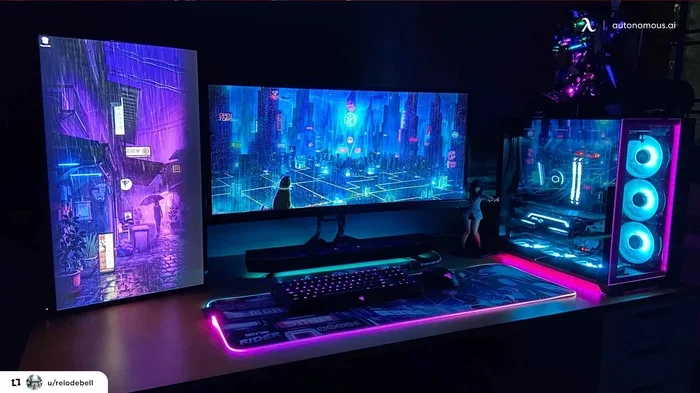
A 1000 gaming PC delivers solid 1080p and even 1440p performance with the right parts. You need a strong graphics card like the RTX 4060 Ti or RX 7700 XT, a capable CPU such as the Intel i5-13400F or Ryzen 5 7600, 16GB of DDR4 or DDR5 RAM, and a fast NVMe SSD. Check out our guide on the best specs for a gaming PC to understand the full picture. This budget hits the sweet spot between price and power for most gamers.
Building or buying a 1000 gaming PC is one of the best moves you can make as a gamer. At this price point, you get serious performance without breaking the bank. Whether you want to play the latest AAA titles or stream your favorite games, a thousand-dollar setup gives you plenty of power.
But here is the tricky part. There are so many parts to choose from, and not all of them give you the best value. You might wonder where to spend more and where to save. That is exactly what this guide covers. We will walk you through every component you need for a 1000 gaming PC build that performs like a machine.
We will look at the graphics card, processor, RAM, storage, motherboard, power supply, and cooling. By the end, you will know exactly what to buy. You will also understand why each part matters and how it affects your gaming performance. Let us get into it.
Key Takeaways
- GPU is king: Your graphics card matters most for gaming performance at 1000 dollars.
- 16GB RAM is the sweet spot: Enough for modern games without overspending.
- NVMe SSD is essential: Fast load times make a huge difference in your gaming experience.
- Consider prebuilt options: A prebuilt gaming PC under 1000 can save you time and hassle.
- Don’t neglect the power supply: A quality 650W PSU keeps your system stable and safe.
- Cooling matters: Good thermal management keeps your PC running smooth during long sessions.
📑 Table of Contents
- Why a 1000 Dollar Gaming PC Hits the Sweet Spot
- The Best Graphics Card for a 1000 Gaming PC
- Choosing the Right Processor for Your 1000 Gaming PC
- RAM and Storage: The Unsung Heroes
- Motherboard, Power Supply, and Cooling
- Prebuilt vs. Custom Build: Which Is Better?
- Common Mistakes to Avoid When Building a 1000 Gaming PC
- Final Thoughts on Building the Perfect 1000 Gaming PC
Why a 1000 Dollar Gaming PC Hits the Sweet Spot
A budget gaming PC around 1000 dollars gives you a great balance. You are not stuck with outdated parts, but you also are not overspending on features you do not need. Most gamers want smooth frame rates, fast load times, and the ability to play at high settings. A 1000 dollar build delivers all of that.
Compare this to a 500 dollar build, which often forces you to cut corners. Or a 2000 dollar build, which wastes money on parts you will not fully use. The 1000 range is the best value zone for most PC gamers. You get modern hardware that lasts for years.
What Can You Expect From a 1000 Gaming PC?
Here is a quick look at what a well-built 1000 gaming PC can do:
- 1080p gaming at 60+ FPS: Smooth gameplay on high or ultra settings in most titles.
- 1440p gaming at 60+ FPS: Great for monitors with higher resolution.
- Fast load times: NVMe SSD storage cuts waiting time dramatically.
- Good multitasking: Enough RAM to run games alongside Discord, Chrome, and Spotify.
- Room to grow: Modern parts stay relevant for several years.
Want to see what options already exist? Check out our guide on the best gaming PC under 1000 for prebuilt picks that deliver strong value.
The Best Graphics Card for a 1000 Gaming PC
The GPU is the single most important part of any gaming PC. It handles all the visuals, textures, and frame rendering. For a 1000 dollar build, you want a card that gives you top-tier 1080p performance and solid 1440p capability.
Top GPU Picks for 1000 Dollar Builds
Here are the best graphics cards to target for your 1000 gaming PC:
- NVIDIA RTX 4060 Ti (8GB or 16GB): Excellent 1080p and 1440p performance. Supports DLSS 3 for AI upscaling, which boosts frame rates in supported games.
- AMD Radeon RX 7700 XT (12GB): Strong competitor to the RTX 4060 Ti. Great rasterization performance and solid 1440p gaming.
- NVIDIA RTX 4060 (8GB): A budget-friendly option that still delivers great 1080p frame rates.
Each of these cards fits within a reasonable portion of your 1000 dollar budget. The RTX 4060 Ti and RX 7700 XT are the sweet spots for most gamers. They give you the best frame rate and visual quality without wasting money.
Why VRAM Matters
Video RAM, or VRAM, affects how much detail your GPU can render. For modern games at 1080p and 1440p, 8GB is the minimum. 12GB or 16GB gives you more headroom for future titles. Graphics card choices with more VRAM tend to age better, which means your gaming PC stays relevant longer.
Choosing the Right Processor for Your 1000 Gaming PC
The CPU works hand in hand with your GPU. It handles game logic, physics, AI, and background tasks. For a 1000 dollar build, you do not need the most expensive processor. But you do need one that keeps up with your graphics card.
Best CPU Options Around 1000 Dollars
Here are the top processors to pair with your GPU:
- Intel Core i5-13400F: A fantastic value chip with 10 cores and 16 threads. It handles modern games beautifully and leaves budget for other parts.
- AMD Ryzen 5 7600: Six cores and twelve threads with excellent single-thread performance. Great for gaming and light content creation.
- Intel Core i5-14400F: A slight upgrade over the 13400F with additional efficiency cores.
Both the Intel i5-13400F and AMD Ryzen 5 7600 are perfect for a 1000 gaming PC. They offer strong gaming performance without wasting money on cores you will not use. For more on choosing the right parts, see our best specs for a gaming PC guide.
Do You Need an Expensive CPU?
No. Most games rely heavily on the GPU. A mid-range CPU like the i5-13400F or Ryzen 5 7600 is more than enough. Spending extra on a high-end CPU like the i9 or Ryzen 9 would waste money you could put toward a better graphics card or monitor.
RAM and Storage: The Unsung Heroes
People often overlook RAM and storage when planning a 1000 gaming PC. But these parts directly affect how smooth your games run and how fast your system feels.
How Much RAM Do You Need?
For modern gaming, 16GB of RAM is the standard. It handles today’s games without issues and allows you to run background apps while gaming. Here is what to look for:
- 16GB DDR4 (3200MHz or higher): Affordable and reliable. Works with most Intel and AMD platforms.
- 16GB DDR5 (5600MHz or higher): Faster and more future-proof. A great choice if your motherboard supports it.
32GB of RAM is nice but not necessary for pure gaming at this budget. You can always add more later. For more details, check out our article on how much RAM for a gaming laptop to understand RAM requirements better.
Storage: SSD Is a Must
You need a solid-state drive for your gaming PC. An NVMe SSD gives you the fastest load times and the best overall experience. Here is what to look for:
- 1TB NVMe SSD: Enough space for 5-10 modern games. Load times are dramatically faster than HDDs.
- 2TB NVMe SSD: More room for a larger game library. Prices have dropped, making this a great option.
Avoid HDDs as your primary drive. They are too slow for modern gaming. A 1TB NVMe SSD like the Samsung 980 Pro or WD Black SN770 is a perfect fit for a 1000 dollar build.
Motherboard, Power Supply, and Cooling
These three parts do not get as much attention, but they are critical for a stable and lasting 1000 gaming PC.
Motherboard Selection
Your motherboard connects all your parts together. For a budget build, you do not need a premium board. Look for a B660 or B760 motherboard for Intel, or a B650 for AMD. These boards offer everything you need without overspending.
- Intel builds: A B760 motherboard with DDR4 or DDR5 support works perfectly.
- AMD builds: A B650 motherboard gives you great features and room to upgrade later.
Power Supply: Do Not Cheap Out
A 650W power supply is the right choice for most 1000 dollar gaming PCs. It gives you enough headroom for your GPU and CPU while staying efficient. Always choose a unit from a reputable brand with an 80 Plus Bronze rating or higher.
A bad power supply can damage your entire system. This is one area where spending a little extra is absolutely worth it.
Cooling Keeps Things Running Smooth
Your CPU and GPU generate heat during gaming. Good cooling keeps temperatures in check and maintains gaming performance. A basic air cooler like the Cooler Master Hyper 212 works great for most builds. If you want quieter operation, a 240mm AIO liquid cooler is a nice upgrade.
Prebuilt vs. Custom Build: Which Is Better?
This is a common question for gamers on a budget. Both options have pros and cons. Let us break them down.
| Factor | Prebuilt PC | Custom Build |
|---|---|---|
| Ease of Setup | Plug and play, ready immediately | Requires assembly and setup time |
| Cost Efficiency | Slightly higher price for convenience | More control over part selection |
| Warranty Support | Single point of contact for issues | Individual warranties per part |
| Upgradeability | Varies by brand and case design | Fully customizable for future upgrades |
| Time Investment | Minimal, just unbox and play | Several hours for assembly |
If you want the easiest path, a prebuilt gaming PC under 1000 saves you time and effort. Brands like iBUYPOWER, Skytech, and NZXT offer solid options in this range.
If you want maximum value and the satisfaction of building it yourself, a custom build gives you more control. You can choose every part and ensure quality. For tips on getting started, check out our best buy build a PC guide.
Common Mistakes to Avoid When Building a 1000 Gaming PC
Even experienced builders make mistakes. Here are the most common ones to watch out for:
- Skipping the power supply quality: A cheap PSU can fry your components. Always buy from a trusted brand.
- Underestimating cooling needs: Hot components throttle performance. Invest in decent cooling from the start.
- Buying too much RAM: 16GB is plenty for gaming. 32GB is overkill unless you also do video editing.
- Forgetting a case fan: Good airflow matters. Make sure your case has at least one intake and one exhaust fan.
- Choosing the wrong GPU for your monitor: If you have a 1080p 60Hz monitor, a top-tier GPU is wasted. Match your GPU to your display.
Final Thoughts on Building the Perfect 1000 Gaming PC
A 1000 gaming PC gives you excellent performance for years to come. The key is balancing your budget across the right parts. Put the most money into your GPU and CPU, then fill in the rest with solid mid-range components.
Remember, your PC is a system. Every part works together. A great GPU paired with a weak power supply or poor cooling will hold you back. Take the time to choose wisely, and you will have a machine that delivers smooth, enjoyable gaming for a long time.
Whether you go with a custom build or a prebuilt option, the 1000 dollar range offers incredible value. You get modern hardware that handles today’s games and tomorrow’s releases. Start planning your build today, and get ready to experience gaming at its best.
Frequently Asked Questions
Can a 1000 gaming PC run ray tracing?
Yes, especially with an RTX 4060 Ti or RX 7700 XT. Ray tracing performance will be moderate at 1080p and playable at 1440p with DLSS or FSR enabled. These technologies use AI to boost frame rates while maintaining visual quality.
Is 16GB RAM enough for a 1000 gaming PC in 2024?
Absolutely. 16GB is the current sweet spot for gaming. Most modern titles use between 8GB and 12GB of RAM. You can always upgrade to 32GB later if needed, but for pure gaming, 16GB is more than sufficient.
Should I build or buy a prebuilt 1000 gaming PC?
It depends on your comfort level. If you have never built a PC, a prebuilt option saves time and avoids assembly headaches. If you enjoy hands-on projects and want maximum value, a custom build gives you more control over every component.
What monitor is best paired with a 1000 gaming PC?
A 1080p 144Hz or 1440p 144Hz monitor is ideal. These refresh rates make games feel smooth and responsive. Match your monitor resolution to your GPU for the best balance of visual quality and performance.
How long will a 1000 gaming PC last?
With modern parts, a well-built 1000 gaming PC should last 4 to 6 years of comfortable gaming. You may need to lower settings on future titles, but the core components will remain capable for most gaming scenarios.
Does a 1000 gaming PC need Wi-Fi built in?
Not necessarily. Many motherboards include Wi-Fi, but you can also use a USB Wi-Fi adapter or a PCIe card. If you have Ethernet available, a wired connection is faster and more stable for online gaming.
=== CONCLUSION ===
Building or buying a 1000 gaming PC is a smart investment for any gamer. You get powerful hardware that handles modern titles with ease. Focus on a strong GPU like the RTX 4060 Ti or RX 7700 XT, pair it with a solid CPU like the i5-13400F or Ryzen 5 7600, and make sure you have 16GB of RAM and a fast NVMe SSD. Do not forget a quality power supply and proper cooling. These details make the difference between a good build and a great one.
Whether you choose a custom build or a prebuilt system, the 1000 dollar budget gives you room to play and room to grow. Your gaming PC will deliver smooth frame rates, fast load times, and visuals that bring your favorite games to life. Start your build today and enjoy the journey.