Why Would I Need a Usb Adapter

A USB adapter solves one of the biggest tech headaches today: connecting old and new devices that don’t match. Whether you need a USB adapter to link an NVMe SSD to your laptop or convert USB-C to USB-A, these small tools save time and money. You will learn the top reasons a USB adapter is essential for everyday computing.
Technology moves fast. New laptops drop USB-C ports. Desktops keep older USB-A slots. External drives use NVMe connections that your computer may not support directly. This mismatch creates a real problem.
That is where a USB adapter comes in. It is a small, affordable device that bridges the gap between different ports and connection types. Whether you want to connect an M.2 NVMe SSD to USB 3.1 adapter or turn a USB-C laptop into a USB-A friendly machine, the right adapter makes it all work.
In this guide, we will walk through every reason you might need a USB adapter. We will cover the types available, real-world use cases, and how to pick the best one for your needs. Let us get started.
Key Takeaways
- Universal Compatibility: A USB adapter bridges the gap between old and new ports so all your devices work together.
- Cost Savings: Instead of buying new hardware, a USB converter lets you keep using what you already own.
- Faster Data Transfer: Modern USB 3.0 adapter and USB 3.1 adapter options offer speeds up to 10 Gbps.
- Portability: Compact adapter cables and enclosures let you carry your storage anywhere.
- Easy Setup: Most USB adapters are plug-and-play with no software or drivers needed.
📑 Table of Contents
What Is a USB Adapter and Why Does It Matter?
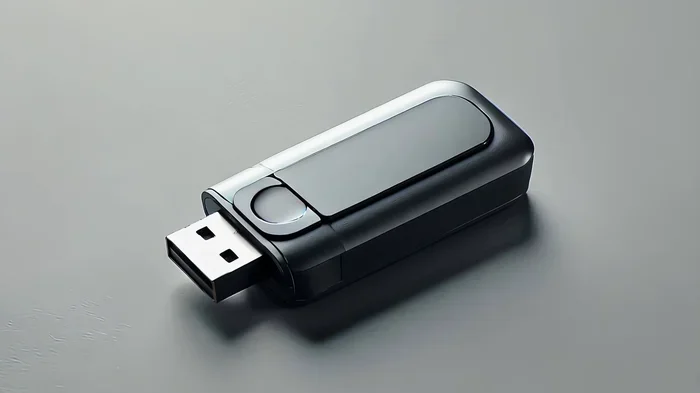
A USB adapter is a small device that converts one type of USB connection to another. Think of it as a translator between your gadgets. It takes a signal from one port shape and makes it work in a different port shape.
There are several common USB adapter types you will encounter:
- USB-C to USB-A adapter — lets you plug older USB-A devices into newer USB-C laptops.
- USB 3.0 adapter — gives you fast transfer speeds of up to 5 Gbps.
- USB 3.1 adapter — doubles that speed to 10 Gbps for even faster data moves.
- NVMe SSD to USB adapter — connects a solid-state drive directly to your computer through USB.
- USB hub adapter — adds multiple ports to a single USB connection.
Each USB converter serves a specific purpose. The right one depends on what devices you own and what you want to accomplish.
Why USB Adapters Are More Important Than Ever
Modern laptops are getting thinner. That means fewer ports. Many new machines only have one or two USB-C slots. Meanwhile, your keyboard, mouse, external drive, or phone might use a different connector entirely. A USB adapter closes this gap without forcing you to replace perfectly good gear.
For students, professionals, and casual users alike, connect devices seamlessly with the right adapter. It keeps your workflow smooth and your data moving quickly.
Top Reasons You Need a USB Adapter
You might be wondering whether a USB adapter is really worth it. The answer is almost always yes. Here are the most common reasons people reach for one.
1. Connecting External Storage Drives
This is one of the biggest reasons people buy a USB adapter. Many modern NVMe SSDs use the M.2 form factor. Your laptop or desktop likely does not have a slot for that directly. An M.2 NVMe SSD to USB 3.1 adapter or an M.2 NVMe SSD enclosure adapter USB 3.1 solves this problem instantly.
You can plug your NVMe drive into the adapter, connect it to any computer with a USB port, and access your files right away. This is perfect for:
- Backing up large files from an NVMe SSD
- Transferring data between computers
- Creating a portable external drive for work or travel
- Recovering data from a drive in an old system
Products like the Sandisk Extreme Portable 2TB External USB C NVMe SSD show how popular this setup has become. But even if you already have your own NVMe drive, a USB adapter gives you the same flexibility at a lower cost.
2. Making Old Devices Work with New Computers
Technology evolves fast, but your accessories do not have to. If your new laptop only has USB-C ports and your printer, scanner, or flash drive uses USB-A, a simple USB-C to USB-A adapter fixes the problem.
This is one of the most practical reasons to own a USB adapter. Instead of replacing every peripheral, you just plug in the adapter and keep going. It is a small solution for a big frustration.
3. Expanding Your Laptop’s Limited Ports
Ultrabooks and thin laptops are beautiful, but they sacrifice ports for slim design. If you need to plug in a mouse, a USB drive, a charging cable, and a headset at the same time, you will run out of space fast.
A USB hub adapter or a USB adapter with multiple ports lets you connect everything at once. This is especially helpful for people who work from coffee shops, airports, or any place with limited desk space.
4. Faster Data Transfer Speeds
Not all USB adapters are created equal. Older USB 2.0 adapters max out at about 480 Mbps. That is painfully slow for large files. A USB 3.0 adapter or USB 3.1 adapter delivers speeds of 5 to 10 Gbps, which is up to 20 times faster.
If you regularly move large video files, backups, or databases, investing in a high-speed USB adapter saves you serious time. The difference between waiting 10 minutes and waiting 30 seconds is huge.
5. Using an NVMe SSD as a Portable Drive
NVMe SSDs are incredibly fast, but they need the right connection to work outside a desktop or laptop. An M.2 NVMe SSD to USB 3.1 adapter or M.2 NVMe SSD enclosure adapter USB 3.1 turns your internal drive into a portable powerhouse.
You get speeds that rival internal connections while keeping the convenience of a plug-and-play external drive. This is a game-changer for anyone who works with large media files or needs fast backup solutions on the go.
Types of USB Adapters Explained
Not sure which USB adapter you need? Here is a quick breakdown of the most popular types.
| Adapter Type | Use Case | Speed |
|---|---|---|
| USB-C to USB-A | Connect older USB devices to new laptops | Up to 10 Gbps (USB 3.1) |
| NVMe SSD to USB 3.1 | Connect M.2 NVMe drives externally | Up to 10 Gbps |
| USB Hub Adapter | Add multiple ports to one connection | Varies by hub |
| NVMe Enclosure Adapter | Protect and connect NVMe drives via USB | Up to 10 Gbps |
| USB 3.0 to USB-C | Connect USB-C devices to USB 3.0 ports | Up to 5 Gbps |
Each type serves a different need. Think about what devices you want to connect and what ports they use. That will guide your choice.
How to Choose the Right USB Adapter
Picking the right USB adapter does not have to be complicated. Keep these factors in mind:
- Check your ports. Know what your computer has and what your device needs.
- Look at speed ratings. Choose USB 3.0 or USB 3.1 for fast data transfer.
- Consider build quality. A well-made adapter cable lasts longer and performs better.
- Think about portability. If you travel often, a compact M.2 NVMe to USB-C SSD enclosure is a great option.
- Check compatibility. Make sure the adapter works with your operating system.
Taking a few minutes to evaluate your needs saves you from buying the wrong product. A good USB adapter should just work the moment you plug it in.
Common Mistakes People Make With USB Adapters
Even though USB adapters are simple devices, people still make avoidable mistakes. Here is what to watch out for:
- Buying a cheap, slow adapter. A $5 no-name USB adapter might bottleneck your speeds. Invest in a quality brand for reliable performance.
- Ignoring power delivery. Some adapters do not supply enough power for external drives. This can cause disconnections or slow performance.
- Using the wrong adapter type. A USB 2.0 adapter for an NVMe drive will waste its speed potential. Always match your adapter to your device capabilities.
- Forgetting about enclosure protection. An M.2 NVMe SSD enclosure adapter USB 3.1 not only connects your drive but also protects it from damage.
Avoid these pitfalls and your USB adapter experience will be smooth and frustration-free.
Expert Tips for Getting the Most From Your USB Adapter
Want to squeeze every bit of performance from your USB adapter? Follow these tips from the experts:
- Use a short, high-quality cable. Longer cables can reduce speed and signal strength. Keep your adapter cable as short as practical.
- Plug directly into your computer. Avoid unpowered USB hubs when possible for the best performance.
- Keep firmware updated. Some adapters benefit from firmware updates that improve compatibility and speed.
- Store your adapter safely. A small pouch or case prevents damage to your USB converter when you travel.
These small habits add up to a big difference in how well your USB adapter performs over time.
Quick Tips at a Glance
- Always match your adapter to the USB version your device supports (USB 3.0, 3.1, or USB-C).
- An M.2 NVMe SSD to USB 3.1 adapter is the go-to choice for connecting NVMe drives externally.
- Keep a spare USB adapter in your bag for unexpected connectivity needs.
- Choose an M.2 NVMe SSD enclosure adapter USB 3.1 if you want both protection and fast speeds.
- Test your setup with a large file transfer to confirm you are getting the expected speeds.
Final Thoughts
A USB adapter is one of those small tools that makes a massive difference in your daily tech life. Whether you need an M.2 NVMe SSD to USB 3.1 adapter to access your storage, a simple USB-C to USB-A adapter to keep old peripherals working, or a high-speed USB 3.1 adapter for fast file transfers, the right adapter solves real problems.
These devices are affordable, easy to use, and instantly expand what your computer can do. Instead of replacing hardware or struggling with incompatible connections, a USB adapter gives you the freedom to connect devices the way you need.
Take a look at your setup today. Identify the ports you have and the devices you want to use. Then pick the USB adapter that fits. It is a small investment that pays off every single day.
Frequently Asked Questions
Do I need a USB adapter if my laptop has USB-C?
It depends on what you want to connect. If your devices use USB-A or other connection types, a USB adapter bridges the gap. Even with USB-C, you may need an adapter cable for older peripherals or external NVMe drives.
Can a USB adapter slow down my data transfer?
Yes, if you choose a low-quality or older adapter. A USB 2.0 adapter will bottleneck fast NVMe drives. Always pick a USB 3.0 adapter or USB 3.1 adapter for speeds that match your devices.
What is the difference between an M.2 NVMe SSD to USB 3.1 adapter and an enclosure?
An M.2 NVMe SSD to USB 3.1 adapter is a bare connector that links your drive to a USB port. An M.2 NVMe SSD enclosure adapter USB 3.1 wraps the drive in a protective case with the adapter built in. Both serve the same purpose, but an enclosure offers better protection.
Are USB adapters plug-and-play?
Most modern USB adapters are plug-and-play. You do not need to install drivers or software. Simply connect the adapter, plug in your device, and start using it. Some advanced models may require a quick driver install.
Can I use a USB adapter with my phone or tablet?
Yes, many phones and tablets support USB adapters, especially those with USB-C ports. You can connect external drives, keyboards, and other peripherals using the right USB converter. Check your device’s compatibility first.
How do I know which USB adapter speed I need?
If you transfer large files often, go with a USB 3.1 adapter for 10 Gbps speeds. For basic tasks like connecting a mouse or keyboard, a standard USB adapter is perfectly fine. Match the speed to your actual use case to avoid overspending.
=== CONCLUSION ===
A USB adapter is a must-have tool for anyone who uses multiple devices or connects external storage. From an M.2 NVMe SSD to USB 3.1 adapter to a simple USB-C to USB-A adapter, these small accessories solve big compatibility problems. They save you money, protect your existing gear, and keep your data moving fast.
Now that you know why you need a USB adapter, take action. Pick the right type for your setup and enjoy seamless connectivity every day.