How Long Does It Take to Build a Pc
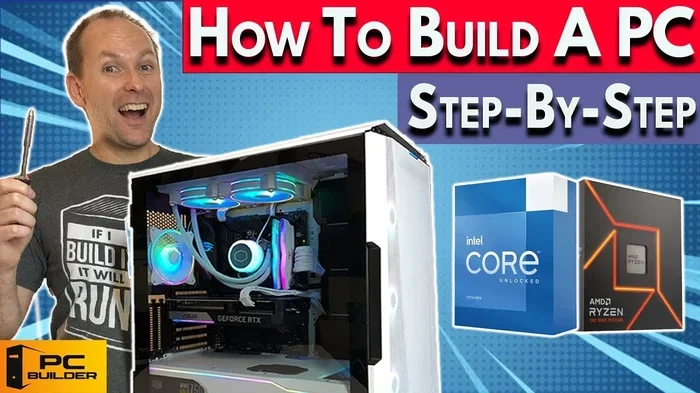
Building a PC typically takes between 2 and 8 hours, depending on your experience level and the complexity of your build. First-time builders should expect closer to 6-8 hours, while seasoned builders can finish a custom build in under 3 hours. This guide walks you through every stage so you can plan your build day with confidence.
Have you been thinking about building your own PC? Maybe you have all the parts sitting on your desk and you are wondering how long this whole process will take. The good news is that building a computer is not as scary or as time-consuming as most people think.
Whether you are a complete beginner or someone who has built a few rigs before, knowing the timeline helps you plan your day. In this guide, we break down every step of the process and give you a realistic estimate of how long it takes to build a PC from start to finish.
The short answer is that most builds take between 3 and 6 hours. But that number can shift based on your experience, the complexity of your setup, and how prepared you are. Let us dive into the details so you know exactly what to expect.
Key Takeaways
- Average Build Time: Most people finish a PC build in 3 to 6 hours, with beginners taking longer.
- Experience Matters: First-timers take 6-8 hours, while experienced builders finish in 1-3 hours.
- Preparation Cuts Time: Having your tools, workspace, and parts ready saves 1-2 hours.
- Complex Builds Take Longer: Custom water cooling, RGB setups, and compact cases add time.
- Cable Management Is Key: Spending extra time on cables improves airflow and looks better.
- Testing Adds 30 Minutes: Always test your build before closing the case fully.
📑 Table of Contents
How Long Does It Take to Build a PC?
The time it takes to build a PC depends on several factors. Your experience level is the biggest one. But the type of build, your workspace, and even your attention to detail all play a role. Here is a general breakdown of build times based on skill level.
First-Time Builders: 6 to 8 Hours
If this is your first time assembling a computer, plan for a full day. You will be reading manuals, watching tutorials, and double-checking every connection. That is perfectly normal. Do not rush yourself. The first build is all about learning, and taking your time prevents costly mistakes.
Most first-timers spend extra time on cable management and making sure everything is seated properly. That is a good thing. You will get faster with each build you do.
Intermediate Builders: 3 to 5 Hours
If you have built a PC or two before, you already know the basics. You know how to seat RAM, install the CPU, and connect front panel headers. At this level, you can work more efficiently because you are familiar with the process.
Intermediate builders also spend less time troubleshooting. You have already run into the common pitfalls, so you know what to watch out for.
Experienced Builders: 1 to 3 Hours
Seasoned PC builders can whip together a custom rig in under three hours. They know exactly which steps to follow and do not waste time second-guessing themselves. For these builders, PC assembly becomes almost second nature.
Even experts, however, slow down when working on complex builds. Custom water cooling loops, compact mini-ITX cases, and elaborate RGB setups all add extra time to the process.
What Affects the Build Time?
Several factors can speed up or slow down your build. Understanding these helps you set realistic expectations and plan accordingly.
Complexity of the Build
A basic gaming PC with a standard ATX case takes less time than a compact build with custom water cooling. Here are some factors that increase build complexity:
- Custom water cooling loops require extra steps for routing and bleeding.
- Mini-ITX cases have less room, making cable management harder.
- RGB lighting setups need extra connections and software configuration.
- Multiple storage drives mean more cables and more mounting time.
Your Workspace
A clean, well-lit workspace with plenty of room makes a big difference. If you are building on a cluttered table or in a tight space, you will spend more time searching for tools and parts. A dedicated desk with good lighting is ideal.
Preparation and Organization
One of the biggest time-savers is preparation. Laying out all your parts before you start, reading the motherboard manual ahead of time, and having your tools ready can cut your build time significantly. Experienced builders often spend 30 minutes organizing before they ever touch a screwdriver.
Step-by-Step Build Timeline
Here is a detailed breakdown of each step and how long it typically takes. This gives you a clear picture of where your time goes during a custom PC build.
| Step | Time (Beginner) | Time (Experienced) |
|---|---|---|
| Unboxing and organizing parts | 20-30 min | 10-15 min |
| Installing CPU and cooler | 15-20 min | 5-10 min |
| Installing RAM | 10-15 min | 5 min |
| Installing M.2 NVMe SSD | 10-15 min | 5 min |
| Mounting motherboard in case | 10-15 min | 5-10 min |
| Connecting power cables | 15-20 min | 10 min |
| Cable management | 20-30 min | 10-15 min |
| Installing GPU | 10-15 min | 5 min |
| Connecting case fans and front panel | 15-20 min | 10 min |
| First boot and testing | 15-20 min | 10 min |
| Total | 6-8 hours | 1.5-3 hours |
As you can see, the PC building process is fairly straightforward. The biggest time sinks are usually cable management and the first boot testing phase. Do not skip the testing step. It is essential to make sure everything works before you close up the case.
Installing the CPU and Cooler
This step is simpler than most people think. You align the CPU with the socket, drop it in gently, and secure it. Then you apply thermal paste and mount the cooler. For beginners, this step can take 15 to 20 minutes because you want to be careful not to bend any pins.
Installing RAM and Storage
RAM installation is quick and easy. You just push the sticks into the correct slots until they click. For storage, if you are using an M.2 NVMe SSD, you will want to refer to a guide on how to install NVMe SSD in PC for a smooth process. This step usually takes about 10 to 15 minutes for a beginner.
Mounting the Motherboard
This involves installing the I/O shield, placing the motherboard standoffs, and carefully lowering the board into the case. Take your time here. A misaligned standoff can cause short circuits. Budget about 10 to 15 minutes for this step.
Cable Management and Power Connections
This is where most beginners spend the most time. Routing cables neatly behind the motherboard tray, connecting the 24-pin ATX power, the CPU power, and the GPU power all take careful attention. Good cable management also improves airflow and makes your build look professional.
Many builders recommend learning cable management techniques before starting. If you want tips on keeping your system clean and efficient, you can check out our guide on how to remove junk files from PC to keep your system running smoothly from day one.
Installing the GPU
Graphics cards are one of the most important components, and installing them is usually the easiest part. You remove the right PCIe slot covers, insert the card, and secure it with a screw. This step typically takes 5 to 10 minutes.
How to Speed Up Your Build
Want to finish your build faster without sacrificing quality? Here are some proven tips that save time at every stage.
Prepare Before You Start
Spend 15 to 20 minutes before your build laying out all parts, reading the motherboard manual, and organizing your tools. Knowing exactly where each screw goes and which cable connects where eliminates guesswork during the actual build.
Follow a Build Order
Do not jump between steps randomly. Follow a logical order: CPU first, then cooler, then RAM, then motherboard into the case, then storage, then GPU, then cables. Sticking to a sequence keeps you focused and efficient.
Use the Right Tools
A magnetic tip screwdriver is a game changer. It prevents dropped screws and makes everything faster. A zip tie cutter also saves time compared to scissors when managing cables.
Watch a Tutorial Before You Start
Even if you have read the manuals, watching a video walkthrough of a similar build helps you visualize the process. This simple step can shave 30 minutes or more off your first build.
Do Not Rush the Testing Phase
It might be tempting to close up the case and power on, but taking the extra 15 to 20 minutes to test everything with the case open saves you from potential headaches later. Check that the GPU is seated, all fans are spinning, and the system posts correctly.
Common Mistakes That Slow Down Your Build
Avoiding these common pitfalls keeps your build on track and prevents frustrating delays.
- Forgetting to install the I/O shield before mounting the motherboard means you have to take everything apart.
- Not checking component compatibility before buying parts can lead to returns and delays.
- Skipping the motherboard manual causes confusion about fan headers and front panel connections.
- Over-tightening screws can damage the motherboard or CPU socket.
- Forgetting to connect the CPU power cable is the most common reason a build fails to post.
One thing many first-time builders overlook is understanding how much RAM a system needs. If you are unsure about your memory requirements, our guide on how much RAM does a laptop need offers helpful insights that also apply to desktop builds.
Post-Build Setup: What Else Takes Time
Once your PC powers on for the first time, there are still a few steps before you are fully done. Installing the operating system, updating drivers, and configuring BIOS settings all add time to the process.
Installing Windows typically takes 20 to 30 minutes. Driver updates and software installations can add another hour. If you want to optimize your new system, cleaning up unnecessary files and settings is a great next step. For tips on keeping your new PC running clean, check out our article on how to remove junk files from PC.
Some builders also like to install an additional M.2 NVMe SSD after the initial setup. If you need guidance on that, our guide on how to install M.2 NVMe SSD in PC walks you through the process step by step.
When Should You Seek Help?
There is no shame in asking for help, especially during your first build. If you get stuck on a step or are unsure about a connection, it is perfectly fine to consult a friend, visit a local shop, or join an online community of PC builders.
Many people also choose to have a professional assemble their PC for them. This can cost anywhere from $100 to $300 depending on the complexity of the build. For some, the peace of mind is worth the investment. But for most enthusiasts, building it yourself is part of the fun.
Final Thoughts
So how long does it take to build a PC? For most people, the answer is somewhere between 3 and 6 hours. First-time builders should set aside a full day, while experienced builders can knock it out in a couple of hours.
The key is to be patient, follow a logical order, and not skip the testing phase. Your first build might take longer, but each one after that gets faster and more enjoyable. The satisfaction of powering on a system you built yourself is unlike anything else.
Take your time, enjoy the process, and remember that every builder started exactly where you are now. You have got this.
Frequently Asked Questions
How long does it take a beginner to build a PC?
Most beginners finish their first PC build in 6 to 8 hours. The extra time comes from reading manuals, watching tutorials, and double-checking every connection. It is completely normal, and you will get faster with each build you do.
Can you build a PC in one day?
Yes, absolutely. Even first-time builders can complete a PC build in a single day. Most people start in the morning and finish by evening, including the testing and initial setup phase. The key is to stay organized and take short breaks when needed.
What is the hardest part of building a PC?
Most builders say cable management and connecting the front panel headers are the trickiest parts. These require patience and a good view of the motherboard manual. With practice, both become much easier and faster.
Do I need any special tools to build a PC?
You really only need a Phillips-head screwdriver and a magnetic tip. A pair of tweezers can also be handy for dropping small screws into tight spots. That is it. No special equipment is required for a standard build.
How long does post-build setup take?
Installing the operating system and drivers usually takes an additional 1 to 2 hours after the physical build is complete. This includes Windows installation, BIOS updates, driver downloads, and basic software setup.
Is it cheaper to build a PC or buy one pre-built?
Building your own PC is generally cheaper and gives you more control over component choices. You also learn valuable skills and get a deeper understanding of how your computer works. Pre-built systems often come with markup costs that you can avoid by building yourself.
=== CONCLUSION ===
Building a PC is a rewarding experience that typically takes between 3 and 6 hours for most people. First-time builders should expect closer to 6-8 hours, while experienced builders can finish in under 3 hours. The time you invest pays off in a custom system tailored exactly to your needs.
Remember to prepare your workspace, follow a logical build order, and never skip the testing phase. With each build you complete, you will get faster and more confident. Start planning your custom PC build today and enjoy the process of creating something truly your own.