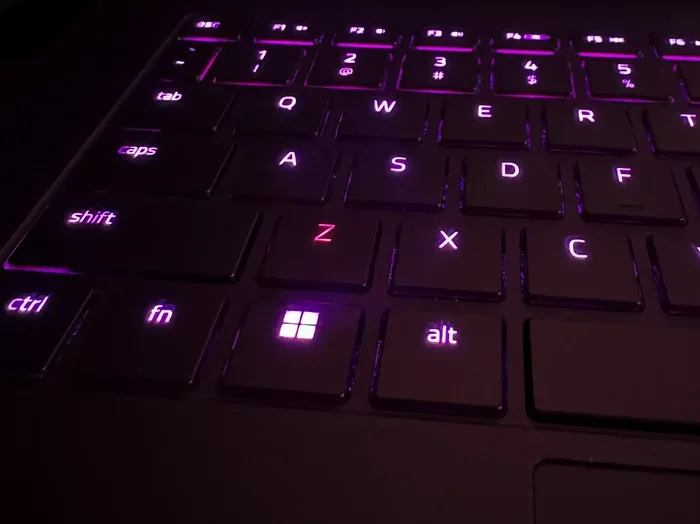
What Is Polling Rate on a Keyboard
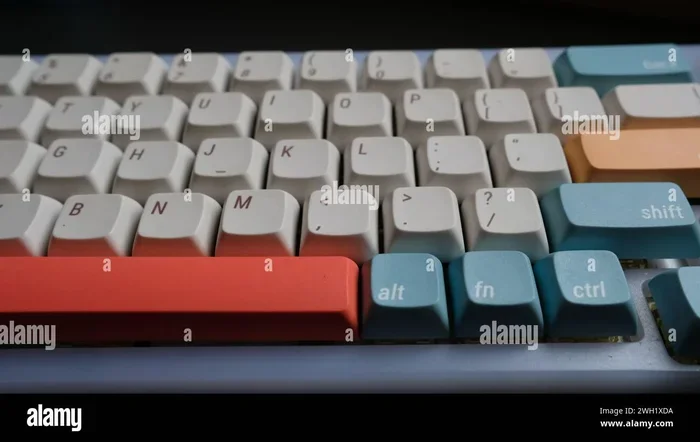
The polling rate on a keyboard is how often it sends data to your computer per second, measured in Hz. A higher polling rate means faster and more accurate input, which matters a lot for gaming and fast typing. Most keyboards run at 125Hz to 1000Hz, while gaming models can reach 4000Hz or more.
What Is Polling Rate On A Keyboard? It is one of the most important specs you will see when shopping for a new keyboard, especially if you are into gaming or fast typing. But what does it actually mean, and does it really matter? Let us break it all down in simple terms.
When you press a key on your keyboard, it sends a signal to your computer. The polling rate is simply how many times per second your keyboard checks in with the PC to report those key presses. Think of it like a conversation between your keyboard and your computer. The higher the rate, the more often they “talk,” and the faster your inputs show up on screen.
Polling rate is measured in Hertz, or Hz for short. A keyboard rated at 125Hz checks in 125 times every second. One at 1000Hz checks in 1000 times per second. That is a big difference when you are trying to react quickly in a game or type at high speed. If you want to dive deeper into the best options available, check out our guide on the best polling rate for keyboard options on the market today.
Most people do not think about this spec at all. They just buy a keyboard and start using it. But if you have ever wondered why your inputs feel slightly delayed or why some keyboards feel noticeably more responsive than others, the polling rate is a big part of the answer.
Key Takeaways
- Polling rate controls how fast your keyboard talks to your PC: Higher Hz means less delay between pressing a key and seeing the result on screen.
- 125Hz is the standard baseline: It works fine for everyday tasks but may feel sluggish for competitive gaming.
- 1000Hz is the sweet spot for most gamers: It offers a great balance of performance and system efficiency.
- 4000Hz and above are for elite users: These ultra-high rates offer tiny but meaningful advantages in fast-paced games.
- Polling rate is not the same as response time: They are related but measure different things about keyboard speed.
- You can change your polling rate: Most keyboards let you adjust this through software or physical switches.
📑 Table of Contents
- What Does Polling Rate Actually Do?
- Common Polling Rate Speeds Explained
- Polling Rate vs. Response Time: What Is the Difference?
- Does Polling Rate Affect Laptop Performance?
- How to Change Your Keyboard Polling Rate
- Quick Tips for Choosing the Right Polling Rate
- Common Mistakes People Make With Polling Rate
- Expert Insight: What Do Pros Actually Use?
- Final Thoughts
What Does Polling Rate Actually Do?
Every time you press a key, your keyboard sends a small packet of data to your computer. The polling rate determines how often this happens. A low polling rate means fewer updates per second, which can lead to a slight delay between your physical key press and what appears on your screen.
Here is a simple way to think about it. Imagine you are in a race and you need to tell a referee each time you pass a checkpoint. If you only check in once every four seconds, you might miss a beat. But if you check in 60 or even 1000 times per second, the referee always knows exactly where you are.
This matters because every millisecond counts. Whether you are playing a competitive shooter, typing code, or just browsing the web, faster input reporting means a smoother and more responsive experience. The difference is small, but it adds up fast during intense sessions.
How Polling Rate Affects Input Lag
Input lag is the delay between your physical action and the result on screen. A higher polling rate reduces this lag. At 125Hz, there is about an 8-millisecond gap between each check-in. At 1000Hz, that drops to just 1 millisecond. For casual use, 8ms is barely noticeable. But for competitive gaming, that 1ms difference can be the edge you need.
Your keyboard latency also plays a role here. Latency includes not just polling rate but also the time it takes for the key switch to register and for the signal to travel through USB. Polling rate is one piece of the puzzle, but it is a big one.
Common Polling Rate Speeds Explained
Keyboards come with different polling rate options. Here is what the most common speeds mean and who they are best for.
125Hz Polling Rate
This is the standard polling rate for most basic and office keyboards. It sends data 125 times per second, which gives you an 8ms delay between inputs. For everyday tasks like browsing, writing emails, or working on spreadsheets, this is perfectly fine. You will not notice any lag during normal use.
If you are using a laptop keyboard for work or school, 125Hz is typical. Most built-in laptop keyboards do not let you change this setting. It is reliable and uses very little system resources, which is great for keeping your laptop running smoothly.
500Hz Polling Rate
A 500Hz polling rate sends data 500 times per second. This cuts the delay down to just 2ms. It is a solid step up from 125Hz and is becoming more common in mid-range gaming keyboards. You will notice a smoother feel, especially in fast-paced games where quick reactions matter.
500Hz is a good middle ground. It gives you better responsiveness without putting too much strain on your system. If you are not sure whether you need the highest rate available, 500Hz is a great place to start.
1000Hz Polling Rate
This is the most popular polling rate for gaming keyboards. At 1000Hz, your keyboard checks in with your PC 1000 times every second, giving you just a 1ms delay. Most serious gamers aim for this rate because it offers excellent responsiveness without being overkill.
Many gaming keyboards from brands like Razer, Logitech, and Corsair support 1000Hz out of the box. You can usually set this through the keyboard’s software or by pressing a dedicated button on the device. It is the go-to choice for most gaming peripherals enthusiasts.
4000Hz and Higher Polling Rates
Some high-end keyboards now offer polling rates of 4000Hz, 8000Hz, or even 16000Hz. These send data thousands of times per second and reduce the delay to fractions of a millisecond. They are designed for esports professionals and ultra-competitive players who want every possible advantage.
But here is the truth. For most people, the jump from 1000Hz to 4000Hz is very hard to notice. The human eye and brain simply cannot process those tiny differences in most situations. These ultra-high rates also use more CPU resources and may require specific software to configure. They are exciting tech, but not a must-have for everyone.
Polling Rate vs. Response Time: What Is the Difference?
People often confuse polling rate with response time, but they are not the same thing. Polling rate is how often your keyboard sends data to the computer. Response time is how fast the keyboard itself registers a key press and sends that signal.
Think of it this way. Polling rate is how often you check your phone for messages. Response time is how fast you actually read and react to each message. Both matter, but they measure different parts of the process.
When shopping for a keyboard, look at both specs. A keyboard with a 1000Hz polling rate but slow response time will still feel a bit sluggish. The best keyboards balance both for the smoothest possible experience.
Does Polling Rate Affect Laptop Performance?
If you are using an external keyboard with a laptop, you might wonder if a high polling rate will slow things down. The short answer is no, not in any noticeable way. Modern laptops and computers can handle high polling rates without breaking a sweat.
However, if your laptop is already struggling with performance, a very high polling rate could add a tiny bit of load. This is because the CPU has to process more incoming data per second. In practice, this is rarely a problem. But if you are running an older or low-end laptop, sticking with 1000Hz or lower is a safe choice.
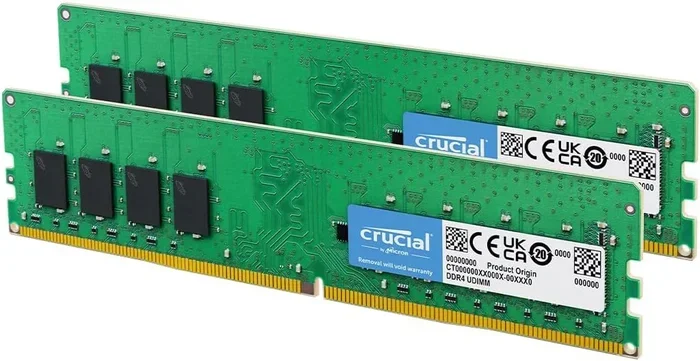
For most users, the amount of ram on a laptop and the overall system speed matter far more for keyboard responsiveness than the polling rate itself. If your laptop is slow, upgrading the memory can make a bigger difference than any keyboard spec. You can learn more about how much RAM your laptop can handle and what upgrades make sense.
How to Change Your Keyboard Polling Rate
Changing your polling rate is easier than you might think. Most gaming keyboards come with software that lets you adjust this setting. Here is how to do it for the most popular brands.
Razer keyboards: Open Razer Synapse, go to your keyboard settings, and look for the polling rate option. You can slide it from 125Hz up to 1000Hz or higher depending on your model.
Logitech keyboards: Use Logitech G Hub to access your keyboard settings. Find the polling rate slider and adjust it to your preferred speed.
Corsair keyboards: Open iCUE, select your keyboard, and navigate to the performance settings. You will find the polling rate option there.
Some keyboards also have a physical button or switch that lets you toggle between polling rates without opening any software. This is very handy if you want to quickly switch between modes for different games or tasks.
Keep in mind that higher polling rates can sometimes cause issues with older USB ports or hubs. If you notice instability after increasing your rate, try plugging your keyboard directly into a USB port on your computer instead of through a hub.
Quick Tips for Choosing the Right Polling Rate
- For office work and casual use: 125Hz is more than enough. Save your system resources and enjoy a smooth experience.
- For casual gaming: 500Hz to 1000Hz gives you a noticeable boost in responsiveness without any downsides.
- For competitive esports: 1000Hz is the standard. Go higher only if you are a pro player chasing every possible edge.
- Check your keyboard software: Most brands let you customize polling rate easily through their free software.
- Pair with a good mouse: Your mouse on a laptop (or external mouse) polling rate should match or complement your keyboard for the best overall experience.
- Do not overpay for ultra-high rates: 4000Hz and above are exciting but not worth the premium for most users.
Common Mistakes People Make With Polling Rate
One of the biggest mistakes is assuming a higher polling rate always means a better keyboard. That is not true. A keyboard’s build quality, switch type, and overall design matter just as much. A cheap keyboard at 4000Hz will not feel as good as a well-built one at 1000Hz.
Another mistake is ignoring the rest of your setup. A high polling rate keyboard paired with a slow monitor or a laggy internet connection will not give you the smooth experience you are looking for. Everything in your system works together.
Some people also forget to update their keyboard firmware. Manufacturers often release updates that improve polling rate stability and performance. Check for updates regularly, especially if you just changed your polling rate setting.
Finally, do not confuse polling rate with key rollover. Key rollover tells you how many keys can be pressed at the same time and still register correctly. These are two separate specs, and both matter for different reasons. A keyboard can have an amazing polling rate but poor key rollover, and vice versa.
Expert Insight: What Do Pros Actually Use?
Most professional gamers stick with 1000Hz polling rate. It is the industry standard for a reason. It provides fast, reliable input without putting unnecessary strain on the system. Some pros do experiment with 4000Hz or higher, but the gains are marginal for the vast majority of players.
What pros focus on more is consistency. A stable 1000Hz connection is better than an unstable 8000Hz one. If you are building your setup, prioritize reliability and compatibility over chasing the highest number on the box.
Also, keep in mind that your overall laptop or PC specs play a role. A powerful system with fast storage and enough memory will make your peripherals feel more responsive. If your machine is holding you back, no keyboard polling rate will fix that completely.
Final Thoughts
So, what is the bottom line? Polling rate on a keyboard determines how often your keyboard communicates with your computer. Higher rates mean faster input and less delay, which is great for gaming and fast typing. But you do not need the highest rate available to have a great experience.
For most people, 1000Hz is the perfect balance of speed and efficiency. Casual users can get by just fine with 125Hz or 500Hz. The key is to match your polling rate to your actual needs and not get caught up in marketing numbers.
When you are shopping for your next keyboard, consider the polling rate alongside other important specs like switch type, build quality, and backlighting. A well-rounded keyboard with a solid polling rate will serve you well for years to come. Take your time, do your research, and pick the keyboard that fits your style and budget best.
Frequently Asked Questions
What is a good polling rate for a keyboard?
For most users, 1000Hz is the sweet spot. It offers fast input with minimal delay and works well for both gaming and everyday use. Casual users can do fine with 125Hz, while competitive gamers may prefer 4000Hz or higher.
Does polling rate affect typing speed?
It can, but only slightly. A higher polling rate reduces the delay between pressing a key and seeing it appear on screen. For normal typing, the difference is very small. For fast typists and gamers, it can make a noticeable impact.
Can I change my keyboard polling rate?
Yes, most gaming keyboards let you adjust the polling rate through their dedicated software. Some models also have a physical button or switch for quick changes. Check your keyboard brand’s software for the option.
Is 1000Hz polling rate good for gaming?
Absolutely. 1000Hz is the standard for gaming keyboards and provides excellent responsiveness. Most professional gamers use this rate. Going higher than 1000Hz offers diminishing returns for the average player.
Does a higher polling rate use more battery?
Yes, wireless keyboards with higher polling rates tend to use more battery power. If battery life is important to you, consider using a lower polling rate when you do not need maximum responsiveness.
What is the difference between polling rate and refresh rate?
Polling rate is about how often your keyboard sends data to the computer. Refresh rate is about how often your monitor updates the image on screen. They are related to responsiveness but measure different parts of your setup.
=== CONCLUSION ===
What Is Polling Rate On A Keyboard is a question that many people overlook, but it is a key spec that affects how your keyboard feels and performs. Whether you are a casual user, a gamer, or a professional, understanding polling rate helps you make a smarter buying decision. Stick with 1000Hz for the best all-around experience, or explore higher rates if you are chasing every last bit of speed. Your keyboard is one of the most important tools you use every day, and getting the polling rate right is a simple way to improve your setup.