What Is Armory Crate
Armory Crate is ASUS’s official software hub that lets you control your ROG laptop and desktop components from one place. It handles fan speeds, RGB lighting, performance profiles, and driver updates with ease. Whether you are a gamer or a power user, this tool simplifies system management and boosts your experience.
Armory Crate is ASUS’s flagship software platform built for ROG (Republic of Gamers) devices. It acts as a central dashboard where you can manage lighting, performance, and system settings. If you own an ASUS ROG laptop or desktop, this app becomes your go-to tool for everyday control. Many users wonder if they really need it, and the short answer is yes. It saves time, simplifies adjustments, and keeps your system running smoothly.
Before Armory Crate, ASUS users had to juggle multiple apps. You needed one tool for lighting, another for fan control, and yet another for updates. Armory Crate brings all of that together. The result is a cleaner, more streamlined experience. It is designed with both beginners and advanced users in mind. Whether you just want to change your lighting or fine-tune your thermal profile, this app covers you.
The software is free to download and use. It supports a wide range of ASUS ROG hardware, including laptops, desktops, and accessories. Over the years, ASUS has improved the app with better performance and a more intuitive interface. New updates add features regularly. The latest versions even include AI-powered optimization tools that adjust settings based on your usage patterns. This makes it a powerful addition to any ROG setup.
Key Takeaways
- All-in-One Control: Armory Crate combines lighting, performance, and monitoring into a single app.
- Easy Profile Switching: You can switch between gaming, silent, and turbo modes with one click.
- RGB Customization: Control your device lighting with thousands of color options and effects.
- Built-In Updates: The app handles driver and firmware updates automatically.
- System Monitoring: Keep an eye on temperatures, fan speeds, and power usage in real time.
- Works with ROG Hardware: It is designed specifically for ASUS ROG laptops, motherboards, and peripherals.
📑 Table of Contents
What Does Armory Crate Do?
Armory Crate serves as the brain of your ROG device. It connects to your hardware through a unified interface. From there, you can access a wide range of tools and settings. The main goal is to make system management simple and fast. Instead of digging through BIOS menus or third-party apps, everything lives inside one program.
Performance Profiles
One of the standout features of Armory Crate is its performance profiles. These presets let you switch between different modes depending on what you are doing. For example, you might use a silent profile when working on documents. Then, you switch to a turbo profile when playing a demanding game. The app adjusts CPU power, fan speed, and clock speeds automatically based on your choice.
Here are the common profiles you will find:
- Silent Mode: Keeps noise levels low for quiet work sessions.
- Performance Mode: Boosts clock speeds and fan response for heavy tasks.
- Turbo Mode: Maxes out hardware for the highest possible performance.
- Custom Mode: Lets you create your own settings and save them.
Switching between these modes takes just one click. This is especially helpful for users who balance work and gaming on the same device. You do not need to restart anything or enter the BIOS. The changes apply instantly.
Fan and Thermal Control
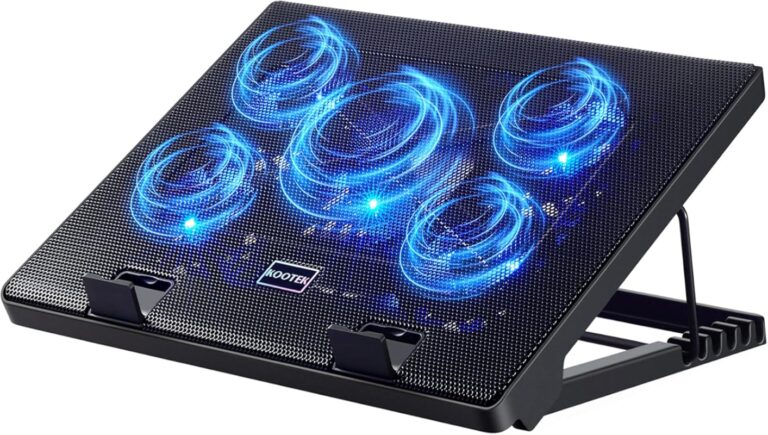
Armory Crate gives you direct control over your fan curves. You can set how fast your fans spin at different temperature ranges. This is useful if you want a quieter experience during light tasks. Or, you might want maximum cooling during intense gaming sessions. The thermal management tools also show real-time temperature readings for your CPU and GPU.
Keeping your system cool is essential for long-term performance. If your laptop runs hot, it can throttle and slow down. With Armory Crate, you can prevent this by adjusting fan speeds proactively. This ties directly into the kind of cooling solutions you choose. For instance, pairing good thermal management with a quality What Is The Best Cpu Cooler setup can make a huge difference in sustained performance.
RGB Lighting Control
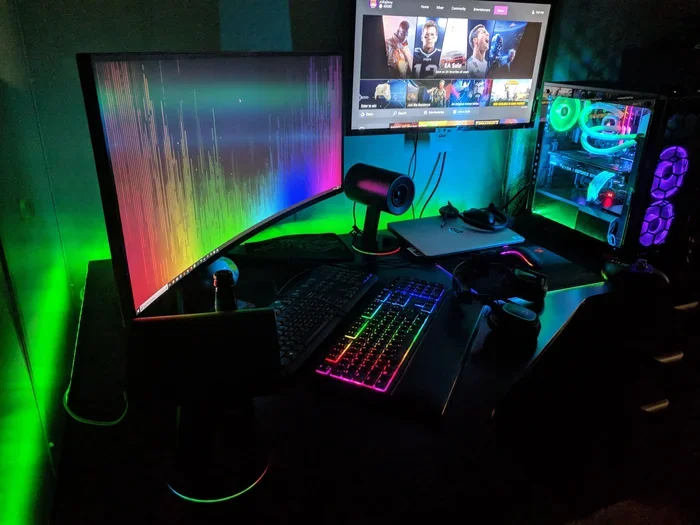
ASUS ROG devices are known for their eye-catching designs. Armory Crate lets you control the lighting on your keyboard, chassis, and compatible accessories. You can choose from millions of colors and set up dynamic effects. The software supports per-key RGB on keyboards, which means each key can have a different color and animation.
Some popular lighting features include:
- Sync with ROG Aura: Matches lighting across all compatible ASUS devices.
- Reactive Effects: Lights change based on in-game events or keystrokes.
- Music Sync: Pulsing lights that react to your audio output.
- Static and Breathing Modes: Simple, calming lighting options for everyday use.
If you also care about audio quality, good lighting control works hand in hand with your overall setup. For example, understanding your speaker setup can complement your visual aesthetic. You might explore topics like What Is Bi Wiring Speakers to get the best sound alongside your ROG lighting setup.
Who Should Use Armory Crate?
Armory Crate is designed for ASUS ROG device owners. If you have a laptop or desktop from the ROG line, this software is practically built for you. It is especially useful for gamers who want quick access to performance settings. But it is not just for gamers. Content creators, students, and professionals who use ROG hardware can also benefit from its tools.
Here is a quick look at who gets the most out of Armory Crate:
- Gamers: Quickly switch to performance mode before launching a game.
- Content Creators: Use custom profiles for rendering and editing workloads.
- Students: Set a silent profile for library or classroom use.
- Power Users: Fine-tune every aspect of system performance and lighting.
The software is also helpful if you are new to ROG hardware. The interface is user-friendly and guides you through the main features. You do not need to be a tech expert to get value from it. At the same time, advanced users will appreciate the depth of customization available.
How to Install and Set Up Armory Crate
Getting started with Armory Crate is straightforward. First, you need to download it from the ASUS website or through the MyASUS app. The installation process is simple and takes only a few minutes. Once installed, the app automatically detects your ROG hardware and loads the correct settings.
Here is a basic setup guide to follow:
- Download Armory Crate from the official ASUS support page.
- Run the installer and follow the on-screen prompts.
- Launch the app after installation completes.
- Let it detect your hardware and apply default profiles.
- Explore the tabs to familiarize yourself with the layout.
- Create a custom profile for your most common use case.
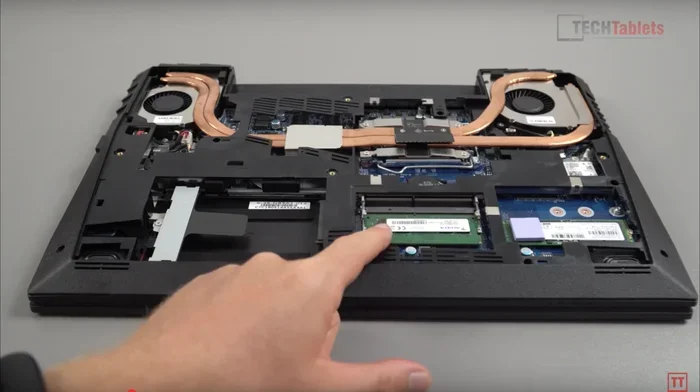
After setup, the app runs in the background and stays ready in your system tray. You can open it anytime to make changes. It also starts automatically when you boot your computer, so your preferred settings are always active. If you want to adjust your memory or check what your current RAM configuration looks like, Armory Crate gives you quick access to system information. Understanding your What Is The Ram On A Laptop setup can also help you decide if any upgrades are needed.
Armory Crate and System Performance
Some users worry that Armory Crate itself might slow down their system. The truth is, the app is designed to be lightweight. It uses minimal resources when running in the background. You are unlikely to notice any performance drop during gaming or work. ASUS has optimized the software to stay out of your way while still being accessible.
That said, the app does more than just look good. It actively monitors your system health. It checks temperatures, power draw, and fan speeds in real time. If something goes wrong, it can alert you before it becomes a serious problem. This proactive monitoring helps extend the life of your hardware.
Keeping your system well-maintained also means having enough memory for your tasks. If you are wondering whether your current setup is sufficient, consider checking what is What Is A Good Amount Of Ram For A Laptop. Having the right amount of RAM ensures that Armory Crate and your applications run without any hiccups.
Common Issues and How to Fix Them
Like any software, Armory Crate can sometimes have issues. Most problems are easy to fix with simple steps. Here are a few common ones and their solutions.
Armory Crate Won’t Open
If the app fails to launch, try restarting your computer first. Often, a simple reboot resolves the issue. If that does not work, try reinstalling the software. Make sure you download the latest version from the ASUS website. Outdated versions can cause compatibility problems, especially after a major Windows update.
Lighting Not Responding
If your RGB lighting is not changing, check that your device is supported. Not all ASUS laptops have per-key RGB. Also, make sure the Aura Sync feature is enabled in the app. Sometimes a driver update fixes the issue. You can check for driver updates directly through Armory Crate’s built-in update tool.
Performance Mode Not Working
If your profile changes do not seem to take effect, make sure Armory Crate is running with administrator privileges. Right-click the app icon and select “Run as administrator.” This gives the software the permissions it needs to adjust system-level settings like CPU boost and fan curves.
Armory Crate vs. Other System Management Tools
There are other system management tools available for laptops and desktops. Some users prefer third-party apps like MSI Afterburner or Lenovo Vantage. Each tool has its strengths. Armory Crate stands out because it is specifically designed for ASUS ROG hardware. It offers deeper integration with ASUS devices than generic tools can provide.
Here is a quick comparison of what sets Armory Crate apart:
- Native Support: Built by ASUS, so it works seamlessly with ROG hardware.
- All-in-One Design: Combines lighting, performance, and monitoring in one app.
- Regular Updates: ASUS frequently adds new features and fixes bugs.
- AI Optimization: Newer versions include smart features that adjust settings automatically.
While other tools can do individual tasks well, Armory Crate gives you a unified experience. You do not need to switch between multiple programs. This saves time and reduces clutter on your system. For ROG users, it is the most complete solution available.
Final Thoughts on Armory Crate
Armory Crate is a powerful and user-friendly tool for anyone who owns ASUS ROG hardware. It simplifies system management, gives you precise control over performance and lighting, and keeps your device updated. Whether you are a casual user or a hardcore gamer, the app adds real value to your experience.
The software continues to evolve with each update. ASUS listens to user feedback and adds features that make the app even more useful. If you have not tried it yet, downloading Armory Crate is a great first step. It is free, easy to use, and designed to get the most out of your ROG device. Give it a try and see how much simpler your system management can be.
Frequently Asked Questions
Is Armory Crate free to use?
Yes, Armory Crate is completely free. You can download it from the ASUS website at no cost. There are no hidden fees or premium tiers that lock features behind a paywall.
Can I use Armory Crate on non-ROG ASUS laptops?
Armory Crate is primarily designed for ROG devices. Some ASUS laptops may have limited support or require a different version of the app. Check the ASUS support page for your specific model to confirm compatibility.
Does Armory Crate slow down my laptop?
No, Armory Crate is designed to be lightweight. It uses minimal system resources and should not noticeably affect your laptop’s performance during gaming or everyday use.
Can I create custom performance profiles in Armory Crate?
Yes, you can create and save custom profiles. This lets you set your own fan curves, power limits, and lighting schemes. You can switch between your custom profiles anytime with a single click.
How often does Armory Crate get updated?
ASUS releases updates regularly. These updates add new features, fix bugs, and improve compatibility with newer hardware. You can check for updates directly within the app or through the MyASUS tool.
Do I need an internet connection to use Armory Crate?
You need an internet connection for the initial download and for driver updates. However, once installed, you can use most features of Armory Crate without being connected to the internet.