What Is an Hid Keyboard Device
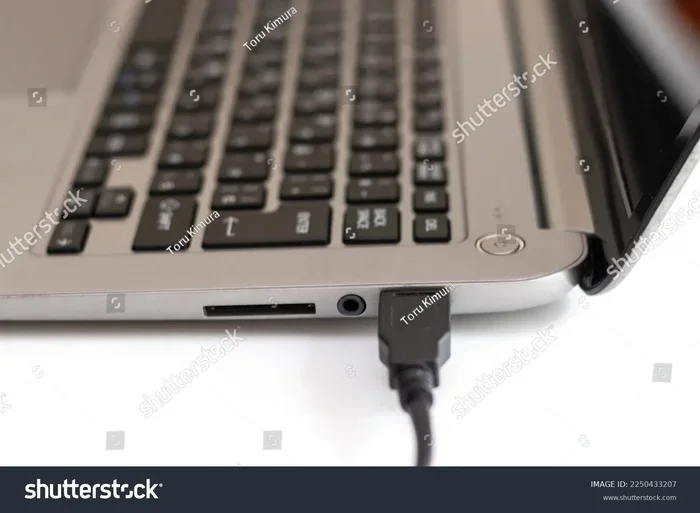
An HID keyboard device is a keyboard that uses the Human Interface Device protocol to talk to your computer. It is the standard way most laptop and desktop keyboards connect through USB or Bluetooth. Understanding HID keyboards helps you troubleshoot connection problems, choose compatible accessories, and get the most from your laptop setup.
If you have ever plugged a keyboard into your laptop and it just worked, you have already used an HID keyboard device. HID stands for Human Interface Device, and it is the language your keyboard uses to chat with your computer. It is one of the most common ways input devices connect to modern systems.
Whether you are using a built-in laptop keyboard, an external USB keyboard, or a wireless Bluetooth model, there is a good chance it is an HID device. This guide breaks down exactly what that means, how it works, and why it matters for your daily computing.
Let us start with the basics and build up from there. By the end, you will know more about HID keyboards than most people ever need to. And if you run into keyboard trouble, you will have the knowledge to fix it yourself.
Key Takeaways
- HID stands for Human Interface Device and is the universal protocol most keyboards use to communicate with computers.
- HID keyboards plug and play on Windows, Mac, and Linux without needing extra software in most cases.
- USB and Bluetooth keyboards are both HID devices, making them widely compatible across laptops and desktops.
- Common HID keyboard problems include unresponsive keys, driver errors, and connectivity drops that are usually easy to fix.
- Your laptop’s built-in keyboard is an HID device, so understanding how HID works helps you diagnose input issues.
- HID keyboards support key rollover and multiple layouts, which matters for gaming, typing, and multilingual use.
📑 Table of Contents
- What Is an HID Keyboard Device?
- Types of HID Keyboard Devices
- How HID Keyboard Devices Work on Laptops
- HID Keyboard Protocol and Drivers
- Benefits of HID Keyboard Devices
- HID Keyboards and RAM: How They Connect
- Choosing the Right HID Keyboard for Your Laptop
- HID Keyboard Security Considerations
- Conclusion
What Is an HID Keyboard Device?
An HID keyboard device is any keyboard that follows the HID protocol to send keystrokes to a computer. HID is a standard defined by the USB Implementers Forum. It was created to make input devices simple, fast, and universal.
The HID protocol allows devices to communicate with a host system without needing custom drivers for every single setup. This is why you can plug almost any USB keyboard into any computer and it starts working right away. That plug-and-play magic is all thanks to HID.
Your laptop keyboard is almost certainly an HID device. So is any external keyboard you buy at a store. Even game controllers, mice, and trackpads use the HID protocol. Keyboard is just one of the many device types that fall under the HID umbrella.
How HID Keyboards Communicate
When you press a key on an HID keyboard, the keyboard’s firmware sends a signal through the connection cable or wireless link. This signal follows the HID report format, which tells the computer exactly which key was pressed and when it was released.
The operating system receives this report and passes it to the keyboard driver. The driver then translates it into a character or action on your screen. This whole process happens in milliseconds, which is why typing feels instant and responsive.
HID keyboards use a report descriptor to tell the computer what kind of device they are and what keys they have. This descriptor is built into the keyboard’s firmware. It is like a name tag that says, “I am a keyboard, and here is how I send key data.”
Types of HID Keyboard Devices
Not all HID keyboards look the same. They come in different shapes, sizes, and connection types. Here are the most common ones you will encounter.
USB HID Keyboards
USB keyboards are the most traditional form of HID keyboard device. They plug directly into a USB port on your laptop or desktop. The connection is stable, fast, and supported by virtually every operating system.
USB HID keyboards do not need extra software. The operating system recognizes them immediately because the HID protocol is built into the USB standard. This makes them the most reliable choice for everyday use.
Most wired keyboards you buy at an electronics store are USB HID devices. They work with Windows, macOS, Linux, and even ChromeOS out of the box. You rarely need to install anything special.
Bluetooth HID Keyboards
Bluetooth keyboards also use the HID protocol. They communicate wirelessly with your laptop through a Bluetooth connection. These keyboards are popular for people who want a clean desk setup without cables cluttering their workspace.
A Bluetooth HID keyboard pairs with your laptop just like any other Bluetooth device. Once paired, it sends keystrokes using the HID report format. The experience is nearly identical to a USB keyboard, except there is no cable.
Keep in mind that Bluetooth keyboards need battery power. If the batteries die, your keyboard stops working. Also, Bluetooth HID keyboards may have a slightly higher input lag than USB keyboards, though most people will not notice the difference.
Wireless Receivers and 2.4 GHz HID Keyboards
Some wireless keyboards use a small USB dongle instead of Bluetooth. These keyboards still operate as HID devices. The dongle plugs into a USB port and creates a dedicated wireless link between the keyboard and your computer.
This type of HID keyboard device offers a more stable connection than Bluetooth in some cases. It also tends to have lower latency. Many gaming keyboards and productivity keyboards use this approach.
How HID Keyboard Devices Work on Laptops
Your laptop relies on HID devices for all input. The built-in keyboard, the trackpad, and even the function keys on the top row all use HID protocols. Understanding how this works can help you troubleshoot issues when something goes wrong.
When your laptop boots up, the operating system loads the HID driver. This driver acts as a translator between the hardware and the software. It tells the system, “These keystrokes mean these letters and actions.”
If your laptop keyboard stops working, the HID driver is often the first place to check. A corrupted driver, a power management setting, or a physical issue can all cause HID keyboard failures. Let us look at some common problems and how to fix them.
Common HID Keyboard Problems on Laptops
Here are the most frequent issues people face with HID keyboards on laptops:
- Keys not responding — Some keys stop typing or type random characters.
- Keyboard not recognized — The laptop does not detect the external keyboard at all.
- Intermittent connection — The keyboard works sometimes but drops out randomly.
- Delayed input — There is a noticeable lag between pressing a key and seeing the result.
- Wrong characters typed — The keyboard types letters from a different language or layout.
If your external keyboard stops working but your mouse still functions, you are not alone. This is a common issue that often relates to driver conflicts or USB port problems. Check out our guide on HP laptop keyboard not working but mouse is for troubleshooting steps specific to this scenario.
Fixing HID Keyboard Issues
Most HID keyboard problems have simple fixes. Try these steps before assuming the worst:
- Unplug the keyboard and plug it into a different USB port.
- Restart your laptop to reset the HID driver.
- Check your operating system for driver updates.
- Try the keyboard on another computer to rule out hardware failure.
- For Bluetooth keyboards, remove the pairing and pair it again.
If none of these work, the keyboard itself may be faulty. But in most cases, the fix is quick and painless. HID devices are designed to be simple, so the solutions tend to be simple too.
HID Keyboard Protocol and Drivers
The HID protocol is what makes keyboard devices so universal. It defines how data is formatted and sent between the keyboard and the computer. Every HID keyboard follows the same basic rules, which is why they work across different brands and operating systems.
Your operating system includes built-in HID drivers. On Windows, the HID driver is part of the base operating system. On macOS and Linux, the same is true. This means you do not need to download special software just to make a basic HID keyboard work.
However, advanced keyboards with extra features may need specialized drivers. RGB lighting, macro keys, and programmable shortcuts often require manufacturer software. The core keyboard function still works without these drivers, but the extra features will not be available until you install them.
What Is a HID Report Descriptor?
A HID report descriptor is a small data structure inside the keyboard’s firmware. It tells the computer exactly what the keyboard can do. It lists all the keys, their positions, and how they send data.
When you plug in a new keyboard, the operating system reads the report descriptor first. This is how your laptop knows it is a keyboard and not a mouse or a game controller. The descriptor is the reason HID devices are so plug-and-play friendly.
If the report descriptor is corrupted or incompatible, the keyboard may not work at all. This is rare but can happen with cheap or poorly made keyboards. Using well-known brands and reputable manufacturers reduces this risk significantly.
Benefits of HID Keyboard Devices
HID keyboards offer many advantages that make them the standard choice for laptops and desktops alike. Here is why HID has become the dominant input device protocol.
Universal compatibility is the biggest benefit. An HID keyboard works on almost any computer, regardless of the operating system or brand. You do not need to worry about whether your keyboard will work with your laptop. It almost certainly will.
No extra software needed for basic typing. The operating system handles everything. This keeps your system clean and free of unnecessary programs that can slow things down.
Low latency makes HID keyboards feel responsive. Whether you are typing a document or playing a game, the input registers quickly. For fast typists and gamers, this responsiveness matters a lot.
Easy troubleshooting is another plus. Because HID is a well-documented standard, support forums and guides are everywhere. If something goes wrong, you can usually find a solution quickly.
Low power consumption is especially important for Bluetooth HID keyboards. They can run for months on a single set of batteries. This makes them ideal for laptops and portable setups.
HID Keyboards and RAM: How They Connect
You might wonder how a keyboard relates to your laptop’s memory. The answer is simpler than you think. Every keystroke your keyboard sends uses a small amount of system resources, including RAM.
When you type, the keystroke data passes through the HID driver and into your system memory. The operating system stores this data temporarily before displaying it on screen. This is why having enough RAM on a laptop matters for smooth input performance.
For most users, the amount of RAM does not affect keyboard performance in any noticeable way. Modern laptops come with plenty of memory to handle keyboard input without any slowdown. But if your laptop is running low on RAM, you might notice lag in typing or other input delays.
If you want to learn more about how much memory your laptop needs for optimal performance, check out our article on what is the RAM on a laptop. It covers everything from basic specs to upgrade recommendations.
Similarly, choosing the right RAM size for your laptop ensures that all input devices, including your HID keyboard, run smoothly. Our guide on what is a good RAM size for a laptop can help you find the perfect configuration for your needs.
Choosing the Right HID Keyboard for Your Laptop
Not all HID keyboards are created equal. When shopping for an external keyboard, there are a few things to keep in mind to get the best experience.
Connection type matters. USB keyboards offer the most reliable connection. Bluetooth keyboards give you freedom from cables. 2.4 GHz wireless keyboards split the difference with a dedicated dongle for stable performance.
Keyboard layout is another important factor. Full-size keyboards have a number pad and all function keys. Tenkeyless keyboards skip the number pad for a smaller footprint. Compact keyboards are great for travel and small desks.
Key switch type affects how the keyboard feels. Membrane keys are soft and quiet. Mechanical keys give you more feedback and durability. Your choice depends on whether you prioritize comfort, speed, or quiet operation.
Compatibility is something you should always check. Make sure the keyboard you buy supports your laptop’s operating system. Most HID keyboards work with everything, but specialty keyboards sometimes have limited support.
Battery life is key for wireless models. Look for keyboards that last at least a few weeks on a single charge or set of batteries. This saves you the hassle of constant recharging.
Remember, your laptop’s built-in keyboard is already an HID device. An external keyboard is just an addition that gives you more options for typing comfort, ergonomics, or specialized features.
HID Keyboard Security Considerations
HID keyboards are convenient, but they also carry some security considerations. Because they are recognized as input devices, they can be used to send commands to your computer very quickly.
BadUSB attacks exploit the HID protocol. A malicious device pretends to be a keyboard and sends harmful commands to the computer. This is why you should never plug in a USB device you do not trust.
On corporate and shared laptops, HID device management is important. IT departments often restrict which USB devices can connect to prevent security breaches. If you work in a business environment, check with your IT team before connecting external keyboards.
For personal use, keeping your operating system updated is the best defense. Updates often include security patches that address HID-related vulnerabilities. A simple update can protect you from many common threats.
Conclusion
An HID keyboard device is the backbone of how your laptop and keyboard communicate. From the moment you plug in a USB keyboard to the instant a Bluetooth connection starts typing, the HID protocol is working behind the scenes. It makes input simple, universal, and reliable.
Understanding how HID keyboards work gives you an edge when troubleshooting problems. You will know whether the issue is a driver problem, a connection issue, or something else entirely. This knowledge saves you time and frustration.
Whether you use your laptop’s built-in keyboard or an external one, you are relying on HID technology every day. It is one of those invisible standards that makes modern computing so seamless. The next time your keyboard works perfectly the moment you plug it in, you will know exactly why.
Take a moment to appreciate how far input technology has come. What used to require custom drivers and complicated setup now works instantly, right out of the box. The HID protocol made that possible, and it continues to power the keyboards we use every single day.
Frequently Asked Questions
What does HID stand for in keyboard devices?
HID stands for Human Interface Device. It is a standard protocol that allows keyboards, mice, and other input devices to communicate with computers. HID keyboards use this protocol to send keystroke data without needing custom drivers.
Is my laptop keyboard an HID device?
Yes, almost all modern laptop keyboards are HID devices. They use the HID protocol to send input to the operating system. This includes both built-in laptop keyboards and external keyboards connected via USB or Bluetooth.
Do HID keyboards need drivers?
Most HID keyboards do not need drivers. The operating system includes built-in HID drivers that recognize the device immediately. However, keyboards with advanced features like programmable macros may require manufacturer software for full functionality.
Can an HID keyboard work on any laptop?
Yes, HID keyboards are universally compatible. They work on Windows, macOS, Linux, and ChromeOS laptops. As long as the laptop has a USB port or Bluetooth support, an HID keyboard should connect and work right away.
Why is my HID keyboard not working on my laptop?
Common reasons include a faulty USB port, corrupted HID driver, power management settings, or a dead battery for wireless models. Try plugging the keyboard into a different port, restarting your laptop, or updating your drivers to resolve the issue.
What is the difference between an HID keyboard and a regular keyboard?
There is no real difference in most cases. A regular keyboard is almost always an HID device. The term HID simply refers to the protocol the keyboard uses to communicate. All modern keyboards sold today use the HID protocol by default.