What Is Cpu Capacity

CPU capacity refers to the total processing power a processor can handle, including its core count, clock speed, cache size, and thread capability. Understanding CPU capacity helps you choose the right processor for your needs, whether you are gaming, editing video, or running a business. This guide breaks down every aspect of CPU capacity in simple, practical terms so you can make confident decisions.
When people talk about computer performance, the conversation almost always circles back to the processor. Your CPU handles billions of calculations every second, and its capacity determines what your system can actually do. But what does CPU capacity really mean? Is it just about having more cores? Or is there something deeper going on?
The truth is that CPU capacity is a combination of several factors working together. It is not just one number you can look at on a spec sheet. In this guide, we will break down everything you need to know about processor performance in plain, simple language. By the end, you will understand exactly what to look for when comparing CPUs or building a new system.
Key Takeaways
- CPU capacity is determined by multiple factors including cores, clock speed, cache, and threads working together.
- More cores do not always mean better performance; single-core speed matters just as much for many tasks.
- Cache memory plays a huge role in how fast your CPU can access frequently used data.
- Thermal design power (TDP) affects how much work your processor can sustain without overheating.
- Matching your CPU capacity to your actual workload prevents bottlenecks and wasted money.
- Upgrading other components like cooling can help your CPU reach its full capacity potential.
📑 Table of Contents
- What Does CPU Capacity Actually Mean?
- The Core Components of CPU Capacity
- Thermal Design Power and Sustained Performance
- How to Measure and Compare CPU Capacity
- Matching CPU Capacity to Your Needs
- Common Mistakes That Limit CPU Capacity
- Expert Insights on Maximizing CPU Capacity
- Final Thoughts on CPU Capacity
What Does CPU Capacity Actually Mean?
At its simplest, CPU capacity refers to the total amount of work a processor can handle at any given time. Think of it like the size of a kitchen. A bigger kitchen can cook more meals at once, but that does not mean every cook in that kitchen works at the same speed. The same idea applies to processors.
CPU capacity depends on several components working together. These include the number of cores, clock speed, cache memory, thread count, and thermal limits. Each one plays a specific role in determining how much work your processor can manage before it starts to slow down.
Why CPU Capacity Matters for Everyday Users
You might wonder why CPU capacity matters if you are just browsing the web or watching videos. The truth is that even basic tasks rely on your processor. Every tab you open, every video you stream, and every app you switch between requires computing power. A processor with low capacity will struggle with modern workloads, even simple ones.
For users who run multiple programs at once, multi-core processing becomes especially important. Your system performance depends on how well your CPU can divide tasks across its available cores. When capacity is limited, everything slows down.
The Core Components of CPU Capacity
Understanding CPU capacity means understanding the parts that make it up. Let us break each one down so you can see how they all connect.
Core Count and Multi-Core Processing
Cores are the individual processing units inside your CPU. A dual-core processor has two cores, while a modern high-end chip might have 16 or more. Each core can handle its own set of tasks independently, which is why multi-core processing matters so much.
Here is a simple way to think about it:
- Dual-core: Good for basic tasks like web browsing and office work.
- Quad-core: Handles moderate multitasking and light gaming well.
- Hexa-core and above: Ideal for video editing, 3D rendering, and heavy workloads.
- Octa-core and beyond: Built for professional content creation and intensive computing.
However, more cores do not automatically mean better processor performance. Many everyday applications cannot use more than four or six cores effectively. This is where clock speed comes into play.
Clock Speed and Single-Core Performance
Clock speed measures how many cycles a CPU can complete per second, measured in gigahertz (GHz). A higher clock speed means each core works faster on individual tasks. This is why single-core performance remains critical even in modern chips.
Many popular programs, including some games and older software, rely heavily on single-threaded performance. If your clock speed is low, these applications will run slowly no matter how many cores you have. When evaluating CPU capacity, always consider both core count and clock speed together.
Threads and Simultaneous Processing
Threads are virtual versions of cores that allow a single physical core to handle two tasks at once. This technology, called hyperthreading from Intel or simultaneous multithreading from AMD, effectively doubles your thread count.
More threads mean better workload capacity for tasks that can be split into smaller pieces. Video editing, compiling code, and running virtual machines all benefit from higher thread counts. But again, not every program uses threads efficiently.
Cache Memory and Data Access Speed
Cache is a small, ultra-fast memory built directly into the CPU. It stores frequently used data so the processor does not have to fetch it from slower main memory every time. Cache memory has a massive impact on real-world CPU capacity because it reduces bottlenecks in data retrieval.
Most modern CPUs have three levels of cache:
- L1 cache: Fastest and smallest, built into each core.
- L2 cache: Slightly larger, shared between a few cores.
- L3 cache: Largest and shared across all cores.
A processor with generous cache will feel noticeably snappier in daily use because it spends less time waiting for data.
Thermal Design Power and Sustained Performance
One factor many people overlook when thinking about CPU capacity is thermal design power, or TDP. TDP measures how much heat a CPU generates under normal load and how much cooling it needs to stay within safe operating temperatures.
A CPU with a high TDP can deliver more raw performance, but it also runs hotter. Without proper cooling, the processor will throttle, meaning it slows itself down to avoid damage. This directly reduces your effective CPU capacity under heavy loads.
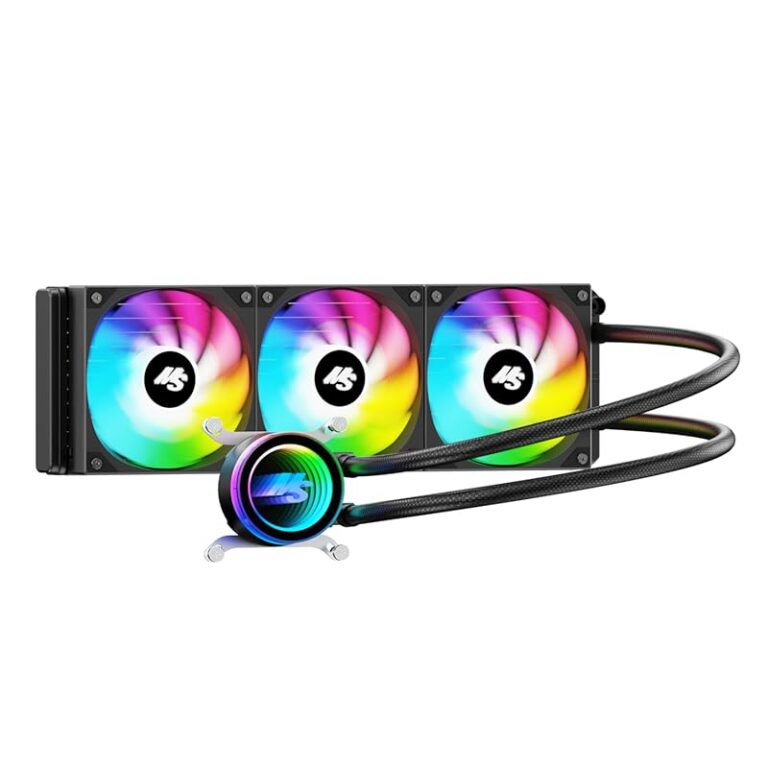
Keeping your processor at a safe temperature is essential for maintaining peak performance. If you notice high CPU temperature during normal use, your cooling solution might be inadequate. A quality cooler ensures your CPU can sustain its full capacity for as long as you need it.
How to Measure and Compare CPU Capacity
Benchmarks are the most reliable way to compare CPU capacity between different processors. These tests run standardized workloads and assign scores that reflect real-world performance. Popular benchmarks include Cinebench, Geekbench, and PassMark.
When looking at benchmarks, pay attention to both single-core and multi-core scores. A balanced processor will score well in both categories. If a chip excels in single-core but struggles in multi-core, it is great for gaming but weaker at heavy multitasking.
Common CPU Capacity Benchmarks
- Cinebench R23: Tests both single-core and multi-core rendering performance.
- Geekbench 6: Provides a quick overview of overall processing power.
- PassMark: Offers a comprehensive score across many workload types.
Reading benchmark results helps you match CPU capacity to your specific needs. A content creator needs strong multi-core scores, while a gamer benefits more from high single-core performance.
Matching CPU Capacity to Your Needs
Buying a processor with more capacity than you need wastes money. Conversely, choosing one with too little capacity leads to frustration and slow performance. The key is finding the right balance for your workload.
Best CPU Capacity for Gaming
Most modern games rely on strong single-core performance more than massive core counts. A processor with six to eight cores and a high clock speed will handle virtually any game on the market today. Pairing your CPU with a capable GPU also prevents CPU bottleneck, where the processor limits your graphics card’s potential.
Best CPU Capacity for Content Creation
Video editing, 3D modeling, and music production demand high multi-core performance. These workloads spread tasks across many cores simultaneously, so having more cores directly improves your workflow. A processor with 12 or more cores is ideal for professional creators.
Best CPU Capacity for Office and General Use
For everyday tasks like email, web browsing, and document editing, a four-core processor is more than sufficient. You do not need to invest in a high-end chip for basic productivity. Saving money here frees up budget for other components that improve your overall system performance.
Common Mistakes That Limit CPU Capacity
Even the best processor will not reach its full potential if you make these common mistakes.
- Skipping BIOS updates: Manufacturers regularly release updates that improve CPU performance and stability.
- Ignoring thermal paste: Dried-out thermal paste causes heat buildup and forces your processor to throttle.
- Running too many background apps: Unnecessary programs consume processing power and reduce available capacity.
- Overlooking power supply limits: An underpowered system can starve your CPU of the electricity it needs.
- Never cleaning your PC: Dust buildup blocks airflow and raises internal temperatures significantly.
Avoiding these mistakes helps your processor deliver its full CPU capacity every day. Small maintenance habits make a surprisingly big difference over time.
Expert Insights on Maximizing CPU Capacity
Experienced PC builders and technicians often share the same advice: focus on balance. A powerful CPU paired with slow RAM or an outdated storage drive will bottleneck itself. Every component in your system contributes to overall processing power.
If you are building or upgrading a system, start with your processor and then choose supporting components that match its capability. A quality CPU cooler is one of the best investments you can make. Proper cooling allows your processor to maintain boost clocks longer, effectively increasing your real-world capacity without spending more on a faster chip.
Also consider your workload carefully. If you mainly browse the web and do light office work, spending extra on a 16-core processor gives you almost no benefit. But if you render 3D animations professionally, that same chip could save you hours every day.
Final Thoughts on CPU Capacity
CPU capacity is not a single number you can check off a list. It is a combination of cores, clock speed, threads, cache, thermal limits, and real-world performance. Understanding these factors helps you choose the right processor for your budget and needs.
Whether you are a casual user, a gamer, or a professional creator, matching your processor performance to your actual workload is the smartest approach. Take time to research benchmarks, read reviews, and consider what you will actually use your computer for. The right choice will feel fast, responsive, and worth every dollar you spend.
Keep your system well-maintained, stay cool, and let your processor do what it was built to do. With the right CPU capacity, your computer will serve you well for years to come.
Frequently Asked Questions
What is CPU capacity in simple terms?
CPU capacity refers to how much work a processor can handle at one time. It includes factors like the number of cores, clock speed, cache size, and thread count. Together, these determine whether your CPU can handle light tasks or heavy workloads effectively.
Does more cores mean higher CPU capacity?
More cores generally mean higher capacity for multi-threaded tasks, but single-core speed matters just as much for many applications. A processor with fewer but faster cores can sometimes outperform one with more slower cores. The real answer depends on what you use your computer for.
How can I check my current CPU capacity?
You can use built-in tools like Task Manager on Windows or Activity Monitor on Mac to see how much of your CPU utilization is being used. For detailed specifications, tools like CPU-Z or your manufacturer’s website will show your full capacity including cores, speed, and cache.
Can cooling affect CPU capacity?
Yes, absolutely. When a processor gets too hot, it slows itself down to prevent damage. This is called thermal throttling. A good cooling solution keeps temperatures low and allows your CPU to maintain its full capacity under heavy loads.
Is CPU capacity the same as CPU speed?
No, they are related but different. Speed usually refers to clock speed in gigahertz, while capacity encompasses everything the processor can handle including cores, threads, cache, and sustained performance. A fast CPU with low capacity will struggle with heavy multitasking.
What happens when CPU capacity is exceeded?
When demand exceeds capacity, your system slows down. Programs take longer to respond, frames drop in games, and your computer may feel sluggish. In severe cases, the processor may throttle its speed to protect itself from overheating.