What Is the Difference Between Dvd Writer Dvd Drives
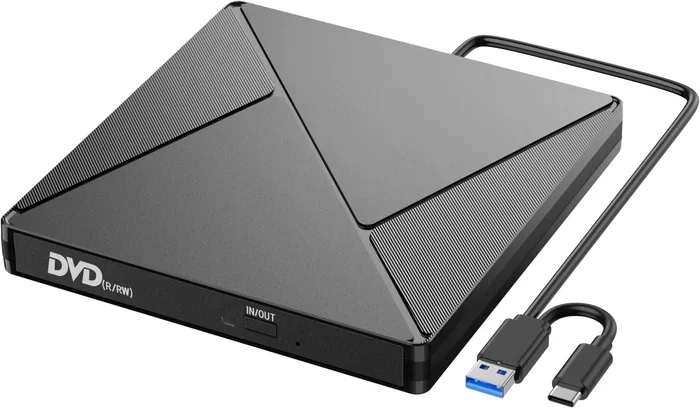
The main difference between a DVD writer and a DVD drive comes down to one simple fact: reading versus writing. A standard DVD drive can only play and read discs, while a DVD writer can both read and burn data onto blank DVDs. This distinction matters a lot when you are choosing the right optical drive for your computer setup.
If you have ever stood in front of a computer store shelf or browsed online for an optical disc drive, you have probably seen the terms “DVD drive” and “DVD writer” thrown around. They sound similar, but they are not the same thing. Understanding the difference between DVD writer and DVD drive can save you money, prevent buyer’s remorse, and make sure you get the right tool for your tasks.
A DVD drive is a device that reads optical discs. Think of it like a CD player for your computer. You pop in a disc, and the drive reads the data stored on it. A DVD writer, on the other hand, does everything a DVD drive does but adds the ability to write, burn, or record data onto blank discs. It is like having a CD player and a recorder in one device. For most people, knowing this basic distinction is the first step toward making a smart purchase.
In this guide, we will break down everything you need to know. We will cover what each type of drive does, how they differ, which DVD formats are available, and how to pick the right one for your setup. Whether you are a casual user who just wants to watch movies or a power user who needs to backup files, this article has you covered.
Key Takeaways
- DVD drives read discs only: They handle playback of DVDs and CDs but cannot write or burn data onto blank discs.
- DVD writers do it all: They read and write discs, giving you full disc recording and data backup capabilities.
- Multiple DVD formats exist: DVD-R, DVD+R, DVD-RW, and DVD+RW each offer different levels of compatibility and reusability.
- Speed and compatibility vary by model: DVD writers come with different write speeds and support for various disc types.
- External options are widely available: Both DVD drives and DVD writers come in portable external formats for easy connectivity.
- Match the drive to your needs: Choose a DVD drive for simple playback, or a DVD writer if you need to create, copy, or backup discs.
📑 Table of Contents
What Is a DVD Drive?
The Basics of a DVD Drive
A DVD drive, sometimes called a DVD-ROM drive, is an optical disc drive that reads DVDs and CDs. The term “ROM” stands for Read-Only Memory, which tells you exactly what this device does. It reads data but cannot write or record anything onto a disc. This makes DVD drives perfect for users who simply want to watch movies, listen to music, or install software that comes on a disc.
DVD drives have been a staple in computers for decades. They use a laser to read the tiny bumps and grooves on the surface of an optical disc. The laser interprets these patterns as data, and your computer displays it as video, audio, or files. The process is fast and reliable, which is why DVD drives remain useful even in a world dominated by cloud storage and USB drives.
One thing to keep in mind is that a standard DVD drive cannot read Blu-ray discs. If you need Blu-ray drive playback, you will need a different type of drive. However, for everyday DVD and CD needs, a basic DVD drive works perfectly fine. This is the simplest and most affordable option for disc playback.
Who Should Use a DVD Drive?
A DVD drive is ideal for people who do not need to write or burn discs. Here are some common use cases:
- Watching movies: If you have a collection of DVDs, a DVD drive lets you play them on your computer.
- Installing software: Many programs still come on DVD discs, especially professional software and games.
- Listening to music: Audio CDs work great with a standard DVD drive.
- Reading data discs: If someone hands you a disc with files on it, a DVD drive can access that data easily.
If your needs stop at reading, there is no reason to spend extra money on a DVD writer. A simple DVD drive gets the job done without any extra cost.
What Is a DVD Writer?
The Basics of a DVD Writer
A DVD writer, also known as a DVD burner, is an optical drive that can both read and write discs. This means you can not only play DVDs and CDs but also create your own discs. You can burn photos, videos, documents, and entire folders onto a blank DVD. The DVD writer uses a stronger laser than a standard DVD drive to etch data onto the surface of a recordable disc.
DVD writers are incredibly versatile. They support multiple disc formats, including write-once discs and rewritable discs. This gives you flexibility depending on what you are trying to accomplish. Whether you want to create a backup of important files or share a collection of photos with family, a DVD writer makes it possible.
Most DVD writers on the market today are combo drives. This means they can handle DVDs, CDs, and sometimes even Blu-ray discs. When shopping, look for a drive that lists its supported formats clearly on the product page. This tells you exactly what types of discs the writer can read and burn.
How Does a DVD Writer Work?
The process of disc burning is straightforward. Here is how it works in simple terms:
- You insert a blank disc into the DVD writer.
- The computer sends data to the drive.
- The laser in the writer heats specific spots on the disc surface.
- These heated spots change the reflectivity of the disc, encoding your data.
- Once the process is complete, the disc is ready to be played or shared.
The entire process usually takes just a few minutes, depending on the size of the data and the write speed of the drive. Faster DVD writers can burn a full 4.7 GB DVD in under 10 minutes. This makes disc recording quick and convenient for everyday use.
Who Should Use a DVD Writer?
A DVD writer is best for users who need to create, copy, or backup discs. Here are some common scenarios:
- Creating backups: You can burn important documents and photos onto DVDs for safekeeping.
- Sharing large files: If you need to share files with someone who does not have internet access, a burned DVD works great.
- Creating photo discs: Burn your favorite photos into a slide-show-style disc that plays on standard DVD players.
- Installing software offline: You can create installation discs for software you use frequently.
If any of these situations sound familiar, a DVD writer is the way to go. The extra capability is well worth the small price difference compared to a basic DVD drive.
DVD Writer vs DVD Drive: Head-to-Head Comparison
Now that you understand the basics, let us look at the key differences side by side. This comparison will help you see exactly what you get with each type of drive.
| Feature | DVD Drive | DVD Writer |
|---|---|---|
| Reads DVDs | Yes | Yes |
| Reads CDs | Yes | Yes |
| Writes DVDs | No | Yes |
| Burns CDs | No | Yes |
| Rewritable Discs | No | Yes (RW formats) |
| Price | Lower | Slightly Higher |
| Best For | Playback only | Playback and recording |
| Common Names | DVD-ROM | DVD Burner, DVD Recorder |
The table above makes it clear that a DVD writer gives you more flexibility. The only real advantage of a DVD drive is its lower price. But for most users, the extra cost of a DVD writer is worth the added functionality.
When comparing drives, it is also worth noting that storage technology has evolved a lot over the years. If you are curious about how different types of storage compare, you might want to explore the difference between SSD and NVMe drives to understand how modern storage works alongside traditional optical drives.
Understanding DVD Disc Formats and Compatibility
Write-Once Formats
DVD writers support several disc formats. The two most common write-once formats are DVD-R and DVD+R. Both formats let you record data once and then read it as many times as you want. You cannot erase or rewrite data on these discs. This is perfect for permanent backups and archival purposes.
- DVD-R: Developed by Pioneer, this format is widely compatible with most DVD players and drives. It is a safe choice if you are not sure which format to use.
- DVD+R: Developed by the DVD+RW Alliance, this format offers slightly better compatibility with DVD drives and often faster write speeds.
Both formats hold up to 4.7 GB of data per disc. For most users, this is more than enough for documents, photos, and small video files. The write capability of these formats makes them reliable for one-time recording tasks.
Rewritable Formats
If you want to erase and reuse discs, you need a rewritable format. The two main options are DVD-RW and DVD+RW:
- DVD-RW: This format lets you rewrite data up to 1,000 times. It is great for discs you need to update frequently.
- DVD+RW: Similar to DVD-RW but often offers better compatibility with DVD drives and faster rewriting speeds.
Rewritable discs cost a bit more than write-once discs, but they save money in the long run if you frequently update your backups or share files on disc. The rewritable format is ideal for ongoing projects where you need to swap out content regularly.
Double-Layer Discs
For larger files, double-layer DVDs offer nearly double the capacity at 8.5 GB. These discs work with most modern DVD writers. Just make sure your drive supports dual-layer recording before you buy these discs. This is especially useful if you are backing up large video files or software collections.
When you are shopping for discs, pay attention to the format symbols on the packaging. They tell you exactly what type of disc you are getting and whether your drive can use it. If you want to learn more about data storage options beyond optical discs, check out what is the biggest NVMe SSD to see how much modern storage can hold.
How to Choose the Right Drive for Your Setup
Consider Your Usage Needs
The first step in choosing a drive is to ask yourself what you will use it for. If you only watch movies and install software from discs, a basic DVD drive is all you need. It is simple, affordable, and reliable. You plug it in, put in a disc, and enjoy your content.
If you want to create your own discs, backup files, or share data the old-fashioned way, go with a DVD writer. The extra cost is small, and the added convenience is significant. You will not regret having the extra capability when you need it. Think about how often you would actually burn a disc. If the answer is more than a few times a year, the DVD writer is worth it.
Internal vs External Drives
Both DVD drives and DVD writers come in internal and external versions. Internal drives fit inside your computer case and connect directly to the motherboard. External drives connect through USB and are portable.
External drives are great if you have a laptop or a computer without a built-in optical drive. They are plug-and-play and easy to carry around. Internal drives are better if you want a permanent setup inside your desktop computer. They tend to be faster and more stable since they are installed directly in the system.
When you are upgrading your computer, it also helps to consider other hardware components. For example, if you are thinking about adding more memory, check out what is good RAM for a laptop to make sure your system can handle everything you throw at it.
Brand and Quality Matters
Not all DVD drives and writers are created equal. Some brands are known for reliability, while others may skip corners to offer a lower price. Stick with well-known brands like LG, ASUS, Samsung, and Pioneer. These manufacturers have a proven track record of producing quality optical drives that last for years.
Also, look for drives that come with good software for burning discs. Some drives include free burning software, while others require you to download a third-party application. Having reliable software makes the disc burning process much smoother and reduces the chance of errors.
Speed Ratings
DVD writers come with different speed ratings, usually displayed as 8x, 16x, or 24x. The “x” stands for the speed multiplier. A 16x DVD writer can burn a full disc twice as fast as an 8x writer. For most users, a 16x or 24x drive offers a good balance of speed and value.
Keep in mind that the actual burning speed also depends on the disc quality and your computer’s processing power. Using high-quality blank discs will always give you better results and fewer errors. Cheap discs may save you a few cents but can lead to failed burns and wasted discs.
Common Issues, Troubleshooting, and Looking Ahead
Common DVD Drive Problems
DVD drives and writers can run into issues over time. Here are the most common problems and how to fix them:
- Disc not reading: Clean the disc with a soft cloth and try again. Dust on the laser lens can also cause reading problems.
- Burning errors: Use high-quality blank discs and make sure no other programs are accessing the drive during the burn process.
- Drive not recognized: Check your connections and update your drivers. A simple driver update often fixes this issue.
- Slow performance: Close unnecessary programs while using the drive. This frees up system resources for the drive to work properly.
Just as proper maintenance keeps your computer running smoothly, taking care of your drives helps them last longer. Keep the drive clean, avoid exposing it to dust and heat, and handle discs gently. These simple habits go a long way in extending the life of your optical drive.
The Future of Optical Drives
Optical drives are becoming less common in modern computers. Many laptops no longer include any kind of disc drive at all. Cloud storage, USB flash drives, and fast internet downloads have replaced the need for physical media in many cases.
However, DVD drives and writers are not going away completely. They still serve important purposes. Professionals in video production, archivists, and anyone who needs a reliable offline backup method still relies on optical discs. DVD-RWs remain a cost-effective way to store and share large files without needing an internet connection.
As technology continues to evolve, we may see optical drives become even more specialized. For now, they remain a useful tool in any computer setup, especially for users who work with physical media regularly. The difference between DVD writer and DVD drive will always matter as long as optical discs are in use.
Conclusion
The difference between a DVD writer and a DVD drive comes down to one key feature: the ability to write and burn discs. A DVD drive reads discs and plays content, while a DVD writer can do both that and create your own recordable discs. Both serve important purposes, and the right choice depends entirely on your needs.
If you just want to watch movies or install software from discs, a DVD drive is a simple and affordable choice. If you need to backup files, create photo discs, or share data on physical media, a DVD writer is the better option. The small extra cost is well worth the added versatility.
Take a moment to think about what you actually need. Consider the disc formats you will use, whether you need an internal or external drive, and which brands you trust. With the right information, you can confidently choose the drive that fits your life and your budget. Go ahead and pick the drive that works for you, and enjoy the flexibility of having the right optical drive for your computer.
Frequently Asked Questions
Can a DVD drive burn discs?
No, a standard DVD drive cannot burn or write discs. It is designed only for reading data from DVDs and CDs. If you need to burn discs, you must use a DVD writer or DVD burner, which has the additional capability to record data onto blank discs.
Is a DVD writer the same as a DVD burner?
Yes, a DVD writer and a DVD burner are the same thing. Both terms refer to an optical drive that can read and write discs. The term “burner” emphasizes the disc-burning capability, while “writer” highlights the ability to write data onto blank DVDs and CDs.
Can a DVD writer play Blu-ray discs?
It depends on the model. Some DVD writers are combo drives that also support Blu-ray discs. However, a standard DVD writer can only handle DVDs and CDs. Always check the product specifications before purchasing if you need Blu-ray compatibility.
How long do DVD writers last?
A quality DVD writer can last for many years with proper care. The laser inside the drive is the most vulnerable component and may degrade over time. Keeping the drive clean and avoiding exposure to dust and heat will help extend its lifespan significantly.
Are rewritable DVDs worth buying?
Yes, rewritable DVDs like DVD-RW and DVD+RW are worth it if you frequently update or reuse discs. They can be rewritten up to 1,000 times, making them cost-effective for ongoing projects. However, for permanent backups, write-once discs like DVD-R and DVD+R are a better choice.
Do I need special software to burn DVDs?
Many DVD writers come bundled with free burning software. If yours does not, there are plenty of reliable free options available online. Windows also has built-in disc-burning capabilities that work with most DVD writers without needing any additional software.
=== CONCLUSION ===
Understanding the difference between DVD writer and DVD drive is simple once you know the basics. A DVD drive reads discs, while a DVD writer reads and burns them. Both have their place, and the right choice depends on your specific needs. We hope this guide has helped you make a confident decision. Now you know exactly what to look for and why it matters. Go ahead and pick the drive that fits your setup, and enjoy the flexibility of having the right optical drive for your computer.