Difference Between Ssd and Nvme
SSD and NVMe are not the same thing, even though many people use the terms interchangeably. An SSD is a type of storage device that uses flash memory to store data, while NVMe is a communication protocol that helps SSDs transfer data at incredibly fast speeds. Understanding this difference helps you pick the right drive for your PC, whether you are gaming, editing video, or just browsing the web.
If you have been shopping for a new storage drive, you have probably seen the terms SSD and NVMe everywhere. They sound like the same thing, but they are actually quite different. Many people buy a drive thinking they are getting one technology, only to realize they misunderstood what they were purchasing. This guide breaks down everything you need to know about the difference between SSD and NVMe in simple, easy-to-understand language.
Whether you are building a new PC, upgrading an old laptop, or just curious about how your storage device works, this article has you covered. We will walk through what each term means, how they compare, and which one is right for your specific needs. No jargon, no fluff, just clear and practical information you can use right away.
Key Takeaways
- SSD is a storage device: It uses flash memory with no moving parts to store your data reliably.
- NVMe is a communication protocol: It defines how SSDs talk to your motherboard through the PCIe interface for maximum speed.
- NVMe drives are much faster: They deliver significantly higher read and write speeds compared to older SATA SSDs.
- M.2 is a form factor: Both SATA SSDs and NVMe drives can come in the small M.2 shape, which causes confusion.
- Choose based on your needs: Gaming, video editing, and professional workloads benefit most from NVMe performance.
- Check compatibility first: Always verify your motherboard and system support before purchasing a new drive.
📑 Table of Contents
What Is an SSD?
An SSD stands for Solid State Drive. It is a type of storage device that saves data using flash memory, specifically NAND flash chips. Unlike a traditional hard drive that spins a metal disk to read and write data, an SSD has no moving parts at all. This makes it faster, quieter, and much more durable.
SSDs replaced old mechanical hard drives in most modern computers because of their speed and reliability. When you boot up your operating system from an SSD, your PC starts in seconds instead of minutes. Games load faster, applications open almost instantly, and files transfer much more quickly.
How Does an SSD Store Data?
Inside an SSD, data is stored on NAND flash memory chips. These chips hold electrical charges that represent ones and zeros, which is how all digital data works. The drive controller manages where data goes and how it is retrieved. This is why SSDs can access data so quickly compared to spinning disks.
Most SSDs connect to your motherboard using a SATA cable or an M.2 slot. The SATA interface has been the standard for SSDs for many years. It provides solid speeds but has limitations that newer technology has moved past.
Common SSD Form Factors
SSDs come in several shapes and sizes. Here are the most common ones you will encounter:
- 2.5-inch SSD: This looks like a small laptop hard drive. It connects with a SATA cable and fits in most desktop PCs and older laptops.
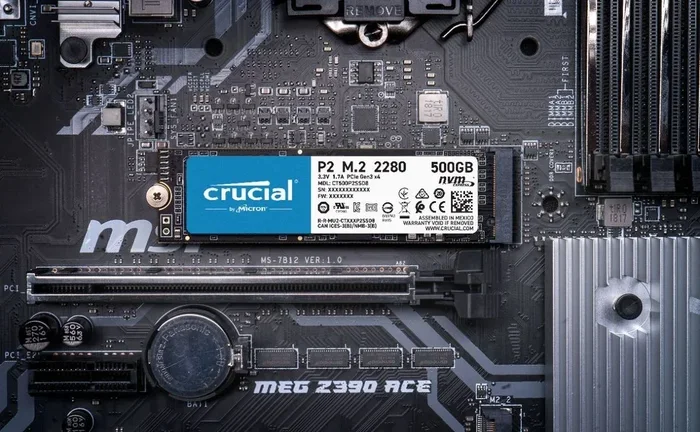
- M.2 SSD: This is a small stick-shaped drive that plugs directly into the motherboard. It is about the size of a stick of gum and is very popular in modern builds.
- PCIe Add-in Card: Some SSDs come on a card that plugs into a PCIe slot on the motherboard for even faster performance.
Understanding these form factors is important because it affects what kind of drive you can use in your system. Not every PC has an M.2 slot, for example. Always check your motherboard manual before buying.
What Is NVMe?
NVMe stands for Non-Volatile Memory Express. It is not a type of drive itself. Instead, it is a storage protocol that tells SSDs how to communicate with your computer. Think of it like a language that your drive and your motherboard use to talk to each other. NVMe was designed specifically for flash memory, which is why it works so much faster than older protocols.
The NVMe protocol uses the PCIe (Peripheral Component Interconnect Express) bus to transfer data. This is the same high-speed connection that your graphics card uses. Because PCIe is much faster than SATA, NVMe drives can move enormous amounts of data in a very short time. If you want to learn more about whether NVMe is actually faster than regular SSDs, check out our guide on Is NVMe Faster Than SSD.
How NVMe Works
NVMe works by using a streamlined command set that is built specifically for flash storage. Older protocols like AHCI were designed for spinning hard drives and carry a lot of extra overhead. NVMe cuts out that waste and allows your drive to handle many more commands at the same time. This is called parallelism, and it is a big reason why NVMe drives are so fast.
When you transfer a large file or load a heavy game, your drive is sending and receiving thousands of small data packets. NVMe handles all of these efficiently, which translates to smoother performance and shorter wait times.
NVMe Form Factors
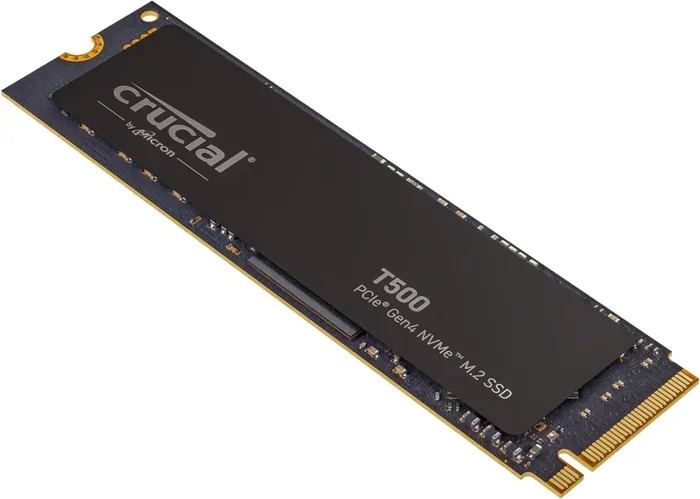
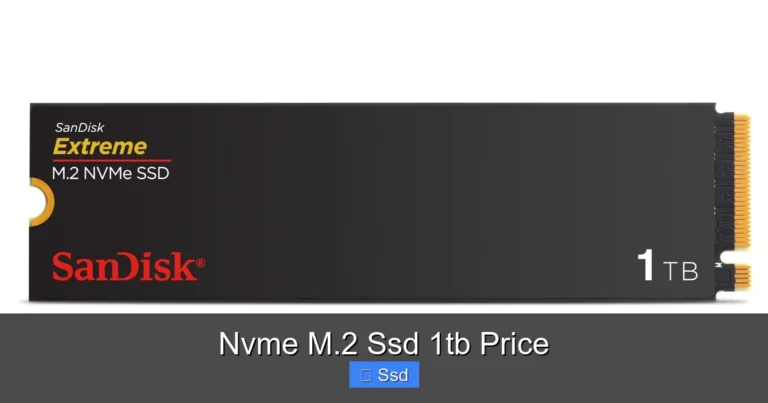
Most NVMe drives you will buy today are in the M.2 format. The M.2 connector plugs directly into the motherboard without any cables. Some NVMe drives also come in the U.2 format, which looks more like a traditional 2.5-inch drive but uses a different connector. The M.2 form factor is the most common and the easiest to install in home PCs.
You might also see the term SSD NVMe PCIe M.2 used together. This simply means the drive is a solid state drive that uses the NVMe protocol over a PCIe connection in an M.2 shape. It can sound confusing at first, but once you understand what each word means, it all clicks into place.
Key Differences Between SSD and NVMe
Now that you know what each term means on its own, let us look at how they differ. The biggest thing to remember is that SSD and NVMe are not competing technologies. They work together. An NVMe drive is always an SSD, but not every SSD is an NVMe drive.
Interface and Protocol
This is the most important difference to understand. SATA SSDs use the AHCI protocol over a SATA interface. NVMe SSDs use the NVMe protocol over a PCIe interface. The SATA interface was originally built for spinning hard drives, and it has a speed limit of about 600 megabytes per second. The PCIe interface has no such limit, which is why NVMe drives can reach speeds of several thousand megabytes per second.
You can think of it like a highway. SATA is a two-lane road, while PCIe is a multi-lane highway with much higher speed limits. The NVMe protocol makes sure your data travels efficiently on that highway without traffic jams.
Speed and Performance
Speed is where the real difference shows up. A typical SATA SSD can read data at around 550 megabytes per second and write at about 500 megabytes per second. Those numbers are already much faster than a mechanical hard drive. But an NVMe drive can easily hit 3,500 megabytes per second or more for reading, and some of the fastest models exceed 7,000 megabytes per second for writing.
For everyday tasks like browsing the web or opening office documents, you might not notice a huge difference between SATA SSDs and NVMe drives. But when you are working with large video files, running intensive applications, or loading the latest games, the speed gap becomes very obvious.
Form Factor and Compatibility
SATA SSDs come in 2.5-inch and M.2 formats. NVMe drives are almost always M.2 or U.2. This means that if your computer only has a 2.5-inch drive bay and no M.2 slot, you cannot use an NVMe drive. Compatibility is a real consideration that many people overlook when shopping for storage.
Always check what slots your motherboard supports before you buy a new drive. If you have an M.2 slot that supports PCIe, you can use an NVMe drive. If the slot only supports SATA, you will need a SATA SSD instead. Some motherboards have M.2 slots that support both, which gives you flexibility.
SSD vs NVMe Speed Comparison
Let us put the numbers side by side so you can see the difference clearly.
- SATA SSD Read Speed: Up to 550 MB/s
- SATA SSD Write Speed: Up to 500 MB/s
- NVMe Read Speed: 3,500 to 7,000+ MB/s
- NVMe Write Speed: 3,000 to 5,000+ MB/s
- Latency: NVMe has lower latency, meaning faster response times
- IOPS (Input/Output Operations Per Second): NVMe handles many more operations simultaneously
The numbers speak for themselves. NVMe drives are multiple times faster than SATA SSDs in almost every scenario. If you want a deeper look at the technical side of how NVMe connects to your system, you can read our article on SSD NVMe PCIe M.2 for more details.
Real-World Speed Differences
What does this mean in everyday use? Here are some practical examples:
- Booting Windows: A SATA SSD takes about 10 to 15 seconds. An NVMe drive does it in 5 to 8 seconds.
- Opening a 50GB video file: A SATA SSD takes a few seconds. An NVMe drive opens it almost instantly.
- Loading a modern game: NVMe drives can reduce load times by 30 to 50 percent compared to SATA SSDs.
- Transferring a 100GB folder: SATA SSD takes about 3 minutes. NVMe can do it in under 30 seconds.
These differences become more important the more you work with large files or demanding applications. For casual use, a SATA SSD is still plenty fast. But for serious work or gaming, NVMe makes a noticeable impact.
When to Choose SSD Over NVMe
There are plenty of good reasons to choose a SATA SSD over an NVMe drive. Not everyone needs the fastest speeds available, and that is perfectly fine.
- Budget builds: SATA SSDs are generally cheaper than NVMe drives of the same capacity. If you are on a tight budget, a SATA SSD gives you a big upgrade over a mechanical hard drive without breaking the bank.
- Older systems: If your computer does not have an M.2 slot or only supports SATA, a 2.5-inch SATA SSD is your best option. You will still get a huge speed boost over an old spinning drive.
- Basic tasks: If you mainly use your PC for web browsing, email, and light document work, a SATA SSD is more than enough. You will not notice the NVMe speed difference in these tasks.
- Storage capacity: SATA SSDs are available in very large capacities at lower prices. If you need a lot of storage for media files and do not need extreme speed, SATA is a smart choice.
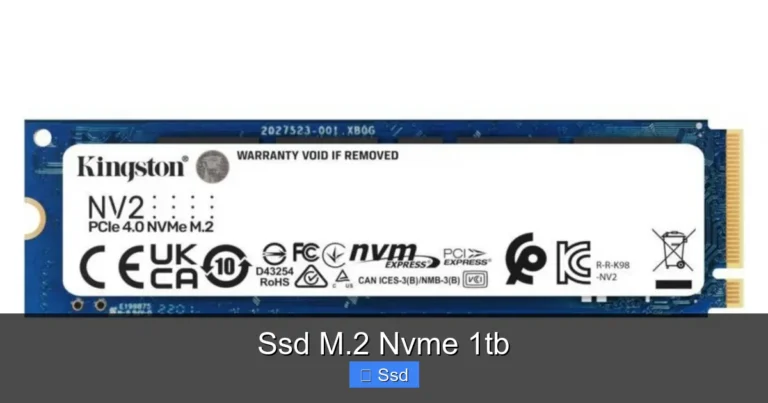
A great example of an affordable and reliable NVMe option is the Kingston NV2 1TB NVMe SSD, which offers excellent performance at a reasonable price point. But if your needs are basic, even a standard SATA SSD will serve you well.
When to Choose NVMe Over SSD
There are many situations where NVMe is the clear winner. If any of these apply to you, you should strongly consider an NVMe drive.
- Gaming: Modern games are huge and load a lot of data quickly. NVMe drives reduce load times and stuttering, especially in open-world games with large environments.
- Video and photo editing: Working with 4K video or high-resolution photos requires fast read and write speeds. NVMe drives handle this workload with ease and save you valuable time.
- 3D rendering and modeling: Professional creative work benefits enormously from the speed of NVMe. Large project files load faster, and rendering processes run more smoothly.
- Data-intensive work: If you work with databases, machine learning models, or large datasets, NVMe’s high throughput and low latency will dramatically improve your workflow.
- Future-proofing your PC: NVMe is the current standard for high-performance storage. If you are building a new PC, choosing NVMe ensures your system is ready for demanding software and games for years to come.
For most people building a new PC today, NVMe is the recommended choice. Prices have come down significantly, and the performance gains are well worth it. A popular option that balances speed and value is the Crucial P3 Plus NVMe SSD, which delivers solid performance for gaming and everyday use.
Common Mistakes to Avoid
When shopping for storage, there are a few common mistakes that trip up even experienced buyers. Here are some things to watch out for.
- Confusing M.2 with NVMe: An M.2 drive is just a shape. M.2 drives can be either SATA or NVMe. Always check the specs before you buy.
- Ignoring motherboard compatibility: Not every M.2 slot supports NVMe. Some only support SATA. Read your motherboard manual carefully.
- Overestimating your speed needs: If you only browse the web and do office work, you do not need the fastest NVMe drive available. A budget SATA SSD will work perfectly.
- Forgetting about cooling: Some NVMe drives run hot, especially during heavy workloads. Consider adding a heatsink or choosing a drive with built-in thermal management.
- Not checking the PCIe generation: PCIe 3.0 and PCIe 4.0 NVMe drives have different speed capabilities. Make sure your motherboard supports the generation of the drive you are buying.
Taking a few extra minutes to research before you buy can save you from buying the wrong drive. Always double-check your motherboard specifications, your budget, and your actual performance needs before making a decision.
Final Thoughts
The difference between SSD and NVMe comes down to understanding that SSD is a type of storage hardware, while NVMe is a protocol that makes that hardware faster. They are not opposites or competitors. They work together to give you the best possible storage experience for your computer.
If you are upgrading an older PC, a SATA SSD is a fantastic and affordable way to breathe new life into your system. If you are building a new PC or need top-tier performance for gaming and creative work, NVMe is the way to go. Either choice will give you a massive upgrade over a traditional mechanical hard drive.
The storage world moves fast, and new technologies continue to push speeds higher every year. But no matter what you choose, the most important thing is that your drive meets your needs and fits your system. Now that you understand the difference, you can shop with confidence and pick the right drive for your setup.
Frequently Asked Questions
Can I use an NVMe drive in any computer?
Not every computer supports NVMe. You need a motherboard with an M.2 slot that supports PCIe and the NVMe protocol. Check your motherboard manual or look up your PC model online to confirm compatibility before purchasing.
Is NVMe better than SSD for gaming?
Yes, NVMe drives load games faster than SATA SSDs. The difference is most noticeable with large open-world games that stream data constantly. However, for casual gaming, a SATA SSD is still perfectly fine.
Can I use both an SSD and an NVMe drive at the same time?
Absolutely. Many PCs use a small NVMe drive for the operating system and games, and a larger SATA SSD for storing files and media. This setup gives you the best of both worlds.
Do NVMe drives wear out faster than SATA SSDs?
No. NVMe and SATA SSDs use the same type of NAND flash memory. The lifespan depends on the quality of the flash and how much you write to the drive, not the protocol it uses.
What does M.2 mean in relation to NVMe?
M.2 is the physical shape and connector of the drive. NVMe is the communication protocol. An M.2 drive can use either SATA or NVMe. Always check the specifications to know which protocol a specific M.2 drive uses.
How much faster is NVMe compared to a regular SATA SSD?
NVMe drives are typically 5 to 7 times faster than SATA SSDs for reading data. Write speeds are also significantly higher. For most everyday tasks, the difference is noticeable but not dramatic. For large file transfers and heavy workloads, the speed gap is very clear.
=== CONCLUSION ===
Understanding the difference between SSD and NVMe is easier than it might seem at first. An SSD is the hardware, and NVMe is the language it uses to communicate at top speed. Together, they give you fast, reliable storage without any moving parts. Whether you pick a SATA SSD or an NVMe drive depends on your budget, your motherboard, and what you plan to do with your PC. With the information in this guide, you are now equipped to make the right choice for your storage needs.