M2 SSD Sizes Explained A Complete Guide To All Options
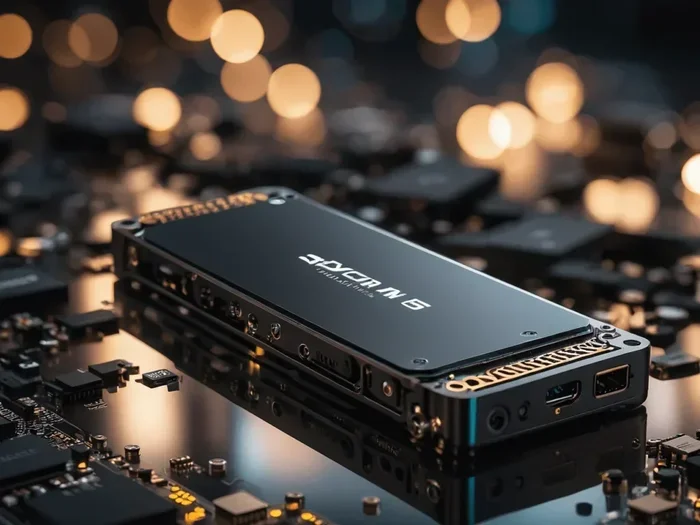
M2 SSD sizes refer to the physical dimensions of M.2 solid-state drives, and choosing the right one is critical for compatibility and performance. This guide breaks down every common M.2 SSD size, from the popular 2280 to compact 2242 and 2230 options. Whether you are upgrading a laptop or building a desktop, you will learn exactly which size fits your system and how to make the best choice.
When you look at the world of M.2 solid-state drives, the sheer number of options can feel overwhelming. There are different lengths, widths, key types, and interfaces. But here is the good news. Understanding M2 SSD sizes does not have to be complicated. In fact, once you grasp the basics, picking the right drive becomes simple and even fun.
This guide covers every common M.2 SSD size you will encounter. We explain what each size means, where it fits, and how to choose the best one for your setup. Whether you are building a gaming PC or upgrading a thin laptop, this guide has you covered.
Key Takeaways
- 2280 is the most common M2 SSD size and fits most desktops and laptops with standard M.2 slots.
- 2242 and 2230 are smaller form factors ideal for ultrabooks, mini PCs, and compact devices.
- M.2 key types (B and M) determine compatibility with your motherboard slot, not just the length.
- NVMe and SATA M2 SSDs share the same sizes but use different interfaces and speeds.
- Always check your device manual before purchasing an M2 SSD to avoid buying the wrong size.
- PCIe Gen 4 and Gen 5 M2 SSDs offer blazing speeds but require compatible motherboard support.
📑 Table of Contents
What Are M2 SSD Sizes and Why Do They Matter?
M2 SSD sizes refer to the physical dimensions of M.2 form factor drives. These drives are tiny rectangular sticks that plug directly into your motherboard. Unlike traditional 2.5-inch SSDs, M.2 drives do not need cables. They connect through a dedicated slot, which makes them super clean and compact.
The size matters because not every M.2 slot on a motherboard supports every length. If you buy a drive that is too long, it simply will not fit. If it is too short, it may not make proper contact. That is why knowing your M2 SSD sizes before shopping is so important.
The most common M.2 SSD sizes are defined by a two-number code. The first number tells you the width in millimeters. The second number tells you the length. For example, 2280 means 22 millimeters wide and 80 millimeters long. This naming system applies to all M.2 drives, whether they are SATA or NVMe.
Understanding the M.2 Naming Convention
The M.2 naming system is actually very logical once you see how it works. The format is always width x length in millimeters. Most M.2 SSDs use a width of 22 millimeters. This is the standard width for nearly all consumer drives. The length varies depending on the available space inside your device.
Here are the most common M.2 SSD sizes you will see:
- 2280 — 22mm wide, 80mm long. This is the most popular size by far.
- 2260 — 22mm wide, 60mm long. Used in some compact devices.
- 2242 — 22mm wide, 42mm long. Common in ultrabooks and small PCs.
- 2230 — 22mm wide, 30mm long. Found in tablets and very slim devices.
You might also see 22110, which is 22mm wide and 110mm long. This size is rare and mostly used in enterprise or specialized equipment. For most users, 2280 is the go-to choice and the one you will buy most often.
The Most Popular M2 SSD Size: 2280
The 2280 M.2 SSD size dominates the consumer market. Almost every modern desktop motherboard comes with at least one M.2 slot that supports 2280 drives. Most laptops with M.2 slots also use this size. When you search for an M2 NVMe SSD online, the vast majority of results are 2280 drives.
Why is 2280 so popular? Because it offers a great balance of storage capacity and physical fit. A 2280 drive gives manufacturers enough PCB space to include multiple NAND flash chips. More chips usually means higher capacities and better performance. That is why you will find 2280 drives available in sizes from 250GB all the way up to 8TB.
If you are building or upgrading a desktop PC, the 2280 size should be your default choice. It fits in full-size M.2 slots that support both PCIe and SATA protocols. The 2280 M.2 NVMe SSD is the workhorse of the M.2 world and serves most users perfectly.
2280 SSDs for Gaming and Workstations
Gamers and content creators love the 2280 size because it supports the fastest NVMe drives available. The latest PCIe Gen 4 and Gen 5 NVMe M.2 SSDs all come in 2280 format. These drives deliver read speeds of 5000 MB/s or more, which is incredible compared to traditional hard drives.
A popular choice for gaming setups is the WD Black SN850P NVMe SSD. It comes in the 2280 size and offers excellent performance for gaming and creative workloads. For those who need even more capacity, the WD Black 4TB SN850X is a top-tier option that fits perfectly in standard M.2 slots.
Smaller M2 SSD Sizes: 2242 and 2230
Not every device has room for a full-size 2280 drive. Ultrabooks, thin laptops, mini PCs, and tablets often use smaller M.2 SSD sizes. The two most common compact sizes are 2242 and 2230.
The 2242 size measures 22mm wide and 42mm long. It is about half the length of a 2280 drive. Many modern ultrabooks use 2242 M.2 slots because the shorter drive leaves more room for other components inside the slim chassis. If you own a thin laptop, there is a good chance it uses a 2242 drive.
The 2230 size is even smaller at just 30mm long. You will mostly find this size in tablets, 2-in-1 devices, and some very compact mini PCs. The 2230 is becoming more popular thanks to devices like the Microsoft Surface Pro and various ARM-based laptops.
Why Smaller Sizes Matter for Portability
Smaller M.2 SSDs are not just about fitting into tight spaces. They also tend to use less power, which helps extend battery life in laptops. A 2242 or 2230 drive can be a great choice if you prioritize portability and battery life over raw storage capacity.
However, there is a trade-off. Smaller drives have less PCB space, which means fewer NAND flash chips. This often limits the maximum capacity available in 2242 and 2230 sizes. You might find 2242 drives up to 1TB, but 2230 drives are typically capped at 512GB or less. If you need lots of storage in a compact device, you may need to consider external storage options.
M2 SSD Key Types: B Key, M Key, and B+M Key
Size is not the only thing that matters when choosing an M.2 SSD. The key type is equally important. The key is the notch on the bottom of the drive that matches a corresponding slot on your motherboard. It determines which interface the drive can use.
Here are the three key types you will encounter most often:
- B Key (Socket 2) — Supports SATA and PCIe x2. The notch is on the left side.
- M Key (Socket 3) — Supports PCIe x4 and NVMe. The notch is on the right side.
- B+M Key — Has both notches and can fit in either B or M slots. Most commonly supports SATA or PCIe x2.
The M key is the most common for modern NVMe drives. If you are buying a fast NVMe M.2 SSD, you almost certainly need an M key slot. Always double-check your motherboard manual to confirm which key type your M.2 slot supports. A B+M key drive can fit in an M key slot, but an M key drive cannot fit in a B key slot.
How to Choose the Right M2 SSD Size for Your Device
Choosing the right M.2 SSD size comes down to three simple steps. First, check what your device supports. Second, decide on the capacity you need. Third, consider the interface and speed requirements.
Start by opening your device manual or checking the manufacturer’s website. Look for the M.2 slot specifications. The manual will tell you which lengths and key types are supported. Some motherboards have multiple M.2 slots that support different sizes, so you may have options.
For most desktop users, a 2280 NVMe M.2 SSD is the clear winner. It offers the best performance and the widest selection of capacities. If you are upgrading a laptop, you need to be more careful. Open the back panel and look at the existing M.2 drive. Note its length and key type before buying a replacement.
Here is a quick checklist to follow:
- Check your motherboard or device manual for supported M.2 sizes.
- Confirm the key type (B, M, or B+M) of your M.2 slot.
- Measure the available length if you are unsure.
- Match the drive size to your performance and capacity needs.
- Consider whether you need PCIe Gen 4 or Gen 5 speeds.
M2 SSD Sizes for Laptops vs. Desktops
Laptops and desktops often have different M.2 slot configurations. Desktop motherboards usually have multiple full-size M.2 slots that support 2280 drives. Some even support 22110 drives for enterprise use. Desktops also tend to have better cooling for M.2 drives, which allows sustained high performance.
Laptops are more constrained by space. Many modern laptops use 2280 slots, but ultrabooks and thin models often use 2242 or even 2230 sizes. If you are looking for an M2 SSD for laptop upgrade, make sure you know the exact size your laptop uses. Using the wrong size means the drive simply will not work.
If you want the best performance from a laptop, look for a PCIe Gen 4 NVMe drive in the correct size. These drives offer speeds that are dramatically faster than SATA SSDs and even older NVMe drives.
Common Mistakes When Choosing M2 SSD Sizes
Even experienced PC builders sometimes make mistakes when selecting M.2 SSDs. Here are the most common errors to avoid:
- Buying the wrong length. Always verify the supported length before purchasing. A 2280 drive will not fit in a 2242 slot.
- Ignoring the key type. A B key drive will not work in an M key slot and vice versa. Always match the key type.
- Assuming all M.2 slots are the same. Some M.2 slots only support SATA, while others support NVMe. Check your motherboard specs carefully.
- Overlooking thermal constraints. Longer drives like 2280 generate more heat. Make sure your system has adequate cooling or a heatsink.
- Not checking BIOS compatibility. Older motherboards may not support newer PCIe Gen 4 or Gen 5 drives without a BIOS update.
Avoiding these mistakes saves you time, money, and frustration. Take a few minutes to research your specific system before placing an order.
Final Thoughts on M2 SSD Sizes
Choosing the right M2 SSD sizes for your setup is easier than it looks. The 2280 size covers the vast majority of users and devices. If you have a compact laptop or mini PC, the 2242 or 2230 sizes are your best bet. Always match the size and key type to your motherboard slot, and you will be good to go.
Speed and performance depend on the interface (SATA vs. NVMe) and the PCIe generation. But none of that matters if the physical size does not fit. Start with size, then choose the speed and capacity that match your needs. With the right M.2 SSD, your system will feel faster and more responsive than ever before.
Take a moment today to check what your system supports. A simple upgrade to the right M.2 SSD can breathe new life into an older PC or give your new build the storage speed it deserves.
Frequently Asked Questions
What is the most common M2 SSD size?
The 2280 size is by far the most common M2 SSD size. It measures 22mm wide and 80mm long and fits most desktop motherboards and laptops. If you are unsure which size to buy, 2280 is the safest default choice for most systems.
Can I use a 2280 M2 SSD in a 2242 slot?
No, you cannot. A 2280 drive is 80mm long, while a 2242 slot only supports drives up to 42mm long. The drive simply will not fit. Always match the length of the SSD to the slot in your device.
What is the difference between B key and M key M2 slots?
The B key slot has a notch on the left side and supports SATA or PCIe x2. The M key slot has a notch on the right side and supports PCIe x4 and NVMe. Most modern NVMe M.2 SSDs require an M key slot to work properly.
Do all M2 SSD sizes support NVMe?
Yes, NVMe support depends on the M.2 slot interface, not the size. A 2242, 2230, or 2280 drive can all be NVMe or SATA. The key type and motherboard slot determine whether NVMe is supported, not the physical dimensions of the drive.
How do I know which M2 SSD size my laptop uses?
Check your laptop manual or look up the model number online. You can also open the back panel and physically measure the existing M.2 drive. The length is usually printed on the drive itself. Most modern laptops use 2280, but ultrabooks often use 2242.
Are smaller M2 SSD sizes slower than 2280?
Not necessarily. The size does not directly affect speed. A 2242 NVMe drive can be just as fast as a 2280 NVMe drive. However, smaller drives may have fewer NAND chips, which can limit maximum capacity and sometimes sustained performance under heavy workloads.