Laptop 32gb Ram 1tb Ssd
A laptop with 32GB of RAM and a 1TB SSD is a powerhouse configuration designed for extreme multitasking, professional creative work, high-end gaming, and future-proof computing. This combination eliminates common bottlenecks, allowing you to run dozens of browser tabs, massive applications, and demanding games simultaneously without slowdowns, while the 1TB SSD offers ample, lightning-fast storage for your entire digital library. However, it’s overkill for basic tasks and comes at a premium cost, so assessing your actual needs is crucial before investing.
Key Takeaways
- Target User: This spec combo is for professional content creators (video editors, 3D artists), software developers, data scientists, avid hardcore gamers, and users who refuse to compromise on performance.
- Performance Sweet Spot: 32GB RAM is the new sweet spot for heavy professional workloads and future gaming, while 1TB provides a comfortable balance of capacity and speed over smaller, cheaper SSDs.
- Multitasking King: With 32GB, you can leave hundreds of Chrome tabs open, run a virtual machine, have Photoshop and Premiere Pro active, and stream music—all without your laptop skipping a beat.
- Storage Speed & Space: A 1TB NVMe SSD means near-instant boot times, rapid application launches, and enough room for a large game library, 4K video projects, and a vast media collection without constant cleanup.
- Future-Proofing: Investing in this configuration extends the usable life of your laptop by 3-5 years, as software and games increasingly demand more memory and storage.
- Cost & Diminishing Returns: The price jump from 16GB/512GB to 32GB/1TB is significant. For web browsing, office work, and casual gaming, 16GB is perfectly sufficient, making this a premium upgrade.
- Check Upgradeability: Many modern laptops solder RAM to the motherboard. If you buy a 32GB model, you’re likely stuck with it. Confirm your chosen model’s upgrade path before purchasing.
📑 Table of Contents
- Why 32GB RAM and 1TB SSD? Solving the Modern Computing Bottleneck
- Who Exactly Needs 32GB of RAM? (Hint: It’s Not Everyone)
- Why a 1TB SSD is the Perfect Capacity Partner
- How to Choose the Right Laptop: Beyond the Specs
- Future-Proofing Your Investment: Will It Last?
- Top Contenders: Examples Across Categories
- The Bottom Line: Is It Right for You?
Why 32GB RAM and 1TB SSD? Solving the Modern Computing Bottleneck
Let’s talk about frustration. You know the feeling. You’re deep in a video editing project, with Premiere Pro humming along, a few reference videos playing, and your email and Slack open in the background. Then it happens. The spinning wheel of death. The “Application Not Responding” message. Your once-speedy laptop grinds to a halt, and your creative flow is shattered. Or maybe you’re a gamer, and you alt-tab to check a guide, only to wait agonizing seconds for your browser to reload every single tab. The culprit is almost always the same two components: not enough RAM and a slow or full storage drive.
Enter the dream team: a laptop with 32GB of RAM and a 1TB Solid State Drive (SSD). This isn’t just a “nice to have” upgrade anymore; for a specific class of user, it’s the essential baseline for a frustration-free, productive, and immersive experience. Think of it as moving from a crowded, noisy studio apartment to a spacious, well-organized loft. Everything has its place, and you can move around freely without tripping over clutter. In this article, we’re going to break down exactly who needs this power duo, why the combination is so potent, how to choose the right laptop for your needs, and whether the investment truly makes sense for you. We’ll cut through the marketing jargon and give you the real-world facts.
Who Exactly Needs 32GB of RAM? (Hint: It’s Not Everyone)
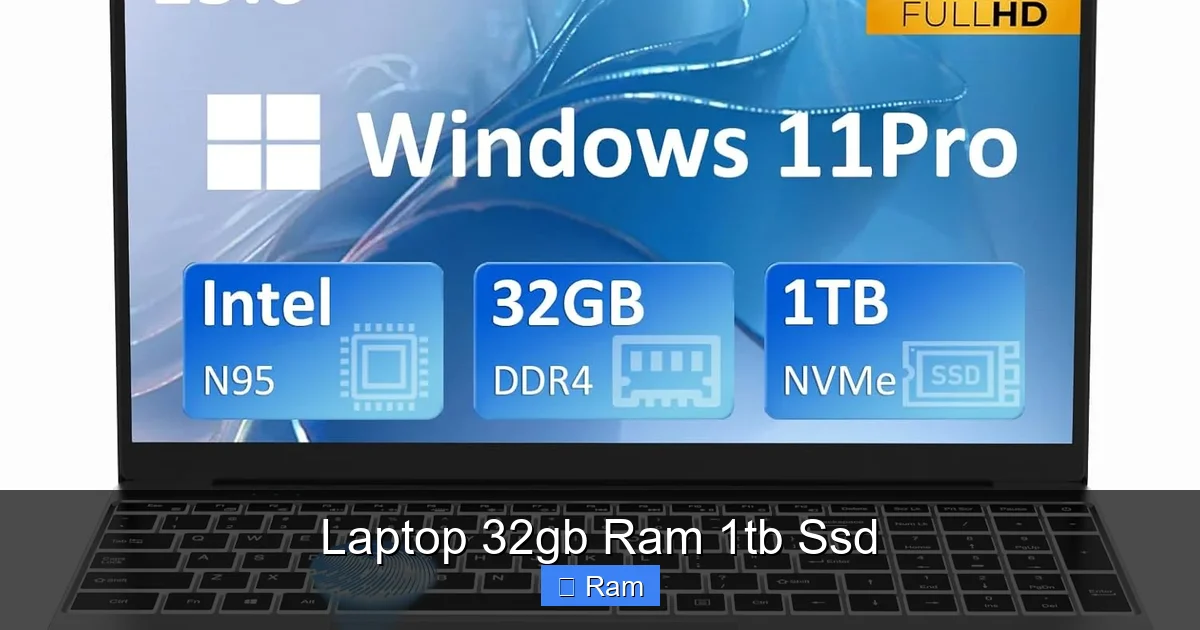
RAM, or Random Access Memory, is your laptop’s short-term workspace. The more you have, the more applications and files it can keep “open” and ready for instant access. While 8GB was the standard for years and 16GB is now the sweet spot for most power users, 32GB represents a leap into professional territory. So, who’s it for?
Visual guide about Laptop 32gb Ram 1tb Ssd
Image source: m.media-amazon.com
The Professional Creative: Video Editors, 3D Artists, Photographers
This is the poster child for 32GB RAM. Modern creative applications are memory hogs. DaVinci Resolve, Adobe After Effects, and Blender don’t just use RAM; they devour it. A 4K video timeline with multiple layers of effects, color grades, and reference footage can easily consume 16GB on its own. Add in Photoshop with a massive PSD file, and you’re swapping data to your SSD—which is fast, but nowhere near as fast as RAM. This “swapping” causes stutters, lag, and crashes. With 32GB, your entire project lives in RAM, allowing for smooth scrubbing, real-time effects previews, and instant rendering. For 3D artists, viewport performance in complex scenes is directly tied to available RAM. More RAM means smoother manipulation of high-poly models and textures.
The Software Developer & Data Scientist
Coders often run a local development environment, a database server, a web browser with dozens of tabs (including documentation), a code editor like VS Code, and maybe a container or virtual machine—all at once. Each of these tools consumes RAM. Running a local Docker environment for testing or a virtual machine with another OS can instantly allocate 4-8GB on its own. 32GB provides the breathing room to keep your entire toolchain active, drastically improving workflow efficiency. Similarly, data scientists working with large datasets in Python (Pandas) or R will find their analyses grinding to a halt if the dataset exceeds available RAM. More RAM allows for in-memory processing, which is orders of magnitude faster than disk-based processing.
The Hardcore Gamer & Streamer
Modern AAA games are pushing memory limits. Titles like “Cyberpunk 2077” with ray tracing or “Microsoft Flight Simulator” can use 12-16GB of RAM on their own at high settings. If you want to game *and* stream using OBS Studio (which encodes your gameplay), *and* have Discord and a browser open for guides or music, 16GB becomes a tight squeeze. You might see frame rate drops as the system struggles. 32GB is the gold standard for a high-refresh-rate gaming/streaming setup. It ensures your game has all the RAM it needs while the streaming software and background apps have their own dedicated pool, guaranteeing consistent performance.
The “Power User” with Extreme Multitasking Needs
This is the person who has 50+ Chrome tabs open (each tab is a separate process), a massive Excel workbook, a PDF with hundreds of pages, Spotify, Slack, Teams, Zoom, and maybe a few lightweight apps. For this user, 16GB can feel constricted, leading to occasional slowdowns when switching between heavy applications. 32GB is the definition of “no-compromise” multitasking. It allows this chaotic digital workflow to proceed smoothly, with instant app switching and no reloading of tabs or documents.
Why a 1TB SSD is the Perfect Capacity Partner
RAM handles the “now,” but your SSD is the permanent warehouse for your operating system, applications, games, and files. Pairing 32GB of RAM with a paltry 256GB or 512GB SSD is like putting a race engine in a car with a tiny fuel tank—you’ll be constantly stopping to refuel (or in this case, manage storage). A 1TB SSD is the logical, future-proof companion.
Visual guide about Laptop 32gb Ram 1tb Ssd
Image source: m.media-amazon.com
The Capacity Crunch: Games, Projects, and Media Are HUGE
Let’s do some math. A modern AAA game like “Call of Duty: Modern Warfare III” or “Starfield” can easily take up 150-200GB of SSD space. Install five of those, and you’re nearing 1TB. Professional video projects are even more demanding. One minute of 4K ProRes footage can be several gigabytes. A short film project can balloon to hundreds of GBs. High-resolution photo libraries from a full-frame DSLR or mirrorless camera add up quickly. A 1TB drive gives you the freedom to keep your entire current project, your main software suite (Adobe Creative Cloud, Visual Studio, etc.), a healthy game library, and your operating system all on the same ultra-fast drive without constantly juggling what’s installed and what’s archived to an external disk.
The Speed Advantage: NVMe vs. SATA
Not all 1TB SSDs are created equal. The vast majority in new laptops are NVMe (PCIe) SSDs, which are dramatically faster than the older SATA SSDs. A good NVMe drive can have sequential read/write speeds of 3,000-7,000 MB/s, while a SATA SSD maxes out around 550 MB/s. This speed difference is most noticeable in:
- Boot Times: Going from powered off to a usable desktop in 5-10 seconds vs. 20-30.
- Application & Game Load Times: Shaving seconds off load screens in games or launching large programs like Photoshop.
- File Transfers: Moving a 50GB video project folder between drives happens in minutes, not tens of minutes.
- System Responsiveness: Overall “snappiness” when opening files, searching, or using system features.
When shopping, ensure the 1TB drive is NVMe (often listed as PCIe Gen3 or Gen4). Gen4 is roughly twice as fast as Gen3 for large file transfers, though for most tasks, the difference is less perceptible than the jump from a hard drive or SATA SSD to any NVMe SSD.
How to Choose the Right Laptop: Beyond the Specs
Finding a laptop with 32GB RAM and a 1TB SSD is the easy part. Almost every major manufacturer (Dell, HP, Lenovo, ASUS, Acer, Apple) offers configurations with these specs. The hard part is choosing the *right* laptop for your specific needs and budget. The RAM and SSD are just the foundation; the rest of the machine must be capable of supporting that power.
Visual guide about Laptop 32gb Ram 1tb Ssd
Image source: cdn.media.amplience.net
CPU is the Co-Pilot: Don’t Pair a Weak Processor
RAM and storage are useless without a powerful CPU to feed them. If you’re looking at a laptop with 32GB/1TB, you should expect at least an Intel Core i7 or AMD Ryzen 7 processor from the last 2-3 generations. For professional work, consider stepping up to an Intel Core i9 or AMD Ryzen 9. These CPUs have more cores and threads, which is critical for rendering video, compiling code, 3D rendering, and complex simulations. A weak CPU will become the new bottleneck, leaving your abundant RAM and fast SSD underutilized while you wait for tasks to complete.
GPU: The Graphics Powerhouse for Creators & Gamers
If your work involves any GPU acceleration (video effects, 3D viewport, AI tasks) or you’re a gamer, the discrete graphics card is non-negotiable. Look for NVIDIA’s RTX 40-series (4060, 4070, 4080, 4090) or AMD’s RX 7000M series. The GPU has its own dedicated memory (VRAM), but it works in tandem with system RAM. For creative apps, more system RAM allows the GPU to work with larger textures and datasets. For gaming, a powerful GPU paired with 32GB RAM ensures you can max out settings and enjoy high, stable frame rates. Don’t pair a low-end GPU like an RTX 3050 with 32GB RAM—it’s a mismatched team.
Display, Build, Cooling, and Portability
The best specs in the world are wasted on a poor display. For creative work, prioritize a 100% sRGB or, better yet, a 100% DCI-P3 color gamut display with factory calibration. For gaming, look for high refresh rates (144Hz, 240Hz). Build quality (aluminum vs. plastic) affects durability and keyboard flex. Cooling is paramount. A laptop with 32GB RAM and a high-end CPU/GPU will generate significant heat. Research reviews specifically for thermal performance and fan noise. A laptop that throttles performance due to overheating negates the benefit of the powerful internals. Finally, consider weight and battery life. These high-performance machines are often thicker, heavier, and have shorter battery lives (2-4 hours under load) than ultrabooks. Is this a desktop replacement you’ll mostly use plugged in, or do you need all-day portability?
Future-Proofing Your Investment: Will It Last?
Spending on a high-end laptop is a long-term commitment. The 32GB/1TB combo is a significant part of a future-proofing strategy, but it’s not the whole story.
The RAM Ceiling: Soldered vs. Upgradeable
This is the most critical future-proofing question. In the pursuit of thinness, most modern performance laptops solder the RAM directly onto the motherboard. If you buy a 32GB model, that’s it. You cannot upgrade it in 3 years when 64GB becomes the new standard. If you buy a 16GB model in an upgradeable slot, you *might* be able to add another 16GB stick later. However, finding compatible, high-speed RAM for an older laptop can be tricky, and you’ll be stuck with the slower original 16GB stick if you add a new one (they run at the speed of the slowest module). If future RAM upgrades are a priority, you must seek out a laptop with user-accessible RAM slots. These are increasingly rare in the thin-and-light performance category but still exist in some gaming and workstation lines (like certain Lenovo ThinkPads or older Dell G-series).
The Storage Advantage: M.2 Slots Are Your Friend
Unlike RAM, storage is almost always upgradeable in modern laptops. A 1TB SSD is great, but you’ll want to ensure the laptop has an empty M.2 slot for future expansion. Many come with one drive populated and one empty. This allows you to add a second 2TB or 4TB SSD later without replacing the first. If it only has one slot, you’ll need to clone your data to a larger drive and replace the existing one, which is a more involved process. Check the technical specifications or service manual for “storage expansion” or “number of M.2 slots.”
CPU and GPU: The Path of Least Upgradeability
Unfortunately, you cannot upgrade the CPU or GPU in a laptop. They are also soldered. This means your initial choice in processor and graphics card is the one you’re stuck with for the life of the machine. This is why it’s worth stretching your budget for the best CPU/GPU you can afford now, even if it means getting 16GB RAM instead of 32GB (if the laptop has upgradeable slots). A more powerful CPU will age better than extra RAM you can’t add later.
Top Contenders: Examples Across Categories
To make this concrete, let’s look at examples of what a great 32GB/1TB laptop looks like in different categories. These are illustrative models; always check the latest configurations.
The All-Rounder Powerhouse: Dell XPS 15 / Lenovo ThinkPad P1 Gen 6
These are premium “mobile workstations” that also appeal to high-end consumers. You’ll find configurations with Intel Core i7/i9 or AMD Ryzen 7/9 processors, NVIDIA RTX 40-series GPUs (often with more VRAM for professional apps), stunning 3.5K/4K OLED or IPS displays, and excellent build quality. The ThinkPad P1 is famous for its best-in-class keyboard and robust ISV certifications for professional software. The XPS 15 has a more consumer-friendly, sleek design. Both typically have soldered RAM, so you must choose your 32GB at purchase. They represent the pinnacle of performance in a relatively sleek (though not ultra-light) package.
The Gaming & Streaming Beast: ASUS ROG Zephyrus G16 / MSI Stealth 16 Studio
Gaming laptops have mastered the art of packing power into (slightly) more portable shells. The Zephyrus G16 is a marvel, offering an RTX 4070/4080 in a chassis that’s surprisingly thin and light for its power, with a gorgeous AniMe Matrix lid. The MSI Stealth 16 Studio is a sleek, professional-looking machine aimed at creators who also game. These will have high-refresh-rate displays (240Hz+), advanced cooling systems, and performance-oriented designs. RAM is almost always soldered in these thin gaming models, so 32GB is a configuration you select upfront.
The Value Powerhouse: Acer Predator Helios 16 / Lenovo Legion Pro 7i
If you want the raw performance of 32GB/1TB with a high-end CPU/GPU but don’t need the ultra-premium build or display, these “value” gaming laptops deliver. They often have slightly thicker designs that allow for better cooling and sometimes even user-upgradable RAM (a huge plus!). You’ll get the same RTX 4080 or 4090 as in a $3,000 XPS for a few hundred dollars less, but with a more gamer-esque aesthetic and a standard IPS panel (which is still very good). This is the pragmatic choice for someone who prioritizes FPS and render times over bezel-less elegance.
The Apple Ecosystem: MacBook Pro 16-inch (M3 Pro/Max)
Apple’s silicon has changed the game. A MacBook Pro with an M3 Pro or M3 Max chip and 32GB of unified memory is a monster for creative work. The key difference: Apple’s “unified memory” architecture means the RAM is shared incredibly efficiently between the CPU and GPU. For tasks like video editing, 3D, and machine learning, 32GB on an M3 Max can feel like 48GB or more on a traditional Windows PC. The 1TB SSD is also blisteringly fast. However, like its competitors, RAM is soldered and not upgradeable after purchase. If you’re in the Apple ecosystem and do professional creative work, this is arguably the most potent 32GB/1TB combo available, with phenomenal battery life to boot.
The Bottom Line: Is It Right for You?
So, should you buy a laptop with 32GB of RAM and a 1TB SSD? Let’s summarize with a clear verdict.
- BUY IT IF: You are a professional video editor, 3D artist, software developer with local VMs, data scientist, or a hardcore gamer/streamer who wants zero compromises. You work with massive files, run multiple heavy applications simultaneously, and want a machine that will feel fast and capable for 4-5 years without storage anxiety. You are willing to pay the premium (often $500-$1,000+ over a 16GB/512GB model).
- THINK TWICE IF: You primarily browse the web, use Microsoft Office/Google Workspace, watch streaming videos, play casual games (like indie titles or esports games like CS2/Valorant at moderate settings), or do light photo editing. For you, a 16GB/512GB or even 16GB/1TB laptop will provide a perfectly smooth experience at a much lower cost. The extra money would be better spent on a better CPU/GPU, a higher-quality display, or saved entirely.
- THE COMPROMISE PATH: If your budget is tight but you anticipate needing more power later, seek a laptop with an upgradeable RAM slot and a powerful, non-soldered CPU/GPU. Buy it with 16GB RAM and a 512GB SSD now, and plan to upgrade to 32GB (by adding a 16GB stick) and a larger 1TB/2TB SSD in 1-2 years. This often yields better long-term value and performance.
The 32GB RAM and 1TB SSD combination is the hallmark of a no-excuses, high-performance laptop. It’s a statement that you demand the utmost from your mobile machine. By understanding your specific workflow and the trade-offs involved, you can make an informed decision and invest in a laptop that will be a powerful, reliable partner for years to come, not a source of constant frustration. Remember, the goal is to eliminate the bottlenecks that kill your productivity and fun—and this spec combo does that brilliantly for those who truly need it.
Frequently Asked Questions
Is 32GB of RAM overkill for most people in 2024?
For general web browsing, office work, and casual gaming, yes, 16GB is more than sufficient. 32GB is targeted at professionals and enthusiasts running multiple heavy applications simultaneously. The “overkill” threshold depends entirely on your specific software and multitasking habits.
Can I upgrade the RAM to 32GB myself later if I buy a 16GB model?
It depends entirely on the laptop model. Many modern performance laptops solder the RAM, making upgrades impossible. You must check the manufacturer’s specifications for “user-upgradable RAM” or “SO-DIMM slots” before purchasing. If it’s soldered, you’re locked into the configuration you buy.
Should I prioritize a faster CPU/GPU or more RAM/Storage?
Generally, prioritize the CPU and GPU first, as these cannot be upgraded. If choosing between a laptop with an RTX 4070/16GB and one with an RTX 4060/32GB, the better GPU will usually provide a larger performance boost in games and GPU-accelerated tasks. However, for RAM-intensive professional work (like large datasets or complex video timelines), the 32GB may be the critical factor.
Will a 32GB/1TB laptop have terrible battery life?
Not necessarily “terrible,” but significantly shorter than a low-power ultrabook. High-performance CPUs, GPUs, and bright, high-resolution displays are power-hungry. Expect 4-6 hours of real-world mixed use (not gaming) from most 32GB/1TB gaming or workstation laptops, compared to 10+ hours from a thin-and-light with 16GB/512GB. The large capacity itself doesn’t drain the battery; the powerful components driving it do.
Is a 1TB NVMe SSD always better than a 512GB NVMe SSD?
For a high-performance machine, almost always yes. The performance difference between a 512GB and 1TB NVMe drive of the same model is usually negligible. The benefit is capacity. A 512GB drive will fill up quickly with modern games and creative projects, forcing constant management. The 1TB provides comfortable breathing room, which improves system longevity and user experience.
Do I need 32GB RAM for 4K video editing?
It’s highly recommended. 4K, especially with multiple video tracks, effects, color grading, and reference footage, can consume 16GB+ of RAM. With 32GB, your entire project can reside in RAM, leading to a much smoother timeline playback and faster rendering. For 1080p editing, 16GB is often adequate.


4 Comments