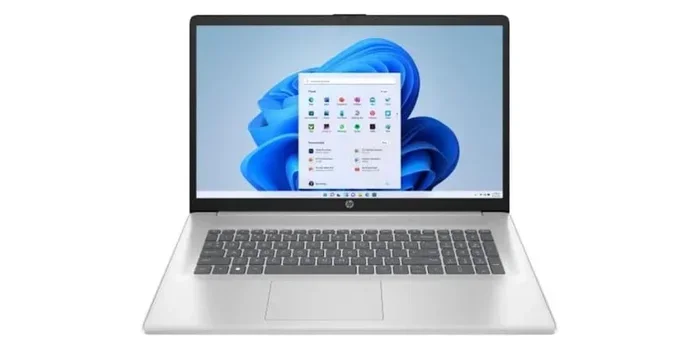
Laptop Computers with 16gb Ram
Laptop computers with 16GB of RAM have become the definitive performance sweet spot for most power users and professionals in 2024. This capacity effortlessly handles demanding multitasking, modern creative applications, and future-proofs your device against increasingly complex software. It strikes the perfect balance, offering a massive leap from 8GB for a reasonable cost, while avoiding the premium price and often unnecessary overkill of 32GB or more for average use. Choosing a 16GB RAM laptop ensures smooth operation whether you’re a content creator, developer, student, or serious gamer.
Key Takeaways
- 16GB is the new performance standard: For anyone beyond basic web browsing and office tasks, 16GB RAM eliminates slowdowns during multitasking and with modern apps.
- Ideal for creative & technical workflows: Video editing, 3D rendering, software development, and data analysis see immediate, tangible benefits from 16GB RAM.
- Future-proofing your investment: As operating systems and applications become more memory-intensive, 16GB provides a comfortable buffer for the next 3-5 years.
- Cost vs. benefit is optimal: The price jump from 8GB to 16GB is significant in performance per dollar, while the jump to 32GB often offers diminishing returns for non-specialists.
- Check upgradeability before buying: Many slim laptops solder RAM to the motherboard. If you might need more later, prioritize models with accessible slots.
- Speed (MHz) and type (DDR4/DDR5) matter too: 16GB of slow RAM can still bottleneck performance. Pair sufficient capacity with adequate speed for the best experience.
- Not just for “hardcore” users anymore: With dozens of browser tabs, background apps, and complex documents open, even power users and students benefit immensely from 16GB.
[FEATURED_IMAGE_PLACEHOLDER]
📑 Table of Contents
- The 16GB RAM Revolution: Why This is the Number to Target
- Perfect For: Who Actually Needs 16GB of RAM?
- Under the Hood: Understanding RAM Speeds, Types, and Configurations
- Your 16GB Laptop Buying Checklist: Beyond the RAM Label
- Beyond 16GB: Is More Ever Necessary?
- The Final Verdict: Making Your 16GB Decision
The 16GB RAM Revolution: Why This is the Number to Target
Remember when 4GB of RAM was plenty? Those days are long gone. Today, simply launching your operating system can consume a couple of gigabytes. Open a few Chrome tabs with modern websites, a Spotify playlist, and a Discord call in the background, and you’re already flirting with 6-8GB of usage. This is the new normal. For years, 8GB was the baseline recommendation for a “good” laptop. But in 2024, that number is no longer a target for smooth performance—it’s the absolute minimum to avoid frustration. Enter the 16GB RAM laptop: the machine that doesn’t just get the job done, but does so with room to spare.
Think of your laptop’s RAM as its immediate workspace or desk. An 8GB desk is small; you can have your laptop open and one document, but adding a second program means constantly shuffling papers (data) in and out of a storage closet (your SSD). This shuffling, called “swapping,” causes stutters, lag, and slowdowns. A 16GB desk is spacious. You can have your video editing software, a browser with 20 research tabs, a music player, and your chat app all open and actively used without ever needing to stop and reorganize. This isn’t about having 20 programs open for the sake of it; it’s about the fluid, uninterrupted workflow that defines a premium computing experience. The revolution isn’t in raw, headline-grabbing specs, but in the seamless, lag-free reality that 16GB provides for the vast majority of power users.
Perfect For: Who Actually Needs 16GB of RAM?
It’s a common question: “Do *I* really need 16GB?” The answer is yes for a rapidly growing segment of users. The line between “casual” and “power” user has blurred. You don’t need to be a Hollywood editor to benefit. Let’s break down the profiles where 16GB isn’t a luxury—it’s a necessity.

Visual guide about Laptop Computers with 16gb Ram
Image source: bestlaptop.id
The Modern Student & Knowledge Worker
This might be the most common beneficiary. A student today might have a PDF textbook, 15 research tabs in a browser (each a memory hog), a Word document, a Zoom call, and a note-taking app like Notion or Obsidian running simultaneously. A knowledge worker might add Slack, Teams, multiple Excel sheets with large datasets, and a PowerPoint presentation. With 8GB, this setup is a recipe for constant slowdowns, especially when switching between apps. 16GB provides the breathing room for this hyper-multitasking, which is now standard for productivity. The frustration of a laptop freezing when you alt-tab to answer a message is entirely avoidable.
Content Creators & Media Professionals
This is the classic 16GB+ territory. Photo editors working with high-resolution RAW files in Lightroom or Photoshop, video editors cutting 4K footage in DaVinci Resolve or Premiere Pro, and graphic designers in Illustrator all live in memory-intensive applications. While 8GB might scrape by for a 1080p project, 4K, effects, and multiple layers will quickly exhaust it. 16GB is the true entry point for professional creative work, allowing for smoother timeline scrubbing, faster preview renders, and the ability to keep other applications (like a browser for stock assets) open without crippling your main project.
Developers, Engineers, & Data Wranglers
Running a local development environment with a code editor, a local server (like Docker), a database, and a browser for testing can easily consume 8-12GB. Data scientists and analysts running Python scripts, Jupyter notebooks, or lightweight database queries on local data will see massive improvements in performance and the ability to handle larger datasets in-memory with 16GB. For engineers using CAD software or simulation tools, RAM is often the primary bottleneck. Here, 16GB is a practical baseline for serious work.
Enthusiast Gamers & Casual Streamers
Modern games themselves rarely use more than 8-10GB of RAM. So why do gamers need 16GB? Because they don’t just run the game. They have Discord, a web browser with a game guide, a streaming application like OBS, and maybe Spotify all running at the same time. 8GB forces the system to compete for resources between the game and these background apps, leading to frame rate drops and stutters. 16GB gives the game its own dedicated space while everything else runs happily in the background, ensuring a consistently smooth experience. For anyone even thinking about streaming their gameplay, 16GB is the undisputed starting point.
Under the Hood: Understanding RAM Speeds, Types, and Configurations
You’ve decided you need 16GB. But not all 16GB is created equal. The performance difference between a slow, single-channel setup and a fast, dual-channel configuration can be as noticeable as the difference between 8GB and 16GB in some tasks. Let’s demystify the specs.

Visual guide about Laptop Computers with 16gb Ram
Image source: mdcomputers.lk
DDR4 vs. DDR5: The Generational Leap
For several years, DDR4 was the standard. It’s reliable, capable, and widely available. DDR5 is the new generation, offering higher base speeds (starting around 4800 MT/s vs. DDR4’s 2666-3200 MT/s) and improved efficiency. For most everyday tasks and even many games, the real-world difference between fast DDR4 and early DDR5 is marginal. However, for specific memory-bound workloads like certain simulation games, CPU-intensive creative tasks, and high-performance computing, DDR5 provides a tangible benefit. The key is: don’t let “DDR5” be your only selling point. A laptop with 16GB of fast, dual-channel DDR4 can often outperform a machine with slower, single-channel DDR5. Always look at the full picture: capacity, speed (MHz/MT/s), and channel configuration.
Dual-Channel vs. Single-Channel: The Critical Difference
This is the most important technical detail for average buyers. RAM is typically installed in modules (sticks). If your laptop has two RAM slots and you install one 16GB stick, the RAM runs in “single-channel” mode. Data travels on a single highway. If you install two 8GB sticks (in a dual-channel capable laptop), the RAM runs in “dual-channel” mode. Data travels on two parallel highways, effectively doubling the bandwidth between the RAM and the CPU. For integrated graphics (common in thin-and-lights and many gaming laptops without a dedicated GPU), dual-channel RAM is absolutely critical for performance. It can provide a 10-30% boost in frame rates. For systems with a dedicated GPU, the impact is smaller but still positive for overall system responsiveness. Rule of Thumb: Always opt for a 2x8GB configuration over a 1x16GB configuration if your laptop has two slots and you’re buying new. Many manufacturers now ship high-performance models with dual-channel 8GB sticks by default for this reason.
Speed Matters: MHz and Latency (CL)
Speed is measured in megahertz (MHz) or megatransfers per second (MT/s). Higher numbers mean the RAM can read/write data faster. Latency, often denoted as CL (e.g., CL16, CL18), is the delay between a command and its execution. Lower latency is better. For DDR4, 3200MHz with CL16 is a fantastic sweet spot. For DDR5, 5600-6400MHz with CL36-40 is common. When comparing, a higher speed often comes with higher latency, but the net effect is usually positive. For the average user buying a pre-built laptop, you don’t need to obsess over CL numbers. Just know that 16GB of 3200MHz DDR4 or 5600MHz DDR5 is a good target. Avoid very slow RAM (e.g., 2133MHz DDR4 or 4800MHz DDR5 with high latency) if you have a choice, as it can bottleneck an otherwise powerful CPU.
Your 16GB Laptop Buying Checklist: Beyond the RAM Label
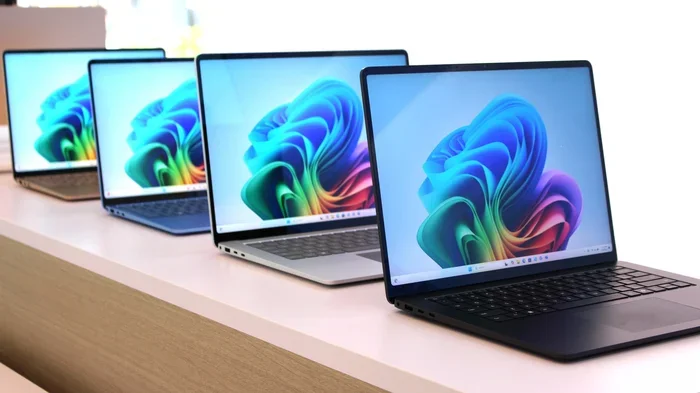
Finding a laptop with “16GB RAM” in the title is the easy part. Making a smart purchase requires looking at the whole package. Here’s your actionable checklist.

Visual guide about Laptop Computers with 16gb Ram
Image source: bestlaptop.id
1. Is the RAM Upgradable? (The Most Important Question)
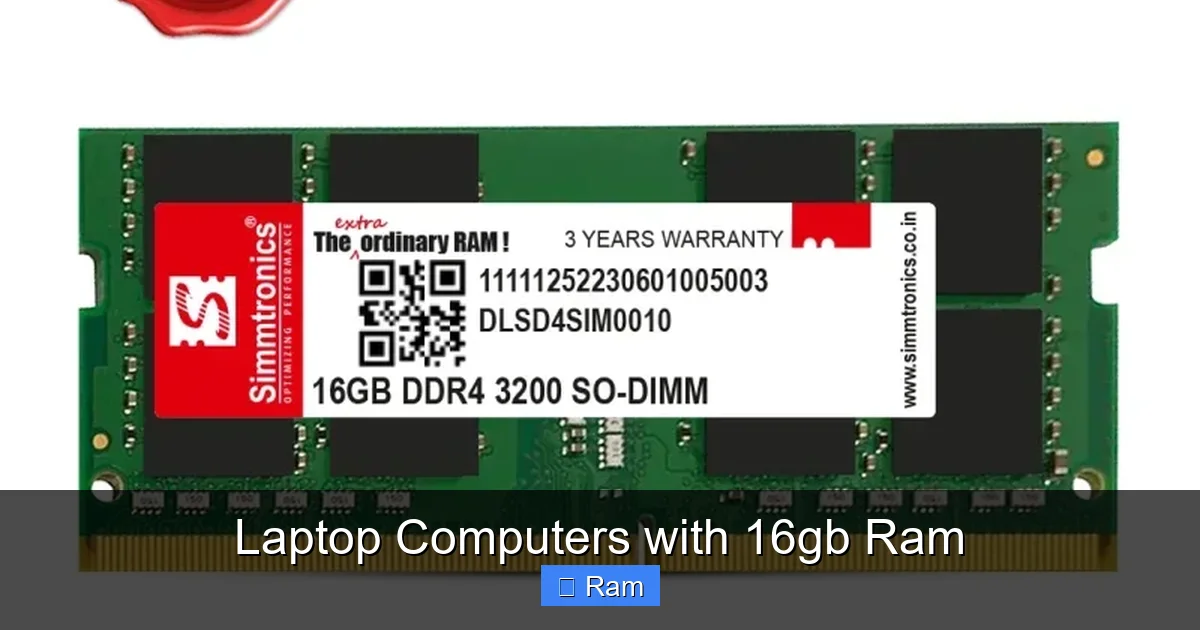
This is non-negotiable. In the pursuit of thinner designs, many manufacturers solder RAM directly to the motherboard. If you buy one of these with 16GB, that’s it. Forever. You cannot upgrade to 32GB in two years when your needs change. Before you buy any laptop, assume you cannot upgrade it unless you have definitive proof (manufacturer specs, teardown videos) that it has accessible SO-DIMM slots. For a 16GB machine you plan to keep for 4+ years, having the *option* to upgrade is a huge advantage for future-proofing. Business-class laptops (Dell Latitude, Lenovo ThinkPad, HP EliteBook) almost always have upgradable RAM. Many gaming laptops and performance ultrabooks still do as well. Research this first.
2. What’s the RAM Configuration? (Dual-Channel Check)
As discussed, two 8GB sticks are better than one 16GB stick for performance. Unfortunately, manufacturers rarely advertise this clearly. You may need to dig into detailed spec sheets, user manuals, or professional reviews to see if the RAM is in dual-channel mode. A quick trick: if the laptop is advertised as having “16GB (2x8GB)” or “16GB, dual-channel,” you’re good. If it just says “16GB,” it’s often a single stick. For a gaming laptop or a machine with integrated graphics, prioritize finding the dual-channel configuration.
3. Match the RAM to the CPU and GPU
16GB paired with an Intel Core i3 or a low-power AMD Ryzen 3 is overkill. The CPU will be the limiting factor long before the RAM fills up. Conversely, pairing 16GB with a top-tier Intel Core i9 or AMD Ryzen 9 and a powerful RTX 4080 GPU for professional work is a very balanced, smart choice. Ensure the rest of the specs—particularly the processor (CPU) and, if applicable, the graphics card (GPU)—are at a level that will actually utilize that 16GB of RAM. A balanced system is a fast system.
4. Don’t Neglect the Storage (SSD) and Cooling
A fast NVMe SSD is crucial for overall system feel. It’s where your files and programs live. A slow HDD or a low-end SATA SSD will make even a 32GB RAM laptop feel sluggish. Aim for at least a 512GB NVMe SSD, preferably 1TB. Also, powerful components in a thin chassis lead to thermal throttling. Read reviews to see if the laptop you’re considering maintains good performance under sustained load or if it gets hot and loud, causing the CPU/GPU to slow down. Good cooling is essential to maintain the performance your 16GB RAM enables.
5. Prioritize Your Primary Use Case
- For General Productivity & Students: Look at ultrabooks and mainstream performance laptops (e.g., Dell XPS 13/15, Lenovo Yoga/Slim series, MacBook Air M1/M2/M3 with 16GB). Focus on display quality, keyboard, and battery life.
- For Gaming: Look at dedicated gaming laptops (e.g., ASUS ROG, Lenovo Legion, Dell G-Series, Acer Predator). Ensure they have a capable GPU (RTX 4050 or better) and, ideally, dual-channel RAM. Cooling is paramount.
- For Creatives: Look at creator-focused laptops (e.g., MacBook Pro 14″/16″, Dell XPS 15/17, Lenovo ThinkPad P series, ASUS ProArt). Prioritize color-accurate displays, powerful multi-core CPUs, and professional GPU support (NVIDIA RTX A-series or GeForce RTX).
- For Business/Developers: Look at business ultrabooks and mobile workstations (e.g., Lenovo ThinkPad T/X1 series, Dell Latitude/Precision, HP EliteBook/ZBook). These often have the best upgradeability, keyboard, and durability.
Beyond 16GB: Is More Ever Necessary?
If 16GB is the sweet spot, is there a time to consider 32GB, 64GB, or more? Absolutely, but the use cases become very specific.
The Realm of Extreme Multitasking & Virtualization
If you regularly run multiple heavy virtual machines (VMs) simultaneously—for example, a software tester running different OS environments, or a security researcher—each VM can easily consume 4-8GB of RAM. Running three VMs at once means your host OS needs RAM too. This is where 32GB becomes a practical necessity.
Professional 8K Video & Massive 3D Scenes
Editing 8K video, especially with multiple streams and heavy effects, or working with extremely complex 3D scenes with high-poly counts and texture maps (think architectural visualization or VFX for film), can devour 32GB+ of RAM. For these professionals, the cost of 32GB+ RAM is a business expense that directly enables their work.
Scientific Computing & Large In-Memory Databases
Researchers running complex simulations (climate modeling, fluid dynamics) or data scientists working with datasets that are tens or hundreds of gigabytes in size may need to load entire datasets into RAM for processing. In these cases, 32GB, 64GB, or even 128GB is the starting point.
The “Future-Proofing” Argument for 32GB
This is a valid but nuanced point. Software *is* getting more memory-hungry. The next version of your creative suite or OS might use 20-25% more RAM. However, the pace of this increase is slower than the price drop of RAM. My advice: if you are buying a laptop you expect to keep for 5+ years and your budget allows, and the laptop has upgradable RAM, buying a 16GB configuration *now* with the clear intent to upgrade to 32GB in 3-4 years is often a smarter financial move than paying a large premium for 32GB today. You get the performance benefit of 16GB now and the upgrade path later. If the RAM is soldered, then the “buy more now” argument is stronger.
The Final Verdict: Making Your 16GB Decision
So, should you buy a laptop with 16GB of RAM? For the overwhelming majority of users who are not doing basic web browsing and document editing, the answer is a resounding YES. It is the performance configuration that delivers a genuinely good, frustration-free experience in the modern computing landscape. It transforms your laptop from a tool that you have to manage carefully (closing apps to keep it fast) into a tool that works for you, allowing you to focus on your work, your creativity, or your game.
The final decision hinges on three practical questions: 1) Can I upgrade it later? If yes, start with 16GB. If no, seriously consider 32GB if your budget allows and you plan to keep it long-term. 2) Is the rest of the laptop balanced? Don’t pair 16GB with a weak CPU or a poor display. 3) Does my specific work need more? If you’re a professional in the fields mentioned (heavy 3D, 8K video, heavy virtualization), look at 32GB+ immediately.
In the showroom or on the product page, look past the core i7/Ryzen 7 badge. Look for the RAM capacity and, if possible, its configuration. Making this choice is one of the single most impactful things you can do for your long-term laptop satisfaction. A machine with 16GB of RAM feels fast, capable, and ready for anything you throw at it today and for years to come. That peace of mind is worth every penny.
Frequently Asked Questions
Is 16GB of RAM overkill for everyday use?
For basic tasks like web browsing, email, and word processing, 8GB is still adequate. However, for “everyday use” that now includes dozens of browser tabs, video calls, and background apps, 16GB is becoming the new comfortable baseline. It prevents slowdowns and ensures your laptop feels fast and responsive during typical multitasking.
Will I see a big difference between 8GB and 16GB RAM?
Yes, absolutely. The difference is often night and day. With 8GB, your system frequently uses your SSD as “virtual RAM” (swapping), which causes noticeable stutters and lag when switching apps or opening new programs. 16GB eliminates this swapping for most workflows, resulting in a consistently smooth, snappy experience.
Should I get 16GB or 32GB RAM for video editing?
It depends on your projects. For 1080p or light 4K editing, 16GB is a good starting point. For professional 4K work with multiple layers, color grading, and effects, or any 6K/8K editing, 32GB is highly recommended. The extra RAM allows your editing software to cache more data for smooth playback and faster rendering.
Does the operating system (Windows vs. macOS) affect how much RAM I need?
Both modern Windows 11 and macOS (Sonoma) are efficient and use RAM similarly. The deciding factor is your software, not the OS. A Windows laptop with 16GB and a MacBook with 16GB will offer comparable memory capacity for running applications. The key difference is that Apple’s unified memory architecture in M-series chips is highly efficient, making the 16GB on a MacBook Pro feel particularly potent for creative tasks.
Is it better to have faster RAM or more RAM?
Capacity is almost always the priority. 16GB of mid-speed RAM (e.g., 3200MHz DDR4) will massively outperform 8GB of the fastest RAM. Once you have sufficient capacity (16GB for most), then investing in faster speeds (and dual-channel configuration) provides a secondary performance boost, especially for gaming with integrated graphics and some professional workloads.
Can I upgrade my laptop’s RAM to 16GB myself?
It depends entirely on your laptop model. Many modern ultrabooks and some gaming laptops have RAM soldered to the motherboard, making upgrades impossible. Many business laptops, creator laptops, and larger gaming laptops still have accessible RAM slots. Before buying, check the manufacturer’s specifications or search for “[Your Laptop Model] RAM upgrade” to see if it’s user-upgradeable. If it is, upgrading to 16GB yourself is often cheaper than buying a pre-configured model.