Are Nvme Faster Than Ssd

Yes, NVMe drives are significantly faster than traditional SSDs — but the real question is whether you need that extra speed. NVMe storage uses a faster interface that delivers blazing-fast read and write speeds, making it ideal for gaming, video editing, and heavy workloads. In this guide, we compare every aspect of NVMe vs SSD performance so you can make the right choice.
Key Takeaways
- NVMe is much faster: NVMe drives can reach speeds over 7,000 MB/s, while SATA SSDs top out around 550 MB/s.
- Interface matters: The PCIe connection gives NVMe a massive bandwidth advantage over the SATA bus.
- Real-world gains vary: Everyday tasks may not show huge differences, but large file transfers and gaming load times benefit greatly.
- Price gap is shrinking: NVMe drives are becoming more affordable, making them the smarter default choice for new builds.
- Not all NVMe is equal: Gen4 and Gen5 drives far outperform Gen3 NVMe and SATA SSDs.
- Thermal management is key: High-speed NVMe drives can overheat without proper cooling, which throttles performance.
- Choose based on need: If you want the best performance, go NVMe. For basic storage, a SATA SSD still works well.
📑 Table of Contents
- Are NVMe Faster Than SSD? Here Is the Full Breakdown
- Understanding the Basics: What Makes NVMe Different
- Speed Comparison: NVMe vs SSD in Real Numbers
- Real-World Performance: Where You Notice the Difference
- Common Mistakes When Choosing Between NVMe and SSD
- Price and Value: Is NVMe Worth the Extra Cost?
- Frequently Asked Questions About NVMe and SSD Speed
- Conclusion: Are NVMe Faster Than SSD?
Are NVMe Faster Than SSD? Here Is the Full Breakdown
If you are shopping for a storage upgrade, you have probably seen the terms NVMe and SSD thrown around a lot. They sound similar, and many people use them interchangeably. But here is the truth — NVMe is actually a type of SSD. The real question is whether an NVMe drive is faster than a traditional SATA SSD.
The short answer is yes. NVMe drives are significantly faster than SATA SSDs in almost every benchmark. But the details matter. Speed differences depend on the interface, the generation of NVMe, and what you actually do with your drive. This guide covers everything you need to know about NVMe vs SSD performance so you can make a smart decision.
We will look at speed tests, real-world usage, pricing, and even some common mistakes people make when choosing storage. By the end, you will know exactly which drive fits your needs and budget.
Understanding the Basics: What Makes NVMe Different
To understand why NVMe storage is faster, you need to know a little about how these drives connect to your computer. This is where most of the speed difference comes from. It is not just about the flash memory inside — it is about the highway that data travels on.
The SATA Limitation
SATA SSDs connect through the Serial ATA interface. This older connection was originally designed for spinning hard drives. It has a maximum bandwidth of about 600 MB/s. That sounds decent, but it is actually a narrow road that bottlenecks modern flash storage. Even the best SATA SSD cannot go past this speed limit, no matter how fast the NAND chips inside are.
The PCIe Advantage
NVMe drives use the PCIe (Peripheral Component Interconnect Express) interface. This is a much wider highway for data. A PCIe Gen 3 x4 connection supports up to about 3,500 MB/s. A PCIe Gen 4 x4 connection pushes that to roughly 7,000 MB/s. And the newest Gen 5 drives can hit over 14,000 MB/s in theory.
Think of it this way. A SATA SSD is like a car on a two-lane road. An NVMe drive is like a high-speed train on a dedicated rail. Both get you there, but the train gets there a lot faster.
The M.2 Form Factor
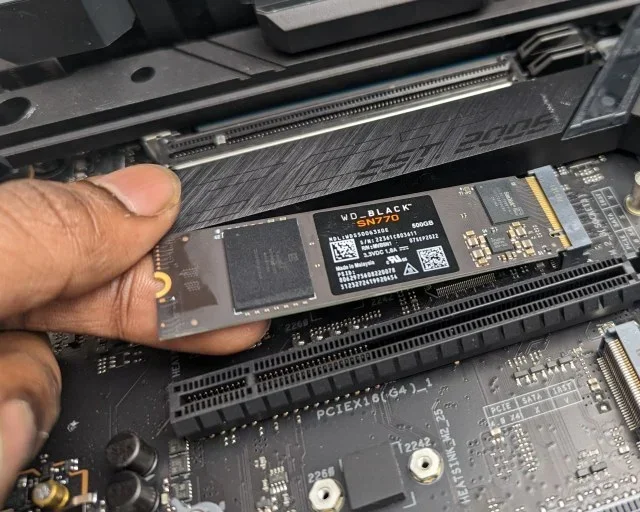
Most NVMe drives use the M.2 form factor. This is a small, stick-like drive that plugs directly into the motherboard. It is compact, easy to install, and does not need cables. Many M.2 NVMe SSD drives also fit into NVMe-specific slots, which maximize their speed potential.
Speed Comparison: NVMe vs SSD in Real Numbers
Numbers tell the story best. Let us look at how these drives actually perform in benchmarks and everyday use. This is where the are NVMe faster than SSD question gets answered clearly.
Sequential Read and Write Speeds
Sequential speeds measure how fast a drive reads or writes large, continuous files. This matters for copying big videos or backing up data.
- SATA SSD: Typically 500-560 MB/s for reads and 400-530 MB/s for writes.
- NVMe Gen 3: Around 3,000-3,500 MB/s for reads and 2,500-3,000 MB/s for writes.
- NVMe Gen 4: Roughly 5,000-7,400 MB/s for reads and 4,000-7,000 MB/s for writes.
- NVMe Gen 5: Can exceed 10,000-14,000 MB/s in ideal conditions.
As you can see, even a budget Gen 3 NVMe drive is roughly 5 to 6 times faster than a SATA SSD in sequential transfers. A Gen 4 drive can be 10 to 12 times faster.
Random Read and Write (IOPS)
Random access is how fast a drive handles small, scattered files. This affects boot times, app launches, and general responsiveness. NVMe drives crush SATA SSDs here too, with many NVMe models delivering over 1 million IOPS compared to around 100,000 IOPS for SATA drives.
Comparison Table
| Metric | SATA SSD | NVMe Gen 3 | NVMe Gen 4 | NVMe Gen 5 |
|---|---|---|---|---|
| Max Sequential Read | ~560 MB/s | ~3,500 MB/s | ~7,400 MB/s | ~14,000 MB/s |
| Max Sequential Write | ~530 MB/s | ~3,000 MB/s | ~7,000 MB/s | ~12,000 MB/s |
| Interface | SATA III | PCIe 3.0 x4 | PCIe 4.0 x4 | PCIe 5.0 x4 |
| Latency | ~0.1 ms | ~0.02 ms | ~0.02 ms | ~0.01 ms |
| Typical Use | Basic storage | Budget NVMe | Gaming / Pro | Enthusiast / HPC |
Real-World Performance: Where You Notice the Difference
Benchmarks are fun, but what matters more is how NVMe storage performs in your daily routine. Here is a breakdown of common tasks and whether you will notice a speed boost.
Operating System Boot Times
Booting Windows from a SATA SSD typically takes 20-30 seconds. An NVMe drive cuts that down to 8-15 seconds. It is a noticeable and satisfying improvement every single time you start your computer.
Gaming
Modern games are huge. Open-world titles like Hogwarts Legacy or Cyberpunk 2077 have massive asset files. Loading these from a SATA SSD takes longer. NVMe drives reduce in-game load screens significantly. Some games even stream assets in real time, so faster storage means fewer stuttering moments.
For example, a game that loads in 45 seconds on a SATA SSD might load in 15-20 seconds on a Gen 4 NVMe drive. That is a huge jump in player experience.
Video Editing and Content Creation
If you edit 4K or 8K video, NVMe speed is almost essential. Scrubbing through timelines, rendering previews, and exporting files all benefit from faster read and write speeds. A SATA SSD can cause bottlenecks during scrubbing, leading to dropped frames and lag. NVMe drives keep up with high-bitrate footage much more easily.
File Copying and Data Transfer
This is where the gap is most dramatic. Copying a 50GB file from a SATA SSD takes about 90 seconds. The same file copies in roughly 7-10 seconds on a Gen 4 NVMe drive. That is practically instant from a user perspective.
Everyday Tasks
For browsing, email, and office work, both drive types feel fast. You will not notice a huge difference opening a web browser or typing in a document. The advantage of NVMe shows up when tasks are heavy and data-intensive.
Quick Tips for Maximizing NVMe Speed
- Install in the right slot: Always use a PCIe x4 slot, not a x2 slot, to get full speed.
- Keep firmware updated: Manufacturers release updates that improve performance and stability.
- Use a heatsink: High-speed NVMe drives generate heat. A heatsink prevents thermal throttling.
- Enable TRIM: Make sure your operating system supports TRIM for optimal long-term performance.
- Avoid filling the drive completely: NVMe drives slow down when nearly full. Leave at least 10-15% free space.
Common Mistakes When Choosing Between NVMe and SSD
Many people make simple mistakes that cost them time and money. Here are a few to avoid when deciding between NVMe vs SSD options.
Assuming All NVMe Drives Are the Same
Not true. A Gen 3 NVMe drive is much slower than a Gen 4 drive. Before buying, check which PCIe generation the drive supports. If your motherboard supports Gen 4, do not buy a Gen 3 drive expecting Gen 4 speeds. Similarly, a DRAM cache drive will generally outperform a DRAM-less one in sustained workloads.
Ignoring Thermal Throttling
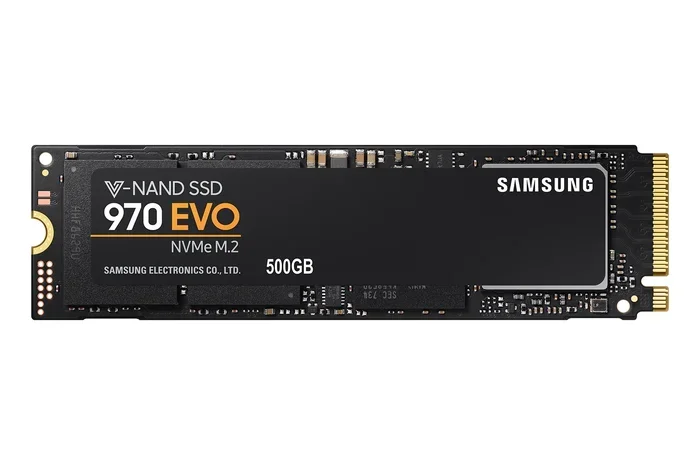
This is one of the biggest mistakes. High-performance NVMe drives like the Samsung 970 Evo Plus can hit very high temperatures. Without a heatsink, the drive slows itself down to protect the hardware. You pay for speed but never get it. Always use a heatsink or a motherboard with built-in NVMe cooling.
Buying NVMe When You Do Not Need It
Honestly, if you just need basic storage for documents and light use, a SATA SSD is perfectly fine. You do not need a $150 NVMe drive for a home file server. Save your money and spend it where it counts.
Using the Wrong Motherboard Slot
Some motherboards have M.2 slots that run at PCIe x2 speeds or even SATA speeds. If you plug a Gen 4 NVMe drive into one of these, it will not reach its full potential. Always check your motherboard manual before purchasing.
Forgetting About Compatibility
Older computers may not support NVMe at all. If you have an older system with only SATA connections, an NVMe drive will not work unless you add an adapter card. Make sure your system supports NVMe before making the switch.
Price and Value: Is NVMe Worth the Extra Cost?
Price is often the main concern when people consider are NVMe faster than SSD discussions. NVMe drives used to be significantly more expensive. Today, the price gap has narrowed a lot.
Current Pricing Trends
- SATA SSD (1TB): Around $50-70.
- NVMe Gen 3 (1TB): Around $60-90.
- NVMe Gen 4 (1TB): Around $70-120.
- NVMe Gen 5 (1TB): Around $120-160.
As you can see, a budget NVMe drive costs only slightly more than a SATA SSD. For most users, the small price jump is absolutely worth the performance boost.
Value for Money Recommendation
For most people, a 1TB NVMe Gen 4 drive hits the sweet spot. You get excellent speed, plenty of capacity, and a reasonable price. Gen 5 drives are still mostly for enthusiasts and professionals who need every last bit of performance. Gen 3 NVMe drives are great budget options if you want NVMe speed without the premium.
Expert Insight: The Future of Storage
The storage industry is moving fast. PCIe Gen 5 NVMe drives are becoming mainstream, and PCIe Gen 6 is already in development. Speeds will keep climbing. For most users, a Gen 4 NVMe drive will serve you well for the next several years. If you are building a new system in 2024 or 2025, there is really no reason to go with SATA SSD unless you are on a very tight budget.
Manufacturers like Micron and Samsung are pushing solid state storage technology forward at a rapid pace. The days of SATA being the default are numbered. NVMe is now the standard for new PCs, laptops, and consoles.
Frequently Asked Questions About NVMe and SSD Speed
Is NVMe better than SSD for gaming?
Yes, NVMe storage offers noticeably better gaming performance. Load times are shorter, and some modern games stream assets in real time, which reduces stuttering. While a SATA SSD works fine for gaming, NVMe gives you a clear advantage, especially with large open-world games.
Can I use NVMe and SSD at the same time?
Absolutely. Many people use an NVMe drive as their main boot drive and a larger SATA SSD or hard drive for mass storage. This setup gives you the best of both worlds — speed where you need it and capacity where you want it.
Does NVMe make a difference for video editing?
Yes, it makes a huge difference. Video editing involves reading and writing very large files continuously. NVMe speed keeps up with high-bitrate footage much better than SATA SSDs. You will experience smoother scrubbing, faster renders, and fewer delays during the editing process.
Is NVMe worth it if my CPU is old?
It depends. If your system supports PCIe Gen 3 or Gen 4, an NVMe drive will still be faster than a SATA SSD. However, if your system is very old and only supports PCIe Gen 2 or older, the speed gains will be smaller. Check your system specifications first.
What is thermal throttling on NVMe drives?
Thermal throttling is when a drive slows itself down because it gets too hot. High-speed NVMe drives generate a lot of heat during heavy use. Without proper cooling, the drive reduces its speed to protect itself. This is why heatsinks are important for sustained workloads like gaming or video editing.
How long do NVMe drives last compared to SSDs?
NVMe drives generally have similar lifespans to SATA SSDs. Both use the same NAND flash technology. The difference in lifespan comes down to the drive quality, write endurance ratings, and how you use it. High-quality NVMe drives from brands like Samsung, Crucial, or Kingston regularly last many years under normal use.
Conclusion: Are NVMe Faster Than SSD?
So, are NVMe faster than SSD? The answer is a clear and definitive yes. NVMe drives outpace SATA SSDs in every meaningful category — sequential speed, random access, boot times, load times, and file transfers. The PCIe interface simply provides far more bandwidth than the SATA connection ever could.
That said, the best storage choice depends on your needs. If you are a gamer, content creator, or power user, NVMe storage is practically a must. If you just need basic storage for documents and web browsing, a SATA SSD still gets the job done at a lower price.
The good news is that NVMe prices are dropping every year. A 1TB NVMe drive is now affordable for most budgets. If you are building a new PC or upgrading an old one, going with NVMe is the smartest move. You get faster speeds, better responsiveness, and a future-proof setup that will serve you for years to come.
Do not let outdated advice hold you back. Embrace the speed, pick the right drive for your system, and enjoy the performance boost that modern solid state storage has to offer.