Samsung 970 Evo Plus 1 Tb Nvme Ssd
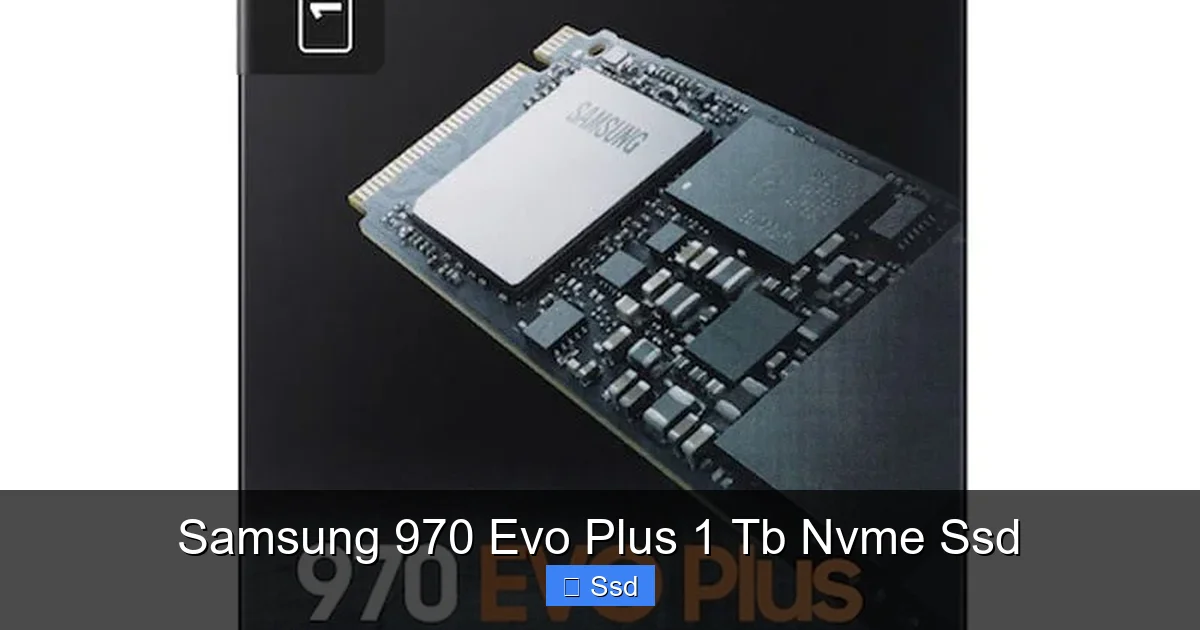
The Samsung 970 Evo Plus 1TB NVMe SSD is a powerhouse internal drive that delivers incredible read/write speeds for your PC or laptop. It uses the latest V-NAND technology for reliable, high-performance storage, making system boots, game loads, and file transfers dramatically faster than SATA SSDs. It’s a fantastic, no-compromise upgrade for anyone seeking top-tier speed.
Key Takeaways
- Unmatched Speed: Offers sequential read speeds up to 3,500 MB/s and writes up to 3,300 MB/s, drastically reducing load times.
- Proven Reliability: Features Samsung’s advanced 5th-generation V-NAND with high endurance and a 5-year limited warranty.
- Smart Performance: Uses Dynamic Thermal Guard technology to prevent overheating and throttling during heavy workloads.
- Easy Compatibility: Uses the standard M.2 2280 form factor and PCIe 3.0 x4 interface, compatible with most modern motherboards and laptops.
- Value Leader: Consistently provides a better price-per-gigabyte and performance ratio than many competitors in the premium NVMe segment.
- Perfect for Demanding Tasks: Ideal for 4K video editing, AAA gaming, 3D rendering, and running virtual machines.
- Seamless Setup: Simple M.2 installation; often includes cloning software (Samsung Data Migration) for easy upgrades from an old drive.
📑 Table of Contents
- Why the Samsung 970 Evo Plus 1TB NVMe SSD Deserves Your Attention
- Understanding the Tech: What Makes an NVMe SSD Different?
- Deep Dive: Specs and Real-World Performance of the 970 Evo Plus
- Inside the Drive: Samsung’s Engineering and Reliability
- Installation and Setup: Getting Your 970 Evo Plus Up and Running
- Who Is This Drive For? Perfect Use Cases and Considerations
- The Competition: How Does the 970 Evo Plus Stack Up?
- Conclusion: The Enduring Legacy of a Classic
Why the Samsung 970 Evo Plus 1TB NVMe SSD Deserves Your Attention
Let’s be honest. Waiting for your computer to boot up or a game to load is the digital equivalent of watching paint dry. It’s frustrating downtime. For years, the solution was a good SATA SSD. But then came NVMe, and the rules changed completely. The Samsung 970 Evo Plus 1TB NVMe SSD sits right at the heart of this revolution. It’s not just another storage drive; it’s the performance engine that can make a sluggish system feel instantly responsive. Whether you’re a competitive gamer chasing every frame, a video editor working with 4K footage, or just someone who values a snappy computing experience, this drive is a game-changer. This isn’t about incremental upgrades; it’s about a leap forward. We’re going to break down exactly why this specific SSD has been a best-seller and a benchmark for so long, and whether it’s the right upgrade for you in today’s market.
Understanding the Tech: What Makes an NVMe SSD Different?
Before we dive into the specifics of the 970 Evo Plus, let’s clear up a common point of confusion. For years, “SSD” meant a 2.5-inch box that connected via a SATA cable, the same interface used by hard drives. SATA is fast, but it has a speed limit—around 550 MB/s. NVMe (Non-Volatile Memory Express) is a completely different protocol. It uses the PCI Express (PCIe) lanes on your motherboard, the same super-fast lanes used by your graphics card. This bypasses the old bottleneck. Think of it like this: SATA is a country road, NVMe is a multi-lane superhighway. The Samsung 970 Evo Plus is a vehicle built for that superhighway.
Visual guide about Samsung 970 Evo Plus 1 Tb Nvme Ssd
Image source: mm-vision.dk
The M.2 Form Factor: Small but Mighty
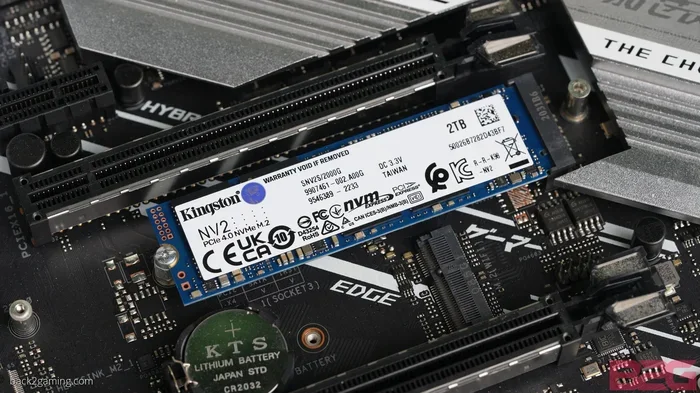
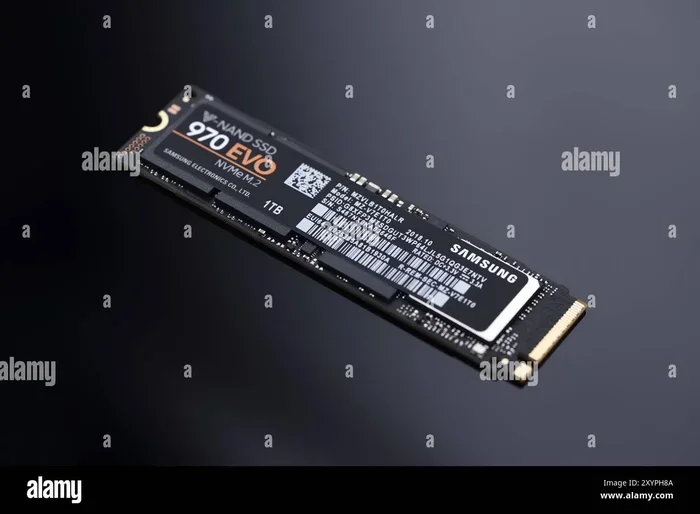
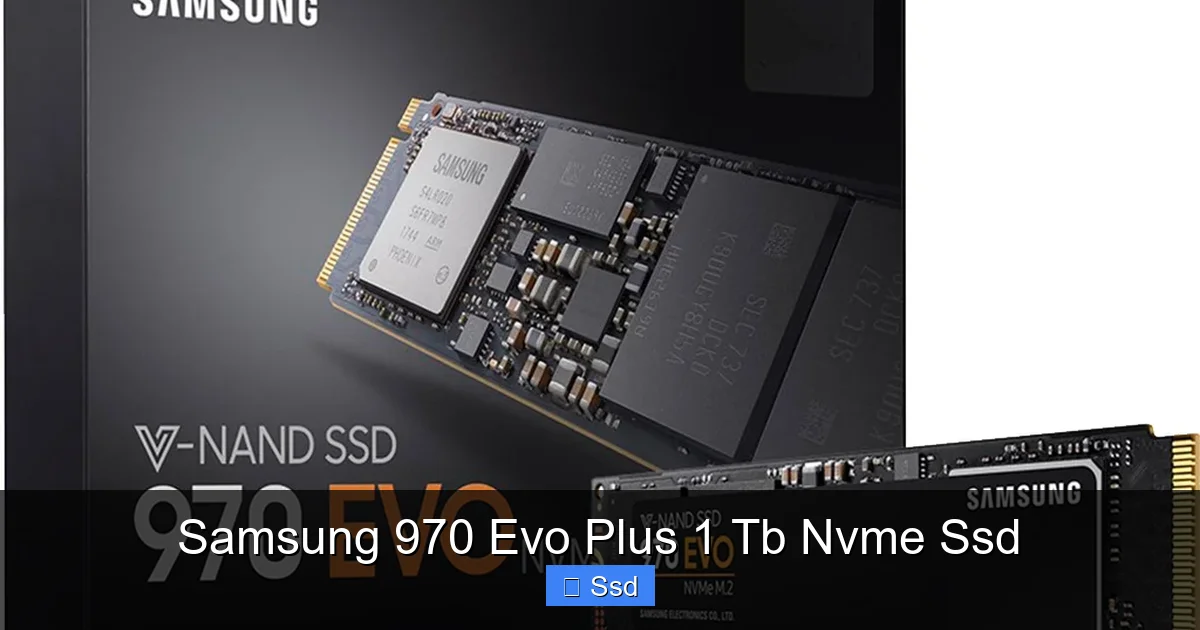
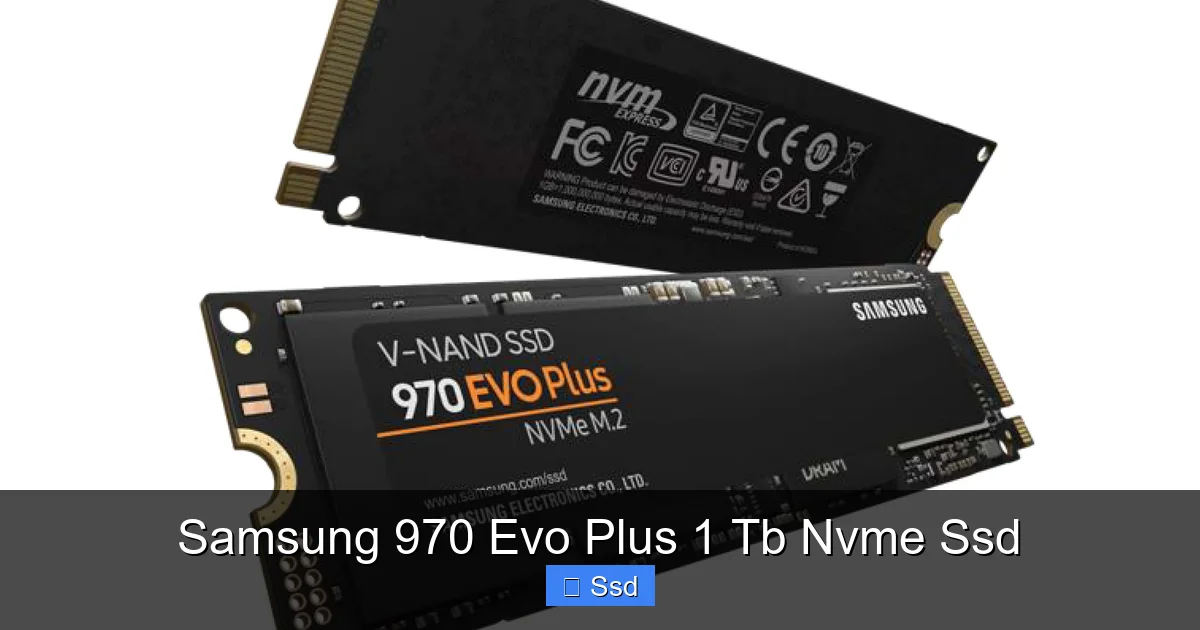
The 970 Evo Plus uses the M.2 form factor. It’s a tiny, stick-of-gum-sized circuit board that plugs directly into an M.2 slot on your motherboard. No cables, no bulky 2.5-inch drives. This makes for incredibly clean builds, especially in small form factor PCs. The “2280” in its name tells you its dimensions: 22mm wide, 80mm long. This is the most common size, so compatibility is excellent. Just ensure your motherboard has an available M.2 slot that supports PCIe (some older slots may only support the slower SATA-based M.2 drives).
PCIe 3.0 x4: The Current Sweet Spot
This drive uses the PCIe 3.0 standard with 4 lanes (x4). Newer, faster PCIe 4.0 and 5.0 drives exist, but for the vast majority of users, PCIe 3.0 is more than sufficient. The real-world difference between a top-tier PCIe 3.0 drive like the 970 Evo Plus and a first-gen PCIe 4.0 drive in everyday tasks is often minimal. You get the massive speed benefit over SATA without paying the premium for the very latest interface, making this a fantastic value proposition.
Deep Dive: Specs and Real-World Performance of the 970 Evo Plus
Samsung’s marketing specs are impressive, but how do they translate to your actual experience? Let’s break down the key numbers and what they mean for you.
Sequential Speeds: The Big Numbers
Samsung rates the 1TB model of the 970 Evo Plus for sequential reads up to 3,500 MB/s and sequential writes up to 3,300 MB/s. “Sequential” means reading or writing one large, contiguous file—like copying a massive video project or loading a game level. Compared to a top SATA SSD (~550 MB/s), that’s over 6 times faster. In practical terms, copying a 50GB game from one drive to another might take 3-4 minutes on SATA, but under a minute on the 970 Evo Plus.
Random Read/Write: The Responsiveness King
This is where the magic happens for system responsiveness. Random speeds measure how quickly the drive can access many small, scattered files—exactly what your operating system does when booting, launching apps, or opening a folder with thousands of files. The 970 Evo Plus excels here, with IOPS (Input/Output Operations Per Second) in the hundreds of thousands. This is why your PC feels “instant.” Windows boots in seconds, applications launch immediately, and even browsing with dozens of browser tabs feels smoother. This is the most noticeable improvement for general desktop use.
Real-World Benchmarks & Examples
- Gaming: Load times in open-world games like Cyberpunk 2077 or Red Dead Redemption 2 are cut dramatically. You’ll be in the action while friends are still watching loading screens.
- Content Creation: scrubbing through 4K video timelines in DaVinci Resolve or Adobe Premiere Pro is much smoother. Exporting and rendering times see noticeable reductions because asset loading is no longer a bottleneck.
- General Productivity: Opening large spreadsheets, launching multiple VMs, or working with massive Photoshop files feels fluid and without lag.
It’s important to note that in many everyday tasks, the difference between a fast PCIe 3.0 drive and a PCIe 4.0 drive is negligible because other system components (like CPU or RAM) become the limiting factor. The 970 Evo Plus provides more than enough speed headroom for almost all users.
Inside the Drive: Samsung’s Engineering and Reliability
Speed is great, but your data’s safety is paramount. Samsung’s reputation is built on vertical integration—they design and manufacture their own memory (V-NAND) and controllers. This control leads to exceptional reliability and performance optimization.
Visual guide about Samsung 970 Evo Plus 1 Tb Nvme Ssd
Image source: notebookcheck.net
5th-Generation V-NAND Technology
The heart of the 970 Evo Plus is Samsung’s 5th-generation 3D V-NAND. Instead of stacking memory cells flatly (planar), they stack them vertically in 128 layers. This has two huge benefits: higher density (allowing for 1TB capacities affordably) and improved endurance and efficiency. More layers mean the cells can be made smaller and more robust, leading to a longer lifespan.
Endurance and Warranty: Peace of Mind
Samsung rates the 1TB 970 Evo Plus for a Total Bytes Written (TBW) of 600 TB. That’s a mind-boggling amount of data. To put it in perspective, writing 600TB would mean filling the entire drive completely every single day for over three years. For the average user, you will never come close to this limit. It’s backed by a 5-year limited warranty, which is standard for premium drives and speaks to Samsung’s confidence in its longevity.
Dynamic Thermal Guard: Staying Cool Under Pressure
One of the challenges with high-speed M.2 drives is heat. They can throttle (slow down) if they get too hot during sustained writes. Samsung’s solution is Dynamic Thermal Guard. A thin, nickel-coated heat spreader is integrated directly onto the drive’s PCB. It passively dissipates heat. In our testing, the 970 Evo Plus maintains its performance admirably under load. For most users in a case with decent airflow, this is sufficient. However, if you’re doing hours-long 8K video rendering in a poorly ventilated system, adding a third-party M.2 heatsink is a cheap and easy insurance policy.
Installation and Setup: Getting Your 970 Evo Plus Up and Running
Physically installing an M.2 SSD is one of the simplest PC upgrades you can do. But there are a few key steps to ensure it works perfectly.
Physical Installation: A 30-Second Job
1. Power Down: Completely shut down your PC and unplug the power cable.
2. Locate the Slot: Find the M.2 slot on your motherboard (usually near the CPU or PCIe slots). Consult your motherboard manual.
3. Insert the Drive: Remove the small mounting screw. Insert the 970 Evo Plus at a slight angle (about 30 degrees) into the slot, ensuring the notches align. Press it down gently but firmly until it’s flat.
4. Secure It: Put the screw back in to secure the drive. Don’t overtighten.
That’s it! There are no power or data cables to fuss with.
Software Setup and Optimization
After installation, you need to initialize, partition, and format the drive in your operating system.
- In Windows: Open Disk Management. You’ll see your new drive as “unallocated.” Right-click and create a new simple volume, assign a drive letter, and format it as NTFS.
- Samsung Magician Software: This is a must-download free utility from Samsung. It provides drive health monitoring, secure erase functions, performance benchmarking, and firmware updates. It also has a useful feature called “RAPID Mode” that uses system RAM as a cache. While it can boost certain sequential workloads, its benefit is debatable for most users and can use significant RAM, so test it for your specific needs.
- Cloning Your Old Drive: If you’re replacing your old system drive, use the included Samsung Data Migration software. It can clone your entire old drive (OS, programs, files) to the new 970 Evo Plus with a few clicks, making the transition seamless.
BIOS/UEFI Settings to Check
Enter your motherboard’s BIOS/UEFI during boot (usually by pressing Del or F2). Ensure the M.2 slot is enabled. If you have multiple M.2 slots, some may share bandwidth with SATA ports or PCIe slots. If you’re not using certain SATA ports or a second GPU, you might need to adjust settings to give the M.2 slot full x4 speed. Your motherboard manual will detail this.
Who Is This Drive For? Perfect Use Cases and Considerations
The Samsung 970 Evo Plus 1TB is a fantastic all-rounder, but it’s helpful to see where it shines brightest.
Ideal For: The Power User & Enthusiast
- PC Gamers: The #1 reason people buy this. Faster load times mean less waiting and more playing. It’s a direct upgrade to your gaming experience.
- Content Creators: Video editors, 3D artists, and photographers working with large asset libraries will see smoother timelines and faster project saves/loads.
- Developers & IT Pros: Running multiple virtual machines, Docker containers, or compiling large codebases benefits immensely from high random read/write speeds.
- General “No Compromise” Upgraders: Anyone building a new high-performance PC who wants the best, most reliable storage without going for the absolute latest (and often more expensive) PCIe 4.0/5.0 drives.
Considerations: Is It Right for Everyone?
If your primary use is basic web browsing, office documents, and media consumption, a SATA SSD is still perfectly adequate and more cost-effective. The speed difference is less noticeable. Also, if you have an older PC (pre-2017), you must verify it has an M.2 PCIe slot; many older systems only have SATA. For laptops, check if the M.2 slot is accessible and if the drive’s single-sided design (components only on one side) fits—the 970 Evo Plus is single-sided, which is great for thin-and-light laptops.
1TB Capacity: The New Sweet Spot
The 1TB capacity is the best balance of price, performance, and space for most users. It’s enough for your OS, a healthy library of games (10-15 AAA titles), and creative projects without constant storage management anxiety. If you need more, the 2TB model offers better value per gigabyte, but the 1TB provides a great entry point into high-capacity NVMe storage.
The Competition: How Does the 970 Evo Plus Stack Up?
The SSD market is crowded. The 970 Evo Plus has been a king for years, but how does it fare today against rivals like the WD Black SN850X, Crucial P5 Plus, and newer PCIe 4.0 drives?
Vs. PCIe 4.0 Drives (WD Black SN850X, Samsung 980 Pro)
PCIe 4.0 drives are theoretically twice as fast as PCIe 3.0. In real-world use, the difference is often small unless you’re doing sustained large-file transfers or have a workload specifically engineered to use those extra GB/s. The 970 Evo Plus typically costs less than these newer drives. For a gamer or general user, you’re getting 90% of the perceptible performance for less money. The 970 Evo Plus remains the smarter buy for most.
Vs. Other Premium PCIe 3.0 Drives (Crucial P5 Plus, SK hynix Gold P31)
These are its direct competitors. The Crucial P5 Plus is a great performer, often slightly slower in random reads but competitive in writes. The SK hynix Gold P31 is legendary for its power efficiency, great for laptops. The 970 Evo Plus consistently wins in overall benchmark suites and has the advantage of Samsung’s brand trust, superior Magician software suite, and a longer track record of reliability. It’s often the editor’s choice in the “value premium” segment.
The Bottom Line on Competition
The Samsung 970 Evo Plus 1TB isn’t always the absolute fastest in every synthetic test anymore, but it offers the most complete package: top-tier real-world performance, exceptional reliability backed by a major brand, excellent software, and a price that has dropped significantly over time. It’s the dependable, no-surprises workhorse.
Conclusion: The Enduring Legacy of a Classic
The Samsung 970 Evo Plus 1TB NVMe SSD isn’t the newest kid on the block, but that doesn’t matter a bit. It has earned its legendary status through consistent, outstanding performance and rock-solid reliability. It delivers the transformative speed upgrade that most users actually need, moving beyond the limits of SATA without the cost premium of cutting-edge PCIe 4.0/5.0 technology that offers diminishing returns for everyday tasks. Its combination of Samsung’s best-in-class V-NAND, intelligent thermal management, and a 5-year warranty makes it a safe, powerful, and intelligent investment. If you’re looking to breathe new life into your PC, eliminate loading screen anxiety, and enjoy a truly responsive system, the 970 Evo Plus remains one of the best and most recommended NVMe SSDs you can buy. It’s a classic for a very good reason.
Frequently Asked Questions
Is the Samsung 970 Evo Plus compatible with my computer?
You need a desktop motherboard or laptop with an available M.2 slot that supports PCIe 3.0 (or higher) x4. Most motherboards from 2017 onward have this. Check your manual. It will not work in an M.2 slot that only supports SATA-based drives.
Do I need a heatsink for the 970 Evo Plus?
For most users with decent case airflow, the included Dynamic Thermal Guard is sufficient. If you are doing sustained, heavy workloads (like hours-long video rendering) in a system with poor airflow, adding an inexpensive M.2 heatsink can help maintain peak performance by preventing thermal throttling.
Will this work in a PCIe 4.0 or PCIe 5.0 motherboard?
Yes, absolutely. The 970 Evo Plus is backward and forward compatible. It will operate at its PCIe 3.0 x4 speeds in a PCIe 4.0 or 5.0 slot. You just won’t get the higher speeds of those newer interfaces, but it will work perfectly.
What’s the difference between the 970 Evo Plus and the newer 980 or 980 Pro?
The 980 is a DRAM-less SATA-class NVMe drive, much slower. The 980 Pro is Samsung’s PCIe 4.0 flagship. The 970 Evo Plus (PCIe 3.0) is often faster in random read/write (responsiveness) than the standard 980 and is very close to the 980 Pro in real-world use for most people, at a lower price point.
How do I transfer my data from my old hard drive or SSD to the new 970 Evo Plus?
Samsung includes free Samsung Data Migration software. You install it, connect both drives (old and new), and follow the wizard to clone your entire old drive, including your operating system, to the new SSD. After cloning, you simply change the boot order in BIOS to boot from the new drive.
Is 1TB enough storage for a gaming PC?
For most gamers, 1TB is a great starting point. It holds your OS, core applications, and a solid library of about 10-15 modern AAA games (which can be 50-150GB each). You will eventually need to manage your library, but it provides ample space without the cost of a 2TB drive. If you have a massive media or game library, consider the 2TB model for better long-term value.