Are Usb Outlets a Good Idea
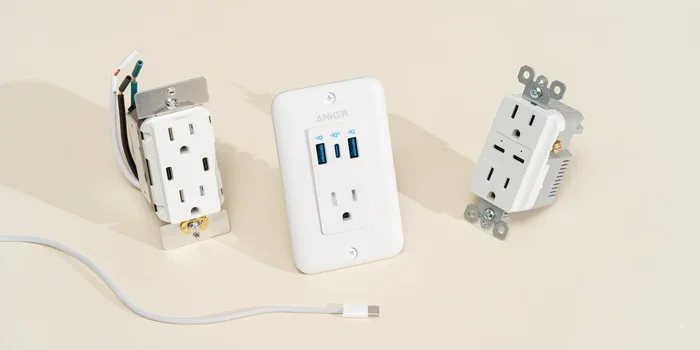
USB outlets are a smart upgrade for any modern home. They let you charge phones, tablets, and other devices directly from the wall without bulky adapters. In this guide, we break down whether USB outlets are a good idea for your space and how they can simplify your daily routine.
Have you ever walked into a room and seen a tangled mess of charging cables? You plug in your phone, your tablet, your smartwatch, and somehow there are still three more adapters fighting for the same wall outlet. It is a frustrating scene in almost every home and office today. That is exactly why USB outlets have become so popular.
A USB outlet replaces your standard wall socket with one that includes built-in USB ports. You no longer need a separate charger or power brick. Just plug your device directly into the wall. But the real question is, are USB outlets a good idea? The short answer is yes. The longer answer is even more convincing. Let us break it all down.
Key Takeaways
- USB outlets eliminate the need for bulky chargers: You plug devices straight into the wall for a clean look.
- They save space on power strips and outlets: Fewer adapters means less clutter and safer wiring.
- Multiple types exist: From USB-A to USB-C, there is an outlet for every device.
- Installation is straightforward: Most homeowners can swap out a standard outlet for a USB model in minutes.
- They add value to your home: Smart home buyers love built-in USB charging options.
- USB outlets are energy efficient: They deliver power only when a device is connected.
📑 Table of Contents
What Exactly Is a USB Outlet?
A USB power outlet looks like a regular electrical outlet on the outside. But on the inside, it has one or more USB ports built right in. These ports deliver power directly to your devices through a USB cable. You do not need any extra adapters or power strips.
The most common types include USB Type-A ports for older devices and USB Type-C ports for newer phones, laptops, and tablets. Some models even offer both types on a single outlet. This makes USB outlets a versatile choice for any room in your home.
How Do They Work?
Inside a USB wall outlet, there is a small circuit board that steps down the voltage from the standard 120V or 240V to the 5V that USB devices need. The circuit regulates the power so your device charges safely. Modern USB charging outlets also support fast charging standards like USB Power Delivery, which can deliver up to 100 watts.
This means you can charge a laptop through a USB outlet just as fast as you would with its original charger. The convenience is hard to beat.
Benefits of Using USB Outlets
There are many reasons to consider adding USB outlets to your home or office. Let us look at the biggest advantages.
1. Fewer Cluttered Chargers
The most obvious benefit is the end of cable clutter. With a USB port in wall setup, you simply unplug your device when it is charged. No more fighting with power strips or hiding adapters behind furniture. Your walls stay clean and your space stays organized.
2. Convenience and Speed
USB outlets make charging a breeze. You do not have to hunt for an available outlet or carry a bulky charger with you. Just reach up and plug in. Many modern USB power outlets support quick charge technology, so your devices power up fast.
3. Safety and Energy Efficiency
USB outlets are designed to be safe. They include built-in protections against overcurrent, overheating, and short circuits. Also, because they only draw power when a device is connected, they are more energy efficient than leaving a traditional charger plugged in all the time.
4. Increased Home Value
If you ever plan to sell your home, USB wall outlets are a nice selling point. Home buyers love modern conveniences. A charging station built right into the wall signals that a home is up to date with today’s technology.
Types of USB Outlets You Can Buy
Not all USB outlets are the same. Here is a quick look at what is available on the market today.
USB-A Outlets
These are the classic rectangular USB ports. They work with older devices like e-readers, Bluetooth speakers, and basic phones. If your home has mostly legacy devices, USB-A outlets are a solid choice.
USB-C Outlets
USB Type-C outlets are the modern standard. They support faster data transfer and higher power delivery. Most new phones, tablets, and laptops use USB-C. If you want a future-proof USB receptacle, go with USB-C.
Dual USB Outlets
Some models offer both USB-A and USB-C ports on a single outlet. This gives you the most flexibility. You can charge an older device and a new one at the same time from the same wall socket.
USB Outlets with AC Ports
These combine a standard AC outlet with USB ports. You get the best of both worlds. You can plug in a lamp or fan while also charging your phone. They are perfect for bedrooms and living rooms.
| Type | Best For | Speed | Price Range |
|---|---|---|---|
| USB-A Only | Older devices | Standard | $5 – $12 |
| USB-C Only | Newer devices | Fast | $8 – $18 |
| Dual USB-A + C | Mixed device setups | Fast | $12 – $25 |
| AC + USB Combo | Multi-device rooms | Standard to Fast | $10 – $22 |
USB Outlets vs. Traditional Outlets and Power Strips
It is easy to see why people switch to USB outlets when comparing them to traditional options. A standard wall outlet only provides AC power. You need a separate charger to convert that to USB power for your devices. A power strip adds more outlets but still requires bulky adapters.
A USB outlet eliminates both problems. It is a clean, direct connection. There is no wasted space and no extra equipment to buy. When you compare the cost of multiple chargers and power strips against a single USB power outlet, the savings add up fast.
One thing to keep in mind: USB outlets cannot replace all your traditional outlets. You still need standard AC outlets for larger appliances like TVs and lamps. Think of them as a smart addition, not a full replacement.
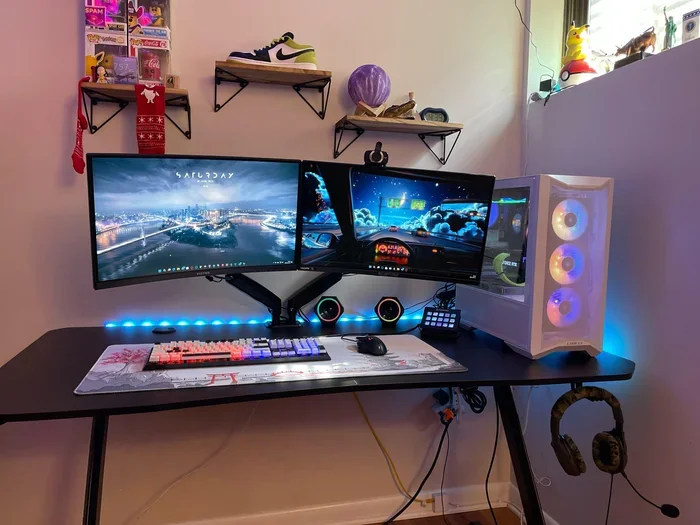
For those who work from home, USB outlets at your desk make a huge difference. You can power your USB powered devices without reaching behind your desk for a charger. This is especially helpful if you use multiple monitors, external drives, or other peripherals throughout the day.
Quick Comparison
- Traditional Outlet: Requires separate charger, takes up more space, less convenient.
- Power Strip: Adds outlets but adds clutter, can be a fire hazard if overloaded.
- USB Outlet: Built-in charging, clean look, safe, and energy efficient.
How to Install a USB Outlet
One of the best things about USB outlets is that installation is simple. You do not need to be an electrician. Here is a step-by-step look at how the process works.
Step 1: Turn Off the Power
Always start by turning off the circuit breaker for the room you are working in. Use a voltage tester to confirm the power is off before you touch any wires. Safety comes first.
Step 2: Remove the Old Outlet
Unscrew the face plate and pull the existing outlet out of the wall box. Disconnect the wires carefully. Take a photo before you remove anything so you can reference it later.
Step 3: Connect the New USB Outlet
Attach the wires to your new USB wall outlet. Match the black wire to brass, the white wire to silver, and the green wire to the ground screw. Push the wires back into the wall box and screw the outlet in place.
Step 4: Test Your Work
Turn the breaker back on and test the outlet. Plug in a USB device to make sure it charges properly. If everything works, screw on the face plate and you are done.
If you are not comfortable working with electrical wiring, hire a licensed electrician. It is a small investment that ensures everything is safe and up to code.
Common Mistakes to Avoid with USB Outlets
Even though USB outlets are easy to use, there are a few mistakes people make. Avoid these to get the best results.
- Buying the wrong type: Make sure you choose the right USB standard for your devices. USB-C is the future, but USB-A still works for older gear.
- Overloading the circuit: Do not plug too many high-draw devices into one USB outlet. Spread the load across different circuits.
- Ignoring amperage ratings: Check the amperage of your USB outlet. A 2.4-amp port charges most phones well. Laptops may need 3 amps or more.
- Skipping the face plate: Always use a face plate to cover the outlet. It protects the ports from dust and debris.
- Using cheap brands: Stick with reputable brands for your USB charging outlet. Cheap knockoffs can be a fire risk and may damage your devices.
Expert Tips for Getting the Most from USB Outlets
Want to get the best experience from your USB outlets? Here are some pro tips.
- Install them in high-use areas: Kitchens, bedrooms, and home offices are the best spots. You charge your phone overnight and during the workday.
- Use quality USB cables: A good cable makes a big difference in charging speed. Cheap cables can limit performance and even damage devices.
- Consider smart USB outlets: Some models include smart features like surge protection and energy monitoring. These add an extra layer of safety and convenience.
- Plan for future devices: When you install USB outlets, think about what devices you might own in the future. USB-C is the growing standard, so prioritize those ports.
- Keep them clean: Dust can build up in USB ports over time. Use a soft brush or compressed air to keep them clear and working well.
For those who work from home with a prebuilt PC setup, adding USB outlets near your desk area is a game changer. You can keep your peripherals powered without reaching for a hub. Similarly, if you use USB-powered accessories like speakers for listening to music, having a direct USB connection from the wall keeps things simple and reliable.
Another great use case is connecting external storage devices. If you use an M.2 NVMe SSD in a USB enclosure, a dedicated USB outlet ensures stable power delivery for fast and reliable data access. For older setups, an M.2 NVMe SSD to USB 3.1 adapter can bridge the gap between legacy and modern storage, and a USB outlet makes powering these adapters effortless.
Final Thoughts
So, are USB outlets a good idea? Absolutely. They offer a cleaner, safer, and more convenient way to charge all your devices. Whether you are upgrading a single room or doing a whole-home refresh, USB wall outlets are a small change that makes a big difference.
The installation is simple, the cost is reasonable, and the benefits are immediate. You get less clutter, faster charging, and a more modern living space. Plus, they add value to your home if you ever decide to sell.
If you have been on the fence about making the switch, now is the perfect time. Pick up a USB outlet for your most-used rooms and feel the difference. Once you go USB, you will never go back to fumbling with adapters and power strips again.
Frequently Asked Questions
Are USB outlets safe to use in every room of the house?
Yes, USB outlets are safe for any room. They include built-in protections against overcurrent and overheating. Just make sure you follow local electrical codes and, if unsure, hire a licensed electrician for installation.
Can a USB outlet charge a laptop?
It depends on the amperage and USB standard. Most modern USB-C outlets with Power Delivery support can charge a laptop efficiently. Check your laptop’s charging requirements and match them to the outlet’s output rating.
Do USB outlets cost more than regular outlets?
USB outlets cost a bit more than standard outlets, usually between $10 and $25. However, the convenience and safety features they offer make them well worth the small price difference.
Can I install a USB outlet myself?
Yes, if you are comfortable with basic electrical work. Turn off the power, match the wires correctly, and test before sealing everything up. If you are not confident, always hire a professional to avoid any safety risks.
Do USB outlets work with all USB cables?
Most USB outlets work with standard USB cables. For the best results, use high-quality cables that match your device’s charging needs. Cheap or damaged cables can slow down charging and may not work reliably.
Will USB outlets replace traditional power outlets entirely?
No, USB outlets are designed to complement traditional outlets, not replace them. You still need standard AC outlets for appliances like TVs, lamps, and kitchen equipment. Think of them as a helpful addition to your home’s electrical setup.