Basic Computer Principles Everyone Should Know Today
Basic computer principles are the foundation of understanding how your PC works every day. Knowing how your computer processes information helps you troubleshoot problems and make smarter buying decisions. This guide breaks down computer hardware basics, software vs hardware, and computer performance tips in simple, easy-to-follow language.
Every day, millions of people sit down at their computers without truly understanding how these machines work. You press keys, click a mouse, and expect results. But behind the scenes, a complex process is happening inside the system unit that makes it all possible. Basic computer principles explain exactly how this magic happens.
You do not need to be a tech expert to understand your computer. Whether you use a laptop for work, a desktop for gaming, or a tablet for browsing, the core ideas remain the same. This guide walks you through computer hardware basics, how your machine processes data, and simple steps to keep your PC running well. By the end, you will feel more confident using and troubleshooting your computer every day.
Let us start with the big picture. A computer is essentially a machine that takes in information, processes it, and gives you a result. That is it at its core. But each step involves many smaller parts working together in harmony. Let us break it all down.
Key Takeaways
- Understanding How Computers Work: Computers process data using binary code, the CPU, and memory to deliver results quickly and accurately.
- Hardware and Software Work Together: Every computer component relies on the operating system and software to function properly.
- Key Components Matter: The CPU, RAM, storage drive, and motherboard are the core parts that determine how well your PC performs.
- Performance Depends on Maintenance: Regular cleaning, updates, and smart usage habits keep your computer running smoothly for years.
- Peripheral Devices Expand Functionality: Mice, keyboards, and monitors are essential input and output devices that make computers usable.
- Networking Connects Everything: Basic computer networking basics help you understand how devices communicate and share data.
📑 Table of Contents
What Are Basic Computer Principles?
At the heart of every computer lie a few fundamental ideas. These basic computer principles have stayed the same for decades, even as technology has evolved dramatically. Understanding them gives you a strong foundation for computer literacy and digital confidence.
Here are the core principles that every computer follows:
- Input: You send data into the computer through devices like a keyboard or mouse.
- Processing: The CPU (Central Processing Unit) handles all the calculations and logic.
- Storage: Data is saved in RAM for quick access or on a hard drive for long-term keeping.
- Output: Results are displayed on a monitor, speaker, or printer.
- Binary Code: All information inside a computer is stored as ones and zeros.
These five steps happen in milliseconds. When you type a letter on your keyboard, the computer converts it into binary, processes it, stores it temporarily, and shows it on your screen. That is the power of digital fundamentals at work.
Why Learning These Principles Matters
Knowing how your computer works helps you in many ways. You can troubleshoot problems faster, choose better equipment, and avoid common mistakes. For example, if your PC starts running slow, understanding computer performance basics helps you figure out whether the issue is too little RAM, a full hard drive, or an outdated processor. This knowledge saves you time and money.
How Computers Process Information
The processing cycle is the engine of every computer. It follows a simple loop called the fetch-decode-execute cycle. The CPU pulls instructions from memory, decodes what they mean, carries them out, and then moves to the next instruction. This cycle repeats billions of times per second in modern machines.
Let us look at each phase more closely:
- Fetch: The CPU grabs the next instruction from RAM memory.
- Decode: It figures out what the instruction means and what action to take.
- Execute: The CPU performs the task, whether that is a math calculation or moving data.
- Store: The result is written back to memory or saved to a storage drive.
Your computer processor is the brain of this entire operation. A faster processor means quicker cycles and smoother performance. This is why choosing the best computer processor for laptop matters so much for anyone who wants a responsive machine.
The Role of Binary Code
Everything inside a computer comes down to ones and zeros. This is called binary code, and it is the language computers understand. Each zero or one is called a bit. Eight bits form a byte. Your files, photos, and even this article you are reading right now are all stored as long strings of binary data.
When you click a link or open a program, the computer reads binary instructions, processes them, and displays the result on your screen. It is a remarkable system that happens so fast you never notice. But understanding binary code helps you appreciate just how powerful and precise modern computers really are.
Key Computer Components Explained
A computer is made up of several important parts. Each one plays a specific role in making sure everything works. Let us walk through the main computer components you should know about.
The CPU (Central Processing Unit)
The CPU is the brain of your computer. It handles all the thinking and calculating. Every app you open, every file you save, and every webpage you load depends on the CPU. Modern processors have multiple cores, which means they can handle several tasks at once. This is called multitasking, and it is why your computer can run a browser, music player, and document editor all at the same time.
RAM (Random Access Memory)
RAM is your computer’s short-term memory. It holds data that the CPU needs right now. When you have many tabs open or several programs running, you use more RAM. If you run out of RAM, your computer slows down because it has to swap data to the slower storage drive. This is one of the most common reasons computers start running slow and freezing.
Here is a quick comparison of RAM and storage:
- RAM: Fast, temporary, clears when you turn off the computer.
- Storage Drive: Slower, permanent, keeps your files even when powered off.
The Motherboard
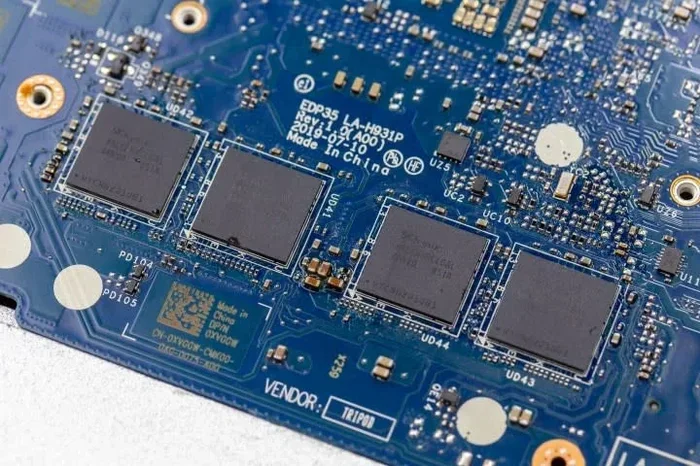
The motherboard is the main circuit board that connects everything. It lets the CPU, RAM, storage, and other parts talk to each other. Think of it as the nervous system of your computer. Every computer component plugs into or connects to the motherboard in some way.
Storage Drives
Storage drives hold your files, programs, and operating system. There are two main types: HDDs (Hard Disk Drives) and SSDs (Solid State Drives). SSDs are much faster and more reliable. If your computer feels sluggish when opening programs or saving files, upgrading to an SSD can make a huge difference.
Input and Output Devices
Input devices let you send data to the computer, while output devices show or play back the results. Your keyboard and mouse are input devices. Your monitor and speakers are output devices. Without these peripheral devices, a computer would just be a box that hums quietly in a corner.
For laptop users, choosing the right mouse and keyboard can make a big difference in comfort and productivity. A wireless mouse for laptop computer gives you freedom of movement, while a good keyboard reduces strain during long typing sessions. These small choices add up to a much better experience.
Software vs Hardware: What is the Difference?
One of the most important basic computer principles is understanding the difference between software and hardware. They work together, but they are very different things.
Hardware is anything you can touch. This includes your screen, keyboard, CPU, and internal parts like the motherboard and RAM. Software is the set of instructions that tells the hardware what to do. Your operating system, web browser, and games are all software.
Here is a simple way to think about it:
- Hardware is the body. It provides the physical structure and parts.
- Software is the mind. It gives instructions and makes decisions.
Without software, hardware is useless. Without hardware, software has nothing to run on. Both must work together for your computer to function. When one part fails, it affects everything else. For example, if your operating system has a bug, even the best hardware will not perform well.
How the Operating System Fits In
The operating system (OS) is the most important software on your computer. It manages all the hardware and software resources. Windows, macOS, and Linux are the most common operating systems. The OS handles tasks like memory management, file storage, and running applications. It is the bridge between you and the machine.
Computer Performance Fundamentals
Everyone wants a fast, responsive computer. But what makes a computer perform well? Computer performance depends on several factors working together.
Factors That Affect Performance
- Processor Speed: A faster CPU handles tasks more quickly. Clock speed and core count both matter.
- RAM Amount: More RAM means you can run more programs without slowdowns.
- Storage Type: SSDs load programs and files much faster than HDDs.
- Software Updates: Keeping your OS and apps updated ensures optimal performance.
- Background Programs: Too many programs running at startup can slow things down.
If you notice your computer lagging, start by checking these areas. Close unused programs, restart your machine regularly, and make sure your software is up to date. Sometimes a simple cleanup can bring a slow computer back to life.
When to Seek Help
Some performance issues need professional attention. If your computer freezes frequently, makes strange noises, or shows error messages often, it could signal a hardware problem. In these cases, it helps to search for trusted guides or visit a repair specialist. Understanding computer troubleshooting basics empowers you to take the right action at the right time.
Keeping Your Computer Running Smoothly
Proper maintenance goes a long way toward extending your computer’s life and keeping it fast. You do not need to be a technician to follow these simple habits.
Simple Maintenance Tips
- Restart regularly: This clears temporary files and refreshes system memory.
- Keep it clean: Dust buildup inside your PC can cause overheating. Use compressed air to clean vents and fans.
- Update software: Updates patch security holes and improve performance.
- Manage startup programs: Disable apps that launch automatically and slow down boot time.
- Back up your data: Use an external drive or cloud service to protect your files.
For laptop users, keeping your keyboard clean is especially important. Food crumbs and dust can get trapped under keys and affect typing. A best way to clean computer keyboard regularly helps maintain both hygiene and performance over time.
Common Mistakes That Hurt Performance
Many people accidentally harm their computers without realizing it. Here are a few mistakes to avoid:
- Leaving your laptop plugged in all the time can reduce battery health.
- Igning update notifications leaves your system vulnerable to bugs and security risks.
- Downloading software from untrusted sources can introduce malware.
- Overheating your computer by blocking vents with papers or fabric.
- Running too many heavy programs at the same time without enough RAM.
Avoiding these habits keeps your machine healthy and extends its lifespan significantly.
When to Upgrade
Technology changes fast. If your computer is more than five years old and struggles with modern tasks, it may be time to consider an upgrade. Sometimes adding more RAM or switching to an SSD makes an older machine feel new again. Other times, you may need a completely new system. Researching your options before buying helps you make a smart investment. Check guides like best place to purchase a laptop computer to compare options and find the best deal for your needs.
Conclusion
Basic computer principles are simpler than most people think. From the fetch-decode-execute cycle to the roles of CPU, RAM, and storage, every part of your computer has a purpose. Understanding how computers work gives you confidence, saves you money, and helps you get the most from your machine.
Remember that hardware and software work as a team. Keep your system updated, clean, and well-maintained. When problems arise, use your knowledge of computer troubleshooting basics to find solutions. Whether you are a student, a professional, or a casual user, these fundamentals apply to everyone who sits down at a computer.
Take what you have learned from this guide and apply it today. Restart your computer, clean your keyboard, and check for updates. Small habits lead to big improvements over time. Your computer is a powerful tool, and understanding its basic principles helps you use it to its full potential.
Frequently Asked Questions
What are the basic computer principles everyone should know?
The core principles include input, processing, storage, output, and binary code. These five steps describe how a computer takes in data, processes it through the CPU, stores it in memory or on a drive, and delivers results to you through output devices like a monitor or speaker.
Why is understanding computer hardware basics important?
Knowing your hardware helps you troubleshoot problems, choose the right upgrades, and avoid common mistakes. When you understand what the CPU, RAM, and motherboard do, you can make smarter decisions about maintenance and purchases.
How can I make my computer run faster?
Start by closing unused programs, restarting your computer regularly, and keeping your software updated. Adding more RAM or switching to an SSD can also dramatically improve speed. For persistent issues, check for malware or background processes that are consuming resources.
What is the difference between RAM and storage?
RAM is your computer’s short-term memory used for active tasks, while storage is the long-term space where your files and programs are saved. RAM is much faster but clears when you turn off the computer, whereas storage retains data permanently.
How often should I clean my computer?
You should clean your keyboard and wipe down your screen at least once a week. For internal cleaning, such as dusting the fans and vents, every three to six months is a good schedule. Keeping your computer clean prevents overheating and extends its lifespan.
Do I need to understand binary code to use a computer?
No, you do not need to understand binary code to use a computer. However, knowing that all data is stored as ones and zeros gives you a deeper appreciation for how computers work. It is one of the foundational digital fundamentals that makes computer literacy more meaningful.