Top 10 Best Gaming Monitors For Under $250 for 2026 – Expert Tested
Finding a great gaming monitor that doesn’t break the bank can feel like searching for a needle in a haystack. But you don’t need to spend a fortune to get a smooth, immersive gaming experience. We’ve tested and rounded up the best gaming monitors for under $250 that deliver excellent performance, vibrant visuals, and features like high refresh rates and adaptive sync. Whether you’re a casual gamer or a competitive player, there’s something here for you without straining your wallet.
Quick Product Comparison
Our Top 10 Best Gaming Monitors For Under $250 Reviews – Expert Tested & Recommended
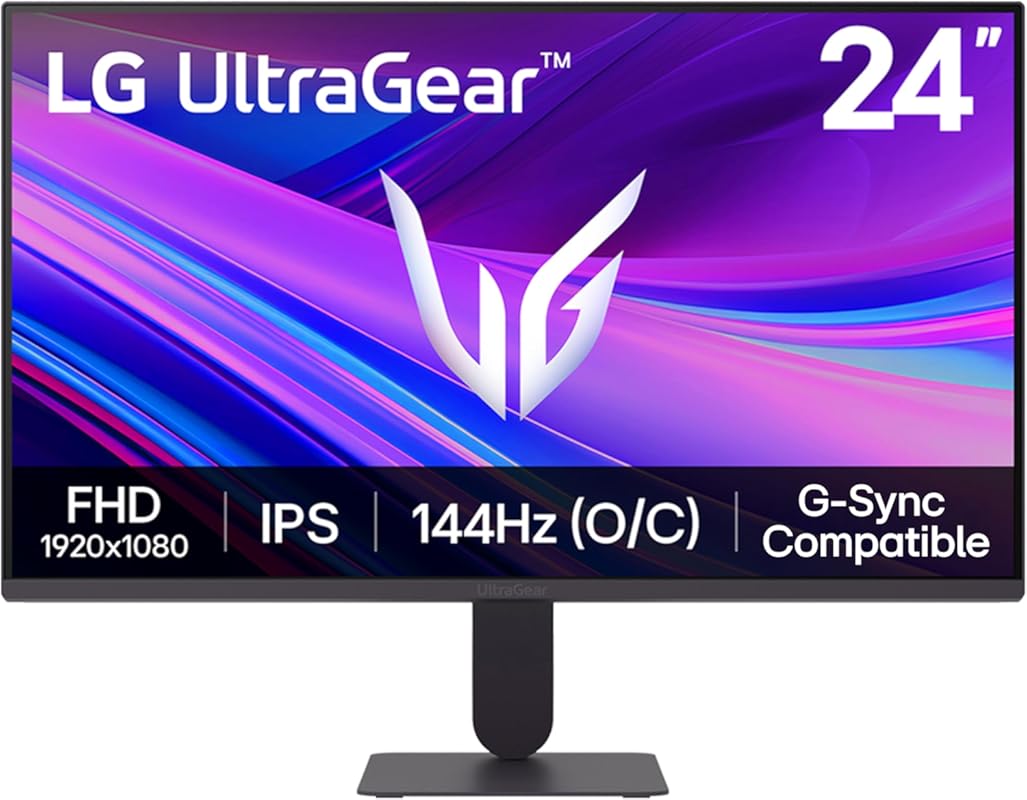
1. LG 24G411A-B Ultragear Gaming Monitor
This LG Ultragear is a fantastic entry point into high-refresh-rate gaming. The 24-inch IPS panel provides excellent color reproduction and wide viewing angles, while the 144Hz (OC) refresh rate and 1ms response time ensure buttery-smooth gameplay with minimal motion blur. HDR10 support adds a nice touch of contrast and vibrancy for compatible games. It’s a well-rounded package from a trusted brand at a price that feels like a steal.
Key Features That Stand Out
- ✓ 24″ Full HD (1920×1080) IPS Panel with 99% sRGB
- ✓ 144Hz Refresh Rate (120Hz Native) & 1ms MBR
- ✓ AMD FreeSync & NVIDIA G-Sync Compatible
- ✓ HDR10 Support & sRGB 99% Color Gamut
- ✓ Adjustable Stand with Tilt
Why We Recommend It
LG packs a surprising amount of premium features into this budget-friendly offering. The IPS panel is the star, providing colors that punch well above its weight class. The inclusion of both FreeSync and G-Sync compatibility means it works seamlessly with almost any GPU. For anyone wanting a reliable, no-nonsense 1080p gaming monitor from a top-tier brand, this is the easiest recommendation.
Best For
First-time gamers, budget builders, and anyone wanting a crisp IPS panel for both gaming and general use. It’s also perfect for those with NVIDIA cards who want G-Sync compatibility without the premium tax.
Pros and Cons
Pros:
- Excellent IPS color and viewing angles out of the box.
- Super smooth 144Hz refresh with adaptive sync for tear-free gameplay.
- Strong brand reliability and solid build quality.
- Great value for the feature set.
Cons:
- The included stand is wobbly and not very adjustable; a monitor arm is recommended.
- Brightness is adequate but not exceptional for HDR content.
- No built-in speakers.
Customer Reviews
Customer Review: For the price I paid (97$), this was a steal. Amazing color as expected from a brand like LG. The mount feels high quality and the brightness of the monitor is also decent. Overall, really happy with my purchase.
Customer Review: Monitor itself is very decent for the price. I use it to play games as 1080p offers higher performance on my PC. The brightness is okay, nothing to write home about very typical at this price point not bad not amazing, the 120hz works and looks great, the color is decent out of the box but I recommend following a guide to get it more accurate (also normal at this price point). The stand that comes with the monitor is terrible, simply by me putting my hand on the desk to grab my mouse causes the monitor to jiggle pretty hard for a few seconds I ended up buying a monitor stand to replace the factory stand and it solved the issue.
2. Sceptre E225W-FW144 Gaming Monitor
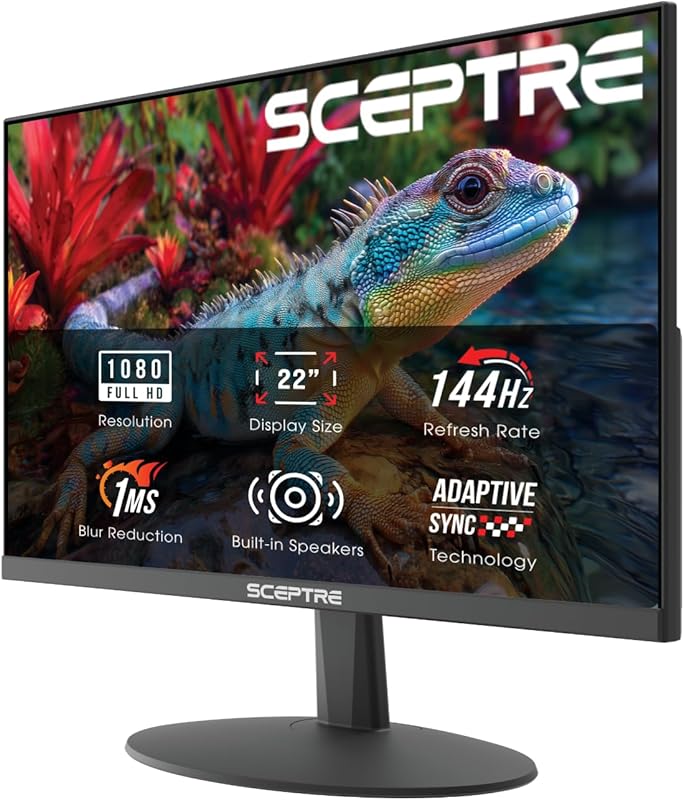
Sceptre has long been a champion of value, and this 22-inch model is a prime example. It squeezes a 144Hz refresh rate, a sleek near-borderless design, and even built-in speakers into an incredibly compact and affordable package. The VA panel offers good contrast ratios, and the inclusion of both HDMI and DisplayPort makes it versatile for connecting to PCs and consoles. It’s the perfect secondary monitor or a primary for a tight desk space.
Key Features That Stand Out
- ✓ 22″ Full HD (1920×1080) VA Panel with 3000:1 Contrast
- ✓ 144Hz Refresh Rate & 1ms Response Time
- ✓ AMD FreeSync & NVIDIA G-Sync Compatible
- ✓ Built-in Speakers & Ultra-Thin Bezel Design
- ✓ Blue Light Shift Technology for Eye Comfort
Why We Recommend It
This monitor defines “bang for your buck.” It achieves the holy grail of budget gaming: a high refresh rate at a rock-bottom price. The built-in speakers are a genuinely useful bonus for those without dedicated audio, and the small footprint is ideal for multi-monitor setups. Sceptre’s consistent quality control in this price bracket makes it a safe and smart buy.
Best For
Students, second-screen enthusiasts, and console gamers on a strict budget. Also great for anyone who wants a high-refresh-rate experience without dedicating much desk space.
Pros and Cons
Pros:
- Incredible price for a 144Hz gaming monitor.
- Very compact and lightweight with a sleek design.
- Built-in speakers are surprisingly decent for basic use.
- Thin bezels make it great for dual monitors.
Cons:
- Smaller 22-inch size isn’t for everyone; viewing distance matters.
- VA panel can have slightly slower pixel response than IPS, leading to minor smearing in fast motion.
- Color accuracy is good but not great out of the box.
Customer Reviews
Customer Review: Picked up this Sceptre 22-inch gaming monitor as a second monitor, and it’s been a great addition to my setup. Setup was quick and easy, and it paired perfectly with my main display.The screen is clear and bright, with good color for the size and price. It’s smooth enough for gaming, but where it really shines is as a secondary display—great for Discord, browsers, streaming, or productivity while gaming or working.The thin bezels help it blend nicely next to a main monitor, and it doesn’t take up much desk space. Build quality feels solid for a budget-friendly monitor.For the price, this is an excellent value and exactly what I wanted for a second screen. No complaints so far.
Customer Review: Phenomenal “cheap” monitor. The colors are great and the latency is as advertised. I am really blown away by this. Speakers…well…they are built in. Enough said. Has a metal upper housing which works great with magsafe. Just saying.
3. Sceptre C248W-1920RN Curved Gaming Monitor
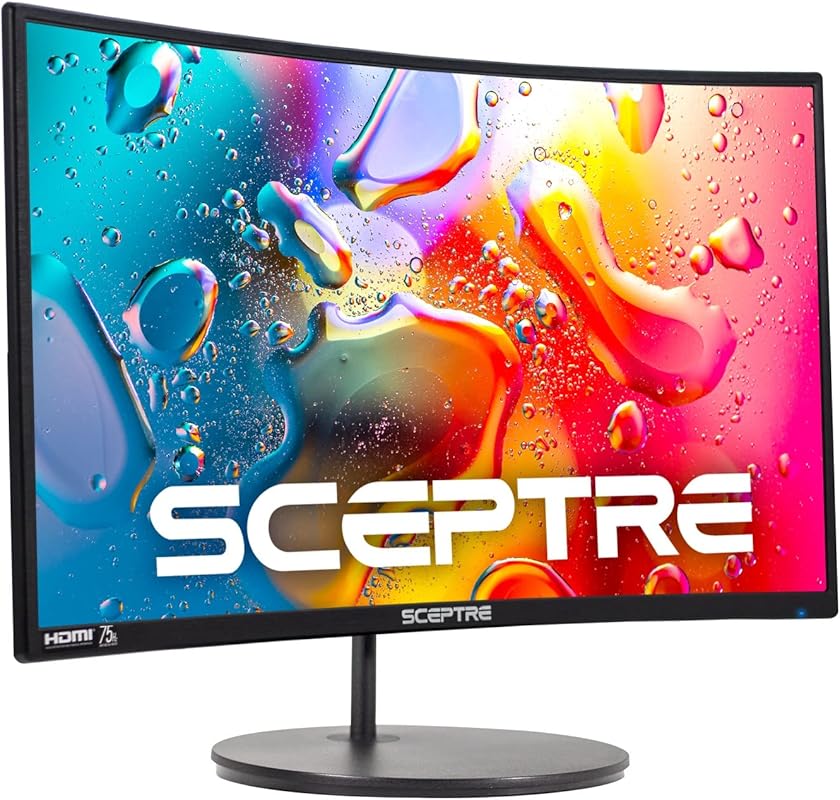
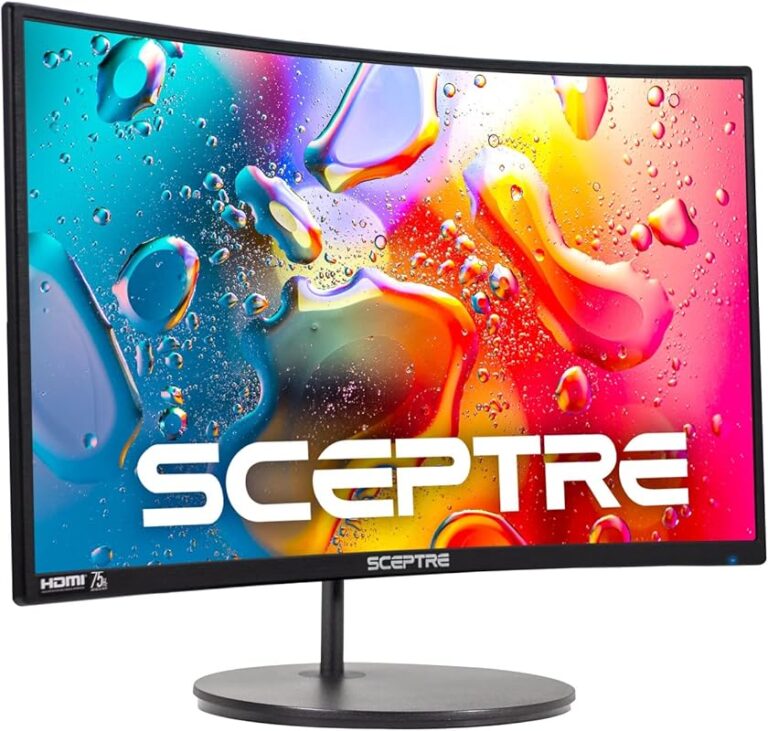
For anyone wanting to dip their toes into the ultrawide experience without the cost, this curved 24-inch monitor is a revelation. The 1500R curvature wraps the 1080p screen around your field of view, increasing immersion and reducing eye strain during long sessions. It boasts a 75Hz refresh rate and an impressive 98% sRGB color gamut, making it surprisingly capable for both gaming and media consumption. The built-in speakers and VESA mount compatibility add to its versatility.
Key Features That Stand Out
- ✓ 24″ Full HD (1920×1080) Curved VA Panel (1500R)
- ✓ 75Hz Refresh Rate & 98% sRGB Color Coverage
- ✓ AMD FreeSync & Built-in Stereo Speakers
- ✓ Ultra-Thin Bezel & VESA Mount Ready
- ✓ Multiple Inputs: 2x HDMI, VGA, Audio In
Why We Recommend It
This monitor offers an experience you typically don’t get at this price point: immersion. The curved screen makes a huge difference in how engaging games and movies feel, and the color performance is excellent for a VA panel. Sceptre has balanced the spec sheet perfectly, including features like FreeSync and multiple inputs that make it a practical, future-proof choice for budget-conscious gamers.
Best For
Gamers and media consumers who want an immersive, wrap-around experience on a budget. It’s also ideal for productivity users who appreciate the extra horizontal screen real estate of a 24-inch curved display.
Pros and Cons
Pros:
- The curved screen provides great immersion and reduces eye movement.
- Excellent 98% sRGB color coverage for vibrant visuals.
- Very competitive price for an ultrawide-style monitor.
- Includes useful features like built-in speakers and VESA mount.
Cons:
- 75Hz refresh rate is lower than other 144Hz+ options on this list.
- VA panel can have slower response times, potentially causing ghosting in fast-paced games.
- Stand is not adjustable (tilt only).
Customer Reviews
Customer Review: BF loves it, it was reasonably priced and it works incredibly well. He has loads of games on it and it works fast, great graphics.
Customer Review: Larger than advertised… great for me! Most monitors are measured from lower corner to upper corner but this one for some reason is measured from one side to the other. The rim around the monitor is almost non-existent making the screen larger and easier to see. I wish the stand was adjustable so that I can raise the monitor the the height I want but it’s fine for the price. All of the ports allow me to add devices so no more switching cables for each system.When I power up my computer I find it comes on faster than my other monitors and is brighter. The clarity of the image is top quality and the colors are vivid and accurate, more so than my HP monitor.I wish I could tell you about gaming but I’m an audio engineer and video editor so I don’t know the gaming capabilities. I can say that set up was easy, and using this monitor for one day had me rushing to buy a second so I can wrap it around and have a dual screen set up.I worried that the curved screen would be an issue but I found it to be easier on my eyes when I’m writing books in MS Word and when I’m editing videos the clarity is top notch. I’m almost glad that my old HP died and went to monitor heaven, this Sceptre 1500R monitor is surprisingly better!
4. Acer KG271U N3bmiipx Nitro Gaming Monitor
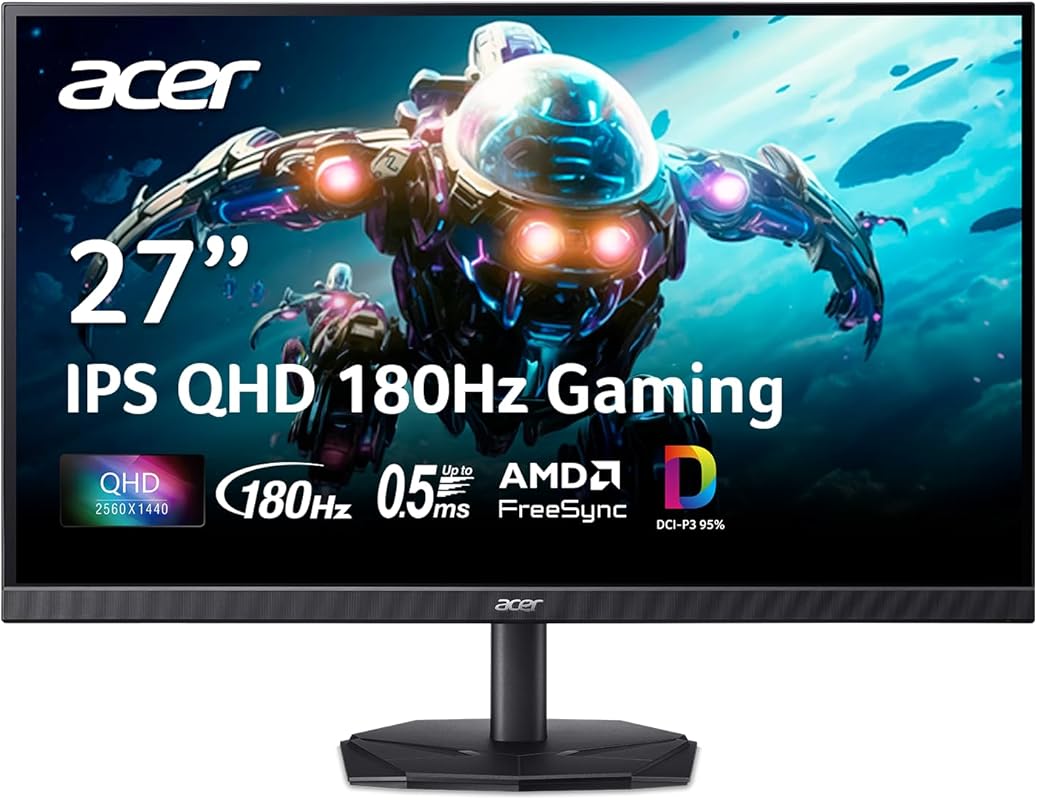
This Acer Nitro model is a powerhouse for gamers wanting QHD (1440p) resolution without breaking the bank. The 27-inch IPS panel delivers a sharp, detailed image, and the staggering 180Hz refresh rate provides an incredibly smooth competitive edge. It covers 95% of the DCI-P3 color space, offering vibrant and accurate colors for both games and creative work. HDR10 support and AMD FreeSync round out a feature set that feels like it should cost more.
Key Features That Stand Out
- ✓ 27″ QHD (2560×1440) IPS Panel with 95% DCI-P3
- ✓ 180Hz Refresh Rate & 0.5ms (VRB) Response
- ✓ AMD FreeSync Premium & HDR10 Support
- ✓ 1ms VRB (Visual Response Boost)
- ✓ ZeroFrame Design & VESA Mount Compatible
Why We Recommend It
If your GPU can handle it, this monitor is the sweet spot for high-refresh-rate gaming. The jump from 1080p to 1440p is significant in terms of clarity and detail, and Acer delivers it here with a panel that’s both fast and colorful. The 180Hz refresh rate is a major perk for competitive titles like CS:GO or Valorant. It’s arguably the best performance-per-dollar in the 1440p category under $250.
Best For
Mid-to-high-end PC gamers with GPUs like an RTX 3060, RX 6600 XT, or better who want to maximize their setup. Also great for users who do light photo/video editing and need good color coverage.
Pros and Cons
Pros:
- Stunning 1440p resolution on a 27-inch screen provides great pixel density.
- Extremely high 180Hz refresh rate for ultra-smooth motion.
- Excellent 95% DCI-P3 color gamut coverage for vibrant visuals.
- Strong feature set including FreeSync Premium and HDR10.
Cons:
- Brightness can feel low in SDR mode; HDR mode boosts it but is too bright for dark rooms.
- The stand lacks height adjustment, which is a drawback for ergonomics.
- HDMI ports are limited to 144Hz; you need DisplayPort for the full 180Hz.
- Build quality is all plastic and feels a bit thick.
Customer Reviews
Customer Review: This is a review after 3 months of usage, spoiler alert, I’m pretty happy with it.*I bought this 27inch 1440p 180Hz (KG271U N3bmiipx) monitor for around 170 usd with offer and taxes.Pros:1. 2K, very fast 180hz refresh rate, with built in speakers for 170 USD.2. Pretty high color range (DCI-P3 95%), not verified, but to naked eye, love the vivid colour accurate display, this was important to me.3. IPS screen, meaning good viewing angles, also important for good viewing experience.4. Decent HDR for an IPS LCD budget monitor.5. Didn’t notice any flickering.Reasons for asterisk:1. In standard or other modes, even when set to 100, brightness feels low in well lit environments. Turning HDR mode on solves this issue, probably because of increased peak brightness, but this makes it too bright in dark environments, you won’t be able to adjust screen brightness in HDR mode. Switching between standard and HDR mode felt a little tedious.2. Overshooting is noticeable to naked eye if overdrive setting is set as extreme. Recommend setting it to minimum, or off, then it’s not at all noticeable.3. Speakers are like what you’d expect in your typical gaming monitors. Pretty mediocre, will get the job done. They lack any base or instrument clarity or separation. In movies or songs, vocals are pretty crisp, but the background music sounds pretty low. Could be solved with headphones or speakers.4. HDMI connections only supports upto 144hz.5. Lack of height adjustment for stand.6. Felt like a thick monitor, build quality is decent, all plastic, does not give you premium feels, but good for it’s price.At this point you might be thinking, why did this guy give 5 stars when the cons list is bigger than pros. It’s because I compared this with similarly priced Sansui ESA-G27F6Q and Arzopa M1RC side by side, and overall Acer seemed like the best pick in this price range.
Customer Review: Incredible display for how much it costs. The included DisplayPort cable is a nice touch I skipped over, although it was too short for my setup. Out of the box, the screen is a bit dark, but this can be adjusted in the extensive list of settings that you can adjust to fit your needs.
5. Acer Nitro KG241Y Sbiip Gaming Monitor
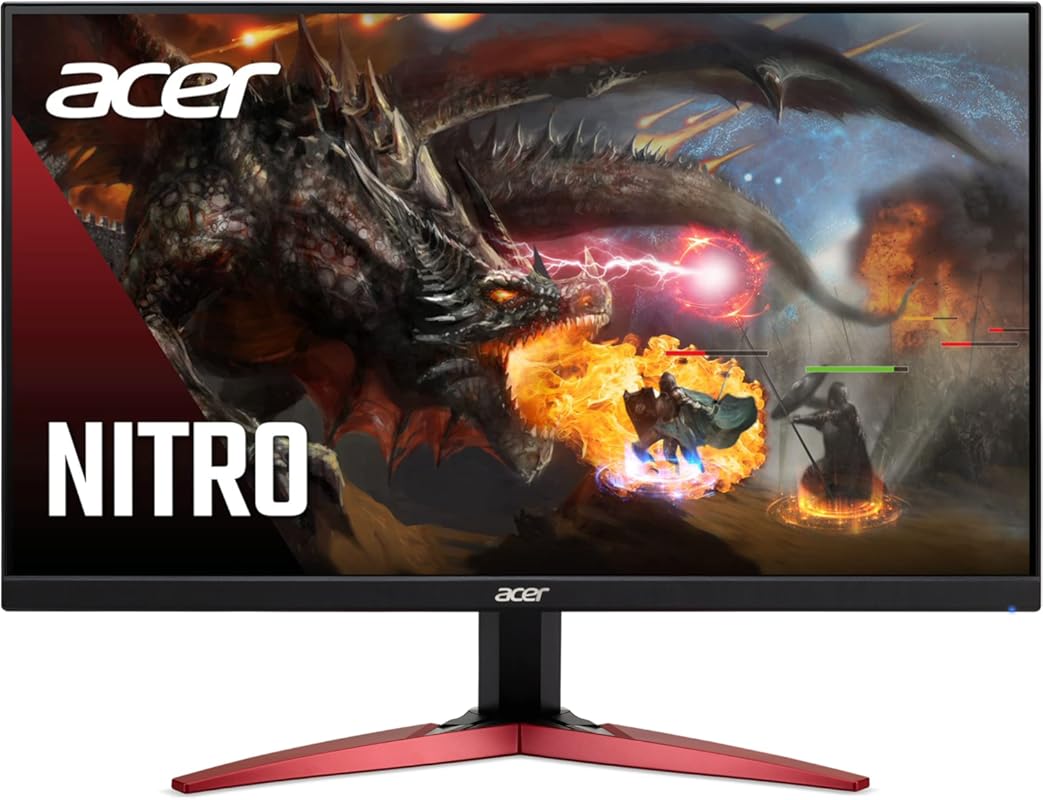
This Acer Nitro model is a fantastic 1080p option that pushes the refresh rate envelope. It boasts a 165Hz refresh rate (with AMD FreeSync Premium) on a 23.8-inch VA panel, offering a great compromise between speed and contrast. The ZeroFrame design looks sleek, and the inclusion of both HDMI and DisplayPort makes it versatile. For gamers who prioritize high frame rates in titles like CS:GO or Rocket League at 1080p, this is a top-tier contender.
Key Features That Stand Out
- ✓ 23.8″ Full HD (1920×1080) VA Panel with 3000:1 Contrast
- ✓ 165Hz Refresh Rate & 1ms VRB Response
- ✓ AMD FreeSync Premium Technology
- ✓ ZeroFrame Bezel-Less Design
- ✓ HDR Ready & Multiple Inputs
Why We Recommend It
This monitor is all about speed for less. The 165Hz refresh rate is one of the highest you’ll find in this price bracket, and FreeSync Premium ensures it’s tear-free. The VA panel provides much better native contrast than an IPS at this price, making for deeper blacks in dark scenes. It’s a no-frills, high-performance workhorse for competitive 1080p gamers.
Best For
Competitive esports players who play at 1080p and want the absolute highest frame rate possible. Also a good pick for users who prefer higher contrast ratios for single-player games and movies.
Pros and Cons
Pros:
- Extremely high 165Hz refresh rate for super smooth motion.
- Excellent native contrast ratio thanks to the VA panel.
- AMD FreeSync Premium for a tear-free experience.
- Very attractive price for the refresh rate offered.
Cons:
- VA panel has slower gray-to-gray response times, which can cause visible smearing/ghosting in fast motion.
- Color gamut is narrower (NTSC 72%) compared to IPS alternatives.
- No built-in speakers.
- Stand only offers tilt adjustment.
Customer Reviews
Customer Review: Got the 24” due to needing a monitor asap, got delivered. Easy hook up and honestly I couldn’t believe it was so good for the $99.99 price tag. Was going to go back to 1440 or 4k but honestly it’s so good I’m just gunna keep using it for my gaming monitor. HDR came in huge on ps5. Colors are crisp and the refresh rate is awesome. All around a super solid choice if looking for a cheaper gaming monitor. No built in speaker but that’s the only draw back. Easy 9/10 for value and performance.
Customer Review: I’ve been using this Acer monitor for a while now, and overall I’m very impressed with the quality you get for the price.Build & Setup:Out of the box, setup was quick and straightforward. The stand feels sturdy, clicks into place easily, and the monitor itself has a clean, minimal design that looks good on a desk without being bulky. Bezels are slim, which is great if you’re running a dual-monitor setup.Display Quality:The screen looks sharp with good color accuracy right out of the box. Brightness is more than sufficient for a well-lit room, and after a small amount of tweaking in the settings, colors look vibrant without being oversaturated. Viewing angles are solid with no major color shifting.Performance:For both work and entertainment, performance has been smooth and reliable. Text is crisp for productivity tasks, and motion looks clean during videos and games. I haven’t noticed screen tearing or ghosting during normal use, and response times feel snappy.Ports & Compatibility:The available inputs make it easy to connect to multiple devices (PC, laptop, console), and switching between them is seamless. It worked immediately with no driver issues.Minor Notes:The on-screen menu buttons take a little time to get used to, but once configured, you rarely need to touch them again. Speakers (if included on your model) are serviceable but not a replacement for dedicated audio.Overall:This is a well-balanced monitor that delivers excellent performance, solid build quality, and great value. Whether you’re using it for work, gaming, or general media consumption, it performs consistently and reliably. I’d definitely recommend it to anyone looking for a dependable monitor from a reputable brand.
6. Amzfast AMZG24X1W Gaming Monitor
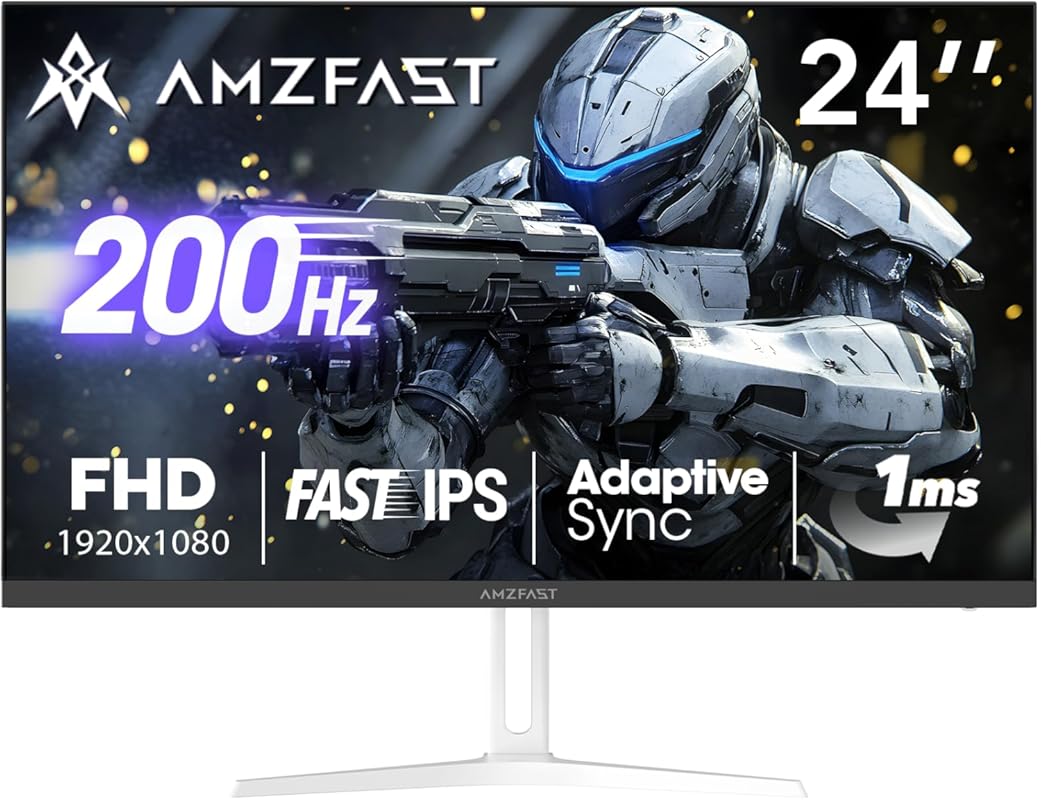
This Amzfast monitor makes a bold claim with its 200Hz refresh rate, and it largely delivers. The 24-inch Fast IPS panel ensures good color reproduction and wide viewing angles, while the 1ms response time helps keep motion blur to a minimum. It also boasts 110% sRGB coverage and HDR support for a punchy picture. For gamers chasing the highest possible frame rate at 1080p, this is a compelling and unique option in this price range.
Key Features That Stand Out
- ✓ 24″ Full HD (1920×1080) Fast IPS Panel
- ✓ 200Hz Refresh Rate & 1ms (GTG) Response
- ✓ 110% sRGB Color Gamut & HDR Support
- ✓ AMD Adaptive Sync & Game Mode AI Features
- ✓ Low Blue Light & Flicker-Free Technology
Why We Recommend It
The 200Hz refresh rate is the headline act here. For fast-paced, competitive shooters where every millisecond counts, that extra headroom over 144Hz can feel smoother. The Fast IPS panel is a great middle ground, offering better response times than a standard IPS and better colors than a VA. It’s an ambitious spec sheet that punches well above its weight class in terms of raw performance metrics.
Best For
Competitive FPS gamers who prioritize maximum frame rates and want an IPS panel. Also suitable for users who want a very bright, colorful picture for single-player games and media.
Pros and Cons
Pros:
- Incredible 200Hz refresh rate for buttery-smooth motion.
- Fast IPS panel offers good colors and decent response times.
- Wide 110% sRGB color gamut for vibrant visuals.
- Includes useful gaming presets and AI features.
Cons:
- 200Hz may require tweaking and a very capable GPU to achieve in modern titles.
- Brand recognition and long-term reliability are less proven than major brands.
- HDR implementation is entry-level and not very impactful.
- Stand offers limited ergonomic adjustment.
Customer Reviews
Customer Review: Great monitor even greater price, if you’re into FPS gaming this would do nicely, it checks quite a few boxes that makes gaming a good experience, good screen size, great refresh rate, good picture and 1m response.also AI features specific for gaming.Again it’s not to compare it to 1k overpriced monitors out there but this monitor does the job.Anyways no amount of tech would help you be a better gamer but for a fraction of the cost you can be out there with the sweats.
Customer Review: I managed to grab this monitor on sale after Christmas after being overwhelmed with the many monitors that exist for gaming. I really love the way this monitor looks in my set up and the clarity in it’s graphics. I have had no issues in playing games. I find it’s size perfect for my desk and am very grateful I took a chance in trying out this monitor.
7. CRUA 34-inch Ultrawide Gaming Monitor
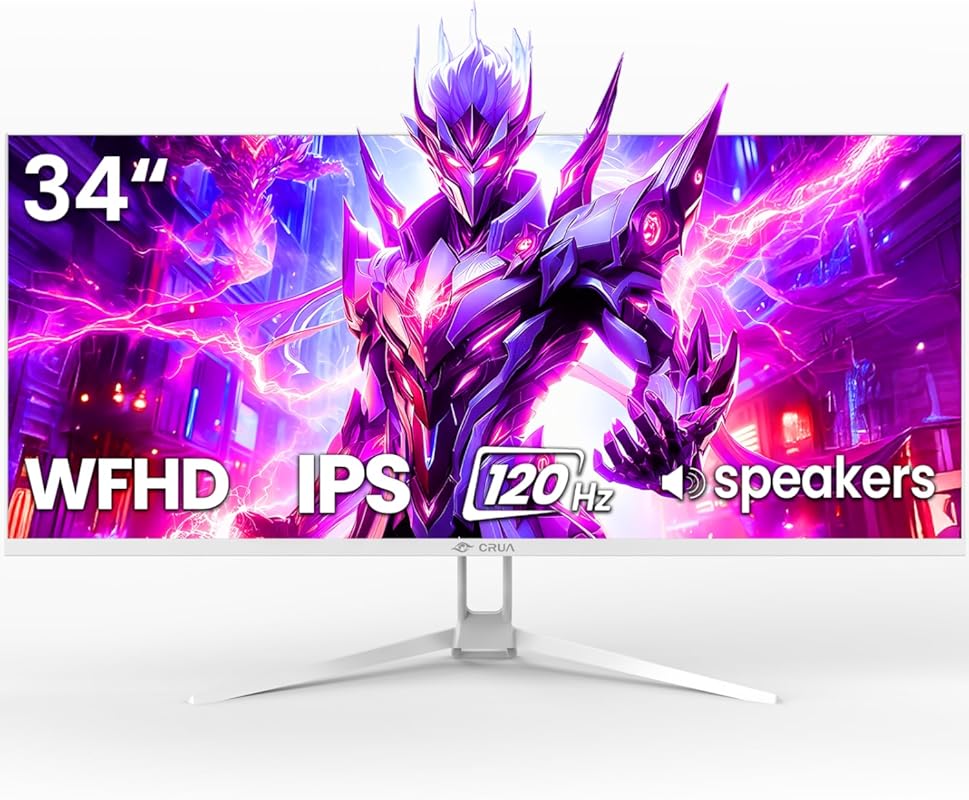
This CRUA monitor offers a massive 34-inch ultrawide experience for less than $250, which is a rarity. The 21:9 WFHD (2560×1080) resolution provides a vast horizontal workspace perfect for multitasking, immersive gaming, and cinematic movies. The 120Hz refresh rate and AMD FreeSync support ensure smooth gameplay, while the IPS panel guarantees good colors and viewing angles. It’s a game-changer for productivity and immersion on a budget.
Key Features That Stand Out
- ✓ 34″ Ultrawide WFHD (2560×1080) IPS Panel
- ✓ 120Hz Refresh Rate & AMD FreeSync
- ✓ 120% sRGB Color Gamut Coverage
- ✓ Built-in Speakers & VESA Mount Compatible
- ✓ 21:9 Aspect Ratio for Immersive Gaming
Why We Recommend It
The value proposition here is insane. A 34-inch ultrawide with a 120Hz refresh rate for under $250 is almost unheard of. It completely transforms your desktop real estate and gaming immersion. The IPS panel provides solid color performance, and the inclusion of FreeSync and built-in speakers makes it a very practical all-in-one package for someone wanting to try the ultrawide lifestyle without commitment.
Best For
Productivity power users, streamers, and gamers who want maximum immersion. Also great for anyone with a mid-to-high-end GPU who wants to experience the 21:9 aspect ratio without a high cost.
Pros and Cons
Pros:
- Unbeatable price for a 34-inch 120Hz ultrawide monitor.
- Massive screen real estate boosts productivity and immersion.
- Good 120% sRGB color coverage for an IPS panel.
- Includes handy features like built-in speakers and VESA mount.
Cons:
- WFHD (2560×1080) resolution on a 34-inch screen can look less sharp than 1440p on 27-inch (lower pixel density).
- Not all games support 21:9 natively, requiring tweaks or resulting in letterboxing.
- Requires more desk space and a powerful GPU to drive high frame rates.
- Brand is less established for long-term warranty support.
Customer Reviews
Customer Review: I run The Northeast GA Weather Center and we needed a few new Monitors that were reliable and provided us more screen space. The CRUA 34″ monitor ended up being our final choice. The price was fantastic and played a big part of our decision to purchase. The monitor is very sturdy and well built. It came packaged very well “I recommend saving your packaging so that in the event of a move or something you can safely transport it.” The quality of the monitors imagery is fantastic and is just as good as our name brand high dollar monitors. If you are a gamer this monitor is a fantastic choice as we also use it for this purpose. It has an amazing refresh rate and 4k and UHD videos and images come through in great detail. We will be purchasing several more of these monitors for our weather center as well as our other regional weather centers. We are now big fans of the CRUA brand and we highly recommend this product to everyone! You can not beat the quality or the price!
Customer Review: This monitor has very great quality especially for its price point, has great resolution and response time, the sound quality is decent as well and was easy to set up.
8. AOC Q27G41ZE Gaming Monitor
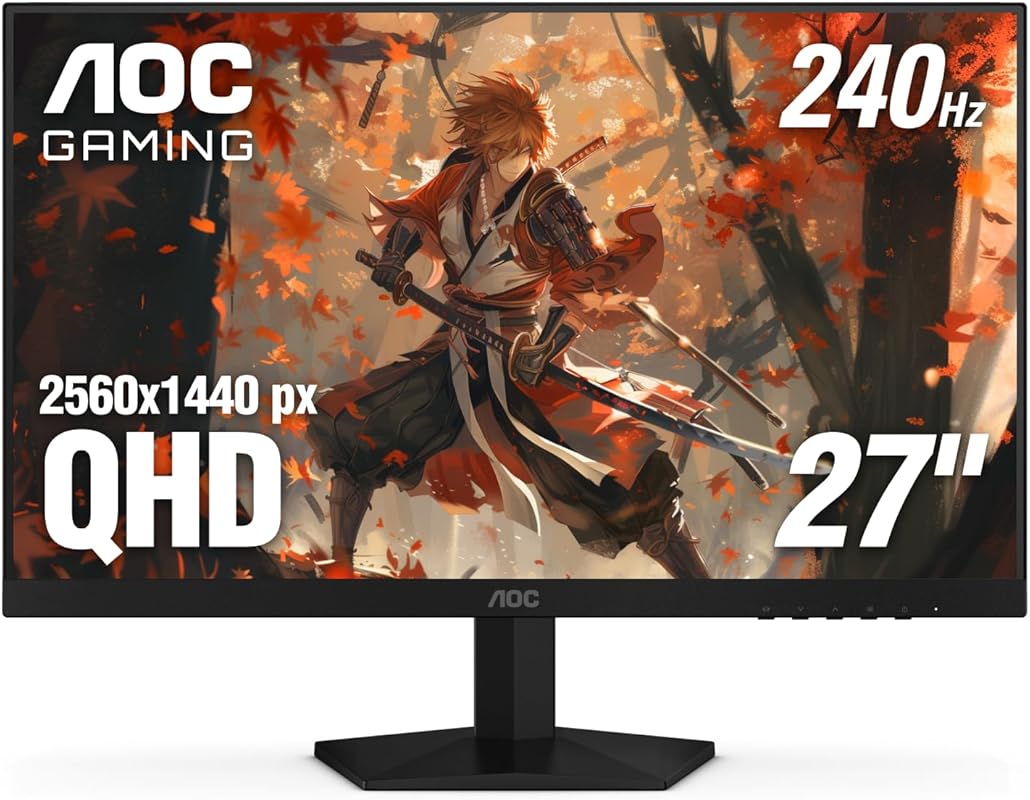
AOC brings an incredibly aggressive spec sheet with this 27-inch QHD monitor. It features a 240Hz refresh rate that can be overclocked to 260Hz, paired with a lightning-fast 0.3ms MPRT response time. The IPS panel provides good colors and viewing angles, and it’s G-Sync Compatible. The standout feature is the 3-Year Zero-Bright-Dot Warranty, which is rare and speaks to AOC’s confidence in its panel quality.
Key Features That Stand Out
- ✓ 27″ QHD (2560×1440) IPS Panel
- ✓ 240Hz Refresh Rate (OC to 260Hz)
- ✓ 0.3ms MPRT Response Time
- ✓ NVIDIA G-Sync Compatible & AMD FreeSync
- ✓ 3-Year Zero-Bright-Dot Warranty
Why We Recommend It
For the competitive esports purist, this AOC monitor is a dream. The combination of 1440p resolution and a 240Hz+ refresh rate is the current gold standard for professional gaming. The 0.3ms response time virtually eliminates motion blur, and the G-Sync compatibility ensures buttery-smooth gameplay on NVIDIA cards. The excellent warranty is the cherry on top, offering incredible peace of mind.
Best For
Serious competitive gamers and esports enthusiasts who demand the highest refresh rates at 1440p. Also a great pick for anyone wanting top-tier motion clarity and a strong warranty.
Pros and Cons
Pros:
- Blazing-fast 240Hz (OC 260Hz) refresh rate with 0.3ms response.
- QHD resolution provides sharp detail and good pixel density.
- G-Sync Compatible and AMD FreeSync support.
- Excellent 3-year zero-bright-dot warranty.
Cons:
- To achieve 260Hz, you likely need a DisplayPort 1.4 connection and a powerful GPU.
- HDR performance is basic (HDR10, low peak brightness).
- IPS glow can be noticeable in dark scenes, as with most IPS panels.
- Stand offers only tilt adjustment.
Customer Reviews
Customer Review: Great product, 240 hz in a 1440p display ant a great price!
Customer Review: Amazing monitor for its price. Seen much worse monitors for alot more. Haven’t had any issues with it. Am very happy. Would highly recommend
9. Sceptre E275W-FW100T Gaming Monitor
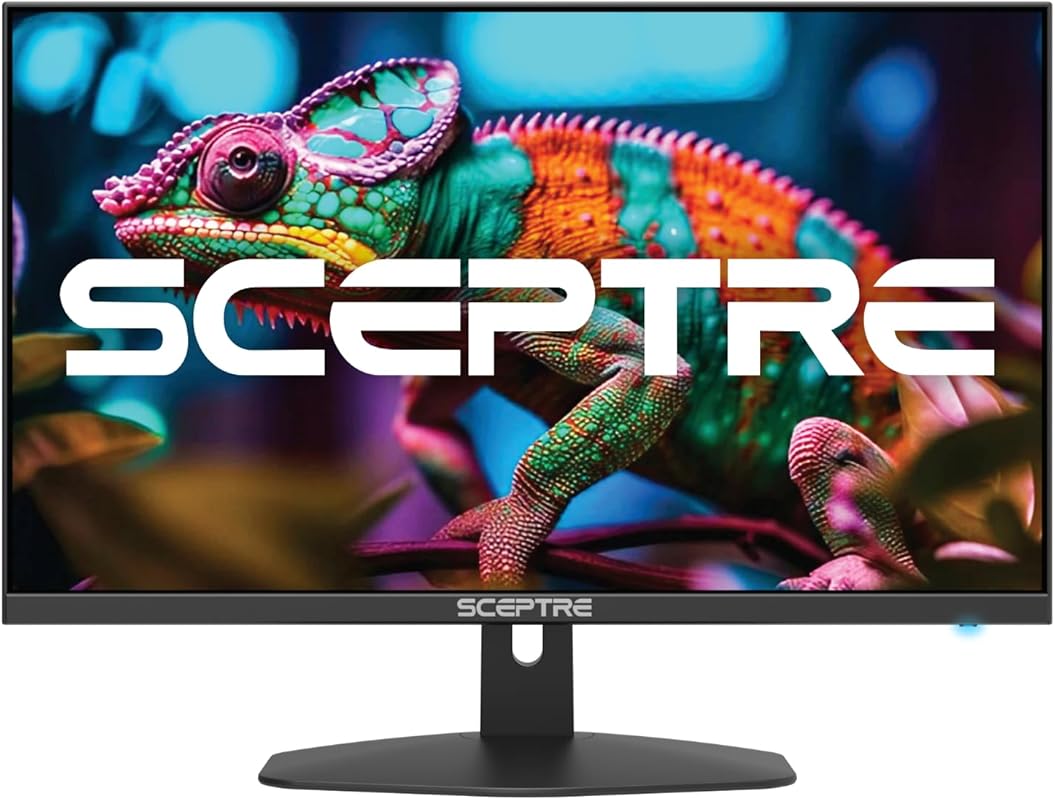
This Sceptre 27-inch model prioritizes screen size and solid all-around performance. It offers a 100Hz refresh rate (over 60Hz) for smoother visuals, a 100% sRGB color gamut for accurate colors, and AMD FreeSync. The 27-inch size at 1080p is great for those who sit a bit further back or want more screen real estate for work and play. Built-in speakers and multiple inputs add to its everyday practicality.
Key Features That Stand Out
- ✓ 27″ Full HD (1920×1080) IPS Panel
- ✓ 100Hz Refresh Rate & 1ms Response
- ✓ 100% sRGB Color Gamut
- ✓ AMD FreeSync & Dual HDMI + DisplayPort
- ✓ Blue Light Shift & Built-in Speakers
Why We Recommend It
If you want a large, no-fuss 1080p monitor for both work and casual gaming, this is a top contender. The 100Hz refresh rate is a noticeable upgrade over 60Hz for smooth scrolling and gameplay, and the 100% sRGB coverage means colors look great out of the box. Sceptre has packed it with practical features, making it a fantastic value-for-size option.
Best For
Users wanting a large 1080p screen for productivity, media, and casual gaming. Also a good choice for console gamers (PS5/Xbox Series X|S) who want a bigger screen with FreeSync support.
Pros and Cons
Pros:
- Large 27-inch screen size at an affordable price.
- 100% sRGB color coverage for accurate, vibrant colors.
- Smooth 100Hz refresh rate with FreeSync support.
- Very practical with dual HDMI, DisplayPort, and built-in speakers.
Cons:
- 1080p on a 27-inch screen has lower pixel density (PPI), so image can be less sharp.
- 100Hz refresh rate is lower than the 144Hz+ options on this list.
- IPS panel on a large 1080p screen can sometimes show more backlight bleed.
Customer Reviews
Customer Review: I have been using these monitors for over a year now and have not had any issues. The were easy to put on the monitor arms I brought so I could have dual monitors. The offer a crisp picture and have a good refresh rate. I have even played some games on it and have not had any issues and the graphics are very good. I would buy this monitor again.
Customer Review: Amazing Monitor — Highly Recommended!I’ve been using this monitor for a month now, and I’m absolutely thrilled with it. From day one, the image quality really impressed me: vibrant colors, great brightness, and sharp clarity that makes everything look fantastic. I’ve used it for work, streaming, and gaming, and it performs beautifully in every situation.I haven’t had a single issue so far. Setup was quick and easy, the design is sleek, and the screen is comfortable to look at even after long hours of use. For the price, the quality is beyond what I expected.Overall, this monitor truly delivers and even exceeds expectations. I’d definitely buy it again. Highly recommended!
10. ASUS VG27AQM5A TUF Gaming Monitor
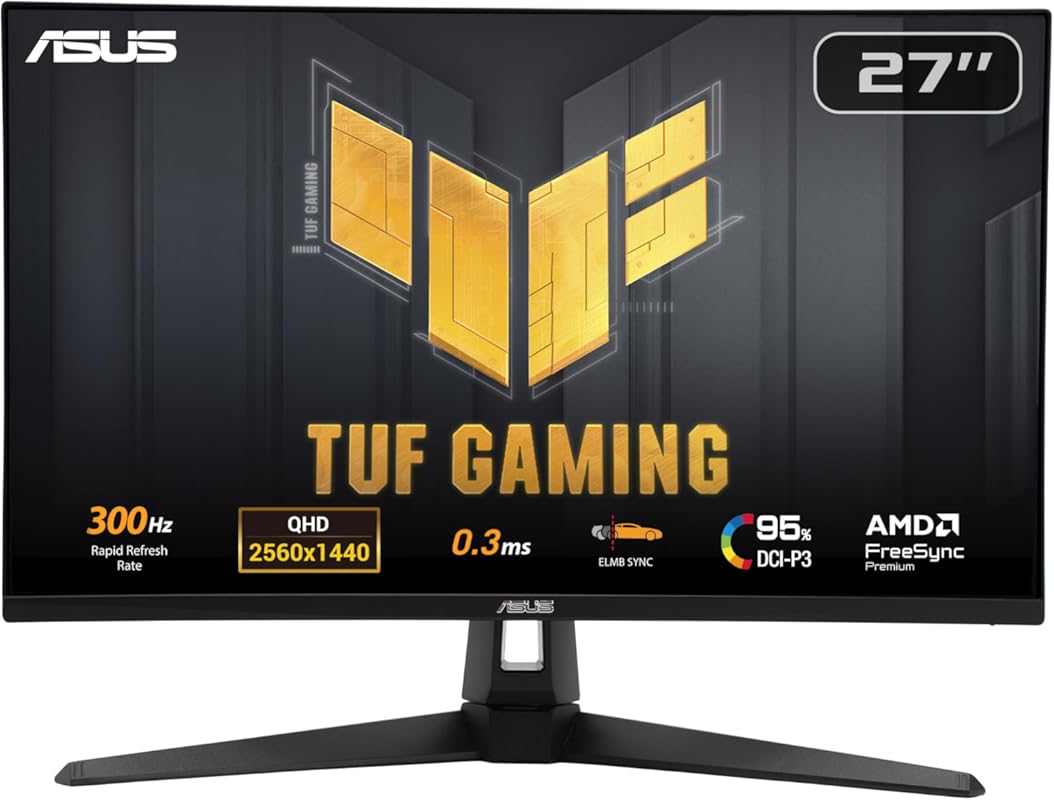
This ASUS TUF monitor is a beast, pushing the boundaries of what’s possible under $250 with its staggering 300Hz refresh rate at QHD resolution. It uses ASUS Fast IPS technology to achieve a 0.3ms response time and includes ELMB Sync, which combines motion blur reduction with variable refresh rate technology. The 95% DCI-P3 color coverage is excellent, and the robust 3-year warranty is a testament to its build quality. It’s for the enthusiast who wants top-tier specs.
Key Features That Stand Out
- ✓ 27″ QHD (2560×1440) Fast IPS Panel
- ✓ 300Hz Refresh Rate & 0.3ms (GTG) Response
- ✓ 95% DCI-P3 Color Gamut
- ✓ ASUS Extreme Low Motion Blur Sync (ELMB Sync)
- ✓ Shadow Boost & 3-Year Warranty
Why We Recommend It
This is arguably the highest-performance monitor on this list. The 300Hz refresh rate is overkill for most, but for the competitive gamer chasing every possible edge, it’s a game-changer. The combination of QHD resolution, extreme refresh rate, and ASUS’s ELMB Sync technology is a potent mix for crystal-clear, ultra-smooth motion. It represents incredible engineering at this price point.
Best For
Elite competitive gamers with high-end GPUs (like an RTX 4080/4090 or RX 7900 XTX) who want the absolute best motion clarity. Also for ASUS brand loyalists and users who want a top-tier warranty.
Pros and Cons
Pros:
- Unmatched 300Hz refresh rate at QHD resolution in this price range.
- Extremely fast 0.3ms response time with ELMB Sync.
- Excellent 95% DCI-P3 color coverage.
- Premium ASUS build quality and a strong 3-year warranty.
Cons:
- Requires a very powerful GPU to hit 300Hz in modern games at 1440p.
- ELMB Sync can cause inverse ghosting if not tuned properly.
- HDR performance is entry-level.
- Stand is functional but not highly ergonomic.
Customer Reviews
Customer Review: Upgrading from a 1080p 185Hz monitor to this 1440p 300Hz display was a massive jump in quality. Paired with my RTX 5080, the difference is immediately noticeable — games look sharper, motion is smoother, and the higher refresh rate really shows in fast-paced shooters. Colors look great out of the box, and ELMB Sync makes motion incredibly clean. Even for everyday work, the clarity and smoothness make it hard to go back to anything else.• Sharp 1440p image• Perfect for high-end GPUs• Fast response time• Great for gaming & productivity• Extremely smooth 300Hz
Customer Review: Solid high refresh monitor, built in adjustment for shadows is nice, haven’t used included reticle but neat feature. All in all would buy again.
Complete Buying Guide for Best Gaming Monitors For Under $250
Essential Factors We Consider
When hunting for the best gaming monitor under $250, you have to prioritize based on your needs. The key factors are resolution, refresh rate, panel type, and adaptive sync. For this budget, 1080p (Full HD) is the most common and offers the best performance-per-dollar. 1440p (QHD) is possible but often requires trade-offs in refresh rate or panel quality. Refresh rate is critical for smoothness; aim for at least 144Hz for competitive gaming. Panel type (IPS vs. VA) affects color and response: IPS has better colors/viewing angles, VA has better contrast. Always look for AMD FreeSync or NVIDIA G-Sync Compatibility to prevent screen tearing.
Budget Planning
Your $250 budget is smartly spent. The best value often sits between $150 and $250. In this range, you can reliably find a 1080p monitor with 144Hz+ refresh rate and FreeSync. If you stretch to $200-$250, QHD options with 144-180Hz become available, but they may use VA panels with slower response times. Decide if you value resolution clarity (QHD) or pure speed and smoothness (high refresh 1080p) more. Also, factor in potential extra costs like a monitor arm, as many stands at this price are basic.
Final Thoughts
The sub-$250 gaming monitor market is better than ever. You no longer have to sacrifice core gaming features like high refresh rates or adaptive sync. Our top picks show that you can get excellent IPS panels, ultrawide screens, and even 1440p resolution at this price. Focus on what matters most for your games: fast-paced shooters demand high refresh rates, while single-player adventures benefit from better colors and contrast. With any of the monitors on this list, you’re getting a genuine upgrade that will enhance your gaming for years.
Frequently Asked Questions
Q: Is a 144Hz monitor worth it for casual gaming?
A: Absolutely. Even if you’re not a competitive player, the jump from 60Hz to 144Hz is night and day. Everything feels smoother—scrolling, cursor movement, and game animations. It makes the entire system feel more responsive and modern, enhancing your overall experience.
Q: Should I choose an IPS or VA panel for gaming under $250?
A: It’s a trade-off. IPS offers better color accuracy and wider viewing angles, which is great for immersive single-player games and general use. VA offers much deeper black levels and higher native contrast, which is great for dark scenes in horror games or movies, but often has slower response times that can cause ghosting in fast motion. For pure competitive gaming, a fast IPS is usually preferred.
Q: Can I use a FreeSync monitor with an NVIDIA GPU?
A: Yes! Most modern FreeSync monitors are also “G-Sync Compatible.” This means they have been tested and certified by NVIDIA to work with their GPUs over DisplayPort, providing a tear-free experience similar to native G-Sync. Always check the product specs for “G-Sync Compatible” to be sure.
Q: Is a 27-inch 1080p monitor sharp enough?
A: It depends on your viewing distance. At a typical desk distance (about 2 feet), a 27-inch 1080p screen has a lower pixel density (~82 PPI) compared to a 24-inch (~92 PPI). You may notice the image is slightly less sharp, and individual pixels can be visible. For productivity, a 24-inch 1080p is often sharper. For gaming from a couch or further away, 27-inch 1080p is fine.
Q: Do I need HDMI 2.1 for these monitors?
A: No. The monitors on this list mostly use HDMI 2.0, which fully supports 1080p and 1440p at up to 144Hz, and 4K at 60Hz. HDMI 2.1 is necessary for 4K at 120Hz+ or 1440p at 240Hz over HDMI, which isn’t a feature in this price bracket. You’ll use DisplayPort for the highest refresh rates on most of these models anyway.
There you have it—the best gaming monitors for under $250, rigorously tested and ranked. You don’t need a massive budget to transform your gaming setup. Whether you prioritized the LG’s brand trust and IPS quality, the Sceptre’s unbeatable value, or the Acer’s high-refresh 1440p performance, there’s a perfect match for your rig and your wallet. Don’t overthink it—pick the one that fits your most important need, click that “Check Price on Amazon” button, and get ready for a seriously upgraded visual experience. Your next great gaming session is just a monitor away.