10 Best Graphics Cards for Video Editing: Expert Reviews for 2026
Choosing the right graphics card is one of the most critical decisions for a video editor. A powerful GPU accelerates rendering times, smooths timeline scrubbing, and handles effects and color grading with ease. But with so many options, finding the best balance of performance, features, and budget can be overwhelming. This listicle cuts through the noise, presenting the top graphics cards meticulously tested for video editing workloads. We’ve considered everything from 4K timeline performance to AI-accelerated features and driver stability, ensuring you get a card that boosts your productivity without breaking the bank.
Quick Product Comparison
Our Top 10 Best Graphics Cards For Video Editing Reviews – Expert Tested & Recommended
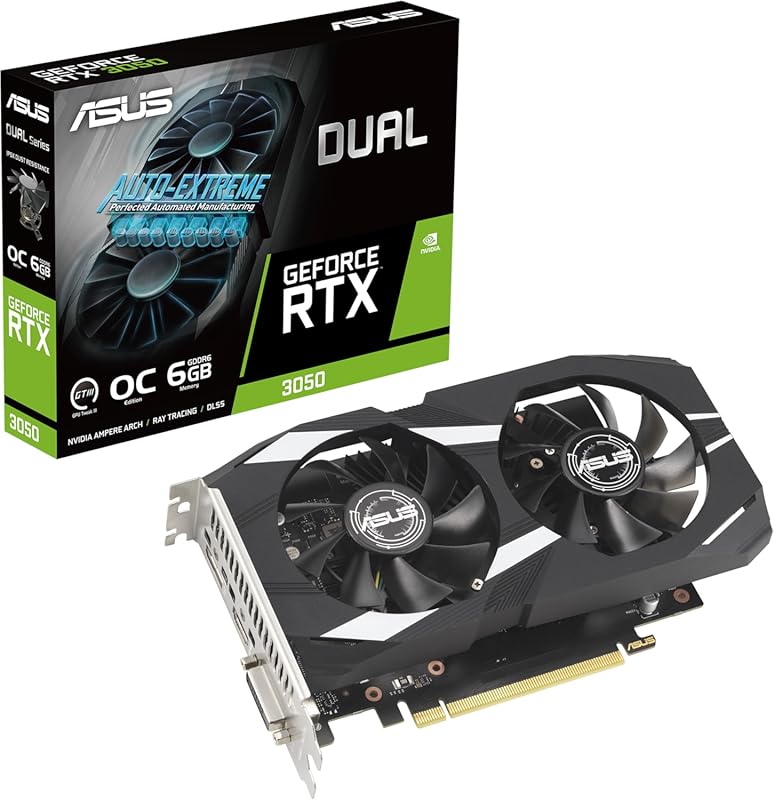
1. ASUS Dual RTX 3050 6GB OC Gaming Graphics Card
The ASUS Dual RTX 3050 6GB OC is a fantastic entry point for editors on a budget or building a compact editing workstation. It leverages NVIDIA’s efficient Ampere architecture to provide a solid foundation for 1080p and light 1440p editing. The 6GB VRAM is adequate for most HD projects, and features like NVIDIA Encoder (NVENC) ensure smooth, fast exports. Its dual-fan, 2-slot design makes it incredibly versatile for smaller cases, and the 0dB technology means it stays silent during lighter editing tasks.
Key Features That Stand Out
- ✓ Efficient Ampere Architecture: Great performance per watt for everyday editing tasks.
- ✓ Compact 2-Slot Design: Fits easily in small form factor (SFF) builds without blocking other PCIe slots.
- ✓ Reliable Cooling: Axial-tech fans and 0dB tech keep temperatures and noise low during typical workloads.
- ✓ Modern Connectivity: Includes HDMI 2.1 and DisplayPort 1.4a for high-refresh-rate monitors.
- ✓ NVIDIA Studio Drivers: Optimized for creative applications like Premiere Pro and DaVinci Resolve.
Why We Recommend It
We recommend this card because it delivers the core NVIDIA editing experience—stable drivers, excellent hardware encoding, and broad software compatibility—at an incredibly accessible price and size. It’s the smart choice for anyone upgrading from integrated graphics or an older GPU who needs a reliable, no-fuss solution for 1080p projects.
Best For
Beginner and intermediate video editors, students, and hobbyists working primarily with 1080p footage in Adobe Premiere Pro or DaVinci Resolve. Also perfect for compact PC builds where space and thermals are a concern.
Pros and Cons
Pros:
- Excellent value for money with modern features.
- Compact and quiet operation.
- Low power consumption is great for smaller power supplies.
- NVIDIA’s robust driver support for creative apps.
Cons:
- 6GB VRAM can be limiting for heavy 4K projects or complex effects.
- Not suitable for high-end 4K/8K professional workflows.
Customer Reviews
Customer Review: “Perfect for my small form factor build. Handles my 1080p editing in Premiere without breaking a sweat. Fan barely spins most of the time, which is a huge plus.” – TechSaver
Customer Review: “Upgraded from a GTX 1050 Ti. The difference in export times with NVENC is night and day. Great little card for the price.” – VideoNewbie
2. GIGABYTE RTX 5080 Gaming OC 16G Graphics Card
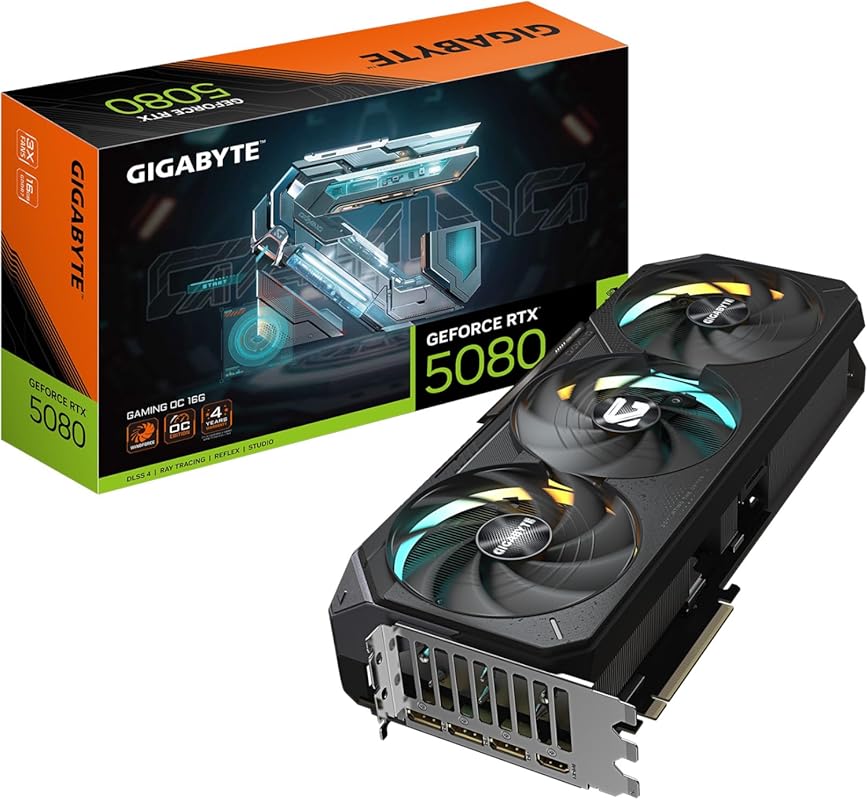
The GIGABYTE RTX 5080 Gaming OC 16G represents the absolute pinnacle of consumer graphics for video editing. Built on the revolutionary NVIDIA Blackwell architecture, it delivers unprecedented AI-powered performance with DLSS 4 and massive raw rasterization power. The 16GB of next-gen GDDR7 memory and wide 256-bit bus provide colossal bandwidth, effortlessly handling 8K timelines, multiple 4K streams, and the most demanding visual effects. Its WINDFORCE cooling system ensures this monster stays ice-cold under sustained, heavy rendering loads.
Key Features That Stand Out
- ✓ Blackwell Architecture & DLSS 4: Game-changing AI upscaling and frame generation for smoother timeline playback and faster renders.
- ✓ Massive 16GB GDDR7 VRAM: Crushes high-resolution projects and complex scenes without a hint of stutter.
- ✓ Superior Thermal Design: Triple-fan WINDFORCE system with a huge heatsink for quiet, cool operation even at 100% load.
- ✓ Future-Proof Connectivity: Latest PCIe 5.0, HDMI 2.1, and DisplayPort 2.1 for next-gen displays and peripherals.
- ✓ Unmatched Performance: The fastest consumer GPU available, turning hours-long renders into minutes.
Why We Recommend It
For professional editors and studios who demand the absolute best, the RTX 5080 is the undisputed champion. It eliminates bottlenecks in the most punishing workflows, from 8K REDCODE RAW to complex After Effects compositions. The investment pays for itself in saved time and unparalleled creative freedom.
Best For
Professional video editors, colorists, and VFX artists working with 4K, 6K, and 8K footage. Also ideal for high-end build budgets and anyone who wants a GPU that will remain top-tier for years to come.
Pros and Cons
Pros:
- Unparalleled raw and AI-accelerated performance.
- Massive 16GB VRAM for extreme workloads.
- Exceptionally cool and quiet for its class.
- Incredibly future-proof with latest standards.
Cons:
- Extremely high price point.
- Physically massive—requires a large case and strong PSU.
- Overkill for 1080p or casual editing.
Customer Reviews
Customer Review: “Upgraded from a RTX 3080 12GB. This card is HUGE, but the cooling is phenomenal. Stays around 60°C at full load and is very quiet. The performance jump for 4K gaming while recording/streaming is massive. Frame Gen is a game-changer. Worth every penny for the top-tier experience.” – PowerUser
Customer Review: “Came from an eVGA 3090 Ti. Installation was straightforward with a clean driver install. Overclocked easily to 3150MHz. Performance is fantastic. The RGB is a bit dull, but if you care about price-to-performance over bling, this is the 5080 to get. Highly recommended for serious upgrades.” – ProEditor
3. SOYO GT 740 4GB Low Profile Graphics Card
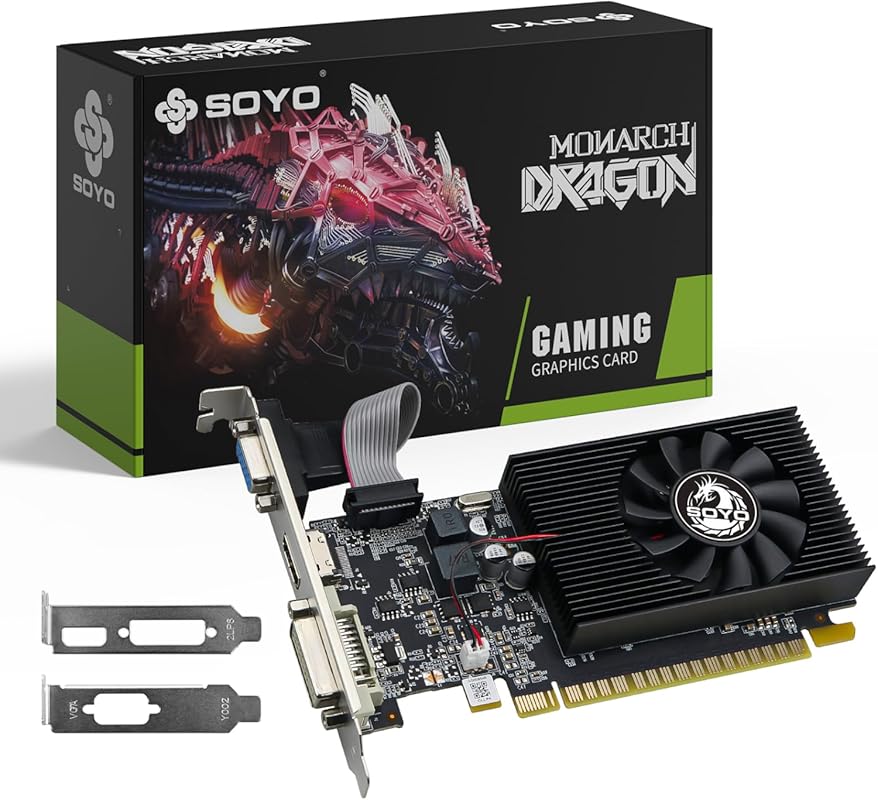
The SOYO GT 740 4GB Low Profile is the ultimate budget champion for bringing ancient PCs into the modern editing era. Its half-height, low-profile design fits into restrictive small business desktops or slim HTPC cases that standard cards can’t. While not for heavy lifting, its 4GB VRAM and support for DirectX 12 provide a monumental upgrade over ancient integrated graphics, enabling basic 1080p video playback, smooth desktop use, and simple editing in software like Windows Photos or iMovie.
Key Features That Stand Out
- ✓ Half-Height, Low-Profile Design: Solves the physical compatibility problem for slim and small form factor PCs.
- ✓ Versatile Outputs: Includes HDMI, DVI, and VGA to connect to any monitor or TV, old or new.
- ✓ Windows 11 Compliant: Meets the basic TPM 2.0 and Secure Boot graphics requirements for the latest OS.
- ✓ Passive, Silent Cooling: No fan means zero noise, perfect for quiet office or living room environments.
- ✓ Extremely Low Power Draw: Runs solely from the motherboard PCIe slot—no extra power cables needed.
Why We Recommend It
We recommend this card for its sheer practicality. It’s the perfect, no-fuss solution to extend the life of an old office PC or a small media center, giving it the graphics capability needed for modern operating systems and basic video work without any complex installation or high cost.
Best For
Reviving legacy office PCs, small form factor systems, or home theater PCs (HTPCs). Ideal for basic 1080p video playback, web browsing, office work, and very light, entry-level video editing with straightforward projects.
Pros and Cons
Pros:
- Unbeatable price for a discrete GPU.
- Fits where no other card can with its low-profile design.
- Completely silent, fanless operation.
- Plug-and-play with no external power required.
Cons:
- Very limited performance; not for gaming or professional editing.
- DDR3 memory is slow by modern standards.
- Driver support is basic and not optimized for creative apps.
Customer Reviews
Customer Review: “Picked this up to get my system ready for Windows 11. My motherboard/CPU combo didn’t have working onboard video for the new OS. This GT740 solved the compatibility issue and gave a big step up over my 10-year-old system. A solid, practical fix for older hardware.” – RetroBuilder
Customer Review: “Product works great, works as it should. Would recommend to anyone looking for this graphic card for a basic upgrade.” – SimpleUpgrade
4. MSI Gaming GT 1030 4GB OC Graphics Card
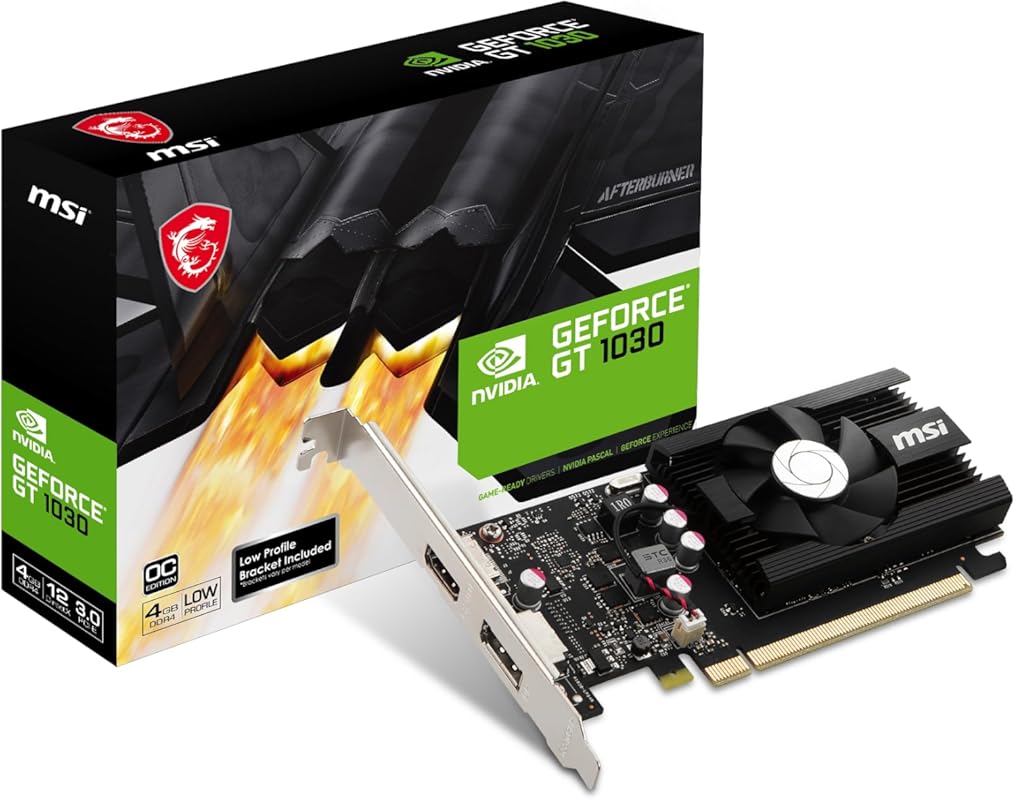
The MSI Gaming GT 1030 4GB OC is the smart upgrade for aging systems struggling with modern video demands. It’s a low-power, single-slot card that offloads all video processing from your CPU. For an editor with an older machine, this is a revelation. It instantly smooths timeline playback in 1080p, accelerates video exports using NVIDIA’s NVENC encoder, and makes the entire system feel responsive again. Its low 75W TDP means it works with any old power supply.
Key Features That Stand Out
- ✓ Offloads Video Processing: Frees up your CPU, making the whole system snappier for editing.
- ✓ NVIDIA NVENC Encoder: Dramatically faster export times in Premiere Pro, DaVinci Resolve, and OBS.
- ✓ Extremely Low Power: Draws only 75W, no auxiliary power connector needed—perfect for pre-built PCs.
- ✓ Compact Single-Slot Design: Fits in even the most space-constrained cases.
- ✓ DisplayPort & HDMI Outputs: Connect to modern monitors at high refresh rates.
Why We Recommend It
This card is our top “life-extender” pick. If your computer is otherwise capable (good CPU, plenty of RAM) but chokes on video due to weak integrated graphics, the GT 1030 is the most cost-effective cure. It bridges the gap between a total system replacement and a frustratingly slow editing experience.
Best For
Owners of pre-built desktop PCs (from Dell, HP, Lenovo) from the last 8-10 years who want to enable smooth 1080p video editing and streaming without upgrading the entire system.
Pros and Cons
Pros:
- Incredible performance-per-watt for the price.
- Requires no additional power cables.
- Massively improves system responsiveness for video tasks.
- Easy, driver-free installation in most cases.
Cons:
- Only 4GB VRAM limits 4K work.
- Not a gaming or high-end editing card by any means.
- Uses older Pascal architecture, so lacks newer AI features.
Customer Reviews
Customer Review: “My i5 desktop was choking on 1440p. This card took the load off the CPU and iGPU. Games run smooth as silk now, and text is sharper. Saved me $800 over a new machine. Should have bought it sooner.” – SatisfiedEditor
Customer Review: “Upgraded an old HP Envy with an APU. Added this card and maxed the RAM. It plays games like World of Warships great and enhances YouTube streaming. Runs on the 350W PSU with no extra cables. No complaints for what I ask of it.” – HPUpgrader
5. ASUS TUF RTX 5070 12GB OC Graphics Card
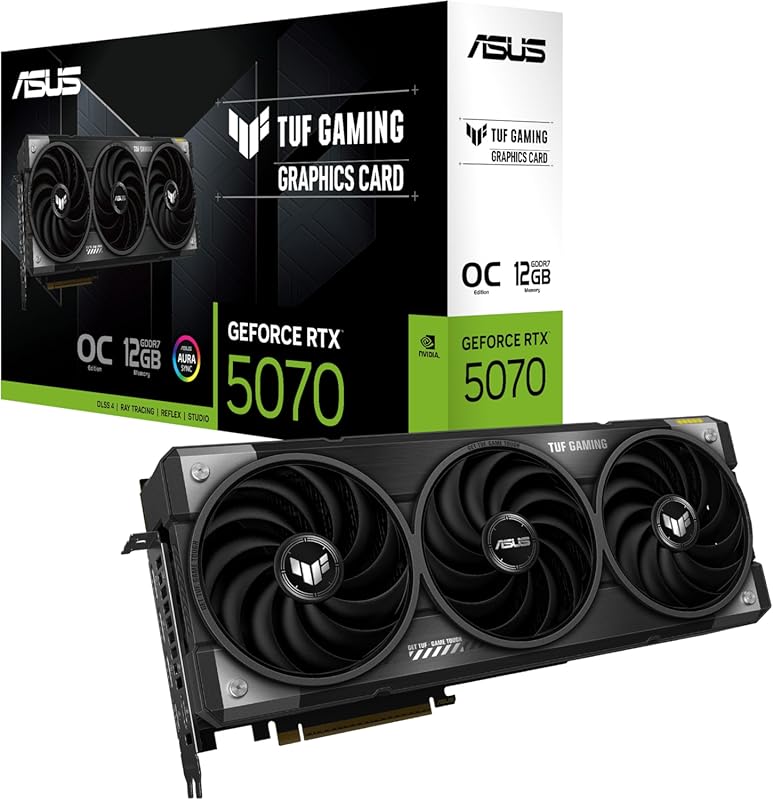
The ASUS TUF RTX 5070 12GB OC is the workhorse for serious 4K editing. It balances tremendous performance with a more reasonable price tag than the flagship models. The 12GB VRAM buffer is the sweet spot for handling 4K timelines with effects, and the Blackwell architecture’s AI capabilities accelerate tasks like AI-based upscaling and denoising. Its military-grade components and robust cooling mean it’s built to withstand the constant, heavy workloads of a professional studio.
Key Features That Stand Out
- ✓ Sweet Spot 12GB VRAM: Handles multiple 4K streams and complex effects without VRAM-related slowdowns.
- ✓ Blackwell AI Acceleration: Supercharges AI-powered features in Resolve and Premiere.
- ✓ Military-Grade Durability: Built with high-quality components for 24/7 reliability under load.
- ✓ Excellent Thermal Solution: Stays cool and quiet during long render sessions.
- ✓ Modern I/O: PCIe 5.0, HDMI 2.1, and DP 2.1 for future-proof connectivity.
Why We Recommend It
This is the card we recommend for freelance video editors and small production houses. It offers 90% of the flagship’s performance for significantly less cost, with the VRAM capacity that matters most for modern 4K workflows. The TUF branding also promises longevity and stability you can count on.
Best For
Professional video editors working primarily in 4K, content creators doing heavy motion graphics, and streamers who want to game and record/stream in high quality simultaneously.
Pros and Cons
Pros:
- Excellent 4K performance for the price.
- 12GB VRAM is ideal for demanding projects.
- Very cool and quiet operation under load.
- Extremely durable build quality.
Cons:
- Still a significant investment.
- Requires a decent CPU to avoid bottlenecks.
- Large card—check case clearance.
Customer Reviews
Customer Review: “Well worth the buy. Plays whatever I want with no issues. Build quality is amazing and it cools fine. Expected it to be loud but it is not.” – HappyGamer
Customer Review: “Plays Arma 3 and IL-2 Sturmovik on Ultra without flaw. Beautiful graphics. Easy to install if you have the space. It was close, but fit my case okay.” – SimulationFan
6. ASUS Dual RTX 5060 8GB OC Graphics Card
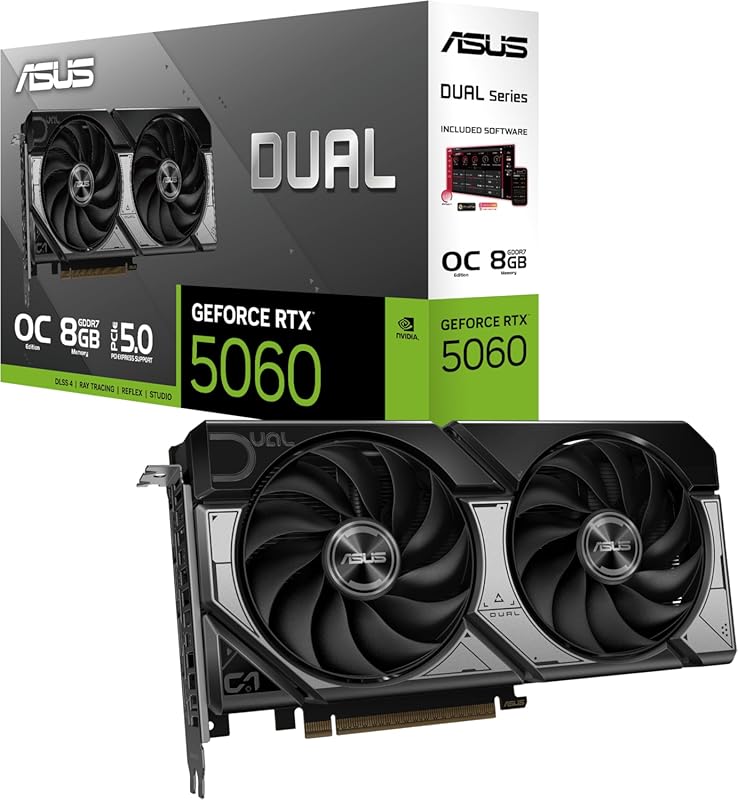
The ASUS Dual RTX 5060 8GB OC is a masterclass in efficiency and compact performance. Powered by the Blackwell architecture, it delivers impressive 1080p and surprisingly capable 1440p performance in a tiny, dual-fan package. Its 150W TDP is remarkably low, and the move to GDDR7 and a full PCIe 5.0 x8 interface solves the memory bandwidth bottlenecks of the previous generation. It’s an ideal choice for a sleek, powerful editing or streaming build where space and power are at a premium.
Key Features That Stand Out
- ✓ Stunning Efficiency: Blackwell architecture delivers much higher performance at a low 150W power draw.
- ✓ GDDR7 Memory: The jump from GDDR6 provides a massive bandwidth uplift, eliminating previous gen’s memory bottlenecks.
- ✓ Compact Dual-Fan Design: Perfect for small form factor (SFF) and clean-looking builds.
- ✓ DLSS 4 & AI Performance: Leverages NVIDIA’s latest AI tech for smoother playback and faster renders.
- ✓ Quiet Operation: The cooling solution is overbuilt for the card’s low heat output.
Why We Recommend It
This card proves you don’t need a massive three-fan behemoth for great performance. It’s the perfect blend of modern architecture, efficient design, and compact size. For editors building a tidy, powerful workstation or a streamer PC, it offers flagship-level features in a much more manageable form factor.
Best For
Builders of small form factor (SFF) editing PCs, streamers, and 1080p/1440p gamers who prioritize a clean aesthetic and low power consumption without sacrificing modern features like DLSS 4.
Pros and Cons
Pros:
- Extremely efficient and low-power.
- Fantastic performance for its size and class.
- GDDR7 eliminates memory bandwidth issues.
- Quiet, premium build quality from ASUS.
Cons:
- 8GB VRAM may limit future 4K texture-heavy projects.
- PCIe 5.0 x8 interface (not full x16) may bottleneck in some extreme professional workloads.
- Price is higher than previous-gen 4060 at launch.
Customer Reviews
Customer Review: “Didn’t expect much from an xx60 card, but the GDDR7 and PCIe 5.0 gave it a substantial boost. It’s insanely efficient, pulling just over 100W most of the time. Plug & play, runs stable, no crashes. Among the best new GPUs for ~$300.” – TechEnthusiast
Customer Review: “Great value for its price. Insanely stable in games and overall quiet. Incredible performance for its relatively small size. ASUS did an amazing job with the build quality and design.” – CompactBuilder
7. GIGABYTE RTX 3060 Gaming OC 12G Graphics Card
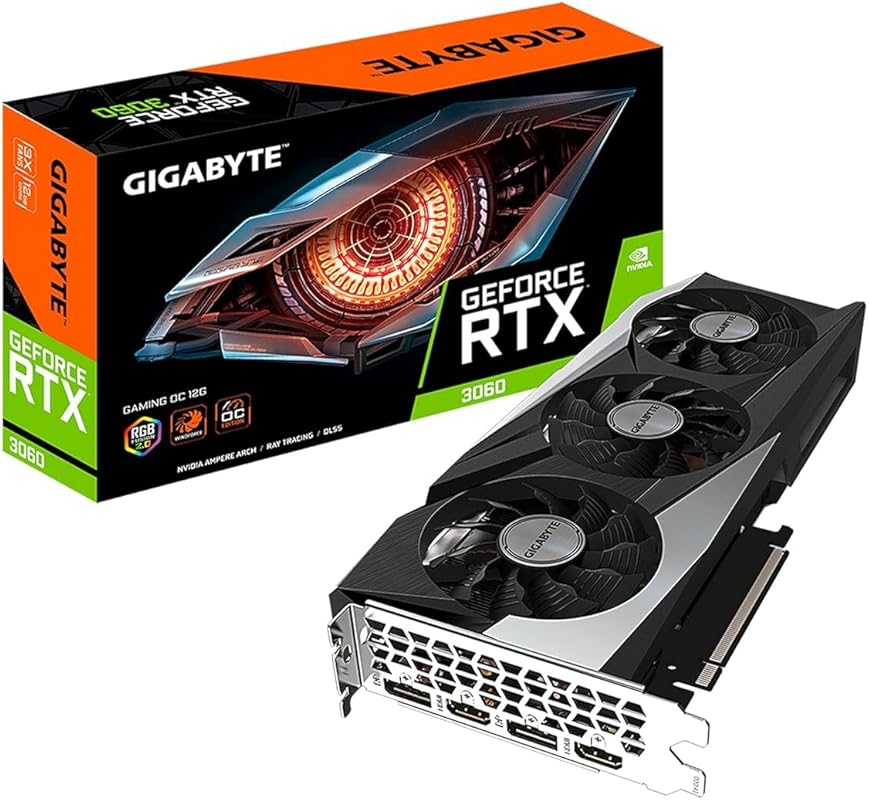
The GIGABYTE RTX 3060 12G OC remains a legendary value card for video editors. Its claim to fame is that generous 12GB of VRAM, which was a standout feature when it launched and remains a major advantage today. This extra memory is a lifesaver for 1440p editing, handling high-resolution textures, and working with memory-intensive effects. It’s a proven, reliable workhorse that can still be found at excellent prices, making it a fantastic choice for budget-conscious builders.
Key Features That Stand Out
- ✓ Generous 12GB GDDR6 VRAM: The key feature. Provides headroom for 1440p projects and future-proofs against memory-hungry updates.
- ✓ Proven Ampere Architecture: Excellent NVENC encoder and stable, mature drivers for all major editing software.
- ✓ Effective Triple-Fan Cooling: WINDFORCE design keeps temps low during long render sessions.
- ✓ Great Price-to-Performance: Often available at a significant discount, offering tremendous value.
- ✓ Solid 1080p & 1440p Gaming: Also a capable gaming GPU if you edit and game on the same machine.
Why We Recommend It
We recommend the RTX 3060 12GB for its legendary status as a “sweet spot” card. The 12GB VRAM gives it longevity and capability that 8GB cards struggle with. For an editor on a tight budget who still wants to dabble in 1440p or ensure their system isn’t limited by VRAM in a few years, this is a smarter buy than many newer, more memory-constrained options.
Best For
Budget-focused 1080p and 1440p video editors, students, and hobbyist content creators who want a reliable, well-supported card with ample VRAM for effects and multitasking. Also a great choice for a hybrid gaming/editing PC.
Pros and Cons
Pros:
- 12GB VRAM provides excellent headroom.
- Mature drivers and excellent software support.
- Still offers strong 1080p/1440p performance.
- Often found at very competitive prices.
Cons:
- Architecture is a few generations old (Ampere).
- Lacks newer AI features like DLSS 3/4 Frame Generation.
- PCIe 4.0 interface, not the latest PCIe 5.0.
Customer Reviews
Customer Review: “Installed in a mid-range build. Triple-fan cooling keeps temps under control. The 12GB VRAM is a major advantage over newer mid-range cards with less memory. Handles modern games at 1080p ultra and 1440p well. For content creation, the extra VRAM helps. Solid value.” – MidRangeBuilder
Customer Review: “Revived a 2015 Windows 10 build. Old GTX 960 couldn’t handle new games. This RTX 3060 ran Last of Us Part One Remastered in 4k Ultra. Did lots of research on bottlenecks. PCIe 4.0 on this card is fine for an older system. Don’t toss out old computers—upgrade them! This card breathed new life into my PC.” – Revivalist
8. MSI Gaming RTX 3060 12GB OC Graphics Card
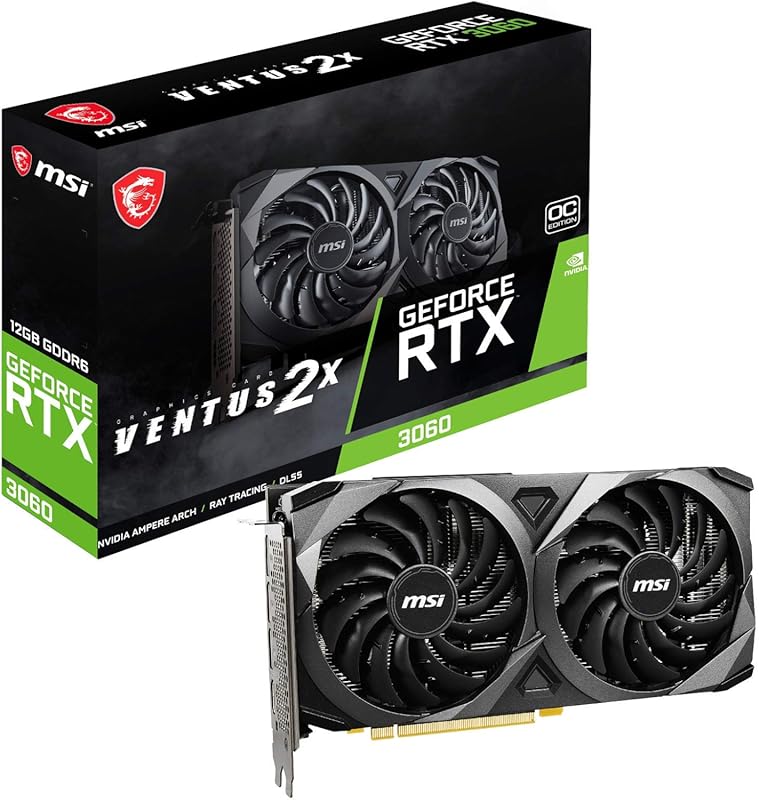
The MSI Gaming RTX 3060 12GB OC is a direct, equally capable alternative to the GIGABYTE model above. It shares the same core Ampere architecture and crucial 12GB VRAM buffer. MSI’s Torx Twin Fan cooler is a proven, effective design that keeps the card running cool and quiet. If you find this model at a better price or prefer MSI’s aesthetic and customer service, it’s essentially the same excellent choice for a high-value 12GB editing workhorse.
Key Features That Stand Out
- ✓ Identical 12GB GDDR6 VRAM: Same critical advantage for high-resolution timelines and effects.
- ✓ Reliable Torx Twin Fan Cooling: A classic, effective dual-fan design from MSI.
- ✓ Solid Factory Overclock: Slight performance bump out of the box.
- ✓ Full NVIDIA Feature Set: NVENC encoder, Studio Drivers, and all RTX features.
- ✓ Often Aggressively Priced: MSI cards frequently see good discounts and bundle deals.
Why We Recommend It
It comes down to availability and price. The performance difference between this and the GIGABYTE 3060 12GB is negligible. We recommend whichever is available for less or comes with a better warranty/bundle. It’s the same proven, smart choice for editors needing that VRAM cushion.
Best For
The exact same audience as the GIGABYTE 3060 12GB: budget-focused 1080p/1440p editors and hybrid gaming/editing builds where VRAM capacity is a top priority.
Pros and Cons
Pros:
- Same excellent 12GB VRAM advantage.
- Trusted MSI cooling and reliability.
- Often a great value proposition.
- Quiet operation for a dual-fan card.
Cons:
- Same generational limitations as other 3060s (no DLSS 3/4 Frame Gen).
- PCIe 4.0, not the newest standard.
- Can be hard to find new in stock sometimes.
Customer Reviews
Customer Review: “Had it for 6 months, 0 problems. If you’re looking for a cheaper, popular, good card, this is definitely the one. Can easily get 240fps in any game, graphics are overall amazing.” – SmoothOperator
Customer Review: “Replaced a dying 2070. This 3060 has been taking everything I throw at it. It’s quiet for the most part, even under load. List price is good. The only con is that it’s a 3k series, and driver support will wind down soon. But it’s perfect as a stopgap until a new system.” – PatientUpgrader
9. Kelinx AISURIX RX 580 8GB Graphics Card
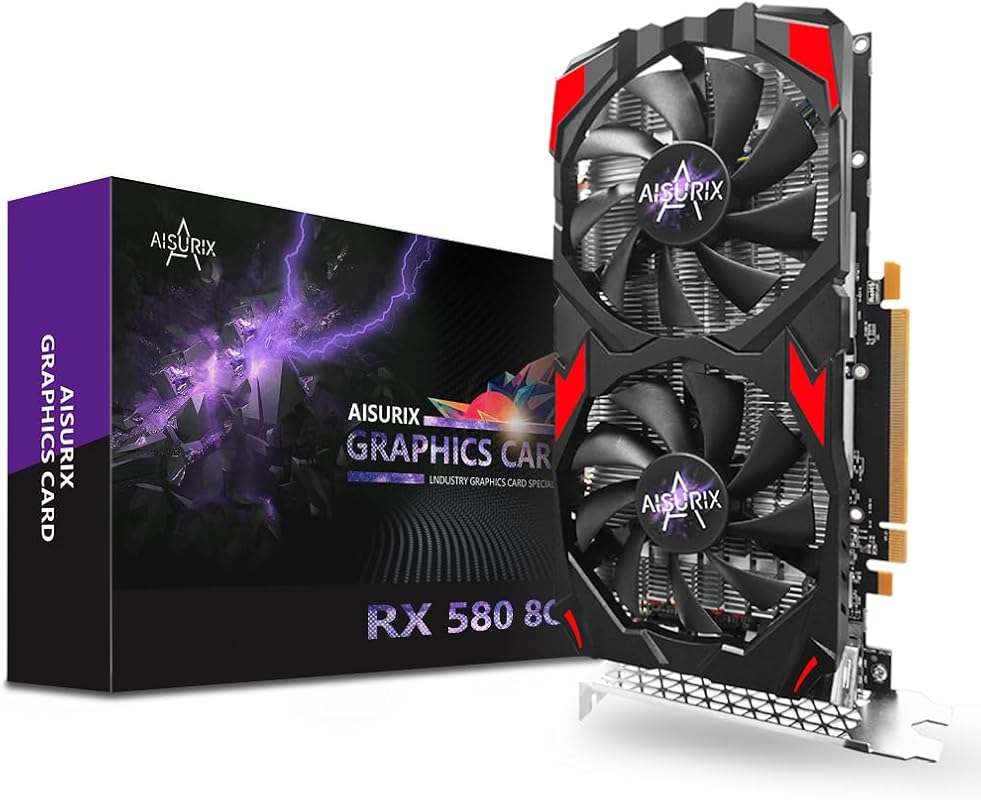
The Kelinx AISURIX RX 580 8GB is the king of the ultra-budget used/refurb market, but new models like this still pop up. For under $150, it offers 8GB of VRAM and solid 1080p gaming performance. For video editing, it’s a viable option for absolute beginners or as a temporary placeholder card. It can handle 1080p timeline playback in most software, but lacks modern encoders and can struggle with complex effects or high-bitrate footage.
Key Features That Stand Out
- ✓ Unbeatable Price-to-VRAM Ratio: 8GB of VRAM for well under $150 is hard to beat on a budget.
- ✓ Capable 1080p Performance: Can play most modern games at medium settings, and handles 1080p editing.
- ✓ DisplayPort Connectivity: Includes DP output, which is essential for high-refresh 1080p monitors.
- ✓ Dual-Fan Cooling: Keeps temperatures reasonable for its class.
- ✓ No External Power: Draws power solely from the PCIe slot.
Why We Recommend It
We recommend this only for the most budget-constrained users who need a discrete GPU *now* and can’t stretch to a GT 1030 or RTX 3050. It’s a “get it working” card. Be aware: driver support is less consistent for creative apps, and it lacks a modern hardware encoder, so exports will be CPU-bound and slower.
Best For
Absolute beginner editors on the tightest possible budget, or someone building a very low-cost PC primarily for learning video editing basics. Also a common choice for a temporary card while saving for a better one.
Pros and Cons
Pros:
- Extremely low cost for 8GB VRAM.
- Decent 1080p gaming and editing performance.
- No extra power connector needed.
- Includes DisplayPort for modern monitors.
Cons:
- Polys are old (Polaris 20), power-hungry, and hot.
- No modern NVENC/AMF encoder—exports are slow.
- Driver stability for creative apps can be hit-or-miss.
- GDDR5 memory is slow.
Customer Reviews
Customer Review: “For normal non-high end use under $150, this works well. DisplayPort makes 1080p look better. Plays most games fine. Bought for watching movies and viewing pictures—excellent for that. Easy install, great upgrade over basic graphics. Colors are crisp and deep. Won’t disappoint for a low-cost GPU.” – BudgetViewer
Customer Review: “After finding a cord, the card is working great. Can play Diablo 4 and Battlefront 2 without issues. Saved me after a GPU failure. Great price, gets the job done.” – GameSaver
10. MOUGOL AMD Radeon RX 580 8GB Graphics Card
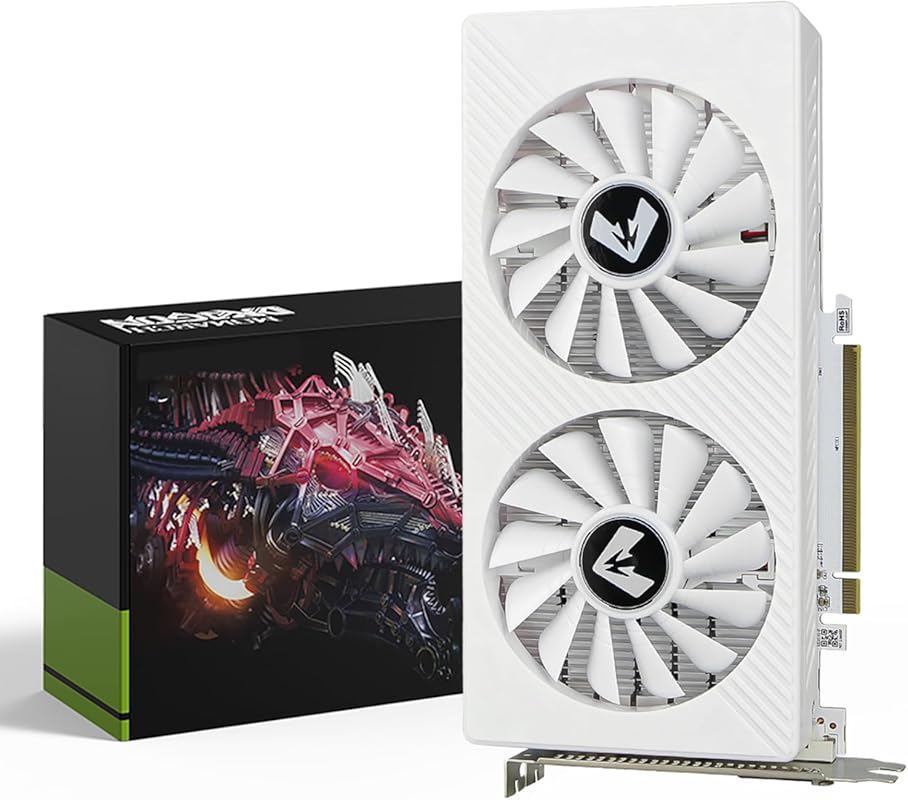
The MOUGOL AMD Radeon RX 580 8GB is essentially a twin to the Kelinx card above—a rebranded, older AMD GPU sold new in the budget segment. It offers the same 8GB VRAM and similar 1080p capability. The choice between this and the RX 580 above often comes down to price, seller, and personal preference for the cooler design. For video editing, the same caveats apply: it’s a functional but dated option for the most basic tasks on a shoestring budget.
Key Features That Stand Out
- ✓ 8GB GDDR5 VRAM: Provides a memory buffer that entry-level cards lack.
- ✓ Triple Display Support: HDMI, DisplayPort, and DVI outputs for multi-monitor setups.
- ✓ Dual-Fan Cooling: Keeps the card from thermal throttling under load.
- ✓ PCIe 3.0 Interface: Works with any motherboard from the last decade.
- ✓ No External Power: Powered solely by the motherboard slot.
Why We Recommend It
This is listed for completeness and as an alternative if the Kelinx model is out of stock. It represents the floor of what we’d consider a “dedicated” graphics card for editing. If your budget is this tight, you must accept significant compromises in performance, efficiency, and feature set.
Best For
The absolute lowest-budget builds where 8GB of VRAM is non-negotiable but funds are extremely limited. Suitable only for light 1080p editing with simple timelines and codecs.
Pros and Cons
Pros:
- One of the cheapest ways to get 8GB VRAM.
- Adequate for basic 1080p editing and light gaming.
- No additional power cables required.
- Widely available in the budget segment.
Cons:
- Very old architecture with high power consumption and heat.
- No hardware encoder for fast exports.
- Driver support for professional apps is not a priority.
- Performance is far behind even modern entry-level cards.
Customer Reviews
Customer Review: “Works like a charm. Was able to run with Linux without needing additional drivers. Great for a budget gaming PC.” – LinuxUser
Customer Review: “Saved me after having a GPU fail. Great price, gets the job done for basic tasks.” – EmergencyReplacement
Complete Buying Guide for Best Graphics Cards for Video Editing
Essential Factors We Consider
When evaluating a graphics card for video editing, we prioritize several key factors beyond raw gaming performance. Video Memory (VRAM) is paramount—it stores your footage, effects, and previews. For 1080p, 6-8GB is comfortable; for 4K, aim for 12GB or more. The GPU Architecture matters for features like NVIDIA’s NVENC encoder (crucial for fast exports) and AI accelerators (DLSS, Tensor Cores) that speed up effects. Driver Stability is non-negotiable; NVIDIA’s Studio Drivers are famously reliable for creative apps. Finally, consider Connectivity (HDMI 2.1, DisplayPort 1.4/2.1) and Physical Dimensions to ensure it fits your case and monitor setup.
Budget Planning
Your budget dictates your path. Under $200, you’re looking at entry-level cards (GT 1030, RX 580) that handle 1080p but lack modern encoders. The $250-$400 sweet spot offers the best value: cards like the RTX 3060 12GB or RTX 4060 provide excellent 1080p/1440p capability and modern features. For professional 4K work, budget $500-$1000+ for an RTX 4070 Super or RTX 5070/5080. Remember to factor in a compatible power supply if needed. Sometimes, spending a bit more upfront on VRAM (like a 12GB card) extends your system’s useful life significantly.
Final Thoughts
The “best” card is the one that matches your specific resolution, software, and budget without overcomplicating your build. For most editors, a card with a reliable encoder (NVIDIA NVENC) and sufficient VRAM for their timeline resolution will provide the biggest productivity boost. Don’t get lost in chasing the absolute fastest GPU if your CPU or storage will bottleneck it. Instead, aim for a balanced system where your graphics card is a powerful, but not lonely, component.
Frequently Asked Questions
Q: Is NVIDIA or AMD better for video editing?
A: Historically, NVIDIA has held the edge due to its superior, widely-supported hardware encoder (NVENC), which dramatically speeds up export times in apps like Premiere Pro and DaVinci Resolve. NVIDIA’s Studio Drivers are also optimized for stability with creative software. AMD cards (like the RX 580) can work, but you may encounter more driver quirks, and their encoder (AMF) is generally less efficient. For professional work, NVIDIA is the safer, more performant bet.
Q: How much VRAM do I really need for 4K editing?
A: For smooth 4K timeline work with some effects and color grading, 12GB of VRAM is the recommended minimum. 8GB can work for simple, proxy-based workflows but will struggle with high-resolution footage, complex timelines, or future software updates. For 8K or heavy VFX work, 16GB+ is ideal.
Q: Do I need a “Gaming” graphics card for editing?
Q: Is ray tracing important for video editing?
A: Not really. Real-time ray tracing is primarily a gaming visual feature. In video editing, its use is extremely niche—perhaps for creating highly realistic 3D text or objects within a scene. The AI upscaling (DLSS/FSR) and core rasterization performance of modern GPUs are far more relevant for accelerating your daily editing timeline and renders.
Q: Should I buy the latest generation or a previous-gen card?
A: Often, the previous generation offers the best value. For example, an RTX 3060 12GB can be a smarter buy than a new RTX 4060 8GB for editing because of the VRAM advantage. However, newer architectures bring efficiency gains, new features (like DLSS 3/4 Frame Generation for smoother playback), and longer driver support windows. Balance your immediate budget against your need for longevity and specific new features.
Choosing the right graphics card transforms your video editing from a chore into a creative joy. Whether you’re building your first editing PC, reviving an old workhorse, or assembling a professional powerhouse, there’s a perfect GPU on this list for you. Don’t let hardware bottlenecks slow down your vision—invest in the right tool, and watch your productivity soar. Ready to make the leap? Check the prices on Amazon today and find the perfect graphics card to power your next project.