Can I Pack My Laptop in Checked Baggage
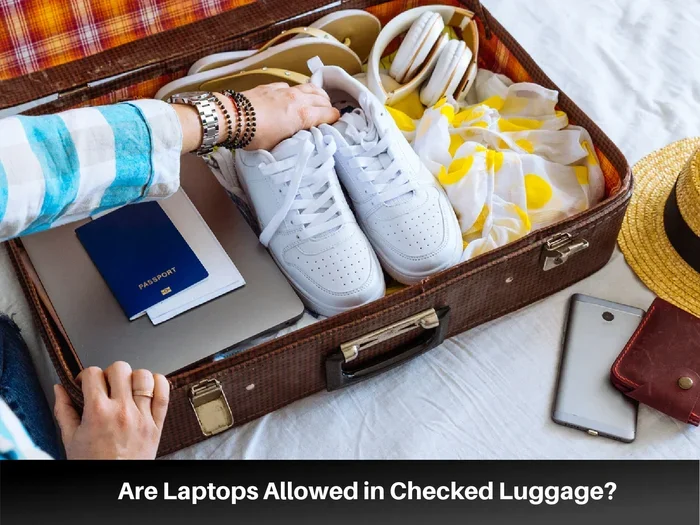
Yes, you can pack your laptop in checked baggage, but it comes with risks and important rules you need to know. Most airlines allow laptops in checked luggage, yet the TSA and many carriers recommend carrying them on board instead. Understanding the rules for laptop in checked baggage can save you from damage, loss, and travel headaches.
Traveling with a laptop is a normal part of life for millions of people. Whether you are heading to a business meeting, visiting family, or going on vacation, your laptop probably lives in your bag. But here is the big question: can I pack my laptop in checked baggage?
The short answer is yes. Most airlines let you put your laptop in a checked bag. However, the real question is whether you should. There are risks, rules, and smart strategies that every traveler needs to know. This guide covers everything you need to think about before you hand over your luggage at the check-in counter.
Packing a laptop the wrong way can lead to cracked screens, dead batteries, or even lost devices. The last thing you want is to arrive at your destination with a broken machine. So let us walk through the rules, risks, and best practices for packing a laptop in checked luggage.
Key Takeaways
- You can pack a laptop in checked baggage: Most airlines allow it, but there are important caveats to know.
- Carry-on is safer: Keeping your laptop in your carry-on bag reduces the risk of damage and theft significantly.
- TSA rules apply: The Transportation Security Administration may require you to remove your laptop during security screening.
- Battery regulations matter: Lithium-ion batteries in laptops must follow specific airline and FAA guidelines.
- Proper packing is essential: Using a padded case and protective wrapping can prevent screen and body damage.
- Insurance helps: Travel insurance or airline liability coverage may cover laptop damage in checked bags.
- Gate-checking is an option: If overhead space is full, gate-checking your bag keeps your laptop closer to you.
📑 Table of Contents
- Understanding Airline Policies for Laptops in Checked Bags
- TSA Guidelines for Laptops in Checked Baggage
- The Risks of Packing Your Laptop in Checked Baggage
- Tips for Safely Packing Your Laptop in Checked Luggage
- Alternatives to Packing Your Laptop in Checked Baggage
- What to Do If Your Laptop Gets Damaged in Checked Baggage
- Common Mistakes People Make When Packing Laptops for Travel
- Expert Advice for Frequent Travelers
- Final Thoughts
Understanding Airline Policies for Laptops in Checked Bags
Every airline has its own set of rules about what you can and cannot pack in checked baggage. Most major carriers like Delta, American Airlines, United, and Southwest allow laptops in checked bags. But the details matter, and not all policies are the same.
General Rules Across Major Airlines
Most airlines do not explicitly ban laptops in checked luggage. However, they often recommend carrying them on board. Here is what you need to know:
- American Airlines: Allows laptops in checked bags but advises carrying them on board when possible.
- Delta Air Lines: Permits laptops in checked luggage. They also suggest using a protective case.
- United Airlines: Allows laptops in checked bags but warns about fragile items.
- Southwest Airlines: Permits laptops in checked bags with no special restrictions beyond standard baggage rules.
Always check your specific airline’s baggage policy before you fly. Rules can change, and checking ahead saves you from surprises at the airport.
Does Your Laptop Count as a Separate Item?
Here is something many travelers do not realize. Some airlines treat a laptop as a separate item if it is in a bag by itself. This means it might count toward your carry-on limit or require special handling. If your laptop is loose inside a checked bag, it usually does not count separately. But if you carry a laptop-only bag, it may be treated as a personal item or carry-on.
Knowing how much ram do i need in my laptop matters less here than knowing how your airline counts devices. Check your airline’s website or call their customer service to clarify their policy on electronic devices in checked bags.
TSA Guidelines for Laptops in Checked Baggage
The Transportation Security Administration (TSA) sets the rules for what goes through airport security in the United States. Their guidelines affect how you pack and travel with your laptop.
TSA Rules for Checked Luggage
The TSA allows laptops in checked bags. However, there is an important catch. TSA officers may need to inspect your bag, and they might ask you to turn on your laptop. If your laptop is powered off and packed away, the TSA agent may not be able to check it properly. This can lead to delays or even a bag search.
Here is what the TSA recommends:
- Make your laptop accessible: Pack it so TSA officers can easily remove and inspect it.
- Power it on if asked: Be prepared to turn on your device during inspection.
- Remove external accessories: Take off hard drives, USB drives, or SD cards if possible.
Lithium Battery Restrictions
Laptops contain lithium-ion batteries, and the FAA has strict rules about these. Lithium batteries are allowed in both checked and carry-on bags. However, spare batteries or battery packs have stricter rules. You cannot pack loose lithium batteries in checked luggage in some cases. Your laptop’s built-in battery is fine, but be careful with any external batteries you carry.
For more details on how do i check ram on my laptop before a trip, make sure your device is in good working order. A malfunctioning battery can cause problems at security checkpoints.
The Risks of Packing Your Laptop in Checked Baggage
This is the part that matters most. Yes, you can pack your laptop in checked baggage. But should you? Let us talk about the real risks.
Physical Damage
Checked bags get thrown around. They get tossed onto conveyor belts, stacked under the plane, and loaded into cargo holds. All of this handling can cause serious damage to your laptop. Screens crack. Hinges break. Hard drives get damaged from impact.
Even if your laptop is in a sleeve or case, the force of baggage handling can be rough. A padded case helps, but it does not make your laptop invincible.
Theft and Loss
Checked bags are not always secure. They can get lost, misrouted, or even tampered with. While theft from checked luggage is not extremely common, it does happen. Your laptop is a valuable and attractive target.
Carrying your laptop in your carry-on bag keeps it with you at all times. You control where it goes. This is the biggest reason most travel experts recommend keeping laptops in hand luggage.
Temperature and Pressure Changes
The cargo hold of an airplane can get very cold or very hot depending on the flight. Extreme temperatures can affect your laptop’s battery and internal components. Pressure changes during takeoff and landing can also cause issues, especially if your laptop has a hard drive.
Modern solid-state drives (SSDs) handle pressure changes better than old hard disk drives (HDDs). But even SSDs are not completely immune to extreme conditions.
Tips for Safely Packing Your Laptop in Checked Luggage
If you decide to pack your laptop in checked baggage, you can take steps to reduce the risks. Proper packing makes a big difference.
Use a Hard Shell Case
A hard shell laptop case is the best protection you can use. It absorbs shocks and prevents scratches. Look for cases that are specifically designed for your laptop model. They fit snugly and provide full coverage.
If you do not have a hard shell case, at minimum use a padded neoprene sleeve. Wrap the sleeve in soft clothing for extra cushioning.
Wrap It in Clothing
Soft clothing like sweaters and t-shirts makes excellent padding. Wrap your laptop in a few layers of soft fabric before placing it in your suitcase. This helps absorb shocks and prevents the laptop from shifting during the flight.
Place your laptop in the center of your bag, surrounded by soft items on all sides. Avoid putting heavy items on top of or next to your laptop.
Remove All Accessories
Before packing, remove your charger, mouse, USB drives, and any other accessories. Pack these separately. This reduces pressure on your laptop’s ports and prevents damage to the charger cord.
Also, make sure your laptop is powered off and not in sleep mode. A powered-off device is less likely to overheat or drain its battery during the flight.
Add a Fragile Tag
Many travelers do not think to add a fragile tag to their luggage. A simple “Fragile” sticker or tag can remind baggage handlers to be more careful with your bag. It is not a guarantee, but it helps.
Some people also write “Laptop Inside” on the outside of their bag. This makes it easier for TSA officers to locate your device during inspection without having to open your entire bag.
Consider Travel Insurance
If you regularly travel with expensive electronics, travel insurance is worth considering. Many travel insurance policies cover laptop damage in checked bags. Check the fine print to understand what is and is not covered.
Some credit cards also offer purchase protection or travel protection that covers laptop damage. Check with your credit card company before your next trip.
Alternatives to Packing Your Laptop in Checked Baggage
Given the risks, you might want to consider alternatives. Here are some options that keep your laptop safer.
Carry-On Luggage
The safest option is always to carry your laptop on board. Most airlines allow one carry-on bag and one personal item. A laptop bag or backpack fits easily into the overhead bin or under the seat in front of you.
Carrying your laptop on board means you control its safety. It stays with you during the entire flight. You can access it during the flight if needed. And you avoid the rough handling that checked bags go through.
Gate-Checking Your Bag
If you need to check your bag but want to keep your laptop close, consider gate-checking. This means you check your bag at the gate right before boarding. Your bag goes into the cargo hold, but you keep your laptop with you until the very last moment.
Some travelers also use this strategy to keep their laptop accessible during the flight and then check the bag at the gate upon arrival.
Shipping Your Laptop Separately
For long trips or moves, some people choose to ship their laptop separately using a courier service. Services like FedEx or UPS offer padded packaging options. This keeps your laptop out of the hands of baggage handlers and gives you tracking and insurance options.
If you are upgrading your laptop before a trip, you might look into how can i add ram to my laptop at your destination instead of carrying extra components. Shipping your current laptop separately can be a smart move.
What to Do If Your Laptop Gets Damaged in Checked Baggage
Even with the best precautions, things can go wrong. If your laptop arrives damaged, here is what you should do.
File a Report Immediately
Go to the airline’s baggage service office at the airport. File a damage report right away. Most airlines require you to report damage within a specific timeframe, usually 24 hours. Keep all documentation and receipts.
Document the Damage
Take photos of the damage before you leave the airport. Capture the condition of your bag and the laptop. This evidence is crucial for any insurance claim or airline compensation request.
Contact Your Insurance Provider
If you have travel insurance or a credit card with purchase protection, contact your provider as soon as possible. They will guide you through the claims process and tell you what documentation you need.
Check Airline Liability Limits
Most airlines have liability limits for checked baggage. The Montreal Convention, which governs international air travel, sets a limit of approximately 1,288 SDR (special drawing rights) per passenger. For domestic flights, the limit is usually lower. Check your airline’s terms to understand what compensation you may be entitled to.
Common Mistakes People Make When Packing Laptops for Travel
Avoid these common mistakes to keep your laptop safe during your next trip.
- Packing the laptop loosely: Without proper padding, even a short fall can crack a screen.
- Forgetting to back up data: Before any trip, back up your files. A damaged laptop should not mean lost data.
- Leaving the laptop on sleep mode: Always power off your laptop completely before packing it.
- Overpacking the bag: Too much weight on top of your laptop can cause pressure damage.
- Ignoring airline rules: Not every airline has the same policy. Always verify before you fly.
- Not labeling your bag: A clear label with your contact information helps if your bag gets lost.
Expert Advice for Frequent Travelers
Frequent travelers know that laptop safety on the road requires planning and habit. Here are some expert tips that experienced travelers follow.
Invest in a good laptop bag. A quality bag with proper padding and compartments makes all the difference. Look for bags that are TSA-friendly, meaning they open flat for easy security screening.
Keep a backup. If you work on your laptop every day, consider having a backup device. A cheap tablet or a backup laptop can save your productivity if your main device gets damaged.
Check your laptop before and after every trip. Before you pack, make sure your laptop is working properly. After you arrive, check it again. If something is wrong, report it immediately.
Stay informed about changing rules. TSA and airline policies can change. A quick check before your trip can save you time and stress at the airport.
Final Thoughts
So, can you pack your laptop in checked baggage? Yes, you can. Most airlines allow it, and the TSA does not prohibit it. But the better question is whether you should. The risks of damage, theft, and loss are real.
If you must pack your laptop in checked luggage, do it right. Use a hard case, wrap it in soft clothing, remove all accessories, and add a fragile tag. Consider travel insurance for extra protection. And always keep your laptop backed up before you travel.
Your laptop is a valuable investment. Taking a few extra minutes to pack it properly can save you from expensive repairs or data loss. Safe travels, and take care of your gear.
Frequently Asked Questions
Can I pack my laptop in checked baggage on international flights?
Yes, most international airlines allow laptops in checked baggage. However, international flights often have stricter rules about lithium batteries and fragile items. Always check your airline’s specific policy before flying internationally.
Is it safer to carry my laptop on board or check it?
Carrying your laptop on board is always safer. It stays with you, avoids rough baggage handling, and reduces the risk of theft or loss. Only check your laptop if you have no other option.
What happens if TSA asks me to turn on my laptop in checked baggage?
TSA officers can ask you to power on your laptop during inspection. If your laptop is in checked baggage, they may need to open your bag to access it. Keep your laptop accessible and charged to avoid delays.
Can lithium batteries in laptops cause problems in checked bags?
Your laptop’s built-in lithium battery is generally fine in checked bags. However, spare or loose lithium batteries have stricter rules and may not be allowed in checked luggage. Always check FAA guidelines before packing spare batteries.
Does travel insurance cover laptop damage in checked baggage?
Many travel insurance policies cover laptop damage in checked bags, but coverage varies. Check your policy details before you travel. Some credit cards also offer purchase protection that covers travel damage.
How should I wrap my laptop for checked baggage?
Use a hard shell case or a padded neoprene sleeve. Wrap it in soft clothing like sweaters or t-shirts for extra cushioning. Place it in the center of your bag surrounded by soft items and avoid putting heavy objects on top.