Does Usb 1 0 Provide Power

Yes, USB 1.0 does provide power to connected devices. The original USB 1.0 standard delivers 5 volts at up to 500 milliamps, giving you 2.5 watts of power. This was enough for early peripherals like keyboards, mice, and basic storage, but it falls short for power-hungry devices today.
You might be wondering whether an old USB 1.0 port can still power your devices. The short answer is yes. But the full story is a bit more interesting. USB 1.0 was the first universal serial bus standard released back in 1996. It changed how we connect devices to computers. And one of its key features was the ability to deliver power through the same cable used for data transfer.
Back then, most computer accessories were simple. Keyboards, mice, and joysticks did not need much energy. USB 1.0 was designed to meet those basic needs. Over the years, USB standards have evolved. Newer versions offer faster data speeds and more power. But USB 1.0 still holds a place in tech history. Understanding its power capabilities helps you work with older gear and appreciate how far USB technology has come.
In this guide, we will break down everything you need to know about USB 1.0 power delivery. We will cover the voltage and current specs, which devices it can support, and how it compares to modern USB versions. Whether you are dealing with legacy hardware or just curious about USB history, this article has you covered.
Key Takeaways
- USB 1.0 provides power: It delivers 5V at 500mA, which is 2.5 watts of power to connected devices.
- It works for low-power devices: Keyboards, mice, and flash drives run fine on USB 1.0 power alone.
- USB 1.0 has power limits: High-power devices like external hard drives may need a separate power source or powered hub.
- USB power improved over time: Later versions like USB 2.0 and USB 3.0 offered more current and better power delivery.
- Always check device requirements: Not all USB devices need the same amount of power, so matching the port to the device matters.
- USB 1.0 is outdated: It is rarely used today, but understanding its power specs helps with legacy equipment.
📑 Table of Contents
What Is USB 1.0?
USB stands for Universal Serial Bus. It is a standard that defines how devices connect to computers. USB 1.0 was the very first version of this standard. It launched in January 1996. At the time, it was a big deal. Before USB, computers used a mess of different ports. You had serial ports, parallel ports, and keyboard-specific connectors. USB simplified all of that.
USB 1.0 came in two flavors. The original USB 1.0 offered a data rate of 1.5 megabits per second. This was called Low Speed. Then USB 1.1 arrived, which boosted the speed to 12 megabits per second. This was called Full Speed. Both versions used the same connector types. These included the Type A plug and the Type B plug. You still see these shapes today on many devices.
The USB 1.0 standard also defined how much power a port could supply. This was built into the design from day one. The goal was to allow simple peripherals to draw power directly from the USB connection. No extra power cable was needed for many devices. This was a huge convenience factor that helped USB gain popularity fast.
Does USB 1.0 Provide Power?
Yes, USB 1.0 does provide power to connected devices. This is one of the core features of the USB standard. Every USB port, including USB 1.0, supplies electrical power through the cable. The power is delivered on the VBUS pin inside the USB connector. VBUS stands for voltage bus. It carries the electrical current to the device.
USB 1.0 provides 5 volts of power. This is the standard voltage for all USB connections. The current it can supply depends on the device class. For low-power devices, USB 1.0 can provide up to 100 milliamps. For higher-power devices, it can go up to 500 milliamps. This means the maximum power output is 2.5 watts. That is 5 volts multiplied by 500 milliamps.
So what does this mean in real life? It means a USB 1.0 port can power small accessories without any extra power source. But it also means that power-hungry devices will struggle. A USB 1.0 port simply cannot push out enough wattage for heavy-duty gear. We will look at specific device examples in a later section.
How USB 1.0 Power Delivery Works
USB 1.0 power delivery happens through the data cable itself. The USB cable has four wires inside. Two wires carry data. The other two wires carry power. The VBUS wire delivers the 5-volt supply. The ground wire completes the circuit. This design allows power and data to travel over a single cable. That was a major convenience when USB 1.0 launched.
The USB host controller manages power distribution. Your computer acts as the USB host. It controls how much current each port provides. When you plug in a USB 1.0 device, the host and device negotiate the power draw. The device tells the host how much current it needs. The host then supplies that amount, up to the maximum limit. This negotiation process helps protect both the device and the computer.
One thing to keep in mind is that USB 1.0 does not support USB power delivery (USB PD) protocols. USB PD is a modern standard that allows higher voltages and smarter power management. USB 1.0 only provides a fixed 5-volt output. There is no voltage negotiation or adjustable power modes. This is a key difference between old and new USB standards.
USB 1.0 Power Specifications
The USB 1.0 specification defines clear power parameters. These are important to understand if you work with older hardware. Here is a breakdown of the key specs.
- Voltage: 5 volts (fixed)
- Maximum Current: 500 milliamps (0.5 amps)
- Maximum Power: 2.5 watts
- Low-Power Devices: Draw up to 100 milliamps
- High-Power Devices: Draw up to 500 milliamps
- Connector Type: USB Type A and Type B
These numbers are set in stone by the USB 1.0 specification. They cannot be changed without modifying the standard. This is why USB 1.0 ports have a hard cap on power output. If you need more wattage, you will need a different port or an external power supply.
The USB 1.0 current rating of 500 milliamps was generous for its time. In 1996, most USB devices did not need much power. A keyboard might draw 50 milliamps. A mouse might draw even less. Flash drives were just starting to appear. They also had low power needs. The 500-milliamp limit covered all of these use cases easily.
USB 1.0 vs USB 2.0 Power Comparison
USB 2.0 launched in April 2000. It brought faster data speeds and the same power specs as USB 1.0. Both USB 1.0 and USB 2.0 deliver 5 volts at 500 milliamps. So the power output did not change between these two versions. The main improvement was in data transfer speed. USB 2.0 maxed out at 480 megabits per second. That is 400 times faster than USB 1.0’s 1.5 megabits per second in Low Speed mode.
However, USB 2.0 did improve how power management worked. It introduced better suspend and resume features. Devices could use less power when idle. This was a nice efficiency upgrade. But the raw power output from the port stayed the same at 2.5 watts.
USB 3.0, which came later in 2008, made a big leap in power delivery. It increased the maximum current to 900 milliamps. That gives you 4.5 watts of power. This was enough to charge phones and power external SSDs without extra cables. The jump from USB 2.0 to USB 3.0 was much more significant for power than the jump from USB 1.0 to USB 2.0.
What Devices Can USB 1.0 Power?
Not all USB devices need the same amount of power. USB 1.0 can handle low to medium power devices just fine. But it cannot support high-power gear. Let us look at what works and what does not.
Devices That Work on USB 1.0 Power
- Keyboards: Most USB keyboards draw under 100 milliamps. USB 1.0 handles them with ease.
- Mice: Optical and mechanical USB mice need very little power. They work perfectly on USB 1.0.
- USB Flash Drives: Early flash drives had small storage capacities. They required minimal power to operate.
- Joysticks and Gamepads: Basic gaming controllers work fine on USB 1.0 power.
- USB Hubs (Unpowered): Simple hubs without external power can work, but they share the 500mA limit across all ports.
- Webcams (Basic): Early low-resolution webcams could run on USB 1.0 power.
Devices That Need More Power Than USB 1.0 Offers
- External Hard Drives: These need more current than USB 1.0 can provide. They usually require a separate power adapter.
- Portable Speakers: USB-powered speakers often need more than 2.5 watts to produce decent sound.
- External Optical Drives: CD and DVD drives need significant power. USB 1.0 cannot supply enough.
- Modern USB-C Devices: Today’s devices often use USB-C and expect much higher power delivery.
If you try to plug a power-hungry device into a USB 1.0 port, it may not work properly. The device might disconnect frequently. It might not charge at all. Or it could draw too much current and trigger the computer’s overcurrent protection. This is why it is important to match your device to the right USB port.
USB 1.0 Power Limitations and Challenges
USB 1.0 was designed for a simpler era of computing. The power limitations reflect that. Let us look at the main challenges you might face with USB 1.0 power delivery.
First, the 2.5-watt limit is very low by today’s standards. A modern smartphone charger outputs 10 to 20 watts. Even a basic Bluetooth earset charger delivers more than USB 1.0 can provide. This makes USB 1.0 impractical for charging modern devices.
Second, USB 1.0 does not support USB Power Delivery or USB Battery Charging standards. These modern protocols allow devices to request specific voltage levels. They also allow faster charging. USB 1.0 has none of these features. It only provides a fixed 5-volt output at up to 500 milliamps.
Third, cable quality matters. USB 1.0 cables have a maximum allowed resistance. Longer cables or cheap cables can cause voltage drops. This means the device at the end of the cable gets less than 5 volts. In some cases, this can cause the device to malfunction or not work at all. Always use short, quality USB 1.0 cables for best results.
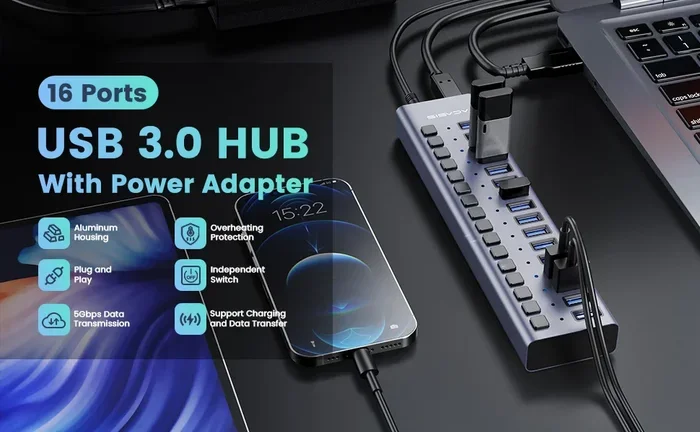
Fourth, powered USB hubs can help. If you need to connect multiple devices to a single USB 1.0 port, a powered hub is a smart choice. The hub brings its own power source. It then distributes power to each connected device. This bypasses the 500-milliamp limit of the USB 1.0 port. A powered USB hub is especially useful when connecting several low-power devices at once.
How USB Power Has Evolved Since USB 1.0
The journey from USB 1.0 to modern USB standards shows incredible progress in power delivery. Each new version brought better capabilities.
USB 1.0 and 1.1 set the foundation with 5 volts and 500 milliamps. USB 2.0 kept the same power specs but improved efficiency. USB 3.0 increased current to 900 milliamps. USB 3.1 and USB 3.2 brought further refinements. Then USB Type-C changed the game entirely. The USB-C connector supports USB Power Delivery up to 240 watts with USB PD 3.1.
Today, USB power delivery is smart and flexible. Devices can negotiate voltage levels of 5, 9, 15, or 20 volts. This allows everything from small sensors to large laptops to charge over a single USB cable. The evolution from fixed 5-volt output to adjustable high-wattage delivery is remarkable. It shows how much the USB standard has grown since its humble beginning with USB 1.0.
If you are using older devices that rely on USB 1.0, you might consider an adapter. For example, an M.2 NVMe SSD USB adapter lets you connect modern NVMe drives through a USB port. These adapters typically use USB 3.0 or higher. They provide much more power than USB 1.0 ever could. This lets you use fast storage with older computers that still have USB 1.0 ports available.
Similarly, if you want to put an NVMe drive into an external enclosure, options like an M2 NVMe SSD in USB enclosures give you portable storage with modern USB power standards. These enclosures use USB 3.0 or USB-C connections. They deliver far more current than USB 1.0 ever could. This makes them ideal for external storage needs that require reliable power.
Common Myths About USB 1.0 Power
There are several myths floating around about USB 1.0 and its power capabilities. Let us clear some of them up.
Myth 1: USB 1.0 cannot provide any power. This is false. USB 1.0 absolutely provides power. It delivers 5 volts at up to 500 milliamps. Many early USB devices relied on this power exclusively.
Myth 2: USB 1.0 can charge modern devices. This is mostly false. Modern smartphones and tablets need much more power than USB 1.0 can offer. Trying to charge a modern device on USB 1.0 will result in very slow charging or no charging at all.
Myth 3: All USB 1.0 ports deliver the same power. This is not always true. Some computers may limit USB 1.0 ports to lower current. Others may allow the full 500 milliamps. It depends on the motherboard design and the USB host controller.
Myth 4: USB 1.0 power is dangerous. This is false. The 5-volt, 500-milliamp output is very safe. It is a low-voltage, low-current supply. It poses no shock risk under normal use conditions.
Should You Still Use USB 1.0 Ports Today?
The honest answer is: it depends. If you have legacy devices that only connect via USB 1.0, then yes, use them. USB 1.0 ports are still backward compatible with modern systems. Your computer will recognize the device and supply power as expected.
However, for most modern use cases, USB 1.0 is too slow and too limited in power. If you need to transfer large files, USB 1.0 will take forever. If you need to charge or power devices, USB 1.0 simply cannot deliver enough energy. Upgrading to a USB 2.0, USB 3.0, or USB-C card can make a huge difference.
If you are working with old hardware, a USB 1.0 PCIe card can add legacy ports to a modern computer. These cards are affordable and easy to install. They let you connect vintage devices while still enjoying the benefits of a modern system. Just remember the power limits we discussed. Do not plug in anything that needs more than 2.5 watts.
Understanding USB 1.0 power helps you make smart decisions about legacy equipment. It also gives you a deeper appreciation for how far USB technology has come. From a simple 5-volt, 500-milliamp standard in 1996 to a 240-watt power delivery system today. The evolution is truly remarkable.
Conclusion
Does USB 1.0 provide power? Yes, it does. USB 1.0 delivers 5 volts at up to 500 milliamps, giving you 2.5 watts of power. This was enough for the simple peripherals of the late 1990s. Keyboards, mice, and early flash drives all worked well on USB 1.0 power alone.
But times have changed. Modern devices need much more power than USB 1.0 can offer. The standard is outdated and rarely used today. If you encounter a USB 1.0 port, it is fine for basic low-power accessories. But for anything more demanding, you will want a newer USB port with better power delivery.
Remember the key facts. USB 1.0 provides 5 volts of power. It can supply up to 500 milliamps of current. It works for low-power devices but struggles with high-power gear. And it does not support modern USB power delivery protocols. Keep these points in mind whenever you work with older USB equipment.
The USB standard has come a long way since 1.0. Each new version brought faster speeds and more power. Today, USB-C with USB Power Delivery can run entire laptops. That is a far cry from the humble 2.5 watts of USB 1.0. But without that first step, none of it would have been possible. USB 1.0 may be old, but its impact on the world of connectivity is undeniable.
Frequently Asked Questions
Can USB 1.0 charge a smartphone?
No, USB 1.0 cannot charge a modern smartphone effectively. It only provides 2.5 watts of power. Most smartphones need at least 10 watts to charge at a reasonable speed. You might see a tiny blinking charge indicator, but the phone will not actually charge in any practical timeframe.
What is the maximum power USB 1.0 can deliver?
USB 1.0 can deliver a maximum of 2.5 watts. This is calculated as 5 volts multiplied by 500 milliamps. This limit applies to all USB 1.0 ports regardless of the device or computer you are using.
Can I use a USB 1.0 hub to power multiple devices?
You can use an unpowered USB 1.0 hub, but it shares the 500-milliamp limit across all ports. If you connect multiple devices, they compete for the same power budget. A powered USB hub is a much better choice if you need to run several devices at once.
Is USB 1.0 power safe for my devices?
Yes, USB 1.0 power is completely safe. It operates at 5 volts and 500 milliamps. This is a very low power level that poses no risk of damage to your devices. It is well within safe operating limits for all USB-compatible equipment.
Why does my USB 1.0 device keep disconnecting?
This can happen if the device tries to draw more power than USB 1.0 can provide. The computer’s overcurrent protection kicks in and disconnects the device. It can also happen with long or low-quality USB cables that cause voltage drops. Try a short, high-quality cable first.
Are there any modern devices that still use USB 1.0?
Some very old industrial equipment, medical devices, and embedded systems may still use USB 1.0. These devices are designed for low power and slow data transfer. They work fine on USB 1.0 power. However, most consumer electronics have moved far beyond USB 1.0 by now.