Does Usb Over Ethernet Work
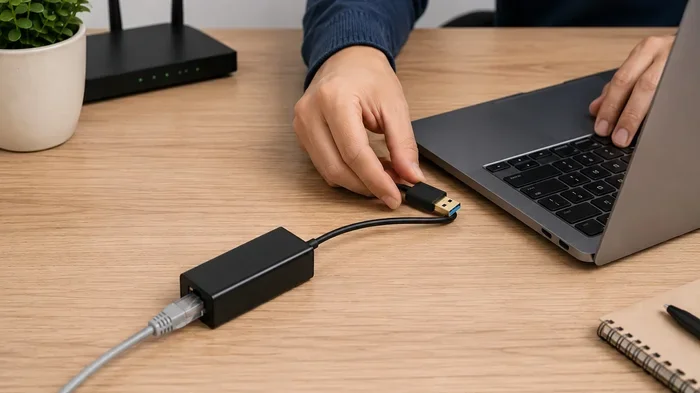
Yes, USB over Ethernet works and lets you access USB devices remotely through a network connection. It uses special software or hardware adapters to extend USB signals over Ethernet cables. This technology is handy for sharing printers, storage drives, and other devices across multiple computers.
This is a comprehensive guide about Does Usb Over Ethernet Work.
Key Takeaways
- USB over Ethernet is a real technology: It allows you to share and access USB devices across a network using Ethernet cables.
- You need either software or hardware: USB over Ethernet requires a USB device server or dedicated software to route USB signals over a network.
- Speed depends on your setup: USB 3.0 over Gigabit Ethernet can deliver decent transfer speeds, but it won’t match direct USB connection.
- Latency can be a factor: Network delays may affect performance for time-sensitive devices like gaming peripherals.
- It solves real problems: USB over Ethernet is great for server rooms, shared offices, and remote work setups.
[FEATURED_IMAGE_PLACEHOLDER]
What Is USB Over Ethernet?
USB over Ethernet is a technology that lets you use USB devices from a distance. Instead of plugging a device directly into your computer, you send the USB signal through an Ethernet network. This means a USB device can be miles away and still function as if it’s right next to you.
The technology works by converting USB data into network packets. These packets travel through Ethernet cables and are converted back into USB signals on the other end. Think of it as a bridge between USB and network technology.
People use USB over Ethernet for many reasons. Server rooms often need to manage USB devices remotely. Offices share printers and storage drives this way. And remote workers use it to access hardware they left at the office.
How Does It Actually Work?
The process is simpler than it sounds. You connect a USB device to a USB over Ethernet adapter or server. That device sends the data over your local network. On the other end, another adapter receives the data and presents it to the computer as a connected USB device.
There are two main ways this works:
- Hardware-based solutions: These use physical USB device servers. They handle the conversion between USB and network protocols on their own.
- Software-based solutions: These use programs installed on each computer. The software intercepts USB signals and routes them over the network.
Does USB Over Ethernet Actually Work?
The short answer is yes. USB over Ethernet does work for most common use cases. But the experience depends on several factors. Let’s break down what works well and where you might run into trouble.
What Works Well Over USB Over Ethernet
Many USB devices work great with Ethernet sharing. Here are some examples that perform reliably:
- USB printers: Sharing a printer across an office network is one of the most common uses.
- External storage drives: You can access files on a USB hard drive from any computer on the network.
- USB scanners: Multiple users can scan documents using one shared scanner.
- USB dongles and licenses: Software companies often use USB dongles for licensing. USB over Ethernet lets multiple users share one dongle.
- USB cameras: Security cameras and webcams can be accessed remotely through Ethernet.
These devices tend to work well because they don’t need instant, millisecond-level response times. A slight delay in sending a print job or accessing a file is barely noticeable.
What Can Be Tricky
Not every USB device plays nice over Ethernet. Some devices are more sensitive to latency and bandwidth limits:
- Gaming peripherals: Mice and keyboards with very fast response needs may feel laggy.
- Audio interfaces: Real-time audio can suffer from network delays.
- High-speed data transfers: Moving large files quickly may bottleneck at the network speed.
- USB audio devices: Streaming music or voice through USB over Ethernet can introduce glitches.
The key takeaway here is that USB over Ethernet works best for devices that tolerate small delays. If you need instant response, a direct USB connection is still better.
How to Set Up USB Over Ethernet
Setting up USB over Ethernet is not as hard as it sounds. You have two main paths to choose from. Let’s walk through both.
Method 1: Using a USB Device Server
A USB device server is a small hardware box. You plug your USB device into it, and then connect the server to your Ethernet network. Other computers on the same network can then access the USB device.
Here is a simple step-by-step process:
- Plug your USB device into the USB device server.
- Connect the server to your router or switch using an Ethernet cable.
- Install the server’s software on the computers that need access.
- Configure the software to find the device server on the network.
- Map the remote USB device to your computer as if it were plugged in directly.
Popular brands like Digi and Lantronix make reliable USB device servers. These are great for business environments where reliability matters most.
Method 2: Using Software Solutions
Software solutions are often more affordable and easier to set up. Programs like USB Network Gate and VirtualHere let you share USB devices over a network without extra hardware.
The setup usually looks like this:
- Install the sharing software on the computer with the USB device connected.
- Install the client software on the computer that needs access.
- Select the USB device you want to share from the software interface.
- Connect to the shared device from the client computer.
Software solutions work well for home users and small teams. They are especially handy if you already have an Ethernet network in place. You can also check out how M.2 NVMe SSDs in USB enclosures connect through similar adapter technology, since both involve extending USB functionality beyond direct connections.
Speed and Performance of USB Over Ethernet
One of the biggest questions people ask is about speed. Does USB over Ethernet slow things down? The answer depends on your network and the USB version you are using.
Understanding USB and Ethernet Speeds
USB 2.0 maxes out at about 480 Mbps. USB 3.0 jumps to 5 Gbps. USB 3.1 reaches 10 Gbps. Meanwhile, a standard Gigabit Ethernet connection tops out at 1 Gbps.
Here is a quick comparison:
- USB 2.0 over Ethernet: Your network speed will likely be the bottleneck. Gigabit Ethernet can handle USB 2.0 speeds easily.
- USB 3.0 over Ethernet: Gigabit Ethernet will limit you to about 1 Gbps, which is slower than USB 3.0’s full potential.
- USB 3.1 over Ethernet: Again, Gigabit Ethernet caps your speed. You would need 10 Gbps Ethernet to match USB 3.1 speeds.
In real-world use, expect transfer speeds to be lower than direct USB connections. Network overhead, latency, and the quality of your Ethernet cable all play a role.
Factors That Affect Performance
Several things can make USB over Ethernet faster or slower:
- Ethernet cable quality: Cat6 or Cat6a cables perform better than older Cat5 cables.
- Network congestion: If many devices share the same network, speeds drop.
- USB device server quality: Cheap adapters may introduce bottlenecks.
- Distance: Longer Ethernet runs can mean more signal loss.
- Network switch quality: A good managed switch can prioritize USB traffic.
If you are using external storage, you might also want to look at how NVMe SSD to USB adapters work for direct connections, since they offer much faster speeds than network-based solutions for local use.
Common Uses for USB Over Ethernet
USB over Ethernet is not just a tech curiosity. It solves real problems in many settings. Here are the most common use cases.
Shared Printers in Offices
Every office has this problem. You have one printer but many computers. USB over Ethernet lets you put the printer in a central location and share it with everyone. No more dragging cables across the room.
Remote Access to USB Devices
Remote workers sometimes need access to hardware at the office. USB over Ethernet makes this possible. You can access a USB security dongle or a specialized device from home through your network.
Server Room Management
IT professionals manage many USB devices in server rooms. USB device servers let them configure and monitor devices without walking to the server rack every time. This saves a lot of time in large data centers.
KVM Over IP and Extended Setups
Some advanced setups combine USB over Ethernet with KVM (Keyboard, Video, Mouse) technology. This lets you control a computer from far away, including using its USB peripherals. It is popular in broadcasting and control room environments.
Potential Issues and How to Fix Them
USB over Ethernet is not perfect. Here are common problems and how to solve them.
Connection Drops
If your USB device keeps disconnecting over Ethernet, check your network stability first. A loose cable or a congested network can cause drops. Try using a wired connection instead of wireless if possible. Also, make sure your USB device server firmware is up to date.
Slow Transfer Speeds
Slow speeds are the most common complaint. Here are some fixes:
- Use a Gigabit Ethernet switch instead of a 100 Mbps one.
- Upgrade to Cat6 or Cat6a Ethernet cables.
- Reduce the number of devices sharing the same network segment.
- Use USB 3.0 or higher devices and adapters.
Device Compatibility Problems
Some USB devices simply do not work well over Ethernet. If you run into issues, try these steps:
- Check the software or hardware vendor’s compatibility list.
- Update your USB device server drivers.
- Try a different USB port on the server.
- Test with a simpler USB device to isolate the problem.
Sometimes the issue is with the USB device itself. For example, external drives using advanced SanDisk Extreme Portable SSDs may behave differently over network connections compared to simpler USB flash drives.
USB Over Ethernet vs. Direct USB Connection
How does USB over Ethernet compare to plugging a device directly into your computer? Here is a side-by-side look.
When to Use USB Over Ethernet
- You need to share a USB device with multiple computers.
- The USB device is far from your computer.
- You want to access a USB device remotely.
- You are setting up a shared office or lab environment.
When to Use Direct USB
- You need the fastest possible transfer speeds.
- You are using time-sensitive devices like audio interfaces or gaming gear.
- You want the simplest setup with no network configuration.
- You need the most reliable, lowest-latency connection.
For most everyday tasks, direct USB is still the better choice. But USB over Ethernet shines when sharing and remote access matter more than raw speed.
Final Thoughts
So, does USB over Ethernet work? Absolutely. It is a proven technology that solves real problems. Whether you need to share a printer across the office or access a USB device from another room, USB over Ethernet gets the job done.
The technology has its limits. Speed and latency can be concerns for demanding devices. But for most sharing and remote access scenarios, it works very well. Start with a software solution if you are on a budget, or invest in a hardware USB device server if you need rock-solid reliability.
Think about what you need most. If sharing and remote access are your priorities, USB over Ethernet is a great tool to have in your kit. Just manage your expectations around speed and choose quality equipment for the best results.
Frequently Asked Questions
Can I use USB over Ethernet with any USB device?
Most USB devices work with USB over Ethernet, but not all of them. Devices that need fast, real-time responses like audio interfaces or gaming mice may not perform well. Simple devices like printers, scanners, and storage drives work great.
Do I need special hardware to use USB over Ethernet?
You have two options. You can use a USB device server, which is a small hardware box that connects your USB device to the Ethernet network. Or you can use software solutions that work without extra hardware, as long as both computers are on the same network.
Is USB over Ethernet secure?
It can be secure if you set it up properly. Most quality USB device servers and software solutions offer encryption and password protection. Always use strong passwords and keep your software updated to stay safe.
How far can I extend USB over Ethernet?
With standard Ethernet cables, you can reach up to 100 meters (about 328 feet) per cable run. You can extend this further by using switches or repeaters. Some USB device servers also support fiber optic connections for even longer distances.
Does USB over Ethernet slow down my network?
It can use some bandwidth, but usually not enough to cause problems. USB over Ethernet traffic is typically small compared to regular internet or file-sharing traffic. On a busy network, you might notice a slight impact during large file transfers.
Can I use USB over Ethernet over the internet?
Yes, some software solutions allow USB device sharing over the internet, not just a local network. However, this requires proper configuration and security measures. Using a VPN is recommended for internet-based USB sharing to keep your connection safe.
Frequently Asked Questions
What is Does Usb Over Ethernet Work?
Does Usb Over Ethernet Work is an important topic with many practical applications.