How Much Does Ram Affect Fps
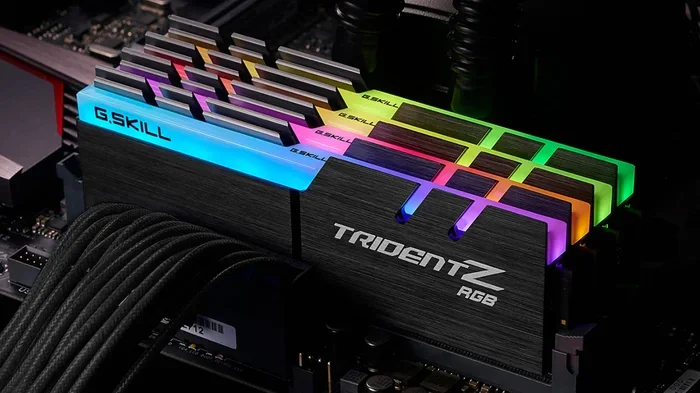
Many gamers wonder how much does ram affect fps, and the answer is more nuanced than you might think. While RAM plays a supporting role in frame rates, it is not the main hero — that job belongs to your graphics card and processor. However, having too little memory can cause frame drops, stuttering, and slow game loading times. In this guide, we break down the real relationship between system memory and gaming performance, so you know exactly when an upgrade is worth it.
If you are a gamer, you have probably asked yourself this question at least once: how much does ram affect fps? Maybe your game stutters during intense battles, or your frame rate drops when you open too many tabs. You might be wondering if buying more memory will fix the problem.
The truth is, RAM does play a role in your overall gaming performance, but it is not the whole story. Your graphics card and processor do the heavy lifting when it comes to frame rates. However, having the right amount of memory can make a noticeable difference — especially if you are running low on it right now.
In this article, we will walk you through exactly how system memory impacts your frame rate, what the right amount of RAM is for gaming, and when an upgrade is actually worth your money. We will also cover dual-channel setups, memory speed, and common mistakes gamers make when thinking about RAM and FPS.
Key Takeaways
- RAM has a real but limited impact on FPS: it helps prevent bottlenecks but won’t double your frame rate on its own.
- Too little RAM causes frame drops and stuttering: especially in open-world and modern games.
- Dual-channel memory boosts performance: it increases bandwidth and can improve frame rates by 5-15%.
- 16GB is the sweet spot for gaming: most modern titles run best with at least 16GB of system memory.
- RAM speed matters less than capacity: faster DDR4 or DDR5 helps, but more memory makes a bigger difference.
- Check your current setup first: use built-in tools to see how much RAM your laptop has before buying upgrades.
📑 Table of Contents
- What Is RAM and Why Does It Matter for Gaming?
- How Much Does RAM Affect FPS Directly?
- How Much RAM Do You Need for Gaming?
- Does RAM Speed Affect FPS?
- Dual-Channel vs Single-Channel RAM
- How to Check If Your RAM Is Holding Back Your FPS
- When Should You Upgrade Your RAM for Better FPS?
- Common Mistakes Gamers Make About RAM and FPS
- Final Thoughts
What Is RAM and Why Does It Matter for Gaming?
RAM stands for Random Access Memory. Think of it as your computer’s short-term workspace. When you play a game, your system loads textures, maps, character data, and physics calculations into RAM. This lets the processor and graphics card access that information quickly without waiting.
Without enough RAM, your system has to constantly swap data to your storage drive. This causes frame drops, long loading times, and even crashes. That is why having the right amount of memory is so important for a smooth gaming experience.
How RAM Differs from Your Graphics Card
It is easy to confuse system RAM with VRAM (Video RAM). They are two different things. VRAM lives on your graphics card and handles visual data like textures and shadows. System RAM handles everything else — game logic, background apps, and operating system tasks.
Both matter for gaming performance, but they affect your fps in different ways. If your VRAM is full, your graphics card slows down. If your system RAM is full, your whole system slows down. Understanding this difference helps you make smarter upgrade decisions.
How Much Does RAM Affect FPS Directly?
This is the big question, and the honest answer is: it depends. RAM affects fps most when you are running low on memory. If you have enough RAM for your games, adding more will not boost your frame rate much.
Here is a simple way to think about it. If you have 4GB of RAM and try to run a modern game, your frames will tank. But if you upgrade to 16GB, you will see a huge improvement. However, if you already have 16GB and upgrade to 32GB, the FPS gain will be very small in most games.
When RAM Becomes a Bottleneck
A bottleneck happens when one part of your system holds back the others. If your processor and graphics card are powerful but your RAM is too slow or too small, your frame rate will suffer. This is especially true in games that load a lot of data on the fly.
Open-world games like Cyberpunk 2077 or Red Dead Redemption 2 use a lot of memory. If your RAM is full, these games will stutter and drop frames — even if you have a great graphics card. In these cases, upgrading your memory can make a big difference.
How Much RAM Do You Need for Gaming?
The right amount of RAM depends on what kind of games you play and what else you do on your computer. Here is a quick breakdown of common setups and how they affect gaming performance.
8GB of RAM
8GB is the minimum for most modern games. It will work for older titles and less demanding games like indie titles or esports games such as League of Legends or Valorant. But if you have a browser open with a few tabs, your frame rate will likely drop.
If you are currently running on 8GB, you might notice stuttering in heavier games. This is a clear sign that your memory is the bottleneck. Upgrading to 16GB is the best next step.
16GB of RAM
16GB is the sweet spot for gaming right now. Most modern titles run perfectly fine with 16GB, and you can still have a browser, Discord, and Spotify running in the background without any issues. This is the amount we recommend for most gamers.
When you have 16GB, your fps will be stable, and you will avoid the frame drops that come with low memory. It is the best balance of price and performance for the average gamer.
32GB of RAM
32GB is overkill for most gamers. But if you stream while you play, edit videos, or run heavy multitasking setups, 32GB can help keep everything smooth. For pure gaming FPS, 32GB will not give you a big boost over 16GB in most titles.
Does RAM Speed Affect FPS?
Yes, but not as much as capacity. RAM speed is measured in MHz, and faster memory can slightly improve frame rates in some games — especially AMD Ryzen systems, which are more sensitive to memory speed.
DDR4 RAM typically runs at 3200MHz or 3600MHz, while DDR5 starts at 4800MHz and goes higher. The jump from slow to fast RAM can give you a 5-10% boost in some titles. But that speed boost is much smaller than the gain you get from simply having enough memory.
If you are on a budget, prioritize capacity over speed. Get 16GB first, and then consider faster RAM if you want a small extra edge.
Dual-Channel vs Single-Channel RAM
Dual-channel memory is one of the easiest ways to improve your gaming performance without spending much. When you install two sticks of RAM instead of one, your system can access memory twice as fast. This increases bandwidth and can improve fps by 5-15% in many games.
Single-channel setups, where you have only one stick, will work fine — but they leave performance on the table. If your laptop or PC has two RAM slots, always install a pair of matching sticks for the best results.
Want to learn more about how RAM speed and configuration affect performance? Check out our guide on does overclocking RAM increase FPS for deeper insights.
How to Check If Your RAM Is Holding Back Your FPS
Not sure if your memory is the problem? There are a few easy ways to find out. First, open your Task Manager on Windows and check your memory usage while gaming. If it is consistently above 80%, you might need more RAM.
You can also use tools like MSI Afterburner or GPU-Z to monitor your frame rate and spot drops. If your FPS is stable when you close background apps but drops when you open more, your RAM is likely the culprit.
Another option is to check how much RAM your laptop has using built-in tools. Visit our guide on how much RAM does my laptop have for step-by-step instructions.
Quick Tips to Maximize FPS with Your Current RAM
- Close background apps before gaming to free up memory.
- Lower in-game texture settings to reduce RAM usage.
- Disable unnecessary startup programs to keep memory available.
- Use a dedicated RAM cleaner tool if your system feels sluggish.
- Check for memory leaks in games that get worse over time.
When Should You Upgrade Your RAM for Better FPS?
Not everyone needs a RAM upgrade. Here are some clear signs that more memory will help your frame rate and overall gaming experience.
- Your games stutter or crash when you open a new area or load a new map.
- Your Task Manager shows memory usage above 80% during gameplay.
- You have less than 16GB of RAM and play modern games.
- You run multiple apps while gaming and notice frame drops.
- Your system uses a hard drive instead of an SSD for swap memory.
If any of these sound familiar, an upgrade will likely help. For most gamers, moving from 8GB to 16GB is the biggest bang for your buck. If you already have 16GB, you may not see much benefit from adding more unless you do heavy multitasking.
Need help with the upgrade process? Our guide on how to upgrade the RAM of a laptop walks you through the entire process step by step.
Common Mistakes Gamers Make About RAM and FPS
There are a few myths and mistakes that trip up many gamers when they think about RAM and frame rates. Avoiding these can save you money and frustration.
Myth 1: More RAM Always Means More FPS
This is the biggest misconception. Once you have enough memory for your games, adding more will not boost your FPS. The gains plateau quickly after you reach 16GB for most gaming setups.
Myth 2: Faster RAM Will Fix Low FPS
Faster RAM helps a little, but it is not a magic fix. If your FPS is low because of a weak graphics card, faster memory will not change that. Always identify the real bottleneck first.
Mistake: Ignoring RAM When Building a Budget PC
Some people skimp on RAM to save money for a better graphics card. While the GPU matters more for FPS, too little RAM will still hurt your performance. Always aim for at least 16GB when building a gaming PC.
Final Thoughts
So, how much does ram affect fps? The answer is clear: RAM matters, but it is not the main driver of your frame rate. Your graphics card and processor do the heavy lifting. However, having too little memory will hold back your system and cause frame drops, stuttering, and slow loading times.
The best approach is to have at least 16GB of RAM, run in dual-channel mode, and make sure your memory capacity matches your gaming needs. If you are currently running on 8GB or less, upgrading to 16GB will likely give you the biggest improvement in gaming performance.
Remember, RAM works as part of a team. It supports your GPU and CPU to deliver the smoothest possible experience. Get the balance right, and you will enjoy better frame rates and fewer headaches while gaming.
Curious about how much RAM is ideal for your setup? Read our article on how much RAM is good for a laptop to find the perfect configuration for your needs.
Frequently Asked Questions
Does adding more RAM increase FPS?
Yes, but only if you currently have too little RAM. If you are running on 8GB or less, upgrading to 16GB can significantly improve your FPS and reduce stuttering. However, if you already have 16GB, adding more will not boost your frame rate much.
How much RAM do I need for gaming in 2024?
16GB is the recommended amount for most gamers in 2024. It handles modern titles well and leaves room for background apps. If you stream or multitask heavily, 32GB can be beneficial, but for pure gaming FPS, 16GB is the sweet spot.
Is 8GB RAM enough for gaming?
8GB is the bare minimum and works for older or less demanding games. However, modern AAA titles and multitasking will likely cause frame drops and stuttering. Upgrading to 16GB is the best move for a smoother experience.
Does RAM speed matter for FPS?
RAM speed has a small effect on FPS, especially on AMD Ryzen systems. Faster DDR4 or DDR5 memory can improve frame rates by 5-10% in some games. But capacity matters more — having enough RAM is far more important than speed alone.
Can too much RAM hurt FPS?
No, having too much RAM will not hurt your FPS. However, it is a waste of money if you already have enough for your games. Most games use 8-12GB of RAM, so 16GB is more than sufficient for the vast majority of gamers.
What is the difference between system RAM and VRAM for FPS?
System RAM handles game logic, background tasks, and overall system performance, while VRAM is dedicated to your graphics card and handles visual data like textures. Both affect FPS, but they do so in different ways. Having enough of both is key to the best gaming performance.