How Much Faster Is Nvme Than Ssd

NVMe drives are significantly faster than traditional SATA SSDs, offering speeds up to 7 times quicker in real-world tasks. The NVMe vs SSD debate matters for anyone upgrading their storage, whether for gaming, video editing, or everyday computing. This guide covers actual speed differences, benchmarks, and whether the upgrade is worth it for your needs.
If you have been shopping for a new storage drive, you have probably seen the term NVMe everywhere. But what does it actually mean, and how much faster is NVMe than SSD really? The short answer is that NVMe drives are dramatically faster than traditional SATA SSDs. We are talking about speeds that can make your old drive feel like it is from a completely different era.
In this guide, we will break down the real numbers, explain why NVMe is so much faster, and help you decide if an upgrade makes sense for you. Whether you are a gamer, a content creator, or just someone tired of slow load times, this article has you covered. We will also compare popular drives like the Crucial P3 Plus NVMe SSD so you can see what top-tier performance looks like in practice.
By the end of this read, you will have a clear picture of the NVMe vs SSD speed gap and know exactly what to look for when buying your next drive. Let us dive in.
Key Takeaways
- Speed Difference: NVMe drives can reach speeds of 3,500 to 7,000 MB/s, while SATA SSDs max out around 550 MB/s.
- Interface Matters: NVMe uses the PCIe bus, which is much faster than the SATA interface used by traditional SSDs.
- Real-World Impact: You will notice faster boot times, quicker file transfers, and smoother gaming performance with NVMe.
- Price Gap Is Shrinking: NVMe prices have dropped significantly, making them comparable to SATA SSDs in many cases.
- Not Always Necessary: For basic tasks like browsing and office work, a SATA SSD may still be perfectly fine.
- Form Factor: Most NVMe drives come in the compact M.2 format, saving space in laptops and desktops.
- Compatibility Check: Always verify your motherboard supports NVMe before purchasing an upgrade.
📑 Table of Contents
Understanding the Basics: NVMe vs SATA SSD
Before we look at raw numbers, it helps to understand what makes these two types of drives different. Both NVMe and SATA SSDs are solid-state drives, meaning they have no moving parts. They both use flash memory to store data, which makes them much faster than old-school hard disk drives. But the way they connect to your computer is where the big difference lies.
What Is a SATA SSD?
A SATA SSD connects to your motherboard using the Serial ATA interface. This interface was originally designed for mechanical hard drives back in the early 2000s. Over time, it became the standard for solid-state drives too. The problem is that SATA was never built for the speeds that modern flash memory can achieve.
SATA III, the most common version, has a maximum bandwidth of about 600 MB/s. In real life, most SATA SSDs hit around 500 to 550 MB/s for both reading and writing. That is plenty fast for everyday tasks. But when you start moving large files or loading massive games, the bottleneck becomes obvious.
What Is NVMe?
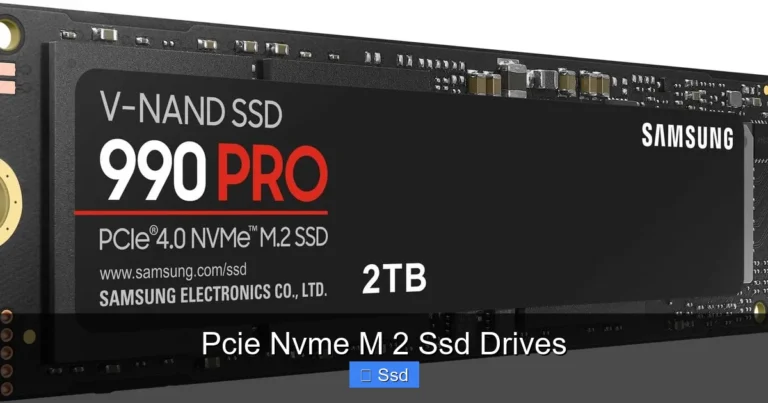
NVMe stands for Non-Volatile Memory Express. It is a communication protocol designed specifically for flash storage. Unlike SATA, NVMe connects directly to your computer’s PCIe (Peripheral Component Interconnect Express) bus. This is the same high-speed connection used by graphics cards and other performance components.
Because NVMe bypasses the old SATA limitations, it can transfer data at incredible speeds. A typical NVMe Gen 3 drive delivers around 3,500 MB/s read speeds. Newer Gen 4 drives push that to 7,000 MB/s or more. The difference between these and a SATA SSD is massive.
For a deeper look at the raw speed comparison, check out our article on Is NVMe Faster Than SSD, which covers the technical details in depth.
How Much Faster Is NVMe Than SSD in Real-World Tests?
The numbers on paper are impressive, but what does the speed difference actually feel like? Let us look at real-world benchmarks and everyday scenarios to find out.
Sequential Read and Write Speeds
Sequential speeds measure how fast a drive can read or write a large, continuous file. Here is a quick comparison:
- SATA SSD: Read speeds of 500 to 560 MB/s, write speeds of 400 to 530 MB/s.
- NVMe Gen 3: Read speeds of 3,000 to 3,500 MB/s, write speeds of 2,000 to 3,200 MB/s.
- NVMe Gen 4: Read speeds of 5,000 to 7,400 MB/s, write speeds of 4,000 to 6,000 MB/s.
- NVMe Gen 5: Read speeds exceeding 10,000 MB/s, write speeds around 8,000 to 12,000 MB/s.
As you can see, a Gen 4 NVMe drive is roughly 13 times faster than a SATA SSD in sequential reads. Even a Gen 3 drive is about 6 to 7 times faster. These numbers translate into real, noticeable improvements.
4K Random Read/Write Performance
While sequential speeds grab headlines, 4K random performance matters more for everyday use. This measures how fast your drive handles small, scattered files, which is what happens when you boot your operating system or open multiple apps at once.
NVMe drives typically deliver 4K random read speeds of 500,000 to 1,000,000 IOPS (Input/Output Operations Per Second). A good SATA SSD usually sits around 90,000 to 100,000 IOPS. That means NVMe is roughly 5 to 10 times better at handling the small file operations that make your system feel snappy.
Boot Time Comparison
One of the most tangible benefits of NVMe is faster boot times. Here is what you can expect:
- HDD (traditional hard drive): 45 to 90 seconds to reach the desktop.
- SATA SSD: 15 to 30 seconds to reach the desktop.
- NVMe SSD: 5 to 12 seconds to reach the desktop.
The jump from a SATA SSD to NVMe might not seem as dramatic as the jump from an HDD to any SSD. But when you are booting up multiple times a day, those seconds add up fast.
Why Is NVMe So Much Faster?
Understanding the technical reasons behind NVMe’s speed advantage helps you appreciate why it is such a game-changer. Here are the key factors:
The PCIe Connection
The PCIe bus is a high-speed data pathway that connects directly to your CPU. SATA uses a slower, older bus that was never designed for modern storage speeds. Think of PCIe as a wide highway and SATA as a narrow country road. Both can carry traffic, but the highway handles much more at higher speeds.
Each PCIe lane offers about 1 GB/s of bandwidth. A typical NVMe Gen 3 drive uses 4 lanes, giving it 4 GB/s of theoretical bandwidth. SATA III maxes out at 600 MB/s total. The gap is enormous.
Efficient Command Queue
NVMe supports up to 65,535 command queues, each with 65,536 commands. SATA SSDs use an older protocol called AHCI, which supports only one command queue with 32 commands. This means NVMe can handle many more tasks simultaneously without getting bottlenecked.
Lower Latency
Latency is the delay between requesting data and receiving it. NVMe drives have significantly lower latency than SATA SSDs, often under 10 microseconds compared to 20 to 30 microseconds for SATA. This might sound tiny, but it adds up quickly when your system is constantly reading and writing data.
Compact M.2 Form Factor
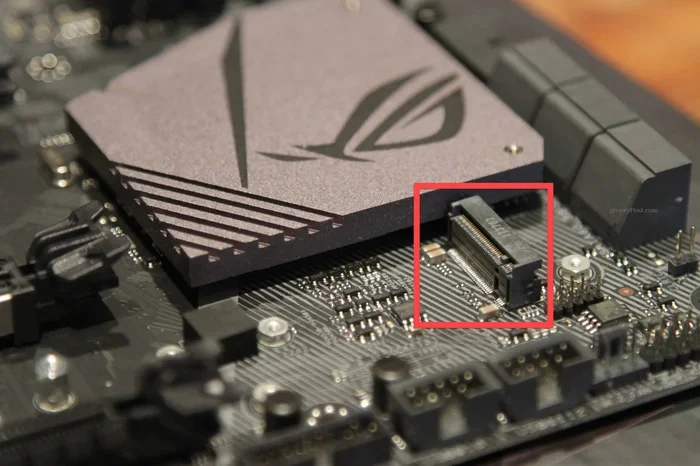
Most NVMe drives use the M.2 form factor, which is a small, stick-like module that plugs directly into the motherboard. This compact design not only saves space but also reduces cable clutter and improves airflow inside your case. If you are curious about M.2 drive specifications, a 512GB NVMe M.2 SSD is a great entry-level option that balances speed and capacity.
Is NVMe Worth the Upgrade?
Now for the question that really matters: should you switch to NVMe? The answer depends on what you use your computer for and what your current setup looks like.
Who Benefits Most from NVMe?
NVMe shines in these scenarios:
- Gamers: Modern games have massive file sizes and long load screens. NVMe cuts load times dramatically, and some games like Cyberpunk 2077 and Starfield specifically recommend NVMe for optimal performance.
- Video Editors: Working with 4K or even 8K video files requires fast read and write speeds. NVMe handles large video files with ease, reducing export and render times.
- 3D Renderers and Designers: Applications like Blender, AutoCAD, and Adobe Premiere benefit from the high bandwidth of NVMe when working with large project files.
- Data Analysts and Scientists: Processing large datasets is much faster on NVMe, saving valuable time during analysis and modeling.
Who Does Not Need NVMe?
That said, NVMe is not essential for everyone. If you primarily use your computer for:
- Web browsing and email
- Document editing and spreadsheets
- Streaming videos and music
- Light photo editing
…a SATA SSD will serve you perfectly well. The speed difference in these tasks is minimal and often unnoticeable. Also, if you have limited RAM, upgrading your memory with How Much RAM For Laptop might give you a bigger performance boost than switching to NVMe.
Price Comparison
One of the biggest concerns about NVMe has always been cost. The good news is that prices have dropped significantly. A 1TB NVMe drive now costs roughly the same as a 1TB SATA SSD. The price per gigabyte has become very competitive. For most people, the performance boost of NVMe justifies the small or nonexistent price difference.
Common NVMe Mistakes to Avoid
Even though NVMe drives are reliable, there are some common pitfalls users should watch out for:
- Not checking motherboard compatibility: Some older motherboards do not support NVMe M.2 slots. Always check your motherboard manual before buying.
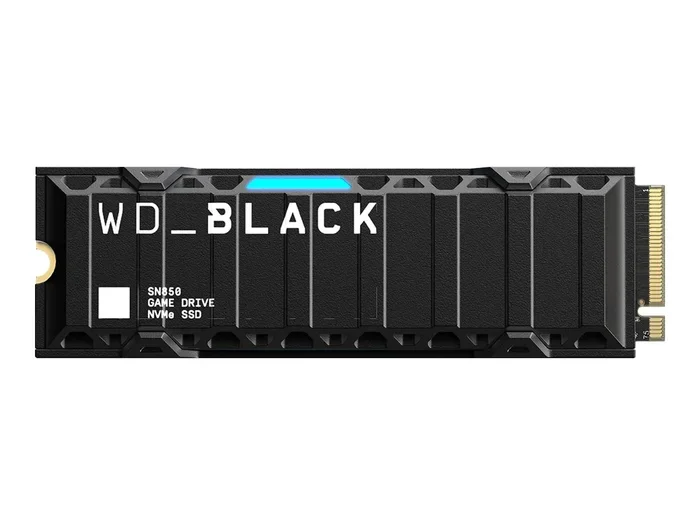
- Ignoring thermal management: NVMe drives can run hot, especially under heavy workloads. Some models come with heatsinks, but others may need a separate cooling solution.
- Improper screw tightness: If you are installing an M.2 NVMe drive, make sure the screw is snug but not overtightened. Too much force can damage the drive or motherboard. Learn more about proper SSD NVMe screw tightness in our dedicated guide.
- Skipping firmware updates: Manufacturers regularly release firmware updates that improve performance and fix bugs. Check for updates after installation.
Expert Insights: What the Benchmarks Tell Us
Independent testing labs consistently show that NVMe outperforms SATA SSDs across nearly every workload. In synthetic benchmarks like CrystalDiskMark and AS SSD Benchmark, the gap is clear. But more importantly, real-world user benchmarks show that everyday tasks feel noticeably snappier on NVMe.
Storage experts generally agree that NVMe is the current standard for new builds and upgrades. As PCIe Gen 5 drives become more mainstream, the speed gap will only grow. If you are building a new PC or upgrading a laptop, NVMe should be your default choice unless you have a specific reason not to.
It is also worth noting that NVMe technology continues to evolve. The latest Samsung NVMe SSD 8TB drives show just how far the technology has come, offering massive capacities without sacrificing speed.
Final Verdict: How Much Faster Is NVMe Than SSD?
The answer comes down to this: NVMe is 5 to 7 times faster than a SATA SSD in most real-world scenarios, and up to 13 times faster in sequential read benchmarks. For gaming, content creation, and professional workloads, this difference is transformative. For casual everyday use, it is a nice bonus.
If you are still running a SATA SSD or worse, a traditional hard drive, upgrading to NVMe is one of the most impactful improvements you can make to your system. The faster boot times, quicker file transfers, and smoother multitasking are immediately noticeable from the moment you switch.
Just make sure your system supports it, pick the right capacity for your needs, and enjoy the speed. Your old drive will feel like it belongs in a museum.
Frequently Asked Questions
Is NVMe really that much faster than a regular SSD?
Yes, NVMe drives are significantly faster than traditional SATA SSDs. In real-world tests, NVMe is typically 5 to 7 times faster for sequential tasks and 5 to 10 times better for random 4K operations. The difference is most noticeable during large file transfers, game loading, and system boot times.
Can I use NVMe and SATA SSDs together in the same computer?
Absolutely. Most modern motherboards support both NVMe M.2 slots and SATA ports. You can use an NVMe drive for your operating system and games, and a SATA SSD for bulk storage. This setup gives you the best of both worlds without any compatibility issues.
Does NVMe last longer than SATA SSD?
Both NVMe and SATA SSDs use similar flash memory technology, so their lifespan depends mostly on the quality of the NAND cells and how heavily you use them. High-end NVMe drives often have higher endurance ratings, but for most users, both types will last many years under normal use.
Will upgrading to NVMe improve my gaming FPS?
NVMe will not directly increase your frames per second in most games. However, it dramatically reduces load times, minimizes texture pop-in, and can improve performance in games that stream assets directly from the drive. Some modern titles are specifically optimized for NVMe storage.
Do I need a special motherboard for NVMe?
You need a motherboard with an M.2 slot that supports NVMe and PCIe. Most motherboards made after 2016 include at least one M.2 slot, but not all of them support NVMe. Always check your motherboard specifications to confirm compatibility before purchasing a drive.
What size NVMe drive should I buy?
For most users, a 1TB NVMe drive offers the best balance of speed and capacity. If you are a gamer or content creator, consider 2TB or more. A 512GB NVMe is a good budget option for system drives, but you may find yourself running out of space quickly if you store large files on it.