Hp Laptop I7 16gb Ram
An HP laptop with an i7 processor and 16GB of RAM is a powerful combination designed for demanding users. This setup excels at heavy multitasking, professional-grade creative work, and modern gaming. It provides a smooth, future-proof experience for power users, students in STEM fields, and professionals who cannot tolerate slowdowns. Choosing the right model depends on your specific needs, from ultraportable business machines to high-performance gaming rigs.
Let’s talk about a combination that has become a gold standard for performance in the laptop world: an HP laptop with an i7 processor and 16GB of RAM. If you’ve been shopping or just reading tech specs, you’ve seen this pairing everywhere. But what does it really mean for you? Is it just marketing hype, or is it the actual key to a laptop that won’t frustrate you two years from now? Think of it this way: the processor (the i7) is the brain, and the RAM is the workspace on its desk. A brilliant brain with a tiny, cluttered desk will get bogged down. A brilliant brain with a spacious, organized desk? That’s a recipe for smooth, efficient work, even when things get crazy. This article is your complete guide to understanding this powerful duo within HP’s ecosystem. We’ll cut through the jargon, explore which HP laptops offer it, and help you decide if this is the right powerhouse for your needs.
Key Takeaways
- Powerhouse Duo: The Intel Core i7 CPU and 16GB RAM combination handles demanding applications, heavy multitasking, and future software updates with ease.
- Target User: Perfect for content creators, engineers, data analysts, serious gamers, and power users who run multiple intensive apps simultaneously.
- Model Variety: HP offers this spec across multiple series, including the premium Spectre, professional Envy/EliteBook, and gaming-focused Omen/Victus lines.
- RAM is Key: 16GB is the new sweet spot for performance, preventing bottlenecks and allowing for dozens of browser tabs plus background apps without slowdown.
- Not Always Necessary: For basic web browsing, office tasks, and media consumption, 8GB RAM and an i5/i7 are sufficient and more cost-effective.
- Check Upgradability: Some modern HP laptops solder RAM to the motherboard. If future upgrades are a priority, research models with accessible slots before purchasing.
📑 Table of Contents
- Why the i7 + 16GB RAM Combination Works So Well
- Who Exactly Needs an HP Laptop i7 16GB RAM?
- Navigating HP’s lineup: Where to Find This Spec
- Performance Deep Dive: What Can You Actually Do?
- Smart Buying Guide: What Else to Look For
- Future-Proofing Your Investment
- Conclusion: Is This the Right HP Laptop For You?
Why the i7 + 16GB RAM Combination Works So Well
To appreciate this combo, we need to break down its two stars separately and then see how they team up. It’s not just about having a “fast” chip and “lots” of memory; it’s about synergy.
The Intel Core i7: More Than Just a Number
The “i7” designation sits in Intel’s stack as a high-performance tier, sitting above the efficient i5 and below the extreme i9. Within the i7 family, there are generations (like 12th Gen, 13th Gen, etc.) and specific models (e.g., i7-1360P, i7-13700HX). Generally, an i7 offers:
- More Cores and Threads: Most modern i7s have at least 8 cores and 16 threads. This means they can juggle many tasks at once, crucial for video editing, 3D rendering, and running virtual machines.
- Higher Clock Speeds: They can run faster (higher GHz) for longer periods, improving responsiveness in single-threaded tasks like web browsing or certain game engines.
- Better Integrated Graphics: While you’ll often pair an i7 with a dedicated GPU for gaming, the Intel Iris Xe graphics in newer i7s are surprisingly capable for light gaming and 4K video playback.
In an HP laptop, the specific i7 model dictates power consumption and heat output, which directly influences the laptop’s thickness, weight, and fan noise. An i7 in an HP Spectre x360 will be a lower-power “U-series” or “P-series” chip for efficiency, while an i7 in an HP Omen gaming laptop will be a high-power “H-series” or “HX-series” chip for maximum performance.
16GB RAM: The Modern Multitasking Mandate
RAM (Random Access Memory) is your laptop’s short-term memory. It holds the data your active apps and the operating system need right now. When RAM fills up, your system starts using the much slower SSD as “virtual memory,” causing stutters and lag. For years, 8GB was the standard. But today’s web browsers (with dozens of tabs), background apps (Slack, Discord, Spotify), and creative software are memory hogs.
- 8GB RAM: Is the bare minimum for Windows 11 and basic use. You’ll feel constraints quickly.
- 16GB RAM: Is the sweet spot for power users. It allows for 30+ Chrome tabs, a large Photoshop file, a few background apps, and a game running—all without a hiccup. It provides breathing room for the next few years of software updates, which tend to require more resources.
- 32GB+ RAM: For professional video editors working with 4K/8K raw footage, data scientists with massive datasets, or users running multiple virtual machines. Overkill for most, but a professional necessity for some.
When you pair a capable i7 with 16GB of RAM, you eliminate the most common bottleneck in modern computing: insufficient memory holding back a powerful processor. The i7 can work at its full potential because it constantly has the data it needs waiting in the fast RAM.
Who Exactly Needs an HP Laptop i7 16GB RAM?
This isn’t a “one-size-fits-all” recommendation. The best laptop is the one that matches your needs. Here’s a profile of the user who will truly benefit from this spec:
The Creative Professional
If you’re a graphic designer using Adobe Creative Suite (Photoshop, Illustrator, InDesign), a video editor in Premiere Pro or DaVinci Resolve, or a photographer processing large RAW files, this combo is foundational. Photoshop uses RAM to cache your entire open document. Video editing software uses it to buffer previews. An i7 accelerates rendering and export times. 16GB ensures you can work on complex projects without the app crashing or becoming unusably slow.
The Serious Student & Academic
Think engineering students running CAD software (SolidWorks, AutoCAD), computer science students compiling code and running IDEs and virtual machines, or data science students analyzing datasets in Python/R. These are all parallelized tasks that love multiple CPU cores and gobble RAM. An HP laptop i7 16gb ram (like in the HP Envy or HP Pavilion Aero) can be a portable lab that handles everything from research papers to complex simulations.
The Power User & Multitasker
This is the person who has 50 browser tabs open across multiple windows, a Word document, Excel spreadsheet, Slack, Teams, a music streaming app, and maybe a light photo editor—all at the same time. They hate waiting for their computer to “catch up” when they switch windows. 16GB RAM is non-negotiable for this workflow, and an i7 ensures the system feels snappy under that load.
The Modern Gamer (Non-Enthusiast)
If you play popular esports titles (Valorant, CS:GO, League of Legends) and newer AAA titles at 1080p or 1440p, an HP Omen or HP Victus with an i7 and 16GB RAM is a fantastic sweet spot. The i7 (especially H-series) feeds the dedicated GPU (like an NVIDIA RTX 4060) with data quickly. 16GB is the recommended amount for most modern games, preventing stutters caused by running out of system memory. For competitive gamers, this combo ensures high, stable frame rates.
Who can skip it? If your activities are limited to web browsing, email, Office documents, streaming Netflix/YouTube, and very light photo viewing, an i5 with 8GB RAM is perfectly adequate and will save you significant money.
Navigating HP’s lineup: Where to Find This Spec
HP doesn’t put this combo in just one laptop. They spread it across their portfolio, tailoring other components (GPU, display, storage, build) to different audiences. Here’s a roadmap:
The Premium & Hybrid: HP Spectre & HP Envy
These are HP’s flagship consumer laptops. The HP Spectre x360 (a 2-in-1 convertible) and HP Envy (a traditional clamshell) often offer configurations with 13th/14th Gen Intel i7 processors and 16GB RAM. They feature premium builds (often aluminum), excellent keyboards, bright displays (some with OLED), and sleek designs. They may use lower-power i7 “U” or “P” series chips for better battery life and cooler operation in a thin chassis. Perfect for business professionals, writers, and creators who value portability, style, and a great screen. Look for models with at least 512GB of SSD storage to complement the RAM/CPU.
The Business-Class Workhorse: HP EliteBook & HP ProBook
Built for the corporate world, these laptops (like the HP EliteBook 840 G10) are toughness personified. They undergo MIL-STD durability testing, offer best-in-class keyboard travel, and include enterprise manageability and security features (like a physical webcam shutter, TPM, and sometimes a smart card reader). You’ll find i7 and 16GB RAM configurations here, typically with business-oriented “U” series processors for all-day battery life. Ideal for traveling consultants, finance professionals, and anyone who needs a no-nonsense, reliable machine that can take a bump.
The Gaming & Performance Powerhouse: HP Omen & HP Victus
This is where the i7 gets beefy. The HP Omen line is the premium gaming brand with aggressive designs, advanced cooling, and high-refresh-rate displays (144Hz, 240Hz). The HP Victus is a more value-oriented gaming line with a subtler design but still packs serious performance. In these, you’ll find the 45-watt “H” series and even the 55-watt “HX” series i7 processors—true desktop replacements. These are paired with dedicated NVIDIA GeForce RTX or AMD Radeon GPUs. 16GB RAM is the absolute minimum recommendation for gaming, and these machines often have two RAM slots, allowing for an easy upgrade to 32GB later. If your primary goal is gaming or GPU-intensive creative work, start your search here.
The Mainstream All-Rounder: HP Pavilion
The HP Pavilion series (like the Pavilion Aero 13 or Pavilion 15) is HP’s mass-market sweet spot. You can frequently find excellent value configurations with an i7 and 16GB RAM, sometimes at prices that rival lower-spec Envy models. They offer good performance, decent build quality (often plastic but well-constructed), and a wide range of screen sizes. They are a great “no-fuss” choice for students and general users who want the power of an i7/16GB combo without the premium price tag of the Spectre or the gamer aesthetic of the Omen.
Performance Deep Dive: What Can You Actually Do?
Specs are numbers. Real-world performance is what matters. Let’s walk through scenarios with your hypothetical HP laptop i7 16gb ram.
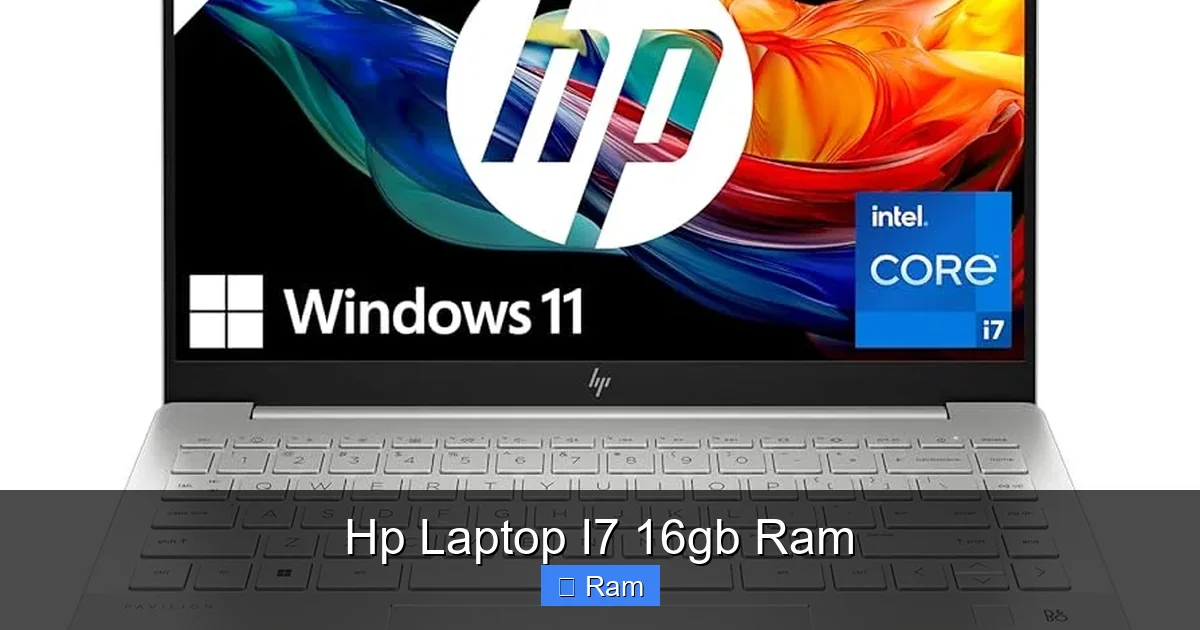
Visual guide about Hp Laptop I7 16gb Ram
Image source: m.media-amazon.com
Content Creation & Productivity
Imagine exporting a 10-minute 4K video from Adobe Premiere Pro. An i7 with its many cores will significantly shorten that render time compared to an i5. The 16GB RAM means you can have the full-resolution video timeline, several high-res stills, and the program itself all in memory without swapping to the SSD. In practice, this means less waiting and more creating. Similarly, working with a massive, layered 100MP photo in Photoshop? The 16GB RAM is your best friend, keeping the application responsive as you zoom and pan.
Development & Data Work
For a software developer, running a local web server, a database (like PostgreSQL), an IDE (like Visual Studio Code or IntelliJ), and 50 Chrome tabs for documentation is a typical day. An i7 handles the compilation and background processes smoothly. 16GB RAM ensures that the IDE, browser, and server don’t start fighting for memory, which can cause crashes or extreme slowdowns. For data analysis, loading a large CSV into Python’s pandas library or running a complex query in a local SQL instance is RAM-intensive. 16GB provides the necessary headroom.
Gaming & Graphics
In a gaming-focused HP Omen with an i7 and an RTX 4060, 16GB RAM is the standard pairing. In titles like “Cyberpunk 2077” or “Alan Wake 2” at high settings, the system uses all 16GB. Dropping to 8GB would cause severe stuttering as the system struggles to load textures. The i7’s job is to feed the GPU with game logic, physics, and AI calculations without bottlenecking it. You’ll see high, stable frame rates at 1080p and comfortable rates at 1440p with this setup. For esports titles, you can easily push frame rates above 144 FPS to match a high-refresh display.
Everyday “It Just Works” Factor
The most underrated benefit is the sheer lack of frustration. You never see the “Your computer is low on memory” warning. You never have to close browser tabs to open another app. Your laptop feels fast and responsive from the moment you press the power button, even after weeks of use without a restart. This consistent, lag-free experience is what you’re paying for with the i7/16GB combination. It’s a quality-of-life upgrade that is hard to quantify until you experience it.
Smart Buying Guide: What Else to Look For
You’ve decided you want an HP laptop with an i7 and 16GB RAM. Great start! But don’t hit buy yet. The other components make or break the experience.
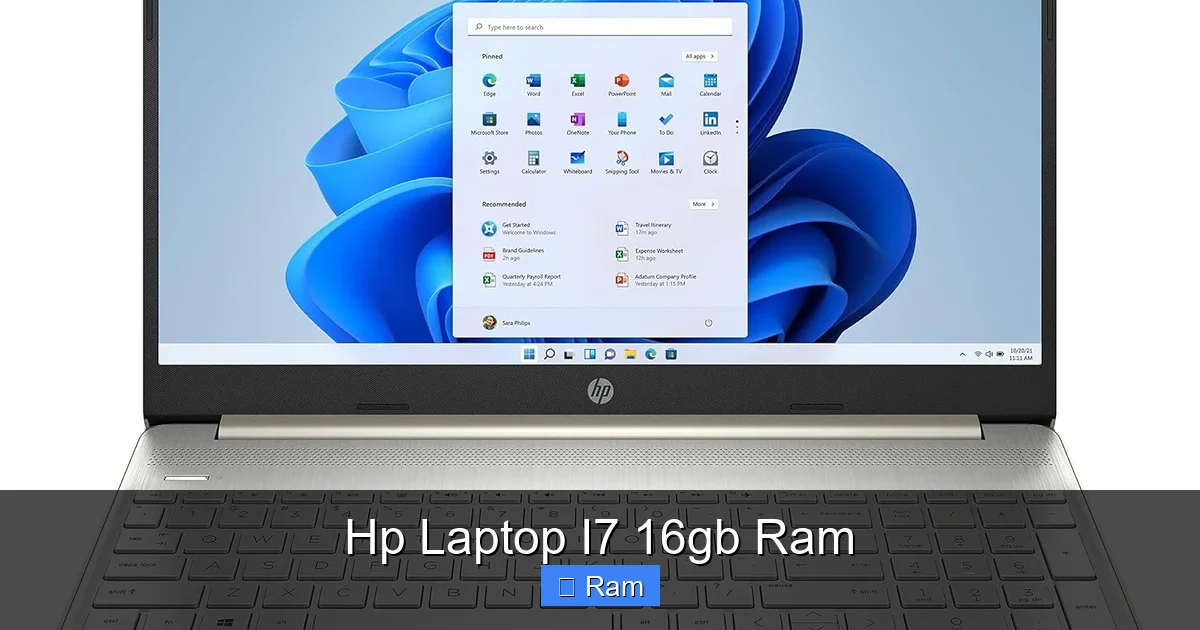
Visual guide about Hp Laptop I7 16gb Ram
Image source: m.media-amazon.com
Storage: SSD is Non-Negotiable
Never, ever buy a laptop with a traditional Hard Disk Drive (HDD) as its primary storage in 2024. You must get a Solid State Drive (SSD). An SSD is hundreds of times faster than an HDD, making boot times, app launches, and file transfers instantaneous. For this class of laptop, aim for at least a 512GB NVMe SSD. A 1TB SSD is becoming the new standard and is a wise investment if your budget allows. Check if the SSD is user-upgradable (many HP laptops have a single M.2 slot).
Display: Your Window to the World
A powerful CPU/GPU is wasted on a poor screen. Consider:
- Resolution: Full HD (1920×1080) is standard. For sharper text and images on a 15.6″ screen, consider 2.5K (2560×1440) or 4K. Note that higher resolutions impact battery life and GPU load.
- Panel Type: IPS is the standard for good color and viewing angles. OLED is available on premium models (Spectre, some Envy) and offers incredible contrast and color but can risk burn-in with static elements.
- Refresh Rate: 60Hz is fine for productivity. For gaming and smoother scrolling, look for 144Hz or higher, especially on Omen/Victus models.
- Brightness: 300 nits is decent. 400+ nits is excellent and better for use in bright environments.
Battery Life: The Portability Trade-Off
Here’s the universal law: more performance generally means shorter battery life. A thin-and-light HP Spectre with a low-power i7 and 16GB RAM can still eke out 8-10 hours of web browsing. A gaming HP Omen with a 45-watt i7 and a dedicated GPU will struggle to last 3-4 hours under load. You must balance your need for raw power with your need for unplugged mobility. Check professional reviews for real-world battery tests of the specific model you’re eyeing.
Build Quality, Keyboard & Ports
An aluminum chassis (Spectre, Envy, Omen) feels sturdier and more premium than plastic (Pavilion, Victus). Test the keyboard if you can—key travel and feedback are personal. Ensure the laptop has the ports you need: enough USB-A ports, USB-C/Thunderbolt 4 (for charging and fast data), HDMI, and an SD card reader (crucial for photographers). Some ultra-thin models are ditching older ports, so you might need a dongle.
Future-Proofing Your Investment
Buying a laptop is a 3-5 year commitment. How do you ensure your HP laptop i7 16gb ram stays relevant?
The RAM Question: Soldered vs. Slots
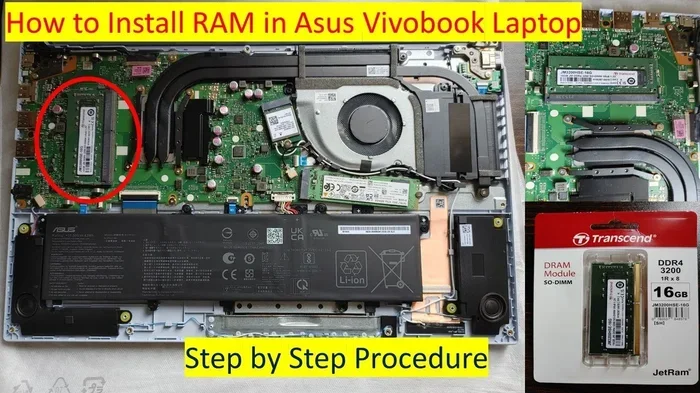
This is the most critical future-proofing factor. Many modern ultrabooks and gaming laptops solder the RAM directly to the motherboard to save space and improve performance. This means it cannot be upgraded after purchase. If you buy a model with 16GB soldered RAM, that’s it. Forever. If you think you might need 32GB in 3 years, you must find a model with accessible RAM slots (often found in thicker business laptops like some EliteBooks, or gaming laptops like the Omen 16). Always check the technical specifications or teardown videos to confirm RAM upgradability before buying.
Processor Generation Matters
A 13th Gen Intel i7 is noticeably faster and more efficient than a 10th Gen i7. When comparing models within your budget, prioritize the newest generation you can afford. The performance jump between generations can be significant. Also, pay attention to the specific model suffix: “H” for high-performance, “P” for performance-optimized, “U” for ultra-mobile efficiency.
Storage & Wi-Fi: Easy Upgrades
Most HP laptops have at least one user-accessible M.2 SSD slot. If your 512GB drive fills up in a year, you can buy a 2TB NVMe SSD and swap it yourself in minutes. Similarly, Wi-Fi 6E and the new Wi-Fi 7 are becoming standard. If your laptop has an M.2 slot for the wireless card, you can upgrade to a faster standard later without changing the whole motherboard.
Cooling & Longevity
Thermals dictate long-term performance. A laptop that throttles (slows down) its i7 after 10 minutes of heavy work because it’s overheating is not future-proof. Look for reviews that stress-test the laptop. Gaming laptops and performance workstations (Omen, some Envy) generally have better cooling solutions than thin-and-lights. A well-cooled laptop will maintain its performance for years.
Conclusion: Is This the Right HP Laptop For You?
So, should you buy an HP laptop with an i7 processor and 16GB of RAM? The answer is a resounding yes if your workflow involves any combination of heavy multitasking, professional creative applications, engineering/development software, or modern gaming. This combination eradicates the most common performance bottlenecks, delivering a smooth, responsive, and capable experience that will feel fast for years. It’s an investment in not just power, but in frustration-free computing.
Your final step is to match this powerful heart to the right HP body. Need ultimate portability and style? Explore the HP Spectre x360 or Envy. Need a rugged, reliable business partner? The HP EliteBook is your answer. Craving gaming dominance? The HP Omen or Victus await. And if you want great value without the frills, the HP Pavilion often delivers this core spec at an attractive price point. Remember to scrutinize the other components—the SSD, the display, the battery—and confirm the RAM is not soldered if you value the option to upgrade. By doing your homework on the complete package, you’ll find the perfect HP machine that harnesses the formidable power of an i7 and 16GB RAM to fuel your work, your creativity, and your play.
Frequently Asked Questions
Is 16GB of RAM overkill for an i7 laptop?
No, for the target user of an i7 laptop (power users, creators, gamers), 16GB is the recommended minimum. An i7 processor can handle more data streams than 8GB RAM can supply, creating a bottleneck. 16GB allows the powerful CPU to work efficiently without being starved for data.
Can I upgrade the RAM in an HP laptop later?
It depends entirely on the specific model. Many modern HP laptops, especially thin-and-lights and some gaming models, have RAM soldered to the motherboard, making upgrades impossible. Always check the technical specifications for “user-upgradable” or consult HP’s support site for the exact maintenance manual before purchasing if upgradeability is important to you.
Will an i7/16GB RAM HP laptop have good battery life?
Battery life depends more on the specific i7 model (low-power “U” series vs. high-power “H” series), screen brightness, and the presence of a dedicated GPU. An i7/16GB RAM HP Spectre with a “U-series” chip can have excellent battery life (8-10 hours). An HP Omen with a 45-watt “H-series” i7 and a gaming GPU will have much shorter battery life (3-5 hours). You trade power for portability.
Is this combo good for video editing?
Absolutely. Video editing is one of the most demanding tasks for both CPU (for rendering/encoding) and RAM (for holding project assets). An i7 provides the multi-core power for fast exports, while 16GB RAM allows you to work with complex timelines and high-resolution footage without constant lag or crashes. For professional 4K/8K work, consider 32GB RAM.
Should I get more SSD storage or more RAM with an i7?
For an HP laptop i7 16gb ram configuration, always prioritize getting at least a 512GB NVMe SSD. Storage speed affects every aspect of system responsiveness. If you must choose between a 256GB SSD + 16GB RAM vs. a 512GB SSD + 8GB RAM, choose the 512GB SSD with 8GB RAM. The speed difference from the SSD will be more noticeable day-to-day, and 8GB RAM can sometimes be upgraded later. But ideally, get both: 512GB+ SSD and 16GB RAM.
What’s the difference between an i7 in an HP Envy and an HP Omen?
The primary difference is the processor series and power limits. An HP Envy typically uses a 15-28 watt “P” or “U” series i7, optimized for efficiency and cooler operation in a thin chassis. An HP Omen uses a 45-55 watt “H” or “HX” series i7, which is a full-performance, desktop-class chip that generates more heat but offers significantly more multi-core power for gaming and rendering. The Envy’s i7 is for efficient performance; the Omen’s i7 is for raw, maximum performance.