I7 Processor 16gb Ram Laptop
An Intel Core i7 processor paired with 16GB of RAM creates a formidable computing combination for power users. This duo effortlessly handles intense multitasking, professional-grade creative work, modern gaming, and complex data analysis. It’s the sweet spot for anyone who refuses to compromise on speed and responsiveness, offering a future-proof machine for years to come.
Let’s have a real talk about laptop shopping. You see ads screaming about specs, but what does it all actually mean for you? If you’re serious about getting work done, creating content, or gaming without compromise, the phrase “i7 processor 16GB RAM laptop” isn’t just jargon—it’s a promise. It’s the sound of your computer not laughing at you when you open fifty browser tabs, a 4K video project, and a Spotify playlist all at once. This isn’t about checking boxes; it’s about building a reliable partner for your most ambitious projects. In this guide, we’ll cut through the noise and break down exactly why this combination is the golden standard for high-performance mobile computing and how to choose the right one for your life.
Key Takeaways
- The Perfect Power Duo: The i7 CPU provides raw processing muscle for heavy applications, while 16GB of RAM ensures smooth multitasking and ample space for data-heavy projects.
- Ideal For Creators & Professionals: This spec is tailor-made for video editors, 3D artists, software developers, and data scientists who run multiple demanding apps simultaneously.
- RAM is Non-Negotiable: 16GB is the modern baseline for high-performance laptops. Less than this will cripple an i7’s potential, leading to slowdowns during complex tasks.
- Look Beyond the CPU & RAM: A fast SSD (NVMe), a dedicated GPU for gaming/rendering, and a robust cooling system are critical companions to maximize this configuration’s potential.
- Know Your i7: Not all i7s are equal. Understand the difference between power-hungry H-series (for performance) and efficient P/U-series (for battery life) to match your needs.
- Future-Proofing Investment: This combination comfortably meets and exceeds the requirements of most professional software and games for the foreseeable future, delaying the need for an upgrade.
- Check Upgradeability: Many modern laptops solder RAM to the motherboard. If you plan to upgrade later, prioritize models with accessible RAM slots before purchasing.
📑 Table of Contents
- Decoding the Powerhouse: What “i7 + 16GB” Really Means
- Who Exactly Needs This Level of Performance? (It Might Not Be You)
- The Critical Companion Specs: Don’t Buy the i7/16GB in a Vacuum
- Navigating the i7 Maze: Generations, Series, and What to Buy
- Real-World Buying Guide: What to Look For in 2024 & Beyond
- Conclusion: Is This the Right Choice for You?
Decoding the Powerhouse: What “i7 + 16GB” Really Means
We throw these terms around, but they’re more than just numbers on a sticker. Let’s unpack them separately and then see the magic they create together.
The Intel Core i7: Your Digital Workhorse
The “i7” designation comes from Intel’s Core processor lineup. Think of the CPU (Central Processing Unit) as the brain of your laptop. An i7 sits comfortably between the efficient i5 and the beastly i9. It’s designed for multithreading and high clock speeds. What does that mean for you? It means it has multiple “brains” (cores) that can work on different tasks at the same time, and each brain can think very quickly. This is crucial for tasks like compiling code, rendering 3D animations, applying complex filters in Photoshop, or running virtual machines. An i7 doesn’t get easily flustered. It maintains performance even when you pile on the work.
16GB of RAM: The Essential Breathing Room
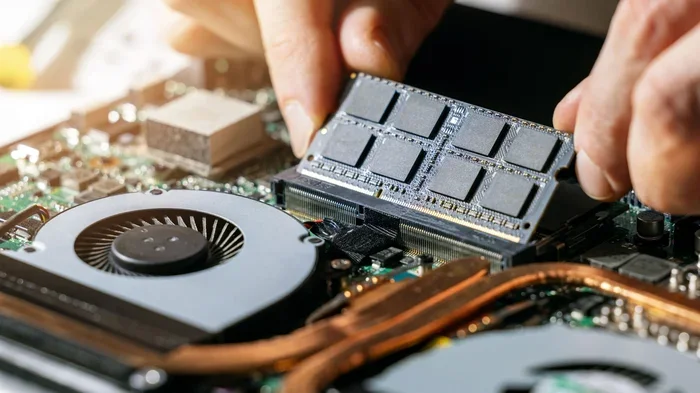
RAM (Random Access Memory) is your laptop’s short-term memory. It’s where data from all your open apps lives so the CPU can grab it instantly. 16GB is the sweet spot for power users. To put it in perspective: 8GB is fine for web browsing and office apps. 16GB is what you need when your “office apps” include a 100-layer Photoshop file, a Chrome instance with 30 tabs (each loading complex web apps), and a streaming music service. It provides the “breathing room” so your system doesn’t start swapping data to the slow hard drive, which causes lag and stutters. With 16GB, you can switch between heavy applications seamlessly. It’s the difference between a smooth, responsive system and one that constantly buffers and freezes under pressure.
The Synergy: Why They’re Better Together
Here’s the key insight: a powerful i7 processor is useless without sufficient RAM. The CPU can process information at lightning speed, but if there’s no RAM to hold the data it needs, it sits around waiting. That wait time is the lag you feel. Conversely, having 32GB of RAM with a weak i3 processor is like having a massive warehouse with a slow forklift—the space is there, but moving goods takes forever. The i7 + 16GB combo is perfectly balanced. The i7 has the horsepower to chew through complex calculations, and 16GB gives it a vast, fast workspace to do so without interruption. This synergy is what delivers the buttery-smooth experience power users demand.
Who Exactly Needs This Level of Performance? (It Might Not Be You)
Let’s be honest. Not everyone needs a race car. If your laptop use is limited to email, social media, streaming Netflix, and light document editing, an i5 with 8GB RAM is more than sufficient and will save you money. But if you recognize yourself in any of these profiles, an i7/16GB machine isn’t a luxury—it’s a necessity.
Visual guide about I7 Processor 16gb Ram Laptop
Image source: microless.com
The Creative Professional: Video, Photo, & Design
This is the #1 audience for this spec. Video editing software like Adobe Premiere Pro or DaVinci Resolve is brutally demanding. It constantly loads high-resolution footage, effects, and audio tracks into RAM. A 4K timeline with a few color grades and effects can easily consume 8-12GB of RAM on its own. Add Photoshop and Illustrator open in the background, and you’ll swamp 8GB instantly. The i7 accelerates rendering times and real-time playback. For photographers, working with hundreds of high-megapixel RAW files in Lightroom requires ample RAM to maintain a smooth library browsing and editing experience.
The Serious Gamer & Streamer
Modern AAA games are hungry for both CPU power and RAM. While the GPU (graphics card) is the star for visuals, the i7 handles game logic, physics, AI, and—critically—the overhead of game streaming. If you want to stream your gameplay on Twitch or YouTube via OBS Studio while playing at high settings, you are running two very demanding applications simultaneously. The i7 manages the game and encoding tasks, while 16GB ensures both the game and OBS have the memory they need to prevent frame rate drops and stutters. 8GB is the absolute bare minimum for modern gaming; 16GB is the comfortable, recommended standard for a smooth, future-proof experience.
The Developer, Engineer, & Data Analyst
For a software developer, this is the dream setup. You can run a local web server, a database, your IDE (like VS Code or IntelliJ), multiple browser tabs for documentation, and maybe a Docker container or virtual machine—all at once. Virtual machines, which emulate a whole other computer, are especially RAM-intensive. A single VM can easily request 4-8GB. An i7 ensures compiling code is fast, and 16GB lets you keep your entire development environment active without constant slowdowns. Data analysts working with large Excel files, Python scripts (Pandas), or SQL databases will see immediate benefits from the extra RAM for dataset loading.
The Student & The Multitasking Power User
This might be you! Think of the student working on a research paper with 40+ browser tabs open (articles, Google Docs, citation tools), a PDF reader, a note-taking app, Spotify, and a video call with classmates. Or the professional who always has Outlook, Teams, Excel, a PowerPoint deck, and a dozen Chrome tabs open for research. This level of multitasking is exactly where 8GB starts to choke. The i7/16GB combo makes this kind of chaotic, real-world workflow feel effortless. You won’t waste time waiting for apps to wake up or for tabs to reload.
The Critical Companion Specs: Don’t Buy the i7/16GB in a Vacuum
Okay, you’ve found a laptop with an i7 and 16GB of RAM. Stop. Don’t click “buy” yet. This powerful duo can be held back by other weak components. Think of it like putting a Formula 1 engine in a car with cheap tires and bad brakes. You need to check the rest of the package.
Storage: The NVMe SSD is Non-Negotiable
This is the most important companion spec. Your laptop must have a solid-state drive (SSD), and preferably a fast NVMe PCIe SSD. Why? Because if your data is stored on a traditional hard drive (HDD), that becomes the ultimate bottleneck. The i7 and 16GB RAM will be fetching data from a snail-paced HDD, nullifying their speed advantage. An SSD makes everything instant—booting up, launching apps, loading files. Get at least a 512GB NVMe SSD. 256GB fills up incredibly fast with modern software and media files.
Graphics: Integrated vs. Dedicated (GPU)
The i7 processor typically includes integrated graphics (Intel Iris Xe). This is fine for everyday tasks and light gaming. But for serious gaming, 3D rendering (Blender), or GPU-accelerated video effects, you need a dedicated graphics card from NVIDIA (GeForce RTX) or AMD (Radeon). A laptop with an i7, 16GB RAM, and an RTX 4060, for example, is a true workstation/gaming beast. The GPU handles the heavy graphical lifting, freeing the i7 for other tasks. Match your GPU choice to your primary use case.
Cooling & Build Quality: The Unsung Heroes
Powerful components generate heat. A thin-and-light laptop with an i7 might throttle (slow down) its performance to manage heat in a plastic chassis with a single fan. Look for reviews that mention thermals and fan noise. A well-designed cooling system with heat pipes and dual fans is essential for the i7 to sustain its high performance under load. A metal chassis (aluminum) generally dissipates heat better than plastic. Don’t underestimate this—a laptop that gets too hot to use on your lap and throttles performance is a frustrating paperweight.
Display & Portability: The User Experience
What good is power if you can’t see it? For creative work, prioritize high-resolution (QHD/4K) and color-accurate (100% sRGB/AdobeRGB, factory calibrated) displays. For gaming, focus on high refresh rates (144Hz, 240Hz) and adaptive sync (G-Sync/FreeSync). Consider size and weight. A 17-inch “desktop replacement” laptop with an i7/16GB will have better cooling but be heavy. A 14-inch model will be more portable but might have slightly lower performance due to thermal constraints. Know your mobility needs.
Navigating the i7 Maze: Generations, Series, and What to Buy
Here’s where it gets confusing. Intel releases new “generations” of i7 chips (e.g., 12th Gen, 13th Gen, 14th Gen). Generally, newer is better—more efficient, more powerful, with newer features like Thunderbolt 4 and Wi-Fi 6E. But the naming convention has another layer: the letter suffix.
H-Series vs. P-Series vs. U-Series: It’s All About Power
This is crucial. The letter at the end of the processor model (e.g., i7-13700H, i7-1360P, i7-1355U) tells you its intended use:
- H-Series (e.g., i7-13700H): High Performance. Found in gaming laptops and mobile workstations. Highest power draw (45W+), best sustained performance, but shorter battery life. This is what you want for maximum power if you’re plugged in most of the time.
- P-Series (e.g., i7-1360P): Performance-optimized. A middle ground. Better performance than U-series, with moderately good battery life. Great for thin-and-light laptops that need a power boost for occasional heavy tasks.
- U-Series (e.g., i7-1355U): Ultra-low power. Designed for maximum battery life in ultraportable laptops. While still an i7, its performance is significantly lower and less sustainable under long loads than H-series. Don’t assume an “i7” in a super-thin laptop has the same grunt as one in a bulky gaming rig.
Rule of Thumb: For gaming, video editing, or engineering, prioritize H-series. For a powerful, portable workhorse that still gets good battery life, look at P-series. Be wary of U-series i7s for demanding work.
How to Read the Model Number (A Simple Trick)
Take “i7-13700H.” The first two digits after the dash (“13”) are the generation. A 13th Gen (13xxx) is newer than a 12th Gen (12xxx). The remaining digits indicate the specific SKU within the generation—higher numbers are generally better. The “H” is the series. Always check this suffix. A laptop listing just “Intel Core i7” is being vague for a reason. Demand the full model number.
Real-World Buying Guide: What to Look For in 2024 & Beyond
Armed with knowledge, let’s build a checklist. When you’re shopping for an i7/16GB laptop, here is your non-negotiable list and your “nice-to-have” list.
The Non-Negotiables (Your Checklist)
- CPU: Aim for at least a 12th Gen Intel Core i7 (e.g., i7-12700H) or newer (13th/14th Gen). Check the suffix—prioritize H or P-series for performance.
- RAM: 16GB is the target. Confirm it’s DDR5 (newer, faster) if possible, though DDR4 is still capable. Most importantly, check if the RAM is soldered or in an accessible slot. Soldered RAM cannot be upgraded. If you think you might need 32GB in 2 years, find a model with a free slot.
- Storage: 512GB NVMe PCIe SSD minimum. 1TB is the comfortable sweet spot for most. Avoid any laptop that still uses a hard drive (HDD) as its primary storage.
- Display: For general use, a Full HD (1920×1080) IPS panel is fine. For creative work, target QHD (2560×1440) or 4K with high color gamut coverage (100% sRGB minimum). For gaming, prioritize refresh rate (144Hz+) over resolution.
- Cooling & Build: Read professional and user reviews specifically about thermals and fan noise. Metal build is a plus.
Smart Trade-Offs & “Nice-to-Haves”
- Battery Life: An H-series i7 with a dedicated GPU will have modest battery life (4-6 hours typical). If you need all-day battery, you must look at P or U-series i7s, possibly sacrificing some peak performance.
- Portability: A 14-inch laptop with an i7/16GB is more portable but may have slightly lower thermal limits than a 15.6/17-inch model with the same internals. Decide your size/weight limit.
- Webcam & Speakers: In the age of Zoom, a 1080p webcam is a welcome upgrade over the grainy 720p ones. Good speakers are a bonus but can often be fixed with headphones.
- Port Selection: Ensure it has the ports you need: USB-C (with Thunderbolt 4 is best for docks and fast external SSDs), HDMI, and enough USB-A ports for your peripherals.
Budget Expectations
You are not buying a budget laptop. A new i7/16GB laptop from a reputable brand (Dell XPS, Lenovo ThinkPad T/P series, HP Spectre/Envy, ASUS Vivobook Pro, Acer Swift X, gaming brands like MSI, ASUS ROG) will typically start around $1,200-$1,400 for a well-rounded configuration (good SSD, decent display, P-series i7). Models with H-series i7s and dedicated GPUs start around $1,500 and go up significantly. Refurbished or previous-generation models can offer tremendous value, often dipping below $1,000. Always compare specs-per-dollar.
Conclusion: Is This the Right Choice for You?
So, should you buy an i7 processor 16GB RAM laptop? If your work or play involves applications that are known to be resource-hungry—video editing, 3D modeling, AAA gaming, software development with VMs, or heavy multitasking—then the answer is a resounding yes. This combination is the current performance sweet spot that delivers a genuinely frustration-free, future-resistant experience. It’s an investment in your productivity and your sanity.
However, be a savvy buyer. Don’t get dazzled by the i7/16GB badge alone. Vet the entire system: the SSD type and size, the graphics solution, the cooling design, and the display quality. Understand that the “i7” in a sleek ultrabook is a different beast from the “i7” in a chunky gaming rig. Match the specific processor series (H, P, U) to your power and portability needs. And always, always check if the RAM is upgradeable down the line.
Ultimately, this configuration represents a commitment to doing more, faster, without compromise. It’s for the user who closes their laptop at the end of the day knowing the machine kept up with them, not the other way around. If that’s you, start your search with confidence, using this guide as your compass.
Frequently Asked Questions
Is an i7 with 16GB RAM overkill for everyday use?
For basic tasks like web browsing, email, and streaming video, yes, it’s overkill. An i5 with 8GB RAM is perfectly adequate and more cost-effective. The i7/16GB combo shines when you regularly run multiple demanding applications simultaneously.
Can I upgrade the RAM in an i7 laptop later?
It depends entirely on the model. Many modern ultrabooks and gaming laptops solder the RAM directly to the motherboard to save space, making upgrades impossible. Always check the laptop’s technical specifications or a teardown video to see if there are accessible RAM slots before purchasing, especially if you think you might need more than 16GB in the future.
Should I get more RAM (32GB) or a better GPU instead?
It depends on your primary bottleneck. For video editing and 3D rendering, more RAM (32GB+) helps with complex projects. For gaming, a more powerful GPU (e.g., RTX 4070 vs 4060) will give a much bigger frame rate boost than going from 16GB to 32GB RAM. For professional workstation tasks like running multiple VMs, more RAM is often the priority.
Is a U-series i7 with 16GB RAM as good as an H-series i7 with 16GB?
No. The U-series is designed for efficiency and battery life in thin-and-light laptops. It has fewer cores, lower power limits, and will throttle performance much sooner under sustained loads than an H-series chip. An H-series i7 will consistently deliver significantly higher performance for demanding tasks, even with the same amount of RAM.
Do I need Windows 11 Pro for an i7/16GB laptop?
Not necessarily. Windows 11 Home works perfectly fine for most users. Windows 11 Pro adds business features like BitLocker encryption, Remote Desktop host, and the ability to join a corporate domain. Unless you need these specific business/IT management tools, Home is sufficient and saves you money.
What’s the biggest mistake people make when buying this type of laptop?
Focusing solely on the CPU and RAM and ignoring the storage and cooling. Buying a laptop with an i7/16GB but a slow hard drive (HDD) or a poor cooling system that causes thermal throttling will result in a disappointing, laggy experience. Always ensure you’re getting a fast NVMe SSD and read reviews about thermal performance.