Is 4gb Ram Good for Laptop
Is 4GB RAM good for a laptop today? The short answer is: it’s the absolute bare minimum for very basic tasks and is generally not recommended for most users. While it can handle lightweight web browsing, document editing, and video streaming, it will struggle severely with modern operating systems like Windows 11, any form of multitasking, and demanding applications. For a smooth, future-proof experience, 8GB is the new starting point for general use. You should only consider 4GB if you have an extremely tight budget, are using a lightweight OS like Chrome OS, or have a specific, single-application need.
Key Takeaways
- 4GB RAM is the bare minimum in 2024: It can run basic tasks but offers no room for modern computing demands or multitasking.
- Operating System is the first hurdle: Windows 10/11 and macOS require a significant portion of 4GB just to run the OS itself, leaving little for your apps.
- Web browsing is a major RAM consumer: Modern browsers with a few tabs open can easily consume 2-3GB on their own, crippling a 4GB system.
- It’s not “future-proof”: Software and websites only get more resource-intensive. A 4GB laptop will feel obsolete much faster.
- Upgradability is key: If a laptop has 4GB soldered, avoid it. If it has a free slot, upgrading to 8GB or 16GB is a cheap, transformative fix.
- Consider the OS: 4GB can be viable on Chrome OS (Chromebooks) or certain Linux distributions designed for low RAM usage.
- Define your use case honestly: If your needs extend beyond one or two simple apps at a time, 4GB will lead to frustration with slowdowns and freezes.
📑 Table of Contents
- The Modern Computing Landscape: Why RAM Matters More Than Ever
- Who Can Actually Get By with 4GB RAM? (The Narrow Use Cases)
- Operating System Requirements: The Non-Negotiable Baseline
- The Multitasking Myth: Why 4GB Fails in the Real World
- Future-Proofing: The True Cost of a 4GB Laptop
- Upgrading vs. Replacing: Making the Smart Financial Decision
- The Verdict: A Clear Recommendation for 2024 and Beyond
The Modern Computing Landscape: Why RAM Matters More Than Ever
Remember when 2GB of RAM felt like plenty? Those days are long gone. Today, we live in an era of complex web applications, high-resolution media, and operating systems that are sophisticated ecosystems in their own right. Random Access Memory (RAM) is your laptop’s short-term workspace. The more you have, the more applications and data it can hold in immediate access, leading to a smoother, faster experience. When your RAM fills up, your laptop starts using the much slower hard drive or SSD as “virtual memory,” a process that causes the dreaded slowdowns, spinning beach balls, and unresponsive programs. So, when we ask “is 4GB RAM good for a laptop?” we’re really asking if 4GB is enough to keep your digital workspace from constantly spilling over into that slow storage.
The Memory Hunger of Modern Browsers
Let’s start with the biggest culprit: your web browser. Google Chrome, Mozilla Firefox, and Microsoft Edge are not just simple page viewers anymore. Each tab you open is essentially a separate, complex application running its own processes, scripts, and media. A single empty tab can use 200-500MB. Open a few tabs with social media, a video, and a news site? You’re easily looking at 1.5GB to 3GB of RAM consumed just by your browser. Add a music streaming app in the background, and you’ve already consumed the vast majority of a 4GB system before even opening your primary work software. This isn’t speculation; it’s a daily reality for anyone using a low-RAM machine.
Background Processes That Eat RAM
Your operating system itself is a constant RAM consumer. Windows 11, for instance, uses about 2-2.5GB at idle just to run its core services, interface, security features, and update mechanisms. macOS is similar. Then you have the background apps: your cloud storage sync client (Dropbox, OneDrive, Google Drive), your antivirus, your keyboard’s customization software, your printer utilities, and the constant pings from notification systems. These aren’t optional extras; they’re part of the modern computing fabric. On a 4GB system, this background “tax” leaves you with a precious 1-1.5GB for your actual work—a number that evaporates quickly.
Who Can Actually Get By with 4GB RAM? (The Narrow Use Cases)
While the picture seems bleak, there are specific, narrow scenarios where 4GB RAM isn’t just acceptable but can be perfectly functional. The key phrase is “get by”—it means managing with noticeable and frequent limitations, not thriving. If your needs align perfectly with one of these profiles, you might consider it, but with eyes wide open to the constraints.
The Student on a Budget (For Now)
A student using a laptop primarily for writing essays in Microsoft Word or Google Docs, viewing PDFs, and researching with one or two browser tabs at a time might squeeze by with 4GB. The workload is linear and predictable. However, the moment they need to have a research paper, a YouTube lecture, and a chat app open simultaneously, the system will begin to wheeze. For a student whose work involves any design software, data analysis tools, or even multiple browser tabs for research, 4GB is a recipe for missed deadlines and frustration. It’s a temporary solution that will likely need upgrading within a year or two as academic demands increase.
The Casual Web Surfer & Media Consumer
If your laptop is essentially a ” Netflix and browse” machine for one person, 4GB can work. Watching a 1080p video from a streaming service is not heavily RAM-dependent. Light web surfing—checking email, scrolling through social media on one tab, reading a blog—is manageable. The critical limitation is multitasking. You cannot have a video playing, five browser tabs open, and a document open without expecting significant slowdowns. This user profile is the absolute ceiling for what 4GB can handle without constant irritation.
The Single-Purpose, Dedicated Appliance
This is the most viable scenario. Is the laptop being used as a dedicated point-of-sale terminal running one specific retail software? A digital signage player displaying a looped presentation? A thin client connecting to a powerful remote desktop? In these cases, the laptop runs one primary application, often in a locked-down environment. The OS and that single app may fit comfortably within 4GB. This is a specialized business or kiosk use case, not a general consumer or productivity scenario.
Operating System Requirements: The Non-Negotiable Baseline
Before you even think about your apps, your operating system (OS) claims a huge chunk of your RAM. This is the baseline you must work from, and it’s a big reason 4GB is so tight today.
Windows 10 & 11: The RAM Gluttons
Microsoft’s official minimum RAM requirement for Windows 11 is 4GB. This is a theoretical, bare-bones number for a system doing almost nothing. In reality, a fresh install of Windows 11 on a 4GB laptop will use 2-2.5GB right after boot, before you open a single program. Windows 10 is slightly better but still consumes a massive 1.8-2.2GB at idle. This means you’re starting your computing session with your system already halfway to its capacity. Every Windows update, every security scan, every integrated app like Mail or Calendar eats into your remaining RAM. For any productive use, Windows on 4GB is a compromised experience from the first click.
Chrome OS: The 4GB Friendly Giant
This is the great exception. Chrome OS, the operating system on Chromebooks, is built from the ground up to be lightweight. It’s essentially a sophisticated browser shell. A Chromebook with 4GB of RAM can feel incredibly snappy for web-based tasks because the OS itself uses a fraction of the memory Windows does—often under 1GB at idle. If your entire workflow exists within the Google ecosystem (Docs, Sheets, Gmail, Meet) and web apps, a 4GB Chromebook is a perfectly reasonable and often excellent choice. It’s the one mainstream OS where 4GB remains a viable configuration for average users.
macOS & Linux: A Mixed Bag
Modern versions of macOS (Sonoma, Ventura) are optimized for Apple’s own silicon (M1/M2/M3 chips) and their unified memory architecture. While a base-model MacBook Air with 8GB is the recommended starting point, the efficiency of Apple’s chips means the experience on 8GB is often better than a Windows machine with the same spec. A Mac with 4GB is a relic from the Intel era and is not sold new today for good reason—it would be unusable. Linux distributions vary wildly. A lightweight distro like Lubuntu or Xubuntu can run famously well on 4GB, while a full-featured GNOME or KDE desktop will struggle much like Windows.
The Multitasking Myth: Why 4GB Fails in the Real World
Let’s paint a picture of a “light” multitasking session for a remote worker or student: You have a video call on Zoom (which itself uses 500MB-1GB), a Google Doc open, a browser with three research tabs, and Slack running in the background. This is not an extreme workload; it’s a common Tuesday. On a 4GB system, this scenario is a perfect storm. Your RAM is maxed out. The OS begins aggressively swapping data to your SSD. The result? Your video call starts to stutter, your browser tabs become sluggish when you switch to them, and typing in your document has a noticeable lag. This isn’t a “sometimes” problem; it becomes the default state of your computer. The myth is that you can “just close some tabs.” In reality, modern workflows inherently require keeping multiple apps and windows active. 4GB forces you into a constant triage mode, closing apps to open others, which breaks flow and kills productivity.
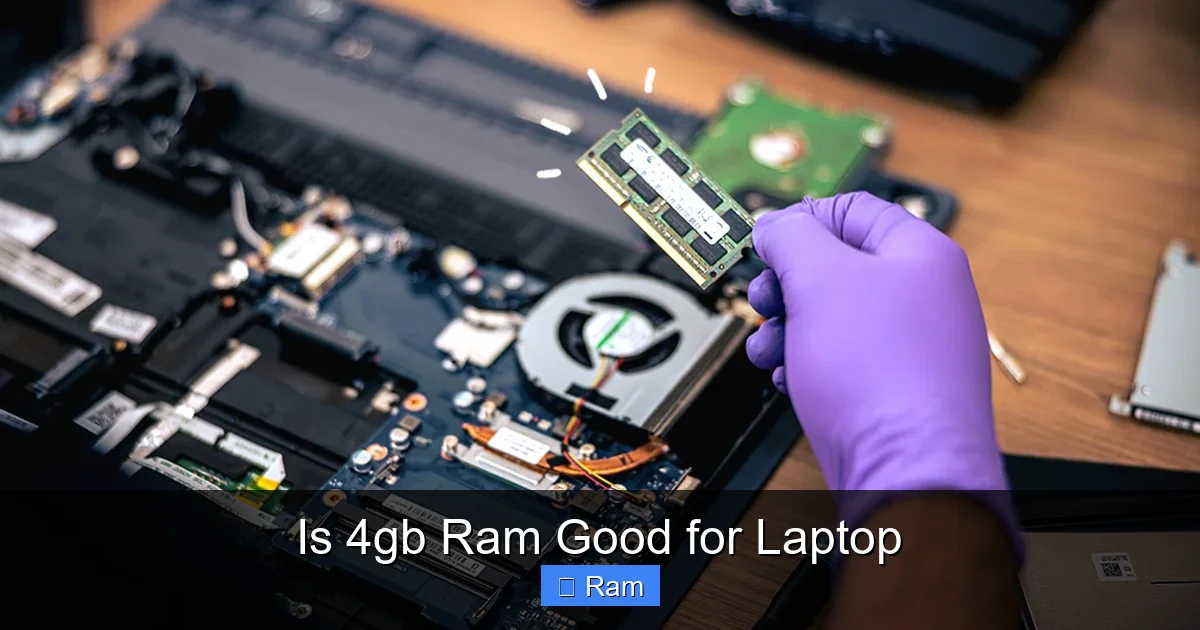
Visual guide about Is 4gb Ram Good for Laptop
Image source: images.ctfassets.net
The “Tab Hoarder” Dilemma
If you’re the type who keeps dozens of tabs open as a form of mental bookmarking, 4GB RAM is your arch-nemesis. Each tab is a memory anchor. Even if a tab is “inactive” in the background, browsers often keep processes alive for a quick return. With 4GB, having more than 4-5 tabs active will start to cause system-wide slowdowns. Your beautiful, organized browser window becomes a source of system instability.
Application Bloat is Real
It’s not just browsers. Apps themselves are getting bigger. Microsoft Office suite, Adobe Creative Cloud apps (even the free versions), communication tools like Discord, and even some modern utilities are designed with the assumption of at least 8GB of RAM. Their installers are larger, their background services are more numerous, and their memory footprints are bigger. Using these on 4GB is like trying to fit a growing family into a studio apartment—possible for a while, but constantly uncomfortable.
Future-Proofing: The True Cost of a 4GB Laptop
When evaluating a laptop, you’re not just buying a tool for today; you’re buying a tool for the next 3-5 years. This is where 4GB RAM reveals its biggest flaw: it has zero future headroom. Software developers build software for the current market average, which is now 8GB. Websites add more features, more scripts, higher-resolution images, and more interactive elements, all of which consume more RAM. An operating system update next year might use 300MB more RAM than today’s version. Your 4GB laptop, which might feel “okay” with a fresh install, will become painfully slow within 12-18 months, not because the hardware failed, but because the software evolved beyond its capacity. You’ll be facing the cost of a new laptop far sooner than if you had invested in 8GB initially. The “savings” on a 4GB model is often a false economy that costs you more in premature obsolescence.
The Resale Value Cliff
Technology depreciates, but RAM specs have a clear hierarchy in the used market. A 4GB laptop from 2023 is virtually unsellable or worth pennies compared to its 8GB or 16GB counterpart. Buyers are savvy to the RAM limitation. When it’s time to upgrade, you’ll get a fraction of the return on a 4GB machine. Starting with 8GB protects your initial investment’s residual value.
The Upgradeability Question: Your lifeline or a dead end?
This is the most critical technical check you can make before buying any laptop. Can the RAM be upgraded? Open the laptop’s specs sheet or a teardown video. Look for terms like “user-upgradable,” “accessible SODIMM slot,” or “supports up to 32GB.” If the RAM is soldered (glued) to the motherboard and there’s no empty slot, then what you buy is what you’re stuck with forever. In this case, never buy a new laptop with 4GB in 2024. However, if the laptop has one slot occupied by a 4GB stick and one empty slot, you can often buy an 8GB stick for $20-$30 and double your performance instantly. This makes a “4GB” laptop a potentially smart *used* buy if the upgrade cost is factored in, but a terrible *new* buy when 8GB configurations are readily available.
Upgrading vs. Replacing: Making the Smart Financial Decision
So you have a slow 4GB laptop. What now? The answer depends entirely on the machine’s age and upgrade path.
The Joy of a $25 RAM Upgrade
If your laptop is from the last 5-7 years and has an accessible RAM slot, upgrading is the single most cost-effective performance boost you can give it. Power down, open the bottom panel (usually a few screws), remove the old 4GB stick, insert a new 8GB or 16GB stick (ensure compatibility—DDR3, DDR4, DDR5), and close it up. The transformation is magical. The system will feel like new. This extends the useful life of a perfectly good laptop for years. The cost is minimal, and the environmental impact is far lower than discarding the whole machine. Before you despair, spend 10 minutes on YouTube searching for “[Your Laptop Model] RAM upgrade.” You might find a simple solution.
When the Laptop Itself is the Problem
If the RAM is soldered, or if the laptop is very old with a slow dual-core processor, a spinning hard drive (not an SSD), or a low-resolution screen, then a RAM upgrade alone won’t save it. You’d be throwing good money after bad. In this case, replacing the laptop with a modern, entry-level model that has at least 8GB of RAM and an SSD is the smarter long-term investment. The performance leap from an old, slow 4GB system to a new, efficient 8GB/SSD system will be astronomical, far beyond what a RAM upgrade could provide on the old hardware.
The Verdict: A Clear Recommendation for 2024 and Beyond
After this deep dive, the conclusion is clear. For the vast majority of people buying a new laptop today, 4GB of RAM is not good. It is an inadequate, frustrating, and short-sighted choice that will limit your productivity and enjoyment. The only exceptions are buyers of Chromebooks for strictly web-based use, and those acquiring a used laptop with a clear, cheap upgrade path to 8GB. For anyone running Windows 11, Windows 10, or macOS, for anyone who multitasks, uses more than a couple of browser tabs, or plans to keep the laptop for more than a year, 8GB is the absolute minimum you should consider. For power users, developers, content creators, or anyone who wants a truly smooth experience, 16GB is the new sweet spot. Your laptop is your daily portal to the digital world. Don’t let insufficient RAM be the bottleneck that makes that portal feel sluggish and claustrophobic. Spend the extra $50-$100 (often the difference between 4GB and 8GB) up front. Your future, less-stressed self will thank you every single day you use it.
Frequently Asked Questions
Can I use a 4GB RAM laptop for basic web browsing and office work?
You can, but with severe limitations. You’ll be restricted to 1-3 browser tabs at most and must close all other applications while working. Even then, you may experience slowdowns, especially as websites become more complex. It’s a constant juggling act that hinders efficiency.
Is 4GB RAM enough for Windows 11?
Technically, it meets Microsoft’s stated minimum, but practically, no. Windows 11 alone will use over half of your 4GB RAM at idle. This leaves insufficient memory for any meaningful applications, leading to constant slowdowns, lag, and a poor user experience. 8GB is the realistic minimum for Windows 11.
Are Chromebooks with 4GB RAM a good buy?
Yes, for the right user. Because Chrome OS is extremely lightweight, 4GB provides a smooth experience for web browsing, Google Docs/Sheets, video streaming, and lightweight Android apps. If your entire workflow is cloud-based and you don’t need traditional desktop software, a 4GB Chromebook is a perfectly viable and often excellent budget option.
Should I buy a cheap laptop with 4GB RAM and upgrade it later?
Only if you confirm two things: 1) The laptop’s RAM is user-upgradable (not soldered), and 2) There is an empty slot. If a 4GB model is significantly cheaper than the 8GB model and you’re comfortable upgrading the RAM yourself (a 5-minute task), it can be a smart move. If the RAM is soldered, avoid the 4GB model entirely.
What are the signs my 4GB RAM is insufficient?
Look for these symptoms: the laptop feels slow even with just one app open; the hard drive/SSD activity light is constantly on; programs take a long time to switch between; you get frequent “low memory” warnings from your OS; and simple tasks like scrolling through a webpage become choppy. These are classic signs of RAM exhaustion.
What’s a better alternative to buying a new 4GB laptop?
Consider a refurbished or older-generation laptop with 8GB of RAM and an SSD. For the same price as a new 4GB model, you can often find a more powerful, upgradeable used business laptop (like a Dell Latitude or Lenovo ThinkPad) that will outperform and outlast it. Alternatively, look at new entry-level models from brands like Acer or ASUS that start at 8GB RAM.