Is 8gb of Ram Enough for a Laptop
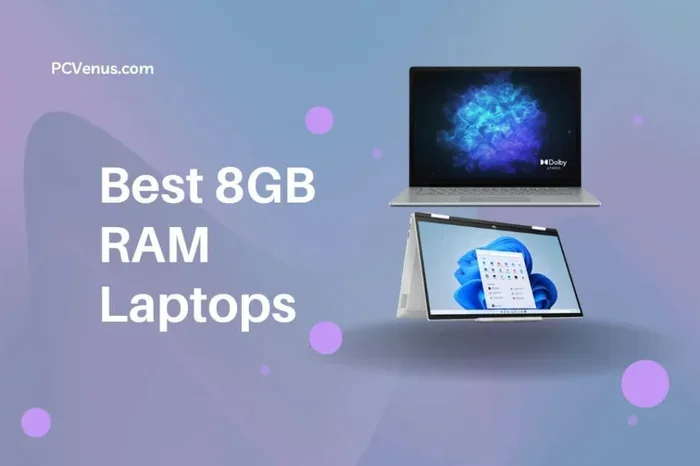
8GB of RAM is the sweet spot for most everyday laptop users. It handles browsing, office work, streaming, and light multitasking with ease. However, heavy tasks like video editing or modern gaming may need more memory.
Is 8GB of RAM enough for a laptop? This is one of the most common questions people ask when buying or upgrading a computer. The short answer is yes, for most users. But the full answer depends on what you do with your laptop every day.
RAM, or Random Access Memory, is the short-term memory your laptop uses to handle tasks. When you open apps, browse the web, or edit documents, your laptop relies on its laptop memory to keep everything running smoothly. Think of RAM as your computer’s workspace. The bigger the workspace, the more things you can have open at once without slowdowns.
In this guide, we will walk through everything you need to know about whether 8GB of RAM fits your needs. We will look at real-world usage, gaming, work tasks, and when it makes sense to upgrade your RAM. By the end, you will know exactly what to expect from 8GB and whether you should stick with it or go higher.
Key Takeaways
- 8GB RAM is enough for basic to moderate laptop use like browsing, email, and office apps.
- Multitasking with many browser tabs and apps works fine on 8GB but may slow down under heavy loads.
- Gaming laptops benefit from 16GB for smoother performance in demanding titles.
- Upgrading RAM is often affordable and can extend your laptop’s useful life.
- Windows 11 and modern apps use more memory than older software, making 8GB a baseline, not a guarantee.
- Checking your current RAM is easy and helps you decide if an upgrade is needed.
📑 Table of Contents
- What Does 8GB of RAM Mean for Your Laptop?
- How Much RAM Do You Really Need?
- Can 8GB of RAM Handle Gaming?
- How Does 8GB Compare to Other RAM Amounts?
- Does Your Operating System Affect RAM Needs?
- When Should You Upgrade from 8GB of RAM?
- Common Mistakes People Make About Laptop RAM
- Expert Insights on 8GB RAM in 2024
- Final Thoughts
What Does 8GB of RAM Mean for Your Laptop?
Eight gigabytes of RAM has been the standard for laptops for several years now. Most budget and mid-range laptops come with this amount of laptop memory pre-installed. It strikes a balance between cost and performance that works well for the average user.
When your laptop has 8GB of RAM, it can comfortably handle a range of daily tasks. You can have a web browser open with multiple tabs, run a word processor, stream a video, and have a music app running in the background. For most people, this is more than enough memory capacity for a full day of work or entertainment.
Who Benefits Most from 8GB of RAM?
Here is a quick look at who gets the most out of 8GB of RAM in a laptop:
- Students taking notes, writing papers, and researching online.
- Office workers using email, spreadsheets, and presentation tools.
- Casual users who browse the web, watch videos, and use social media.
- Remote workers running video calls and cloud-based apps.
- Photo editors doing light to moderate image work.
If your laptop usage falls into any of these categories, 8GB should serve you well. It provides a smooth experience without the lag or stutter that comes with too little memory.
How Much RAM Do You Really Need?
Understanding your RAM requirements starts with knowing what you use your laptop for. Different activities demand different amounts of laptop memory. Let us break this down by use case.
Light Use: 4GB to 8GB
If you only use your laptop for basic tasks like email, web browsing, and document editing, 4GB to 8GB works fine. 4GB of RAM can handle these tasks, but you may notice slowdowns if you open too many browser tabs. Eight gigabytes gives you a more comfortable buffer and keeps things running smoothly.
Moderate Use: 8GB
Eight gigabytes is the sweet spot for moderate users. You can multitask between apps, have several browser tabs open, and run background processes without your laptop struggling. This is the range that most manufacturers target because it offers the best value.
Heavy Use: 16GB or More
For video editing, 3D rendering, software development, or modern gaming, 16GB or more becomes important. These tasks eat up memory fast. If you try to run them on 8GB, you will likely experience lag, crashes, or very slow performance. 16GB of RAM is increasingly becoming the new standard for power users.
| Use Case | Minimum RAM | Recommended RAM |
|---|---|---|
| Web browsing & email | 4GB | 8GB |
| Office work & documents | 4GB | 8GB |
| Photo editing (light) | 8GB | 8GB |
| Photo editing (heavy) | 16GB | 32GB |
| Video editing | 16GB | 32GB |
| Gaming (casual) | 8GB | 16GB |
| Gaming (AAA titles) | 16GB | 32GB |
| Software development | 8GB | 16GB |
This table shows that 8GB of RAM covers most everyday tasks but falls short for demanding creative or gaming workloads. If you fall into the heavy-use category, consider looking at laptops with 16GB or more.
Can 8GB of RAM Handle Gaming?
Gaming is where RAM requirements get tricky. The answer depends on the type of games you play and what else your laptop is doing while you game.
For casual and indie games, 8GB of RAM is usually enough. Older titles and less demanding games run fine with this amount of laptop memory. You can enjoy games like Minecraft, indie platformers, and older AAA titles without major issues.
However, modern AAA games are much hungrier for resources. Titles like Cyberpunk 2077, Hogwarts Legacy, or Starfield recommend 16GB of RAM for a smooth experience. With only 8GB, you might face longer load times, frame drops, or stuttering during intense scenes.
Multitasking while gaming makes things even harder. If you have a browser open with guides or videos, a Discord app running, and the game itself, 8GB can get overwhelmed quickly. This is why many gamers prefer 16GB as their baseline.
If you are shopping for a gaming laptop, check the system requirements before buying. Many modern gaming laptops come with 16GB of RAM standard, and that is for good reason.
How Does 8GB Compare to Other RAM Amounts?
Let us put things in perspective by comparing 8GB to other common RAM sizes for laptops.
4GB vs. 8GB
Four gigabytes feels very limited today. Modern web browsers alone can use 2GB or more with a few tabs open. On 4GB, you will constantly close apps to free up memory. Upgrading from 4GB to 8GB is one of the most noticeable improvements you can make. If you are currently running on 4GB, moving to 8GB will feel like a new laptop.
8GB vs. 16GB
The jump from 8GB to 16GB is significant for power users. With 16GB, you can run heavy apps, edit videos, and game without worrying about memory limits. For general users, the difference is less obvious in day-to-day tasks. But if you plan to keep your laptop for several years, 16GB gives you more headroom as software becomes more demanding.
8GB vs. 32GB
Thirty-two gigabytes is overkill for most people. This amount of memory is meant for professionals who work with large datasets, 3D modeling, or intensive video production. For everyday use, 32GB is unnecessary and adds cost without real benefit.
When choosing between these options, think about your current needs and where your usage might grow. If you want a laptop that lasts 4-5 years without feeling slow, 16GB is a safer bet than 8GB. But if budget is a concern, 8GB still delivers solid performance for most tasks.
Does Your Operating System Affect RAM Needs?
Yes, absolutely. The operating system you use plays a big role in how much RAM your laptop actually needs.
Windows 11 uses more memory than older versions of Windows. It runs more background processes and has fancier visual effects. On Windows 11, 8GB of RAM works but leaves less room for apps. You might notice slowdowns if you push your laptop hard.
macOS is generally well-optimized and manages memory efficiently. Apple Silicon MacBooks, for example, use unified memory in clever ways. But even on Mac, 8GB can feel tight if you run many apps at once.
Linux distributions vary widely. Some lightweight Linux distros run well on 4GB of RAM. Heavier desktop environments like GNOME or KDE use more memory, closer to what Windows demands.
No matter which operating system you use, the trend is clear: software keeps growing and using more memory each year. What feels comfortable today may feel tight in two years. This is why thinking ahead matters when choosing your laptop specifications.
When Should You Upgrade from 8GB of RAM?
Knowing when to upgrade is just as important as knowing how much RAM you have now. Here are clear signs that your 8GB is no longer enough:
- Your laptop takes more than a few seconds to switch between apps.
- You get memory warnings or your system starts using swap memory frequently.
- Games that used to run smoothly now stutter or crash.
- Your browser tabs take long to load or freeze often.
- You regularly use memory-heavy apps like video editors or virtual machines.
If you notice these issues, it might be time to consider a RAM upgrade. Many laptops allow you to add more memory. Check if your laptop has an extra RAM slot or if the existing stick can be replaced with a higher-capacity one.
Upgrading RAM is one of the cheapest ways to breathe new life into an older laptop. It costs far less than buying a new computer and can make a huge difference in daily performance.
Quick Tips for Checking Your Current RAM
- On Windows, press Ctrl + Shift + Esc to open Task Manager, then click the Performance tab.
- On macOS, click the Apple menu and choose About This Mac.
- Use built-in tools to see how much memory you are using under heavy workloads.
These quick checks help you understand whether your current memory capacity is working for you or against you.
Common Mistakes People Make About Laptop RAM
There are a few mistakes that many laptop buyers make when thinking about RAM. Avoiding these can save you money and frustration.
Mistake 1: Buying more RAM than you need. If you only browse the web and write documents, 32GB is wasted money. Stick to what matches your actual usage.
Mistake 2: Ignoring RAM speed. Not all 8GB RAM sticks are the same. Faster RAM can improve performance in some tasks. But for most users, capacity matters more than speed.
Mistake 3: Forgetting about upgradability. Some laptops have RAM soldered to the motherboard. You cannot upgrade them later. Always check if a laptop allows RAM upgrades before you buy.
Mistake 4: Assuming more RAM fixes everything. RAM is not a magic fix for all slow laptops. A slow hard drive, old processor, or lack of storage can also cause poor performance. Make sure you look at the whole picture of your laptop performance.
Expert Insights on 8GB RAM in 2024
Technology experts generally agree that 8GB of RAM remains a solid baseline for most laptop users in 2024. The key word is baseline. It covers the essentials well but leaves little room for heavy workloads.
Industry trends show that software companies continue to build more resource-hungry applications. Web browsers use more memory with each update. Office suites add features that demand more RAM. Even the operating system itself grows in resource needs with each new version.
Experts recommend that anyone buying a new laptop today consider 16GB if their budget allows. The price difference between 8GB and 16GB has narrowed significantly. For just a small extra cost, you get a laptop that will stay capable for years longer.
However, if you are on a tight budget or buying a laptop for basic tasks, 8GB is still a perfectly valid choice. It will serve you well for everyday computing and give you a smooth experience for most activities.
Final Thoughts
So, is 8GB of RAM enough for a laptop? For the majority of users, the answer is yes. Whether you are a student, a professional handling office tasks, or a casual user who enjoys streaming and browsing, 8GB provides a reliable and smooth experience.
The key is understanding your own needs. If your work involves heavy multitasking, creative applications, or modern gaming, you will benefit from stepping up to 16GB or more. But for everyday use, 8GB delivers solid value and performance.
Technology moves fast, and today’s baseline becomes tomorrow’s minimum. When in doubt, choose a little more memory than you think you need. Your future self will thank you when your laptop still runs well a few years from now.
Before making any decision, take a moment to evaluate how you use your laptop. Think about the apps you open, the number of tabs you keep, and the tasks you perform daily. This simple reflection will guide you to the right RAM size for your needs.
Frequently Asked Questions
Is 8GB RAM enough for a laptop in 2024?
Yes, 8GB RAM is enough for most everyday laptop tasks in 2024. It handles web browsing, office work, streaming, and light multitasking well. However, heavy users like gamers and video editors may find 16GB more suitable.
Can I run Windows 11 on 8GB of RAM?
Yes, Windows 11 runs on 8GB of RAM, but it may feel a bit tight during heavy multitasking. Windows 11 uses more memory than older versions, so having extra RAM helps keep things smooth.
What can I do with 8GB of RAM on a laptop?
With 8GB of RAM, you can browse the web, use office applications, stream videos, video call, and do light photo editing. It covers most common laptop tasks without noticeable slowdowns.
Should I upgrade from 8GB to 16GB of RAM?
Consider upgrading to 16GB if you experience slow performance, frequent app crashes, or if you do heavy tasks like gaming or video editing. An upgrade can also extend your laptop’s useful life.
Is 8GB RAM good for gaming on a laptop?
8GB RAM works for casual and older games. But modern AAA games recommend 16GB for the best experience. If you game frequently, 16GB will give you smoother performance and fewer issues.
How do I check how much RAM my laptop has?
On Windows, open Task Manager and go to the Performance tab. On macOS, click the Apple menu and select About This Mac. Both methods show your current RAM amount and usage clearly.
=== CONCLUSION ===
8GB of RAM remains a reliable and practical choice for most laptop users. It handles everyday tasks with ease and offers good value for your money. Whether you are shopping for a new laptop or deciding if an upgrade makes sense, understanding your usage patterns is the key to making the right call.
If your needs are basic to moderate, stick with 8GB and enjoy a smooth experience. If you push your laptop harder, consider stepping up to 16GB for future-proofing. Either way, knowing your RAM requirements puts you in a strong position to make the best decision for your workflow and budget.
Take what you have learned here, check your current setup, and make a choice that fits your life. The right amount of RAM makes all the difference in how your laptop performs day to day.