Is Liquid Cooling Worth It
Liquid cooling can keep your PC significantly cooler and quieter than air cooling, making it a top choice for gamers and creators. It costs more upfront and requires careful installation, but the cooling performance and aesthetic appeal are hard to beat. Whether it is worth it depends on your PC build, budget, and how hard you push your hardware.
Liquid cooling has become one of the most talked-about topics in the PC building world. Whether you are a hardcore gamer, a content creator, or just someone who wants the best performance out of their machine, cooling matters. Heat is the silent killer of computer components. When temperatures climb too high, your system slows down, becomes noisy, and can even suffer long-term damage.
So the big question is: is liquid cooling worth it? The short answer is: it depends on what you are building and how you use your PC. In this guide, we will break down everything you need to know. We will compare liquid cooling to traditional air cooling, look at the costs, explore the pros and cons, and help you decide if making the switch makes sense for you.
Key Takeaways
- Better Cooling Performance: Liquid cooling moves heat more efficiently than air, keeping CPU and GPU temps lower under heavy load.
- Quieter Operation: Fans can run slower because the radiator handles most of the heat, reducing overall noise.
- Higher Upfront Cost: A liquid cooling setup costs more than a quality air cooler, especially custom loops.
- Installation Complexity: Setting up a liquid cooler takes more time and care compared to simply mounting an air cooler.
- Aesthetic Appeal: Transparent tubing and RGB lighting give builds a sleek, premium look that air coolers cannot match.
- Maintenance Matters: Liquid cooling systems need occasional upkeep to prevent leaks and maintain performance over time.
- Worth It for High-Performance Builds: If you are overclocking or running demanding workloads, liquid cooling delivers real value.
📑 Table of Contents
What Is Liquid Cooling and How Does It Work?
Liquid cooling uses a liquid coolant to transfer heat away from your CPU or GPU. Instead of relying only on metal heatsinks and fans, a liquid cooling system circulates coolant through a closed loop. The coolant absorbs heat from your processor, travels to a radiator, and then the radiator dissipates that heat into the air with the help of fans.
The Main Components of a Liquid Cooling System
Understanding the parts helps you appreciate how the system works:
- Water Block: This sits directly on top of your CPU or GPU. It absorbs heat from the component into the liquid.
- Radiator: The radiator releases heat from the coolant into the surrounding air. Bigger radiators mean better cooling.
- Fans: Fans blow air across the radiator to carry heat away from the system.
- Pump: The pump pushes coolant through the loop, keeping the flow constant.
- Tubing and Fittings: These connect all the parts together and hold the coolant in place.
- Coolant: The liquid itself, usually a mix of water and special additives to prevent corrosion and algae growth.
There are two main types of liquid cooling. AIO (All-in-One) coolers come pre-filled and sealed. They are the easiest to install. Custom loops let you choose every part and build the system yourself. Custom loops offer the best performance but cost significantly more and require more knowledge to set up.
Liquid Cooling vs Air Cooling: A Head-to-Head Comparison
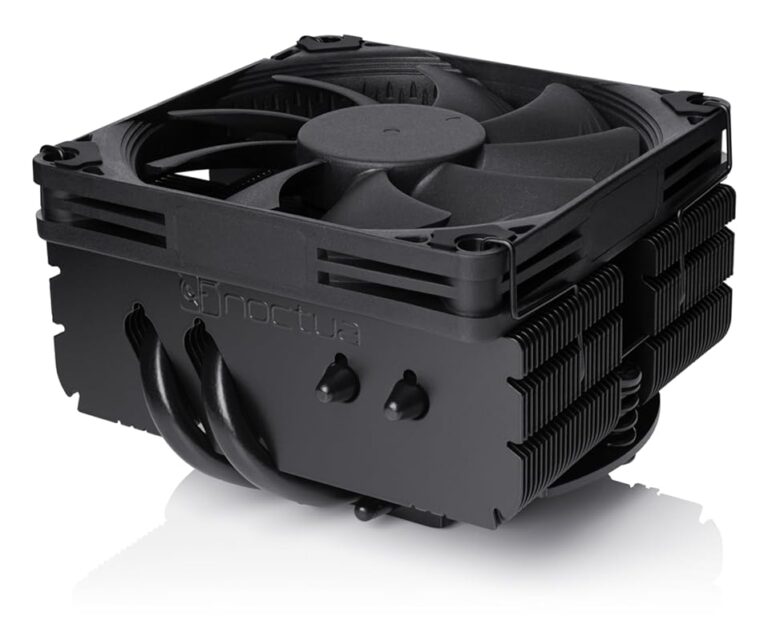
Before you decide if liquid cooling is right for you, it helps to compare it directly to air cooling. Air cooling uses a metal heatsink and one or more fans to pull heat away from your CPU. It is simple, reliable, and affordable. Let us look at how they stack up.
Cooling Performance
Liquid cooling generally outperforms air cooling when it comes to raw thermal management. A high-end AIO cooler can keep your CPU temperatures 10 to 20 degrees Fahrenheit lower than a top-tier air cooler under heavy load. This difference becomes even more noticeable when you are overclocking your processor or running intensive tasks like video rendering or 3D modeling.
For most casual users and moderate gamers, a good air cooler is more than enough. But if you are pushing your hardware to its limits, liquid cooling gives you a clear advantage in cooling performance.
Noise Levels
One of the biggest advantages of liquid cooling is noise. Air coolers need fast-spinning fans to push enough air through a dense heatsink. This can create a loud, constant hum. Liquid cooling systems spread heat across a larger radiator surface, which means the fans do not need to spin as fast. The result is a much quieter PC.
That said, radiator fans still produce some noise. The difference is subtle during light tasks but becomes very noticeable during gaming or heavy workloads.
Cost Comparison
Air coolers are significantly cheaper. A solid air cooler costs anywhere from $25 to $80. A good AIO liquid cooler runs between $80 and $150. Custom loops can easily exceed $300 or more when you factor in the radiator, pump, reservoir, tubing, fittings, and coolant.
If you are on a tight budget, air cooling is the smarter choice. But if you have the money and want the best possible thermal performance, liquid cooling is a worthy investment. You can also explore best cooling system for PC options to find the right balance for your setup.
Installation and Maintenance
Air coolers are simple. You mount the heatsink, attach a fan, and you are done. Liquid cooling takes more time and care. You need to make sure all the fittings are tight, the tubing is properly seated, and there are no leaks. Even with AIO coolers, which are pre-built, the installation process is more involved than air cooling.
Maintenance is another factor. Air coolers need occasional dust cleaning. Liquid cooling systems should be checked for leaks, and the coolant may need replacement after a year or two in custom loops. AIO coolers are designed to be maintenance-free for their lifespan, but they are not forever. The pump can fail, and the coolant can degrade over time.
Who Should Consider Liquid Cooling?
Not everyone needs liquid cooling. Let us look at the types of users who benefit the most from it.
Hardcore Gamers and Overclockers
If you are running a high-end CPU and GPU and pushing them past their stock settings, liquid cooling is almost a necessity. Overclocking generates a lot of extra heat, and air coolers may struggle to keep temperatures in check. A liquid cooler handles this heat with ease, keeping your system stable and safe.
Content Creators and Professionals
Video editors, 3D animators, and engineers who run demanding software for hours at a time will appreciate the cooling headroom. Long rendering sessions or complex simulations can push your hardware to its thermal limits. Liquid cooling ensures your system stays cool and consistent, even during marathon work sessions.
PC Enthusiasts and Build Showcases
Let us be honest. A big part of why people choose liquid cooling is the look. Transparent tubing, RGB-lit coolant, and a clean, minimalist build aesthetic are incredibly appealing. If you want your PC to look as good as it performs, liquid cooling delivers a visual impact that air coolers simply cannot match.
People Who Want a Quiet Workspace
If you work in a quiet room or stream your gameplay, fan noise can be a real problem. Liquid cooling reduces the need for high-speed fans, which means a quieter experience. You can focus on your work or enjoy your game audio without the constant drone of spinning fans.
Who Should Stick with Air Cooling?
Liquid cooling is not for everyone. Here are the situations where air cooling makes more sense.
Budget Builds
If you are building a PC on a tight budget, air cooling is the way to go. You get reliable cooling without spending extra money on a liquid system. That savings can go toward a better GPU or more RAM, which will give you more noticeable performance gains.
Simple and Reliable Setups
Air coolers are simple. There are no tubes, no pumps, and no coolant to worry about. This means fewer things that can go wrong. For a reliable, no-fuss build, air cooling is hard to beat.
Small Form Factor Cases
Some small PC cases do not have enough room for a radiator. In these situations, a compact air cooler is often the better option. Before buying any cooler, always check your case dimensions and compatibility.
Users Who Do Not Overclock
If you are running your hardware at stock speeds and doing light-to-moderate tasks, a quality air cooler will handle the heat just fine. There is no need to spend extra on liquid cooling if your system is not under heavy thermal stress.
Common Mistakes to Avoid With Liquid Cooling
Liquid cooling can be tricky, especially for first-time builders. Here are some common mistakes to watch out for.
Skipping Compatibility Checks
Not all coolers fit all sockets. Not all radiators fit all cases. Before you buy, double-check that your cooler supports your CPU socket and that your case has enough room for the radiator. A cooler that does not fit is useless.
Ignoring Fan Placement
Fan direction matters a lot. Your radiator needs proper airflow to dissipate heat effectively. Make sure your fans are oriented correctly for intake or exhaust, depending on your setup. Poor fan placement can negate the cooling benefits entirely.
Forgetting to Apply Thermal Paste
Even with liquid cooling, you still need thermal paste between the water block and your CPU. Skipping this step leads to poor thermal transfer and high temperatures. Use a quality thermal paste and apply it correctly.
Neglecting Maintenance
Even though AIO coolers are sealed and low-maintenance, they are not immortal. Over time, coolant can degrade and pump performance can drop. For custom loops, regular maintenance is essential. Check for leaks, clean the radiator, and replace coolant as recommended.
Is Liquid Cooling Worth It? The Final Verdict
So, is liquid cooling worth it? For high-performance builds, overclockers, and enthusiasts, the answer is a clear yes. The cooling benefits, quieter operation, and stunning aesthetics make liquid cooling a worthwhile upgrade. It keeps your hardware running cooler and longer, which can extend the lifespan of your components.
For average users and budget builds, air cooling still does the job just fine. You save money, you avoid installation headaches, and you get reliable cooling without the complexity. The best cooling choice is the one that fits your needs, your budget, and your build goals.
Think about what you want from your PC. If you want peak performance, quiet operation, and a beautiful build, liquid cooling is a great investment. You might also consider exploring best-rated laptop cooling pads if you are looking for cooling solutions on the go. And if you are wondering about long-term value, consider that proper cooling is one of the best investments for lifespan of PC components you can make.
Whatever you choose, make sure your system stays cool. Heat is the enemy of performance and longevity. Keep it under control, and your PC will reward you with years of reliable, fast operation.
Frequently Asked Questions
Is liquid cooling better than air cooling for gaming?
Yes, liquid cooling generally provides better thermal performance than air cooling, which helps keep your CPU and GPU running at optimal speeds during intense gaming sessions. The difference is most noticeable when you are overclocking or running demanding AAA titles for hours at a time.
How long does a liquid cooling system last?
AIO (All-in-One) liquid coolers typically last between 5 and 7 years, depending on the quality and usage. Custom loops can last even longer with proper maintenance, including regular coolant replacement and leak checks.
Can liquid cooling cause leaks that damage my PC?
Leaks are rare but possible, especially with custom loops. AIO coolers are sealed and designed to prevent leaks, but they are not completely immune. Always handle your system carefully and check fittings periodically to ensure everything is secure.
Is liquid cooling worth it for a mid-range PC build?
For most mid-range builds, a quality air cooler is sufficient and more cost-effective. Liquid cooling becomes more worthwhile if you plan to overclock your CPU or if your case has limited airflow. Evaluate your specific needs and budget before deciding.
Do I need to refill coolant in an AIO liquid cooler?
No, AIO coolers come pre-filled and sealed, so you do not need to refill them. They are designed to be maintenance-free for their entire lifespan. Custom loops, on the other hand, do require periodic coolant refills and inspections.
How much does a liquid cooling setup cost?
AIO coolers range from $80 to $150 for most models. Custom loops can cost anywhere from $200 to $500 or more, depending on the components you choose. Compare this to air coolers, which typically cost between $25 and $80.