Is Wix Logo Maker Free
Yes, Wix Logo Maker is completely free to use for designing your logo. You can create, customize, and experiment with as many logo designs as you want without paying a cent. However, to download high-resolution, usable files (like PNG, SVG, PDF) and gain full commercial rights, you must purchase a license. The free version is essentially a powerful design studio with a “pay-to-download” model, not a traditional free trial with time limits.
So, you need a logo. Maybe you’re launching a startup, rebranding a side hustle, or just finally getting around to making that personal blog look professional. You’ve heard about Wix Logo Maker, and the first question burning in your mind is the most practical one: Is Wix Logo Maker free?
It’s a great question, and the answer has some important nuances that can save you time, money, and potential legal headaches. In short: yes, the design process is entirely free, but the usable, legal files cost money. Let’s break down exactly what that means, how the model works, and whether it’s the right choice for you.
Key Takeaways
- Design is 100% Free: You can use every feature, AI tool, and icon library to create and customize your logo without any cost or time limit.
- Pay Only for Downloads: Payment is required solely when you want to download your final, high-resolution logo files for actual use.
- Full Commercial Rights are Paid: The free version does not grant you legal ownership or commercial usage rights; these are unlocked with a one-time payment.
- No Hidden Subscription: Wix Logo Maker operates on a one-time fee model for downloads, not a recurring monthly subscription for the design tool itself.
- High-Quality Files Cost Money: Free previews are low-resolution. Vector files (SVG) and print-ready PDFs are part of the paid packages.
- It’s a Freemium Tool: This model lets you thoroughly test the design and your concept before committing financially, reducing buyer’s remorse.
- Compare Value to Alternatives: For a one-time fee, it’s often cheaper than hiring a designer but more expensive than some other free-to-download logo makers with fewer features.
📑 Table of Contents
- Understanding the “Freemium” Design Studio Model
- The Step-by-Step User Journey: From Free Creation to Paid Download
- Deep Dive: Comparing the Free vs. Paid Experience
- Who is Wix Logo Maker Best For? (And Who Should Look Elsewhere?)
- Wix Logo Maker vs. The Competition: Where Does It Stand?
- Practical Tips for Getting the Most from the Free Wix Logo Maker
- Conclusion: Is Wix Logo Maker “Free” Enough for You?
Understanding the “Freemium” Design Studio Model
Before we dive into Wix specifically, it’s helpful to understand the business model many online logo tools use. Wix Logo Maker isn’t a traditional “free trial” where you get 14 days and then your access is cut off. Instead, it uses a freemium model, which is very common in the SaaS (Software as a Service) world.
Think of it like a test drive that never ends. Wix gives you unlimited, full access to its entire design engine—its AI, its icon library, its typography, its color palettes, its layout tools. You can spend hours, days, or weeks creating and tweaking your logo concept. There is no clock ticking. The “free” part is the creative process and the preview.
The “premium” part is the product: the final, deliverable files that you can actually use on your website, business cards, storefront, and merchandise. You’re not paying for the software’s time; you’re paying for the intellectual property and the high-quality assets. This is a critical distinction from tools that charge a monthly subscription just to keep using the editor.
What Exactly Can You Do for Free?
This is where Wix shines and builds user trust. When you click “Create Your Logo” on their site, you enter a fully functional design studio. For $0, you get to:
- Answer AI-Powered Questions: The tool asks about your brand name, industry, style preferences (e.g., modern, playful, elegant), and favorite colors. This initial input guides the AI’s first batch of suggestions.
- Generate Unlimited Design Variations: Based on your answers, the AI produces dozens of distinct logo layouts. You can click “Generate More” as many times as you like, exploring endless directions.
- Access the Full Icon & Symbol Library: Wix has a massive, professionally designed library of icons and symbols. You can search by keyword (like “tree,” “tech,” “food”) and insert any of them into your design for free during the creation phase.
- Use All Typography & Layout Tools: You can change every font (from a large selection), adjust spacing, size, color, and opacity. You can rearrange layers, add shapes, and experiment with every layout option available.
- Customize Every Element: Tweak the icon’s color, add a background shape, change your brand name’s color and font independently from the tagline. The editor’s depth is not restricted in the free mode.
- Preview in Real-World Mockups: This is a fantastic free feature. You can see your logo on a website header, a business card, a coffee mug, a t-shirt, and more. This helps you visualize the final product before you buy.
Essentially, you get the entire car to drive around the lot, check the engine, and see how it feels. You just can’t drive it off the lot (download the files) without paying.
What Do You Have to Pay For? The Download & License
This is the crucial part. The moment you click the “Download” button, you are presented with pricing tiers. As of my last update, Wix Logo Maker typically offers two main paid packages, often with a one-time fee:
- Basic Package: This usually includes high-resolution PNG files (transparent background), a standard resolution JPG, and a PDF. This is suitable for web use, social media, and basic print. The cost is typically a one-time fee around $20-$30 USD.
- Professional/Full Package: This is the recommended option for any serious business. It includes everything in Basic, plus the all-important SVG vector file. The SVG is scalable to any size without losing quality—essential for billboards, large print runs, and embroidery. It also often includes multiple color variations (full color, black, white) and sometimes a brand style guide PDF. The cost is usually a one-time fee around $50-$70 USD.
With either paid package, you receive a license. This license grants you:
- Full Commercial Rights: You can use the logo for any business purpose, on any product or service.
- Full Ownership: The logo is yours. Wix does not retain any rights to it. You can trademark it if you wish (though you should consult a legal professional for trademark advice).
- Perpetual Use: You pay once and can use it forever, even if you stop being a Wix customer.
Without purchasing one of these packages, you do not own the logo. You cannot legally use it for anything beyond personal, non-commercial previewing. The low-resolution preview images you can save for free are watermarked and unsuitable for real use.
The Step-by-Step User Journey: From Free Creation to Paid Download
Let’s walk through a typical user experience to make the process crystal clear.
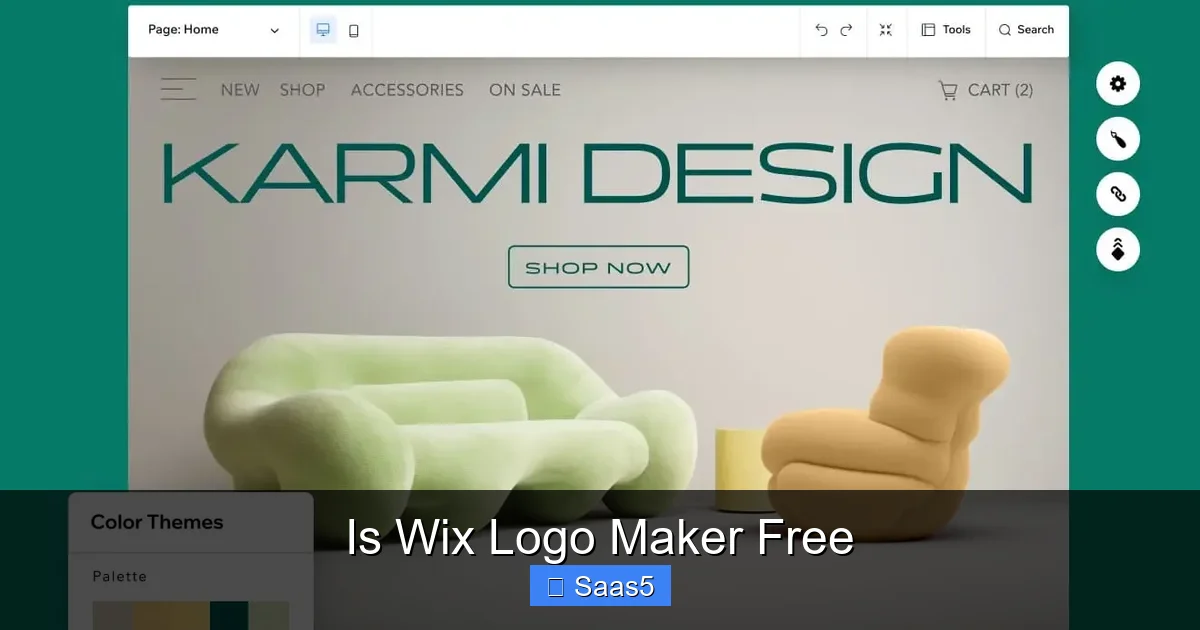
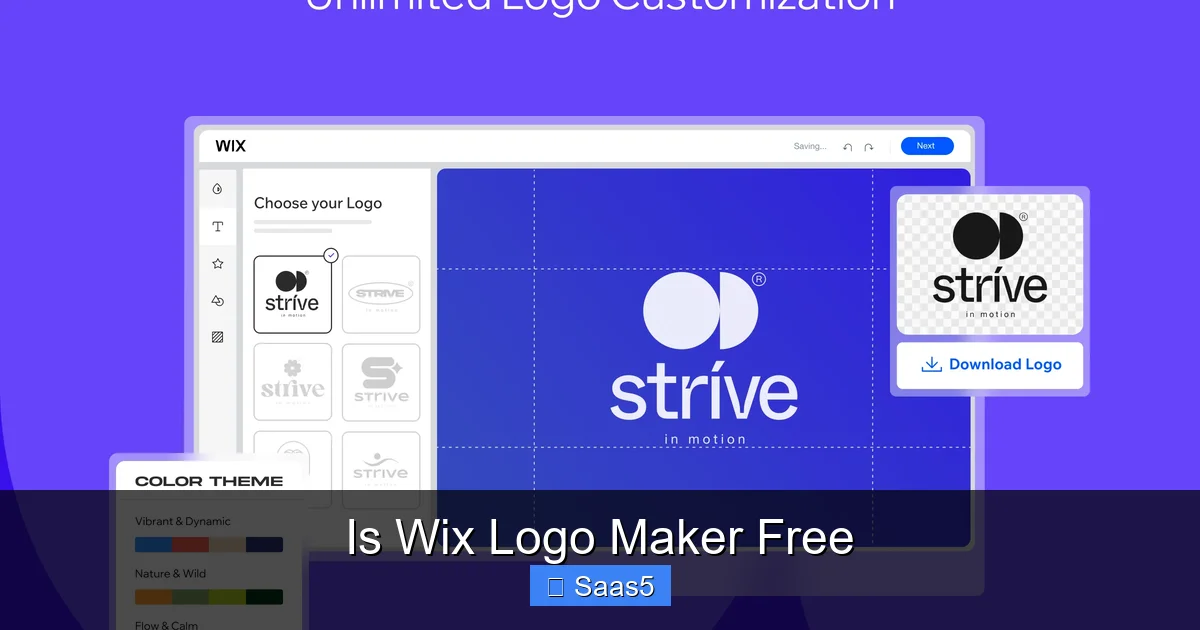
Visual guide about Is Wix Logo Maker Free
Image source: static.wixstatic.com
Phase 1: The Zero-Cost Creative Exploration
You land on the Wix Logo Maker homepage. You type in your bakery’s name, “Sweet Serendipity.” You select “Food & Drink” as your industry, “Playful & Warm” as your style, and pick a primary color (maybe a soft coral). The AI instantly generates 12 logo concepts. You like the general idea of one but want to change the icon from a cupcake to a whisk. You search “whisk,” find a perfect icon, insert it, and recolor it to match your coral. You try a different font for the tagline “Artisan Pastries.” You spend 45 minutes perfecting this. You use the mockup tool to see it on a bakery box and a storefront sign. You love it. At no point were you asked for a credit card.
Phase 2: The Decision Point & Payment
You click the big green “Download” button. A modal window pops up. It clearly states: “To download your logo, please choose a plan.” It shows the Basic and Professional options with their prices and file lists. It explicitly says the free version does not include commercial rights. You compare. You realize you’ll need that SVG file for future large-format printing and signage. You select the Professional package, enter your payment details, and pay the one-time fee.
Phase 3: Instant Ownership & File Delivery
Immediately after payment, your download begins. You receive a ZIP folder containing all your files: the SVG, multiple PNGs in different sizes and backgrounds (transparent, black, white), a PDF, and a PDF “Brand Guidelines” document explaining logo usage. You now have complete, legal ownership. You can upload the PNG to your website, send the SVG to your printer, and sleep soundly.
This structure is designed to be frictionless for the user. You only pay when you’re 100% satisfied with the design you’ve created. There’s no risk of paying for a tool you might not like using.
Deep Dive: Comparing the Free vs. Paid Experience
To make an informed decision, let’s contrast the capabilities and limitations side-by-side.
Visual guide about Is Wix Logo Maker Free
Image source: static.wixstatic.com
| Feature | Free (Design & Preview) | Paid (Download & License) |
|---|---|---|
| Cost | $0 | |
| Design Tools | Full access to all editor features, AI, icons, fonts | Identical access |
| File Downloads | None. Can only save low-res, watermarked previews | High-res PNG, JPG, PDF, and SVG (with Pro package) |
| Commercial Rights | None. For personal preview only | Full, perpetual commercial ownership |
| Scalability | Not applicable | Vector (SVG) allows infinite scaling |
| Usage | Cannot be used on any business material | Can be used on websites, products, marketing, etc. |
| Time Limit | Unlimited design time | N/A (one-time purchase for files) |
The table makes it obvious: the “free” part is the creative sandbox. The “paid” part is the legal and physical product that comes out of that sandbox.
Who is Wix Logo Maker Best For? (And Who Should Look Elsewhere?)
This model isn’t for everyone. Let’s identify the ideal user profile.
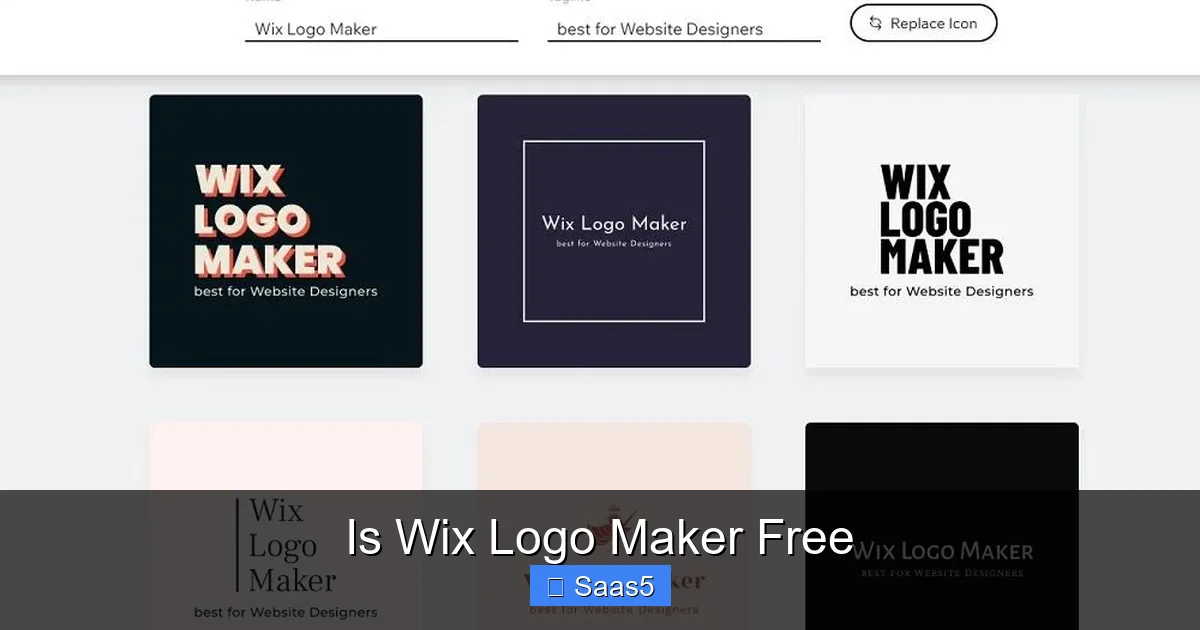
Visual guide about Is Wix Logo Maker Free
Image source: cyberlink.com
Perfect For:
- Bootstrapped Startups & Solopreneurs: If you have a tight budget but need a professional-looking logo quickly, this is a fantastic middle ground between a DIY free tool and a $500+ designer.
- Small Business Owners: Restaurants, local shops, consultants, and freelancers who need a versatile, owned logo file set for various applications (web, print, signage).
- Non-Designers Who Want Control: People who have a vision but lack the software skills (Illustrator, CorelDRAW) to execute it. The AI assistance and intuitive drag-and-drop interface are huge assets.
- Anyone Who Values a “Try Before You Buy” Approach: The unlimited free design time eliminates the guesswork. You don’t pay until you have a design you’re thrilled with.
Think Twice If:
- You Need a Completely Unique, Trademark-Ready Logo from Day One: While Wix’s library is vast, there is a chance another business could create a very similar logo using the same icons and AI logic. For highly unique, hand-crafted brand marks, a human designer is still superior for absolute uniqueness.
- Your Budget is Literally $0: If you cannot spend any money at all, you cannot legally use a logo from Wix. You must look at other free-to-download tools (like Canva’s free plan, with its own limitations) or create something entirely original yourself.
- You Need Extensive Brand Collateral: Wix Logo Maker gives you the logo files. It does not create a full brand identity package (business cards, letterhead, social media templates) as part of the logo purchase. You’d need Wix’s broader ecosystem or another tool for that.
- You Require Complex Illustrations: The tool is for logos (icon + text). If your brand needs a complex illustrated mascot or detailed scene, you need an illustrator.
Wix Logo Maker vs. The Competition: Where Does It Stand?
The “is it free?” question often leads to comparisons. Here’s how it stacks up against common alternatives.
vs. Canva
Canva has a free logo maker with a huge template library. The key difference is in the licensing and file quality. Canva’s free plan allows you to download a PNG, but it includes a Canva watermark and the license is restrictive for commercial use. To get a transparent PNG, SVG, and full commercial rights, you need a Canva Pro subscription ($12.99/month). So, for a one-time project, Wix’s one-time fee model can be more cost-effective if you only need the logo files. However, if you need other design work (social graphics, presentations), Canva Pro offers more overall value.
vs. Looka (formerly Logojoy)
Looka operates on a very similar freemium model: free design, pay for files. Their pricing is comparable. The difference is in the AI design style and icon library. Some users find Wix’s library slightly more modern or extensive. The best approach is to try both for free and see which AI “thinks” more in line with your taste.
vs. Hiring a Freelance Designer on Fiverr/Upwork
You can get a custom logo from a freelancer for $50-$300. The pros: it’s truly unique, you get direct communication, and the designer can create complex concepts. The cons: quality varies wildly, communication can be tricky, and it takes days/weeks. Wix offers speed, consistency, and a clear price for a known quality level. For a simple, clean logo, Wix is often faster and more reliable at its price point. For a complex, narrative-driven brand mark, a human is better.
vs. Adobe Express (Free)
Adobe Express has a free logo maker. Like Canva, the free downloads have limitations (watermarks, lower quality, restricted license). To get full commercial rights and high-res files, you need an Adobe Express Premium plan ($9.99/month). Again, Wix’s one-time fee wins for a single-project focus.
Practical Tips for Getting the Most from the Free Wix Logo Maker
Before you even think about paying, maximize the free stage to ensure you’re making a wise purchase.
1. Don’t Rush the AI Questions
The AI’s first suggestions are only as good as your input. Be thoughtful when selecting your style adjectives. “Minimalist” will yield vastly different results than “Vintage” or “Bold.” If you’re unsure, run the generator multiple times with different style combinations to see the range.
2. Use the “Regenerate” Button Liberally
Don’t just settle for the first 12 icons. Click “Generate More” repeatedly. You’ll be surprised how many different concepts the AI can pull from the same brief. This is your free unlimited idea generator.
3. Master the Editor Tools
Move beyond just swapping icons. Learn to:
- Adjust the letter spacing (tracking) to make your text feel airy or tight.
- Use the curve tool to slightly arc your text for a dynamic feel.
- Experiment with icon opacity to create subtle watermark-like effects behind your text.
- Add a simple shape container (circle, square, hexagon) behind your icon and text to create a badge-style logo.
4. Test in Every Mockup
Seriously, use the mockup feature. Does your logo look legible and effective as a tiny favicon in a browser tab? Is it recognizable when printed in black and white? Does it look good on a dark t-shirt? This free testing phase is invaluable and something you’d typically pay a designer to do.
5. Save Your Progress
Create a free Wix account to save your project. This lets you close your browser and come back days later with fresh eyes. It also allows you to create multiple variations (e.g., one with a different icon, one with a different layout) and compare them side-by-side before deciding which one to download.
6. Consider the Professional Package for Scalability
Unless you are absolutely, 100% certain you will only ever use your logo on a website and social media (and even then, you might need a favicon), get the Professional package for the SVG file. The ability to scale to any size is non-negotiable for most businesses. The small extra cost is an investment in your brand’s future flexibility.
Conclusion: Is Wix Logo Maker “Free” Enough for You?
So, we return to the original question: Is Wix Logo Maker free? The definitive, legally accurate answer is: The design and creation process is completely free and unlimited. The final, licensed, high-resolution files require a one-time payment.
This model is exceptionally fair and user-centric. It removes the financial barrier to entry for the creative process—the part that requires imagination and iteration. You never have to wonder, “What if I tweak the color?” or “Could a different icon work better?” because you can do all of that for free. You only reach for your wallet when you have a design you are ready to commit to and put out into the world.
For the vast number of small businesses, entrepreneurs, and personal brands that need a professional, versatile logo without a designer’s budget, Wix Logo Maker’s freemium model is an outstanding solution. It democratizes good design. You get a sophisticated AI assistant, a massive asset library, and a professional-grade editor at zero cost. The price you pay at the end is for the legal rights and the production-ready files—exactly what you need to launch your brand.
Our advice? Go create your logo for free right now. Spend an hour with it. Fall in love with your design. Then, make an informed purchase decision based on the tangible product you’re receiving. That’s a transparency and risk-free experience you don’t often get in the software world.
Frequently Asked Questions
Can I use the Wix Logo Maker logo for free if I don’t download the high-res files?
No. The free version only grants you a personal, non-commercial preview license. You cannot legally use any version of the logo (even screenshots) for your business, website, or products. Usage rights are exclusively tied to the paid download packages.
Is there a monthly subscription fee for using the Wix Logo Maker editor?
No. There is no subscription to use the design tool itself. You can create and edit logos for free indefinitely. The cost is a one-time fee only when you choose to download your final logo files and license.
What’s the difference between the Basic and Professional packages?
The key difference is the inclusion of the SVG vector file in the Professional package. The SVG is infinitely scalable without quality loss, which is essential for large-format printing (signs, banners) and embroidery. The Basic package typically only includes raster files (PNG, JPG) which can become pixelated if enlarged too much.
If I pay for a logo, do I own it completely?
Yes. Upon purchasing a download package, you receive a full, perpetual commercial license. You own the final logo design and can use it for any business purpose, modify it if needed (within the editor’s capabilities), and even apply to trademark it. Wix retains no rights to your logo.
Are there any hidden fees after I buy a logo?
No. The payment is a one-time transaction for the selected file package and license. There are no recurring fees, no mandatory subscriptions, and no “premium icon” upsells after purchase. What you download is what you pay for.
Is Wix Logo Maker better than hiring a cheap freelancer?
It depends on your needs. Wix offers speed, consistency, and a known output quality for a fixed, low price. A cheap freelancer might deliver a more unique design but carries risks of poor communication, slow delivery, or low-quality files. For a straightforward, professional logo on a tight budget and timeline, Wix is often more reliable. For a complex, highly custom brand identity, a skilled human designer is preferable.