Keyshot System Requirements

Keyshot system requirements depend on your project complexity and file size. The minimum specs include an Intel Core i5 or AMD Ryzen 5 processor, 8 GB RAM, and an NVIDIA GPU with OpenGL 4.1 support. For serious rendering work, you need 32 GB RAM, a high-end GPU, and a fast SSD. This guide breaks down every requirement so you can build or upgrade the right machine for KeyShot.
Keyshot is one of the most popular 3D rendering programs on the market today. It lets designers and engineers create stunning photorealistic images without needing a background in rendering software. But here is the thing many people overlook. Keyshot is demanding on your hardware. If your computer does not meet the Keyshot system requirements, you will experience slow render times, crashes, and a frustrating workflow.
Whether you are a professional product designer or a hobbyist just getting started, this guide covers everything you need to know about Keyshot system requirements. We will look at the minimum specs, the recommended specs, and how each component affects your rendering experience. By the end, you will know exactly what hardware you need.
Keyshot runs on both Windows and Linux operating systems. It also relies heavily on your GPU for rendering calculations. This means your choice of graphics card, processor, and memory all play a huge role in how well Keyshot performs. Let us break it all down.
Key Takeaways
- Minimum vs. Recommended Specs: Understanding the difference saves you from frustrating lag and crashes during rendering.
- GPU Matters Most: Your graphics card is the single most important component for Keyshot rendering performance.
- RAM Is Critical for Large Scenes: Complex assemblies with thousands of parts need 32 GB or more.
- Cooling Affects Rendering Stability: High-performance rendering generates heat, so proper cooling keeps your system stable.
- OS Compatibility Matters: Keyshot supports Windows and Linux, so choose your operating system wisely.
- Storage Speed Affects Workflow: An NVMe SSD dramatically improves load times and file saving speeds.
📑 Table of Contents
Minimum Keyshot System Requirements
Before you buy any new hardware, you need to know the absolute minimum Keyshot system requirements. These are the specs that let the software run at all. Do not expect a smooth experience with these specs, but they will get the job done for basic projects.
Processor Requirements
Keyshot needs at least an Intel Core i5 or AMD Ryzen 5 processor. The minimum clock speed should be around 2.5 GHz. A single-core or low-thread count CPU will struggle with complex scenes. If you are working with simple product renders, a mid-range processor can still work.
Memory (RAM) Requirements
The minimum RAM for Keyshot is 8 GB. This is enough for small projects with simple materials and lighting. However, if you open a large assembly with many parts, you will likely run into memory errors. 8 GB is truly the bare minimum and not something we recommend for regular use.
Graphics Card Requirements
Keyshot requires an NVIDIA GPU with at least 2 GB of VRAM. The card must support OpenGL 4.1 or higher. Integrated graphics cards like Intel UHD will not work properly. You need a dedicated graphics card to run Keyshot at all.
Storage Requirements
You need at least 5 GB of free disk space for the Keyshot installation. A traditional hard drive (HDD) will work, but it will slow down load times significantly. An SSD is always better for 3D rendering workflows.
Operating System Requirements
Keyshot supports Windows 10 and Windows 11 (64-bit versions). Linux users can also run Keyshot on supported distributions. Mac users will need to check the latest compatibility, as Keyshot has limited macOS support compared to Windows.
Recommended Keyshot System Requirements
The recommended specs are what you should aim for if you want a smooth, professional workflow. These Keyshot system requirements will handle complex scenes, high-resolution textures, and advanced lighting without breaking a sweat.
Processor: The Engine of Your Render Workflow
For recommended performance, go with an Intel Core i7 or AMD Ryzen 7 processor. A clock speed of 3.5 GHz or higher is ideal. More cores mean faster rendering, especially for CPU-based render passes. If you are running a rendering workstation, a high-end processor like the Intel Core i9 or AMD Ryzen 9 makes a big difference.
Many professionals also pair a strong CPU with a dedicated GPU. This combination lets you use Keyshot’s hybrid rendering mode, which splits the workload between your processor and graphics card. The result is faster render times and smoother real-time viewport performance.
RAM: Why More Memory Means Better Workflows
For serious work, 32 GB of RAM is the sweet spot. This amount handles large assemblies, complex materials, and high-resolution textures without any issues. If you frequently work with scenes that have thousands of parts, consider upgrading to 64 GB.
Here is a quick breakdown of RAM needs based on project type:
- Basic product renders: 16 GB is sufficient.
- Medium complexity scenes: 32 GB is recommended.
- Large assemblies and animations: 64 GB or more.
Insufficient RAM causes Keyshot to swap data to your disk, which dramatically slows everything down. If you notice your system freezing during rendering, low RAM is often the culprit.
Graphics Card: The Most Important Component
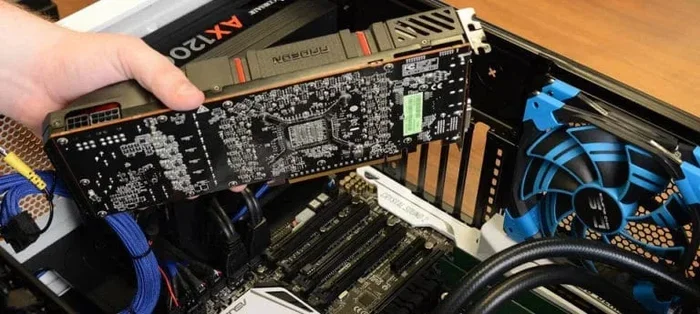
Your GPU is the most critical piece of hardware for Keyshot performance. The software uses your graphics card for real-time rendering and final image output. For the best experience, choose an NVIDIA RTX series card with at least 8 GB of VRAM.
Here is a comparison of popular GPUs for Keyshot work:
- NVIDIA RTX 3060: 12 GB VRAM, great entry-level rendering card.
- NVIDIA RTX 4070: 12 GB VRAM, excellent balance of price and performance.
- NVIDIA RTX 4090: 24 GB VRAM, the top choice for professional rendering.
Keyshot relies on NVIDIA CUDA cores for GPU-accelerated rendering. AMD GPUs are not officially supported for GPU rendering in Keyshot, so an NVIDIA card is a must. Make sure your GPU also supports OpenGL 4.1 or higher for the best viewport experience.
Storage: Speed Matters More Than You Think
An NVMe SSD is the best storage option for Keyshot users. It cuts down file load times, texture loading, and save times dramatically. A standard SATA SSD is also good, but an NVMe drive is noticeably faster.
For your Keyshot projects, use a dedicated SSD for your working files. Keep your operating system and applications on a separate drive if possible. This separation prevents bottlenecks and keeps your rendering workflow running smoothly.
Operating System and Display Considerations
Windows 10 or Windows 11 (64-bit) is the most widely supported platform for Keyshot. A high-resolution monitor with good color accuracy helps you see your renders the way they will look in real life. If you are building a dedicated rendering workstation, consider a monitor with at least 99% sRGB coverage.
Many professionals also pair their Keyshot setup with a quality home theater system for reviewing renders on a larger display. This is especially helpful when checking color accuracy and lighting details on bigger screens. A best home theater system setup can give you a more immersive view of your work.
How Each Component Affects Keyshot Performance
Understanding how each piece of hardware affects Keyshot helps you prioritize your upgrades. Not all components are created equal when it comes to rendering performance.
CPU Impact on Rendering
The processor handles physics calculations, light bounces, and material simulations. A faster CPU with more cores reduces render times significantly. However, Keyshot’s GPU-accelerated rendering takes most of the load off the CPU. Still, a strong CPU is important for overall system responsiveness and handling large scene files.
GPU Impact on Rendering
The GPU has the biggest impact on Keyshot performance. It handles the real-time viewport, final image rendering, and noise reduction. A powerful GPU with lots of VRAM lets you work with complex scenes and high-resolution textures without lag. If you only upgrade one component, make it your graphics card.
RAM Impact on Workflow
RAM affects how many objects, textures, and materials you can load at once. When you run out of RAM, Keyshot slows to a crawl or crashes entirely. For most users, 32 GB is the minimum for a comfortable workflow. Power users working on automotive or architectural visualizations need even more.
Storage Impact on Load Times
Storage speed affects how quickly Keyshot opens files and loads textures. An NVMe SSD can reduce file open times by 50% or more compared to an HDD. This might not seem like much for one file, but over hundreds of files per day, the time savings add up fast.
Building the Perfect Keyshot Workstation
If you are building a PC specifically for Keyshot, you need to think about the whole system, not just individual parts. A balanced workstation gives you the best performance for your budget.
Choosing the Right Motherboard
Your motherboard needs to support your CPU and have enough PCIe lanes for your GPU. For high-end builds, choose a motherboard with PCIe 4.0 or 5.0 support. This ensures your GPU and NVMe SSD run at full speed.
Power Supply and Cooling
A high-performance rendering workstation generates a lot of heat. A quality power supply with enough wattage is essential. You also need effective cooling to keep your components running at peak performance. A good best cooling system for PC will prevent thermal throttling and keep your render sessions stable.
Air cooling works well for most builds, but liquid cooling is worth considering if you are using a high-end CPU. Keeping temperatures low improves performance and extends the life of your components.
Operating System Optimization
Make sure your operating system is optimized for Keyshot. Update your GPU drivers regularly, as new driver updates often improve rendering performance. Disable unnecessary background programs while rendering to free up system resources.
If you are choosing between operating systems for your rendering workflow, check out our guide on the best operating system for gaming PC. Many of the same principles apply to Keyshot workstations, since both require strong GPU support and good overall system balance.
Common Mistakes When Choosing Keyshot Hardware
Many people make avoidable mistakes when building or buying a Keyshot workstation. Here are the most common ones and how to avoid them.
- Skipping the GPU: Some users focus only on CPU and RAM, ignoring the graphics card. This is the biggest mistake. Keyshot depends heavily on GPU performance, and a weak GPU will bottleneck your entire workflow.
- Underestimating VRAM Needs: 4 GB of VRAM is not enough for modern Keyshot projects. Always aim for 8 GB or more, especially if you work with high-resolution textures.
- Using an HDD for Active Projects: Hard drives are too slow for 3D rendering workflows. Always use an SSD, preferably NVMe, for your working files.
- Ignoring Cooling: A powerful PC without proper cooling will throttle performance. Heat is the enemy of sustained rendering performance.
- Choosing AMD GPUs: Keyshot does not officially support AMD GPUs for GPU rendering. Stick with NVIDIA for the best compatibility and performance.
Keyshot System Requirements for Different Use Cases
Not all Keyshot users need the same hardware. Your requirements depend on what kind of work you do.
For Product Designers
Product designers typically work with medium-complexity scenes. You need a solid CPU, 16-32 GB of RAM, and an NVIDIA RTX 3060 or better. A fast SSD is important for loading large texture files.
For Automotive Visualizers
Automotive scenes are extremely complex with thousands of parts and high-resolution textures. You need 32-64 GB of RAM, an RTX 4070 or higher, and a powerful multi-core processor. Cooling is also critical for long render sessions.
For Architecture and Interior Design
Architectural visualization involves large environments with many light sources. A strong GPU with at least 12 GB VRAM, 32 GB RAM, and a fast CPU will handle these scenes efficiently.
For Students and Hobbyists
If you are just learning Keyshot, a mid-range system with 16 GB RAM, an RTX 3060, and a decent CPU is more than enough. You do not need to spend a fortune to get started.
Key Takeaways
- Minimum specs get the job done: An Intel i5, 8 GB RAM, and an NVIDIA GPU with 2 GB VRAM will run Keyshot, but expect limitations.
- Recommended specs ensure a smooth workflow: An i7 or Ryzen 7, 32 GB RAM, and an RTX 4070 or better provide a comfortable experience.
- GPU is king: Your graphics card has the biggest impact on Keyshot rendering performance.
- RAM prevents crashes: 32 GB is the minimum for comfortable work with complex scenes.
- SSD storage improves everything: Faster load times, quicker file saves, and a more responsive overall experience.
- Cooling matters: Proper cooling keeps your system stable during long render sessions.
- Build for your use case: Different projects need different levels of hardware investment.
Meeting the Keyshot system requirements is the foundation of a great rendering experience. Without the right hardware, even the most skilled designer will struggle with slow performance and crashes. Take the time to evaluate your current system and upgrade where needed. Your workflow will thank you.
Start with your GPU, since it matters most for Keyshot. Then add RAM and a fast SSD. Finally, make sure your cooling and power supply can handle the load. With the right setup, Keyshot will deliver stunning photorealistic renders quickly and reliably.
Whether you are a professional or a beginner, investing in the right hardware for Keyshot pays off in saved time and better results. Build smart, upgrade wisely, and let Keyshot bring your designs to life.
Frequently Asked Questions
Can Keyshot run on a laptop?
Yes, Keyshot can run on a laptop as long as it meets the minimum system requirements. However, laptops with dedicated NVIDIA GPUs and at least 16 GB of RAM will deliver the best experience. Gaming laptops and mobile workstations are ideal choices for running Keyshot on the go.
Does Keyshot work with AMD GPUs?
Keyshot officially supports NVIDIA GPUs for GPU-accelerated rendering. AMD GPUs can run Keyshot for viewport display, but they do not support CUDA-based GPU rendering. For the best performance, always choose an NVIDIA graphics card when building a Keyshot workstation.
How much RAM do I need for Keyshot?
The minimum RAM requirement is 8 GB, but 32 GB is recommended for most users. If you work with large assemblies or complex scenes, 64 GB will give you the headroom you need. More RAM means you can load larger files without slowdowns or crashes.
What is the best CPU for Keyshot?
An Intel Core i7 or AMD Ryzen 7 processor is the best starting point for Keyshot. For professional use, an Intel Core i9 or AMD Ryzen 9 provides even faster rendering times. More cores and higher clock speeds both contribute to better Keyshot performance.
Do I need an SSD for Keyshot?
While Keyshot can run on an HDD, an SSD is strongly recommended. An NVMe SSD dramatically improves file load times, texture loading, and overall responsiveness. For any serious Keyshot workflow, an SSD is not optional, it is essential.
What operating system does Keyshot support?
Keyshot supports Windows 10 and Windows 11 (64-bit versions). Linux users can also run Keyshot on supported distributions. Mac support is limited, so Windows is the recommended platform for Keyshot users who want the best compatibility and performance.
=== CONCLUSION ===
Keyshot system requirements are not complicated, but they are important. The right combination of CPU, GPU, RAM, and storage makes all the difference between a smooth workflow and a frustrating one. Start with the recommended specs and adjust based on your project needs and budget.
Remember, your GPU is the most important component for Keyshot. Pair it with enough RAM, a fast SSD, and a solid processor, and you will have a rendering machine that delivers beautiful results every time. Take the time to get your hardware right, and Keyshot will reward you with stunning photorealistic renders.