Laptop with 32gb Ram and I7 Processor
A laptop with 32GB of RAM and an Intel Core i7 processor is a powerhouse designed for demanding professional and creative workloads. This combination eliminates bottlenecks in memory-intensive tasks like video editing, 3D rendering, software development, and running multiple virtual machines. While premium-priced, it offers exceptional multitasking capability and a longer usable lifespan for power users who refuse to compromise on performance.
Key Takeaways
- Unmatched Multitasking: 32GB RAM allows for dozens of browser tabs, heavy applications, and background services to run simultaneously without slowdowns, perfectly complementing the i7’s multi-core processing power.
- Targeted for Professionals: This spec is primarily for video editors, 3D artists, data scientists, software developers, and engineers, not the average user who can thrive with 16GB.
- Future-Proof Investment: As software demands grow, 32GB provides a significant buffer, meaning this laptop will remain viable for 4-5+ years, protecting your investment.
- Thermals and Build Matter: An i7 CPU generates significant heat. Success depends on a laptop with a robust cooling system (dual fans, vapor chamber) and a solid build to handle sustained loads.
- GPU is Still Critical: For gaming or GPU-accelerated tasks (rendering, AI), the dedicated graphics card is more important than the CPU/RAM combo. Don’t overlook it.
- Cost vs. Need Analysis: The price premium is substantial. Honestly assess your workflows; many “prosumer” tasks don’t fully utilize this much RAM, making 16GB a more cost-effective choice.
- Upgradeability is Key: Check if the RAM is soldered. Soldered 32GB is permanent. User-upgradeable slots offer flexibility for future upgrades, a major factor in long-term value.
📑 Table of Contents
- Introduction: Decoding the Power Duo
- Who Actually Needs a Laptop with 32GB RAM and an i7 Processor?
- The Performance Synergy: How RAM and CPU Work Together
- Your Buying Guide: What to Look For Beyond RAM and CPU
- Debunking Common Myths & Misconceptions
- Future-Proofing and Long-Term Value
- Conclusion: Making the Right Choice for You
Introduction: Decoding the Power Duo
You’re in the market for a new laptop, and the specs you see are enough to make your head spin. Among them, the pairing of an Intel Core i7 processor with 32GB of RAM consistently stands out as a marker of high performance. But what does it actually mean for you? Is this the ultimate machine you need, or an overkill expense? This guide cuts through the marketing to give you the real story. We’ll break down exactly what this hardware combination delivers, who it’s truly for, and how to make a smart purchase decision. Think of it as a friendly, no-nonsense conversation about what makes these laptops tick.
The synergy between a powerful CPU and abundant RAM is the backbone of a seamless computing experience. The i7, with its multiple cores and high clock speeds, handles the complex calculations and instructions. The 32GB of RAM acts as the ultra-fast, temporary workspace where all your active data lives. When you have both in spades, the system glides through tasks that would make lesser laptops grind to a halt. It’s not just about raw speed; it’s about fluidity, responsiveness, and the ability to work the way you want, without waiting for your computer to catch up.
Who Actually Needs a Laptop with 32GB RAM and an i7 Processor?
Let’s be clear: this is not a “one-size-fits-all” recommendation. The average user browsing the web, streaming movies, and working on documents will never tap into the potential of this combo. So, who are these power users? They are professionals and enthusiasts for whom time is the most valuable resource, and waiting for an export or render to complete is a significant productivity killer.
The Creative Professional: Video Editors & 3D Artists
If you work with high-resolution footage (4K, 6K, RAW), you live in applications like Adobe Premiere Pro, DaVinci Resolve, or Final Cut Pro. These programs are memory hogs. Having 32GB RAM means you can scrub through timelines smoothly, apply multiple effects in real-time, and keep your entire project plus other applications open. Pair that with an i7’s strong single-threaded performance (crucial for playback) and multi-core speed (for rendering), and you have a mobile editing suite that feels like a desktop workstation. For 3D artists in Blender or Cinema 4D, complex scenes with high-poly models and textures will load and manipulate far faster with ample RAM, preventing the system from swapping to the slow SSD.
The Developer & Data Scientist: Running Virtual Machines & Containers
For software developers, especially those working with virtual machines (VMs) for testing different OS environments or running local Docker containers, RAM is the lifeblood. A single Windows VM can easily consume 8-12GB. Running two or three simultaneously with your IDE (like VS Code or IntelliJ), browser, and other tools? You’ll chew through 32GB without breaking a sweat. The i7 ensures the host system and VMs have strong processing headroom for compilation tasks. Data scientists working with large datasets in Python (Pandas) or R also benefit massively, as these operations are often limited by available memory.
The Engineer & Researcher: Simulation & Analysis
CAD software like SolidWorks or AutoCAD, simulation tools like MATLAB or ANSYS, and complex data analysis in Excel with massive models all demand both CPU horsepower and large memory pools. These applications often load entire assemblies or datasets into RAM for quick access and manipulation. An i7/32GB combo allows engineers to work on larger, more complex projects directly on their laptop, whether in the field or in a meeting, without needing to offload work to a distant server.
The “Prosumer” Enthusiast: Serious Hobbyists
This group includes the advanced hobbyist photo editor with thousands of high-res RAW files, the music producer with dozens of virtual instruments and effects plugins, or the gamer who also streams at high quality while having Discord, browsers, and recording software open. For them, 32GB provides a comfortable, no-compromise environment that ensures their hobby doesn’t feel like a compromise. It’s about the luxury of not thinking about system resources.
The Performance Synergy: How RAM and CPU Work Together
Understanding why this pairing is so effective requires a peek under the hood. It’s not just two great specs added together; it’s how they multiply each other’s effectiveness.
The Bottleneck Effect: Why Balance is Everything
Imagine your CPU is a brilliant chef (the i7) and your RAM is the size of the kitchen counter where all ingredients are prepped. A slow chef (weak CPU) with a huge counter (lots of RAM) will still be slow. A fast chef (strong CPU) with a tiny, cluttered counter (not enough RAM) will constantly be stopping to clean and find ingredients—this is called “thrashing” or swapping to the SSD, which is orders of magnitude slower than RAM. The ideal is a fast chef with a massive, organized counter. The i7 processor provides the raw computational speed, while the 32GB of RAM provides the vast, fast workspace that keeps that chef productive without interruption. In a laptop with 32GB RAM and an i7 processor, you minimize the chance of one component holding back the other, creating a smoothly balanced system for heavy workloads.
Real-World Benchmarking: Beyond the Specs Sheet
Specs like GHz and GB are marketing tools. Real performance is seen in application-specific benchmarks. For video editing, look at the “Export” and “Timeline Playback” scores in PugetBench for Premiere Pro. For development, compile times in projects like Chromium or large JavaScript bundles are telling. For general responsiveness, the “PCMark 10” score gives a good holistic view. A laptop with 32GB RAM and an i7 processor will typically score at the top of these charts for mobile workstations. The key takeaway: the extra RAM ensures benchmark scores aren’t artificially lowered by memory-related stalls, giving you a true representation of the i7’s capability.
Your Buying Guide: What to Look For Beyond RAM and CPU
Finding a laptop with 32GB RAM and an i7 processor is just the starting point. Choosing the right one requires evaluating the entire system. A weak link anywhere will drag down the experience.
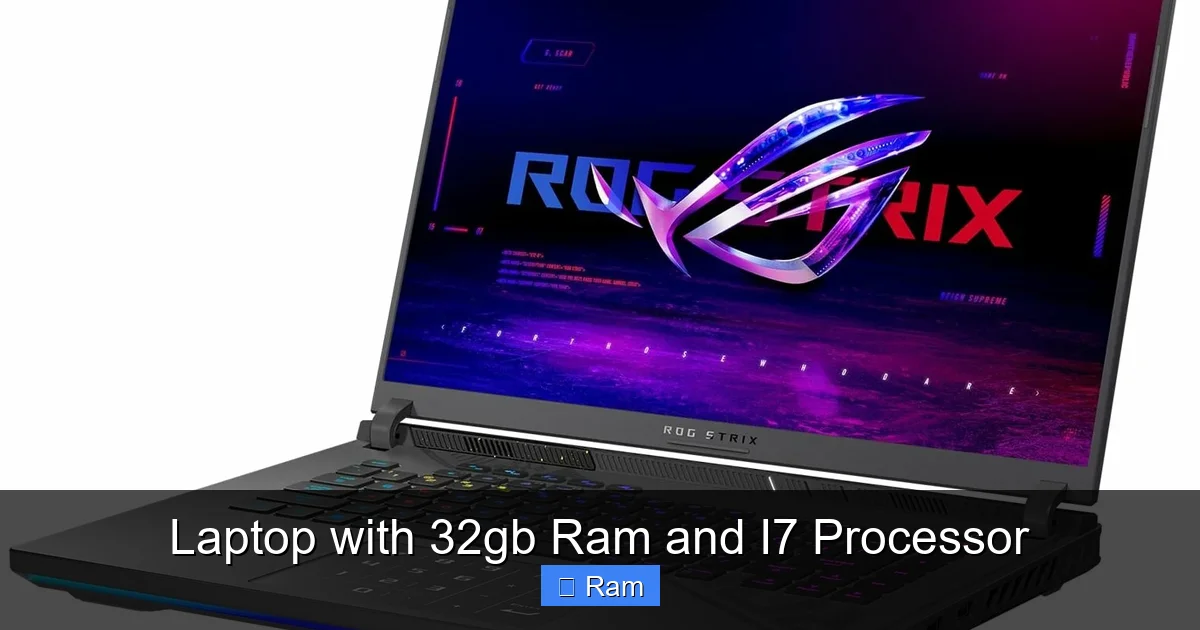
Visual guide about Laptop with 32gb Ram and I7 Processor
Image source: laptopmedia.com
Storage Speed: The Often-Forgotten Third Pillar
Your data lives on the SSD. If you have 32GB of RAM but a slow, outdated SATA SSD, loading projects and files will still feel sluggish. You must ensure the laptop has a modern NVMe PCIe SSD, preferably Gen 3 or Gen 4. This is non-negotiable for a professional machine. Look for read/write speeds over 2,000 MB/s. Also, consider capacity. 512GB fills up fast with video projects or VMs. Aim for 1TB or more. This is one area where you should never compromise when investing in a high-performance laptop.
Thermal Design & Build Quality: The Unsung Heroes
An Intel Core i7, especially the H-series (e.g., i7-12700H, i7-13700HX), is a 45W+ chip that can turbo boost much higher. This generates a lot of heat. A thin-and-light chassis with inadequate cooling will cause the CPU to “thermal throttle”—it will automatically reduce its speed to cool down, negating the performance you paid for. Research reviews that specifically test thermals and fan noise under sustained load. Look for laptops with dual fans, multiple heat pipes, and vapor chambers. A magnesium alloy or aluminum chassis not only feels premium but also helps dissipate heat better than plastic. A laptop that gets too hot to use on your lap is a failed design.
Display: Your Window to the Work
For creative work, the display is paramount. You need accurate colors (look for 100% sRGB or P3 coverage, and factory calibration), high resolution (QHD/1440p is a sweet spot for clarity and performance), and sufficient brightness (300+ nits). For coding, a higher resolution allows for more code on screen. For general use, a high refresh rate (120Hz, 144Hz) makes scrolling and animations incredibly smooth. Don’t let a mediocre display ruin the experience of an otherwise perfect laptop with 32GB RAM and an i7 processor.
Connectivity & Ports: Workstation Versatility
Professionals need ports. Ensure it has the ports you need: multiple USB-C/Thunderbolt 4 ports (for docks, external displays, fast storage), USB-A for legacy devices, an HDMI or DisplayPort for external monitors, and an SD card reader for photographers. A laptop that requires a dongle for every peripheral is a daily frustration. Check the number of lanes on the Thunderbolt ports—some cheaper laptops only provide x2 lanes, halving the speed for external SSDs and docks.
Debunking Common Myths & Misconceptions
The world of PC hardware is full of oversimplifications. Let’s clear up a few.
Myth 1: More RAM is Always Better, So 64GB Must Be Better Than 32GB
This is the most common trap. More RAM is only beneficial if your actual workload needs it. If your typical use case maxes out at 18GB of usage, jumping to 64GB provides zero performance benefit. It’s like buying a pickup truck to commute solo in city traffic. The money spent on 64GB could be better allocated to a better GPU, faster SSD, or a higher-quality display. For 99% of users, including many professionals, 32GB is the practical sweet spot for a high-end laptop today, offering ample headroom without the cost and potential compatibility quirks of 64GB configurations.
Myth 2: An i7 is the Best Gaming CPU
For gaming, the graphics card (GPU) is king. An i7 paired with a weak integrated GPU or a mid-range dedicated GPU will be outperformed by an i5 or even an i3 paired with a top-tier GPU like an RTX 4070 or 4080. The i7’s advantage in gaming comes when paired with a high-end GPU, where its superior single-core speed helps achieve very high frame rates, especially at lower resolutions. If gaming is your primary goal, allocate more of your budget to the GPU. The laptop with 32GB RAM and i7 processor is a fantastic *secondary* benefit for a gaming laptop that also streams or runs other applications, but it’s not the primary driver for gaming performance.
Myth 3: All i7 Processors are Created Equal
Absolutely not. The “i7” brand spans generations (11th Gen, 12th Gen, 13th Gen, 14th Gen) and product lines (U-series for thin-and-lights, P-series for performance thin-and-lights, H/HX-series for high-performance gaming/workstations). A 12th Gen i7-12700H will dramatically outperform a 10th Gen i7-10510U. Within a generation, an i7-13700HX (55W) is vastly more powerful than an i7-1360P (28W). Always look at the full model number and understand its TDP (Thermal Design Power). The laptop’s cooling solution dictates how close it can run to the CPU’s maximum potential. A 28W i7 in a poorly cooled ultrabook may be slower than a well-cooled 15W i5.
Future-Proofing and Long-Term Value
Buying a high-end laptop is a significant investment. How do you ensure it lasts?
RAM: The Ultimate Non-Upgradeable (Often)
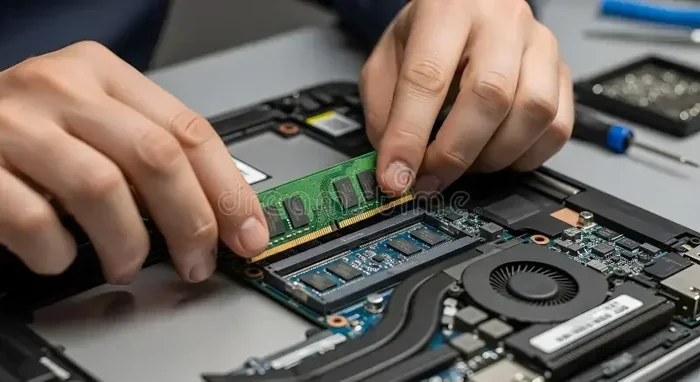
This is the most critical point. In an increasing number of modern laptops, especially thin-and-light models, the RAM is soldered directly onto the motherboard. You cannot upgrade it after purchase. If you buy a configuration with 16GB soldered, that’s it forever. Therefore, if you anticipate your needs growing—larger OS updates, more complex software, more browser tabs—buying the 32GB model upfront is a hedge against future obsolescence. For laptops that do have user-accessible slots (often the thicker “workstation” models), you can buy a base 16GB model and add another 16GB stick later, which is often cheaper. Always verify the upgradeability before purchasing.
CPU Generational Leaps: What to Expect
Intel’s hybrid architecture (starting with 12th Gen) brought a significant leap in multi-core performance by adding efficient “E-cores.” Each new generation (13th, 14th Gen) offers incremental improvements, usually 10-15% better performance and efficiency. A 32GB/i7 laptop from today will be relevant for many years because the RAM capacity won’t become a bottleneck, and the core count is already high. The biggest future threats will be new software demanding more advanced instruction sets (like new AI accelerations), which may require a newer CPU architecture. But for general creative and professional workloads, the performance delta between generations is less dramatic than the jump from 16GB to 32GB RAM would be.
Software Trends: Why RAM is the Safest Bet
The trend in software is clear: applications are using more memory. Modern web browsers with dozens of tabs can easily use 8-12GB. Operating systems themselves are more memory-intensive. New versions of creative apps add features that leverage more RAM for caching and previews. Predicting the exact RAM needs of software three years from now is hard, but the trajectory is upward. Investing in 32GB is a direct bet against this trend. You are buying “headroom,” which translates directly to a longer useful life for your laptop before you feel the need to upgrade due to memory constraints. It’s the single most effective way to future-proof a system’s usability for demanding tasks.
Conclusion: Making the Right Choice for You
A laptop with 32GB of RAM and an Intel Core i7 processor is not a toy. It’s a serious tool for serious work. It represents a commitment to a frictionless, high-productivity workflow where the computer never says “no” because of insufficient resources. The combination excels in environments where large datasets, complex projects, and multiple applications are the norm, not the exception.
Before you buy, do a hard audit of your actual, daily workflows. Open your Task Manager or Activity Monitor right now. How much RAM are you *actually* using at your peak? If you’re consistently hitting 12-14GB, 32GB will feel like a revelation. If you’re rarely above 8GB, you’re likely overspending. Also, scrutinize the entire laptop package—the SSD, the cooling, the display, the keyboard. The best CPU and RAM in the world are wasted on a laptop with a dim, slow screen or a keyboard that’s uncomfortable to type on for hours.
Finally, shop from reputable brands known for reliable workstation or performance laptops (Dell’s XPS and Precision lines, Lenovo’s ThinkPad P-series and Legion, HP’s Spectre and ZBook, Apple’s MacBook Pro with M-series chips which compete directly). Read professional and user reviews that focus on thermal performance and real-world use cases. If your work demands the ultimate in multitasking muscle and sustained processing power, and your budget allows, the 32GB RAM and i7 processor laptop is arguably the pinnacle of Windows-based mobile computing today. It’s an investment in your time, your creativity, and your peace of mind.
Frequently Asked Questions
Is a laptop with 32GB RAM and i7 processor overkill for gaming?
For pure gaming, the GPU is far more important. This combo is excellent for gaming *and* simultaneously streaming, running Discord, and having many apps open. If gaming is your only focus, you could allocate that budget to a better GPU with 16GB RAM and see greater performance gains.
Will this laptop have poor battery life because of the i7 and 32GB RAM?
Yes, likely. High-performance components consume more power. While modern power management is good, expect 4-7 hours of real-world use from a high-performance i7/32GB laptop, compared to 10+ hours from a thin-and-light with a low-power i5 and 16GB. Battery life is a common trade-off for this level of performance.
Can I upgrade the RAM myself later if I buy a 16GB model?
It depends entirely on the specific laptop model. Many modern performance laptops solder the RAM. Some workstation-class models still have slots. You must check the manufacturer’s specifications or a teardown video before purchasing, assuming you want the option to upgrade. Soldered RAM is permanent.
What’s the difference between an i7-H series and an i7-P series processor?
The H-series (e.g., i7-12700H) is designed for high performance with a 45W base TDP, found in gaming laptops and mobile workstations. The P-series (e.g., i7-1260P) is a newer, more efficient “performance thin-and-light” line with a 28W base TDP, offering great performance in thinner designs but with lower peak power and cooling headroom than an H-series chip.
Is DDR5 RAM necessary with 32GB and an i7?
DDR5 offers higher bandwidth, which can benefit specific memory-intensive tasks like certain scientific simulations or high-frame-rate gaming. However, for most creative and professional applications, the capacity (32GB) is a far more significant factor than the RAM generation (DDR4 vs. DDR5). A 32GB DDR4 system will almost always outperform a 16GB DDR5 system in memory-limited tasks.
Should I consider an Apple Silicon MacBook Pro instead of an Intel-based laptop?
Absolutely. Apple’s M2 Pro/Max chips with 32GB unified memory offer incredible performance per watt, fantastic battery life, and excellent optimization for creative apps. They are a primary competitor to Intel/AMD laptops. Your choice depends on your required software (some Windows-only apps don’t run on macOS), budget, and ecosystem preference. The MacBook Pro is a formidable “laptop with 32GB RAM and a top-tier processor” in its own right.