License Plate Rear View Camera
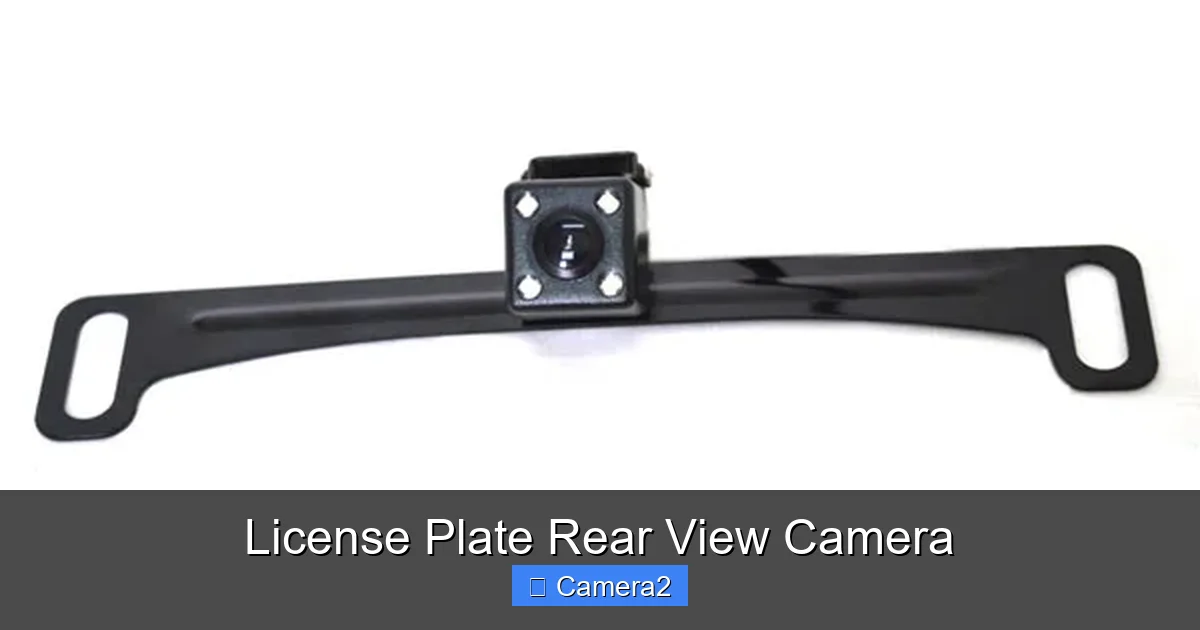
A license plate rear view camera is a discreet, powerful tool that mounts around your vehicle’s license plate to record everything happening behind you. It provides undeniable video evidence in accidents, helps with parking, and deters theft and vandalism. Unlike standard dash cams, it’s specifically designed for a wide, unobstructed rear view, often with superior night vision. Installation is typically straightforward, but understanding local laws regarding license plate frames and recording is crucial before you buy.
Have you ever been in a situation where you desperately needed to see what was happening directly behind your parked car? Maybe a suspicious person was lurking, or a cyclist zoomed up too close in a bike lane. Or worse, you returned to a new dent or scratch with no witness. This is the exact problem a license plate rear view camera solves. It’s not just another dash cam; it’s a specialized, purpose-built piece of automotive security equipment that turns your license plate into a high-tech surveillance outpost.
In this complete guide, we’re diving deep into the world of license plate-mounted cameras. We’ll cut through the marketing jargon and explain exactly how they work, who needs one, how to install it yourself, and the critical legal considerations you absolutely cannot ignore. By the end, you’ll know everything you need to make a smart, confident purchase decision and use this tool to its full potential for safety, security, and peace of mind.
Key Takeaways
- Primary Purpose is Evidence: Its core function is to capture high-definition, wide-angle video of the area directly behind your vehicle, providing irrefutable evidence in collisions, hit-and-run incidents, and insurance disputes.
- Discreet & Integrated Design: It mounts seamlessly into or around your existing license plate bracket, maintaining a factory-like appearance that is far less obtrusive than a traditional dash cam on the windshield.
- Superior Rear Visibility: Positioned low on the vehicle, it avoids obstructions from rear window spoilers, cargo, or headrests, offering a clearer, more complete view of pedestrians, cyclists, and low objects.
- Installation Varies in Complexity: Many models plug directly into your vehicle’s existing reverse light circuit for automatic on/off, but hardwiring for constant power or 24/7 parking mode requires careful routing and fuse tapping.
- Legal Compliance is Your Responsibility: Laws vary by region regarding camera placement (obscuring the plate), audio recording, and data privacy. Always verify your local and state regulations before mounting.
- Features Beyond Recording: Modern units often include loop recording, G-sensors for collision detection, Wi-Fi for easy video transfer, and smartphone apps for live viewing and settings adjustment.
- Not a Substitute for Mirrors: It is a recording and reference tool, not a real-time driving aid like a standard rearview mirror. You must still use your physical mirrors and look over your shoulder when driving or reversing.
📑 Table of Contents
- How a License Plate Rear View Camera Works: More Than Just a Video Feed
- Who Exactly Needs a License Plate Rear View Camera? (It’s Probably You)
- Installation Demystified: A Step-by-Step Guide for DIYers
- The Legal Landscape: What You MUST Know Before You Buy and Mount
- Types of License Plate Camas and Key Features to Compare
- Buying Guide: Top Brands and Setting a Realistic Budget
- Conclusion: Is a License Plate Rear View Camera Worth It?
How a License Plate Rear View Camera Works: More Than Just a Video Feed
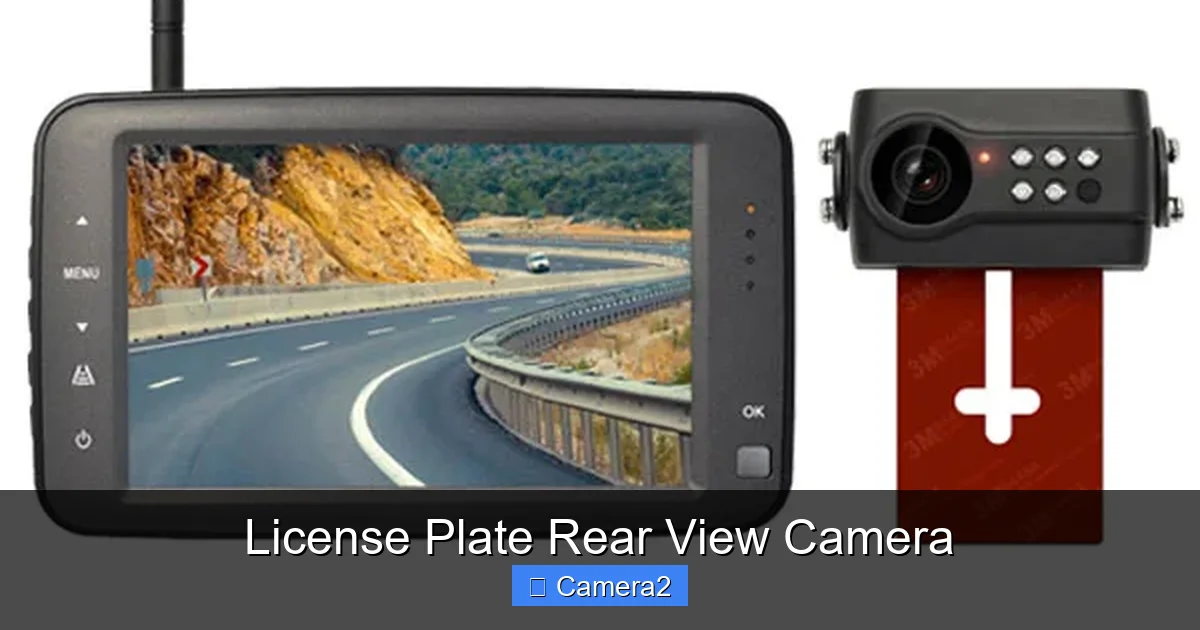
At its heart, a license plate rear view camera system has two main components: the camera module itself and the display/recording unit. The magic is in the camera’s design and placement.
The Camera Module: Engineering for the Perfect Rear View
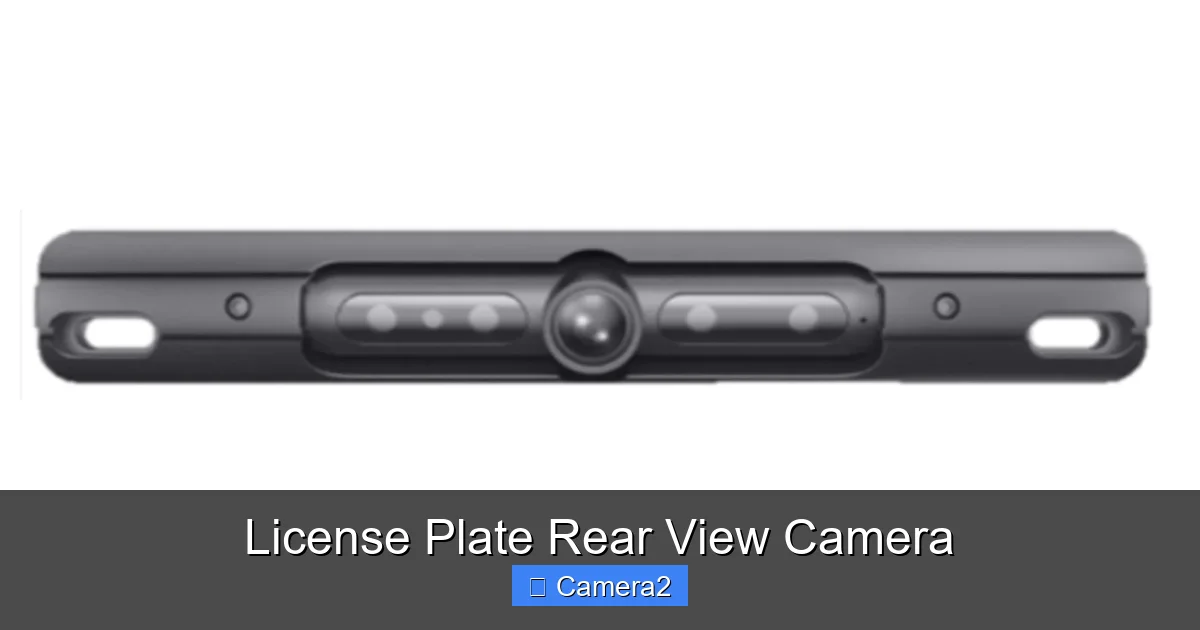
Unlike a standard bullet or dome camera, these units are engineered to fit within the rectangular constraints of a license plate frame. They typically feature a super-wide-angle lens, often 120 to 170 degrees or more. This extreme field of view is crucial because it’s mounted very low to the ground. From that vantage point, a standard lens would only see a narrow strip of asphalt. The wide lens captures everything from the ground immediately behind your bumper to several car lengths back, and from curb to curb, ensuring no one can sneak up from the side.
The sensor inside is also a key differentiator. Look for models with a high-quality CMOS sensor (most common) or CCD sensor (often better in low light). Resolution matters, but sensor size and quality are more important for clear footage, especially at night. Many reputable brands advertise “night vision” or “starlight” capabilities, which use infrared (IR) LEDs to illuminate the scene in total darkness, rendering a black-and-white but highly detailed image. The best systems have a wide dynamic range (WDR) to handle harsh contrasts, like a bright headlight at night against a dark background.
The Brain: The Monitor and Recorder
The video feed from the camera travels along a wire (usually 10-15 meters long) to a monitor and recorder. This is typically a small, dedicated screen (3 to 7 inches) that mounts on your windshield or dashboard, much like a traditional dash cam monitor. However, some newer systems leverage your smartphone as the display via a Wi-Fi connection, which saves space and cost.
The recorder’s job is to save this footage to a microSD card. It uses “loop recording,” meaning once the card is full, it automatically records over the oldest files. A built-in G-sensor (accelerometer) is essential: it detects a sudden jolt, like a collision, and automatically locks that video file to prevent it from being overwritten, preserving critical evidence. Some advanced models have a parking mode, where the camera remains vigilant even when the car is off and parked, triggering recording on motion or impact detection.
Who Exactly Needs a License Plate Rear View Camera? (It’s Probably You)
We often think of dash cams as protecting us while *driving*. A license plate rear view camera protects us when we’re *parked* and provides an unparalleled rear view while maneuvering. Here are the prime use cases.
Visual guide about License Plate Rear View Camera
Image source: 131414011.cdn6.editmysite.com
The Urban Park-and-Shopper: Guarding Against Parking Lot Mayhem
If you park in crowded public lots, garages, or on city streets, your vehicle is a target. Doors get dinged by adjacent cars, shopping carts roll into your bumper, and scrapes happen when others try to squeeze past. A license plate camera acts as an unblinking witness. If someone hits your car and flees, you have their license plate, vehicle make/model, and sometimes their face on video. This is invaluable for police reports and insurance claims. It also deters vandals and “porch pirates” who might approach your vehicle.
The Parent of New Drivers: An Extra Set of Eyes
Teaching a teen to parallel park or reverse in a tight space is nerve-wracking. While you should never rely solely on a camera, having a live video feed on a screen provides a tremendous confidence boost for the new driver. They can see exactly how close they are to the curb or another car, making the learning process safer and less stressful for everyone in the car. It’s a fantastic training aid that complements, not replaces, proper mirror use and shoulder checks.
The Owner of Large Vehicles or Those with Poor Rear Visibility
Drivers of trucks, SUVs, vans, or even smaller cars with large rear headrests or small rear windows know the pain of blind spots. A rear-mounted camera completely eliminates the blind spot directly behind the vehicle. It’s especially useful for seeing small children, pets, or low curbs that are impossible to see through the back window. For boat or RV towers, it can be a lifesaver when hitching up or checking on the trailer’s position.
The Hit-and-Run Victim Seeking Justice
This is the most powerful and emotional use case. Being struck from behind while stopped at a red light, or having your parked car totaled by a fleeing driver, is a violating experience. Without evidence, it often becomes a “he said, she said” battle with insurance, or the case goes cold. A license plate rear view camera provides the definitive, time-stamped video proof that police and insurers need to identify the at-fault driver and process your claim correctly.
Installation Demystified: A Step-by-Step Guide for DIYers
The idea of running wires through your car can be intimidating, but most license plate rear view camera kits are designed for straightforward installation. Here’s a realistic breakdown.
Visual guide about License Plate Rear View Camera
Image source: cdn.globalso.com
Tools and Preparation You’ll Need
Before you start, gather: a screwdriver (often Phillips and Torx), a trim removal tool (plastic pry tool), wire strippers/crimpers, electrical tape or heat-shrink tubing, zip ties, and possibly a fuse tap (add-a-fuse) or circuit tester. Read your vehicle’s owner manual to locate the reverse light circuit and fuse box. Thoroughly read the camera’s manual—every model has slight quirks.
The Process: From Plate to Power
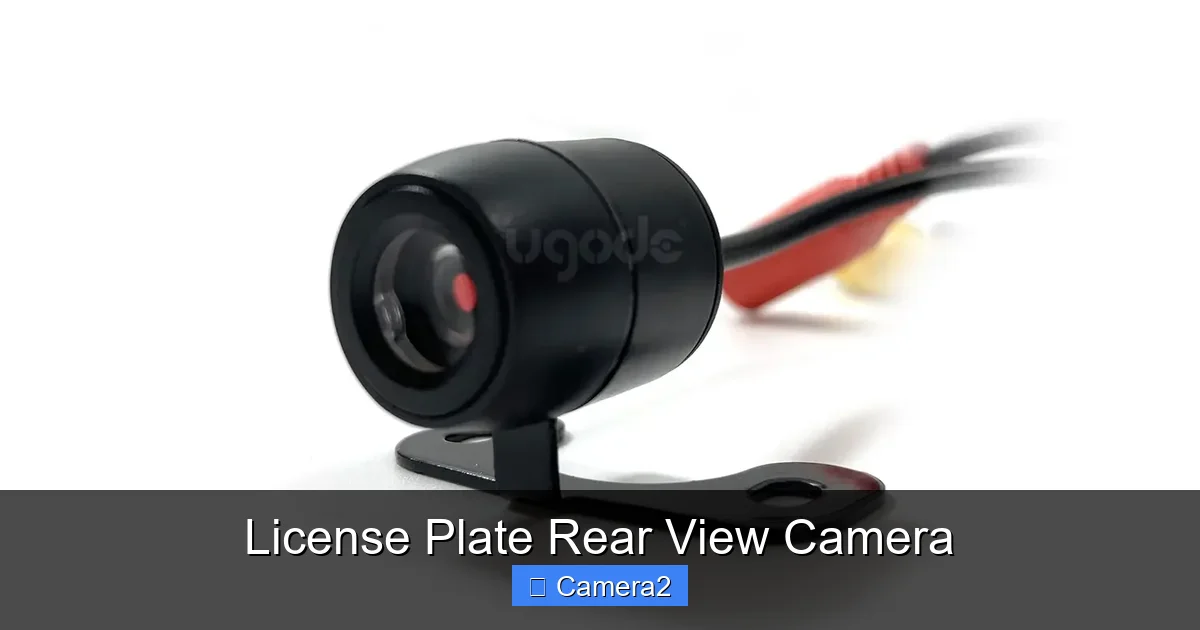
- Step 1: Mount the Camera. Remove your existing license plate. Most camera units either replace the entire bracket or attach to it with screws or adhesive. Position it so the lens is centered and unobstructed. Re-mount the license plate through the camera’s holes. Ensure it’s secure and doesn’t wiggle.
- Step 2: Route the Video/Power Cable. This is the trickiest part. The cable must run from the camera, up through the vehicle’s body, and into the cabin to the monitor. The best path is often through the trunk or tailgate, up along the driver’s side (or passenger side in some models) interior trim, and under the headliner or dash to the monitor location. Use trim tools to gently pry panels and hide the wire. Secure it with zip ties every 12-18 inches.
- Step 3: Connect to Power (The Critical Choice). You have two main options:
- Hardwired to Reverse Light (Automatic On/Off): This is the most common and elegant method. Locate your vehicle’s reverse light harness in the trunk (usually behind plastic panels). Tap the camera’s power wire into the wire that carries power *only* when the car is in reverse (use a circuit tester!). This means the camera and screen turn on automatically when you shift into reverse. The video cable connects directly to the monitor.
- Constant Power (For Parking Mode): To have the camera record 24/7, you must connect it to a constant 12V fuse (like the accessory or radio fuse) that is live even when the car is off. This requires more care to avoid battery drain. You’ll need a fuse tap and must calculate your camera’s draw. Most modern systems have a low-power parking mode that monitors for motion/impact to conserve battery, but this is still a more advanced install.
- Step 4: Connect and Test. Connect the video cable from the camera to the monitor. Power on the vehicle (or connect constant power). Put the car in reverse. The monitor should power on and display the rear view. Adjust the camera angle if needed before finalizing everything. Reassemble all interior panels.
Pro Tip: If any step feels overwhelming, especially locating and tapping the correct wires, consider hiring a professional car audio installer. A clean, correct install is worth the $100-$200 in labor to avoid electrical gremlins and ensure reliability.
The Legal Landscape: What You MUST Know Before You Buy and Mount
This is the most important non-technical section. Ignorance of the law is not an excuse. Laws regarding license plate cameras are inconsistent and can be strict.
Visual guide about License Plate Rear View Camera
Image source: vardsafe.com
Obscuring the License Plate: The Biggest Red Flag
This is the primary legal battleground. In many jurisdictions, it is explicitly illegal to place *anything* that obscures any part of the license plate, its characters, or the state name. This includes clear camera housings that sit *over* the plate. The argument is that law enforcement and toll cameras must be able to read your plate.
The Workaround: The legal design mounts the camera *around* the plate, using the existing screw holes or a custom bracket that attaches to the *frame* or the *vehicle body* beside the plate, not over it. The lens looks through the plate’s opening. Before purchasing, scrutinize the product images. Does the camera body cover any part of the plate when installed? If yes, it is likely illegal in many states (e.g., California, Texas, Florida have specific statutes). Always check your state’s vehicle code for “license plate obstruction.”
Audio Recording and Privacy Laws
If your system records audio (many do by default), you must comply with two-party or one-party consent laws, depending on your state. Since you are recording inside your own vehicle, you generally have a reasonable expectation of privacy for your passengers. Best practice: disable audio recording or inform all passengers that the system records both video and audio. For purely external recording, turning off the microphone mitigates this risk entirely.
Data Privacy and Public Roads
While you have the right to record public spaces from your vehicle, you cannot use the footage for malicious purposes like blackmail. The primary intent should be for security and evidence. Sharing footage of other drivers’ accidents online can sometimes run afoul of privacy considerations, so exercise caution with public posting.
Bottom Line: The safest legal path is a camera system designed to mount *beside* your plate without covering it, and to use it strictly for documenting events involving your vehicle. When in doubt, consult your local Department of Motor Vehicles (DMV) or a legal expert.
Types of License Plate Camas and Key Features to Compare
Not all license plate rear view cameras are created equal. The market splits into a few distinct categories.
OEM-Style vs. Aftermarket Universal
Some car manufacturers (like certain Audi, BMW, or Tesla models) offer an integrated license plate camera as part of their factory accessory package. These are perfectly matched to the vehicle’s styling and often integrate with the factory infotainment screen. They are expensive and require dealer installation. The vast majority of options are aftermarket universal units that fit most standard US and EU license plate sizes. These offer more features and better value.
Key Feature Checklist: What to Look For
- Resolution & Sensor: Don’t be fooled by marketing “4K” on a tiny screen. 1080p (Full HD) is more than sufficient for reading license plates. Prioritize sensor quality (Sony STARVIS is a great low-light performer) over raw resolution.
- Field of View (FOV): Aim for at least 120 degrees horizontal. Wider is better for coverage but can introduce a fisheye distortion that makes judging distances harder.
- Night Vision: Essential. Check reviews for real-world night performance. IR LEDs should be powerful but not cause excessive glare off your license plate or bumper.
- Parking Mode: Look for a low-voltage cutoff to protect your car battery. A “buffered” parking mode records continuously in a loop but saves the minutes before and after an impact when the G-sensor triggers.
- Connectivity: Wi-Fi is a huge convenience for downloading videos to your phone without removing the SD card. Some have Bluetooth for settings only. Hardwired video to a dedicated monitor is the most reliable but least flexible.
- Monitor Size & Mount: A 4-5 inch screen is usually enough. Consider suction cup vs. permanent adhesive mount. Suction cups can fail in extreme heat/cold.
- Weatherproofing: Must be IP67 or IP68 rated to withstand rain, snow, road salt, and car washes.
Buying Guide: Top Brands and Setting a Realistic Budget
You can find license plate rear view cameras from $50 to over $300. The price reflects build quality, sensor performance, software features, and brand reputation.
Budget Tier ($50 – $100)
These are basic, functional units. They will record video and have a G-sensor. Expect lower-quality sensors with grainy night footage, flimsy plastic housings, and basic cables. They are suitable for a simple “set it and forget it” evidence recorder if you’re on a tight budget. Brands like generic Amazon models or entry-level Vantrue fall here.
Mid-Range Tier ($100 – $200)
This is the sweet spot for most buyers. You get excellent 1080p sensors with good night vision (often Sony STARVIS), robust weatherproofing, a proper G-sensor, loop recording, and often Wi-Fi connectivity. Build quality is solid, and wiring kits are complete. Brands like Vantrue (specifically their license plate models), Vantrue, Apeman, and Rexing have strong reputations in this range.
Premium Tier ($200+)
Here you’re paying for top-tier sensors (4K capable, though overkill), superior low-light performance, advanced parking modes with built-in batteries or super-low power draw, larger/brighter monitors, and exceptional build quality. Some integrate with smartphone apps beautifully. Think of brands like BlackVue (their DR series has plate-mount options) and high-end Thinkware models.
Our Recommendation: For 95% of users seeking reliable evidence and good rear visibility, a solid mid-range unit from a reputable brand with a good warranty is the best investment. Read recent user reviews focusing on long-term reliability and night video samples.
Conclusion: Is a License Plate Rear View Camera Worth It?
In a world of increasing distractions and rising insurance fraud, a license plate rear view camera is one of the most pragmatic, high-ROI safety investments you can make for your vehicle. It’s not about being paranoid; it’s about being prepared. It transforms your stationary car from a vulnerable target into an active documentarian of its own environment.
The benefits—concrete evidence for accidents, deterrence against crime, and enhanced visibility for parking—far outweigh the modest cost and installation effort. While the legal landscape requires diligence to ensure your specific model and mounting method comply with local laws, the peace of mind it provides is priceless. Whether you’re a city dweller navigating tight parking, a parent teaching a teen to drive, or simply someone who values having an unbiased witness on duty 24/7, this device delivers. Do your research, choose a compliant and well-reviewed model, and install it with care. You’ll wonder how you ever parked or left your car without it.
Frequently Asked Questions
Is it legal to put a camera over my license plate?
In many states and countries, it is illegal to obscure any part of the license plate, including with a camera housing. You must choose a model that mounts *around* the plate using the existing screw holes or brackets, not over the plate itself. Always check your local vehicle code before purchasing.
How difficult is the installation for a beginner?
For a basic “tap into reverse light” install, it’s a moderate DIY project requiring patience and basic tool skills. The hardest part is routing the cable neatly from the trunk to the dashboard and finding the correct reverse light wire. If you are uncomfortable with car electronics, professional installation is highly recommended for a clean, reliable result.
Will this camera work at night or in bad weather?
Yes, a quality license plate rear view camera is designed for all conditions. Look for models with infrared (IR) night vision and a wide dynamic range (WDR) to handle glare from headlights. Ensure it has an IP67 or higher weatherproof rating to resist water, snow, and road salt. Performance varies by model, so check real-world review videos.
Does it record audio, and is that legal?
Most systems record audio by default. In many states, recording conversations without consent of all parties (two-party consent) is illegal. Since the audio is recorded inside your car, the safest approach is to disable the microphone in the settings or inform all passengers that audio is being recorded. For external evidence, video is usually sufficient.
Can I use my phone as the monitor instead of a separate screen?
Yes, many modern license plate rear view cameras use Wi-Fi to connect directly to a smartphone app, which acts as the live display and playback viewer. This eliminates the need for a dedicated monitor, saving space and cost. Ensure the Wi-Fi connection is stable and the app is compatible with your phone’s OS.
How long does the recorded footage stay on the memory card?
Footage is saved on a microSD card using loop recording. When the card fills up, the oldest files are automatically deleted to make space for new recordings. A 32GB card in a 1080p system typically stores about 4-6 hours of continuous footage. A G-sensor event (like a collision) will lock that specific file to prevent overwriting. The duration depends on card size, video bitrate, and recording mode (continuous vs. event-only).