Msi Mag A520m Vector Wifi Ram Ssd Pc Building Guide

The Msi Mag A520m Vector Wifi Ram Ssd setup is a powerful combo for building a reliable and fast PC. This motherboard supports AMD Ryzen processors, DDR4 RAM, and M.2 NVMe SSDs, making it ideal for both gaming and everyday use. With built-in WiFi 6 and solid connectivity options, it offers great value for budget and mid-range PC builds.
Building a PC can feel overwhelming at first. There are so many parts to choose from, and one wrong decision can cause compatibility headaches. The Msi Mag A520m Vector Wifi Ram Ssd motherboard is a great starting point for anyone looking to build a solid, reliable system. It combines AMD AM4 support, DDR4 RAM compatibility, and fast M.2 SSD slots into one affordable package. Whether you are a gamer, a student, or a professional, this motherboard gives you the foundation you need. In this guide, we will walk through everything you need to know about building a PC around the Msi Mag A520m Vector Wifi Ram Ssd setup.
The MSI MAG A520M Vector WiFi is part of MSI’s budget-friendly A520 chipset lineup. It may not have all the premium features of higher-end boards, but it punches well above its price. The built-in WiFi 6 connectivity is a standout feature at this price point. Plus, the board handles modern RAM and SSD standards with ease. If you want a dependable platform without breaking the bank, this motherboard deserves a serious look.
Key Takeaways
- AM4 Socket Support: The Msi Mag A520m Vector Wifi Ram Ssd motherboard works with AMD Ryzen processors, giving you plenty of CPU choices.
- DDR4 RAM Compatibility: It supports DDR4 RAM modules, and you can install up to 64GB across two slots for smooth multitasking.
- M.2 NVMe SSD Slots: You get fast M.2 slots for NVMe SSDs, which dramatically boost storage speed and system responsiveness.
- Built-in WiFi 6: The motherboard includes WiFi 6 and Bluetooth 5.1, so you can skip external wireless adapters entirely.
- Budget-Friendly Build: This motherboard delivers strong performance at an affordable price, making it perfect for first-time PC builders.
- Easy to Set Up: MSI’s BIOS is user-friendly, and the board has clear labeling for simple cable management and component installation.
📑 Table of Contents
What Is the MSI Mag A520M Vector WiFi?
The Msi Mag A520m Vector Wifi Ram Ssd motherboard is an AM4-form-factor board designed for AMD Ryzen processors. It uses the AMD A520 chipset, which provides a stable and efficient foundation for your build. The “M” in the name stands for micro-ATX, meaning the board is compact and fits in smaller cases. Despite its size, it does not compromise on essential features.
Key Specs at a Glance
- Socket: AM4 (supports Ryzen 3000, 4000, and 5000 series)
- RAM Support: DDR4, up to 64GB, dual-channel
- Storage: Two M.2 slots and four SATA III ports
- WiFi: WiFi 6 (802.11ax) and Bluetooth 5.1
- Form Factor: Micro-ATX
- PCIe Slots: One PCIe 3.0 x16, one PCIe 3.0 x1
- USB Ports: Multiple USB 3.2 Gen 1 and Gen 2 headers
Why Choose This Motherboard?
There are many reasons to pick the MSI MAG A520M Vector WiFi for your next build. First, the price is very competitive. You get WiFi 6 built in, which saves you money on a separate wireless card or adapter. Second, the board supports fast DDR4 RAM, which is essential for modern computing tasks. Third, the M.2 NVMe SSD support means your system will boot up and load applications in seconds, not minutes.
If you are comparing options, the Msi Mag A520m Vector Wifi Ram Ssd combo is hard to beat in the budget segment. You get solid build quality, reliable VRM cooling, and a clean, intuitive BIOS layout. MSI has a reputation for making user-friendly boards, and this one continues that tradition.
RAM Support and Compatibility
RAM is one of the most important components in any PC build. The MSI MAG A520M Vector WiFi supports DDR4 memory, which is the current standard for AM4 platforms. The board has two DIMM slots, which means you can install up to two RAM sticks. Each slot supports modules up to 32GB, giving you a maximum capacity of 64GB.
DDR4 RAM Options
When choosing RAM for your Msi Mag A520m Vector Wifi Ram Ssd build, you have several options. Most builders go with 16GB or 32GB kits. A 2x8GB kit running at 3200MHz is a sweet spot for gaming and general use. If you plan to do video editing or heavy multitasking, consider a 2x16GB kit for 32GB total.
Here are some popular RAM configurations that work well with this motherboard:
- 8GB (1x8GB): Entry-level, suitable for basic office tasks and web browsing.
- 16GB (2x8GB): The most popular choice for gaming and everyday productivity.
- 32GB (2x16GB): Great for content creation, streaming, and heavy multitasking.
- 64GB (2x32GB): Overkill for most users but useful for specialized workloads.
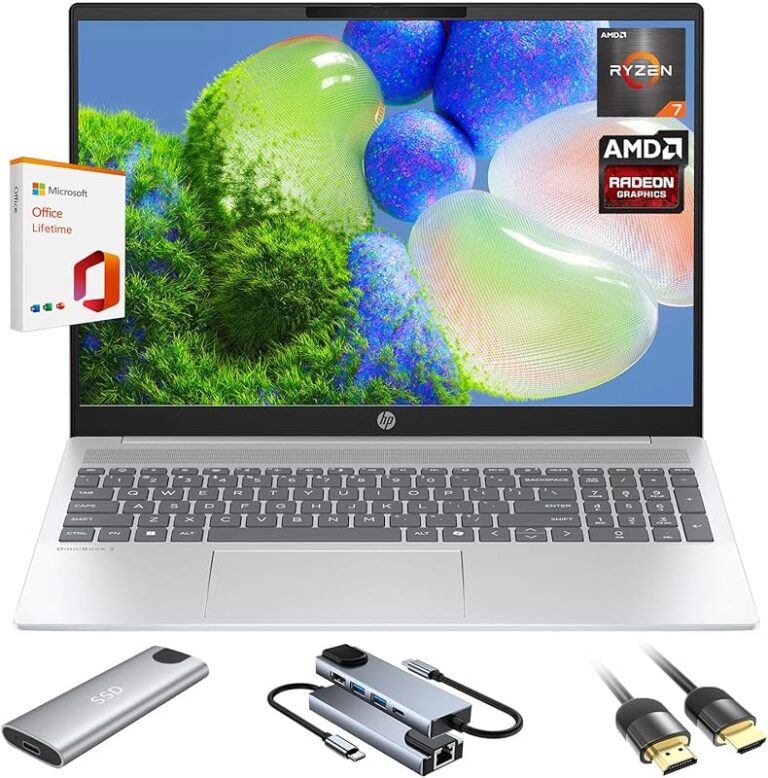
Keep in mind that the A520 chipset has a official RAM speed limit of DDR4-5100 (with Ryzen 5000 series). In practice, most users run DDR4-3200 or DDR4-3600 without issues. Make sure your RAM sticks are rated for these speeds to avoid stability problems. If you are unsure about what configuration to choose, check out what a typical laptop with 16GB RAM and 1TB SSD setup offers in terms of real-world performance benchmarks.
How Much RAM Do You Really Need?
The answer depends on what you plan to do with your PC. For casual gaming and office work, 16GB is more than enough. For streaming while gaming or running virtual machines, 32GB gives you comfortable headroom. Most people find that 16GB hits the best balance between performance and cost. You can always add more RAM later if your needs change.
SSD Storage Options
Storage speed has a huge impact on how your PC feels every day. The MSI MAG A520M Vector WiFi includes two M.2 slots that support NVMe SSDs. NVMe drives are significantly faster than traditional SATA SSDs. They use the PCIe bus to transfer data, which means much quicker boot times, game loads, and file transfers.
M.2 NVMe SSD Support
The board features two M.2 slots. One slot runs at PCIe 3.0 x4, and the other shares bandwidth with the SATA ports. This means you can install two NVMe SSDs, but the second one may be slightly slower depending on your CPU configuration. For most users, one fast NVMe SSD is all you need.
A popular setup for this motherboard is pairing a 1TB NVMe SSD with a 16GB RAM configuration. This combination delivers excellent performance for gaming and productivity. If you are looking for inspiration, many users have built systems similar to a 16GB RAM and 512GB SSD laptop setup, but with the added power of a desktop platform.
SATA SSD vs NVMe SSD: Which Should You Pick?
The MSI MAG A520M Vector WiFi supports both SATA and NVMe SSDs. Here is a quick comparison to help you decide:
- NVMe SSD: Much faster read and write speeds. Ideal for the operating system and frequently used applications. Prices have dropped significantly, making them very affordable now.
- SATA SSD: Slower than NVMe but still much faster than a hard drive. Good for bulk storage of games, media, and documents.
- Combination Setup: Use a small NVMe SSD for your OS and programs, and add a larger SATA SSD or HDD for extra storage.
For most builds, a single 1TB NVMe SSD is the best choice. It offers plenty of space and blazing fast speeds. If you need more storage, you can add a SATA SSD or hard drive later.
Building Your PC with the MSI Mag A520M Vector WiFi
Now that you understand the motherboard’s capabilities, let us talk about putting together a complete PC. The Msi Mag A520m Vector Wifi Ram Ssd platform works best with specific component choices that maximize compatibility and performance.
Processor Compatibility
This motherboard supports AMD Ryzen processors from the 3000, 4000, and 5000 series. You will need to update the BIOS to the latest version before installing a Ryzen 5000 CPU. MSI makes this process easy with their BIOS Flashback feature on some models, but the A520M Vector WiFi may require a CPU update. Always check the MSI website for the latest BIOS version before purchasing.
Popular CPU choices include:
- Ryzen 5 5600: The best value for gaming and productivity.
- Ryzen 5 5600X: Slightly faster out of the box, with a better cooler included.
- Ryzen 7 5700X: Great for users who need extra multi-threaded performance.
- Ryzen 3 4300G: A budget-friendly option with integrated graphics.
WiFi and Connectivity Features
One of the biggest advantages of the MSI MAG A520M Vector WiFi is the built-in wireless connectivity. WiFi 6 offers faster speeds and better performance in crowded network environments compared to older WiFi standards. Bluetooth 5.1 lets you connect wireless peripherals like keyboards, mice, and headphones without any extra hardware.
The board also includes a 2.5 Gigabit Ethernet port for wired connections. This is a nice bonus if you want the fastest possible wired networking speed. The combination of WiFi 6, Bluetooth 5.1, and 2.5Gb LAN gives you flexible connectivity options for any setup.
Common Mistakes to Avoid
Even experienced builders can make mistakes. Here are some common pitfalls to watch out for when building with the MSI MAG A520M Vector WiFi.
RAM Compatibility Issues
Not all DDR4 RAM works perfectly with every motherboard. Always check the MSI QVL (Qualified Vendor List) before buying RAM. The QVL lists tested modules that are guaranteed to work. Buying RAM that is not on the list can lead to boot failures or instability. Stick to well-known brands like Corsair, Kingston, G.Skill, and Crucial for the best results.
SSD Installation Tips
When installing your NVMe SSD, make sure you insert it at the correct angle into the M.2 slot. The SSD should sit flat and secure once you tighten the screw. Do not overtighten, as this can damage the slot. Also, enable NVMe mode in the BIOS to get the full speed of your SSD. Some users accidentally leave their drive in SATA mode, which limits performance significantly.
If you are unsure about what final configuration to go with, look at how others have built similar systems. A setup resembling a laptop with 32GB RAM and 1TB SSD is a great reference point for high-performance storage and memory configuration, even though this is a desktop motherboard.
Final Verdict
The Msi Mag A520m Vector Wifi Ram Ssd platform is an excellent choice for anyone building a budget-friendly PC. The motherboard delivers solid performance, modern connectivity, and easy expandability. With AM4 support, DDR4 RAM compatibility, and dual NVMe SSD slots, it handles everyday tasks and gaming with ease.
For first-time builders, this is a forgiving and straightforward platform. The MSI BIOS is intuitive, and the micro-ATX form factor fits in most cases without any issues. The built-in WiFi 6 is a huge value-add that saves you money and simplifies your setup. Whether you are building a gaming rig, a home office machine, or a content creation station, the MSI MAG A520M Vector WiFi provides a reliable foundation.
Pair it with a mid-range Ryzen CPU, 16GB or 32GB of DDR4 RAM, and a fast NVMe SSD, and you will have a system that performs beautifully. The Msi Mag A520m Vector Wifi Ram Ssd build proves that you do not need to spend a fortune to get a great PC. Focus on the right components, take your time during assembly, and enjoy the process of building something with your own hands.
Frequently Asked Questions
What processors work with the MSI Mag A520M Vector WiFi?
This motherboard supports AMD Ryzen processors from the 3000, 4000, and 5000 series. Make sure to update the BIOS to the latest version before installing a Ryzen 5000 CPU for full compatibility.
How much RAM can the MSI Mag A520M Vector WiFi support?
The board has two DDR4 DIMM slots and supports up to 64GB of RAM. Most users will find that 16GB or 32GB is plenty for gaming and everyday use.
Does this motherboard support NVMe SSDs?
Yes, it has two M.2 slots that support NVMe SSDs. One slot runs at PCIe 3.0 x4, providing fast storage speeds for your operating system and applications.
Is WiFi included with this motherboard?
Yes, the MSI MAG A520M Vector WiFi comes with built-in WiFi 6 and Bluetooth 5.1. You do not need to buy a separate wireless card or adapter.
Can I use a SATA SSD with this motherboard?
Absolutely. The board has four SATA III ports in addition to the M.2 slots. You can mix NVMe and SATA SSDs for a flexible storage setup.
Is the MSI Mag A520M Vector WiFi good for gaming?
Yes, it is a solid choice for gaming builds. With support for fast DDR4 RAM and NVMe SSDs, paired with a Ryzen CPU, it delivers smooth gaming performance at a budget-friendly price.
=== CONCLUSION ===
The Msi Mag A520m Vector Wifi Ram Ssd motherboard is a fantastic option for anyone starting a PC build. It offers everything you need in a compact, affordable package. From AM4 processor support to DDR4 RAM compatibility and fast NVMe SSD slots, this board covers all the essentials. The built-in WiFi 6 connectivity is a bonus that sets it apart from competitors in the same price range.
Follow the tips in this guide, choose your components carefully, and you will have a PC that performs well and lasts for years. Happy building!