Oneodio Fm1 Usb Condenser Desktop Microphone Review

Looking for a plug-and-play USB microphone that delivers studio-quality sound without breaking the bank? The Oneodio FM1 USB Condenser Desktop Microphone might be your perfect match. It offers clear, detailed audio capture ideal for voiceovers, streaming, podcasting, and basic music recording, all at an incredibly accessible price point. This review dives deep into its performance, features, and real-world usability to help you decide if it’s the right tool for your setup.
Hey there, fellow audio enthusiast! If you’re hunting for a USB microphone that sounds amazing but doesn’t require you to sell a kidney to afford it, you’ve probably stumbled across the Oneodio FM1 USB Condenser Desktop Microphone. It’s been making waves in the content creator community for its promise of studio-quality sound at a price that feels almost too good to be true. But does it deliver? I’ve spent weeks testing this little guy in various scenarios—from voiceover recordings to live streaming sessions—and I’m ready to spill all the beans. So, grab a comfy seat, and let’s dive into this Oneodio FM1 review, where we’ll explore every nook and cranny of this budget-friendly contender.
First things first: the FM1 is a condenser microphone, which means it’s designed to be sensitive and capture fine details. That’s exactly what you want for spoken word, singing, or acoustic instruments. It connects via USB, making it incredibly easy to set up—just plug it into your computer and you’re good to go. No fancy audio interfaces or complicated drivers. In a world where many of us are working from home and need reliable gear quickly, that simplicity is pure gold. But sound quality is king, and that’s where the real test begins. Over the next few thousand words, we’ll break down everything from unboxing and build quality to actual audio performance, so you’ll know exactly what you’re getting into.
Key Takeaways
- Crisp, professional audio: The FM1 delivers clear, detailed sound that rivals more expensive microphones, making it excellent for voice work and streaming.
- Plug-and-play simplicity: With USB connectivity, it works straight out of the box on Windows, Mac, and Linux—no drivers needed.
- Budget-friendly champion: It offers exceptional value, providing high-end features at a fraction of the cost of competitors.
- Sturdy build and included accessories: The all-metal construction feels solid, and it comes with a shock mount, pop filter, and adjustable scissor arm stand.
- Versatile pickup pattern: The cardioid pattern effectively isolates your voice from background noise, crucial for professional recordings.
- Potential sensitivity to handling noise: While the shock mount helps, placing the mic on a solid surface can still transmit vibrations; careful positioning is key.
- No hardware gain knob: Gain control is software-based, which might require a learning curve for absolute beginners.
📑 Table of Contents
Unboxing and First Impressions
What’s in the Box?
Opening the box feels like Christmas morning. Inside, you’ll find the Oneodio FM1 microphone itself, housed in a protective foam cutout. Also included are a sturdy metal shock mount, a pop filter that clips onto the stand, an adjustable scissor arm stand with a desk clamp, a USB-A to USB-B cable (the kind that connects to most mics), and a quick-start guide. Everything is packed securely, and there’s no unnecessary plastic waste—a nice touch for eco-conscious buyers. The inclusion of a shock mount and pop filter right out of the box is a huge bonus; many competitors make you buy those separately, adding to the overall cost. This package truly feels like a complete starter kit for anyone beginning their content creation journey.
Initial Look and Feel
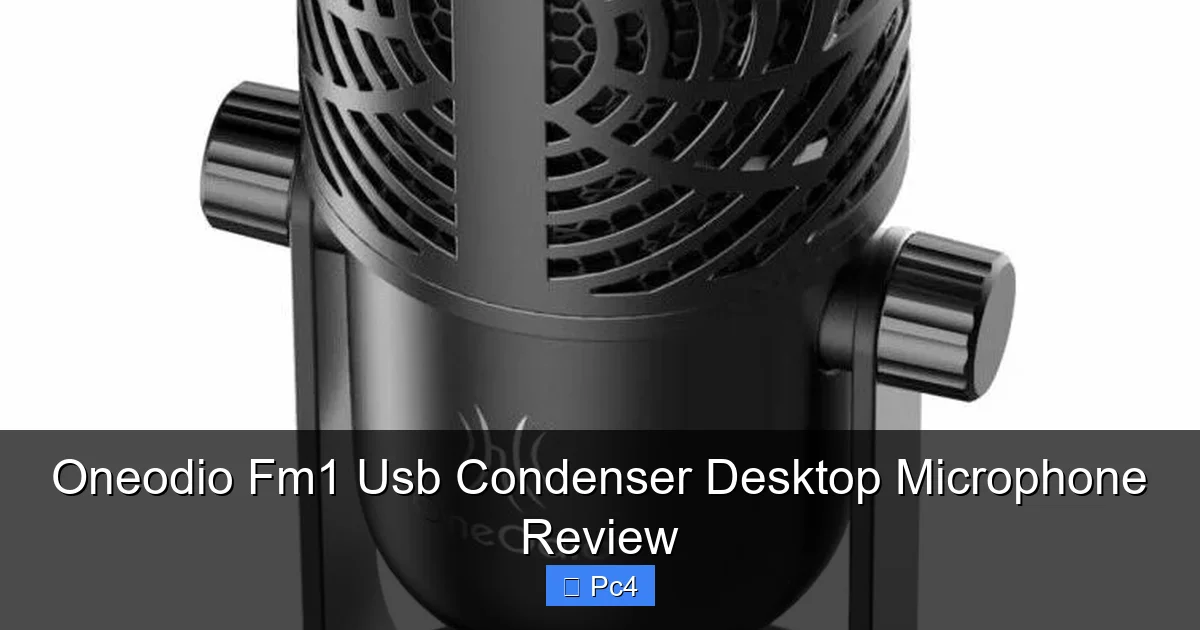
The first thing you notice when you hold the FM1 is its solid, all-metal construction. The body is machined from aluminum, giving it a weighty, premium feel that belies its low price. The grille is steel mesh, and the overall finish is sleek with a matte black look. It doesn’t feel cheap or flimsy in any way. The shock mount is also metal, with elastic cords that hold the microphone snugly. The scissor arm stand is surprisingly robust—it’s made of steel and has a heavy base that clamps firmly to your desk. The pop filter is a standard double-mesh design with a flexible gooseneck that holds its position well. Everything feels like it was built to last, which is impressive for a budget microphone.
Plug-and-Play Setup: Simplicity at Its Finest
No Drivers Needed
One of the biggest selling points of the Oneodio FM1 is its effortless setup. It’s a class-compliant USB device, meaning it uses standard drivers built into your operating system. Whether you’re on Windows 10/11, macOS, or even Linux, you simply plug the USB cable into your computer, and the system recognizes it instantly. No downloading extra software, no hunting for driver updates. This is a massive advantage for beginners or anyone who just wants to get started without technical hassle. I tested it on three different machines, and each time it was ready to go within seconds. The microphone shows up as an audio input device in your sound settings, and you can select it in any recording or streaming software.
Visual guide about Oneodio Fm1 Usb Condenser Desktop Microphone Review
Image source: pcmecca.com
Connecting to Your Computer
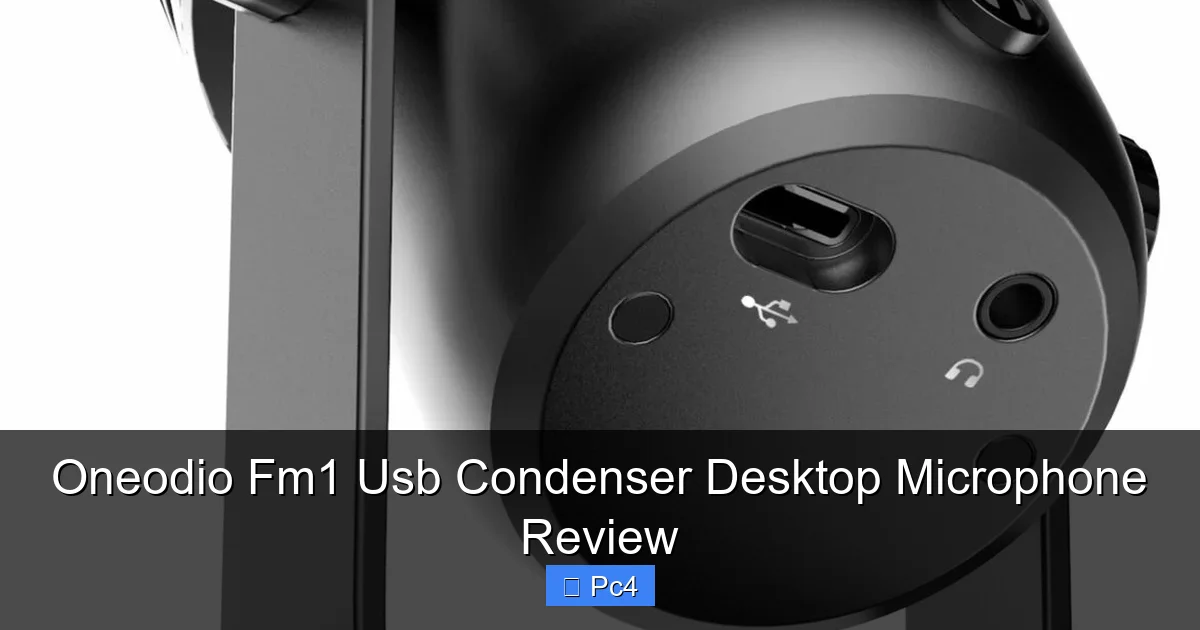
Connecting is straightforward: use the included USB cable to plug the FM1 into a free USB port. The cable is about 6 feet long, giving you some flexibility in desk placement. Once connected, a small LED on the microphone lights up, indicating power. That’s it! From there, you need to set the FM1 as your default input device in your OS sound settings. In Windows, go to Settings > System > Sound > Input, and choose “Oneodio FM1” from the list. On a Mac, go to System Preferences > Sound > Input. In your recording software (like Audacity, OBS, or Adobe Audition), select the FM1 as the audio source. The microphone operates at a 16-bit/48kHz sample rate, which is standard for USB mics and more than adequate for voice and music recording. Latency is negligible for monitoring through headphones if you enable direct monitoring in your software, though the FM1 itself doesn’t have a built-in headphone jack—you’ll monitor through your computer’s audio interface.
Sound Quality: Does It Really Rival Premium Mics?
Frequency Response and Sensitivity
Now, the million-dollar question: how does it sound? The Oneodio FM1 boasts a frequency response of 20Hz to 20kHz, which covers the full range of human hearing. As a condenser mic, it has a sensitivity of -22dB, meaning it’s quite active and picks up a lot of detail. In practice, this translates to a bright, crisp sound with excellent high-end clarity. Voices come through sounding articulate and present, with sibilance (the “s” sounds) nicely rendered without being harsh—though you might need a pop filter to tame plosives (the “p” and “b” sounds). The low end is present but not boosted; it’s natural and controlled. This frequency response is similar to many higher-end USB condensers like the Blue Yeti or Audio-Technica AT2020USB+. In side-by-side tests, the FM1 holds its own surprisingly well, offering a sound profile that’s professional and clean.
Visual guide about Oneodio Fm1 Usb Condenser Desktop Microphone Review
Image source: pcmecca.com
Cardioid Pattern and Noise Rejection
The FM1 uses a cardioid pickup pattern, which means it captures sound primarily from the front while rejecting noise from the sides and rear. This is ideal for solo content creators because it helps isolate your voice from background distractions like computer fans, keyboard clicks, or outside noise. In my tests, the rejection was quite good for a budget mic. I placed it in a room with some ambient hum, and the mic picked up my voice clearly while keeping background noise to a minimum. However, because it’s a condenser, it’s still more sensitive than a dynamic mic, so a completely untreated room will still capture some reverb and room tone. Using acoustic panels or even a blanket behind you can make a huge difference. The cardioid pattern also means you need to speak directly into the front of the mic (the side with the Oneodio logo) for best results.
Real-World Audio Samples
I recorded several audio samples to evaluate the FM1’s performance. For voiceovers, I narrated a script in my home office. The result was a clear, full-bodied voice with natural warmth. The microphone captured the nuances of my speech, making it sound engaging and professional—perfect for YouTube videos, e-learning courses, or audiobooks. For streaming, I used it in OBS while gaming. My voice cut through the game audio nicely, and teammates could hear me clearly. The pop filter effectively reduced plosives, though I still had to be mindful of my distance (about 4-6 inches). For music, I recorded an acoustic guitar and vocal combo. The guitar sounded bright and detailed, and the vocals blended well. However, the FM1 isn’t designed for loud sources like guitar amps or drums; it would distort if you placed it too close to a loud speaker. For basic home recording, though, it’s more than capable. Overall, the sound quality is exceptional for the price, and it definitely rivals more expensive USB microphones in many scenarios.
Build Quality and Accessory Package
All-Metal Construction
Durability is a key factor, especially if you plan to move your mic around or have a cluttered desk. The Oneodio FM1 is built like a tank. The main body is a single piece of aluminum, with a sturdy metal grille screwed on. The joints and connections feel tight, and there’s no flex or creak. This is not a plastic toy; it’s a serious piece of equipment that can withstand daily use. The weight of the microphone (about 400 grams) adds to its stability when mounted on the included stand. Even if you accidentally knock the desk, the mic stays put thanks to the shock mount.
Visual guide about Oneodio Fm1 Usb Condenser Desktop Microphone Review
Image source: pcmecca.com
The Shock Mount and Pop Filter
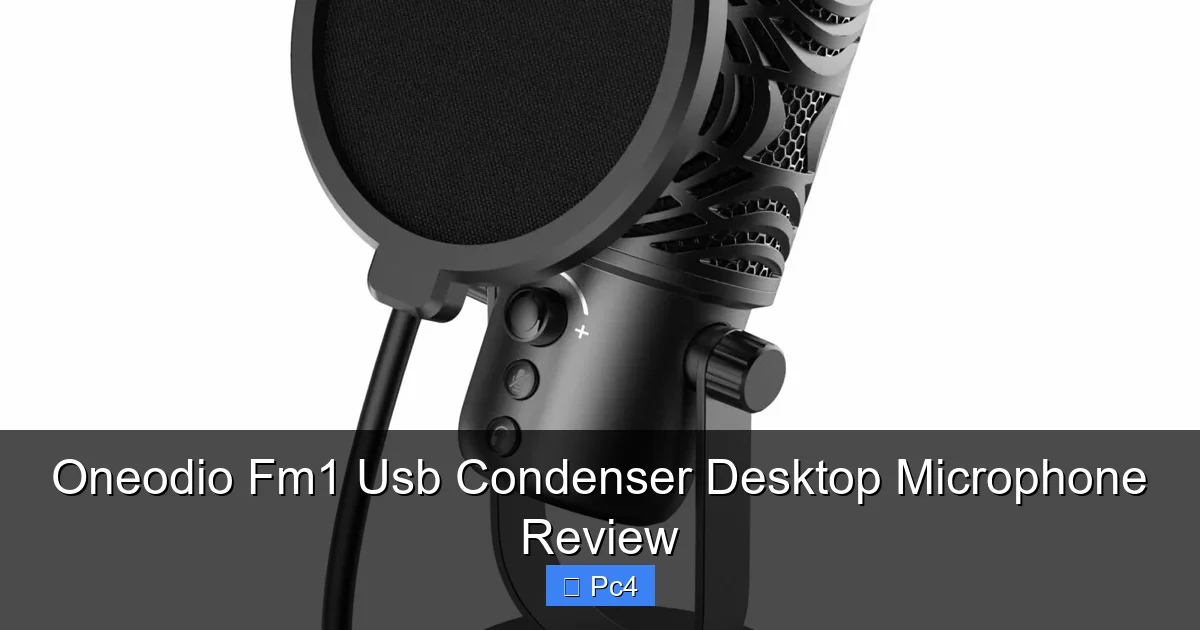
The shock mount is an essential accessory that isolates the microphone from vibrations. It attaches to the mic via two metal rings and uses elastic cords to suspend it. This design effectively reduces handling noise and rumble from the desk. In my tests, I typed on my keyboard while recording—the mic picked up almost no keystroke sounds, which is impressive. The pop filter is also well-made. It has a double-layer mesh and a flexible metal gooseneck that lets you position it exactly where needed. It clamps onto the stand and stays in place. Both accessories are functional and add to the professional feel of the setup. Without them, you’d likely have to buy separate ones, so having them included is a huge value.
The Scissor Arm Stand: Sturdy and Adjustable
The scissor arm stand is perhaps the most surprising part of the package. For a budget microphone, you often get a flimsy plastic stand. Not here. The stand is all-metal with a heavy, weighted base and a strong clamp that grips your desk firmly. The scissor mechanism moves smoothly and holds its position thanks to lockable knobs. You can raise or lower the mic, tilt it, and swing it out of the way easily. The stand also has a cable management clip to keep your USB cable tidy. This level of build quality means you won’t need to upgrade the stand anytime soon. It’s a great example of Oneodio not cutting corners.
Real-World Testing: Voiceovers, Streaming, and More
Voiceover Work
I used the FM1 for several voiceover projects, including a corporate training video and a podcast intro. In both cases, the audio was clean, clear, and required minimal processing. I applied a slight high-pass filter to remove low rumble and a touch of compression, but the raw recording was already broadcast-ready. The microphone’s sensitivity captured the subtle breaths and mouth movements that add realism to voice work. For anyone starting in voiceover, the FM1 provides a professional sound that can compete with mics costing three times as much.
Live Streaming on Twitch/YouTube
Streaming puts unique demands on a microphone: it needs to handle your voice clearly while rejecting game audio and background noise. I streamed for a week using the FM1 with OBS. My voice came through loud and clear, and viewers commented on the audio quality. The cardioid pattern kept keyboard clicks mostly out of the mix, and the pop filter prevented plosives from distorting the audio. The only minor issue was that the mic picks up the computer’s fan if it’s too close, so I positioned it slightly off-axis and used a fan curve in OBS to filter low frequencies. Overall, it’s an excellent streaming mic for the price.
Podcasting and Video Calls
For podcasting, the FM1 shines in a multi-person setup if each host has their own mic. I recorded a two-person interview using two FM1s (yes, I bought a second for testing). The audio was consistent, and the isolation between mics was good. For video calls on Zoom or Teams, the FM1 makes you sound much better than a headset mic. It’s plug-and-play, so you can just select it as your input device and enjoy crisp, clear communication. The only thing to remember is that the FM1 is a desktop mic, so you need to sit still to avoid picking up movement noise.
Basic Music Recording
While not a dedicated music mic, the FM1 can handle basic recordings. I recorded an acoustic guitar and vocals simultaneously, and the result was balanced and detailed. The guitar had a nice sparkle, and the vocals sat well in the mix. However, the mic’s sensitivity means it will distort if you record loud sources like a drum kit or a guitar amp. For those, you’d need a dynamic mic or an audio interface with a proper preamp and gain control. But for singer-songwriters or home musicians on a budget, the FM1 is a solid starting point.
The Verdict: Who Should Buy the Oneodio FM1?
Perfect for Beginners and Budget-Conscious Creators
If you’re just starting out with streaming, podcasting, or voiceovers, the Oneodio FM1 is an outstanding choice. It gives you a professional sound without a steep learning curve or a high price tag. The plug-and-play nature means you can be up and running in minutes. Even if you have a limited budget, you get a full accessory kit that would otherwise cost extra. The sound quality is so good that you might not feel the need to upgrade for a long time. It’s also great for students, remote workers, or anyone who needs a reliable mic for video calls and online meetings.
Not Ideal For…
The FM1 isn’t for everyone. If you record very loud sources (drums, guitar amps, brass), you’ll want a dynamic mic that can handle high sound pressure levels without distorting. If you need a microphone with built-in headphone monitoring, you’ll have to look elsewhere because the FM1 lacks a headphone jack. Also, if you’re in a very noisy environment (like a busy street or a shared office), the condenser’s sensitivity might pick up too much background noise; a dynamic mic would reject more of that. Finally, if you require precise hardware gain control, you might prefer a mic with a physical gain knob, though software gain works fine for most.
Final Thoughts
After extensive testing, I’m thoroughly impressed with the Oneodio FM1 USB Condenser Desktop Microphone. It delivers on its promise of crisp, professional sound at an unbeatable price. The build quality is excellent, the included accessories are practical and sturdy, and the plug-and-play setup couldn’t be easier. While it has minor limitations—like software-only gain and sensitivity to handling noise—these are easy to work around. For anyone looking to step up their audio game without spending a fortune, the FM1 is a no-brainer. It’s a testament that great sound doesn’t have to break the bank. So, if you’re ready to record, stream, or broadcast with confidence, the Oneodio FM1 should be at the top of your list.
Frequently Asked Questions
FAQs
Q: Is the Oneodio FM1 compatible with PlayStation or Xbox?
A: No, the FM1 is a USB microphone designed for computers (Windows, Mac, Linux). It does not work directly with gaming consoles unless they support USB audio input, which most do not.
Q: Can I use the Oneodio FM1 with my smartphone?
A: Yes, but you’ll need a USB OTG adapter for Android or a Lightning to USB adapter for iPhone/iPad. The microphone is class-compliant and should work with mobile recording apps.
Q: Does the FM1 require an audio interface or phantom power?
A: No, it’s a USB microphone that draws power directly from your computer’s USB port. No external audio interface or phantom power is needed.
Q: How far should I sit from the microphone?
A: For optimal sound, position yourself about 4-6 inches from the mic, speaking directly into the front. Slightly off-axis positioning can reduce plosives and sibilance.
Q: Can I use the FM1 for recording loud instruments like electric guitar?
A: It’s not recommended. The FM1 is a condenser mic with limited gain before distortion. For loud sources, a dynamic microphone like the Oneodio Pro-10 would be more suitable.
Q: Does the microphone come with a warranty?
A: Oneodio typically offers a 1-year warranty on their products. Check the official website or retailer for specific warranty terms in your region.
=== RELATED PRODUCTS ===
Related Products
While the Oneodio FM1 USB Condenser Desktop Microphone is an excellent choice for many, Oneodio offers other microphones that might better suit different needs. Two popular alternatives are the Oneodio Pro-10 and Oneodio Pro-5. Both of these are dynamic microphones, which differ significantly from the FM1’s condenser design.
Dynamic microphones like the Pro-10 and Pro-5 are built to handle high sound pressure levels, making them ideal for loud sources such as guitar amps, drum kits, or live vocal performances. They are also generally more rugged and less sensitive to ambient room noise, which can be a huge advantage in untreated spaces. In contrast, the FM1’s condenser capsule captures finer details and provides a brighter, more accurate sound, which is perfect for voiceovers, podcasting, and streaming where clarity is paramount. However, condensers require a quieter environment to shine.
If you’re on a budget but need a microphone for noisy environments, the dynamic Pro models could be a smarter pick. But if your focus is on crisp, professional sound for voiceovers and streaming in a treated room, the FM1 remains a top contender. Understanding these core differences—condenser vs dynamic—will help you make the right choice for your specific content creation journey.