Pcie Gen 4 Nvme Ssd

A pcie gen 4 nvme ssd delivers blazing fast storage speeds that double the bandwidth of gen 3 drives. These drives use the nvme protocol over a pcie gen 4 interface to offer incredible sequential reads up to 7000 MB/s. Whether you are a gamer, creator, or power user, upgrading to a gen 4 nvme ssd transforms your system responsiveness.
Key Takeaways
- Double the speed: Pcie gen 4 nvme ssd offers roughly twice the bandwidth of gen 3 drives, reaching up to 7000 MB/s sequential read speeds.
- Real world impact: You will notice faster game loads, quicker file transfers, and snappier application launches.
- Backward compatible: Gen 4 drives work in gen 3 and gen 2 slots, though speeds will be limited by the slower slot.
- Affordable now: Prices have dropped significantly, making gen 4 ssd drives accessible for most budgets.
- Key specs matter: Focus on sequential read/write speeds, TBW ratings, and DRAM cache when choosing a drive.
- M 2 form factor: Most pcie gen 4 nvme ssds come in the compact M 2 2280 shape, fitting most modern motherboards.
📑 Table of Contents
What Is a Pcie Gen 4 Nvme Ssd?
A pcie gen 4 nvme ssd is a high speed solid state drive that connects to your motherboard through a fourth generation PCI Express lane. Unlike older SATA drives, these nvme ssds bypass traditional bottlenecks and deliver data at astonishing rates.
The NVMe protocol was designed specifically for flash storage. It takes full advantage of the PCIe bus to minimize lag and maximize throughput. When you pair this protocol with a gen 4 connection, the result is a storage drive that feels almost instantaneous.
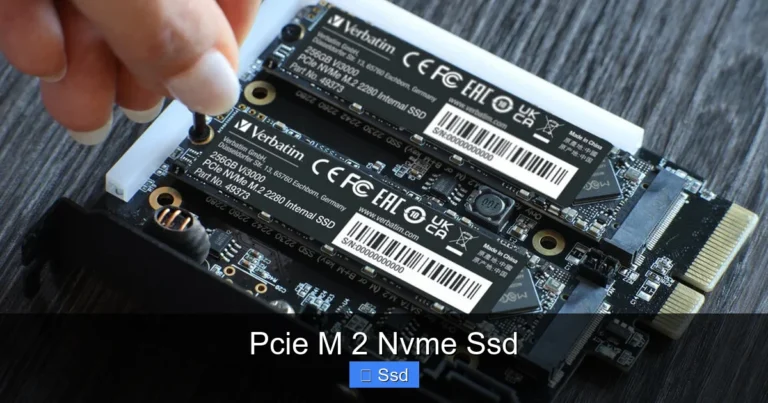
Most pcie gen 4 nvme ssds use the M 2 2280 form factor. This small rectangular stick plugs directly into a slot on your motherboard. No cables, no clutter. Just a clean and simple installation that even beginners can handle.
If you have ever wondered is NVMe faster than a regular SSD, the answer is a clear yes. The pcie gen 4 interface pushes that advantage even further, making it the go to choice for anyone building or upgrading a modern PC.
How Does Pcie Gen 4 Nvme Ssd Work?
At its core, a pcie gen 4 nvme ssd uses four PCIe lanes to transfer data. Each gen 4 lane supports 2 GB per second of bandwidth. With four lanes, that adds up to roughly 8 GB per second of total bandwidth.
Here is a quick breakdown of how the data flows:
- The CPU sends a data request through the PCIe bus.
- The nvme controller on the SSD receives the request.
- The flash memory chips retrieve the stored data.
- The data travels back through the PCIe lanes to the CPU.
This entire process happens in microseconds. The nvme protocol keeps the communication path short and efficient. That is why a gen 4 nvme ssd feels so much faster than a traditional hard drive or even a SATA SSD.
Pcie Gen 4 Nvme Ssd vs Gen 3: What Is the Difference?
The biggest question people ask is whether pcie gen 4 nvme ssd drives are worth the upgrade over gen 3. The short answer is yes, but let us look at the details.
| Feature | Pcie Gen 3 Nvme Ssd | Pcie Gen 4 Nvme Ssd |
|---|---|---|
| Bandwidth per lane | 1 GB/s | 2 GB/s |
| Total bandwidth (4 lanes) | 4 GB/s | 8 GB/s |
| Typical sequential read | 3500 MB/s | 7000 MB/s |
| Typical sequential write | 3000 MB/s | 5000 MB/s |
| Latency | Low | Very low |
| Price per TB | Lower | Moderate |
The pcie gen 4 nvme ssd doubles the theoretical bandwidth compared to gen 3. In real world use, you will see roughly 30 to 50 percent faster load times for large files and games. For creative professionals working with video or raw images, this speed difference is a game changer.
One important note: a gen 4 drive works in a gen 3 slot. However, it will run at gen 3 speeds. So if your motherboard only supports gen 3, you will not unlock the full potential of a gen 4 nvme ssd.
Key Benefits of Using a Pcie Gen 4 Nvme Ssd
Switching to a pcie gen 4 nvme ssd brings several tangible benefits. Let us walk through the most important ones.
Blazing Fast Load Times
Games load faster. Applications open instantly. Large files copy in seconds instead of minutes. A gen 4 nvme ssd slashes wait times across the board. If you are tired of staring at loading screens, this upgrade makes a noticeable difference.
Improved Workflow for Creators
Video editors, 3D modelers, and photographers benefit greatly from pcie gen 4 speeds. Scrubbing through 4K video timelines becomes smoother. Rendering projects finish faster. The increased bandwidth helps your software access large files without stuttering.
Better Multitasking
With a pcie gen 4 nvme ssd, your system handles multiple demanding tasks more gracefully. Running several applications at once, switching between browser tabs with heavy content, or editing files while downloading large datasets all feel snappier.
Future Proofing Your Build
Modern motherboards now ship with native gen 4 support. By choosing a pcie gen 4 nvme ssd, you ensure your storage keeps pace with newer components. When you upgrade your CPU or GPU down the road, your gen 4 drive will still deliver top performance.
Top Pcie Gen 4 Nvme Ssd Drives You Should Consider
The market for pcie gen 4 nvme ssds has grown rapidly. Here are some popular options worth looking at right now.
Crucial T705
The Crucial T705 is one of the top performing gen 4 drives available. It delivers sequential reads up to 7400 MB/s and writes up to 6800 MB/s. With a large DRAM cache and strong endurance ratings, it is a solid choice for both gaming and professional workloads. You can read more about the Crucial T705 series here.
Kingston NV2
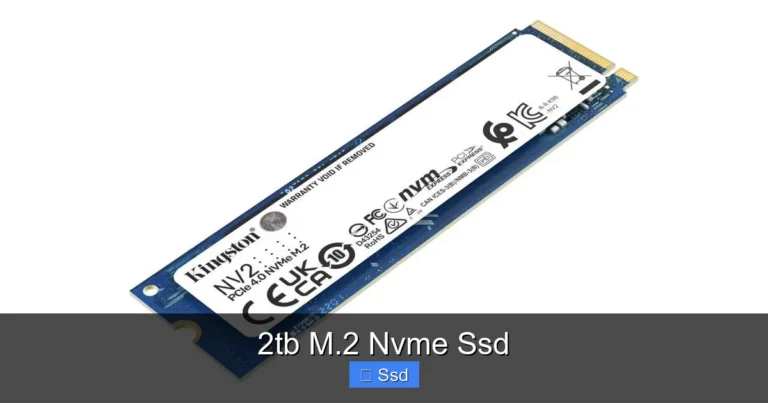
The Kingston NV2 offers excellent value for budget minded buyers. It provides gen 4 speeds at a lower price point, making it a great entry level option. Check out the Kingston NV2 1TB review for a deeper look at its performance.
Corsair MP600 Core XT
The Corsair MP600 Core XT is another strong contender in the gen 4 space. It features a compact design and reliable performance. Its heatsink design helps maintain stable speeds during extended workloads.
Crucial P3 Plus
The Crucial P3 Plus balances price and performance well. It is a popular choice for users who want gen 4 speeds without spending a premium. Read the full Crucial P3 Plus review here.
How to Choose the Right Pcie Gen 4 Nvme Ssd
Not all pcie gen 4 nvme ssds are created equal. Here are the key factors to consider before buying.
Sequential Read and Write Speeds
Look for drives with sequential read speeds of at least 5000 MB/s. Higher numbers mean faster file transfers and quicker game loads. Write speeds matter just as much, especially if you regularly save large files or work with video projects.
TBW Rating
TBW stands for Terabytes Written. It tells you how much data you can write to the drive over its lifetime. A higher TBW rating means better endurance. For most users, a rating of 600 TBW or more is more than sufficient.
DRAM Cache
Drives with a DRAM cache handle sustained workloads better. They keep a mapping table in memory, which helps maintain consistent speeds even during heavy use. If you run intensive applications, prioritize a gen 4 nvme ssd with DRAM support.
Form Factor and Compatibility
Make sure your motherboard has an M 2 slot that supports pcie gen 4. Check your motherboard manual for the exact slot specifications. Most modern boards from 2020 and later include gen 4 M 2 slots.
Thermal Management
Pcie gen 4 nvme ssds can generate significant heat under heavy workloads. Many drives come with built in heatsinks. If your board does not have a dedicated M 2 shield, consider buying a drive with a passive cooler included.
Common Mistakes to Avoid When Buying a Pcie Gen 4 Nvme Ssd
Even experienced builders sometimes make mistakes when picking a pcie gen 4 nvme ssd. Here are pitfalls to watch out for.
Skipping motherboard compatibility checks. Not every M 2 slot supports gen 4. Some older boards only support gen 3. Always verify your slot version before purchasing.
Ignoring thermal performance. Gen 4 drives run hotter than gen 3 drives. Without proper cooling, they may throttle and slow down. Make sure your setup allows for adequate airflow around the nvme ssd.
Overlooking warranty and support. A good gen 4 nvme ssd should come with at least a five year warranty. Check the manufacturer support page for details on RMA processes and customer service quality.
Buying based on price alone. The cheapest drive is not always the best value. Consider speed, endurance, and warranty alongside the price tag. A slightly more expensive drive often delivers much better long term reliability.
Conclusion
A pcie gen 4 nvme ssd is one of the best upgrades you can make to any modern PC. The speed gains are immediate and noticeable. From faster game loads to smoother creative workflows, the benefits touch every aspect of your computing experience.
Prices have become more competitive, and the selection of drives is larger than ever. Whether you pick the Crucial T705, the Kingston NV2, or another top rated model, you will enjoy the performance boost that gen 4 nvme technology delivers.
If you are still using an older SATA drive or a gen 3 nvme ssd, now is the perfect time to upgrade. Your system will thank you every single day.
Frequently Asked Questions
Is a pcie gen 4 nvme ssd worth it over gen 3?
Yes, for most users the upgrade is worthwhile. You get roughly double the bandwidth and noticeably faster load times. If you work with large files, edit video, or play modern games, a pcie gen 4 nvme ssd provides a clear advantage over gen 3 drives.
Can I use a pcie gen 4 nvme ssd in a gen 3 slot?
Absolutely. Gen 4 drives are backward compatible with gen 3 and gen 2 slots. However, the drive will operate at gen 3 speeds when plugged into a gen 3 slot. You will not get the full gen 4 performance unless your motherboard supports it natively.
What is the typical lifespan of a pcie gen 4 nvme ssd?
Most gen 4 nvme ssds last between five and seven years under normal use. The TBW rating gives you a good estimate of endurance. For average daily usage, a drive rated at 600 TBW or higher will easily last many years without issues.
Do I need a heatsink for my pcie gen 4 nvme ssd?
It depends on your setup. Gen 4 drives run warmer than gen 3 drives, especially during sustained workloads. If your motherboard has a built in M 2 heatsink, you may not need one separately. Otherwise, adding a heatsink or choosing a drive with a built in cooler is a smart move to prevent thermal throttling.
How do I install a pcie gen 4 nvme ssd?
Installation is straightforward. Locate the M 2 slot on your motherboard, insert the drive at a 30 degree angle, and press it down firmly. Secure it with the small screw that comes with your motherboard. No drivers or cables are needed. The system will recognize the drive automatically after a reboot.
Will a pcie gen 4 nvme ssd improve gaming performance?
Yes, it can. Faster storage reduces game load times significantly. Open world games and titles with large asset libraries benefit the most. While the GPU and CPU still handle the bulk of rendering, a gen 4 nvme ssd ensures your storage never becomes a bottleneck during gameplay.