Saas Product Onboarding Process

The SaaS product onboarding process is the first real interaction a user has with your software, and getting it right can skyrocket activation and retention. This article walks you through every stage—from pre‑signup preparation to post‑onboarding optimization—using simple language, real‑world examples, and actionable tips you can implement today.
Key Takeaways
- Define clear goals: Know what success looks like for each onboarding stage and measure it.
- Personalize the experience: Tailor content and UI based on user role, industry, or behavior.
- Use progressive disclosure: Show only what the user needs now, and reveal more features gradually.
- Leverage data and feedback: Continuously test, iterate, and improve the onboarding flow.
- Support is crucial: Blend self‑service tools with human help to reduce friction.
- Automation saves time: Automate emails, in‑app messages, and tutorials to keep users moving.
- Measure the right metrics: Track activation, time‑to‑value, and churn to gauge onboarding health.
📑 Table of Contents
- Introduction: Why the Onboarding Process Matters More Than Ever
- 1. Pre‑Onboarding: Setting the Stage Before the First Login
- 2. First‑Login Experience: The Guided Tour
- 3. Building Habit: Post‑Onboarding Engagement
- 4. Measuring Success: Metrics That Matter
- 5. Continuous Optimization: Turning Data Into Action
- 6. Real‑World Example: How a Project‑Management SaaS Doubled Activation
- Conclusion: Make Onboarding a Delightful Journey
Introduction: Why the Onboarding Process Matters More Than Ever
Imagine you just signed up for a new project‑management tool. The moment you log in, a flood of pop‑ups, jargon‑heavy menus, and endless settings greet you. You feel overwhelmed, click away, and never return. That is the exact scenario the saas product onboarding process aims to prevent.
In the SaaS world, a user’s first 30 days determine whether they become a paying customer or a lost lead. Studies show that a well‑designed onboarding flow can increase activation rates by up to 50 % and cut early churn by half. Because revenue is tied directly to usage, companies pour resources into perfecting every click, tutorial, and email that a new user experiences.
In this guide we’ll break down the onboarding journey into clear, manageable phases. You’ll learn how to plan, build, and refine a saas product onboarding process that feels like a friendly tour rather than a tedious tutorial.
1. Pre‑Onboarding: Setting the Stage Before the First Login
1.1 Capture the Right Information at Sign‑Up
Before users even see your product, the sign‑up form is the first touchpoint. Keep it short—ask only for essential data such as name, email, and company size. If you need more details later, request them after the user has experienced some value.
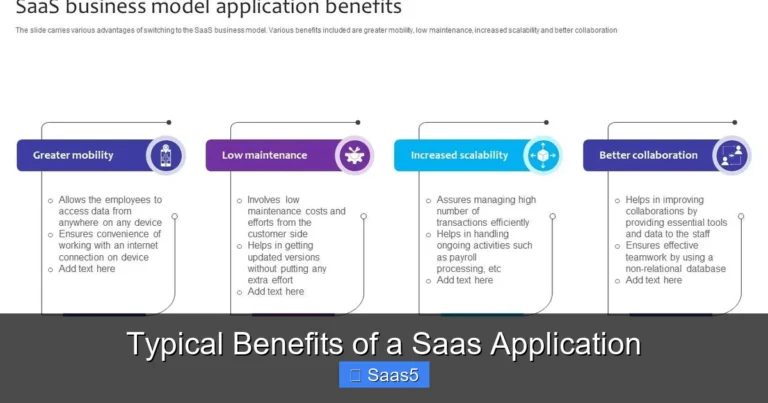
Visual guide about Saas Product Onboarding Process
Image source: writeaprisoner.com
Tip: Use progressive profiling. Show a second, more detailed form after the user completes the first milestone. This reduces friction and improves conversion.
1.2 Send a Warm Welcome Email
A well‑crafted welcome email sets expectations and provides the first step in the saas product onboarding process. Include a brief intro, a clear call‑to‑action (CTA) to start the tour, and links to helpful resources like a knowledge base or community forum.
Example:
- Subject: “Welcome to Acme CRM – Let’s Get Started!”
- Body: “Hi Jane, thanks for joining! Click below to launch your first guided tour.”
1.3 Prepare the Environment
Make sure the user’s sandbox or trial environment is ready instantly. Pre‑provision a demo account, seed sample data, and configure default settings based on the user’s industry. This eliminates the “blank screen” feeling and lets users dive right in.
2. First‑Login Experience: The Guided Tour
2.1 The Power of a Single‑Screen Overview
When the user logs in for the first time, present a clean dashboard with a concise headline like “Your Dashboard – All Set!” Follow with a short, 30‑second video or an animated walkthrough that highlights the core value proposition.
Visual guide about Saas Product Onboarding Process
Image source: wenkub.com
2.2 Interactive Walkthroughs
Use tools such as Intro.js or WalkMe to create step‑by‑step overlays that point to key UI elements. Keep each step to a single action: “Click ‘Create New Project’ to start.” After the user completes the step, celebrate with a small animation or a “Well done!” message.
2.3 Personalization Based on User Role
Not every user needs the same tour. A sales rep and an admin will use different features. Detect the user’s role (or ask a quick question) and serve a role‑specific path. This personalization boosts relevance and reduces wasted time.
2.4 Avoid Over‑Loading
Progressive disclosure is key. Show only what’s needed for the current task; hide advanced features until the user is ready. This keeps the onboarding flow light and prevents cognitive overload.
3. Building Habit: Post‑Onboarding Engagement
3.1 Automated Email Drip Series
After the initial tour, schedule a series of short, value‑focused emails. Each email should teach a single feature and include a CTA to try it. For example:
Visual guide about Saas Product Onboarding Process
Image source: i.pinimg.com
- Day 2: “How to automate your weekly reports in 2 clicks.”
- Day 5: “Discover the power of custom dashboards.”
This drip series keeps the user moving forward in the saas product onboarding process without feeling spammy.
3.2 In‑App Nudges and Tooltips
Use subtle in‑app notifications to remind users about unfinished tasks. If a user created a project but never added a task, a tooltip could say, “Add your first task to see progress in real time.” These nudges reinforce habit formation.
3.3 Gamification Elements
Introduce badges, progress bars, or a “getting started” checklist. When users complete a milestone, reward them with a badge or a discount coupon. Gamification turns onboarding into a fun challenge rather than a chore.
3.4 Community and Support Integration
Invite users to join your community forum or Slack channel early on. Peer‑to‑peer help often resolves questions faster than support tickets. Pair this with a searchable knowledge base and a “Help?” button that triggers a live chat for complex issues.
4. Measuring Success: Metrics That Matter
4.1 Activation Rate
Activation is the point where a user achieves the “Aha!” moment—usually completing a core action such as creating their first project or sending the first email. Track the percentage of sign‑ups that reach this milestone within 7 days.
4.2 Time‑to‑Value (TTV)
How long does it take a new user to realize a tangible benefit? Shortening TTV is a primary goal of any saas product onboarding process. Aim for under 5 minutes for simple tools, and under 24 hours for more complex platforms.
4.3 Churn and Retention
Early churn (within 30 days) often signals onboarding problems. Monitor cohort retention curves to spot drop‑off points and investigate the underlying reasons.
4.4 Feature Adoption
Identify which features are used during the onboarding window. Low adoption may indicate that the feature is hidden, confusing, or not valuable to the target persona.
4.5 Customer Satisfaction (CSAT) and NPS
Send a short survey after the onboarding period asking, “How easy was it to get started?” Use the feedback to refine the flow.
5. Continuous Optimization: Turning Data Into Action
5.1 A/B Testing Your Tours
Test variations of your guided tour—different copy, button colors, or step order. Measure the impact on activation and choose the winner.
5.2 Heatmaps and Session Recordings
Tools like Hotjar reveal where users click, scroll, or get stuck. Use these insights to simplify confusing steps.
5.3 Iterative Content Updates
Refresh tutorial videos and help articles regularly to reflect product updates. Out‑of‑date content can break the onboarding flow and frustrate users.
5.4 Leveraging Customer Success Teams
Equip your CS team with onboarding checklists. They can conduct personalized walkthroughs for high‑value accounts, ensuring the saas product onboarding process
5.5 Integrating with Other SaaS Resources
Link to related guides on your site to deepen knowledge. For example, when explaining data import, you might reference a post about difference between SaaS and PaaS to help technical users understand the underlying architecture.
6. Real‑World Example: How a Project‑Management SaaS Doubled Activation
6.1 The Challenge
A mid‑size project‑management SaaS noticed that only 30 % of trial users created a project within the first week. Their churn rate was 45 % after 30 days.
6.2 The Solution
They revamped the saas product onboarding process with the following steps:
- Added a pre‑filled demo project during sign‑up.
- Implemented a 2‑minute video tour that auto‑plays on first login.
- Introduced a “Get Started” checklist with progress bar.
- Sent a 5‑email drip series focusing on quick wins.
- Integrated in‑app tooltips that surface after each completed task.
6.3 The Results
Activation rose from 30 % to 62 % within two weeks. Time‑to‑value dropped from 4 days to under 1 hour. Early churn fell to 22 % and overall monthly recurring revenue (MRR) grew by 35 % in three months.
Conclusion: Make Onboarding a Delightful Journey
The saas product onboarding process is not a one‑size‑fits‑all checklist; it’s a living experience that evolves with your product and your users. By focusing on clear goals, personalization, progressive disclosure, and continuous measurement, you turn first‑time visitors into loyal customers.
Remember: the best onboarding feels like a friendly guide, not a forced tutorial. Keep it short, celebrate small wins, and always listen to user feedback. When you get onboarding right, the rest of the customer lifecycle—upsells, renewals, and advocacy—becomes far easier.
Frequently Asked Questions
What is the main goal of a SaaS product onboarding process?
The primary goal is to help new users achieve their first “Aha!” moment quickly, leading to higher activation rates and lower early churn.
How long should a typical onboarding flow last?
Ideally, the core onboarding should be completed within 5‑10 minutes, with additional features introduced gradually over the first few weeks.
Do I need a live demo for onboarding?
A live demo can be valuable for high‑touch or enterprise customers, but most self‑serve SaaS products succeed with automated tours, videos, and in‑app guidance.
What metrics should I track to gauge onboarding success?
Key metrics include activation rate, time‑to‑value, early churn, feature adoption, and post‑onboarding CSAT or NPS scores.
Can onboarding be fully automated?
Automation handles emails, tutorials, and in‑app nudges, but offering optional human assistance for complex setups often improves overall satisfaction.
How often should I update my onboarding content?
Review and refresh onboarding assets with every major product release, and run quarterly usability tests to catch any friction points.