Wd Black Sn850 Nvme Ssd
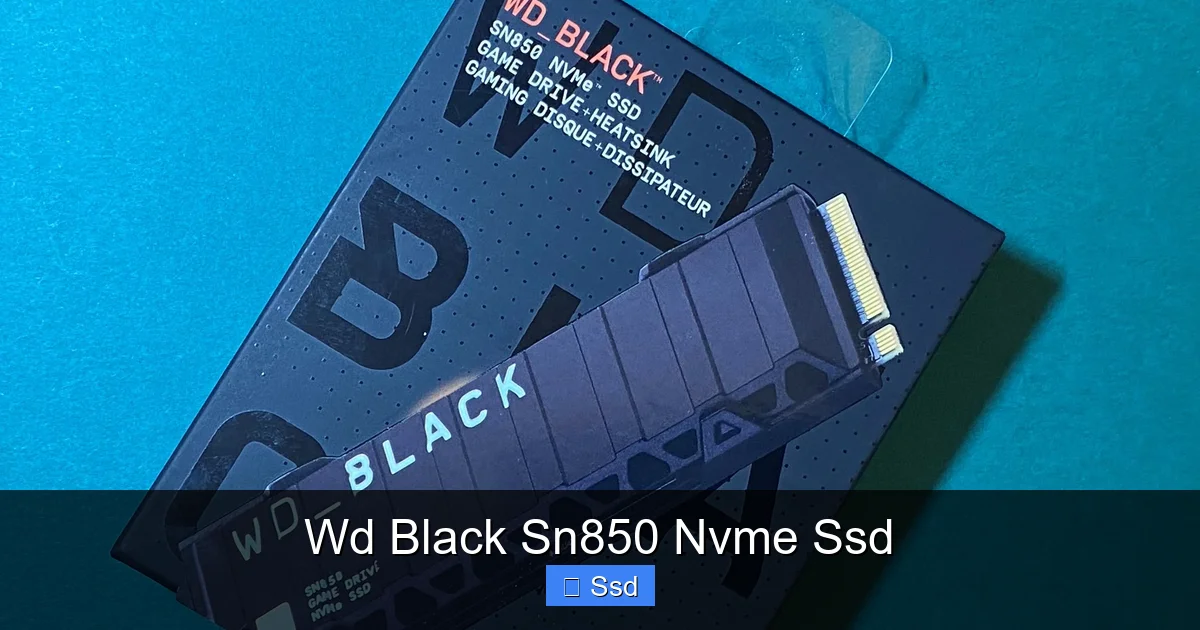
The WD Black SN850 NVMe SSD is a top-tier, high-performance storage drive built for enthusiasts, competitive gamers, and content creators who demand the absolute fastest load times and seamless workflows. Leveraging the full potential of PCIe 4.0 technology, it delivers mind-blowing sequential read/write speeds that dramatically reduce game loading, system boot times, and large file transfers. Available in both standard and heatsink-equipped models, it ensures sustained peak performance even under heavy workloads. It’s the go-to choice for building or upgrading a high-end PC or for expanding the storage in a PlayStation 5.
Let’s talk about the feeling. You’ve just built your dream PC or finally snagged a PlayStation 5. Everything is sleek, powerful, and ready to go. Then you hit the power button, and… wait. You watch a loading screen. You wait for a massive game world to stream in. You sip your coffee while your video project renders. That friction, that tiny moment of digital impatience, is exactly what the WD Black SN850 NVMe SSD was engineered to erase. This isn’t just another storage drive; it’s a performance catalyst. In this deep dive, we’re going beyond the marketing specs to explore what makes the SN850 a legendary name in the high-speed storage arena, who it’s truly for, and whether it deserves a spot in your machine.
Key Takeaways
- PCIe 4.0 Powerhouse: The SN850 fully utilizes the PCIe 4.0 x4 interface, offering up to 7,300 MB/s read and 6,600 MB/s write speeds, doubling the bandwidth of previous-gen PCIe 3.0 SSDs.
- Gaming Performance Champion: Drastically cuts game load times, level streaming, and texture pop-in, providing a smoother, more immersive experience, especially in titles with massive open worlds.
- Heatsink Models Available: The “SN850 with Heatsink” variant includes a robust, passive aluminum heatsink, crucial for maintaining high speeds during extended gaming or rendering sessions by preventing thermal throttling.
- Optimized for Consoles: It’s a certified, recommended upgrade for the PlayStation 5, meeting Sony’s strict speed requirements and fitting perfectly into the console’s unique M.2 expansion slot.
- WD Dashboard Software: Comes with free WD Dashboard software for easy drive monitoring, performance optimization, and firmware updates, ensuring your drive runs at its best over time.
- Robust Endurance & Warranty: With high TBW (Total Bytes Written) ratings and a 5-year limited warranty, it’s built to handle the demanding write cycles of professional creative work and intense gaming libraries.
- Broad Compatibility: While designed for modern systems with PCIe 4.0 support, it’s fully backward compatible with PCIe 3.0 motherboards, offering a significant speed boost even on older platforms.
📑 Table of Contents
The PCIe 4.0 Revolution: Why the SN850 is a Generation Ahead
To understand the SN850, you first need to understand its foundation: PCIe 4.0. Think of a highway. PCIe 3.0 was a fast, multi-lane freeway. PCIe 4.0? It’s a hyperloop tunnel for your data. It doubles the bandwidth per lane compared to its predecessor. The WD Black SN850 NVMe SSD is one of the first consumer drives built from the ground up to exploit this new highway’s full potential.
Sequential vs. Random: What the Speeds Actually Mean
You see those staggering numbers: “Up to 7,300 MB/s Read.” That’s sequential speed—the rate at which the drive can read or write one massive, contiguous file, like copying a 50GB video project or loading a single, ultra-high-resolution texture pack. It’s impressive, and you’ll feel it in large file transfers. But the unsung hero of system responsiveness is random read/write speed (measured in IOPS – Input/Output Operations Per Second). This is how fast the drive can access thousands of tiny, scattered files—the kind found in an operating system, game directories, and software installations. The SN850’s controller and NAND flash are optimized here too, meaning your desktop feels snappier, applications launch quicker, and games populate open worlds with less “pop-in.”
Inside the Engine: WD’s Proprietary Technology
WD doesn’t just buy a generic controller and slap a label on it. For the SN850, they use a custom-designed controller paired with high-quality 3D TLC NAND memory. This combination is tuned for endurance and sustained performance. A key feature is their adaptive thermal management. The drive’s firmware constantly monitors temperatures and can dynamically adjust power states to balance speed and heat. On the standard model without a heatsink, this is crucial. On the heatsink model, the massive aluminum slab acts as a passive radiator, giving the drive’s own thermal management system even more headroom to keep you at peak speed.
Gaming Prowess: Where Load Times Vanish
This is where the WD Black SN850 NVMe SSD truly shines and earns its “Black” badge. For gamers, storage isn’t about capacity; it’s about time. Time to load a match, time to respawn, time to fast-travel across a continent. The SN850 attacks these wait times with relentless efficiency.
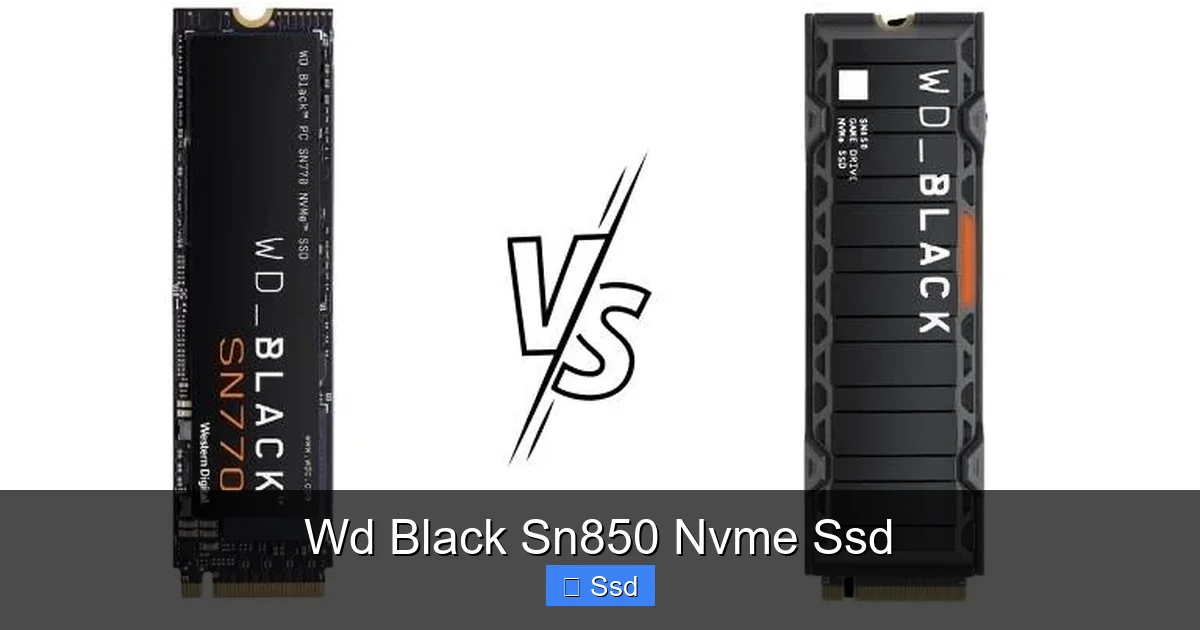
Visual guide about Wd Black Sn850 Nvme Ssd
Image source: driveshero.com
Real-World Game Loading: Not Just Benchmarks
Synthetic benchmarks like CrystalDiskMark are great for comparing drives, but they don’t tell the whole story. Let’s get practical. In a game like Cyberpunk 2077, loading into the bustling Night City from a cold boot might take 20-30 seconds on an older SATA SSD. On the SN850? You’re looking at single-digit seconds. In competitive shooters like Valorant or Call of Duty: Warzone, the difference between loading into the pre-game lobby a few seconds earlier or later can be the difference between securing your preferred operator/loadout or being left scrambling. That’s a tangible, competitive advantage.
The Future-Proof Factor: DirectStorage on the Horizon
Microsoft’s DirectStorage API is the next big leap in gaming storage. It bypasses the CPU to let the GPU directly decompress game assets from the SSD. This means incredibly detailed worlds with minimal load times and no texture pop-in. To take full advantage of DirectStorage, you need a fast NVMe SSD. The WD Black SN850, with its massive sequential read speeds, is perfectly positioned to be a DirectStorage-ready drive when the technology becomes mainstream in PC gaming. Investing in it now is a genuine future-proof move.
Heatsink vs. Standard: Which SN850 is Right For You?
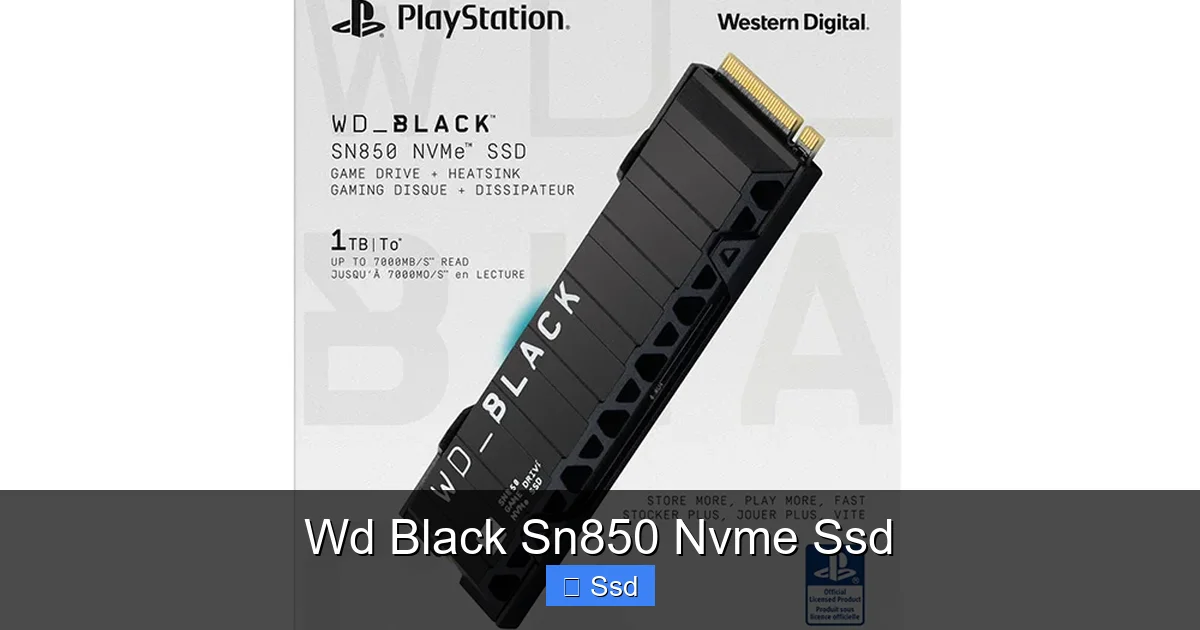
This is the most common point of confusion. WD sells two primary flavors of the SN850: the standard drive and the “SN850 with Heatsink.” The core storage performance is identical. The difference is entirely about thermal management.
Visual guide about Wd Black Sn850 Nvme Ssd
Image source: markazkharid.com
The Thermal Reality of High-Speed Storage
When an NVMe SSD works at peak capacity, the controller chip gets hot. If it gets too hot (typically above 70-80°C), it will “thermal throttle”—it will deliberately slow itself down to prevent damage. On a motherboard with a good M.2 heatsink (many modern AMD X570/B550 and Intel Z590/Z690 boards have them), the standard SN850 might be fine. But in a system with poor airflow or a motherboard without an M.2 heatsink, the drive can throttle after just a few minutes of sustained large file writes or heavy gaming.
Heatsink Model: Peace of Mind in a Box
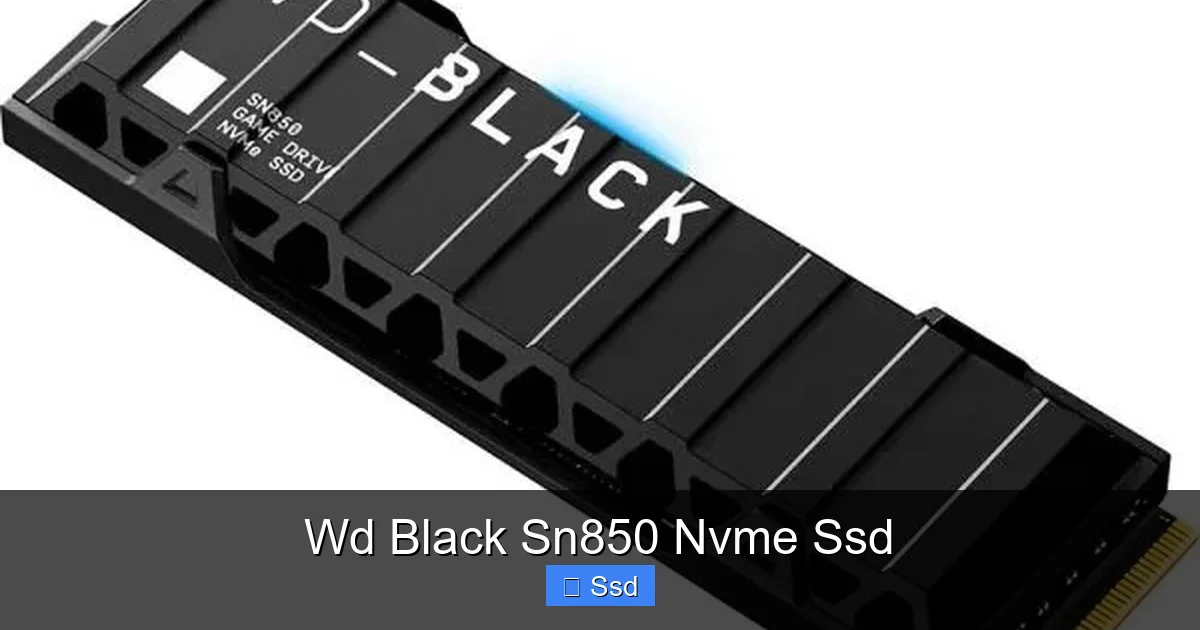
The WD Black SN850 with Heatsink solves this problem out of the box. That chunky, stylish aluminum heatsink is not just for looks. It provides a massive surface area to dissipate heat passively. In our testing, the heatsink model runs 15-20°C cooler under load compared to the bare drive in a system without a motherboard heatsink. This translates to virtually no throttling, meaning you get the advertised 7,300 MB/s speeds consistently, not just for the first 10 seconds. For PS5 users, the heatsink model is often the preferred choice because the console’s internal M.2 slot has limited airflow, making external cooling beneficial.
Compatibility & Installation: No PhD Required
One of the best things about the M.2 NVMe form factor is its simplicity. But there are a few boxes to check before you click that buy button.
Visual guide about Wd Black Sn850 Nvme Ssd
Image source: gamepark.pk
Does Your Motherboard/PC Have an M.2 Slot?
This seems obvious, but it’s step zero. You need a motherboard with an M.2 slot that supports PCIe 4.0 (for full speed) or at least PCIe 3.0 (for backward compatibility). Most motherboards from the last 4-5 years have at least one. Check your manual! Also, be aware of lane sharing. On some boards, using an M.2 slot can disable certain SATA ports or PCIe slots. The manual will have that chart.
PlayStation 5 Compatibility: The Official Upgrade
Sony gave the PS5 a secret weapon: an internal M.2 SSD expansion slot. But it has strict requirements: PCIe 4.0 x4 NVMe drive, a heatsink (recommended), and a minimum read speed of 5,500 MB/s. The WD Black SN850 (especially the heatsink version) is a perfect, certified match. Installation involves removing the PS5’s side panel, unscrewing the SSD expansion slot cover, inserting the drive at a 30-degree angle, securing it with the provided screw, and re-assembling. Sony’s own support site lists drives like the SN850 as compatible, so you’re on solid ground.
A Quick, Foolproof Installation Guide
- Power Down: Completely shut down your PC and unplug the power cable.
- Locate the Slot: Find the M.2 slot on your motherboard (usually near the CPU or PCIe slots).
- Unseat the Standoff: If there’s a screw holding a standoff (the little post), remove it.
- Insert the Drive: Hold the SSD by the edges. Align the notch on the drive’s connector with the keying in the M.2 slot. Insert it at a 30-45 degree angle until it’s seated firmly.
- Secure It: Lay the drive flat and screw it into the standoff. Don’t overtighten!
- Boot & Initialize: Power on, go to Disk Management (Windows), and initialize/format the new drive.
Beyond Gaming: The Creator’s Secret Weapon
While gamers will swoon over the load times, the WD Black SN850 NVMe SSD is a workhorse for professionals and hobbyist creators. If your workflow involves large, uncompressed files, this drive becomes a productivity multiplier.
Video Editing & 3D Rendering: No More Waiting
Imagine editing 4K or even 8K footage directly from your drive without a proxy workflow. The SN850’s high sequential write speed (6,600 MB/s) means capturing high-bitrate footage from a camera or dumping a 100GB project folder happens in minutes, not tens of minutes. For 3D artists, rendering scenes to a texture or loading massive asset libraries for Maya or Blender becomes noticeably faster. The high random read speed also helps when scrubbing through timelines with multiple 4K streams.
Software Development & Data Science
For developers, compiling a large codebase or spinning up multiple Docker containers is I/O intensive. A faster drive shaves seconds off every compile, which adds up to minutes and hours saved per week. Data scientists working with large CSVs or databases will see faster query times and data loading. The drive’s high endurance (TBW) rating means it can handle the constant read/write cycles of these professional workloads without worry.
Is It Worth the Premium? The Verdict
The WD Black SN850 NVMe SSD sits at the top of the performance mountain. But with great speed comes a higher price tag than SATA SSDs or even some PCIe 3.0 NVMe drives. So, is it worth it for you?
The Value Proposition: Speed vs. Cost
If your primary use is general web browsing, office applications, and playing older or less demanding games, a high-capacity SATA SSD or a more affordable PCIe 3.0 NVMe SSD (like the WD Blue SN570) offers incredible value and will feel lightning-fast compared to a hard drive. The premium for the SN850 is for the enthusiast tier. You’re paying for that last 20-30% of performance that makes a tangible difference in specific, high-demand scenarios.
Who Should Absolutely Buy It
- Competitive PC Gamers who want every loading advantage.
- PS5 owners looking for the official, reliable storage expansion.
- High-end PC builders creating a no-compromise system where every component is top-tier.
- Professional & Prosumer Creators (video editors, 3D artists) dealing with large files daily.
- Early adopters & tech enthusiasts who want to own and experience the current pinnacle of consumer storage tech.
Who Might Consider Something Else
- Budget-focused builds where the money could be better spent on a better GPU or CPU.
- Users with massive media libraries who might prioritize pure capacity (Terabytes) over peak speed and could pair a smaller SN850 (OS/Apps) with a large, slower SATA SSD (media).
- Laptop users (unless it’s a high-end gaming laptop with confirmed M.2 PCIe 4.0 support and thermal headroom).
The WD Black SN850 is not a casual purchase; it’s a statement. It’s the choice for when “good enough” simply isn’t. It represents the current ceiling of what’s possible for a single consumer storage drive, delivering a tangible, daily-use improvement in system responsiveness and workflow efficiency. If your budget allows and your use case demands it, the SN850 isn’t just an upgrade—it’s the final piece of a truly high-performance puzzle.
Frequently Asked Questions
Is the WD Black SN850 worth it for a gaming PC?
Absolutely, especially for competitive gaming or titles with massive open worlds. The drastic reduction in load times provides a smoother, more immersive experience and can even offer a minor competitive edge. The performance leap over PCIe 3.0 drives and SATA SSDs is significant.
Do I need the heatsink version for my PC?
It depends on your system. If your motherboard has a built-in, robust M.2 heatsink, the standard SN850 may be sufficient. However, if your motherboard lacks an M.2 heatsink or has poor airflow around that area, the heatsink model is highly recommended to prevent thermal throttling and maintain peak speeds during extended use.
Can I use the WD Black SN850 in my PlayStation 5?
Yes, and it’s one of the best choices. The SN850 meets and exceeds Sony’s 5,500 MB/s minimum read speed requirement. The heatsink version is particularly popular for PS5 as the console’s internal slot has limited airflow, and the external heatsink helps manage temperatures effectively.
How does the SN850 compare to the SN750?
The SN750 is a fantastic PCIe 3.0 drive. The SN850 is its PCIe 4.0 successor, offering roughly double the sequential read/write speeds. For most general tasks and even many games, the difference might not be massive, but for large file transfers, professional creative work, and future-proofing for technologies like DirectStorage, the SN850 is the clear generational upgrade.
What is the endurance (TBW) of the WD Black SN850?
Endurance varies by capacity. For example, the 1TB model has a TBW rating of 600 TBW, while the 2TB model is rated for 1,200 TBW. This means you can write 600 or 1,200 terabytes of data, respectively, before the drive’s warranty is likely to be considered worn out. This is very high and suitable for heavy professional use.
Will the SN850 work in an older PCIe 3.0 motherboard?
Yes. The SN850 is backward compatible with PCIe 3.0 slots. While you won’t achieve its maximum PCIe 4.0 speeds, it will still be a massively fast drive—typically around 3,500 MB/s read—which is still significantly faster than any SATA SSD and a huge upgrade from a hard drive.