Smartmockups Review
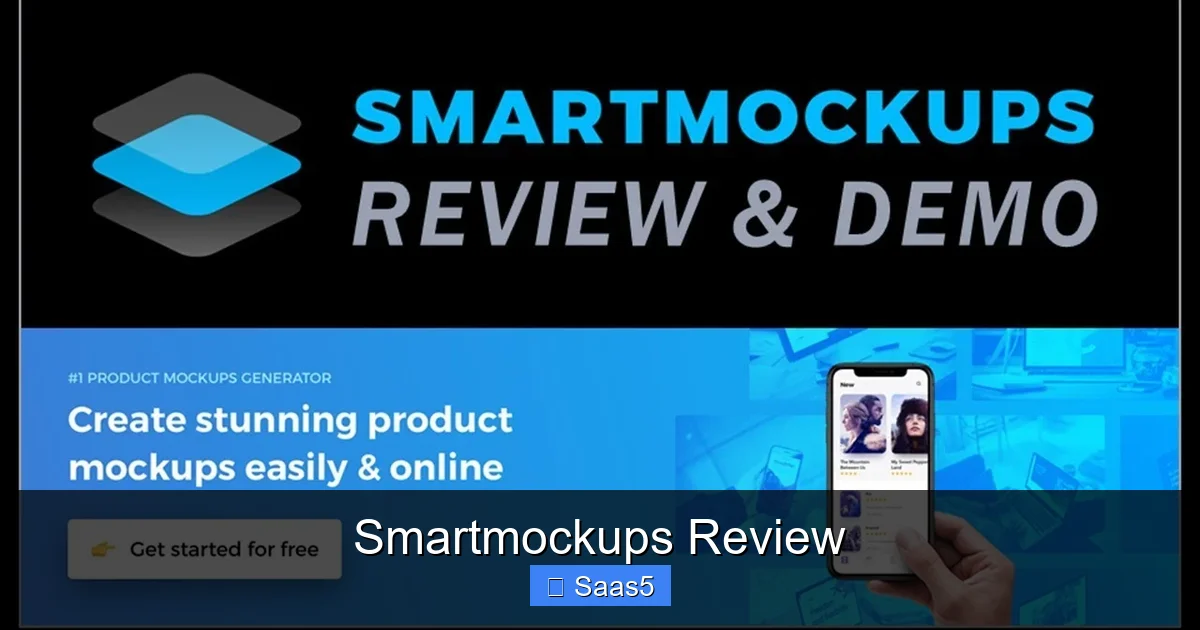
Smartmockups Review: Smartmockups is a cloud‑based mockup generator that lets you create professional product visuals in seconds. It offers a massive library, easy drag‑and‑drop tools, and flexible pricing, making it a strong choice for marketers, designers, and e‑commerce owners.
Key Takeaways
- Huge template library: Over 8,000 ready‑made mockups cover devices, print, apparel, and more.
- Simple workflow: No Photoshop needed; just upload, customize, and download.
- Integrations: Works with Canva, Shopify, and Zapier for seamless automation.
- Pricing tiers: Free plan offers limited exports; paid plans unlock unlimited downloads and premium assets.
- Performance: Fast rendering on both desktop and mobile browsers.
- Support & community: Helpful knowledge base, live chat, and a growing user forum.
- Ideal use cases: Product listings, social media ads, client presentations, and brand mockups.
📑 Table of Contents
- Introduction: Why Mockups Matter in 2026
- What Is Smartmockups?
- Feature Deep Dive
- Pricing Plans Explained
- Pros and Cons
- Practical Tips to Get the Most Out of Smartmockups
- How Smartmockups Stacks Up Against Competitors
- Real‑World Example: Boosting an E‑Commerce Store
- Conclusion: Should You Choose Smartmockups?
Introduction: Why Mockups Matter in 2026
Imagine you just designed a new t‑shirt. You have a vector file, but without a realistic photo it looks flat. That’s where mockups come in. They turn a plain design into a lifelike scene that sells. In 2026, the demand for quick, high‑quality mockups has exploded because online stores, social media ads, and pitch decks need visual impact instantly.
Smartmockups promises to be the answer. It claims you can create professional‑grade visuals in seconds, without any design software. This smartmockups review will walk you through the platform, its strengths, its weak spots, and whether it earns a place in your creative toolbox.
What Is Smartmockups?
Background and Core Idea
Smartmockups is a SaaS product launched in 2019. The founders wanted to democratise high‑quality mockups, which were once locked behind expensive Photoshop files. Today, the tool lives in the cloud, meaning you access it from any browser, and all rendering happens on their servers.
Target Audience
The platform is built for three main groups:
- Marketers: Need fast visuals for ads and landing pages.
- Freelance designers: Want to showcase client work without juggling multiple apps.
- E‑commerce owners: Require product images for stores like Shopify and Etsy.
If any of these sound like you, keep reading.
Feature Deep Dive
Template Library Size and Organization
Smartmockups boasts over 8,000 templates. They are grouped into categories such as Devices, Print, Apparel, Packaging, and Lifestyle. The search bar supports keywords and filters by orientation, background color, and mockup type. For example, typing “iPhone 15 Pro Max” instantly shows the latest device frames.

Visual guide about Smartmockups Review
Image source: gd-hbimg.huaban.com
Upload and Customisation Process
The workflow is intentionally simple:
- Click “Create New Mockup”.
- Select a template.
- Upload your design (PNG, JPG, SVG, or PDF). The platform auto‑scales and centres the artwork.
- Adjust placement, background colour, and optional shadows.
- Click “Download” – you get a PNG or JPG, or a high‑resolution PDF for print.
No layers, no masks. This is perfect for people who find Photoshop intimidating.
Brand Kit and Consistency Tools
Paid plans let you save brand colours, fonts, and logo placements. When you create a new mockup, the brand kit auto‑applies, ensuring visual consistency across dozens of assets. This is a huge time‑saver for agencies handling multiple clients.
Integrations and Automation
Smartmockups integrates directly with Canva, allowing you to import a Canva design and instantly turn it into a mockup. It also works with Shopify – you can generate product mockups and push them straight to your store’s media library. For power users, Zapier connections let you trigger a mockup creation whenever a new file lands in Dropbox.
Export Options and Quality
Free users can export up to 300 × 300 px, which is fine for social thumbnails. Paid tiers unlock unlimited resolution up to 5000 × 5000 px and transparent PNGs. For print, you can download a PDF with CMYK colours, which is essential for packaging mockups.
Pricing Plans Explained
Free Tier
The free plan gives you access to 100+ templates and 5 exports per month. It’s a good way to test the interface, but the low resolution limits commercial use.
Visual guide about Smartmockups Review
Image source: fastcar.co.uk
Pro Plan
At $19 per month (billed annually) you get unlimited exports, full library access, brand kit, and priority support. Most freelancers find this tier sufficient.
Team Plan
The Team plan costs $49 per month per user. It adds collaboration features, shared brand kits, and advanced analytics on mockup usage. Larger agencies benefit from the ability to assign roles and track who created which asset.
Enterprise Custom
For companies needing on‑premise hosting or custom API access, Smartmockups offers an enterprise quote. Pricing is bespoke, but the service includes a dedicated account manager.
Pros and Cons
Pros
- Speed: Render times are usually under 2 seconds.
- Ease of Use: No design skills required.
- Library Depth: Thousands of up‑to‑date device frames.
- Integrations: Works with popular tools like Canva and Shopify.
- Scalable Pricing: Plans for freelancers to enterprises.
Cons
- Limited Free Export Size: Low‑resolution only.
- Template Gaps: Niche products (e.g., industrial equipment) are missing.
- Dependence on Internet: Offline work is not possible.
Practical Tips to Get the Most Out of Smartmockups
Tip 1: Use the Brand Kit Early
Set up your brand colours and fonts as soon as you sign up. When you later create a mockup for a new product, the colours will automatically match your existing assets, saving you clicks.
Tip 2: Batch Process with Zapier
If you receive daily design files from a client, create a Zap that watches a Dropbox folder, then sends each file to Smartmockups with a predefined template. This turns a manual task into a 5‑minute routine.
Tip 3: Leverage the Canva Integration for Social Media
Design your Instagram post in Canva, then click “Smartmockups” in the side panel. Choose a phone frame, and instantly have a lifestyle image ready for posting.
Tip 4: Optimize Export Settings for Different Channels
Use PNG with transparent background for website hero images, and high‑resolution PDF for print catalogs. This avoids re‑exporting the same mockup multiple times.
Tip 5: Keep an Eye on New Template Releases
Smartmockups adds new device frames every month. Subscribe to their newsletter so you don’t miss the latest iPhone, Android, or laptop mockups. Fresh templates keep your visuals current.
How Smartmockups Stacks Up Against Competitors
When you compare Smartmockups to other mockup generators like Placeit or MockupWorld, a few differences stand out. Placeit offers a larger video mockup collection, but its pricing is higher for unlimited downloads. MockupWorld provides free PSD files, which require Photoshop skills.
Smartmockups finds a sweet spot: a large library, no software installation, and a clear pricing model. If you need video mockups, you might still use Placeit, but for static product shots Smartmockups is often faster and cheaper.
For a deeper dive into a similar tool, check out our Placeit Gaming Logo Maker Review which discusses the pros of video‑first mockups.
Real‑World Example: Boosting an E‑Commerce Store
Scenario
A small Shopify store sells custom mugs. The owner previously used a phone camera to photograph each mug, costing time and producing inconsistent lighting.
Implementation
- Signed up for the Pro plan ($19/mo).
- Uploaded the mug design to Smartmockups and selected a “Coffee Mug on White Background” template.
- Used the brand kit to apply the store’s teal colour to the background.
- Exported a 3000 × 3000 px PNG and uploaded it to Shopify.
Results
Within a week, the product page conversion rate rose from 1.8% to 2.6%. The owner saved an estimated 5 hours of photography per month. This case shows how a simple mockup tool can impact real revenue.
Conclusion: Should You Choose Smartmockups?
Overall, the Smartmockups review paints a picture of a reliable, easy‑to‑use SaaS that delivers on its promise of fast, high‑quality mockups. Its extensive library, seamless integrations, and tiered pricing make it suitable for freelancers, agencies, and growing e‑commerce brands alike. While the free plan’s low resolution limits commercial use, the Pro plan’s price is competitive and the feature set is robust.
If you spend more than a few hours a month creating mockups, the time saved will quickly outweigh the subscription cost. For occasional hobbyists, the free tier may be enough, but consider upgrading as your business scales.
Ready to give it a try? Sign up for the free trial, explore the templates, and see how quickly you can turn a flat design into a selling image.
Frequently Asked Questions
Is Smartmockups suitable for video mockups?
Smartmockups focuses on static images. For video mockups you’ll need a tool like Placeit, which specializes in animated previews.
Can I use Smartmockups offline?
No. All rendering happens on Smartmockups’ servers, so an internet connection is required.
Does Smartmockups offer a refund policy?
Yes. They provide a 14‑day money‑back guarantee on paid plans if you’re not satisfied.
How does Smartmockups handle copyright for uploaded designs?
The platform states that you retain full ownership of any assets you upload. They do not claim rights to your designs.
Is there a limit to how many brand kits I can create?
Free users can create one brand kit, while Pro and Team plans allow unlimited kits for different clients or projects.
Can I integrate Smartmockups with my existing design workflow?
Absolutely. Smartmockups works with Canva, Shopify, and Zapier, letting you embed mockup creation into existing processes.