Top 10 Best Animation Softwares Free Download Windows 2024
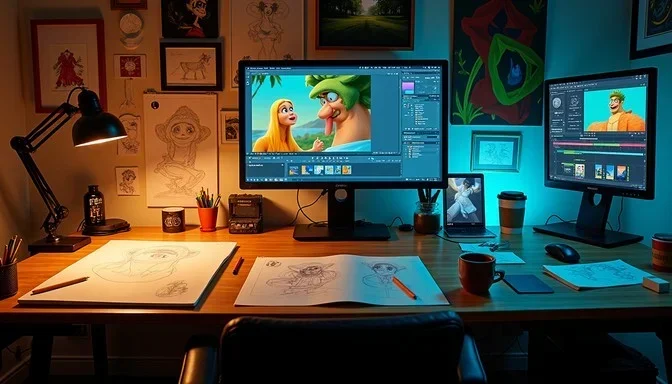
Looking for the best free animation software for Windows? This guide covers the top 10 free animation tools you can download right now in 2024. From beginner-friendly 2D programs to powerful 3D engines, these options give you everything you need to start creating animations without spending a dime. Whether you are a hobbyist or an aspiring pro, there is a free animation software on this list that fits your workflow and skill level.
Animation used to be a field reserved for professionals with expensive software and powerful workstations. Those days are gone. Today, you can create stunning animations right on your Windows PC using free tools that rival paid programs. Whether you want to make short cartoons, 3D models, motion graphics, or visual effects, there is a free animation software waiting for you.
The world of free animation software has grown dramatically in recent years. Open-source communities and passionate developers have built incredible tools that anyone can use. In this guide, we walk you through the top 10 best animation softwares free download for Windows in 2024. We cover what each tool does best, who it is for, and how to get started.
If you have ever dreamed of bringing your ideas to life through animation, now is the perfect time to start. The best part? You do not need to spend a single dollar. Let us dive into the list and find the perfect tool for your creative journey.
Key Takeaways
- Blender leads the pack: It is the most powerful free animation software available for Windows, offering full 3D capabilities.
- OpenToonz is perfect for 2D animation: This professional-grade tool was used to create the Studio Ghibli film “Spirited Away.”
- Krita excels for frame-by-frame drawing: It is an excellent choice for artists who want a simple, intuitive animation workspace.
- You do not need expensive hardware: Many of these free tools run well on standard Windows laptops.
- Each software serves a different purpose: Choosing the right one depends on your animation style and experience level.
- All options on this list are genuinely free: No hidden fees, no trial periods that expire, and no watermarks on your exports.
📑 Table of Contents
- Why Choose Free Animation Software for Windows?
- Top 10 Best Animation Softwares Free Download Windows 2024
- How to Choose the Right Animation Software for You
- Quick Tips for Getting Started with Free Animation Software
- Common Mistakes to Avoid When Using Free Animation Software
- Expert Insights on Free Animation Software for Windows
- Final Thoughts
Why Choose Free Animation Software for Windows?
You might wonder why so many people choose free animation tools over expensive options like Maya or Cinema 4D. The answer is simple. Free animation software has come a long way, and the gap between free and paid tools is getting smaller every year.
Here are some key reasons to start with a free option:
- Zero cost: You get full access to powerful features without spending money.
- No subscription fees: Most free animation tools are open-source, meaning they stay free forever.
- Large communities: Free tools often have huge user bases that share tutorials, tips, and assets.
- Regular updates: Open-source projects are constantly improved by developers around the world.
- No risk: You can experiment and learn without worrying about wasting your budget.
Free animation software also works great on standard Windows laptops. You do not need a top-of-the-line machine to get started. If you want to learn more about what hardware works best for animation, check out our guide on best laptops for animation to find the right setup for your needs.
Top 10 Best Animation Softwares Free Download Windows 2024
Here is our carefully curated list of the best free animation software you can download for Windows right now. Each tool has unique strengths, so you are sure to find one that matches your creative goals.
1. Blender
Blender is the king of free animation software. It is a full 3D creation suite that handles modeling, rigging, animation, simulation, rendering, and even video editing. Professionals and beginners alike use Blender to create everything from short films to video game assets.
Why Blender stands out:
- Complete 3D animation pipeline in one program
- Built-in motion tracking and video editing
- Massive library of tutorials and community add-ons
- Supports Grease Pencil for 2D animation within a 3D space
- Regular updates with new features every few months
Blender has a steeper learning curve than some other options on this list. But the payoff is huge. Once you get comfortable, you can create professional-quality animations that compete with expensive software.
2. OpenToonz
OpenToonz is a professional 2D animation program that has a fascinating history. It was originally developed by the Japanese animation studio Studio Ghibli and later made open-source. This software was used to create the beloved film “Spirited Away,” and now it is available for anyone to use.
OpenToonz is ideal for:
- Traditional hand-drawn animation
- Frame-by-frame frame editing
- Cut-out animation with skeleton rigging
- Scanning and cleaning up paper drawings
If you love the classic animation style and want a tool built for 2D storytelling, OpenToonz is an excellent choice. It offers features that many paid 2D programs do not have, all for free.
3. Krita
Krita is primarily known as a digital painting app, but it also has a surprisingly powerful animation toolset. It is perfect for artists who want to draw frame by frame without the complexity of a full 3D program.
Krita animation features include:
- Onion skinning for smooth frame transitions
- Timeline-based animation with audio support
- Brush stabilizers for cleaner drawing
- Export to multiple video formats
- Huge brush library for expressive animation
Krita feels natural to use, especially if you already draw digitally. It is one of the most approachable free animation tools on this list, making it a great starting point for beginners.
4. Pencil2D
Pencil2D is a lightweight 2D animation program designed to be simple and easy to learn. If you want to start animating quickly without a steep learning curve, Pencil2D is a fantastic option.
Key features of Pencil2D:
- Minimalist interface that does not overwhelm new users
- Raster and vector drawing support
- Basic timeline and onion skinning
- Lightweight and runs on older Windows machines
- Perfect for simple cartoons and motion graphics
Pencil2D does not have all the advanced features of Blender or OpenToonz, but it gets the job done for straightforward 2D animation projects. It is the best choice if you want to jump right in and start creating.
5. Synfig Studio
Synfig Studio is a free 2D animation tool that specializes in vector-based animation. It uses a unique approach called “tweening,” which means you set key poses and the software fills in the frames between them. This saves a lot of time compared to drawing every single frame by hand.
Synfig Studio is great for:
- Smooth motion graphics and character animation
- Projects that need consistent, clean vector art
- Users who prefer workflow automation over frame-by-frame drawing
- Creating animations for web and social media
The learning curve is moderate. Once you understand how tweening works in Synfig, you can produce animations much faster than with traditional frame-by-frame methods.
6. Stick Nodes
Stick Nodes takes a fun and simple approach to animation. It lets you create stick figure animations with minimal effort. While it sounds basic, Stick Nodes can produce surprisingly entertaining and creative short animations.
Why consider Stick Nodes?
- Extremely easy to learn, even for young beginners
- Built-in stick figure library and props
- Export animations as GIFs or videos
- Great for quick, casual animation projects
- Available as a free download for Windows
This is not a professional-grade tool, but it is perfect for casual creators, kids, and anyone who wants to experiment with animation without a serious time investment.
7. Animaker
Animaker is a web-based animation tool that also offers a desktop experience. It focuses on creating explainer videos, animated presentations, and short motion graphics. The drag-and-drop interface makes it incredibly user-friendly.
Animaker highlights:
- Pre-built character templates and props
- Simple drag-and-drop timeline editor
- Built-in music and sound effects library
- Great for business presentations and educational content
- No drawing skills required
If your goal is to create professional-looking animations quickly without any drawing ability, Animaker is worth checking out. The free version has some limitations, but it is still a powerful tool for getting started.
8. Wings 3D
Wings 3D is a free subdivision modeler that focuses primarily on 3D modeling, but it also supports basic animation workflows. It is especially popular among users who need to create 3D models and then animate them in another program.
Wings 3D strengths include:
- Intuitive right-click interface for modeling
- Powerful mesh editing tools
- Lightweight and fast on Windows systems
- Great for game asset creation
- Active community and regular updates
Wings 3D is not a full animation suite, but it pairs well with other free tools like Blender for a complete 3D animation pipeline.
9. Toon Boom Harmony (Free Version)
Toon Boom Harmony is the industry standard for 2D animation in professional studios. While the full version is expensive, Toon Boom offers a free version called Harmony Essentials that gives you access to core animation features.
What you get with the free version:
- Frame-by-frame and rig-based animation tools
- Drawing and painting tools
- Basic camera and lighting features
- Export to standard video formats
- Industry-standard workflow that translates to paid jobs
The free version has some limitations compared to the paid tiers, but it is still one of the most capable 2D animation tools available. Learning Toon Boom Harmony is a smart investment if you plan to pursue animation as a career.
10. Daz 3D
Daz 3D is a free 3D animation and rendering tool that focuses on character creation and animation. It comes with a library of pre-made human figures and props, so you can start animating characters right away without modeling from scratch.
Daz 3D is perfect for:
- Character animation and posing
- Creating short animated stories
- Rendering high-quality still images and videos
- Users who want to skip the modeling phase entirely
- Building scenes with realistic human figures
The free version includes everything you need to get started. There are paid add-ons available, but the base software is completely free and very capable for character animation projects.
How to Choose the Right Animation Software for You
With so many free options available, choosing the right one can feel overwhelming. Here is a simple way to narrow down your choices based on what you want to create.
For 3D animation, Blender is the clear winner. It has the most features, the largest community, and the most tutorials available online. If you want to create 3D characters, environments, or visual effects, Blender should be your first download.
For 2D hand-drawn animation, OpenToonz and Krita are your best bets. OpenToonz offers a more professional workflow, while Krita feels more like drawing on a canvas. Try both and see which one clicks with your style.
For motion graphics and explainer videos, Synfig Studio and Animaker make the process faster with their tweening and template systems. You do not need to be an artist to create polished animations with these tools.
For quick and casual projects, Pencil2D and Stick Nodes keep things simple and fun. They are perfect for sketching out ideas or creating lighthearted content.
If you plan to work in the animation industry professionally, learning Toon Boom Harmony gives you a real edge. Studios around the world use this software, so having it on your resume is a big advantage.
Remember, you can always use more than one tool. Many animators combine software for different parts of their workflow. For example, you might model characters in Wings 3D, animate them in Blender, and edit the final video with free video editing software. If you need a good editor, our guide on best free video editing software PC can help you find the right match.
Quick Tips for Getting Started with Free Animation Software
Starting your animation journey can feel intimidating, but these tips will help you hit the ground running:
- Start simple: Do not try to create a feature-length film on day one. Start with a 10-second loop or a simple character walk cycle.
- Watch tutorials: Every tool on this list has free tutorials on YouTube. Spend a few hours learning the basics before diving into a project.
- Use reference videos: Study how real objects and people move. This is one of the fastest ways to improve your animation skills.
- Keep your file sizes small: Start with simple scenes and low-resolution exports. You can always increase quality as you get more comfortable.
- Save often: Animation projects can be demanding on your computer. Save your work frequently to avoid losing progress.
- Join online communities: Reddit, Discord, and forums for each software are goldmines for tips, feedback, and motivation.
Your computer also matters for animation work. While free software runs on most systems, having decent hardware makes the experience much smoother. If you are looking for a reliable machine, our article on 8 GB RAM Windows laptop options can help you find a solid setup for animation without breaking the bank.
Common Mistakes to Avoid When Using Free Animation Software
Even experienced animators make mistakes when they start with a new tool. Here are some common pitfalls to watch out for:
- Trying to learn everything at once: Focus on one feature at a time. Master keyframes before diving into complex rigging or particle effects.
- Ignoring the basics of movement: Good animation depends on understanding weight, timing, and spacing. No software can fix poor fundamentals.
- Using too many tools at the same time: Stick to one software until you are comfortable. Switching between programs slows down your learning.
- Skipping the storyboard: Even a rough sketch of your animation plan saves hours of wasted work later.
- Not exporting test renders: Always preview your animation at a smaller size before rendering the final version. This saves time and disk space.
Avoiding these mistakes will save you frustration and help you progress faster. Remember, every animator started somewhere, and the free tools on this list are more than capable of helping you grow your skills.
Expert Insights on Free Animation Software for Windows
We asked experienced animators and digital artists about their thoughts on free animation tools. Here is what they had to say.
“Blender changed everything for independent animators,” says a freelance 3D artist. “A decade ago, you needed thousands of dollars in software to create something professional. Now, Blender gives you everything for free, and the community support is unmatched.”
“OpenToonz is underrated,” adds a 2D animation student. “People focus on Blender because it is more popular, but OpenToonz has features that paid 2D programs do not offer. The fact that Studio Ghibli used it says everything about its quality.”
“Krita is my daily driver for frame-by-frame work,” shares a cartoon illustrator. “It is not just a painting app. The animation timeline is intuitive, and the brush engine makes every frame feel alive.”
These expert opinions confirm what we have seen: free animation software has matured into professional-grade tools that can rival expensive alternatives. The key is choosing the right tool for your specific needs and investing time to learn it properly.
Beyond animation software, having the right complementary tools matters too. If your animation workflow involves creating visuals or editing images, consider exploring options like best free photo editor for PC tools that can complement your animation projects and streamline your overall creative pipeline.
Final Thoughts
The best animation softwares free download for Windows 2024 offer more power and flexibility than ever before. From Blender’s complete 3D suite to Krita’s intuitive drawing-based animation, there is a free tool for every style and skill level. You do not need to spend money to create professional-quality animations anymore.
The key is to pick one tool that matches your goals, dedicate time to learning it, and start creating. Do not get overwhelmed by all the options. Start small, practice consistently, and you will be amazed at what you can produce.
Animation is a journey, and these free tools give you everything you need to take the first steps. Download one today, follow a beginner tutorial, and start bringing your ideas to life. The world of free animation is waiting for you.
Frequently Asked Questions
Is free animation software really as good as paid options?
Yes, many free animation tools like Blender and OpenToonz are used by professionals and studios worldwide. While paid software may offer additional features or dedicated support, the gap has narrowed significantly. For most creators, free options are more than sufficient to produce high-quality animations.
Can I use free animation software on a low-end Windows laptop?
Absolutely. Tools like Pencil2D, Stick Nodes, and Krita are lightweight and run well on modest hardware. For more demanding software like Blender, a laptop with at least 8 GB of RAM is recommended to ensure smooth performance during animation work.
Do I need drawing skills to use free animation software?
It depends on the tool. Programs like Krita and OpenToonz benefit from drawing skills, but tools like Animaker and Daz 3D use templates and pre-built assets that require no drawing ability at all. Anyone can start animating regardless of their artistic background.
Are there any hidden costs with free animation software?
Most of the tools on this list are completely free and open-source with no hidden fees. Some programs like Animaker and Daz 3D offer optional paid add-ons or premium assets, but the core software remains free. Always check the license terms before downloading.
Which free animation software is best for beginners?
Pencil2D and Krita are the most beginner-friendly options. They have simple interfaces, plenty of tutorials, and gentle learning curves. If you want to dip your toes into animation without feeling overwhelmed, start with one of these two tools.
Can I create professional-quality animations with free software?
Yes, many professional animators use free tools like Blender and OpenToonz to create award-winning films and commercial projects. The quality of your work depends more on your skills and creativity than on whether you paid for the software. Free tools are fully capable of producing professional results.
=== CONCLUSION ===
The top 10 best animation softwares free download for Windows 2024 give you everything you need to start creating animations today. From the powerful 3D capabilities of Blender to the simple charm of Pencil2D, there is a free tool for every animator at every skill level. Pick the one that matches your goals, invest some time in learning it, and start creating. The best animation software is the one that gets you animating, and every tool on this list will do exactly that.