What Are The Causes Of Bad Digital TV Signals Explained
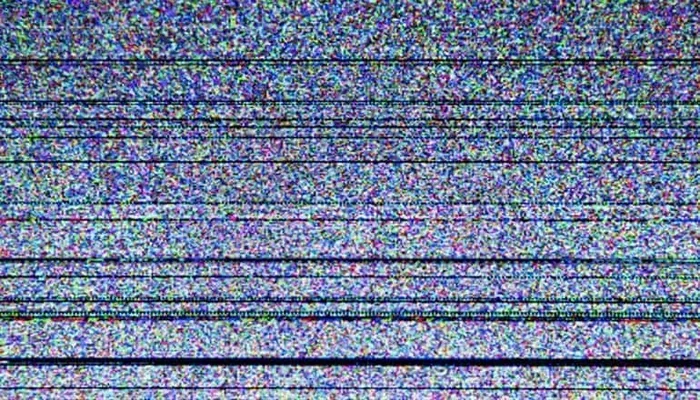
Bad digital TV signals can ruin your viewing experience, causing pixelation, freezing, and complete signal loss. The main culprits include antenna problems, cable damage, electronic interference, and harsh weather conditions. Understanding these causes helps you diagnose and fix the issue quickly.
There is nothing more frustrating than settling in for a great show only to deal with a pixelated screen or frozen frame. Bad digital TV signals are a common problem that affects millions of households. Whether you watch live broadcasts or stream content, a weak signal can ruin your entire experience. Understanding what causes these issues is the first step toward fixing them.
Digital TV signals travel through the air or through cables to reach your television. Many factors can disrupt this journey. From the placement of your antenna to the weather outside, each element plays a role. In this article, we break down every major cause of bad digital TV signals and give you practical solutions. You will learn how to identify the problem and take action fast.
Let us dive into the world of digital television and explore why your signal might be failing you. By the end, you will have a clear picture of what to check and how to improve your setup.
Key Takeaways
- Antenna placement and condition are the most common reasons for bad digital TV signals.
- Cable damage and loose connections can weaken your signal significantly.
- Electronic interference from nearby devices disrupts digital TV reception.
- Weather and environmental factors like storms and tall buildings block signals.
- Outdated equipment such as old antennas or tuners causes poor signal quality.
- Signal splitters and extenders can either help or worsen your reception.
- Simple fixes like repositioning your antenna often solve the problem.
📑 Table of Contents
What Is a Digital TV Signal?
A digital TV signal is a transmission of video and audio data in a digital format. Unlike old analog signals, digital signals carry information in discrete packets of data. This allows for clearer picture quality and better sound. However, digital signals are also more sensitive to disruptions.
Digital broadcasting uses specific frequency bands to send channels to your TV. These signals can travel over the air through antennas, through coaxial cables, or via satellite dishes. When the signal reaches your TV, the tuner decodes the data into picture and sound. If anything interrupts this process, you experience bad digital TV signals.
Think of a digital signal like a water hose. If the hose is kinked or blocked, less water gets through. The same idea applies to TV signals. Any obstacle between the broadcast tower and your TV can weaken or distort the signal. This is why understanding the causes matters so much.
Top Causes of Bad Digital TV Signals
Several factors contribute to poor digital TV reception. Let us look at each one in detail so you can pinpoint what is affecting your setup.
Antenna Problems
Your antenna is the front line of receiving digital TV signals. If it is damaged, poorly placed, or outdated, your signal will suffer. Antenna problems are one of the leading causes of bad digital TV signals.
Here are common antenna issues you should check:
- Physical damage: Cracks, bends, or broken elements on the antenna reduce reception.
- Wrong direction: If your antenna is not pointed toward the broadcast tower, the signal weakens.
- Old equipment: Older antennas may not be designed for current digital frequencies.
- Indoor placement: Placing an antenna near walls or behind furniture blocks the signal.
The position of your antenna matters a lot. Even a small adjustment can make a big difference. Try moving it near a window or to a higher point in your home. This simple change often improves digital TV signal strength dramatically.
Cable and Connection Issues
The cables that connect your antenna to your TV carry the signal. If those cables are damaged or loose, the signal degrades before it even reaches your screen. Cable and connection issues are sneaky causes of bad digital TV signals.
Check these common problem areas:
- Frayed or bent cables: Coaxial cables with bent connectors lose signal quality.
- Loose connections: A cable that is not fully plugged in causes intermittent signal loss.
- Long cable runs: Extra-long cables weaken the signal over distance.
- Corroded ports: Rust or dirt on the TV or antenna port affects the connection.
Replacing old cables with high-quality coaxial cables can make a noticeable improvement. Also, make sure all connections are tight and secure. A small investment in new cables can solve many signal problems.
Electronic Interference
Modern homes are filled with electronic devices. Many of these devices emit electromagnetic waves that interfere with digital TV signals. This type of signal interference is a major but often overlooked cause of bad digital TV signals.
Common sources of electronic interference include:
- Wi-Fi routers: They operate on frequencies close to those used by digital TV.
- Microwave ovens: These emit strong waves that can disrupt TV reception.
- Baby monitors and cordless phones: They share similar frequency bands with TV signals.
- Neighboring electronics: Devices in nearby homes can also cause interference.
Even the audio equipment in your home can play a role. For instance, the quality of your speakers and how they handle signal input can reflect broader issues in your home entertainment setup. If you are curious about what your audio setup is really telling you, check out what the speakers are talking about for insights on audio signal quality.
To reduce interference, keep your TV and antenna away from other electronics. Also, consider using signal filters that block unwanted frequencies from reaching your TV.
How Weather and Environment Affect Signals
You might not expect the weather to affect your TV signal, but it does. Weather interference is a natural cause of bad digital TV signals that everyone experiences at some point.
Heavy rain, snow, and thick clouds absorb and scatter digital TV signals. This is especially true for signals that travel long distances from broadcast towers. During a storm, you might notice your screen pixelate or go completely dark.
Wind also plays a role. Strong winds can move trees and structures, which temporarily block the signal path. Even temperature changes in the atmosphere can bend signals away from their intended path. This phenomenon is called atmospheric ducting and it can cause unexpected signal fluctuations.
Beyond weather, your physical environment matters too. Tall buildings, mountains, and dense forests all block or reflect digital TV signals. If you live in a valley or a heavily wooded area, your signal may be weaker than average. Living in a signal shadow means you need a stronger antenna or a signal booster to compensate.
Understanding your local environment helps you choose the right equipment. For example, if you live near tall buildings, a directional antenna focused on the broadcast towers works best. If trees are the main obstacle, consider mounting your antenna higher above the tree line.
Equipment and Setup Mistakes
Sometimes the problem is not the signal itself but how your equipment is set up. Setup mistakes are a surprisingly common cause of bad digital TV signals.
Using the Wrong Type of Antenna
Not all antennas are the same. Some are designed for UHF signals only, while others handle both UHF and VHF. If your local broadcast towers use a frequency band your antenna does not support, you will get poor reception.
Before buying an antenna, check which channels are available in your area. Use a channel locator tool online to find the broadcast frequencies. Then choose an antenna that matches those frequencies. Using the wrong antenna is like trying to tune into a radio station that is not in your range.
Signal Splitters and Their Impact
Signal splitters let you connect multiple TVs to one antenna. However, they also weaken the signal. Each split reduces the signal strength by a significant amount. If you use too many splits, the result is bad digital TV signals on every connected TV.
To minimize this problem, use a high-quality splitter with low signal loss. Better yet, consider installing a signal amplifier between the antenna and the splitter. This boosts the signal before it is divided, ensuring each TV gets a strong enough signal.
Outdated TV Tuners
Your TV has a built-in tuner that decodes digital signals. Older TVs may not have digital tuners at all. If you own a very old television, you need a digital converter box to receive digital broadcasts. Without one, you will struggle with poor digital TV reception no matter what you do.
Check your TV manual or look up the model number online to confirm it has a digital tuner. Most TVs made after 2007 include digital tuners as standard. If yours does not, a converter box is an affordable and effective solution.
Interference From External Sources
Sometimes the problem comes from outside your home. External interference can disrupt digital TV signals in ways that are hard to diagnose. Let us look at some external factors.
Cell towers near your home emit strong signals that can overlap with TV frequencies. This is especially common in urban areas where cell towers are everywhere. The electromagnetic noise from these towers creates a constant hum of interference that affects your TV signal.
Industrial equipment in your neighborhood can also be a culprit. Factories, power plants, and even local businesses with heavy machinery generate electromagnetic fields. These fields can travel through the air and interfere with your digital TV reception.
Interestingly, other surveillance and monitoring systems in your area can also play a role. For example, the cameras mounted on top of traffic lights and other public infrastructure operate on radio frequencies. In some cases, these systems can interfere with local TV broadcasts. If you want to learn more about how these surveillance systems work and what frequencies they use, read about what the cameras on top of traffic lights are for.
Another external factor is the wiring in your neighborhood. Old or poorly maintained power lines can emit electromagnetic interference. This type of noise travels through the air and can affect your TV antenna. If you notice your signal gets worse during certain times of the day, nearby electrical activity might be the cause.
How to Fix Bad Digital TV Signals
Now that you know the causes, let us talk about solutions. Fixing bad digital TV signals does not always require expensive equipment. Often, simple adjustments make a huge difference.
Step 1: Reposition your antenna. Move it to a higher location and point it toward the nearest broadcast tower. Even a few feet of adjustment can improve reception significantly.
Step 2: Replace damaged cables. Inspect all cables between your antenna and TV. Replace any that are frayed, bent, or corroded. Use high-quality coaxial cables rated for digital signals.
Step 3: Reduce electronic interference. Move your TV and antenna away from Wi-Fi routers, microwaves, and other electronic devices. Give your setup some space from other electronics.
Step 4: Use a signal amplifier. If you live far from broadcast towers or in a signal shadow, a signal amplifier boosts the incoming signal. This is especially helpful for households with multiple TVs connected through splitters.
Step 5: Run a channel scan. After making any changes, always run a new channel scan on your TV. This helps your TV find and lock onto the strongest available signals. A simple rescan can sometimes solve the problem entirely.
Step 6: Consider outdoor antennas. If indoor antennas cannot pick up a strong signal, an outdoor antenna mounted on your roof or attic is the best solution. Outdoor antennas have a much clearer line of sight to broadcast towers.
For those who also deal with audio quality issues in their home entertainment setup, the same principles of signal clarity apply. If you are looking to improve your overall audio experience alongside your TV signal, exploring options like the best noise cancelling headphones can give you a sense of how much cleaner audio sounds when interference is removed.
These steps address the most common causes of bad digital TV signals. Start with the simplest fixes and work your way up. Most people find that repositioning the antenna and replacing cables solve the majority of their problems.
When to Call a Professional
Sometimes the problem is beyond simple fixes. If you have tried everything and still experience bad digital TV signals, it may be time to call a professional. A TV signal technician can perform a detailed analysis of your setup and your local signal environment.
Professionals use specialized equipment to measure signal strength and identify interference sources. They can also recommend and install the right equipment for your specific situation. This is especially helpful if you live in a challenging area with lots of obstructions or interference.
Do not hesitate to seek help if the problem persists. A professional installation can save you time and frustration in the long run. It is a worthwhile investment if you rely on TV for entertainment or news.
Final Thoughts
Bad digital TV signals are annoying, but they are almost always fixable. The key is understanding what is causing the problem and taking targeted steps to address it. From antenna placement to cable quality, weather conditions to electronic interference, many factors affect your digital TV reception.
Start by checking the basics. Make sure your antenna is positioned correctly, your cables are in good shape, and your equipment is up to date. Simple fixes often solve the problem without any special tools or expertise. If the issue persists, a signal amplifier or outdoor antenna can make a world of difference.
Remember that digital TV signals are sensitive but manageable. With the right knowledge and a little patience, you can enjoy clear, reliable television every day. Do not let bad signals keep you from your favorite shows. Take action today and transform your viewing experience.
Frequently Asked Questions
What are the main causes of bad digital TV signals?
The main causes include antenna problems, damaged cables, electronic interference, weather conditions, and equipment setup mistakes. Each of these factors can weaken or distort the signal before it reaches your TV.
Can weather really affect my digital TV signal?
Yes, weather has a real impact on digital TV signals. Heavy rain, snow, storms, and even temperature changes can scatter or absorb the signal. This is especially noticeable for signals that travel long distances from broadcast towers.
How do I know if my antenna is causing bad digital TV signals?
Check for physical damage, ensure it is pointed toward the broadcast tower, and confirm it supports the right frequency bands. If your antenna is old or placed indoors near walls, it is likely the cause of your signal problems.
Does a signal splitter weaken my digital TV signal?
Yes, signal splitters reduce signal strength with each split. If you use multiple splits, the signal can become too weak for clear reception. Using a high-quality splitter or adding a signal amplifier helps counteract this loss.
What is the easiest fix for bad digital TV signals?
The easiest fix is to reposition your antenna to a higher location and point it toward the broadcast tower. Running a new channel scan after repositioning often solves the problem immediately.
When should I upgrade my antenna to fix bad digital TV signals?
You should upgrade if your current antenna is old, damaged, or does not support the digital frequency bands used in your area. An outdoor antenna is usually the best upgrade for homes with weak reception due to distance or obstructions.