What Can Be Done with Old Laptop
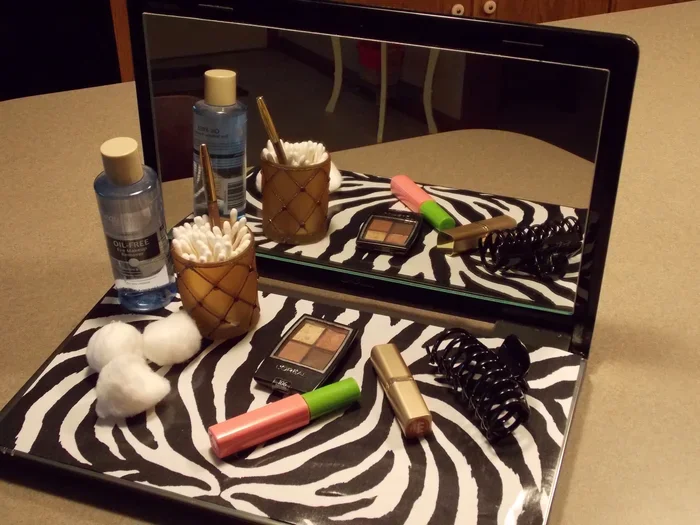
An old laptop still has plenty of life left in it. You can upgrade its RAM, repurpose it for everyday tasks, donate it, or even turn it into a media center. This guide covers the best and easiest ways to make the most of your old device.
Have an old laptop sitting in a drawer collecting dust? You are not alone. Millions of people have aging laptops that still work but feel too slow or outdated for daily use. The good news is that there are tons of things you can do with an old laptop instead of letting it go to waste.
Whether you want to speed it up, repurpose it for a specific task, or pass it on to someone who needs it, this guide has you covered. We will walk through every practical option step by step. You will learn how to upgrade your old laptop, turn it into something useful, and even make a little money from it.
Before you toss that old machine, read this article. You might be surprised at how much life is still hiding inside it. Let us dive in and explore the best ways to put your old laptop to work again.
Key Takeaways
- Upgrade the RAM: Adding memory can breathe new life into a slow old laptop and make it feel fast again.
- Repurpose it creatively: Turn your old laptop into a media center, home server, or dedicated device for specific tasks.
- Donate or sell it: Someone else can benefit from your old laptop, reducing e-waste and helping others.
- Install a lightweight OS: Switching to Linux or Chrome OS can make an old laptop run much smoother.
- Use it for kids or learning: An old laptop is perfect for children’s education, browsing, and light games.
- Recycle responsibly: If the laptop is truly dead, proper recycling ensures harmful materials don’t harm the environment.
📑 Table of Contents
1. Upgrade the RAM and Storage
The single best thing you can do with an old laptop is to upgrade its hardware. Adding more RAM or swapping in a fresh SSD can transform a sluggish machine into a responsive one. Many people do not realize how much difference a simple RAM upgrade makes.
Can You Add RAM to an Old Laptop?
In most cases, yes. If your laptop has a user-accessible RAM slot, you can add more memory. Can RAM be added to a laptop? Absolutely. Just check your laptop model to see what type and maximum amount of RAM it supports. Some older laptops have soldered RAM, which means you cannot upgrade them. But many models from the last decade are upgradeable.
Here is a quick look at what to check before buying new RAM:
- Check your laptop manual or the manufacturer website for supported RAM type.
- Find out how many RAM slots your laptop has.
- Check the maximum RAM capacity your laptop can handle.
- Look at what RAM is already installed and how much is free.
How Much RAM Is Enough?
If you plan to use the laptop for basic tasks like browsing and word processing, 8GB of RAM is a solid target. For multitasking or light work, 16GB of RAM makes a big difference. If you want to know exactly what your laptop needs, check out our guide on what amount of RAM is good on a laptop.
Adding RAM is one of the easiest and cheapest upgrades you can do. A new stick of RAM costs between $20 and $50, and the installation process usually takes less than 15 minutes.
Swap in an SSD for Faster Performance
If your old laptop still uses a mechanical hard drive, replacing it with a solid state drive (SSD) is a game changer. An SSD boots Windows in seconds and opens apps almost instantly. This upgrade alone can make an old laptop feel like new again.
After upgrading the RAM and SSD, many users find their old laptop is perfectly usable for everyday work. It is a great way to extend the life of your laptop and save money at the same time.
2. Repurpose Your Old Laptop
Not every old laptop needs to run Windows 10 or 11. One of the smartest things you can do is repurpose it for a specific role. This gives the machine a clear mission and keeps it out of a landfill.
Turn It Into a Media Center
An old laptop makes an excellent media center. You can install software like Kodi or Plex and stream movies and music to your TV. Connect the laptop to your television using an HDMI cable, and you have a built-in entertainment hub.
This is perfect for the living room or bedroom. You do not need a powerful machine for streaming content. Even a very old laptop handles video playback with ease.
Use It as a Dedicated Work Machine
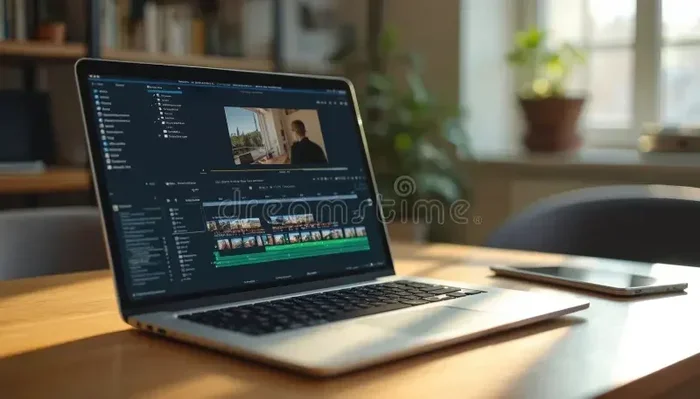
Set up your old laptop for one specific task. Use it as a dedicated writing machine, a photo editing station, or a backup computer. When the laptop has a single purpose, it runs faster and feels more focused.
You can also use it as a second screen for your main computer. Some software lets you extend your desktop to another laptop screen. This is a great trick for people who work from home.
Create a Home Server
Tech-savvy users can turn an old laptop into a home server. You can use it for file storage, media streaming, or even running a small website. Free software like Nextcloud or OpenMediaVault makes this surprisingly easy.
A home server is a fantastic way to put old hardware to good use. It keeps your files organized and accessible from any device in your house.
3. Install a Lightweight Operating System
If your old laptop struggles with Windows, consider installing a lighter operating system. A lightweight OS uses fewer resources and runs much smoother on older hardware.
Chrome OS or ChromeOS Flex
Google offers ChromeOS Flex, which is a free operating system designed to run on older computers. It turns any old laptop into a Chromebook-like device. You get fast boot times, simple interface, and access to all your Google apps.
This is one of the best options for people who mainly use their laptop for browsing, email, and light document work. It is simple, fast, and completely free.
Linux Distributions for Old Laptops
Linux is another excellent choice for old laptops. Distributions like Lubuntu, Linux Mint XFCE, and Puppy Linux are designed to run on low-spec hardware. They use very little RAM and CPU power.
Linux might sound intimidating, but modern versions are very user-friendly. You can browse the web, watch videos, and use office apps just like you would on Windows. The best part is that Linux is free and open source.
Switching to Linux or ChromeOS can make your old laptop feel years younger. It is one of the most impactful things you can do to repurpose an old laptop.
4. Donate or Sell Your Old Laptop
If the laptop is still in decent working condition, consider giving it a second life with someone else. Donating or selling an old laptop is generous and environmentally friendly.
Where to Donate an Old Laptop
Many organizations accept old laptops and refurbish them for people in need. Schools, nonprofits, and community centers often welcome donated computers. Some charities even provide free shipping labels for donations.
Before donating, make sure to wipe all personal data from the laptop. Factory reset the machine and remove any saved passwords. This protects your privacy and ensures the next user gets a clean device.
How to Sell an Old Laptop
You can sell your old laptop on platforms like eBay, Facebook Marketplace, or Craigslist. Even a slow, old laptop has value. People buy older laptops for parts, repairs, or as basic machines for children.
To get the best price, clean the laptop thoroughly, take good photos, and be honest about its condition. Mention any upgrades you made, like added RAM or a new SSD. These details help your listing stand out.
If you are looking for a laptop with more power, check out options like laptops with i7 processor and 16GB RAM touchscreen for your next upgrade.
5. Use It for Kids or Learning
An old laptop is perfect for children. Kids do not need the latest hardware to browse the web, watch educational videos, or do homework. An old laptop gives them a safe, dedicated device without the worry of damaging an expensive new one.
You can set up parental controls, install educational software, and create a user account just for your child. This teaches them responsibility while keeping your main computer free for adult use.
Old laptops also work great for learning to code or explore basic programming. Free resources like Scratch, Code.org, and Python tutorials run perfectly on older hardware. It is a wonderful way to spark a child’s interest in technology.
6. Recycle Responsibly
If your old laptop is truly broken and cannot be repaired, do not throw it in the trash. Electronic waste contains harmful materials that can damage the environment. Proper recycling ensures these materials are handled safely.
Many electronics stores offer free recycling programs. Manufacturers like Dell, HP, and Apple also have take-back programs. You can also find local e-waste recycling centers in your area. They will safely dismantle the laptop and recover valuable materials like metals and plastics.
Recycling is the responsible last resort. It keeps harmful chemicals out of landfills and allows valuable materials to be reused. Always try every other option before recycling.
Common Mistakes to Avoid
When dealing with an old laptop, some mistakes can cost you time or money. Here are a few to watch out for:
- Skipping a data wipe: Always erase all personal data before selling, donating, or recycling your laptop.
- Ignoring RAM compatibility: Not all RAM works with all laptops. Check specifications before buying new memory.
- Throwing it in the trash: E-waste is harmful to the environment. Always recycle responsibly.
- Overlooking lightweight OS options: A fresh Linux install can make an old laptop usable again.
- Assuming it is too old: Even laptops from 10 years ago can still serve useful purposes with the right setup.
Expert Insight
According to tech experts, the average laptop lifespan is about 5 to 7 years for heavy users and 8 to 10 years for light users. However, with the right upgrades like RAM and SSD replacements, many laptops can last well beyond that. The key is knowing what your old laptop is capable of and matching it to the right task.
Upgrading the RAM is often the single most effective thing you can do. If you are unsure whether your laptop supports RAM upgrades, check with the manufacturer or look up your specific model online. The process is simpler than most people think.
Conclusion
Your old laptop is far from useless. With a few upgrades, a fresh operating system, or a creative new purpose, it can still serve you well. Whether you choose to upgrade the RAM, turn it into a media center, donate it to someone in need, or recycle it responsibly, there is always a good option.
The best approach depends on your laptop’s condition and your personal needs. Start by checking what upgrades are possible, then decide which repurposing idea fits best. You will save money, reduce e-waste, and get more value from your old device.
So before you let that old laptop gather more dust, pick one idea from this guide and give it a try. You might be amazed at what a little effort can do. Your old laptop still has plenty to offer.
Frequently Asked Questions
What can I do with a really old laptop?
You can repurpose it as a media center, install a lightweight operating system like Linux or ChromeOS Flex, use it for kids, or donate it. Even very old laptops can serve useful roles with the right setup.
Is it worth upgrading RAM in an old laptop?
Yes, upgrading RAM is one of the most cost-effective ways to breathe life into an old laptop. It can significantly improve speed and multitasking ability, especially if the laptop currently has 4GB or less.
How do I safely wipe data from my old laptop?
Go to your laptop’s settings and use the factory reset or reset this PC feature. For extra security, use a data-wiping tool to overwrite the entire hard drive before selling or donating the device.
Can I turn my old laptop into a Chromebook?
Yes, you can install ChromeOS Flex, which is a free operating system from Google. It turns any old laptop into a Chromebook-like device that is fast, simple, and great for browsing and light tasks.
What should I do if my old laptop is broken?
If the laptop is beyond repair, take it to a certified e-waste recycling center. Many electronics stores also accept old laptops for free recycling. Never throw electronics in the regular trash.
Can I use my old laptop as a second screen?
Yes, software like SpaceDesk or Duet Display lets you use your old laptop as an extended monitor for your main computer. This is a great way to boost productivity without buying a second display.