What Do You Do When Your Phone Is Dropped in Milk
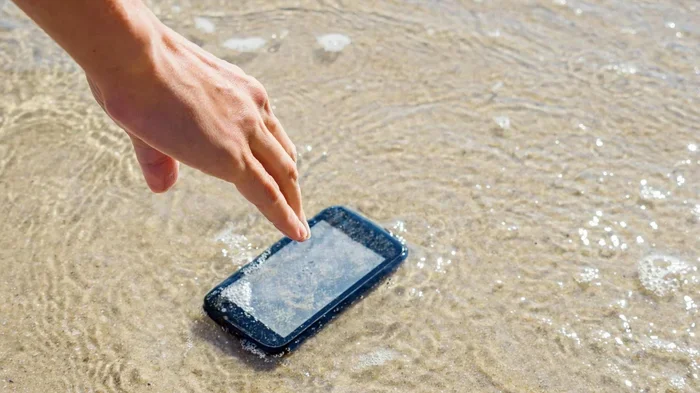
When your phone is dropped in milk, quick action is your best chance at saving it. Milk causes short circuits, corrosion, and screen damage that can ruin your device fast. This guide covers the immediate steps, drying methods, and repair options to maximize your phone’s chances of survival.
Key Takeaways
- Act Fast: The first 30 seconds matter most when your phone drops in milk.
- Power Off Immediately: Shutting down your device prevents short circuits and internal damage.
- Remove All Components: Take out the SIM card, case, and any removable parts before drying.
- Use Proper Drying Methods: Avoid heat sources and let your phone air dry or use silica gel packets.
- Do Not Charge Right Away: Wait at least 24 to 48 hours before attempting to power on or charge your phone.
- Seek Professional Help: If your phone still will not work after drying, visit a certified repair technician.
📑 Table of Contents
- What Do You Do When Your Phone Is Dropped in Milk
- Step 1: Retrieve the Phone Immediately
- Step 2: Power Off the Device Right Away
- Step 3: Remove All Accessories and Components
- Step 4: Dry the Phone Properly
- Step 5: Check for Damage After Drying
- Step 6: Seek Professional Repair if Needed
- Common Mistakes to Avoid After a Milk Spill
- Preventing Future Phone Liquid Damage
- When to Call It Done and Move On
What Do You Do When Your Phone Is Dropped in Milk
Accidents happen all the time. You are holding your phone, maybe you are reaching for a snack, and suddenly your phone plunges into a glass of milk. It is a scary moment. Your heart races. You grab the phone and wonder if it is ruined. The good news is that you can still take action. What do you do when your phone is dropped in milk? The answer lies in how quickly and calmly you respond.
Milk is worse than plain water in many ways. It contains sugars, fats, and proteins that can stick to internal components. These sticky residues can cause corrosion and short circuits. Unlike water, milk does not evaporate cleanly. It leaves behind a residue that can damage your phone over time. This is why immediate action is so important. The faster you respond, the better your chances of saving your device.
In this article, we will walk you through every step you need to take. From the moment of the spill to long-term care, we cover it all. You will learn the best drying methods, common mistakes to avoid, and when to seek professional help. Whether your phone fell into a glass of milk or a bowl of cereal, this guide has you covered.
Step 1: Retrieve the Phone Immediately
The first thing you need to do is get your phone out of the milk fast. Every second counts. Milk starts to seep into ports, speakers, and openings almost immediately. The longer your phone sits in milk, the deeper the liquid penetrates.
Why Speed Matters
When your phone is submerged in milk, the liquid begins to enter through every tiny gap. The charging port, speaker grills, and headphone jack all become entry points. Milk contains sugars and fats that cling to surfaces. This makes it more damaging than clean water. The faster you retrieve your phone, the less damage occurs.
Here is what to do the moment your phone hits the milk:
- Grab the phone immediately and pull it out.
- Do not press any buttons while it is still submerged.
- Do not shake the phone vigorously, as this can spread the milk inside.
- Hold the phone with the screen facing down to let excess milk drip out.
Step 2: Power Off the Device Right Away
This is the most critical step in the entire rescue process. What do you do when your phone is dropped in milk? You turn it off. Do not try to check if it still works. Do not press the power button to see the screen. Every second the phone is on while wet, you risk a short circuit.
Why You Must Power Down
When electricity meets liquid, bad things happen. Milk is conductive because of the sugars and minerals it contains. If your phone is still powered on, the current can create short circuits on the motherboard. This kind of damage is often permanent. Even if your phone seems fine at first, corrosion can set in hours or days later.
Follow these steps to safely power down your phone:
- Press and hold the power button.
- Select “Power Off” or “Shut Down” from the menu.
- If the screen is unresponsive, hold the power button for 10 to 15 seconds until the device turns off.
- For phones with removable batteries, take the battery out if possible.
If your phone has a non-removable battery, just holding the power button down is your best option. Do not try to force the phone open. This can cause more damage.
Step 3: Remove All Accessories and Components
Once your phone is off, it is time to remove anything that can trap milk or block drying. This step is simple but often overlooked. Many people skip it and wonder why their phone does not dry properly.
What to Remove
- Phone Case: Take off the case immediately. Milk can get trapped between the case and the phone, causing hidden damage.
- SIM Card: Remove the SIM tray. Use a SIM ejector tool or a small paperclip to pop it out.
- SD Card: If your phone has an expandable storage card, remove it too.
- Screen Protector: If the protector is peeling or has gaps, consider removing it. Milk can seep underneath.
By removing these components, you expose more surface area for drying. You also prevent milk from being trapped in small spaces where it can cause ongoing corrosion.
Step 4: Dry the Phone Properly
Now comes the most important part: drying your phone. There are many myths about how to dry a wet phone. Some of these methods actually cause more harm than good. Let us look at what works and what does not.
Methods That Work
Air Drying: This is the safest method. Place your phone on a clean, dry cloth with the openings facing down. Let it sit in a warm, dry room. Air circulation helps the moisture evaporate naturally.
Silica Gel Packets: These little packets that come in shoe boxes and packaging are excellent at absorbing moisture. Place your phone in a sealed container with several silica gel packets. Leave it for at least 24 to 48 hours.
Dry Rice: This is a popular method, and it does work to some degree. Place your phone in a bowl of uncooked rice. The rice absorbs moisture over time. However, rice dust can enter ports and cause issues. If you use this method, wrap your phone in a paper towel first to reduce dust exposure.
Methods to Avoid
Do Not Use a Hair Dryer on High Heat: Excessive heat can melt internal components and damage the screen. If you must use a hair dryer, use the coolest setting and keep it at least 12 inches away.
Do Not Put Your Phone in an Oven or Microwave: This is a terrible idea. The heat will destroy your phone completely. Do not even think about it.
Do Not Blow Into the Ports: Your breath contains moisture, which adds more liquid to the equation. It also pushes milk deeper into the device.
How Long to Dry Your Phone
Give your phone at least 24 to 48 hours to dry completely. Do not be tempted to check it early. Even if the outside feels dry, moisture can still be trapped inside. Patience is key here. The longer you wait, the better the outcome.
Step 5: Check for Damage After Drying
After your phone has dried for at least 24 hours, it is time to check if it still works. This is a careful process. You do not want to rush and cause additional damage.
What to Look For
- Screen: Turn on the phone and check for flickering, discoloration, or unresponsive touch areas. Milk residue can affect the display.
- Speakers: Play some music or a video. Listen for distortion or no sound at all. Milk can clog speaker components. If you want to understand more about how speakers work and what affects their performance, you can read about what is RMS power in speakers to learn about speaker specifications.
- Camera: Take a photo and check the image quality. Milk can fog the lens or damage the sensor. The camera module is sensitive to liquid exposure, and features like the flower icon in iPhone camera may not function properly if moisture remains in the lens assembly.
- Charging Port: Try plugging in your charger. If the phone does not charge or the connection is intermittent, moisture may still be inside the port.
- Buttons: Test the volume buttons and power button. Make sure they click normally and respond correctly.
When to Accept That the Phone May Be Lost
Sometimes, despite your best efforts, the phone does not recover. If you see a blank screen, persistent error messages, or a burning smell, stop trying to power it on. Continuing to attempt startup can cause further damage to the motherboard. At this point, it is time to accept professional help or consider a replacement.
Step 6: Seek Professional Repair if Needed
If your phone does not turn on or shows signs of damage after drying, do not give up just yet. Professional repair technicians have the tools and expertise to rescue phones from liquid damage.
What a Professional Can Do
A certified repair technician can open your phone and clean the internal components. They use special cleaning solutions to remove milk residue and prevent corrosion. They can also replace damaged parts like the screen, battery, or motherboard. In many cases, a phone that seems dead can be fully restored with professional cleaning.
Here are some tips for finding the right repair service:
- Look for authorized service centers or reputable local repair shops.
- Ask about their experience with liquid damage repair.
- Get a quote before agreeing to any repairs.
- Check reviews and ratings online before committing.
When Replacement Makes More Sense
Sometimes the repair cost exceeds the value of the phone. If your device is older or the damage is extensive, replacement might be the smarter choice. Compare the repair estimate with the cost of a new phone. If the repair is close to the price of a new device, it is usually better to invest in a replacement.
For general device troubleshooting, whether it is a phone, laptop, or other gadget, understanding basic repair steps helps. You can find useful tips on device recovery at guides like how do you get your mouse back on your laptop, which covers general hardware troubleshooting principles that apply across devices.
Common Mistakes to Avoid After a Milk Spill
There are many things people do wrong when their phone gets wet. These mistakes can turn a salvageable situation into a total loss. Here are the most common errors you should avoid.
Mistake 1: Turning the Phone On Too Soon
The most common mistake is trying to power on the phone before it is completely dry. Even if the outside looks dry, moisture can still be inside. Turning on a wet phone can cause a short circuit. Wait at least 24 to 48 hours before even thinking about pressing the power button.
Mistake 2: Using Heat to Dry the Phone
Some people place their wet phone near a radiator, in direct sunlight, or use a hair dryer on high heat. These methods seem logical, but they are dangerous. Excessive heat warps internal components, melts adhesives, and can crack the screen. Stick to room temperature air drying or silica gel packets.
Mistake 3: Shaking or Blowing Into the Phone
Shaking the phone or blowing into the ports might seem like a quick way to remove liquid. In reality, you are pushing the milk deeper into the device. This can spread the damage to more internal components. Gentle handling is the way to go.
Mistake 4: Using a Vacuum Cleaner
Some people try to vacuum the moisture out of their phone. This is a bad idea. A vacuum can generate static electricity, which can fry the delicate circuits inside your phone. It can also physically damage components through suction.
Mistake 5: Ignoring the Damage
If your phone was in milk for more than a few seconds, do not just wait and hope for the best. Milk residue causes corrosion over time. Even if the phone seems fine now, damage can appear days or weeks later. Take it to a professional for a thorough cleaning, even if it appears to work fine at first.
Preventing Future Phone Liquid Damage
Once you have gone through the stress of rescuing a phone from milk, you want to make sure it does not happen again. Prevention is always better than cure. Here are some practical tips to protect your phone from future liquid damage.
Use a Waterproof Phone Case
A waterproof or water-resistant case adds a layer of protection against spills. While no case is 100% foolproof, a good quality case can save your phone from minor accidents like a glass of milk tipping over.
Keep Your Phone Away from Liquids
This sounds obvious, but it is worth repeating. Do not place your phone near open glasses, bowls, or cups of liquid. When you are eating cereal or drinking milk, keep your phone on a different surface. A simple habit can save you from a costly repair.
Consider a Phone with High Liquid Resistance
Many modern smartphones come with IP67 or IP68 water resistance ratings. These phones can survive submersion in water for short periods. However, no phone is rated for milk resistance specifically. Milk is more damaging than water because of its sugar and fat content. Even water-resistant phones need proper care after liquid exposure.
Backup Your Data Regularly
If your phone is ever damaged beyond repair, you want your photos, contacts, and apps to be safe. Enable cloud backup on your phone. This way, even if the physical device is lost, your data remains intact. This is one of the best forms of emergency phone care you can practice.
When to Call It Done and Move On
Sometimes, despite every effort, a phone cannot be saved. If the repair cost is too high, if the phone keeps failing, or if it has been submerged for too long, it may be time to let go. Do not keep spending money on a lost cause. Accept the loss, learn from the experience, and move forward with a new device.
Remember that what do you do when your phone is dropped in milk is all about quick thinking and calm action. The steps you take in the first few minutes make the biggest difference. Stay calm, follow this guide, and give your phone the best chance at survival.
Phone liquid damage can be stressful, but it is not always the end of the road. With the right approach, many phones recover fully from milk spills. The key is to act fast, dry thoroughly, and seek help when needed. Your phone survived a milk bath. Now it is up to you to give it the best chance at a full recovery.
Frequently Asked Questions
Can milk damage your phone more than water?
Yes, milk is more damaging than plain water. Milk contains sugars, fats, and proteins that leave a sticky residue on internal components. This residue causes corrosion and can create long-term damage even after the phone dries. Water evaporates cleanly, but milk does not, making milk spills more dangerous for electronics.
How long should you wait before turning on your phone after a milk spill?
You should wait at least 24 to 48 hours before attempting to turn on your phone. Even if the outside feels dry, moisture can remain inside the device. Powering on a phone too early can cause short circuits and permanent damage to the motherboard and internal components.
Does putting your phone in rice really work?
Yes, putting your phone in rice can help absorb moisture, but it is not the best method. Rice dust can enter ports and cause additional problems. Silica gel packets are a better alternative because they absorb moisture more effectively without leaving residue behind. If you use rice, wrap the phone in a paper towel first.
Can a phone survive being dropped in milk?
Many phones can survive a milk spill if you act quickly and follow the proper steps. The key is to power off the device immediately, remove all components, and dry it thoroughly. The faster you respond, the better the chances of a full recovery. Professional cleaning can also greatly improve survival rates.
Should you charge your phone after it has been in milk?
No, you should not charge your phone until it is completely dry. Charging a wet phone can cause a short circuit and permanent damage to the battery and motherboard. Wait at least 48 hours and inspect the charging port for any remaining moisture before plugging in your charger.
Is phone insurance worth it after a liquid damage incident?
Phone insurance can be very helpful after a milk spill. Many insurance plans cover accidental liquid damage, though you may need to pay a deductible. Check your policy details to see if liquid damage is covered. Having insurance can save you hundreds of dollars on repairs or replacement costs.