What Is Opera Gx
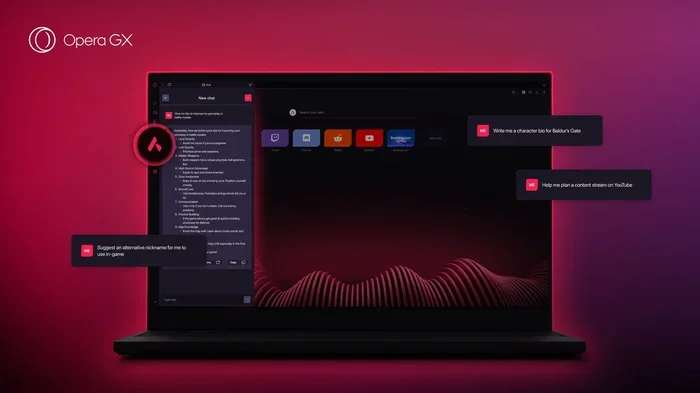
What Is Opera Gx is an essential topic that provides valuable insights and practical knowledge for anyone interested in learning more about this subject.
What Is Opera Gx
If you are a gamer or someone who pushes their laptop to the limit, you have probably heard about Opera Gx. But what exactly is it? Opera Gx is a web browser built specifically with gamers in mind. It is developed by Opera, a company that has been making browsers for over 25 years. Unlike regular browsers, Opera Gx comes packed with features designed to help you manage your system resources, customize your browsing experience, and stay connected to the gaming world while you surf the web.
In this article, we will break down everything you need to know about Opera Gx. You will learn what makes it different from other browsers, how its unique features work, and whether it is worth your time. Whether you are a casual browser or a hardcore gamer, this guide will help you understand why Opera Gx has become a popular choice among laptop users.
Opera Gx is more than just a browser with a dark theme and gaming logos. It is a fully functional web tool that puts system control and customization at your fingertips. Let us dive into the details.
Key Takeaways
- Opera GX is a gaming browser built for gamers: it includes GX Control for resource limits.
- GX Control lets you limit CPU and RAM usage: perfect for multitasking while gaming.
- It features a built-in ad blocker and free VPN: enhancing privacy and speed.
- Customize the browser with gaming themes and sound effects: making it uniquely yours.
- Opera GX integrates with Twitch and Discord: bringing your gaming community closer.
- It uses the Chromium engine: delivering fast and secure browsing performance.
📑 Table of Contents
What Makes Opera Gx Different From Other Browsers
When you think of web browsers, Chrome, Firefox, and Edge probably come to mind. Opera Gx stands out because it was built for a specific audience: gamers. While it can do everything a standard browser does, it adds layers of control and personalization that you will not find elsewhere.
The core idea behind Opera Gx is simple. Gaming laptops have limited resources. When you are running a game, you do not want your browser eating up your RAM or CPU. Opera Gx gives you direct control over how much of your system the browser can use. This is a game changer for anyone who multitasks between gaming and browsing.
Here are the key things that set Opera Gx apart:
- Built-in system resource limiters for CPU and RAM
- A gaming-themed interface with customizable colors and wallpapers
- GX Corner, a hub for gaming news, deals, and free games
- Integrated workspaces for organizing gaming and browsing tabs
- Built-in ad blocker and VPN for faster, safer browsing
These features are not just for show. They solve real problems that gamers face every day. For example, if your laptop starts lagging mid-game because your browser is using too much memory, Opera Gx lets you cap the browser’s RAM usage. This is something most browsers simply do not offer.
Key Features Of Opera Gx
Opera Gx comes loaded with features that make it a powerful tool for both gaming and everyday browsing. Let us take a closer look at what you get.
GX Control: Manage Your System Resources
The standout feature of Opera Gx is GX Control. This built-in dashboard lets you set limits on how much CPU power and RAM the browser can use. You can drag sliders to set your preferred limits, and Opera Gx will stick to them.
This is incredibly useful when you are playing a demanding game and you do not want your browser stealing resources. You can even set limits before you launch a game, so everything runs smoothly. If you want to learn more about how browser resource usage affects your system, check out this article on Why Is Opera Gx Using So Much Cpu.
GX Corner: Your Gaming News Hub
Opera Gx includes GX Corner, a dedicated section that keeps you updated on the gaming world. You can find free game giveaways, the latest gaming news, and deals on games and hardware. It is like having a gaming news feed built right into your browser.
GX Corner also features a “Deal of the Day” section where you can grab discounted games or freebies. This is a nice touch for gamers who are always on the lookout for the next great deal.
Customizable Aesthetics
Let us be honest. One of the reasons gamers love Opera Gx is how it looks. The browser lets you customize the interface with gaming-themed wallpapers, accent colors, and even custom sounds. You can make the browser feel like part of your gaming setup.
You can choose from a variety of preset themes or create your own look. The sidebar, tabs, and even the new tab page can be personalized. It is a small detail, but it makes a big difference in how much you enjoy using the browser every day.
Built-In Tools For Faster Browsing
Opera Gx comes with several built-in tools that enhance your browsing experience:
- Ad Blocker: Blocks annoying ads and trackers, which speeds up page loading times
- Free VPN: A built-in virtual private network for safer browsing
- Workspaces: Let you organize tabs into different groups for gaming, work, or personal use
- Sidebar: Quick access to messaging apps like Discord, WhatsApp, and Telegram
- Crypto Wallet: A built-in wallet for managing cryptocurrency
These tools are all integrated directly into the browser, so you do not need to install extra extensions. This keeps your browser lean and fast.
How Opera Gx Manages System Resources
One of the biggest selling points of Opera Gx is how it handles system resources. Modern games are demanding, and every bit of your laptop’s power counts. A browser that hogs your RAM or CPU can cause frame drops, stuttering, and slow load times.
Opera Gx tackles this problem head-on with its resource limiters. Here is how it works in practice:
- You open GX Control and set a RAM limit, say 2GB or 4GB
- The browser will not use more than that amount, even if you have dozens of tabs open
- You set a CPU limit to prevent the browser from slowing down your game
- Your game runs smoother because it has priority access to your laptop’s resources
If you are wondering how much RAM is ideal for a gaming laptop while using a resource-heavy browser like Opera Gx, you should check out this guide on What Is A Good Amount Of Ram For A Laptop. It will help you find the right balance for your setup.
The resource management in Opera Gx is not just theoretical. Many users report noticeable improvements in game performance after switching to this browser. It is a practical solution for laptop users who refuse to close their browser while gaming.
Opera Gx Vs Other Browsers
To truly understand Opera Gx, it helps to compare it with the browsers you already know. Here is a quick comparison of how Opera Gx stacks up against the competition.
| Feature | Opera Gx | Chrome | Edge |
|---|---|---|---|
| Built-in Resource Limiter | Yes | No | No |
| Gaming-Themed Interface | Yes | No | No |
| Built-in Ad Blocker | Yes | No (needs extension) | Yes (basic) |
| Built-in VPN | Yes (free) | No | Yes (limited) |
| Gaming News Hub | Yes (GX Corner) | No | No |
| Customizable Wallpapers | Yes | No | No |
| Workspace Organization | Yes | Yes (via extensions) | Yes |
| Sidebar Messaging Apps | Yes | No | Yes (limited) |
As you can see, Opera Gx brings a unique set of tools to the table. Chrome and Edge are excellent browsers, but they lack the gaming-focused features that Opera Gx offers out of the box. If you are a gamer who values system control and customization, Opera Gx has a clear edge.
That said, Chrome still leads in extension support and website compatibility. Edge is great for Windows users who want a clean, fast browsing experience. Opera Gx fills a niche that no other mainstream browser addresses: the needs of PC gamers.
Who Should Use Opera Gx
Opera Gx is not for everyone, but it is perfect for certain users. Here is a look at who will benefit most from this browser.
Gamers who multitask: If you like to have a browser open while playing games, Opera Gx is ideal. The resource limiters ensure your game gets the priority it needs. You can browse, check Discord, and watch streams without hurting your game’s performance.
Laptop users with limited specs: Not everyone has a high-end gaming rig. If you are using a budget or mid-range laptop, Opera Gx helps you get the most out of your hardware. By capping browser usage, you free up resources for other tasks.
Users who love customization: The ability to personalize your browser’s look and feel is a huge draw. If you want your browser to match your gaming aesthetic, Opera Gx delivers.
People who want built-in tools: Instead of installing multiple extensions for ad blocking, VPN, and workspace management, Opera Gx gives you all of these tools built right in. This keeps your browser clean and efficient.
On the other hand, if you are a casual browser who does not game or do not care about system resource management, a standard browser like Chrome or Edge might be all you need. Opera Gx shines brightest when its unique features are put to good use.
For those thinking about investing in the right tools to keep their laptop running smoothly for years, consider reading about What Is Best Investment For Lifespan Of Pc. It complements what Opera Gx does by helping you make smart choices for your overall setup.
Getting Started With Opera Gx
If you are convinced and want to try Opera Gx, getting started is straightforward. Here is a simple guide to help you set it up on your laptop.
- Visit the Opera Gx website. Go to the official Opera Gx page and click the download button.
- Install the browser. Run the installer and follow the on-screen prompts. It takes just a few minutes.
- Set up GX Control. Once installed, open GX Control from the browser settings. Start by setting your RAM and CPU limits based on your laptop’s specs.
- Customize your look. Pick a wallpaper and accent color that fits your style. You can change these anytime.
- Explore GX Corner. Check out the gaming news, deals, and free games available in GX Corner.
- Organize your workspaces. Create different workspaces for gaming, work, and personal browsing to keep your tabs tidy.
After a few days of using Opera Gx, you will start to notice how well it manages your system resources. The browser feels lightweight, and your games run smoother. It is a small change that can make a big difference in your daily laptop experience.
One quick tip: make sure your laptop has enough RAM to handle both your games and your browsing. If you are unsure about your current setup, learning about what is a good ram size for a laptop can help you decide if an upgrade is needed.
Final Thoughts
Opera Gx is a browser that knows exactly who it is for. It is not trying to replace Chrome or Edge for everyone. Instead, it targets gamers and power users who want more control over their system resources and a more personalized browsing experience.
The GX Control feature alone sets it apart from the competition. Being able to limit CPU and RAM usage directly from the browser is a practical, thoughtful addition that solves a real problem. Add in the gaming-themed design, GX Corner, and built-in tools like ad blocking and VPN, and you get a browser that feels like it was built by gamers, for gamers.
If you spend a lot of time on your laptop gaming and browsing, Opera Gx is absolutely worth trying. It is free, easy to set up, and it delivers a browsing experience that is tailored to how gamers actually use their computers. Give it a shot, and you might find it becomes your go-to browser for everyday use.
Frequently Asked Questions
What Is Opera GX and How Does It Work?
Opera GX is a web browser built specifically for gamers by Opera Software. It runs on the same Chromium engine as Chrome, so all your favorite extensions and websites work perfectly. The browser lets you customize your browsing experience with gaming-themed features and performance controls.
Is Opera GX Safe to Use?
Yes, Opera GX is safe and uses the same secure browsing technology as the standard Opera browser. It includes built-in features like a free VPN, ad blocker, and anti-tracking tools to keep your data protected. Many users trust it as a reliable daily driver for both gaming and everyday browsing.
What Makes Opera GX Different From Other Browsers?
Opera GX stands out with its unique gaming features like GX Control, which lets you limit CPU and RAM usage. It also has a built-in Discord panel, Twitch integration, and a customizable color theme. These features are designed to keep your system resources available for games while you browse.
Can You Use Opera GX on Mobile Devices?
Yes, Opera GX is available on both Android and iOS devices. The mobile version includes many of the same features found on desktop, including a built-in ad blocker and fast browsing speeds. However, some gaming-specific features like GX Control are only available on the desktop version.
How Does the GX Control Panel Work in Opera GX?
The GX Control panel lets you set limits on how much CPU power, RAM, and network speed the browser can use. This is especially useful for gamers who want to make sure their browser does not slow down their games. You can easily adjust these limits in real time through a simple slider interface.
Is Opera GX Free to Download and Use?
Yes, Opera GX is completely free to download and use with no hidden subscription fees. You get access to all the core features including the ad blocker, free VPN, and gaming integrations at no cost. There is also a premium tier called Opera GX Premium, but the free version is more than enough for most users.