What Is Setup Exe

A setup exe file is a Windows installer that helps you install software on your laptop. It runs a setup wizard that guides you through the installation process step by step. Understanding what a setup exe does keeps your laptop software safe and running smoothly.
A setup exe file is one of the most common things you will see when downloading software for your laptop. But what exactly is it, and should you trust it? This guide breaks down everything you need to know about setup exe files in simple, easy-to-understand terms.
Whether you are a beginner or someone who just wants to refresh your knowledge, this article covers the basics of executable files, how they work, and how to stay safe when running them. By the end, you will feel confident handling any setup exe file that comes your way.
## What Is a Setup Exe File?
A setup exe file is a type of executable file used on Windows computers. The “.exe” stands for executable, which means the file can run a program or process on your system. When you download software, the setup exe is the file that starts the installation process.
Think of it like a blueprint. Just as a blueprint tells builders how to construct a house, a setup exe file tells your computer what steps to follow to install a program. It copies files, creates folders, and adjusts settings so the software works properly.
### How Setup Exe Files Work
When you double-click a setup exe file, your computer reads the instructions inside it. The file then launches a setup wizard that walks you through the installation. You will usually see options like choosing a destination folder, agreeing to terms, and selecting features to install.
The setup wizard handles all the behind-the-scenes work. It extracts compressed files, writes data to your hard drive, and registers the program with your operating system. Once the process finishes, the software is ready to use.
## Common Types of Setup Exe Files
Not all setup exe files are the same. Different types serve different purposes. Here are the most common ones you will encounter.
### Application Installers
These are the setup exe files you get when downloading a new program. They install applications like web browsers, office tools, or media players. The setup wizard guides you through each step and lets you customize the installation.
### Driver Installers
Drivers are special programs that help your laptop communicate with hardware. A driver setup exe file installs the necessary software so your printer, graphics card, or other device works correctly. Without the right driver, your hardware may not function at all.
### Update Installers
Software companies release update setup exe files to improve their programs. These files patch security holes, fix bugs, and add new features. Running an update installer keeps your laptop software current and secure.
## Is a Setup Exe File Safe?
Safety is a big concern when dealing with setup exe files. Not every .exe file you find online is trustworthy. Some may contain malware or viruses that harm your laptop. Here is how to tell if a setup exe file is safe.
### Signs of a Safe Setup Exe
– The file comes from a trusted source like the official website of the software maker
– The file has a digital signature from a recognized company
– Your antivirus software does not flag the file
– The file name matches the software you intended to download
– The file size looks reasonable for the program
### Red Flags to Watch For
– The file comes from an unknown or sketchy website
– Your browser or antivirus warns you about the file
– The file name looks strange or misspelled
– The file size is unusually small or large
– The setup wizard asks for unusual permissions
### How to Scan a Setup Exe File
Before running any setup exe file, scan it with your antivirus program. Most antivirus tools let you right-click a file and select “Scan with [antivirus name].” This quick check can save you from a lot of trouble.
You can also use online virus scanners like VirusTotal. Simply upload the file to the website, and it checks the file against multiple antivirus engines. This is a great extra layer of protection.
## How to Install Software Using a Setup Exe File
Installing software with a setup exe file is straightforward. Follow these steps to do it safely and correctly.
### Step-by-Step Installation Guide
1. Download the setup exe file from a trusted source
2. Locate the file in your Downloads folder
3. Right-click the file and select “Run as administrator”
4. Follow the setup wizard prompts
5. Read each screen carefully before clicking “Next”
6. Choose your preferred installation folder
7. Wait for the installation to complete
8. Restart your laptop if prompted
### Tips for a Smooth Installation
Always close other programs before running a setup exe file. This frees up system resources and prevents conflicts. Also, make sure your laptop has enough storage space for the new software.
Check the system requirements before installing. Some programs need a certain amount of memory or a specific processor speed. For example, heavy software may require more ram on a laptop to run smoothly. If your laptop does not meet the requirements, the program may run slowly or not work at all. Choosing what is good ram for a laptop before installing demanding software can make a big difference in performance.
## Setup Exe vs Other File Types
It helps to understand how a setup exe file differs from other common file types you encounter on your laptop.
### Setup Exe vs .msi Files
Both setup exe and .msi files install software, but they work differently. A setup exe file is more flexible and can include custom actions during installation. An .msi file uses Windows Installer technology and follows a more standardized process.
### Setup Exe vs .zip Files
A .zip file is a compressed folder. It does not install anything on its own. You must extract the contents and find the setup exe file inside to begin the installation. Think of a .zip file as a package that holds the setup exe and other necessary files.
### Setup Exe vs .bat Files
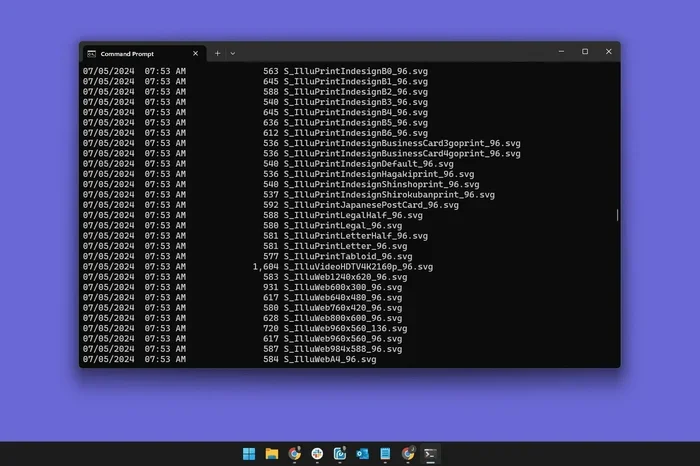
A .bat file runs a series of commands in the command prompt. It is not an installer. A setup exe file, on the other hand, is specifically designed to guide you through a software installation with a user-friendly wizard.
## Troubleshooting Common Setup Exe Problems
Sometimes things go wrong when running a setup exe file. Here are the most common issues and how to fix them.
### Setup Exe Won’t Open
If double-clicking the file does nothing, try right-clicking and selecting “Run as administrator.” This gives the file the permissions it needs to make changes to your system.
### Setup Exe Crashes During Installation
A crash during installation often means your laptop does not have enough resources. Close unnecessary programs and try again. You can also check if your laptop meets the software’s system requirements.
### Setup Exe Says “Access Denied”
This error usually happens when your user account does not have enough permissions. Running the file as an administrator typically fixes this problem.
## Protecting Your Laptop During Software Installation
Your laptop is a valuable investment. Taking precautions during software setup helps protect it for years to come. One of the best investments you can make for the lifespan of your PC is being careful about what you install.
### Best Practices for Safe Installation
– Always download setup exe files from official websites
– Keep your antivirus software up to date
– Create a system restore point before installing new software
– Read user reviews of the software before downloading
– Avoid downloading setup exe files from email attachments or pop-up ads
### What to Do If Something Goes Wrong
If a setup exe file causes problems, use your system restore feature to roll back your laptop to a previous state. This undo button can reverse changes made during installation and fix many issues.
Regular maintenance also helps. Keep your laptop clean, update your software, and only install programs you actually need. This approach extends the life of your device and keeps it running at its best.
## Final Thoughts
A setup exe file is simply a tool that helps you install software on your laptop. It is not something to fear, but it is something to respect. Always verify the source, scan for viruses, and follow safe installation practices.
Understanding how setup exe files work gives you more control over your laptop. You will make better decisions about what to install and how to keep your system running smoothly. Stay curious, stay safe, and enjoy the benefits of well-installed software.
Key Takeaways
- A setup exe file is an executable file that starts the software installation process on Windows laptops.
- Always download setup exe files from trusted sources and scan them with antivirus software before running.
- There are different types of setup exe files, including application installers, driver installers, and update installers.
- Running a setup exe as an administrator and checking system requirements helps ensure a smooth installation.
- Knowing the difference between setup exe files and other file types like .zip and .msi prevents confusion.
- Creating a system restore point before installing new software is a smart safety practice.
- Being careful with setup exe files protects your laptop and extends its lifespan.
Frequently Asked Questions
Can a setup exe file damage my laptop?
A setup exe file itself is not harmful. However, if the file contains malware or comes from an untrusted source, it can damage your laptop. Always scan setup exe files with antivirus software before running them.
What is the difference between a setup exe and an installer?
A setup exe file is a type of installer. The term “installer” is a broader category that includes .exe files, .msi files, and other formats. A setup exe specifically refers to an executable file that guides you through the installation process.
Can I delete a setup exe file after installation?
Yes, you can safely delete a setup exe file after the installation is complete. The software is already installed on your laptop. Deleting the file frees up storage space and is a good practice.
Why does my antivirus flag a setup exe file?
Your antivirus may flag a setup exe file if it detects suspicious behavior or if the file is from an unverified source. Sometimes this is a false positive. Check the file’s origin and scan it with a second antivirus tool if you are unsure.
How do I know if a setup exe file is from a trusted source?
Check if the file comes from the official website of the software developer. Look for a digital signature, read user reviews, and verify the file name matches the software you intended to download. Avoid files from random websites or email links.
Can I run a setup exe file on a Mac?
No, setup exe files are designed for Windows operating systems. Mac computers use different file formats for software installation. If you have a Mac, look for .dmg or .pkg files instead of setup exe files.