Why Was Micro Usb Replaced by Usb C
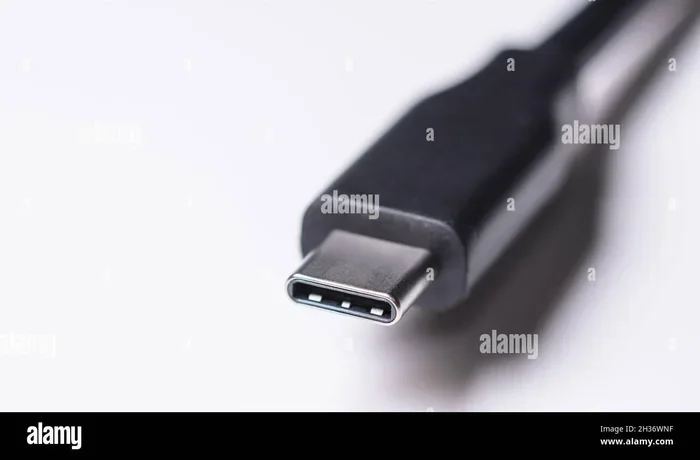
USB C replaced Micro USB because it offers faster data speeds, a reversible connector, and universal compatibility across devices. The new standard delivers more power, supports video output, and handles everything from charging to data transfer through a single slim port. If you have been wondering why almost every new gadget uses USB C today, this guide explains all the key reasons clearly.
This is a comprehensive guide about Why Was Micro Usb Replaced By Usb C.
Key Takeaways
- Reversible Design: USB C connectors flip either way, eliminating the frustration of plugging in Micro USB the wrong way.
- Faster Data Transfer: USB C supports much higher speeds than Micro USB, making file transfers and backups significantly quicker.
- More Power Delivery: USB C can charge larger devices like laptops, while Micro USB was limited to smaller gadgets.
- Universal Compatibility: One cable type now works across phones, tablets, laptops, cameras, and more.
- Future-Proof Standard: USB C is the backbone of modern accessories, from external SSD enclosures to audio gear.
- Slimmer Port Design: The smaller and more durable USB C shape fits today’s thin devices better than Micro USB ever could.
[FEATURED_IMAGE_PLACEHOLDER]
Why Was Micro USB Replaced by USB C
If you have been using gadgets for more than a few years, you probably remember the days of fumbling with a tiny Micro USB cable. You would flip it over, flip it again, and still wonder which way was up. Then one day, a new connector showed up. It was small, slim, and it worked no matter which way you plugged it in. That connector was USB C, and it changed everything.
The shift from Micro USB to USB C was not just a design preference. It was driven by real, practical needs. Devices became thinner, data grew larger, and charging demands increased. Micro USB simply could not keep up. USB C stepped in to solve these problems and more. Today, it is the standard connector for nearly every new electronic device on the market.
In this article, we will walk through every major reason why Micro USB was replaced by USB C. We will cover speed, power, design, and compatibility. By the end, you will understand exactly why this change happened and why it matters to you as a user.
The Design Problem with Micro USB
Micro USB served its purpose well for many years. It was small enough for smartphones and sturdy enough for daily use. But it had clear limitations that became more obvious over time.
It Was Not Reversible
The biggest frustration with Micro USB was its one-way design. You had to look at the port and carefully align the connector. If you flipped it upside down, it would not fit. This sounds like a tiny inconvenience, but imagine doing it dozens of times a day. Over time, this small annoyance added up. USB C solved this completely with a reversible connector. You can plug it in either direction, and it just works. This simple change alone made a huge difference in daily user experience.
The Port Was Too Fragile
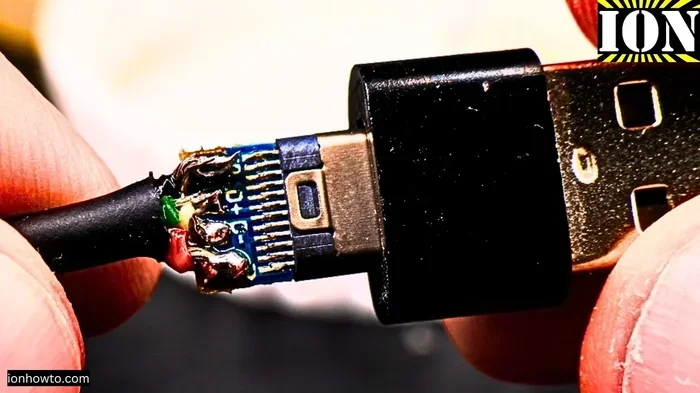
Micro USB ports were also prone to damage. The thin pins inside the connector could bend or break, especially if the cable was yanked or plugged in at an angle. Many users experienced loose connections or devices that would only charge if held at a specific angle. USB C connectors are built with a more robust design. The internal pins are better protected, and the overall build quality is much higher. This means fewer broken ports and longer device lifespans.
Speed and Data Transfer Improvements
One of the biggest reasons Micro USB was replaced by USB C is speed. As file sizes grew and media became higher quality, the old standard simply could not transfer data fast enough.
USB C Offers Much Faster Speeds
Micro USB 2.0, which was the most common version, topped out at about 480 Mbps. That felt fine for transferring a few photos or a small document. But when you needed to move large video files or back up an entire phone, it was painfully slow. USB C, on the other hand, supports USB 3.0, USB 3.1, and even USB 3.2 standards. These can reach speeds from 5 Gbps all the way up to 20 Gbps or more. The difference is enormous.
For example, transferring a 5 GB video file over Micro USB 2.0 could take several minutes. With a USB C connection using USB 3.1, the same file transfers in seconds. This speed leap made USB C essential for professionals, creators, and anyone who moves large files regularly.
Support for Modern Storage Solutions
USB C’s speed advantages also opened the door for modern accessories. External SSDs, like those found in a M 2 NVMe to USB C SSD enclosure, rely on the fast data transfer that USB C provides. These enclosures can deliver speeds that Micro USB could never handle. Similarly, NVMe drives in M 2 NVMe SSD USB enclosures take full advantage of the USB C bandwidth to deliver blazing fast backup and transfer speeds. Micro USB simply was not built for this kind of performance.
Power Delivery and Charging Advantages
Charging technology evolved rapidly, and Micro USB could not keep pace. USB C brought a game-changing feature called USB Power Delivery, or USB PD.
Higher Wattage Means Faster Charging
Micro USB ports were generally limited to about 7.5 watts of power. This was fine for charging a phone overnight, but it was not enough for larger devices. USB C with USB PD can deliver up to 240 watts of power. This means USB C can charge not just phones and tablets, but also laptops, monitors, and even some desktop peripherals. A single cable can now handle everything from a small earbud to a powerful gaming laptop.
Bidirectional Power Flow
Another advantage is bidirectional power. With Micro USB, power flowed in one direction, from the charger to the device. USB C allows power to flow in both directions. This means a laptop can charge a phone, and a power bank can charge a laptop. The flexibility is a huge improvement. It also means devices can share power in ways that were impossible before.
Universal Compatibility and the One Cable Vision
Before USB C, the gadget world was a mess of cables. You had Micro USB for your phone, a barrel connector for your laptop, and various other cables for tablets, cameras, and headphones. USB C was designed to unify all of this.
One Connector, Many Devices
USB C is now used across phones, tablets, laptops, cameras, gaming controllers, headphones, external drives, and even some monitors. This universality means you carry fewer cables and adapters. When you buy a new device, there is a good chance it uses the same USB C cable you already have at home. This simplifies life for consumers and reduces electronic waste.
The push toward a single connector type also benefits accessory makers. Companies that produce cables, hubs, and adapters can focus on one standard instead of making multiple versions. This drives down costs and improves quality across the board.
Adoption by Major Tech Companies
Major companies like Apple, Samsung, Google, and Microsoft all adopted USB C. Apple switched its entire MacBook line to USB C in 2015. Google and Samsung adopted it for their flagship phones. Even the European Union passed regulations requiring USB C as the standard charging port for mobile devices. This widespread industry support is one of the biggest reasons Micro USB was replaced by USB C so quickly.
For NVMe enthusiasts and professionals, USB C also supports adapters and enclosures that connect high-speed drives to laptops and desktops. A NVMe SSD to USB adapter using USB C delivers the performance that older Micro USB ports could never achieve.
Additional Features Micro USB Could Not Offer
Beyond speed and power, USB C brought features that Micro USB simply could not support. These extras made the transition even more compelling.
Video Output
USB C supports Alt Mode, which allows video signals to pass through the cable. This means you can connect your laptop directly to a monitor or TV using a USB C cable. Some devices also support Thunderbolt through USB C, which combines data, video, and power in a single connection. Micro USB could only handle data and basic charging. It was never designed for multimedia output.
Audio Transmission
USB C also opened the door for digital audio. Many modern headphones and earphones now use USB C instead of a traditional 3.5mm jack. This is especially common on smartphones that have removed the headphone jack entirely. USB C headphones deliver digital audio directly, which can result in better sound quality compared to analog connections. You can explore some options in our guide on the best USB Type C headphones.
Smaller and Slimmer Form Factor
The USB C connector is slightly smaller than Micro USB, which matters in a world where devices keep getting thinner. Smartphones, tablets, and laptops all benefit from a compact port that does not take up unnecessary space. The slim design also allows for more waterproof and dustproof device builds, since there is less opening for debris to enter.
Common Mistakes People Make After Switching to USB C
Now that you understand why Micro USB was replaced by USB C, it is worth noting some common mistakes users make during the switch.
- Buying cheap cables: Not all USB C cables are created equal. Cheap cables may not support the full speed or power of the USB C standard. Always look for certified cables from reputable brands.
- Assuming all USB C cables are the same: Some USB C cables only support data or charging, not both at full speed. Check the specifications before purchasing.
- Ignoring backward compatibility: You can still use your old Micro USB devices with a USB C adapter. However, you will not get the speed or power benefits of true USB C.
- Forcing the connector: USB C is reversible, but it still fits in a specific orientation. If it does not go in easily, do not force it. Check for debris in the port first.
The Future of USB C
USB C is not just a trend. It is the foundation of modern connectivity. New versions of the USB standard continue to improve speeds and power capabilities. USB4, for example, builds on the USB C connector and offers even faster data transfer rates. As devices continue to evolve, USB C will evolve with them.
The transition away from Micro USB was inevitable. The old standard could not meet the demands of modern devices in terms of speed, power, and versatility. USB C filled that gap and then some. Today, it is hard to imagine a new electronic device that does not use USB C. The connector has become as essential as the devices it connects.
Conclusion
The move from Micro USB to USB C was one of the most important connector changes in recent tech history. It brought a reversible design, dramatically faster data speeds, higher power delivery, and universal compatibility. These improvements touched every type of device, from smartphones to external storage drives. USB C is not just an upgrade. It is a complete rethinking of how we connect our devices. If you have not made the switch yet, now is the perfect time. The benefits are clear, and the ecosystem of USB C accessories continues to grow every year.
Frequently Asked Questions
Is USB C the same as USB 3.0?
No, USB C and USB 3.0 are different things. USB C refers to the shape and design of the connector, while USB 3.0 refers to the data transfer standard. A USB C cable can support USB 3.0, USB 3.1, USB 3.2, or even USB4, depending on the cable quality and the devices involved.
Can I use a Micro USB cable with a USB C port?
Not directly. You would need a Micro USB to USB C adapter or cable. These adapters are widely available and affordable. However, using an adapter means you will not get the full speed or power benefits of a native USB C connection.
Why do some USB C cables charge faster than others?
USB C cables vary in the amount of power they can handle. Cables that support USB Power Delivery can carry more wattage. Cheaper cables may only support basic charging speeds. Always check the cable specifications if fast charging is important to you.
Can USB C carry video signals?
Yes. USB C supports DisplayPort Alt Mode and HDMI Alt Mode, which allow video output through the cable. This makes USB C a versatile all-in-one connection for data, power, and video.
Are all USB C cables reversible?
Yes, all USB C cables are reversible. The connector is symmetrical, so you can plug it in either way. This is one of the most appreciated features of USB C compared to Micro USB.
Will Micro USB devices become obsolete?
Most new devices no longer use Micro USB. However, many existing devices still rely on it, and adapters are widely available. Micro USB devices will likely remain usable for years, but new devices are moving entirely to USB C.
Frequently Asked Questions
What is Why Was Micro Usb Replaced By Usb C?
Why Was Micro Usb Replaced By Usb C is an important topic with many practical applications.