8tb M.2 Nvme Ssd
The 8tb M.2 Nvme Ssd delivers massive storage in a tiny footprint, making it perfect for gamers, creators, and professionals who need speed and space. These drives offer blazing read speeds up to 7000 MB/s and can replace multiple smaller drives in your setup. Whether you are building a new PC or upgrading an existing one, an 8tb M.2 Nvme Ssd is a game-changing choice.
The 8tb M.2 Nvme Ssd has become one of the most exciting storage options available today. If you have ever felt limited by a 1TB or 2TB drive, you know the frustration of constantly managing space. A drive with 8 terabytes of storage changes everything. You can store massive game libraries, video projects, and datasets without constantly worrying about running out of room.
But capacity is only part of the story. NVMe technology brings speeds that traditional hard drives and even SATA SSDs simply cannot match. With sequential read speeds often exceeding 7000 MB/s, an 8tb M.2 Nvme Ssd loads games in seconds and transfers huge files in minutes. This is not just an upgrade. It is a complete transformation of how you work and play.
In this guide, we will cover everything you need to know about the 8TB M.2 NVMe SSD. From understanding how these drives work to picking the right model for your needs, we have you covered. Let us dive in.
Key Takeaways
- Massive Capacity: An 8tb M.2 Nvme Ssd gives you room for thousands of games, videos, and projects without breaking a sweat.
- Blazing Speeds: NVMe protocol over PCIe delivers read speeds far beyond traditional hard drives and even SATA SSDs.
- Compact Form Factor: The M.2 2280 size fits into most modern desktops and laptops with ease.
- Great for Content Creators: Large file transfers and 4K editing become much faster with 8TB of fast storage.
- Price Is Coming Down: While still premium, the cost per gigabyte for 8TB NVMe drives continues to drop.
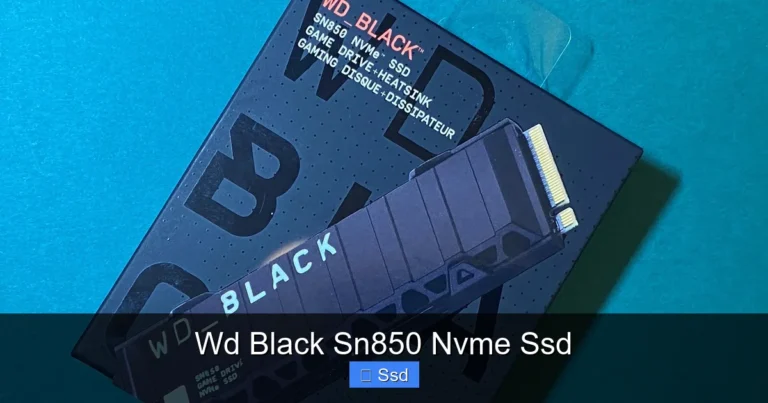
- Thermal Management Matters: High-capacity NVMe drives run hot, so heatsinks and proper airflow are essential.
- Check Compatibility First: Not all motherboards support 8TB drives, so verify your BIOS and M.2 slot specs before buying.
📑 Table of Contents
What Is an 8tb M.2 Nvme Ssd?
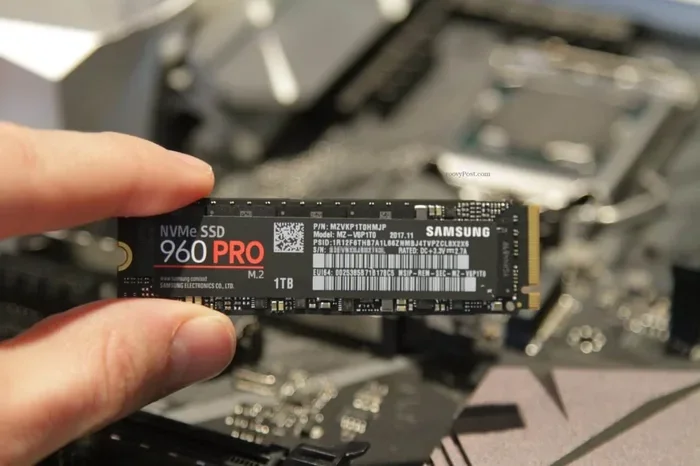
An 8tb M.2 Nvme Ssd is a solid state drive that uses the NVMe protocol over a PCIe interface. It comes in the M.2 2280 form factor, which means it is 22mm wide and 80mm long. This small stick plugs directly into your motherboard, saving space compared to bulky 2.5-inch drives.
NVMe stands for Non-Volatile Memory Express. It is a communication protocol designed specifically for flash storage. Unlike older SATA connections, NVMe uses the PCIe lanes on your motherboard to deliver much higher bandwidth. The result is dramatically faster read and write speeds.
Here are some key specs you will typically find in an 8TB M.2 NVMe SSD:
- Capacity: 8 terabytes (8,000 GB)
- Interface: PCIe Gen4 or Gen5 NVMe
- Form Factor: M.2 2280
- Sequential Read: Up to 7,000 MB/s (Gen4) or 10,000+ MB/s (Gen5)
- Sequential Write: Up to 5,000 MB/s (Gen4) or 7,000+ MB/s (Gen5)
- TBW Rating: 1,200 TBW or higher
- Cache: DRAM cache or HMB (Host Memory Buffer)
These drives use TLC (Triple-Level Cell) NAND flash, which offers a great balance of speed, endurance, and cost. Some models also feature advanced error correction and wear-leveling algorithms to keep your data safe over years of use.
Why Choose an 8tb M.2 Nvme Ssd?
Massive Storage Without Compromise
Eight terabytes of storage is enormous. To put it in perspective, the average PC game today takes up 50 to 100 GB. That means you could store 80 to 160 games on a single drive. For content creators working with 4K video, 8TB gives you plenty of room for raw footage, project files, and exports.
If you have ever juggled multiple external drives or constantly deleted files to make room, an 8TB NVMe SSD eliminates that hassle. Everything stays on one fast drive, ready whenever you need it.
Speed That Changes Your Workflow
The speed difference between an NVMe SSD and a traditional hard drive is night and day. Booting Windows takes seconds instead of minutes. Games load almost instantly. Large video files transfer in a fraction of the time.
Even compared to SATA SSDs, NVMe drives are significantly faster. A typical SATA SSD tops out around 550 MB/s. An 8TB M.2 NVMe SSD can deliver speeds over 10 times that. For professionals who work with large datasets, this speed boost is invaluable.
Compact and Space-Saving
The M.2 form factor is tiny. A single M.2 2280 drive is about the size of a stick of gum. This makes it perfect for building clean, compact PC setups. You do not need bulky drive cages or extra cables. Just plug it into the M.2 slot on your motherboard, and you are done.
This compact size also makes the 8tb M.2 Nvme Ssd ideal for laptops and mini PCs where space is at a premium. You get massive storage in a footprint that barely takes up any room.
Best Use Cases for an 8tb M.2 Nvme Ssd
Gaming
Gamers are one of the biggest beneficiaries of 8TB NVMe storage. Modern game libraries easily exceed 1TB. With titles like Call of Duty, Cyberpunk 2077, and Starfield taking up 100GB or more each, a smaller drive fills up fast. An 8TB drive lets you install dozens of games and switch between them without constant uninstalling.
Plus, the fast load times mean less waiting and more playing. Games installed on NVMe storage launch faster, levels stream in more smoothly, and open-world exploration feels seamless.
Content Creation and Video Editing
Video editors and content creators need both speed and space. Working with 4K or even 8K footage requires fast read/write speeds to scrub through timelines smoothly. An 8tb M.2 Nvme Ssd handles this with ease.
You can store your entire project library on the drive and still have room for raw footage and exports. The high sequential write speeds also mean faster rendering and file exports, saving you valuable time.
Enterprise and Server Workloads
Businesses and IT professionals can use 8TB NVMe drives for database hosting, virtualization, and high-performance storage arrays. The low latency and high IOPS (input/output operations per second) make them excellent for server environments where speed is critical.
For organizations dealing with large-scale data, the combination of 8TB capacity and NVMe speeds provides a cost-effective alternative to traditional enterprise hard drives without sacrificing performance.
How to Choose the Right 8tb M.2 Nvme Ssd
PCIe Generation Matters
When shopping for an 8TB M.2 NVMe SSD, pay attention to the PCIe generation. Most current drives use PCIe Gen4, which offers excellent real-world performance. Newer Gen5 drives push speeds even higher but may come at a premium price.
For most users, PCIe Gen4 provides more than enough speed. It is the sweet spot between performance and value. Gen5 is great if you need the absolute fastest speeds and have a compatible motherboard.
Thermal Design and Heatsinks
High-capacity NVMe drives generate more heat than smaller ones. An 8TB drive under heavy load can reach temperatures that throttle performance. Look for models that include a heatsink or come with thermal pads.
Some motherboards also have built-in M.2 heatsinks. If yours does not, you can buy an aftermarket M.2 heatsink for a few dollars. This small addition can make a big difference in sustained performance.
Warranty and Endurance
Check the TBW (terabytes written) rating before buying. This tells you how much data you can write to the drive over its lifetime. Higher TBW means better endurance. Most quality 8TB NVMe SSDs come with 5-year warranties and TBW ratings above 1,200 TBW.
Also look for drives that include DRAM cache. This onboard memory helps the drive manage data more efficiently, leading to better sustained performance during heavy workloads.
Top Brands and Models to Consider
The market for 8TB M.2 NVMe SSDs has grown significantly. Several brands now offer reliable options. The Crucial T705 is one of the most popular PCIe Gen5 drives, offering incredible speeds and a generous warranty. The Samsung 990 Pro remains a strong Gen4 contender with excellent real-world performance.
For those looking at slightly smaller capacities, the Kingston 1TB M.2 NVMe SSD and Crucial P3 Plus offer great value for users who do not need the full 8TB right away. The WD Blue SN770 is another solid choice that balances price and performance well.
When comparing options, consider not just the price per terabyte but also the sustained write speeds, warranty length, and thermal performance. A drive that costs a bit more but lasts longer and stays cool is often the better investment.
Setting Up Your 8tb M.2 Nvme Ssd
Installing an 8TB M.2 NVMe SSD is straightforward for most users. First, locate the M.2 slot on your motherboard. It usually sits near the CPU socket or along the bottom edge of the board. Remove the protective cover and screw, then align the drive at a 30-degree angle and press it firmly into the slot.
Secure the drive with the small mounting screw. Make sure it sits flat against the motherboard. If your motherboard has an M.2 heatsink, install it now. Once the drive is seated, you can boot into your BIOS or operating system to initialize it.
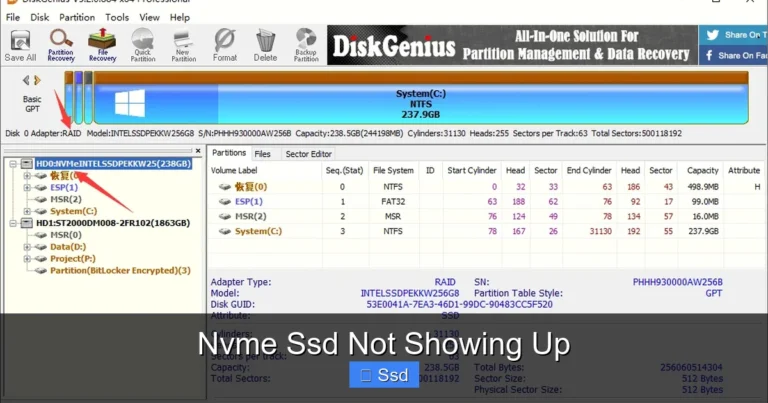
In Windows, open Disk Management to format and partition the new drive. If you are using Linux, tools like GParted or the built-in partition manager will handle the job. Always make sure your motherboard BIOS is up to date for the best compatibility with large-capacity NVMe drives.
Common Mistakes to Avoid
One common mistake is buying an 8TB NVMe drive without checking motherboard compatibility. Not all M.2 slots support NVMe, and some older boards may not recognize drives above certain capacities. Always check your motherboard manual before purchasing.
Another mistake is ignoring thermal management. Even if the drive comes with a heatsink, make sure your case has adequate airflow. A drive that overheats will slow down, negating the speed advantage of NVMe technology.
Finally, do not skip the firmware update. Manufacturers regularly release updates that improve performance, fix bugs, and enhance compatibility. Check the manufacturer’s website after installation and update your drive firmware if a new version is available.
Conclusion
The 8tb M.2 Nvme Ssd represents the best of what modern storage technology has to offer. It combines massive capacity with blistering speeds in a compact, reliable package. Whether you are a gamer building the ultimate setup, a content creator handling large projects, or a professional who needs fast and dependable storage, this drive delivers.
Prices continue to fall as technology improves, making 8TB more accessible than ever. The key is to choose a reputable brand, ensure compatibility with your system, and take care of thermal management. Do that, and your 8TB NVMe SSD will serve you well for years to come.
If you are ready to upgrade, consider how an 8tb M.2 Nvme Ssd fits into your workflow. The speed and space it provides will change the way you use your computer. No more managing storage. No more waiting on slow load times. Just fast, reliable, and plenty of room for everything that matters to you.
Frequently Asked Questions
Is an 8tb M.2 Nvme Ssd worth the price?
Absolutely. If you need large amounts of fast storage, the 8TB NVMe SSD offers excellent value. The price per terabyte has dropped significantly, and the speed advantage over traditional drives is enormous. For gamers, creators, and professionals, the investment pays off quickly in saved time and improved workflow.
Can I use an 8tb M.2 Nvme Ssd in a laptop?
Yes, many laptops support M.2 NVMe SSDs, including 8TB models. However, you should check your laptop’s specifications first. Some laptops only support certain lengths or PCIe generations. Also, laptops may have limited M.2 slots, so make sure you are not replacing a drive you still need.
How fast is an 8tb M.2 Nvme Ssd compared to a 4tb model?
The speed is usually the same or very similar. Capacity does not significantly affect read and write speeds on most NVMe SSDs. A 4TB and an 8TB model from the same product line will deliver nearly identical performance. The main difference is the amount of storage space you get.
Do I need a special motherboard for an 8tb M.2 Nvme Ssd?
You need a motherboard with an M.2 slot that supports NVMe and PCIe. Most modern motherboards from the last few years meet these requirements. However, always check your motherboard manual to confirm it supports large-capacity NVMe drives and the correct PCIe generation.
What is the lifespan of an 8tb M.2 Nvme Ssd?
Most quality 8TB NVMe SSDs are rated for 1,200 TBW or more, which translates to many years of normal use. The drives also include advanced wear-leveling and error correction to maximize longevity. With proper care and good airflow, you can expect the drive to last well beyond its warranty period.
Can I use an 8tb M.2 Nvme Ssd as a boot drive?
Yes, an 8TB NVMe SSD makes an excellent boot drive. The fast read speeds mean your operating system launches in seconds. You can also install your most-used applications and games on the same drive for the best overall performance. Just make sure to leave some free space for optimal speed and longevity.