2230 M 2 Nvme Ssd
The 2230 M 2 NVMe SSD is a compact solid-state drive designed for ultraportable laptops and slim devices. This smaller form factor offers fast speeds and reliable storage in a tiny package. We cover everything from compatibility and speeds to buying tips and top use cases.
If you own a sleek, ultra-thin laptop, there is a good chance it uses a 2230 M 2 NVMe SSD. This tiny but powerful storage drive is quietly becoming the go-to choice for manufacturers building lightweight notebooks and compact devices. Unlike the larger 2280 M.2 drives you find in most desktops, the 2230 form factor is designed specifically for space-constrained machines where every millimeter counts.
In this guide, we will walk you through everything you need to know about the 2230 M.2 NVMe SSD. From understanding what makes it different to figuring out if an upgrade makes sense for your setup, we have you covered. Whether you are a student, a professional, or a tech enthusiast, this article will help you make smart decisions about your storage.
The 2230 NVMe SSD is not just about being small. It also delivers the kind of speed that modern computing demands. With PCIe Gen4 and Gen5 interfaces becoming standard, these tiny drives can rival or even outperform larger SSDs in real-world tasks. Let us dive into the details.
Key Takeaways
- Smaller Form Factor: The 2230 M.2 NVMe SSD measures just 22mm x 30mm, making it ideal for ultra-thin laptops and compact devices.
- Blazing Fast Speeds: Built on PCIe NVMe technology, these drives deliver read speeds up to 7,000 MB/s or higher on Gen4 and Gen5 interfaces.
- Growing Compatibility: More laptop brands are adopting the 2230 size, including Lenovo ThinkPad and select Dell XPS models.
- Easy Upgrade Path: Upgrading to a 2230 NVMe SSD is straightforward and can breathe new life into older slim laptops.
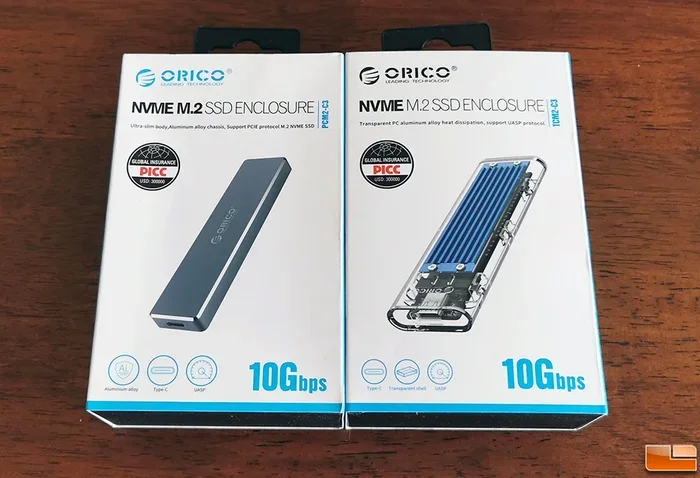
- Enclosure Options Exist: You can use a NVMe M.2 enclosure to turn your 2230 drive into a portable external SSD.
- Price Is Coming Down: As production increases, 2230 NVMe SSDs are becoming more affordable and widely available.
📑 Table of Contents
- What Is a 2230 M 2 NVMe SSD?
- 2230 M 2 NVMe SSD Speed and Performance
- Compatibility: Which Laptops Use 2230 M.2 Drives?
- 2230 vs 2280 M.2 NVMe SSD: What Is the Difference?
- How to Upgrade Your Laptop With a 2230 M.2 NVMe SSD
- Best 2230 M 2 NVMe SSDs to Buy in 2025
- Common Mistakes to Avoid When Buying a 2230 NVMe SSD
- Can You Use a 2230 NVMe SSD Externally?
- Final Thoughts on the 2230 M 2 NVMe SSD
What Is a 2230 M 2 NVMe SSD?
The name “2230” tells you the physical dimensions of the drive. It measures 22mm wide and 30mm long. Compare that to the more common 2280 M.2 SSD, which is 22mm wide and 80mm long. The 2230 is less than half the length of a standard M.2 drive, which is why it fits so well in slim laptops and compact systems.
Inside the tiny chassis, you will find the same NVMe PCIe technology that powers larger M.2 drives. This means the 2230 M.2 NVMe SSD uses the PCIe bus to communicate with your motherboard, bypassing the older SATA interface entirely. The result is significantly faster read and write speeds, lower latency, and better overall responsiveness.
Most 2230 NVMe drives today use the PCIe Gen4 x4 interface, and newer models are stepping up to PCIe Gen5. These interfaces define how fast data moves between the drive and your system. A 2230 NVMe Gen4 drive can easily hit read speeds of 5,000 to 7,000 MB/s, while Gen5 models push well beyond 10,000 MB/s.
Why the 2230 Form Factor Matters
The shift toward the 2230 M.2 size is driven by design trends in the laptop industry. Manufacturers want to build thinner, lighter devices without sacrificing performance. The smaller 2230 drive allows them to do exactly that. It takes up less space on the motherboard, leaves room for bigger batteries, and helps keep the overall profile of the device as slim as possible.
Some popular laptops that use the 2230 NVMe SSD include certain Lenovo ThinkPad models, Dell XPS 13 and XPS 15 variants, and various ultraportable Windows devices. As this form factor gains popularity, expect to see even more laptops adopt it in the coming years.
2230 M 2 NVMe SSD Speed and Performance
Speed is where the 2230 M 2 NVMe SSD truly shines. Because it uses the same NVMe protocol as larger M.2 drives, you get the same impressive performance in a smaller package. Let us break down what you can expect.
Sequential Read and Write Speeds
Most 2230 NVMe Gen4 drives deliver sequential read speeds between 5,000 and 7,400 MB/s. Write speeds typically range from 4,000 to 6,500 MB/s depending on the specific model and NAND type. These numbers are on par with many standard 2280 NVMe drives, so you are not sacrificing performance for size.
For everyday tasks like booting Windows, opening apps, and copying files, the difference between a 2230 M.2 drive and a 2280 drive is barely noticeable. Both feel instant and responsive. The real-world performance gap is minimal because the bottleneck is usually the interface and controller, not the physical size of the drive.
Random Read/Write and IOPS
Beyond sequential speeds, the 2230 NVMe SSD also excels at random read and write operations. This is what determines how smoothly your system handles multitasking, loading small files, and running applications simultaneously. Look for drives with high IOPS (Input/Output Operations Per Second) ratings for the best experience.
A typical 2230 M.2 NVMe SSD might deliver around 600,000 to 800,000 random read IOPS. These numbers ensure that even under heavy workloads, your system remains snappy and responsive.
Compatibility: Which Laptops Use 2230 M.2 Drives?
Not every laptop supports the 2230 M 2 NVMe SSD. Compatibility depends on your device’s motherboard design and the M.2 slot it uses. Here is what you need to know before buying.
How to Check Your Laptop’s Compatibility
First, check your laptop’s manual or the manufacturer’s website. Look for the storage specifications section. It should mention the M.2 form factor supported. If it says “2230” or “M.2 2230,” you are good to go.
You can also use system information tools like CPU-Z or the built-in Windows System Information app. These tools can tell you what type of SSD is currently installed and what slots are available.
Common Laptops With 2230 Slots
- Lenovo ThinkPad X1 Carbon Gen 11 and Gen 12 — These ultrabooks use the 2230 NVMe SSD form factor for their storage.
- Dell XPS 13 and XPS 15 (select models) — Some newer XPS laptops have switched to the 2230 size.
- Various ASUS ZenBook models — Certain slim ZenBook laptops support 2230 M.2 drives.
- Microsoft Surface Laptop — Some models use the 2230 form factor internally.
Always double-check before purchasing. Installing a drive in the wrong form factor slot will not work. The 2230 M.2 NVMe SSD is specifically designed for slots that accommodate its shorter length.
2230 vs 2280 M.2 NVMe SSD: What Is the Difference?
The most common question people ask is how the 2230 M.2 NVMe SSD compares to the standard 2280 M.2 SSD. Let us look at the key differences.
| Feature | 2230 M.2 NVMe SSD | 2280 M.2 NVMe SSD |
|---|---|---|
| Dimensions | 22mm x 30mm | 22mm x 80mm |
| Typical Use | Ultraportable laptops | Desktops, standard laptops |
| Capacity Range | 256GB to 2TB | 256GB to 4TB |
| Interface | PCIe Gen4 / Gen5 NVMe | PCIe Gen4 / Gen5 NVMe |
| Performance | Same as 2280 (same tech) | Same as 2230 (same tech) |
| Availability | Growing, still limited | Widely available |
| Price per GB | Slightly higher | Lower due to volume |
The performance difference between the two is essentially zero. Both use the same NVMe PCIe technology and deliver the same speeds. The only real difference is the physical size and the devices they fit into.
If you are choosing between the two for an upgrade, the decision comes down to your laptop’s slot. You cannot put a 2280 drive into a 2230 slot, and vice versa. Always match the form factor to your device.
For higher capacity needs, you might want to check out options like a 2TB M.2 NVMe SSD if your system supports it. However, the 2230 M.2 NVMe SSD market is catching up quickly, with 1TB and even 2TB models now available.
How to Upgrade Your Laptop With a 2230 M.2 NVMe SSD
Upgrading your laptop with a 2230 M 2 NVMe SSD is one of the best ways to boost performance. Whether your current drive is slow or you simply need more storage, the process is straightforward. Here is a step-by-step guide.
Step 1: Back Up Your Data
Before you do anything, back up all your important files. You can use an external hard drive, cloud storage, or a NVMe M.2 enclosure to create a portable backup. This ensures you do not lose any data during the upgrade.
Step 2: Gather Your Tools
You will need a small Phillips-head screwdriver and an anti-static wrist strap (optional but recommended). Some laptops also require a plastic spudger to remove the bottom cover safely.
Step 3: Open the Laptop and Locate the M.2 Slot
Turn off your laptop, unplug it, and remove the battery if possible. Open the bottom cover and locate the M.2 2230 slot. It will have a small retention screw holding the drive in place.
Step 4: Remove the Old Drive and Install the New One
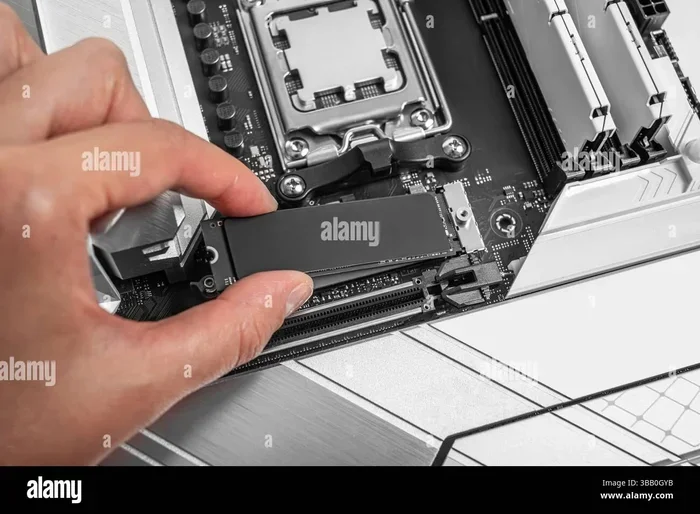
Unscrew the retention screw, gently remove the old drive at an angle, and set it aside. Take your new 2230 NVMe SSD, align it with the slot at a 30-degree angle, and press it down firmly. Secure it with the retention screw.
Step 5: Close Up and Test
Replace the bottom cover, reconnect the battery, and power on your laptop. Go into your BIOS or UEFI settings to make sure the new drive is detected. Then install your operating system or clone your old drive to the new one using cloning software.
Best 2230 M 2 NVMe SSDs to Buy in 2025
The market for 2230 M.2 NVMe SSDs is growing rapidly. Several brands now offer high-quality options that deliver excellent performance and reliability. Here are some top picks to consider.
- Crucial T705 PCIe Gen5 NVMe M.2 SSD — One of the fastest NVMe drives available, with Gen5 speeds that push past 10,000 MB/s in reads. Ideal for power users who want the absolute best performance in a compact 2230 size.
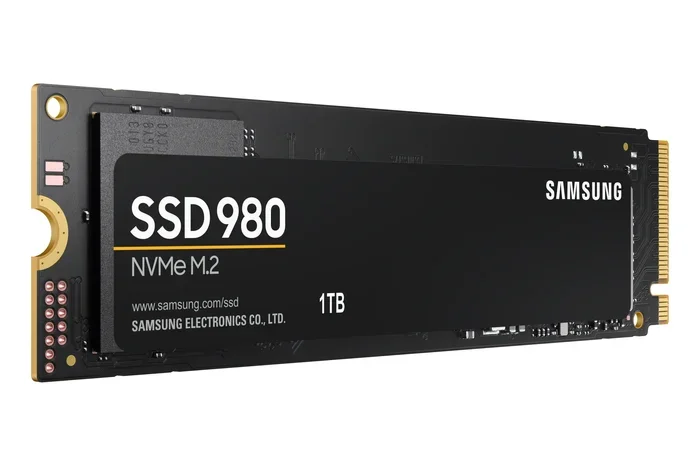
- Samsung 980 Pro (2230 variant) — Samsung has been a leader in the NVMe space, and their 2230 offerings bring the same reliability and speed to slim laptops.
- WD Blue SN740 (2230) — A solid mid-range option that offers great speeds at a competitive price point. Perfect for everyday users and students.
When choosing a drive, consider your budget, capacity needs, and whether your laptop supports PCIe Gen4 or Gen5. A Crucial T705 PCIe Gen5 NVMe M.2 SSD is an excellent choice if you want top-tier performance and your laptop supports Gen5.
Common Mistakes to Avoid When Buying a 2230 NVMe SSD
Buying a 2230 M 2 NVMe SSD should be simple, but a few common mistakes can cause headaches. Here is what to watch out for.
- Buying the Wrong Form Factor: Always confirm your laptop uses a 2230 slot. Buying a 2280 drive will not work, and vice versa.
- Ignoring PCIe Generation: If your laptop only supports PCIe Gen3, buying a Gen4 or Gen5 drive will still work but you will not get the full speed benefit.
- Skipping the Cloning Step: If you want to keep your existing operating system and files, use cloning software before swapping drives. This saves you from a fresh Windows installation.
- Overlooking Capacity Needs: A 256GB 2230 NVMe SSD fills up fast if you store large files or games. Consider at least 500GB or 1TB for a comfortable experience.
- Not Checking for Thermal Management: Some high-performance NVMe drives run hot. Make sure your laptop has adequate cooling for the drive, especially if you choose a Gen5 model.
Avoiding these mistakes will ensure a smooth upgrade experience and help you get the most out of your new 2230 M.2 NVMe SSD.
Can You Use a 2230 NVMe SSD Externally?
Yes, you absolutely can. If you want to use your 2230 M 2 NVMe SSD as an external drive, all you need is a compatible M.2 NVMe enclosure. These small adapters connect to your computer via USB and turn your internal SSD into a portable external drive.
This is a great option if you need extra storage on the go or want to transfer large files between computers. The NVMe M.2 enclosure supports plug-and-play functionality, so you do not need to install any special drivers in most cases.
Just make sure you get an enclosure that specifically supports the 2230 form factor, as some enclosures are designed only for 2280 drives. The enclosure will preserve the high-speed NVMe performance, giving you external speeds that far exceed traditional USB hard drives.
Final Thoughts on the 2230 M 2 NVMe SSD
The 2230 M 2 NVMe SSD represents the future of compact laptop storage. It delivers the same blazing speeds as larger M.2 drives in a form factor that fits the thinnest, lightest laptops on the market. Whether you are upgrading an existing machine or building a new ultraportable, this tiny drive punches well above its weight.
With more laptop manufacturers adopting the 2230 size, availability is improving and prices are dropping. Now is a great time to consider an upgrade if your current slim laptop is still using older storage technology or a smaller capacity drive.
Remember to check compatibility, choose the right capacity for your needs, and follow the upgrade steps carefully. A 2230 NVMe SSD can transform your laptop into a faster, more responsive machine. The investment is well worth it for anyone who values speed and portability.
If you are ready to upgrade, explore the available options and find the perfect 2230 M.2 NVMe SSD for your needs. Your laptop will thank you.
Frequently Asked Questions
What is a 2230 M 2 NVMe SSD?
A 2230 M 2 NVMe SSD is a solid-state drive that measures 22mm x 30mm and uses the NVMe protocol over a PCIe interface. It is a smaller form factor designed for ultraportable laptops and compact devices where space is limited.
Is a 2230 NVMe SSD slower than a 2280 NVMe SSD?
No, there is no speed difference. Both use the same NVMe PCIe technology and deliver identical performance. The only difference is the physical size. A 2230 M.2 NVMe SSD is simply shorter to fit in slim laptops.
Can I install a 2230 NVMe SSD myself?
Yes, upgrading to a 2230 NVMe SSD is a straightforward process. You just need a small screwdriver and about 15 minutes. Make sure to back up your data first and follow the steps carefully to avoid any issues.
Which laptops support the 2230 M.2 form factor?
Several popular laptops use the 2230 M.2 slot, including select Lenovo ThinkPad X1 Carbon models, Dell XPS 13 and XPS 15 variants, and some ASUS ZenBook laptops. Always check your specific model’s specifications before purchasing.
Can I use a 2230 NVMe SSD in an external enclosure?
Yes, you can use a 2230 M.2 NVMe SSD in an external enclosure. Just make sure the enclosure supports the 2230 form factor. This lets you turn your internal SSD into a fast portable external drive for backups and file transfers.
What capacity options are available for 2230 NVMe SSDs?
2230 NVMe SSDs are available in capacities ranging from 256GB to 2TB. For most users, a 1TB drive offers the best balance of speed, capacity, and value. Check the 1TB M.2 NVMe SSD options if you need a reliable mid-range choice.
=== CONCLUSION ===
The 2230 M 2 NVMe SSD is a compact, high-performance storage solution that is perfectly suited for modern ultraportable laptops. It offers the same NVMe speed and reliability as larger M.2 drives in a much smaller footprint. Whether you are upgrading an existing machine or building a new one, this tiny drive delivers big results.
With growing compatibility across laptop brands and declining prices, there has never been a better time to consider a 2230 NVMe SSD upgrade. Just remember to verify your laptop’s compatibility, choose the right capacity, and follow proper installation steps. Your laptop will run faster, boot quicker, and handle multitasking with ease. Invest in a 2230 M.2 NVMe SSD today and experience the difference for yourself.