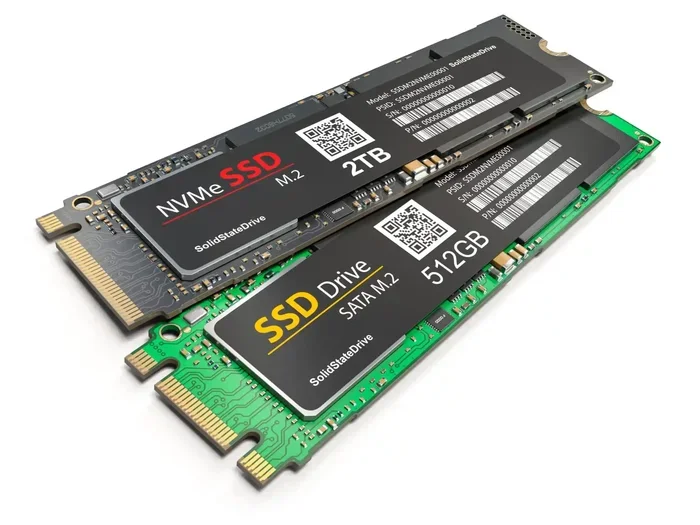
2tb Ssd M.2 Nvme
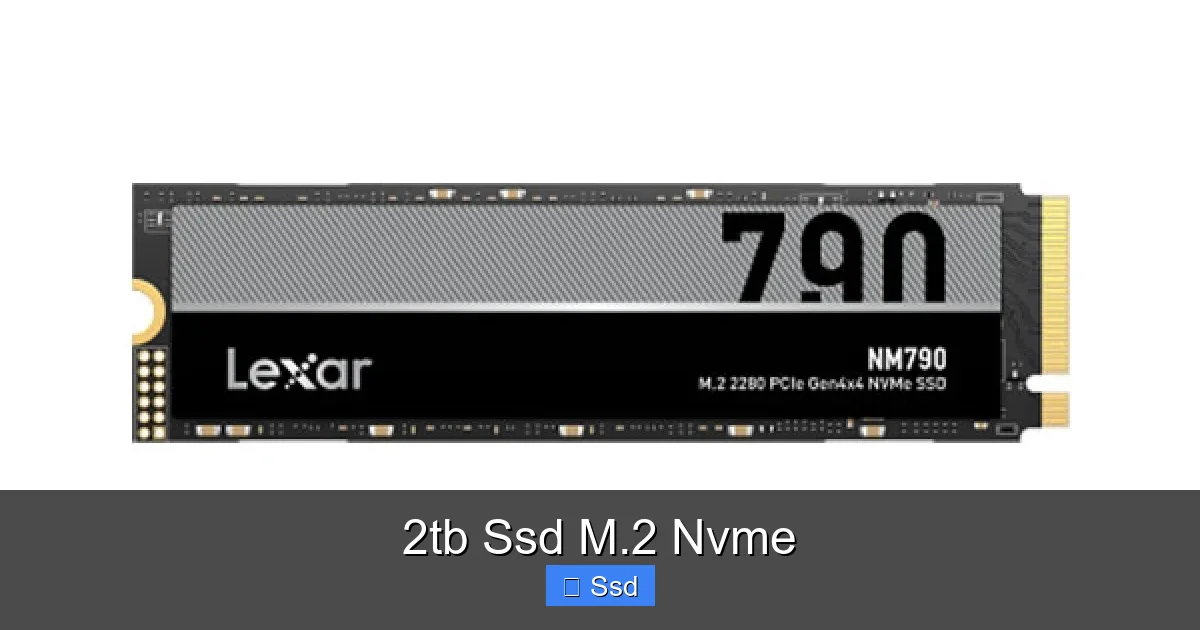
A 2TB SSD M.2 NVMe is a high-performance storage drive that combines massive capacity with the latest interface technology. It offers speeds many times faster than traditional SATA SSDs and hard drives, drastically reducing load times and boosting overall system responsiveness. This drive is the ideal upgrade for gamers, content creators, and professionals who need both speed and ample space for large files and applications.
Remember the days of waiting for a game to load? Or staring at a spinning beachball while your video editing software scrubbed through footage? Those days are fading fast, thanks to a little piece of technology that’s revolutionizing how our computers work: the NVMe SSD. And when you pair that blistering speed with a generous 2TB of storage, you get a combination that feels like pure magic. Whether you’re building a new PC, upgrading a laptop, or optimizing a workstation, understanding the 2TB SSD M.2 NVMe is key to unlocking next-level performance. Let’s dive in and see what makes this storage solution so special.
Key Takeaways
- Unmatched Speed: NVMe drives use the PCIe bus, offering sequential read/write speeds often exceeding 7,000 MB/s, compared to SATA SSDs’ ~550 MB/s limit.
- Massive 2TB Capacity: Provides ample space for modern AAA games, 4K video projects, extensive photo libraries, and your entire OS without constant storage management.
- M.2 Form Factor: A small, gumstick-shaped design that mounts directly onto the motherboard, saving space and improving airflow inside your PC case.
- Power Efficient: Consumes less power than both SATA SSDs and especially hard drives, which is crucial for laptops to extend battery life.
- Ideal for Demanding Tasks: Perfect for 4K/8K video editing, 3D rendering, large dataset analysis, and virtual machines where fast data access is critical.
- Direct Motherboard Connection: Bypasses SATA cables, leading to a cleaner build and eliminating potential cable-related bottlenecks.
- Future-Proof Storage: Represents the current pinnacle of consumer SSD technology, ensuring your system remains competitive for years.
📑 Table of Contents
- What Exactly is an NVMe SSD? (And Why It Beats SATA)
- The Sweet Spot: Why 2TB is the Magic Number
- Performance Unleashed: What Do Those Numbers Mean?
- Installation and Compatibility: It’s Easier Than You Think
- Who Needs a 2TB NVMe SSD? (Use Cases Explained)
- Navigating the Market: What to Look For
- The Verdict: Is a 2TB NVMe SSD Worth It?
What Exactly is an NVMe SSD? (And Why It Beats SATA)
To appreciate the 2TB NVMe drive, we first need to understand its backbone: NVMe. NVMe stands for Non-Volatile Memory Express. It’s not a type of flash memory itself, but a communications protocol and driver specifically designed for modern SSDs. Think of it like this: SATA was a country road built for slow-moving horses (hard drives). NVMe is a multi-lane superhighway built for rocket-powered sports cars (flash memory).
The SATA Bottleneck
For years, SATA (Serial ATA) was the standard interface for storage. It worked brilliantly with hard drives and was later adapted for early SSDs. But SATA has a theoretical speed limit of about 600 MB/s. Even the best SATA SSDs bump against this ceiling. As flash memory got faster, SATA became the bottleneck, holding back the potential of NAND technology.
PCIe: The Data Superhighway
NVMe drives, on the other hand, connect directly to the motherboard via the PCI Express (PCIe) bus. This is the same high-speed lanes used by your graphics card. PCIe 3.0 x4 (common in older/mid-range drives) offers up to ~4,000 MB/s, while PCIe 4.0 x4 doubles that to ~8,000 MB/s. The newest PCIe 5.0 drives are already pushing past 12,000 MB/s! This direct, high-bandwidth connection is why an NVMe SSD feels instantaneous.
The Sweet Spot: Why 2TB is the Magic Number
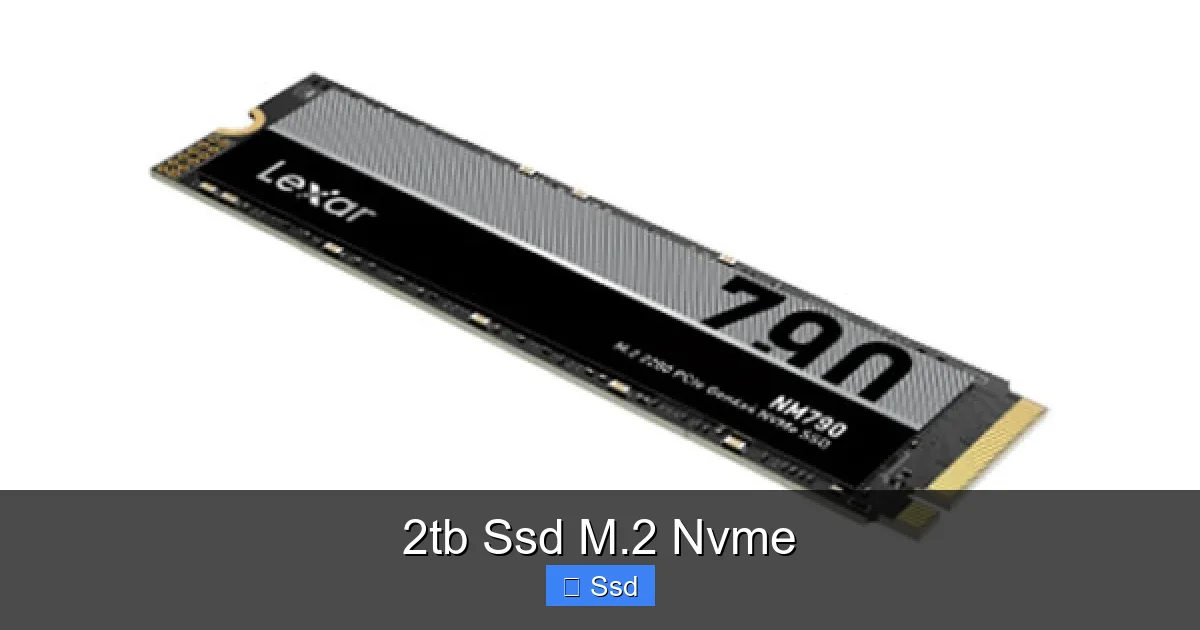
Storage capacity always feels like a game of catch-up. A few years ago, 512GB felt huge. Today, a single AAA game like *Cyberpunk 2077* or *Call of Duty: Modern Warfare II* can easily consume 150GB+. Your operating system, essential software, and a handful of projects can fill a 1TB drive surprisingly fast. This is where the 2TB SSD M.2 NVMe truly comes into its own as the modern sweet spot.
Visual guide about 2tb Ssd M.2 Nvme
Image source: globalbrand.com.bd
Gaming Without Compromise
For gamers, 2TB is a liberating amount of space. You can install your entire library of modern titles—many of which now require 100GB+—and still have room to spare. No more constant uninstalling and reinstalling to make room for a new release. Your library is always ready to play. Plus, the NVMe speed means those massive game worlds load in seconds, not minutes.
The Content Creator’s Playground
If you work with video, particularly 4K or 8K footage, raw photo files from high-megapixel cameras, or complex 3D scenes, storage fills up alarmingly fast. A single minute of uncompressed 4K video can be several gigabytes. A 2TB NVMe drive provides a fast, high-capacity scratch disk and project drive. You can keep your current active projects on the ultra-fast NVMe for smooth editing and scrubbing, while archiving older jobs to a larger, slower hard drive or NAS.
Future-Proofing Your System
Software and media files only get bigger. Operating system updates, new software versions, and increasingly detailed game assets are relentless. Investing in 2TB now means you’re less likely to need a storage upgrade in the next 3-5 years. It’s about buying the capacity you need today to avoid the hassle and cost of upgrading tomorrow.
Performance Unleashed: What Do Those Numbers Mean?
We talk about speeds like 7,000 MB/s, but what does that mean for you in real life? Let’s translate those benchmarks into tangible benefits.
Visual guide about 2tb Ssd M.2 Nvme
Image source: m.media-amazon.com
Boot Times and System Responsiveness
The most noticeable difference is in booting your operating system. A PC with a 2TB NVMe SSD can go from power-on to a usable desktop in under 10 seconds. Windows or macOS feels snappier overall—apps launch instantly, folders open without delay, and system-wide searches are near-instant. That “old computer” lag is gone.
Game and Application Load Times
This is where gamers feel the joy. Open-world games with massive asset pools, like *Elden Ring* or *Red Dead Redemption 2*, see their initial load times and fast-travel loading slashed. Level loading screens become brief pauses instead of coffee breaks. For professional applications like Adobe Premiere Pro or DaVinci Resolve, launching the program and loading complex projects happens in a fraction of the time compared to a SATA SSD.
File Transfers and Large Workloads
Copying a 100GB folder of raw footage or a massive game installation is a task where NVMe shines. While a fast SATA SSD might take 3-4 minutes, a PCIe 4.0 NVMe drive can often complete the same transfer in under a minute. For tasks like compiling code, processing large spreadsheets, or handling virtual machines, this speed translates directly into saved time and increased productivity.
Real-World Example: A video editor working with 6K RAW footage from a Blackmagic camera. Storing the active timeline on a 2TB NVMe allows for smooth, real-time playback without rendering proxies. When the edit is locked, the massive project folder can be quickly moved to a backup HDD array.
Installation and Compatibility: It’s Easier Than You Think
The term “M.2” refers to the physical form factor—a small, narrow card that slides into a slot on your motherboard. The “NVMe” part tells you the protocol it uses. Installing one is often simpler than connecting a 2.5” SATA SSD.
Checking Your Motherboard
First, you need a motherboard with an M.2 slot that supports NVMe (most do, but always check your manual). Look for a long, thin slot, often located between the PCIe slots. Many modern boards have two or more. Crucially, check if the slot runs at PCIe 4.0 speed or just PCIe 3.0. A PCIe 4.0 drive will work in a PCIe 3.0 slot, but it will be limited to the slower speed.
The Simple Installation Process
- Power Down: Shut down your PC and unplug it. Ground yourself to avoid static discharge.
- Locate the Slot: Find the M.2 slot. You may need to remove a small heatsink or mounting screw.
- Insert at an Angle: Hold the drive by the edges, align the notch on the drive’s connector with the key in the slot, and insert it at a 30-45 degree angle until it clicks into place.
- Secure It: Lay the drive flat against the motherboard and secure it with the provided screw. Don’t overtighten.
- Thermal Considerations: High-performance NVMe drives can get hot. Many motherboards come with an M.2 heatsink. If yours doesn’t and you have a high-end drive, consider an aftermarket heatsink or ensure your case has good airflow over the M.2 area.
Laptop Upgrades
Many modern laptops also have upgradeable M.2 slots. The process is similar but often involves removing the bottom panel. Check your laptop’s service manual or a teardown video online (sites like iFixit are great for this) to confirm upgradeability and the exact process.
Who Needs a 2TB NVMe SSD? (Use Cases Explained)
While almost anyone can benefit from an NVMe upgrade, the 2TB capacity targets specific power users and enthusiasts.
The Competitive Gamer & Streamer
For the competitive gamer, every millisecond of load time counts. A 2TB drive means their entire game library, streaming software (OBS, XSplit), and video capture files are all on the fastest possible storage. No stuttering during gameplay due to asset streaming from a slow drive. For streamers, having a dedicated fast drive for capture and encoding prevents dropped frames.
The Professional Content Creator
This is the prime demographic. Video editors, motion graphics artists, music producers, and high-end photographers deal with enormous files. A 2TB NVMe becomes their primary workspace. It allows for smooth 4K/8K timeline editing, quick project loading, and fast rendering of previews. It’s the difference between a fluid workflow and constant waiting.
The Developer & Power User
Software developers running multiple virtual machines, Docker containers, and large codebases will see massive improvements in compile times and VM boot/response speeds. Data analysts working with large datasets in Python or R will experience faster data loading and processing. For anyone who uses their PC as a serious productivity tool, the speed boost is transformative.
The Enthusiast Builder & Future-Proofing User
For the PC builder who wants a clean, minimalist aesthetic, the M.2 form factor is perfect—no cables to manage. A 2TB drive provides a single, fast storage solution, eliminating the need for a separate smaller SSD for the OS and a larger HDD for games. It’s the “one drive to rule them all” approach for a sleek, high-performance build.
Navigating the Market: What to Look For
The market for 2TB NVMe SSDs is crowded. Here’s your checklist to pick the right one.
PCIe Generation: 4.0 vs. 3.0
This is the biggest factor. PCIe 4.0 drives (like Samsung 980 Pro, WD Black SN850X, Sabrent Rocket 4 Plus) are roughly twice as fast as PCIe 3.0 drives (like Samsung 970 EVO Plus, WD Blue SN570). However, you need a compatible motherboard (AMD Ryzen 3000+ or Intel 11th Gen+). If your motherboard is older, a high-end PCIe 3.0 drive is still an incredible upgrade over SATA and is often significantly cheaper.
DRAM Cache: Does It Matter?
DRAM (Dynamic Random-Access Memory) acts as a fast buffer for the SSD’s controller, storing a map of where your data is stored on the NAND flash. Drives with a DRAM cache (most higher-end models) generally have better sustained performance, especially with large, sustained file transfers. Some newer, budget-friendly NVMe drives use “HMB” (Host Memory Buffer), which borrows a small amount of your system RAM instead. For most users, the difference in everyday use is negligible, but for heavy professional workloads, a dedicated DRAM cache can be beneficial.
Endurance (TBW) and Warranty
SSDs wear out over time as data is written and erased. TBW (Terabytes Written) is the manufacturer’s guarantee of how much data you can write before the drive is likely to fail. For a 2TB drive, a good TBW rating is 1,200 TBW or higher. Most reputable brands offer a 5-year warranty, which is a strong sign of confidence in their product. For a typical gamer or power user, the TBW on any modern 2TB NVMe is far beyond what they’ll actually write in 5 years.
Heat Spreader/Heatsink
As mentioned, NVMe drives can throttle (slow down) due to heat under heavy, sustained workloads. Some drives come with an integrated heat spreader. Others rely on your motherboard’s M.2 heatsink. If you’re buying a high-performance drive (PCIe 4.0+) and your motherboard doesn’t have a good heatsink, consider a model with one or plan to add an aftermarket solution.
The Verdict: Is a 2TB NVMe SSD Worth It?
Absolutely. For the target user—the gamer with a large library, the content creator with massive projects, the professional who values every second—a 2TB SSD M.2 NVMe is one of the most impactful upgrades you can make. The price per gigabyte has dropped significantly, making the 2TB capacity point more accessible than ever. The performance jump from even a SATA SSD is profound in real-world use. You are investing in a core component that touches every single operation your computer performs. The snappiness, the lack of waiting, the sheer capability of having a vast, lightning-fast storage pool—it fundamentally improves the computing experience. It’s not just an upgrade; it’s a transformation.
Frequently Asked Questions
Is a 2TB NVMe SSD compatible with my older PC?
Most likely, yes, if your motherboard has an available M.2 slot. The key is the slot’s supported interface (PCIe 3.0 or 4.0). A PCIe 4.0 drive will work in a PCIe 3.0 slot but will run at the slower speed. Always check your motherboard’s specifications before purchasing.
What’s the real difference between a 2TB NVMe SSD and a 2TB SATA SSD?
The difference is in speed. A SATA SSD is maxed out at about 550 MB/s. A NVMe SSD on PCIe 4.0 can exceed 7,000 MB/s—over 12 times faster in sequential reads. This means dramatically faster boot times, game/application loads, and large file transfers. For tasks that involve reading lots of data quickly, NVMe is in a different league.
Will a 2TB NVMe SSD last me 5 years or more?
Yes, almost certainly. Modern NAND flash is very durable. The typical 2TB NVMe drive has a TBW (Terabytes Written) rating of 1,200 TBW or more. To put that in perspective, you’d have to write 100GB of data every single day for over 30 years to reach that limit. Normal consumer use, even heavy gaming and creative work, will come nowhere near exhausting the drive’s lifespan.
Is a 2TB NVMe SSD good for gaming?
It’s arguably the best storage for gaming. The massive 2TB capacity holds dozens of modern AAA games. The NVMe speed drastically reduces load times and in-game asset streaming, leading to smoother open-world experiences and faster respawns. For streamers, it also provides fast storage for high-bitrate capture files.
Do I need a heatsink for my 2TB NVMe SSD?
It depends. Many motherboards have an M.2 heatsink built-in or as an accessory. High-performance PCIe 4.0 drives can get warm and may throttle under sustained heavy workloads (like large file transfers or rendering). If your motherboard lacks a heatsink and you have a high-end drive, an aftermarket heatsink is a good, inexpensive investment to maintain top speeds. For general gaming and office use, the motherboard’s own airflow is often sufficient.
Can I install Windows directly on a 2TB NVMe SSD?
Yes, and it’s the recommended way to install a new OS. During the Windows installation process, the NVMe drive will appear as a storage option. You may need to load the NVMe driver from a USB drive if the Windows installer doesn’t have it built-in (this is rare for Windows 10/11). Installing your OS on the NVMe ensures the fastest possible system boot and application launch times.