M 2 Nvme 4tb Ssd
An M 2 NVMe 4TB SSD delivers massive storage with blazing-fast speeds, making it ideal for gamers, creators, and professionals. These drives use the PCIe Gen4 or Gen5 interface to offer read speeds exceeding 7,000 MB/s. This article breaks down the top options, compatibility tips, and real-world performance data to help you choose.
Key Takeaways
- Blazing Speeds: An M 2 NVMe 4TB SSD offers read speeds up to 7,400 MB/s, far outpacing traditional SATA drives.
- High Capacity: 4TB provides ample room for massive game libraries, 4K video projects, and professional datasets.
- Interface Matters: PCIe Gen4 and Gen5 are the standard interfaces, with Gen5 offering double the bandwidth.
- Compatibility Check: Ensure your motherboard supports M.2 2280 form factor and sufficient PCIe lanes before buying.
- Price-to-Performance: While pricier than SATA SSDs, the speed gains make NVMe drives essential for demanding workloads.
- Top Picks: Brands like Crucial, Samsung, and Solidigm lead the market with reliable 4TB NVMe options.
📑 Table of Contents
What Is an M 2 NVMe 4TB SSD?
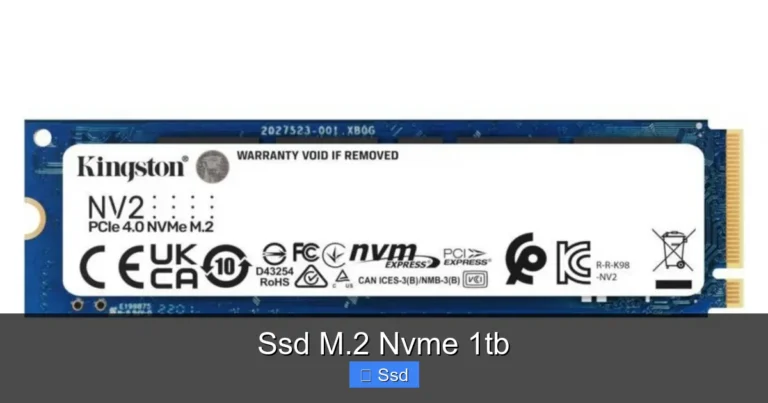
An M 2 NVMe 4TB SSD is a high-capacity storage drive that fits into a narrow M.2 slot on your motherboard. It uses the Non-Volatile Memory Express protocol to transfer data at incredibly fast speeds. Unlike older SATA drives, this type of SSD communicates directly through the PCIe bus, cutting out bottlenecks.
The “4TB” part means it holds 4 terabytes of data. That is enough space for thousands of games, massive video files, or an entire operating system library. The “M.2” refers to the physical size and shape of the drive. It looks like a stick of gum and sticks right onto your motherboard.
These drives have become the gold standard for performance. Whether you are editing 8K video or just want your games to load in a blink, this drive delivers. The combination of huge capacity and raw speed makes it a favorite among power users.
Why Choose a 4TB NVMe Drive?
Choosing a 4TB NVMe M.2 drive is a smart move for anyone running out of space. Standard drives often cap out at 1TB or 2TB. A 4TB drive eliminates the need for multiple drives or external storage solutions.
Here is why this capacity hits the sweet spot:
- Game Libraries: Modern AAA games can take up 100GB each. A 4TB drive holds over 40 of them with room to spare.
- Video Editing: 4K and 8K video files are massive. You can store raw footage and still have space for your software.
- Future-Proofing: Game and software sizes keep growing. Starting with 4TB means you might not need an upgrade for years.
Beyond space, the speed is a game-changer. You get faster load times, smoother playback, and quicker file transfers. It turns a slow computer into a responsive powerhouse. This is especially true if you switch from an older hard disk drive.
Speed Comparison: NVMe vs SATA
The difference between NVMe and SATA is night and day. A standard SATA SSD maxes out around 550 MB/s. A PCIe M.2 NVMe SSD can blast past 7,000 MB/s on Gen4, and even higher on Gen5. That is over 10 times faster.
| Drive Type | Max Read Speed | Max Write Speed |
|---|---|---|
| SATA SSD | 550 MB/s | 520 MB/s |
| NVMe Gen4 | 7,400 MB/s | 6,800 MB/s |
| NVMe Gen5 | 14,000 MB/s | 13,000 MB/s |
As you can see, the speed jump is massive. Copying a 100GB file takes about 3 minutes on a SATA drive. On a Gen4 NVMe, it takes less than 15 seconds. This efficiency saves hours of waiting time over the life of the drive.
Top Features to Look For
Picking the right M.2 NVMe solid state drive can be tricky. Not all 4TB drives are created equal. You need to focus on a few key specs to get the best value.
PCIe Generation
The PCIe generation dictates the speed ceiling. Most current M 2 PCIe NVMe SSD options use Gen4. It offers a fantastic balance of speed and cost. Gen5 is the newest standard, offering insane speeds, but it comes at a premium price and runs hotter.
For most users, Gen4 is more than enough. It saturates even the fastest internal hard drives. You only truly need Gen5 if you work with massive 3D rendering files or scientific data sets.
DRAM Cache
A DRAM cache acts like a shortcut for your data. It stores a map of where files are located. Drives with a DRAM cache deliver more consistent speeds. They handle mixed workloads better than DRAM-less drives.
For a 4TB drive, a DRAM cache is highly recommended. It prevents slowdowns when you are copying large files while running a game. Look for drives that list an “HMB” or DRAM cache feature.
Endurance and TBW
Endurance is measured in Terabytes Written (TBW). It tells you how much data you can write to the drive before it might fail. A 4TB drive typically has a high TBW rating. This means it will last many years under heavy use.
Always check the TBW rating if you do a lot of video editing or running virtual machines. A higher TBW equals a longer lifespan. It is a key metric for professional workloads.
Compatibility and System Requirements
Before you buy an NVMe M.2 SSD 4TB, you must check if your system supports it. The drive will not work in every slot. M.2 slots can run at different speeds, and not all support NVMe.
Here is a quick checklist to ensure your PC is ready:
- M.2 Slot: Your motherboard must have an M.2 slot. Look for the slot that runs at PCIe speeds, not SATA.
- PCIe Lanes: Ensure your CPU and chipset have enough PCIe lanes. A 4TB Gen4 drive uses up to 4 lanes.
- BIOS Support: Older motherboards might need a BIOS update to recognize large capacity drives.
- Operating System: Windows 10 or later supports large NVMe drives out of the box. Macs from 2016 or later also support them.
Form Factor: 2280
The most common M.2 size is 2280. This number means 22mm wide and 80mm long. Almost all 4TB NVMe drives use this M.2 2280 NVMe SSD format. It is the standard for desktops and modern laptops.
Shorter drives like 2230 are rare for high-capacity drives. Always double-check the physical size your system accepts. A drive that is too long might not fit in a compact laptop or a small form factor PC case.
Best M 2 NVMe 4TB SSD Picks
The market for a 4TB NVMe M.2 SSD is growing fast. Several top brands now offer reliable, high-speed options. Here are the best drives you can buy today.
Crucial T705
The Crucial T705 is a standout choice for performance enthusiasts. This Crucial T705 4Tb Pcie Gen5 Nvme M 2 Ssd delivers Gen5 speeds that are ready for the future. It offers sequential read speeds up to 14,000 MB/s. It is perfect for anyone who wants the absolute fastest data transfer rates.
It also comes with a robust heatsink design to manage thermals. The price is premium, but the performance is unmatched. This drive is a beast for content creators.
Samsung 990 Pro
Samsung is a household name in storage. Their 990 Pro is a top-tier Samsung 970 Evo Plus Nvme M 2 Ssd successor. It dominates the Gen4 space with incredible random read/write IOPS. It is incredibly reliable and comes with a strong 5-year warranty.
While Samsung does not yet offer a 4TB model in the 990 Pro line, their larger drives set the benchmark for quality. When a 4TB version arrives, it will likely lead the market. For now, their existing high-capacity drives remain excellent.
Solidigma and WD Black
Other brands like Solidigm and WD Black offer excellent 4TB options. The WD Black SN850X is a popular NVMe M.2 SSD WD Blue relative that focuses on gaming performance. It hits sweet spots between speed, cost, and heat management.
Solidigm’s P44 Pro is another powerhouse. It offers consistent Gen4 speeds and excellent endurance. Both are fantastic choices for a 1Tb M 2 Nvme Ssd or a massive 4TB upgrade. They cover all bases for gamers and professionals alike.
Value Picks
If you want a great deal, keep an eye on the 2Tb M 2 Nvme Ssd market. Sometimes, buying two 2TB drives in a RAID setup is cheaper than one 4TB drive. Kingston also offers solid options like the Kingston 1Tb M 2 Nvme Ssd line, which scales up well for budget builds.
Installation Guide and Tips
Installing an M 2 NVMe 4TB SSD is one of the easiest upgrades you can do. You do not need to open the drive itself. The process takes about 10 minutes. Here is how to get it done right.
- Power Down: Shut off your computer completely and unplug it. Press the power button to drain residual electricity.
- Locate the M.2 Slot: Open your case and find the M.2 slot on the motherboard. It is usually near the CPU socket. Check your motherboard manual if you are unsure.
- Insert the Drive: Hold the drive at a 30-degree angle. Push it firmly into the slot. It should click slightly.
- Secure It: Push the drive down flat and screw it into the hole with the small M.2 screw. Do not overtighten.
Formatting and Initialization
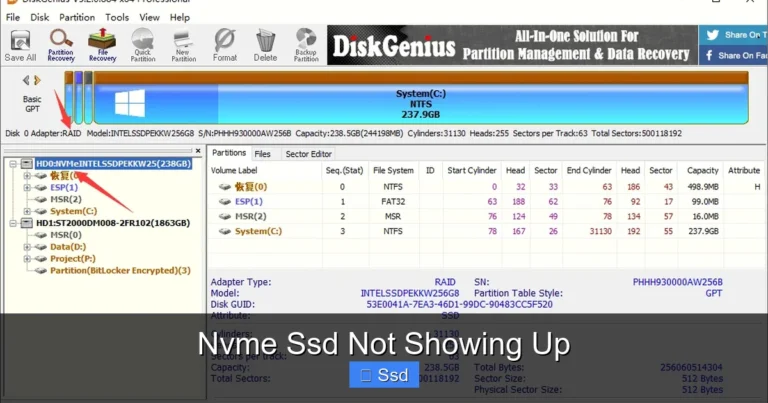
Once the drive is physically installed, your computer might not see it immediately. You need to initialize and format it. On Windows, open “Disk Management.” Find the new 4TB drive and initialize it as GPT.
Then, create a simple volume and format it as NTFS. The formatting process will take a while due to the massive capacity. Do not interrupt it. Once done, your new SSD M 2 NVMe 1Tb style speed is ready for your 4TB drive.
Managing Heat
High-capacity NVMe drives generate a lot of heat. The 2Tb Nvme M 2 Ssd and larger drives are especially prone to thermal throttling. If your motherboard has a heatsink over the M.2 slot, use it. Many 4TB drives come with their own sticker heatsinks too.
Good airflow in your case is critical. A hot drive will slow down to protect itself. Keeping it cool ensures you get the full speed all the time. This is a key tip for maintaining long-term drive health.
Common Mistakes to Avoid
Even simple upgrades can go wrong. Here are a few common mistakes people make with a 4TB NVMe M.2 SSD.
- Forcing it into a SATA slot: Some M.2 slots only run at SATA speeds. Putting an NVMe drive there will not work. Always check the motherboard manual for the “PCIe” or “NVMe” slot.
- Ignoring the OS: You cannot just install a new drive and expect everything to be faster. You must move your operating system to the NVMe drive to see boot speed improvements.
- Skipping the screw: Never just stick the drive in without a screw. It can wiggle loose and short circuit against other components.
- Old BIOS: If your PC does not see the drive, update your BIOS. Older versions sometimes lack the firmware to recognize large NVMe capacities.
Real-World Performance Expectations
So what does a 4TB Nvme M 2 Ssd actually feel like in daily use? It feels like a different computer. Boot times drop to under 10 seconds. Heavy applications launch instantly.
For gamers, open-world games that stream textures in the background run flawlessly. The drive keeps up with the demands easily. For video editors, scrubbing through a 4K timeline becomes smooth without rendering lag.
The large capacity means you rarely have to delete old projects to make room for new ones. It is a liberating feeling. The combination of space and speed makes this the ultimate storage upgrade. It is the single best improvement you can make to a sluggish system.
Expert Insights
Storage experts agree that high-capacity NVMe is the future. The days of balancing a small SSD with a large hard drive are ending. Manufacturers are shifting focus entirely to NVMe technology.
“The demand for 4TB NVMe drives is surging because content sizes are exploding,” says a storage analyst. “A 4TB Gen4 drive is the perfect sweet spot for 2024 and beyond. It offers the speed of flash with the capacity of a traditional disk.” This quote highlights why this category is so important now.
Conclusion
An M 2 NVMe 4TB SSD is the ultimate storage solution for modern PCs. It combines massive capacity with incredible speed. Whether you game, create content, or manage large datasets, this drive delivers.
The upgrade process is simple, and the performance gains are immediate. Just remember to check your motherboard compatibility and manage your thermals. With the right drive, your computer will feel brand new. Make the switch today and experience storage at its absolute best.
Frequently Asked Questions
What is the fastest M 2 NVMe 4TB SSD?
The Crucial T705 is currently one of the fastest options available. It utilizes the PCIe Gen5 interface to deliver speeds up to 14,000 MB/s. While Gen4 drives are excellent, Gen5 offers double the bandwidth for heavy workloads.
Can I install a 4TB NVMe SSD in a laptop?
Yes, if your laptop has an M.2 2280 slot that supports PCIe NVMe. Many modern gaming and creator laptops support these drives. However, you must check the maximum supported capacity in your laptop’s specifications, as some are limited to 2TB.
Do I need a special motherboard for a 4TB NVMe drive?
You need a motherboard with an M.2 slot that runs at PCIe speeds, not just SATA. Most modern motherboards from the last 3-4 years support this. Ensure your BIOS is updated to recognize large capacity drives.
Is a 4TB NVMe SSD worth it for gaming?
Absolutely. Modern games are huge, often exceeding 100GB each. A 4TB drive lets you install your entire library without deleting games. The faster load times also give you a competitive edge in online games.
What is the difference between a 4TB NVMe and a 4TB SATA SSD?
The main difference is speed. A 4TB NVMe drive is up to 14 times faster than a SATA SSD. It also has a smaller physical form factor. SATA drives are better for bulk storage where speed is not a priority.
How do I keep my 4TB NVMe drive cool?
Use the motherboard’s built-in M.2 heatsink or add an aftermarket one. Good case airflow is also essential. Avoid placing the drive near other hot components like the GPU. Monitoring temperatures with software can help prevent thermal throttling.